Runpod’s AI Search Case Study: How to Find Page Content That Isn’t Being Read
Runpod reportedly found and fixed articles whose body content was not fully picked up by AI systems. Review what the case describes, then learn how to check in Search Console whether a key sentence on your page is retrieved and what to inspect if it is missing.
The notable part of Runpod’s case is that some of its article body content was not being fully picked up. Before debating whether the writing is good enough, check whether it is reaching the systems that need to read it. You can apply that order to your own site.[1]
Runpod rents high-performance computing capacity over the internet for developing and running AI applications.
If you already have plenty of content but AI referrals are not growing, check whether your key explanations are reaching AI and search services before adding more text. This article reviews Runpod’s case, then shows how to check your own pages for the same problem.
Changes and results reported in Runpod’s AI search case
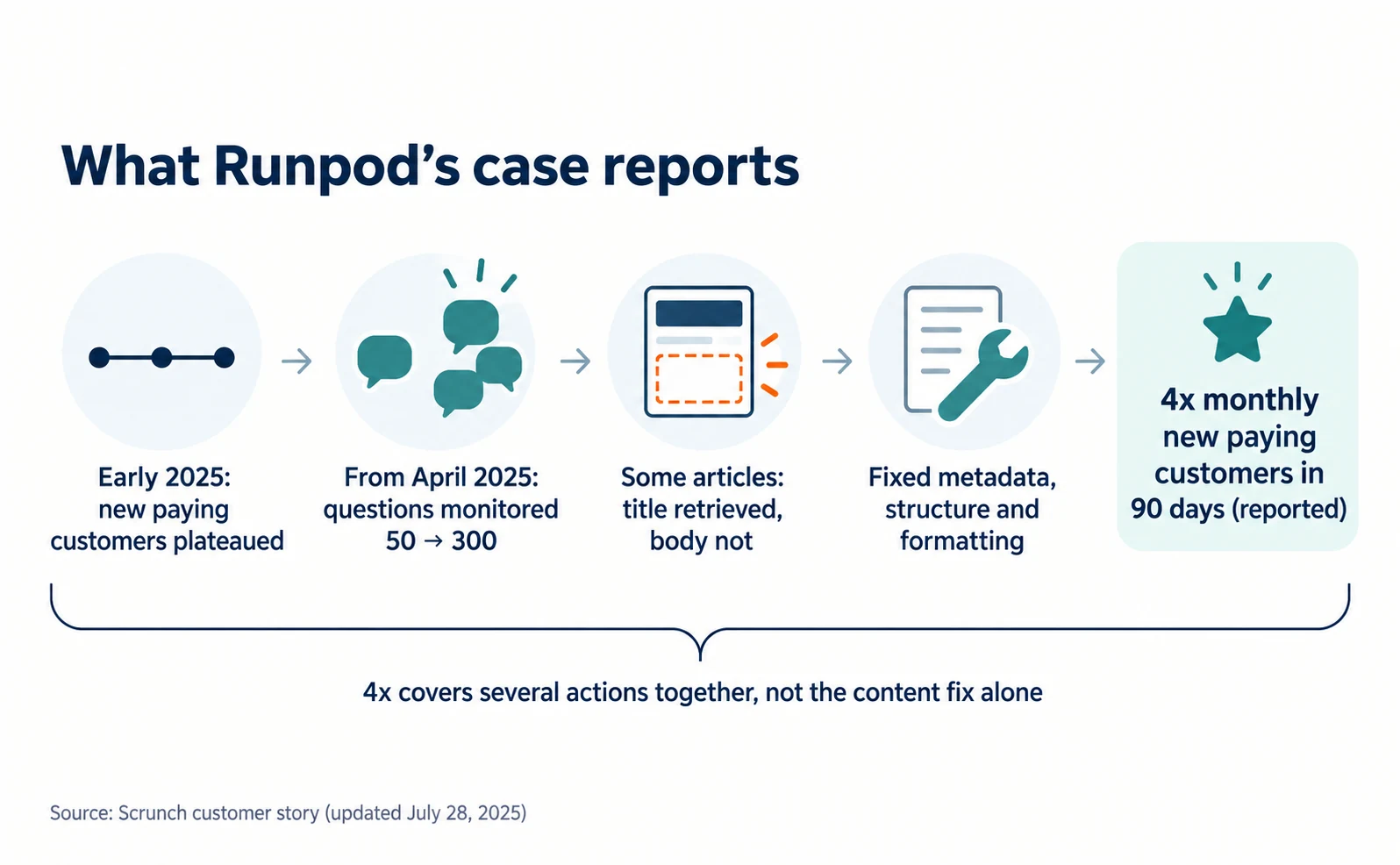
Runpod expanded the questions it monitored from 50 to 300 and found and fixed articles whose body content was not fully picked up. It reportedly achieved four times as many new paying customers per month within 90 days.[1]
The case study was published by Scrunch, an AI search monitoring provider, as a story about its own customer, and was last updated on July 28, 2025. It is not an independent third-party evaluation.[1]
| Stage or item | What the case study says |
|---|---|
| Before | In early 2025, new paying customers from AI search plateaued at about 300–400 per month |
| Question research | From April 2025, monitored questions expanded from 50 to 300 |
| Problem found | Some articles had titles picked up but not their body content |
| Fixes | Updated metadata, restructured pages and corrected formatting |
| Reported result | Four times as many new paying customers per month within 90 days |
Source: our table based on [1]
The case also says ChatGPT accounted for about 98% of Runpod’s referral traffic.[1]
However, no before-and-after code or affected article names were published. The fourfold result covers several actions together, including question research and page fixes. It does not show that fixing page content alone produced the growth.
The steps below are not a reconstruction of Runpod’s internal work. They are our suggested way to check whether your own site has a similar problem.
Choosing a page and one important sentence
First, choose one public page you want people to read before they sign up, and copy one sentence from its body that must reach them.
The page does not have to be your homepage. Choose a pricing page, service description or comparison article that helps someone decide whether to buy.
Choose the sentence from the body, not a title or menu label. Good examples explain how prices are calculated, which uses are supported or which conditions limit use.
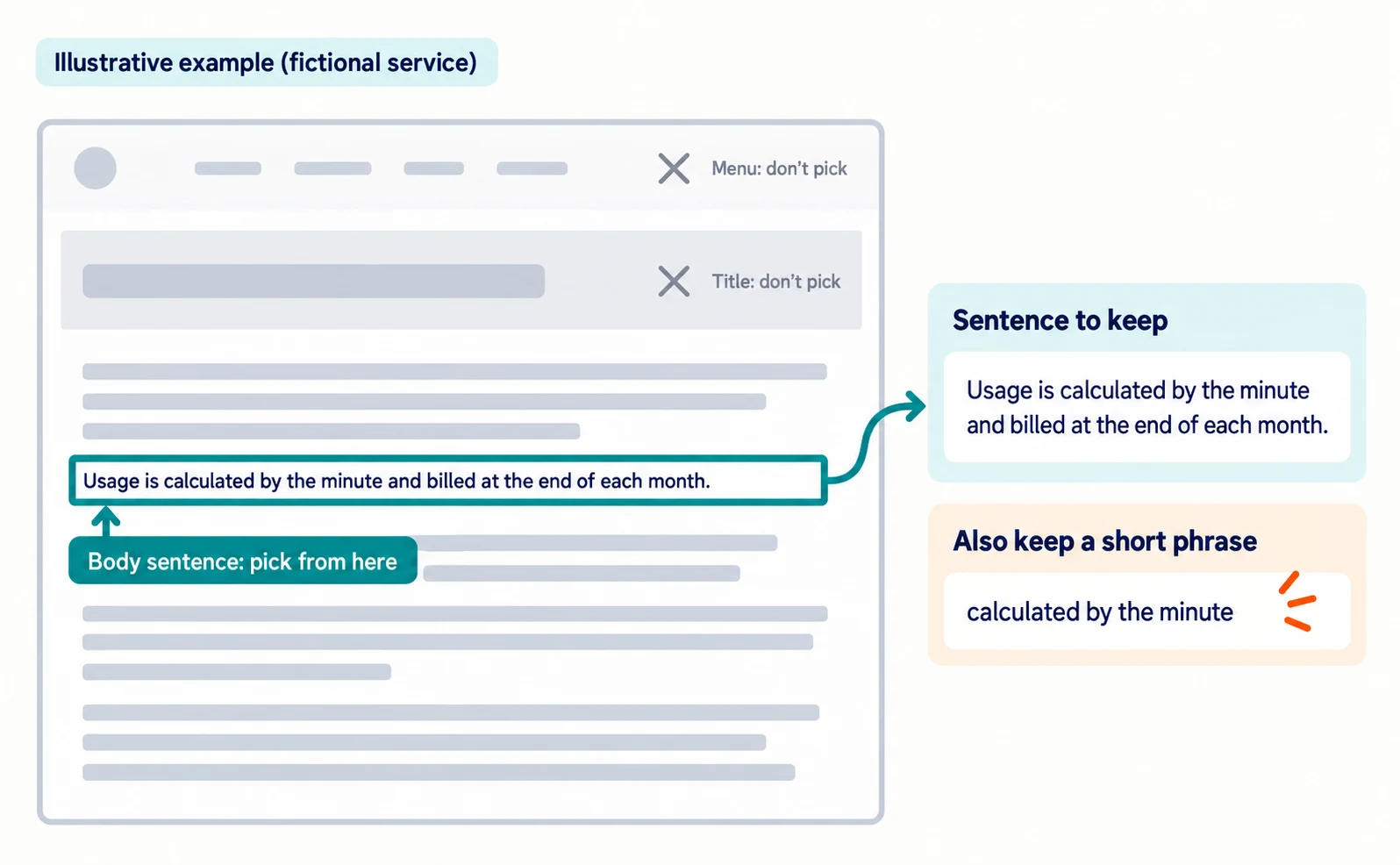
Here is an illustrative example for a fictional service.
| What to prepare | Example |
|---|---|
| Public page URL | Your pricing page URL, copied from the browser address bar |
| Sentence from the body | “Usage is calculated by the minute and billed at the end of each month.” |
| Short phrase | “calculated by the minute” |
Using a sentence lets you check whether a key explanation is retrieved without reading the whole page’s code. Keep a short, distinctive phrase too, in case the full sentence is not found.
Using Search Console URL Inspection to check that page content is retrieved
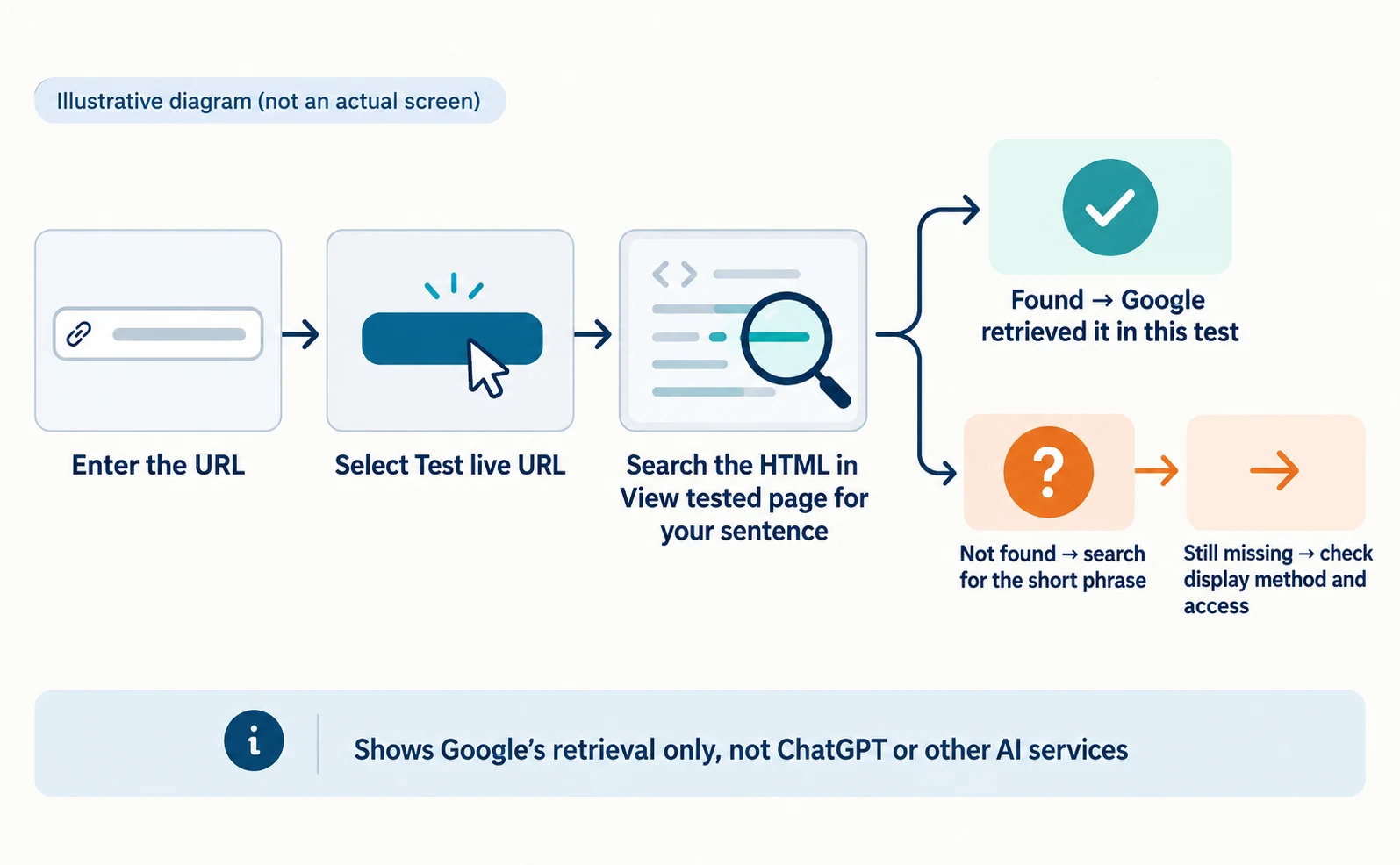
In Search Console URL Inspection, run Test live URL, open View tested page and search the HTML for your sentence.
Search Console is Google’s tool for site owners to see how Google Search handles their site. You need a verified property and permission to view it.[2]
- Open Search Console and select your property.
- Enter the page URL in the inspection field at the top.
- The first result shows the version Google last indexed. To check the current page, select Test live URL.[2]
- Open View tested page and search the HTML for your sentence. HTML is the data that describes a page’s text and structure.[2]
If you find the sentence, Google retrieved that explanation in this test. If not, check for wording differences and search for the short phrase.
If the test fails and details cannot be opened, read the page-fetch error first. The page must be reachable without logging in.[2] If you lack access, give the URL and sentence to the person who manages your site.
This checks Google’s retrieval only. It does not confirm that ChatGPT or other AI services receive the same content.
If the content is missing: check how the page is displayed and access permissions
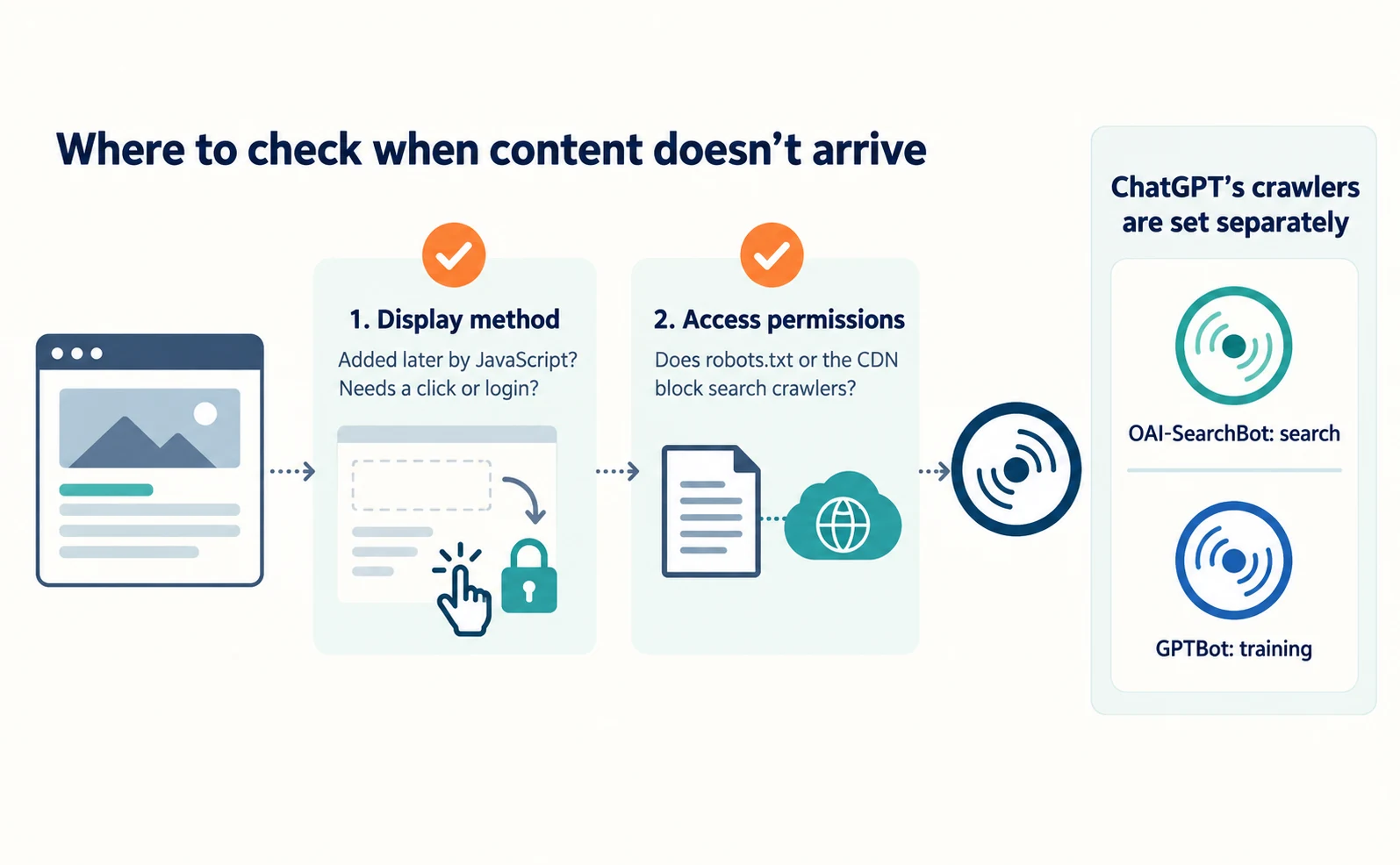
If visitors can read the sentence but the test HTML lacks it, check how the page is displayed and what access is allowed before adding more text.
First, display method. Some pages deliver body text immediately. Others run a program afterward to display it. JavaScript is a language commonly used for that program.
Google processes JavaScript, but not all bots can run it. Google says server-side rendering or pre-rendering, which prepares the content before it reaches the browser, is still a good idea.[3] Also check whether content appears only after a click or login.
Second, access permissions. Check whether your robots.txt settings file or your CDN, the service that delivers your site, blocks search crawlers. Google recommends allowing crawling in both robots.txt and any CDN or hosting infrastructure.[4]
For ChatGPT, OAI-SearchBot is used for search and GPTBot for training, and the settings are independent. To appear in ChatGPT search, OpenAI recommends allowing OAI-SearchBot and requests from its published IP ranges.[5] Blocking GPTBot to refuse training is a separate decision from blocking search crawlers.
A request like this helps your web team know where to look.
This is the public page. The sentence “[insert the actual sentence]” is visible on screen but missing from the HTML in Search Console’s live URL test. Please check whether the content is added later by JavaScript or requires a click or login. Please also check whether robots.txt or CDN settings block search crawlers such as Googlebot or OAI-SearchBot. After any fix, we will test the same URL and sentence again.
This is a template; include the test date. It does not mean JavaScript caused Runpod’s problem.
You do not need to publish information that should stay private just to pass the test. The target is content already intended for customers. For crawler types, see how AI crawlers differ.
If the content is readable, compare it with customer questions
If the content is retrieved but not featured, check whether the page answers the questions customers actually ask.
Choose frequent pre-purchase questions from inquiry or sales records, without names or contact details.
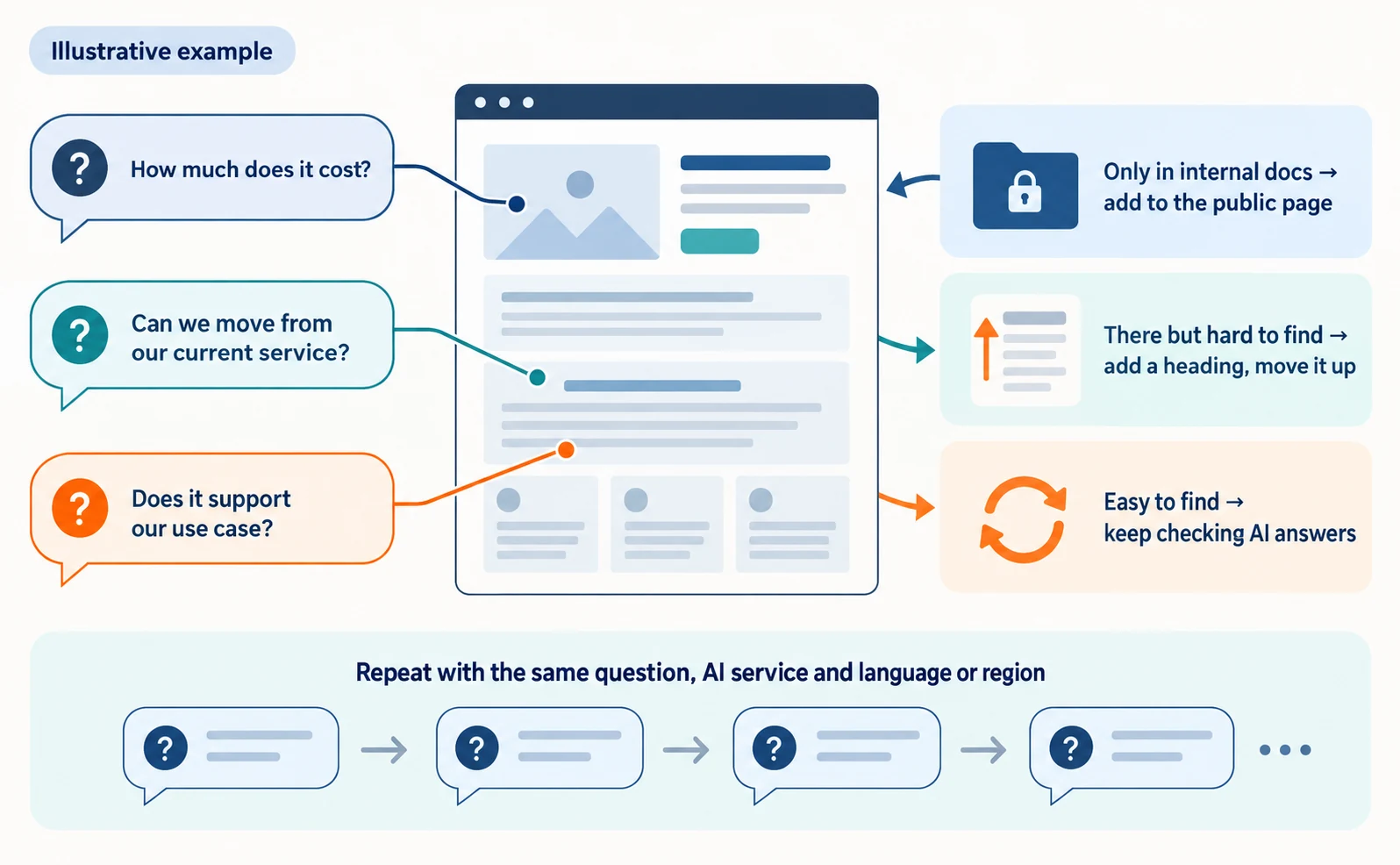
For example: “How much does it cost?”, “Can we move from our current service?” and “Does it support our use case?” For each question, find where your page answers it.
| What you find | Next step |
|---|---|
| The answer is only in internal documents | Add verified information to the public page |
| The answer exists but is hard to find | Add a relevant heading and move it higher on the page |
| The answer exists and is easy to find | Keep checking AI answers for the same question |
AI answers can change for the same question. Do not judge from one appearance; repeat checks with the same question, AI service and language or region.
AgentSignal can record AI answers and cited sources for registered questions over time. It requires login and analysis credits; see how to use AI Optimization.
To check whether AI visitors run into problems on the linked page, see how to fix links from AI answers that won’t open.
After a fix, check in order whether the content is retrieved, whether AI answers feature it, whether people visit and whether they sign up. The fourfold result is a provider’s report, but checking whether your content reaches its readers first is something you can try today.
FAQ
- Q. What does Runpod provide?
- Cloud computing capacity for developing and running AI systems, available over the internet.
- Q. Did fixing the articles alone quadruple new paying customers?
- That is not known. Question research and other actions happened at the same time, and the fourfold figure is the provider’s report on the whole program.
- Q. Will blocking GPTBot remove my site from ChatGPT search?
- GPTBot is for training and is set separately from OAI-SearchBot, which ChatGPT search uses. To appear in search, check that OAI-SearchBot is allowed. Allowing it does not guarantee appearance.
Sources
- [1] How Runpod leveraged the Scrunch AI platform to achieve 4x growth, turning ChatGPT into a top performing acquisition channel (Scrunch) — accessed 2026-09-23
- [2] URL Inspection tool (Google Search Console Help) — accessed 2026-09-23
- [3] Understand the JavaScript SEO basics (Google Search Central) — accessed 2026-09-23
- [4] AI features and your website (Google Search Central) — accessed 2026-09-23
- [5] Overview of OpenAI crawlers (OpenAI) — accessed 2026-09-23
About the author
Shogo MizushimaCEO of kairos Inc. / AgentSignal Developer
Develops AgentSignal, a tool for measuring AI crawler visits and AI-referred traffic, and diagnosing AIO readiness. Writes about measurement and practical improvements for AI search using observed data.
Related articles
Measurement and site improvement
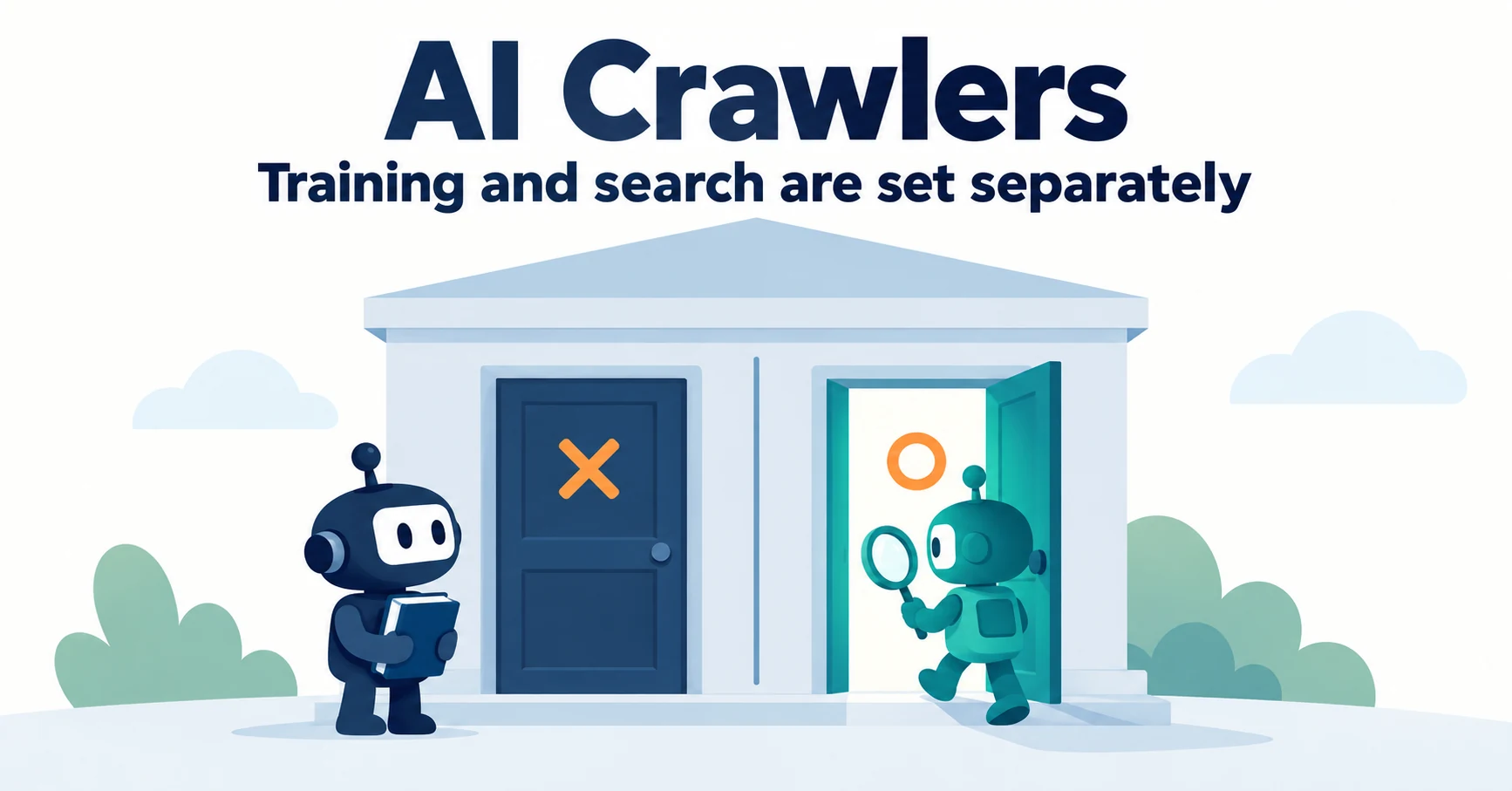
What Are AI Crawlers? Why Blocking GPTBot Doesn’t Remove You from ChatGPT Search
AI crawlers are programs AI companies use to read public web pages. Learn how GPTBot differs from OAI-SearchBot, how Google-Extended works, why visits can continue after a robots.txt block and how to choose settings by purpose.
Published
Measurement and site improvement
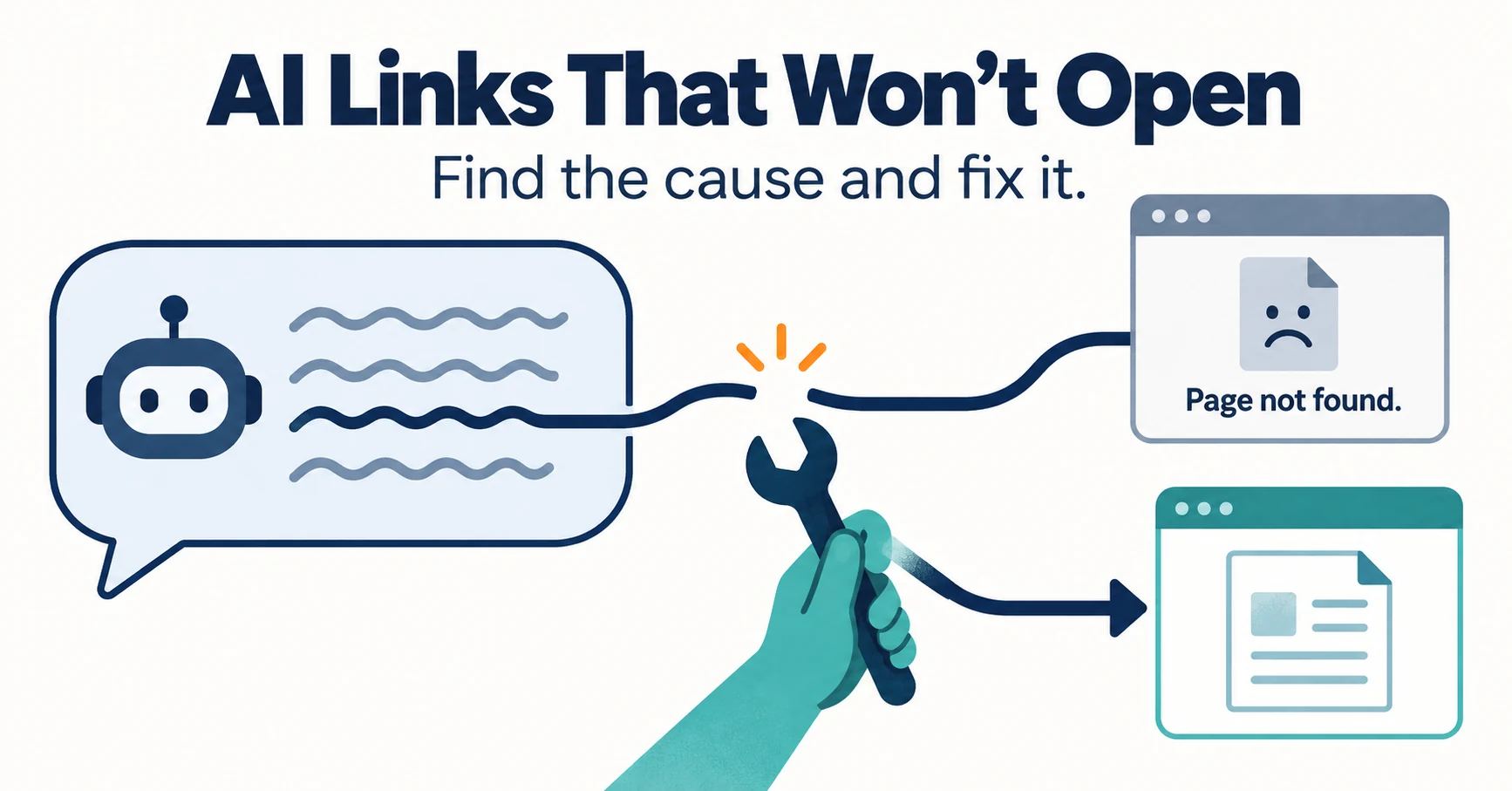
How to Check and Fix Links from AI Answers That Won’t Open
If clicking a link in an AI answer shows “Page not found,” the cause is usually a move, a deletion or an outage. Learn to tell them apart from visit records and response codes, then fix redirects and notices.
Published
Case studies and research
Claude and ElevenLabs: connect MCP for images, voice and video
Set up ElevenLabs MCP in Claude, prepare images, footage, narration and music, then finish in Studio. Includes connection commands and output checks.
Published