What Are AI Crawlers? Why Blocking GPTBot Doesn’t Remove You from ChatGPT Search
AI crawlers are programs AI companies use to read public web pages. Learn how GPTBot differs from OAI-SearchBot, how Google-Extended works, why visits can continue after a robots.txt block and how to choose settings by purpose.
AI crawlers are programs that AI companies use to read public web pages automatically. They have different names depending on whether they collect content for training, find pages for search or read a page at a user’s request. That is why ChatGPT’s search crawler can be configured separately even if you block GPTBot.[1]
“We do not want our articles used for AI training, but we do want AI to recommend us to people looking for products.” This article explains the types of AI crawlers and how to choose settings that match a policy like that. Information was checked on September 23, 2026.
What AI crawlers are: programs AI companies use to read public pages
AI crawlers fall into three types by purpose: training, search and retrieval at a user’s request. The same company uses different names for each purpose.
A crawler is a program that visits and reads web pages automatically. Sites use robots.txt, a settings file at the site root, to tell each named crawler whether it may read pages.
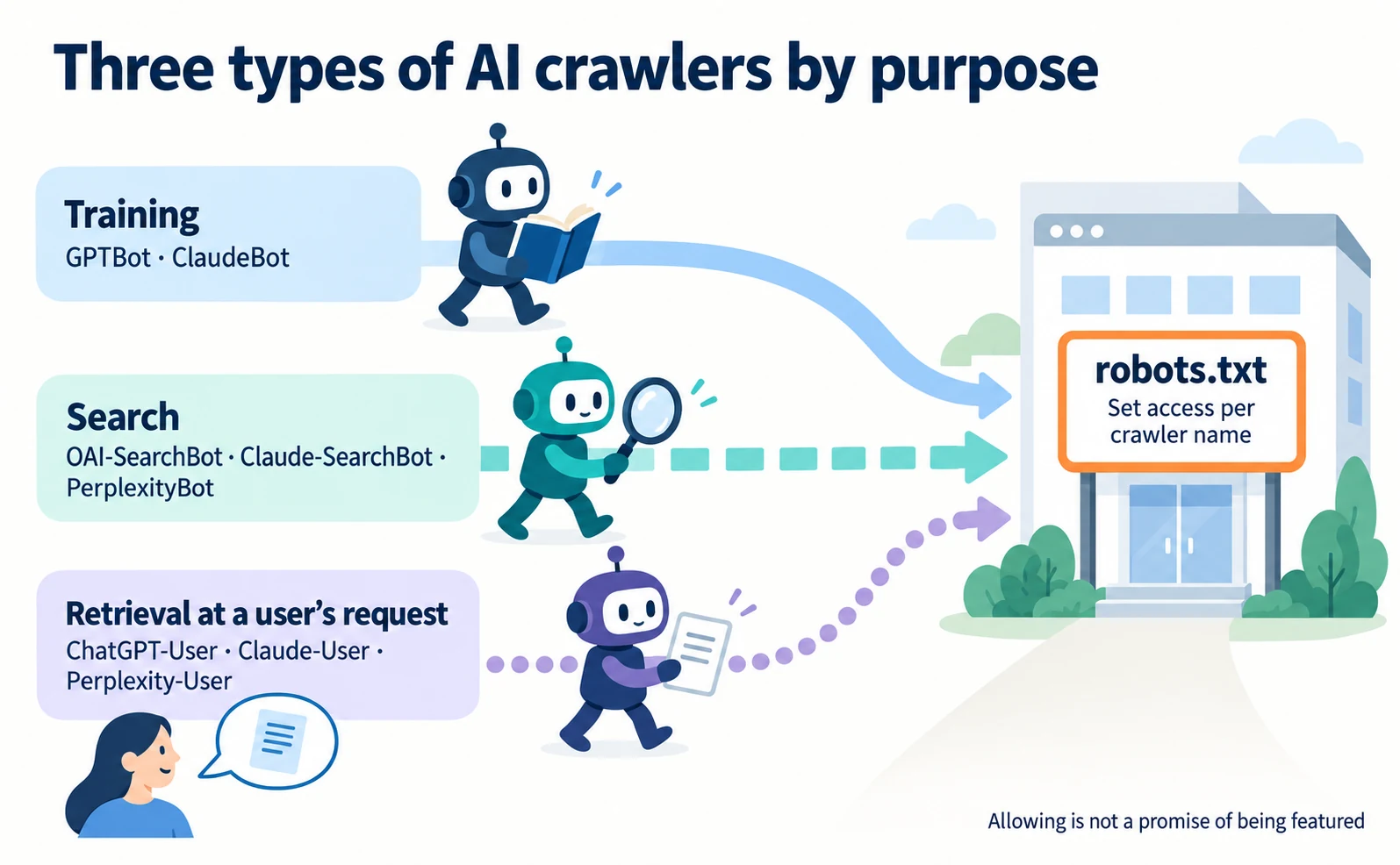
| Purpose | Main names (provider) | Main effect of blocking |
|---|---|---|
| Training | GPTBot (OpenAI), ClaudeBot (Anthropic) | Signals that future content should not be used for training |
| Search | OAI-SearchBot (OpenAI), Claude-SearchBot (Anthropic), PerplexityBot (Perplexity) | Makes the site less likely to be featured in that AI’s search |
| Retrieval at a user’s request | ChatGPT-User (OpenAI), Claude-User (Anthropic), Perplexity-User (Perplexity) | Affects on-demand reads requested by users; robots.txt may not apply to ChatGPT-User or Perplexity-User (Anthropic says Claude-User follows it) |
Source: our table based on [1][2][3]
Perplexity says PerplexityBot surfaces sites in search results and is not used for training.[3] Anthropic’s three bots follow robots.txt and support Crawl-delay, which spaces out requests.[2]
“Allow” means accepting visits, not a promise of being featured. “Block” does not delete information collected in the past.
GPTBot and OAI-SearchBot are separate settings: the effect on ChatGPT search
GPTBot is for training and OAI-SearchBot is for ChatGPT search, and OpenAI treats the two settings independently. Blocking GPTBot does not remove you from ChatGPT search if OAI-SearchBot is allowed.[1]
OpenAI gives the example of allowing OAI-SearchBot to appear in search results while disallowing GPTBot to indicate content should not be used for training.[1]
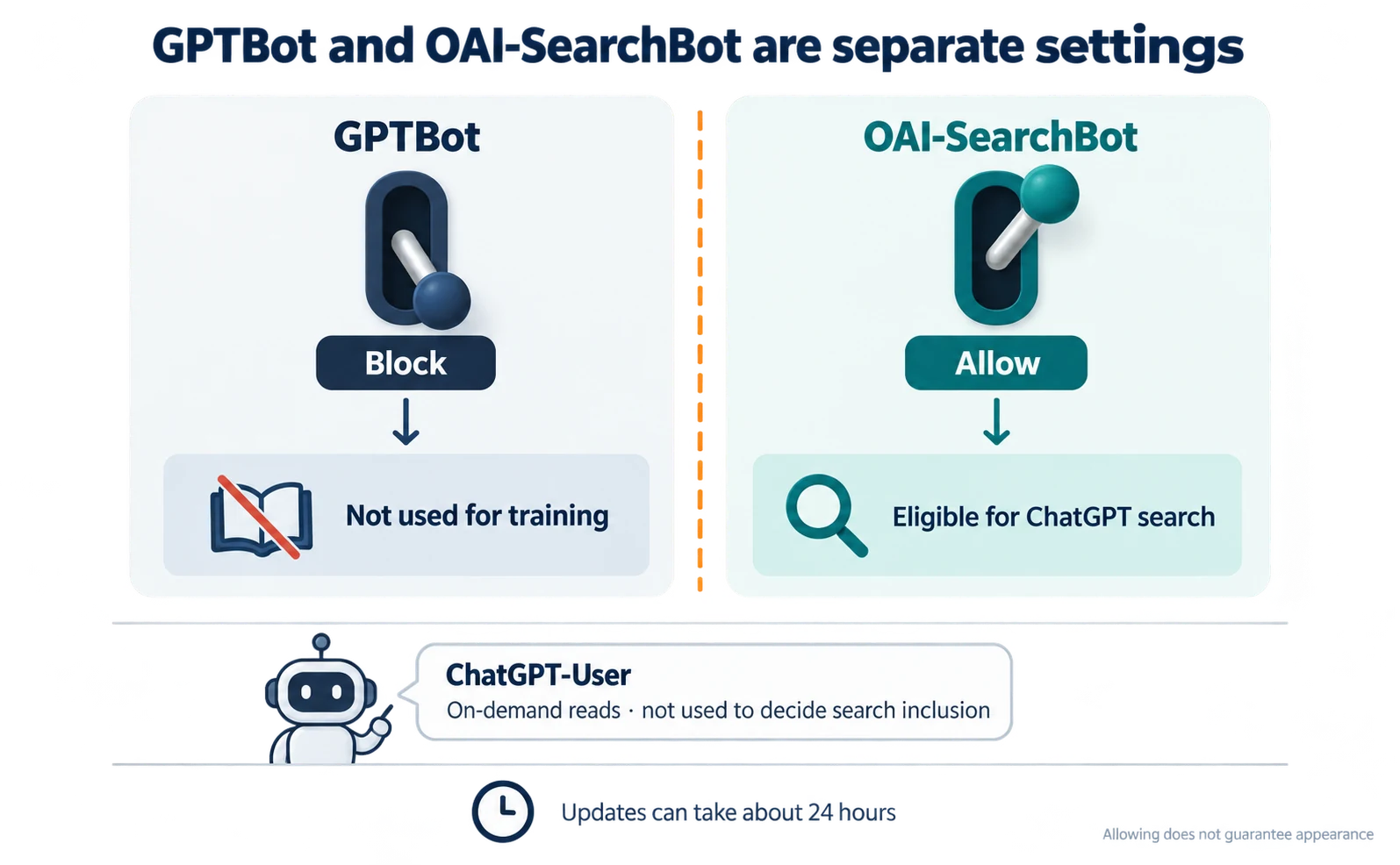
Conversely, sites that block OAI-SearchBot will not be shown in ChatGPT search answers, though they can still appear as navigational links.[1]
To appear in ChatGPT search, OpenAI recommends allowing OAI-SearchBot in robots.txt and allowing requests from its published IP ranges. An IP address is the number identifying the computer a request comes from.[1]
It can take about 24 hours after a robots.txt update for OpenAI’s search systems to adjust.[1] Do not judge from results immediately after a change.
ChatGPT-User is not used to decide search inclusion
ChatGPT-User reads a page on demand, for example when someone asks ChatGPT a question. It is not used to determine whether content may appear in search.[1]
Because these requests are started by users, OpenAI says robots.txt rules may not apply. It directs site owners to use OAI-SearchBot to manage search opt-outs and automatic crawling.[1]
So do not assume that blocking ChatGPT-User removes you from ChatGPT search, or that allowing it gets you included.
Google-Extended and Google Search AI features are separate settings
Blocking Google-Extended does not affect inclusion in Google Search or AI Overviews. Google-Extended manages whether content may be used to train Gemini models and to ground answers in Gemini Apps and related products.[4]
Google states that Google-Extended does not impact a site’s inclusion in Google Search and is not used as a ranking signal.[4]
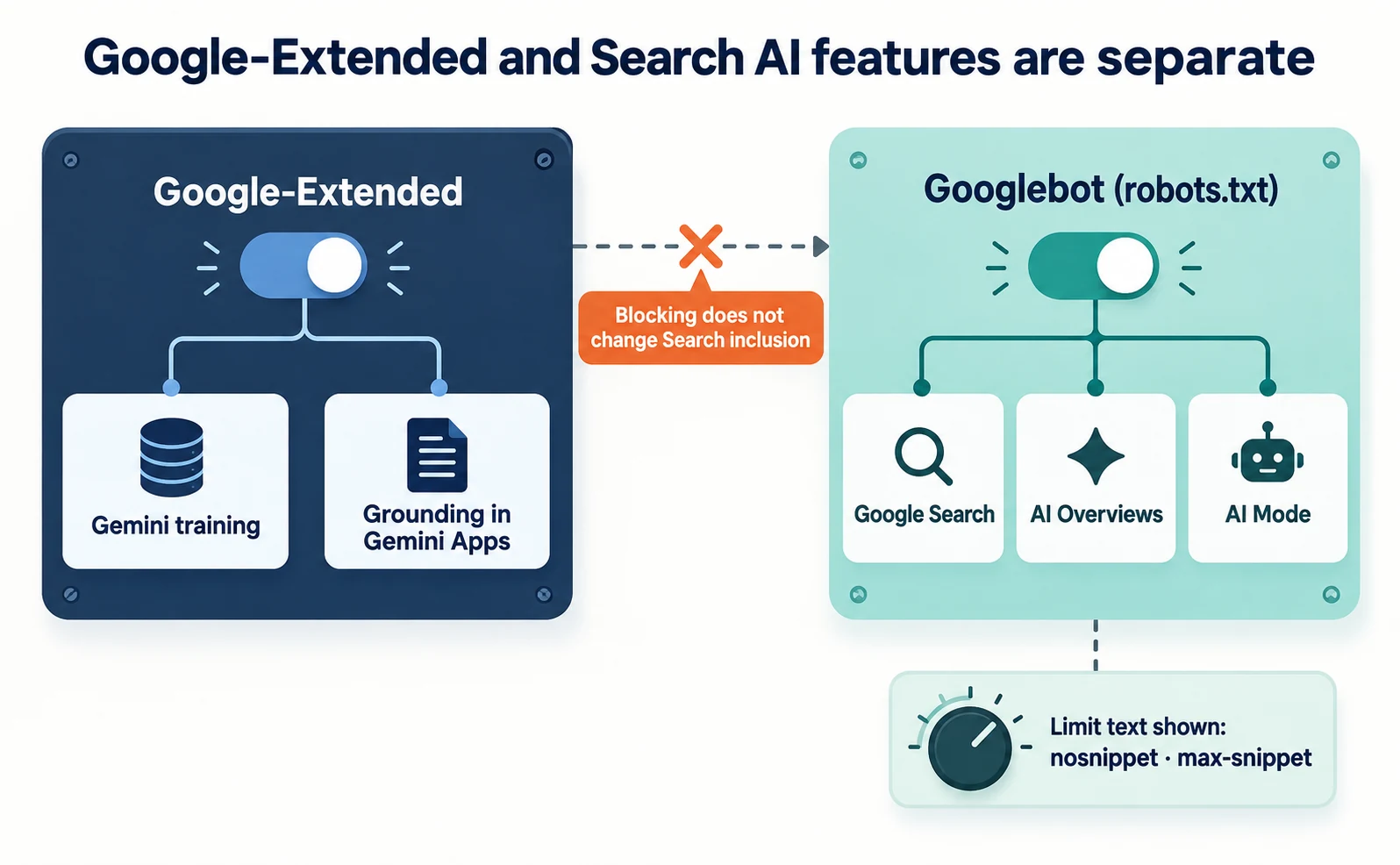
You will not see visits named Google-Extended in your logs. Google’s existing crawlers fetch the pages; the name works only as a control token in robots.txt.[4]
AI Overviews and AI Mode in Google Search are controlled through robots.txt rules for Googlebot, as with ordinary Search. To limit what text is shown, use settings such as nosnippet or max-snippet.[5] These also affect ordinary search snippets.
What to check when AI crawlers keep visiting after a robots.txt block
If visits continue after blocking, check for update delays, user-requested retrieval and impersonation.
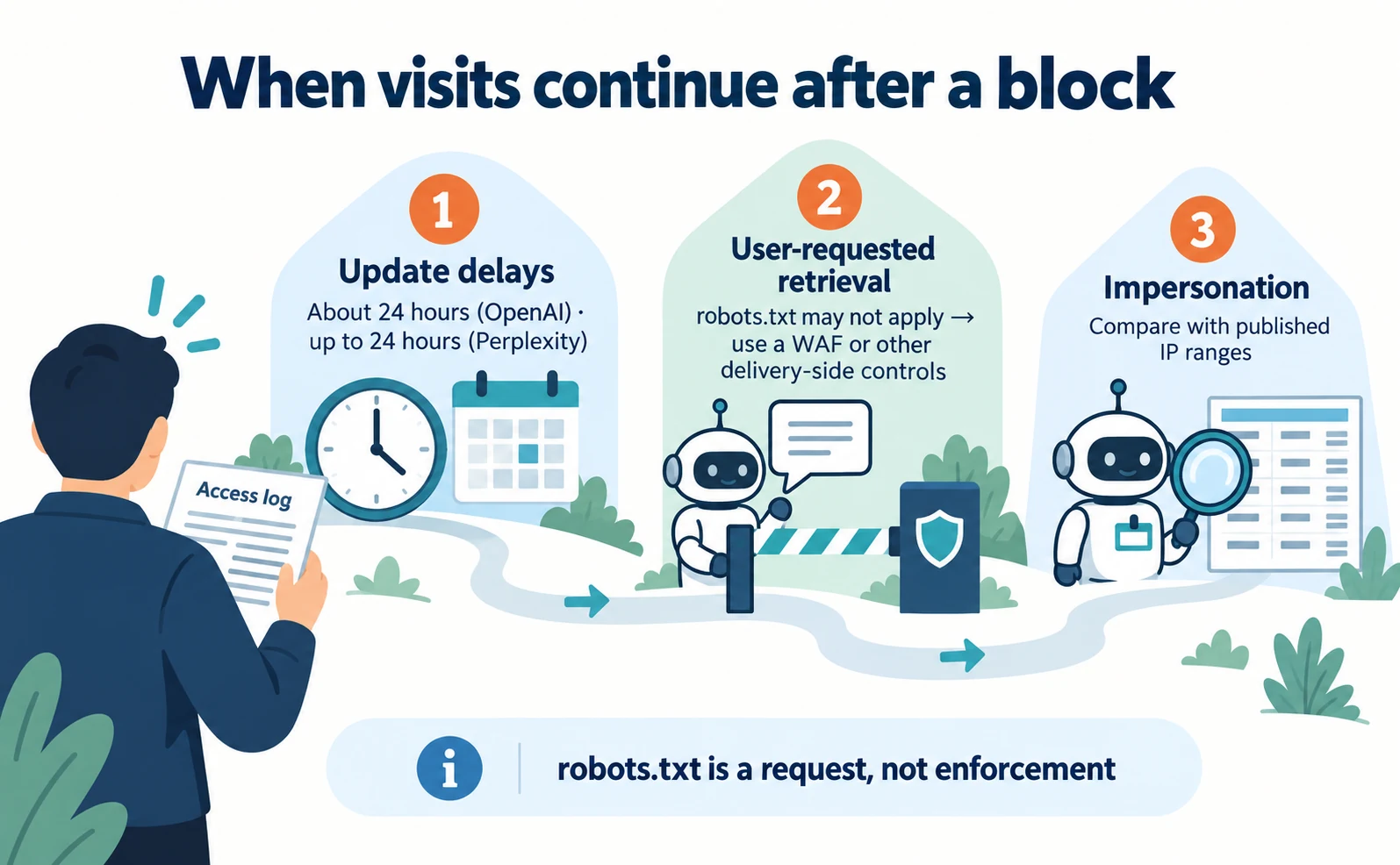
- Update delays. OpenAI says changes can take about 24 hours, and Perplexity up to 24 hours.[1][3] Compare the time you changed the file with the times of later visits.
- User-requested retrieval. Perplexity says Perplexity-User generally ignores robots.txt because a user requested the fetch.[3] robots.txt may also not apply to ChatGPT-User.[1] To stop these, you need delivery-side settings such as a WAF, a service that filters traffic to your site.
- Impersonation. The name a visitor reports can be spoofed.[4] Compare the visit with the IP ranges OpenAI and Perplexity publish.[1][3]
robots.txt is a request not to read pages; it is up to each crawler to follow it. Google also says robots.txt is not a way to keep pages out of Google and recommends protecting private information with passwords or similar controls.[6]
Anthropic says blocking its IP addresses may not reliably opt you out and directs site owners to robots.txt.[2] Recommended methods differ by company.
For verifying whether a visitor’s claimed identity is genuine, see how Web Bot Auth works.
Deciding AI crawler settings and briefing your web agency
First make a table of what to allow or block by purpose, then send a request covering the site, the bots and records before and after the change.
“Please handle AI” does not say whether you want to refuse training or be featured in search. Write each policy on one line.
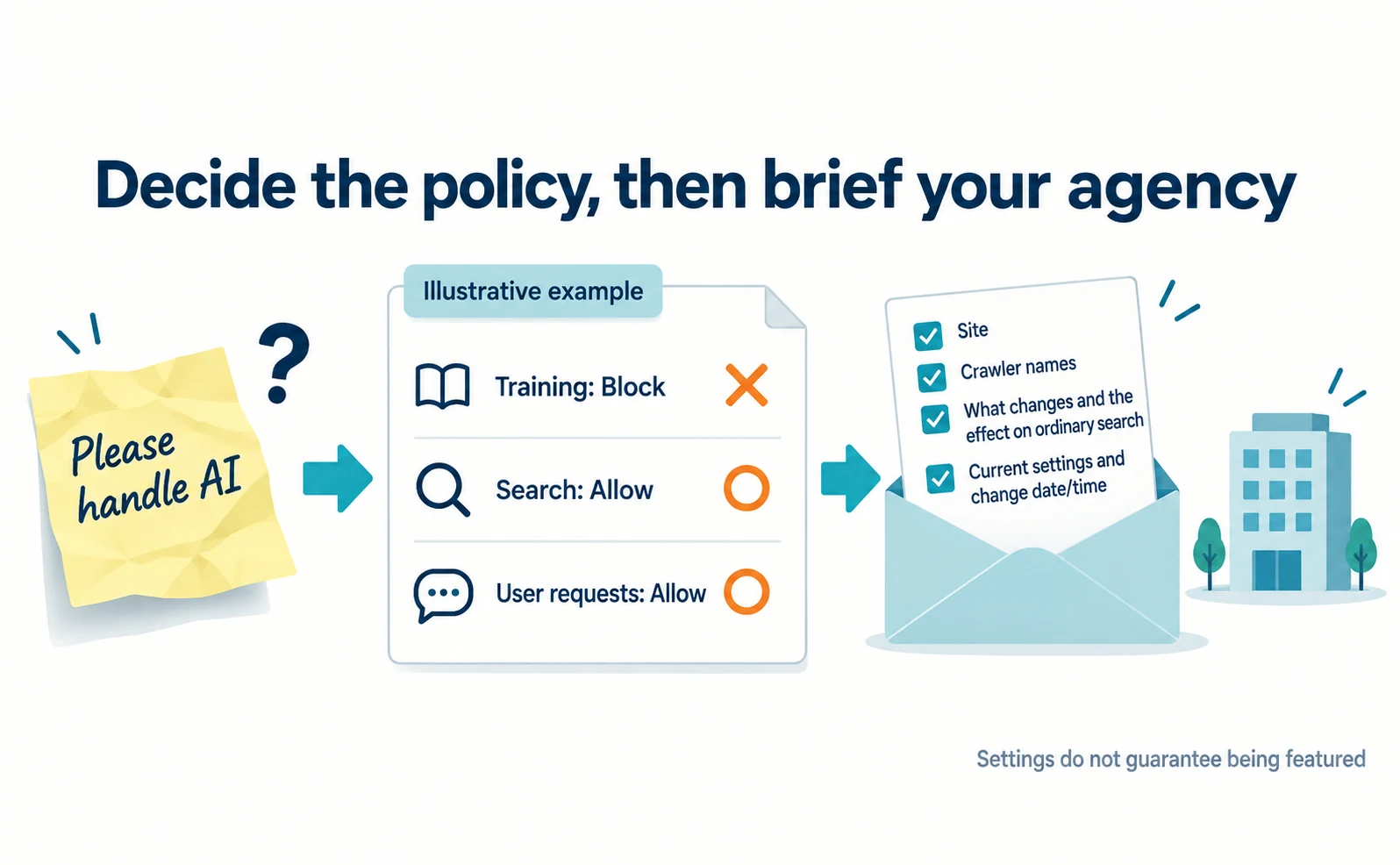
| Policy (illustrative) | Training | Search | User requests |
|---|---|---|---|
| Refuse training, accept search recommendations | Block | Allow | Allow |
| Accept both training and search | Allow | Allow | Allow |
| Space out requests because of load | Set a delay | Set a delay | Review the situation |
For the first policy, robots.txt might look like this. It is an example for discussion; ask your web agency to reconcile it with your existing settings.
User-agent: GPTBot
Disallow: /

User-agent: ClaudeBot
Disallow: /

User-agent: Google-Extended
Disallow: /

User-agent: OAI-SearchBot
Allow: /

User-agent: Claude-SearchBot
Allow: /

User-agent: PerplexityBot
Allow: /

User-agent: *
Allow: /
Disallow: /admin/
Rules for a specific name and general rules under * are not necessarily combined. Ask the agency to check before publishing whether exclusions such as the admin area should also be added for each name. Anthropic’s settings are needed for each subdomain.[2]
Here is an example request.
We want to review the AI access settings for our site. We want to refuse retrieval for training while accepting retrieval that allows our public product pages to be featured in search. Please check the current robots.txt and any CDN or WAF restrictions. Before changing anything, tell us which names are involved, what you would change and how it affects ordinary search. Please save the current settings and record the date and time of any change.
Changing settings does not guarantee being featured in AI answers. Check that separately by looking at answers to real questions. For how llms.txt, a link list for AI, differs from robots.txt, see Do you need llms.txt?
FAQ
- Q. Will blocking GPTBot remove my site from ChatGPT search?
- GPTBot is for training and is set separately from OAI-SearchBot, which ChatGPT search uses. Blocking GPTBot does not remove you from search if OAI-SearchBot is allowed. Allowing it does not guarantee appearance.
- Q. Will blocking Google-Extended remove my site from AI Overviews?
- No. Google-Extended manages uses such as Gemini training, and Google says it does not affect inclusion in Google Search.
- Q. Is a visitor calling itself GPTBot genuine?
- Reported names can be spoofed. Compare the visit with the IP ranges OpenAI publishes.
Sources
- [1] Overview of OpenAI crawlers (OpenAI) — accessed 2026-09-23
- [2] Does Anthropic crawl data from the web, and how can site owners block the crawler? (Anthropic) — accessed 2026-09-23
- [3] Perplexity Crawlers (Perplexity) — accessed 2026-09-23
- [4] List of Google's common crawlers (Google Search Central) — accessed 2026-09-23
- [5] AI features and your website (Google Search Central) — accessed 2026-09-23
- [6] Introduction to robots.txt (Google Search Central) — accessed 2026-09-23
About the author
Shogo MizushimaCEO of kairos Inc. / AgentSignal Developer
Develops AgentSignal, a tool for measuring AI crawler visits and AI-referred traffic, and diagnosing AIO readiness. Writes about measurement and practical improvements for AI search using observed data.
Related articles
Measurement and site improvement
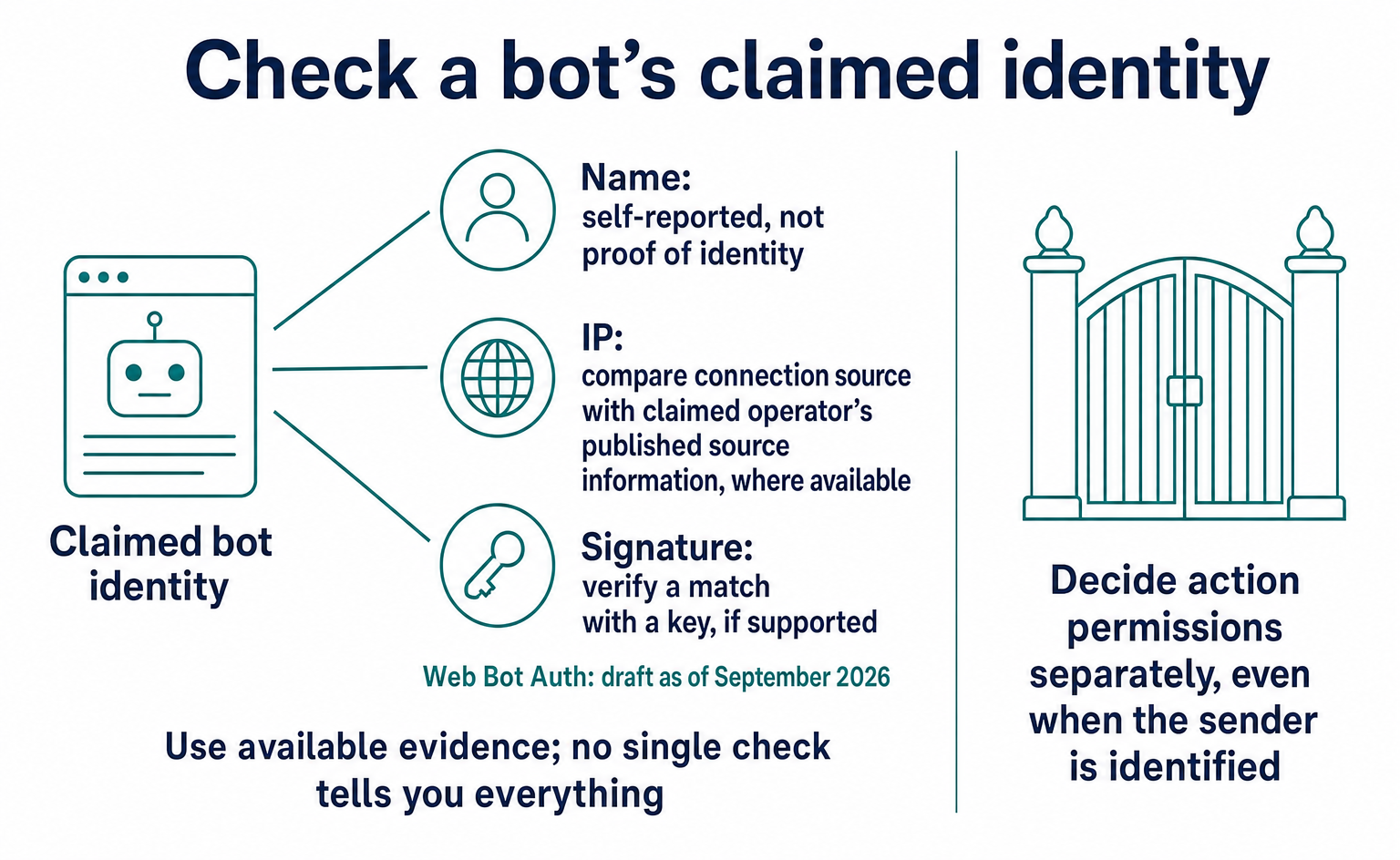
Is Traffic Claiming to Be GPTBot Genuine? How Web Bot Auth Works
A GPTBot name alone does not prove who sent a request. Learn how to check official IP ranges and signatures, how Web Bot Auth differs from RFC 9421, and what remained in draft as of September 2026. Includes a checklist for your web agency and guidance on recording unverified traffic.
Published
AIO and AI search
Do You Need llms.txt? What It Can Do and What to Check Before Adding It
llms.txt is a list of links to public pages you want AI to read. Learn whether AI search requires it, how it differs from robots.txt, when it helps, how to write it, and how to set it up and check it in WordPress and other platforms.
Published
AIO and AI search
What Is LLMO? How It Differs from SEO and Why Some Say It Is Pointless
LLMO is the work of helping answers from ChatGPT and other AI find and accurately describe your company. Learn how it differs from SEO, why some call it pointless, how E-E-A-T relates, how to measure results and what to do in the first month.
Published