How to Use AgentSignal AI Citation Rate: Check Whether AI Answers Cite You
Learn how to register questions in AgentSignal AI Citation Rate, calculate the credits you need, and read the results table and answer logs. We also explain how it differs from the AI reports in Search Console and Bing.
AgentSignal’s AI Citation Rate asks AIs your registered questions with web search and counts the share of answers that cite your site as a source. Open it from the AI Citation Rate project list (login required).
If someone says, “ChatGPT recommended a competitor, but not us,” start by recording that exact question and testing it. Search Console and Bing now have AI reports too. This article also explains which number to use in reports.
What AI Citation Rate tells you and what it does not
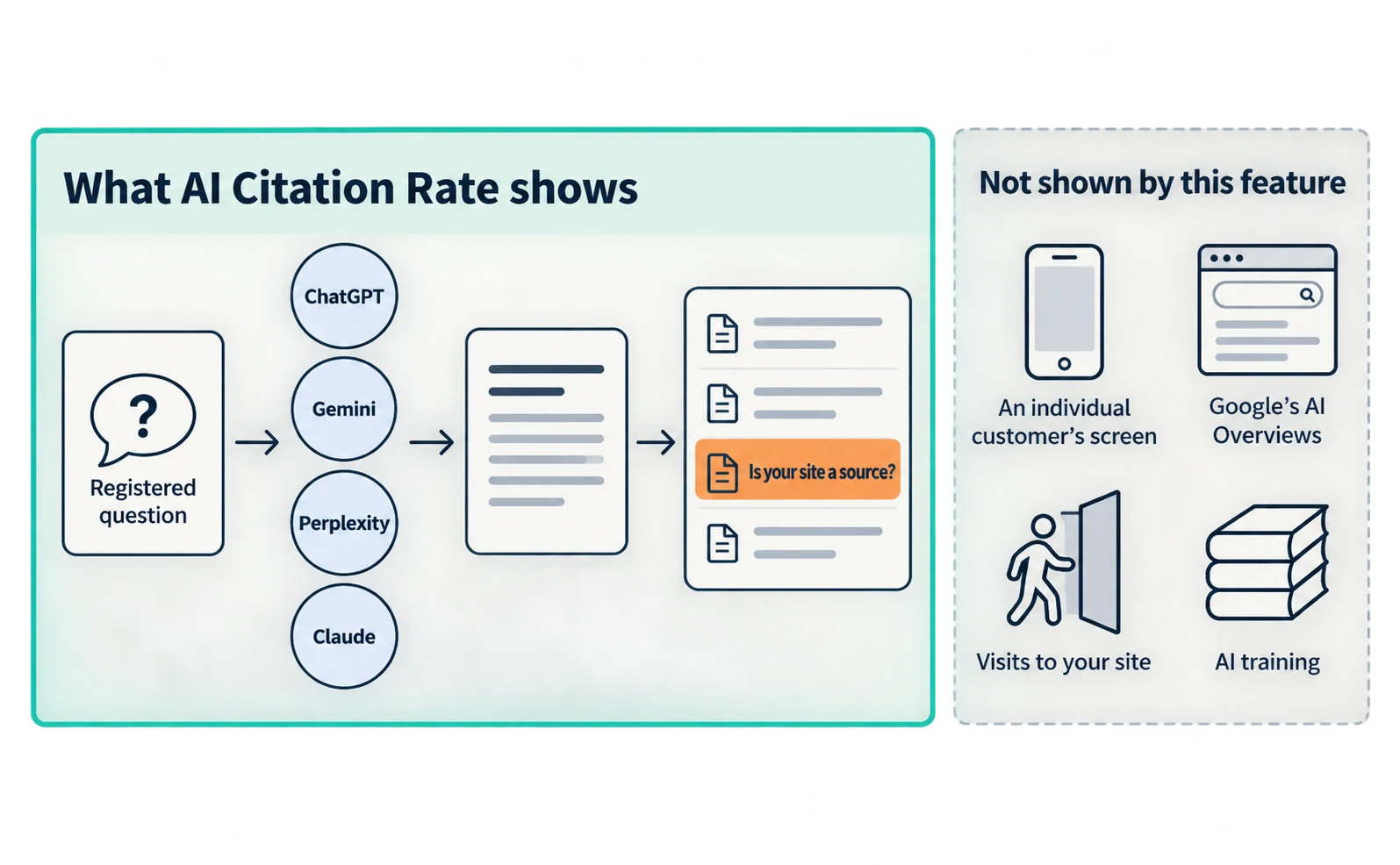
AI Citation Rate tells you whether your site appeared among the sources in answers to the questions you registered. You can choose ChatGPT, Gemini, Perplexity and Claude.
| What it tells you | What it does not tell you |
|---|---|
| The share of answers citing you, per registered question | What answer an individual customer saw |
| Differences between AIs and your rank within answers | Appearances in Google’s AI Overviews interface |
| Which other sites were cited | Whether people who saw the answer visited your site |
| Full answers and cited URLs | Whether your information was used in AI training |
Gemini results are different answers from Google Search’s AI Overviews. Check AI Overviews appearances in Search Console [3]. Site visits are covered by AI Referrals, explained later.
Questions and credits to prepare before using AI Citation Rate
You need a few questions to test and credits for the analysis. Credits needed are questions × AIs × attempts × 2.
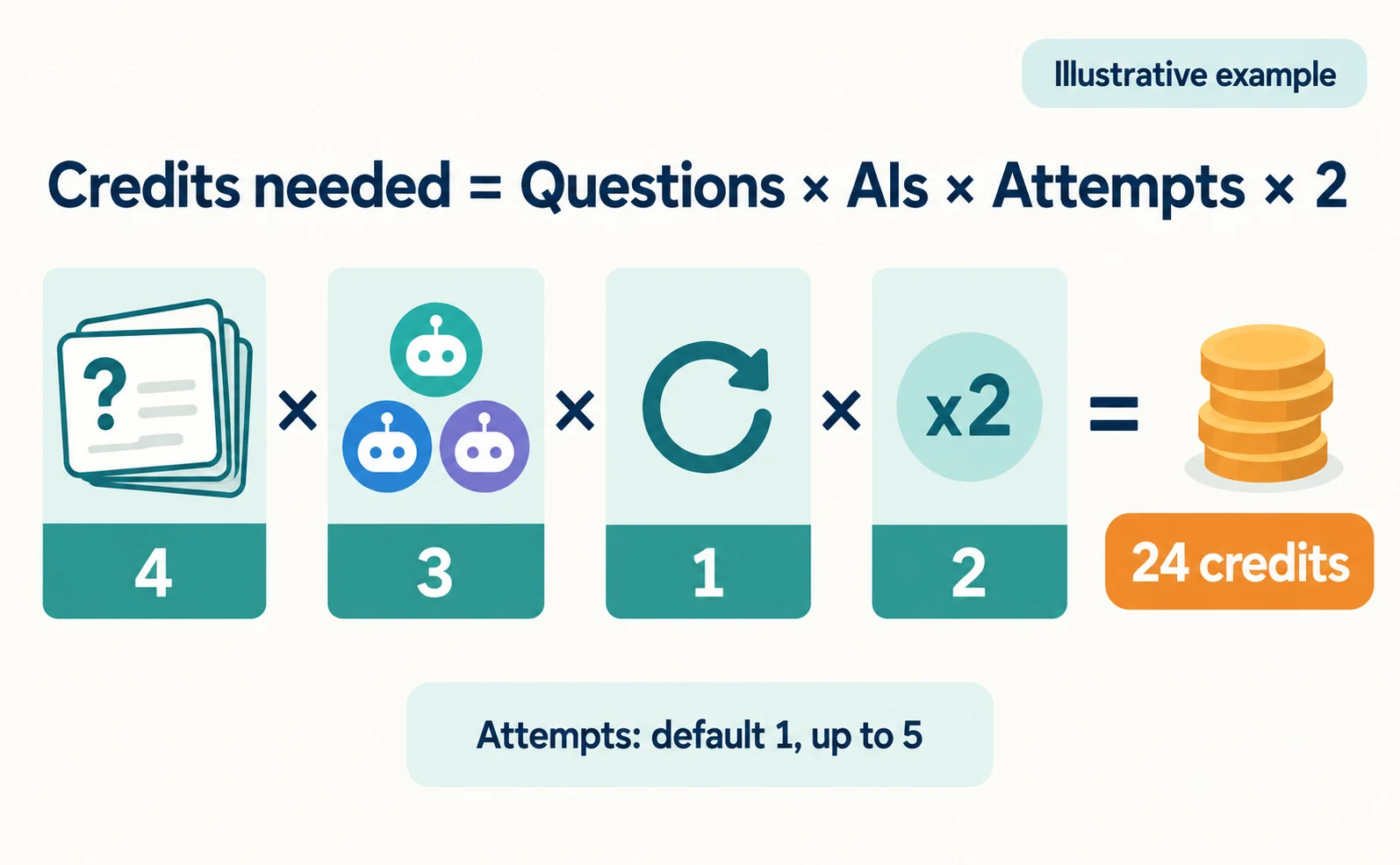
Attempts (試行回数) means how many times the same AI is asked the same question. The default is 1, and you can raise it to 5.
| Questions | AIs | Attempts | Credits needed |
|---|---|---|---|
| 4 | 3 | 1 | 24 |
| 5 | 3 | 1 | 30 |
| 5 | 4 | 1 | 40 |
| 5 | 3 | 2 | 60 |
If your initial free credits are 25, 5 questions × 3 AIs is not enough. Reduce to 4 questions. AI Suggestions (AI 提案), which drafts candidate questions, also uses credits, so deduct those too. Claude is available only on paid plans and is marked Paid (有料). Check plan details on the pricing page [5].
Choose questions using words from real inquiries and sales conversations. Questions containing only your company name do not test whether you are recommended to people who do not know you. Illustrative example: for accounting software, “Which accounting software is easy for sole proprietors?”
Follow these steps:
- Open AI Citation Rate and enter the URL of the site to test.
- Add target questions with AI Suggestions (AI 提案) or Manual Input (手動入力).
- Choose the LLMs for analysis (分析に使う LLM), Attempts (試行回数) and Language and region (分析する言語・地域).
- Compare “This analysis will use N credits” with your Balance (残高).
- If you have enough, press Start Analysis (分析開始). Progress appears, and the results table shows when complete.
Reading the AI Citation Rate results table and ranking
In the results table (想定質問 × LLM 引用率), rows are questions and columns are AIs. Each cell shows the citation rate and your rank within the answer.
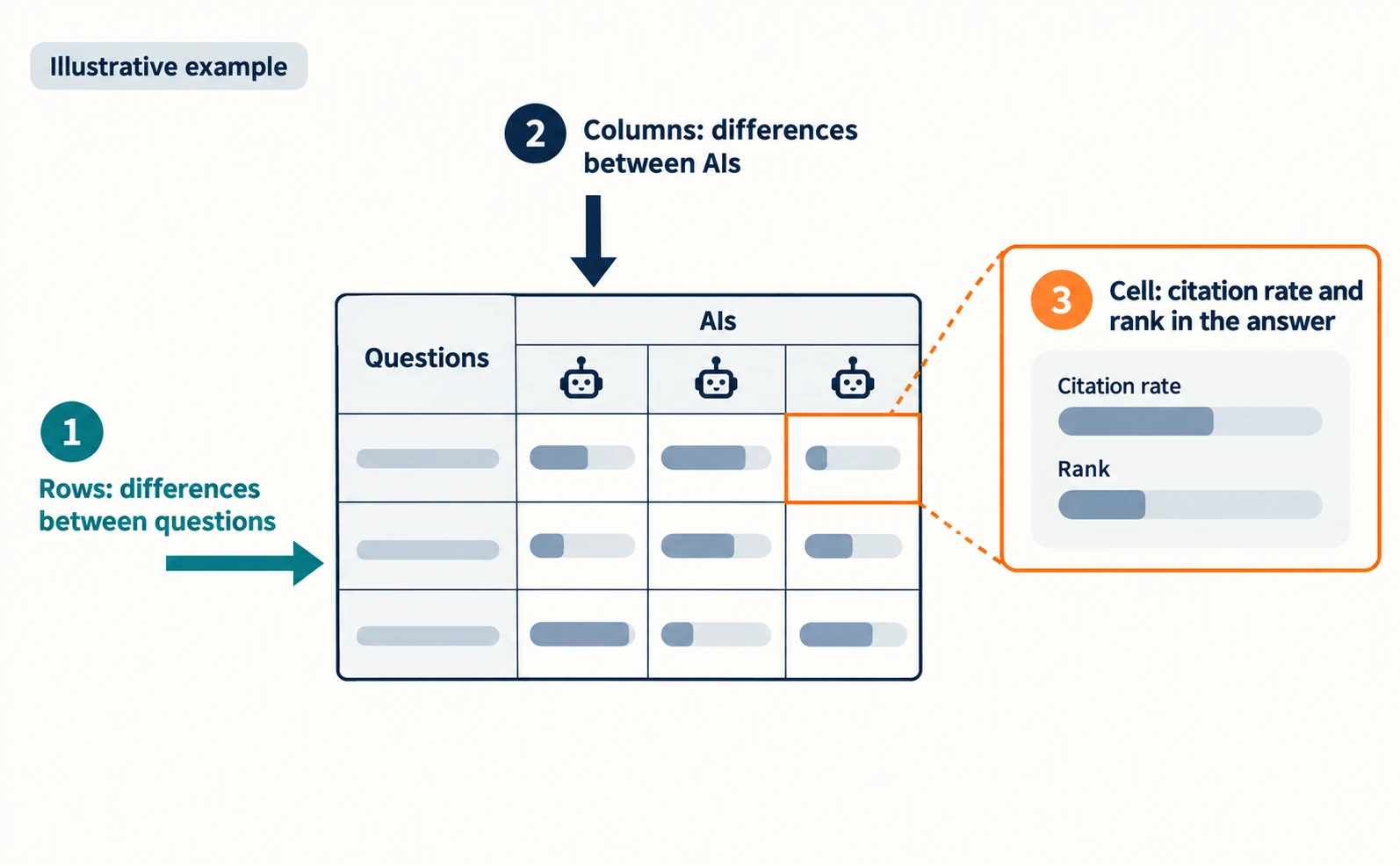
Read it in three ways:
- Rows: show differences between questions. For low rows, check whether your public pages answer that question.
- Columns: show differences between AIs. ChatGPT may cite you while Gemini does not.
- Rank: shows where you appeared in the answer. A higher rank does not mean more visits.
The Cited Domain Ranking (引用ドメインランキング) lists cited sites by count and shows your position as “Own rank N.” Open the URL list to see the actual pages cited. Open the top pages and compare their opening answers, comparisons or steps, and evidence with your page. You can export the list with CSV Download.
AI answers vary even for the same question. Do not judge from a single rise or fall; compare runs using the same questions, AIs and attempts.
What to check in the answer log when the citation rate is 0
If the citation rate is 0, use the AI Answer Log (AI 回答ログ) to separate a failed run from a completed run that did not cite you. Open it from the Log link in the results table.
| What the screen shows | Meaning | Next step |
|---|---|---|
| Status Failed (失敗), or an Error message | No answer was retrieved | Rerun the analysis later |
| Status Running (実行中) or Queued (待機中) | Not finished yet | Wait for completion |
| Status Completed (完了) and each attempt Not cited (引用なし) | Your site was not cited for that question | Open the full answer and its sources |
If you were not cited, check which sites were cited instead. Record whether your site lacks the answer or has it but was not selected.
How Search Console and Bing AI reports differ from AI Citation Rate
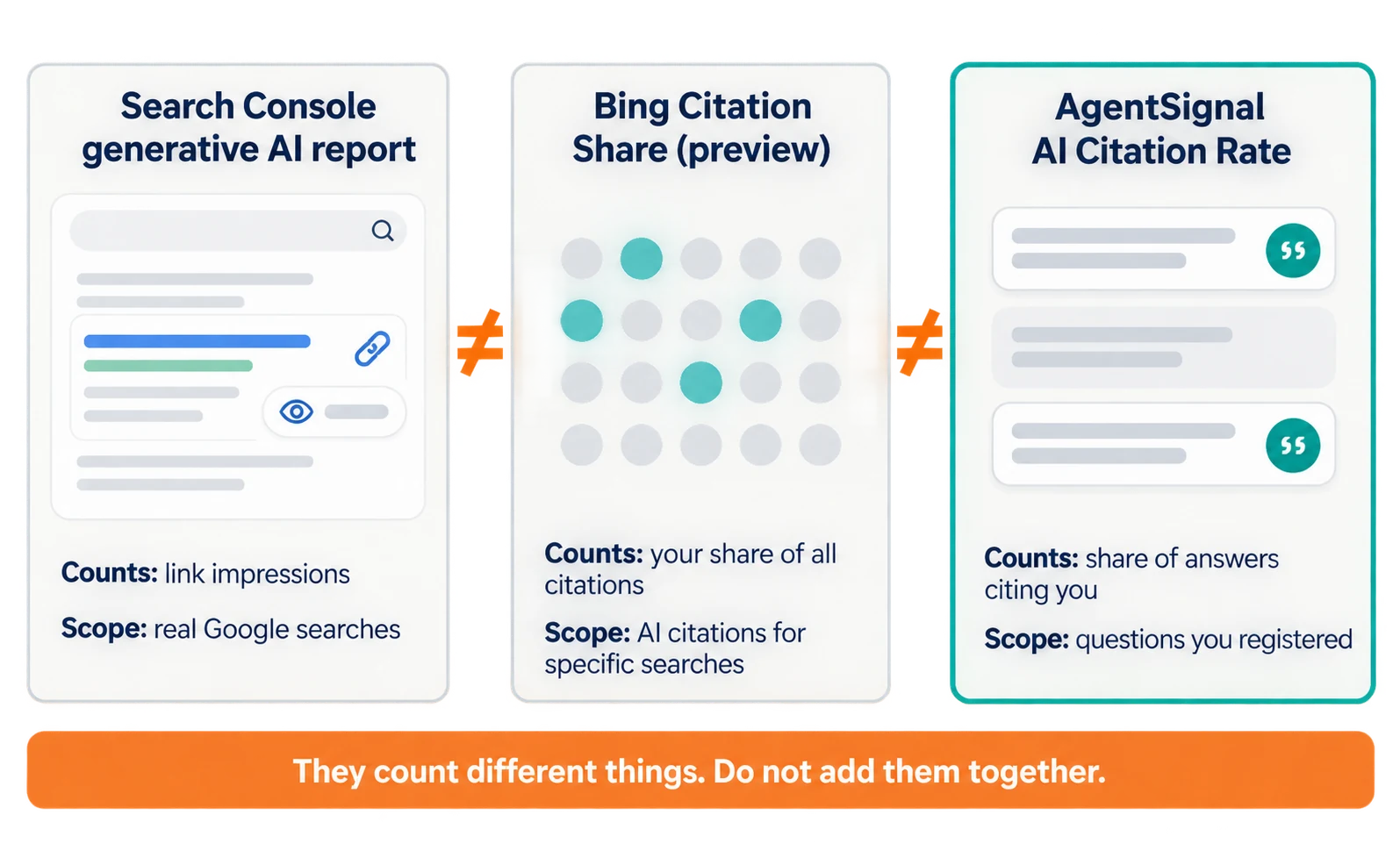
The three numbers count different things. Do not add them together or treat them as the same number; record them separately.
| Report | What it counts | Scope | What you learn |
|---|---|---|---|
| Search Console generative AI report | Times links to your site were shown | AI Overviews and AI Mode in real Google searches | Which pages were shown and how often [2][3] |
| Bing Citation Share | Your share of all citations | Answers in Copilot, Bing and select partners for a specific grounding query | Changes in your weight among citations [4] |
| AgentSignal AI Citation Rate | Share of answers citing you | Answers to questions you registered | Results by question and AI, plus other cited sites |
Search Console’s report rolled out to all sites on August 31, 2026 [2]. The metric described in its help article is impressions [3]. Bing’s Citation Share entered preview on June 16, 2026. Microsoft describes it as an observational metric, not a ranking or competitive scoreboard; it does not expose competitor domains or represent traffic share [4]. A grounding query is a search the AI runs to find evidence for its answer. AI Citation Rate divides by answers; Citation Share divides by citations.
In short, Search Console and Bing show what happened in real searches, while AI Citation Rate shows what happened for questions you chose. AI Citation Rate also shows which competitor sites were cited. In reports, always state which number you are using.
Using AI Referrals and URL Diagnostics to choose the next page to fix
After citation rates, check visits in AI Referrals, then choose one page to improve with URL Diagnostics.
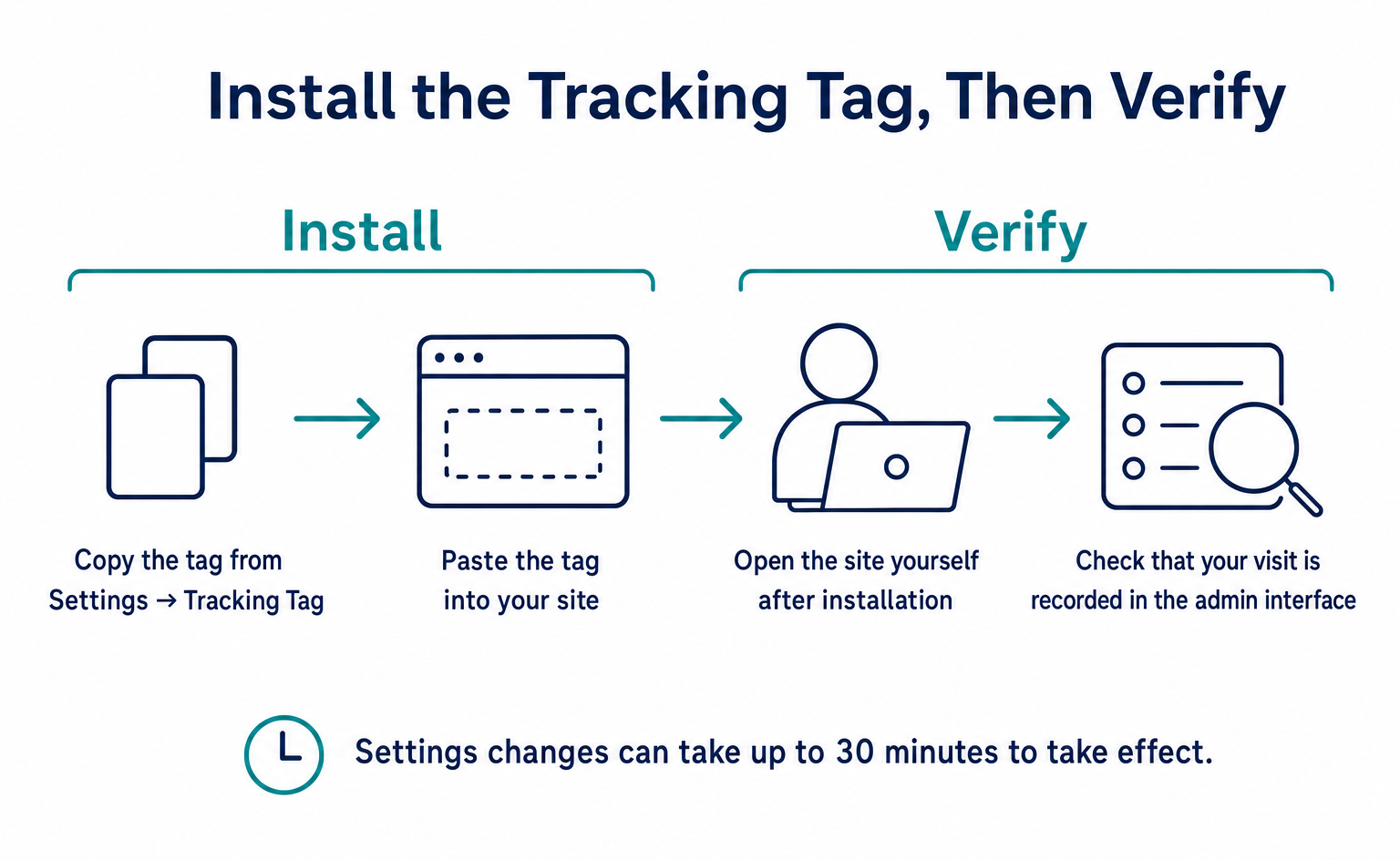
AI Referrals shows the share of visits coming from AI services and the daily trend. It requires the tracking tag on your site. See How to Install the Tracking Tag.
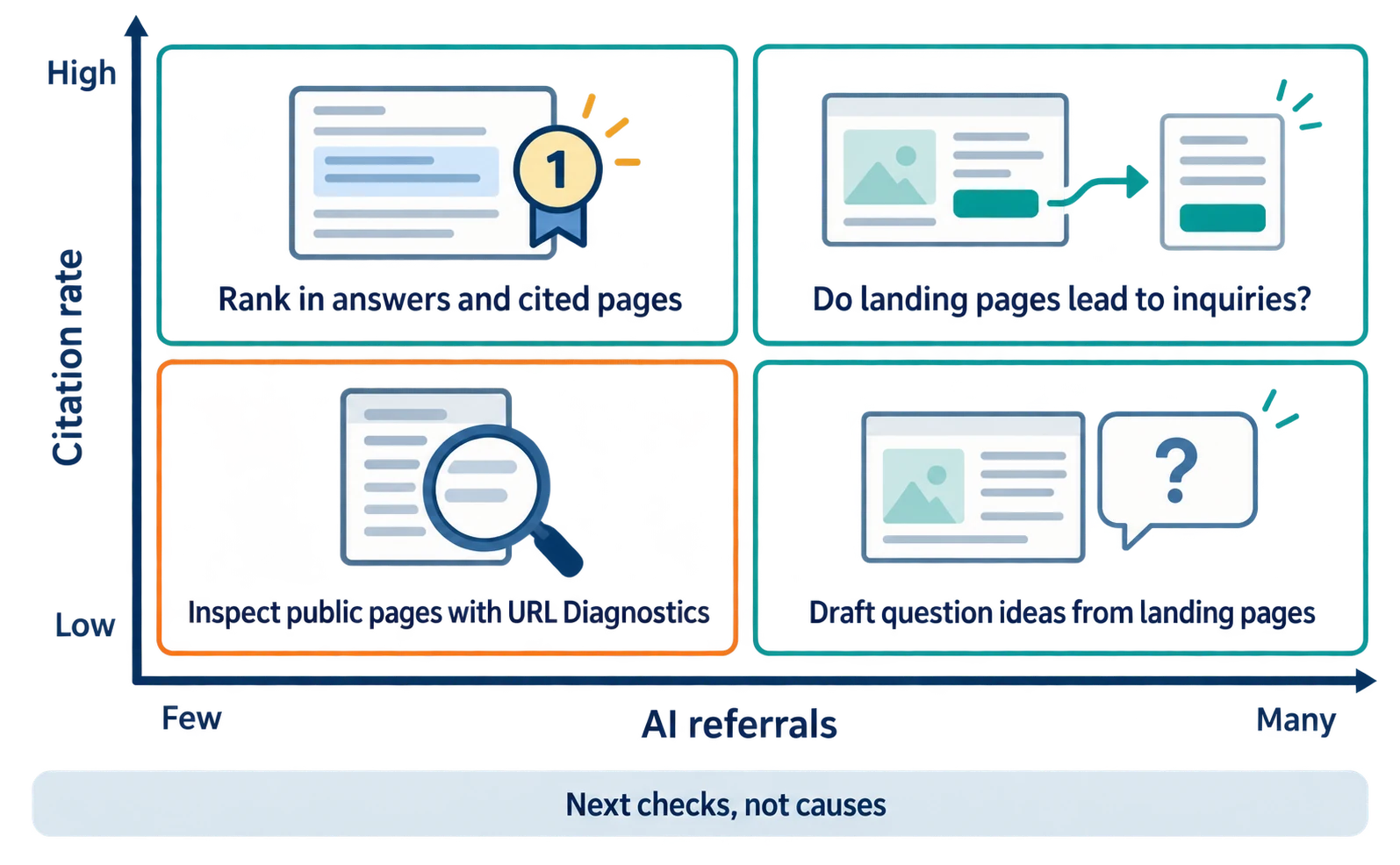
| Citation rate | AI referrals | Possible situation | What to check next |
|---|---|---|---|
| High | Many | You appear in answers and people visit | Whether landing pages lead to inquiries |
| High | Few | You appear in answers but get few visits | Your rank in answers and which pages are cited |
| Low | Many | Visitors may come from questions you have not registered | Draft question ideas from landing pages |
| Low | Few | AI has not selected you yet | Inspect public pages with URL Diagnostics |
This table suggests what to investigate next; it does not establish causes.
URL Diagnostics inspects the settings and content of public pages. The diagnosis itself is free; only generating fix code with AI uses credits. Start with one page related to a low-citation question, and record the change date and what you changed. Then rerun the same questions to compare.
For related terms, see What Is AIO?. For how AI expands searches, see Query Fan-Out.
FAQ
- Q. If I have Search Console’s AI report, do I still need citation tracking?
- They serve different purposes. Search Console shows impressions in Google’s AI Overviews and AI Mode. AI Citation Rate asks ChatGPT, Gemini and other AIs your registered questions and shows whether you were cited and which other sites were. Record both separately.
- Q. Why do Bing’s Citation Share and AI Citation Rate show different numbers?
- Bing’s Citation Share is your share of all citations shown for a specific grounding query. AI Citation Rate is the share of answers to your registered questions that cite you. The denominators and the questions differ, so the numbers will not match.
- Q. Why can’t I select Claude?
- Claude is available only on paid plans. On the free plan you can select ChatGPT, Gemini and Perplexity. Check the Paid (有料) label on screen.
Sources
- [1] AI features and your website (Google Search Central) — accessed 2026-09-23
- [2] Introducing Search Generative AI performance reports in Search Console (Google Search Central Blog) — accessed 2026-09-23
- [3] Generative AI performance report (Search) (Search Console Help) — accessed 2026-09-23
- [4] New AI Visibility Insights in Bing Webmaster Tools: Intents, Topics, Citation Share, Compare (Microsoft Bing Blogs) — accessed 2026-09-23
- [5] AgentSignal Pricing (AgentSignal) — accessed 2026-09-23
About the author
Shogo MizushimaCEO of kairos Inc. / AgentSignal Developer
Develops AgentSignal, a tool for measuring AI crawler visits and AI-referred traffic, and diagnosing AIO readiness. Writes about measurement and practical improvements for AI search using observed data.
Related articles
AIO and AI search
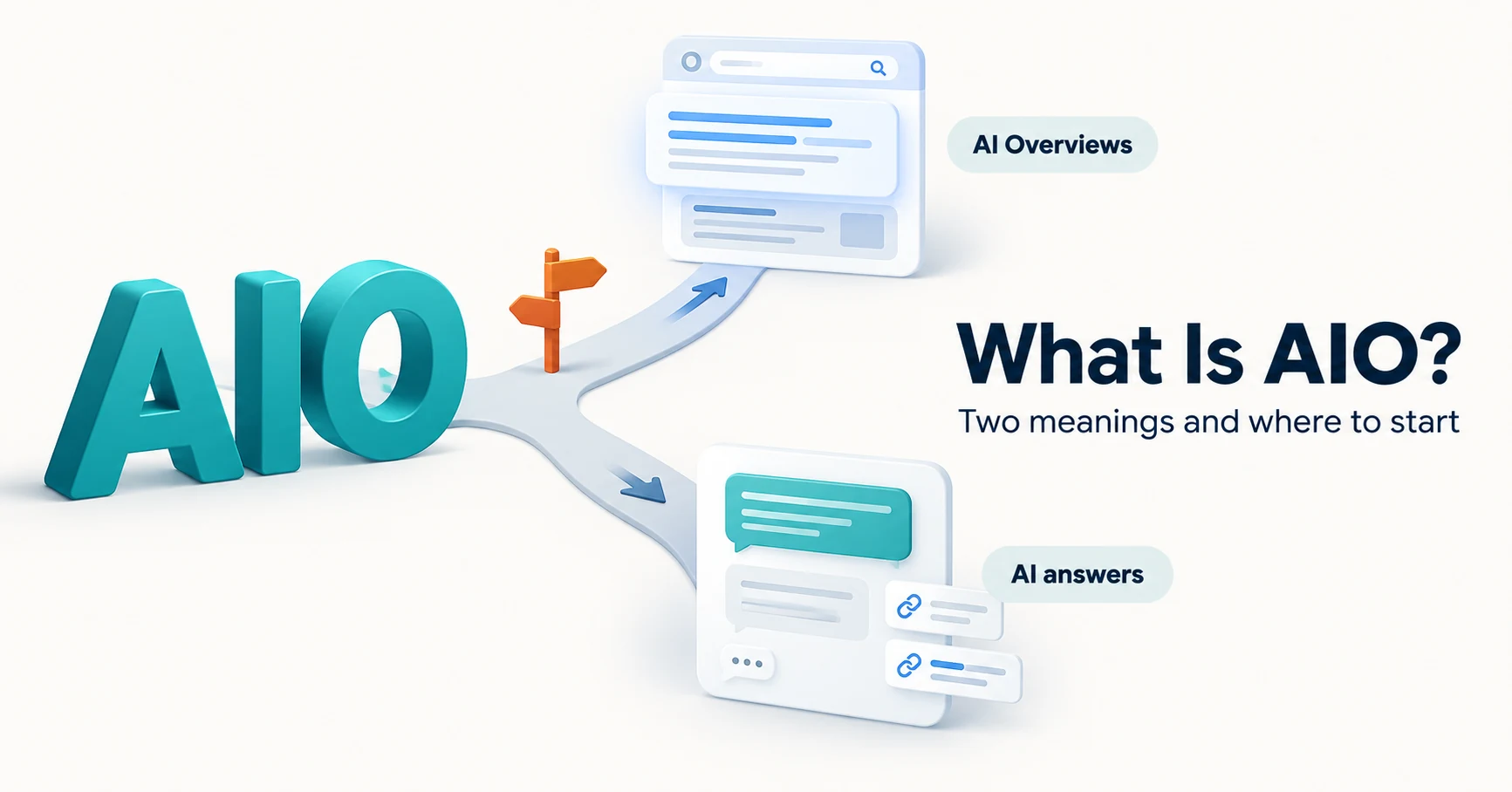
What Is AIO? Its Two Meanings and Where to Start with AI Optimization
AIO has two meanings: work to get your company featured in AI answers, and Google Search’s AI Overviews. Learn how it relates to SEO, what to confirm in a proposal, what Search Console and Bing reports show, and your first tasks.
Published
AIO and AI search
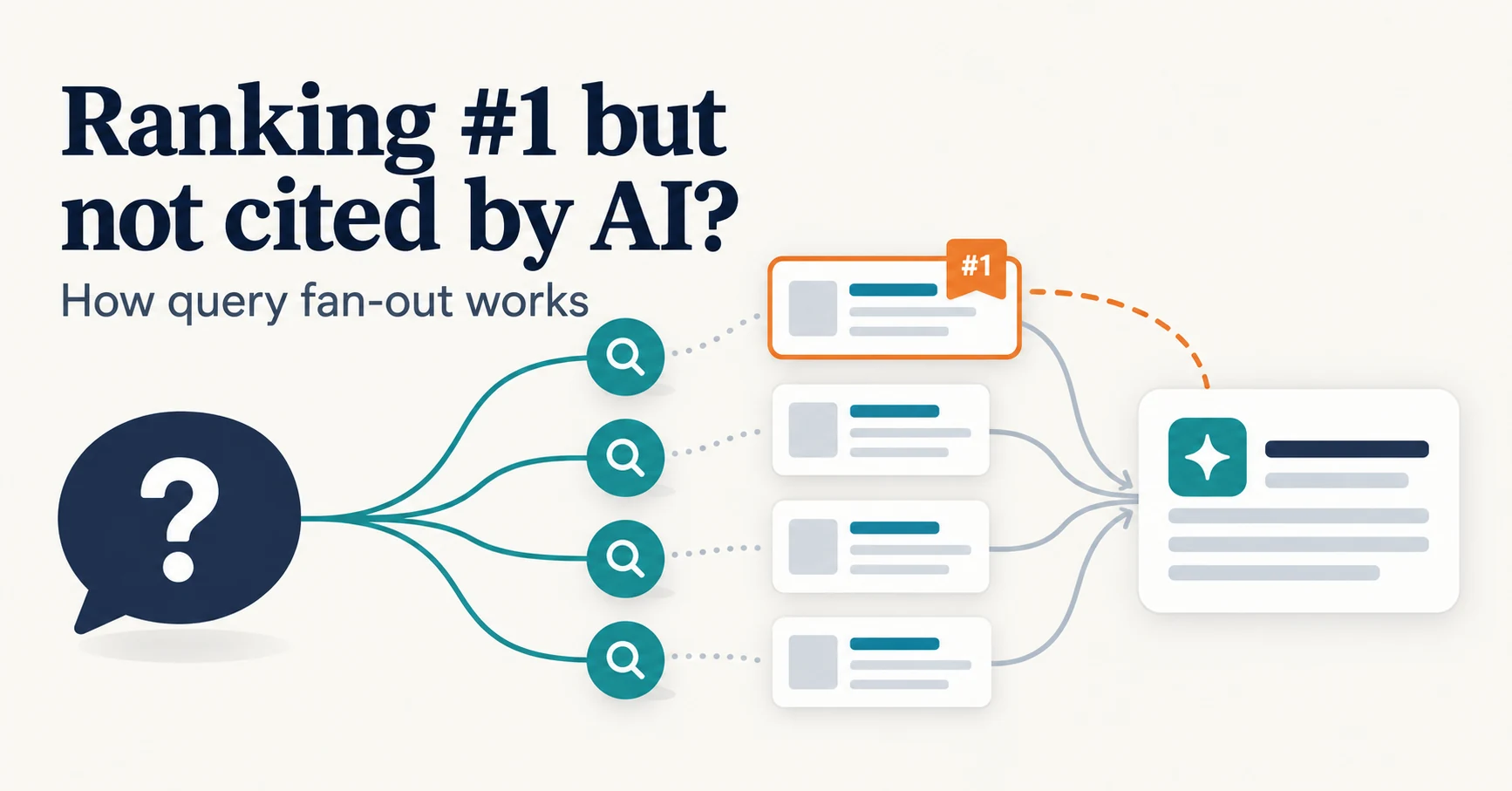
Ranking First but Not Cited by AI? How Query Fan-Out Works
Query fan-out is a technique in which AI may run several related searches to answer one question. Learn why a first-place page may not be cited, which related questions your pages should answer, and what you can observe in Search Console and Bing.
Published
Install the tracking tag
How to Install the Tracking Tag and Check Visits and Recordings
Copy the tracking tag from Settings, install it on your site, and check that your visit appears. Learn where to place it in WordPress or GTM, what to send your developer, how to troubleshoot recordings, and how to mask private information and track conversions.
Published