How to Check and Fix Links from AI Answers That Won’t Open
If clicking a link in an AI answer shows “Page not found,” the cause is usually a move, a deletion or an outage. Learn to tell them apart from visit records and response codes, then fix redirects and notices.
You click a link in an AI answer and see “Page not found.” This often happens after a site move or after pages are merged.
This article explains how to tell the causes apart and how to fix each one. It is for people who update their company’s website, and it assumes the settings themselves will be changed by the site administrator.
What Is Happening When an AI Citation Link Won’t Open
When a link in an AI answer won’t open, the cause usually falls into one of three groups: the page moved, the page was deleted, or the server could not respond for a while. The fix depends on the cause, so identify it first.
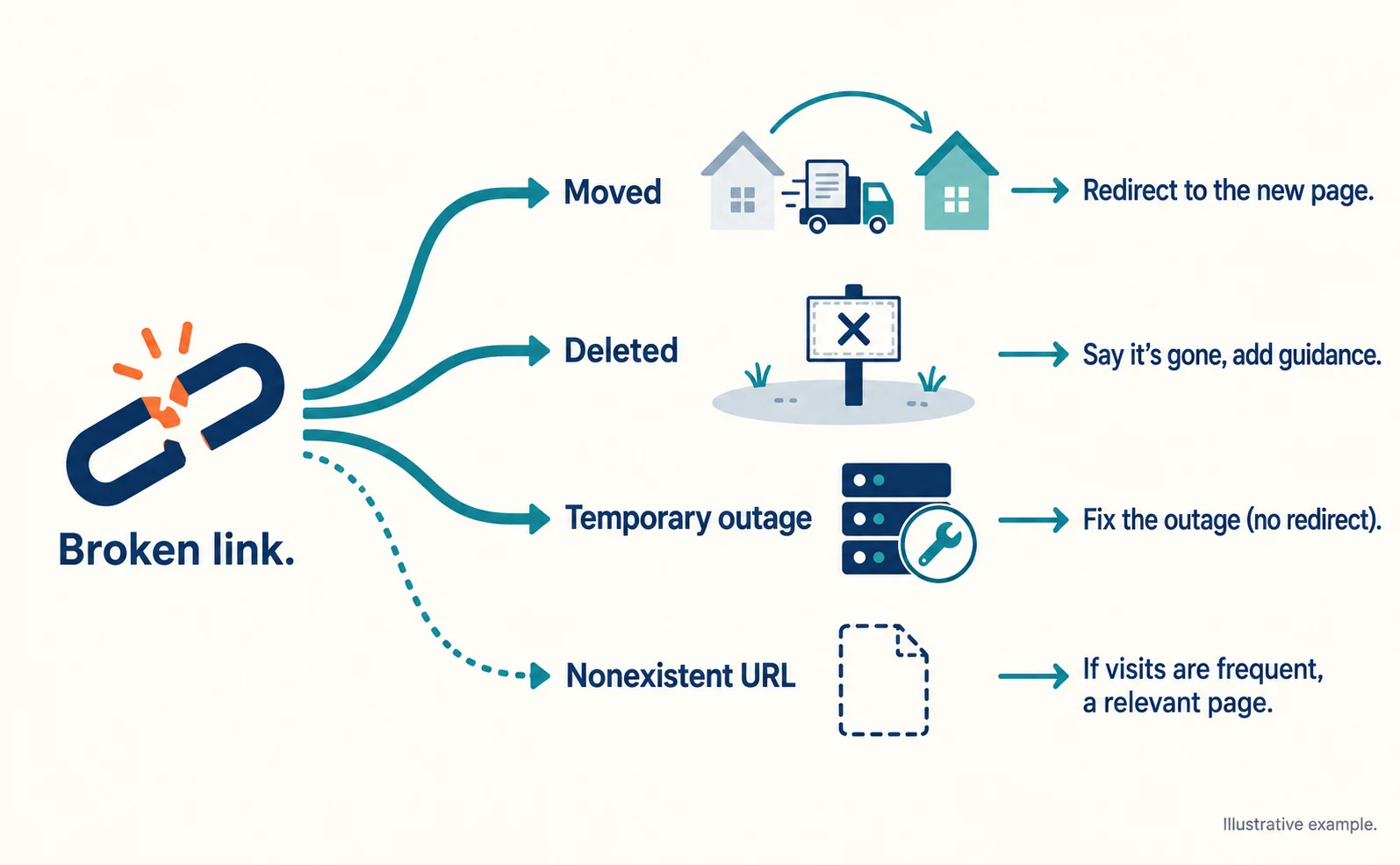
There is one more case: an AI may invent a URL that does not exist. Ahrefs reported that 3.6% of AI-referred visits to its site landed on such nonexistent pages.[1]
| Cause | Example (fictional URL) | Direction of the fix |
|---|---|---|
| Move | /guide/old-size moved to /guide/size | Permanently redirect to the new URL |
| Deletion | A page for an ended campaign | Say the page is gone and add related guidance |
| Temporary outage | Server not responding during maintenance | Fix the outage; do not redirect |
| Nonexistent URL | A URL invented by AI | Redirect to a relevant page if visits are frequent |
The URLs in the table are for illustration. On your site, replace them with URLs that actually failed to open. For where AI visits land, see Where Do AI Visitors Land? Choosing Pages to Improve from the Ahrefs Case.
Separate the Causes Using Visit Records and Response Codes
Identify the cause from the URL that failed and the response code the site returned at the time. A response code (HTTP status code) is the three-digit number a site returns when a page is requested.
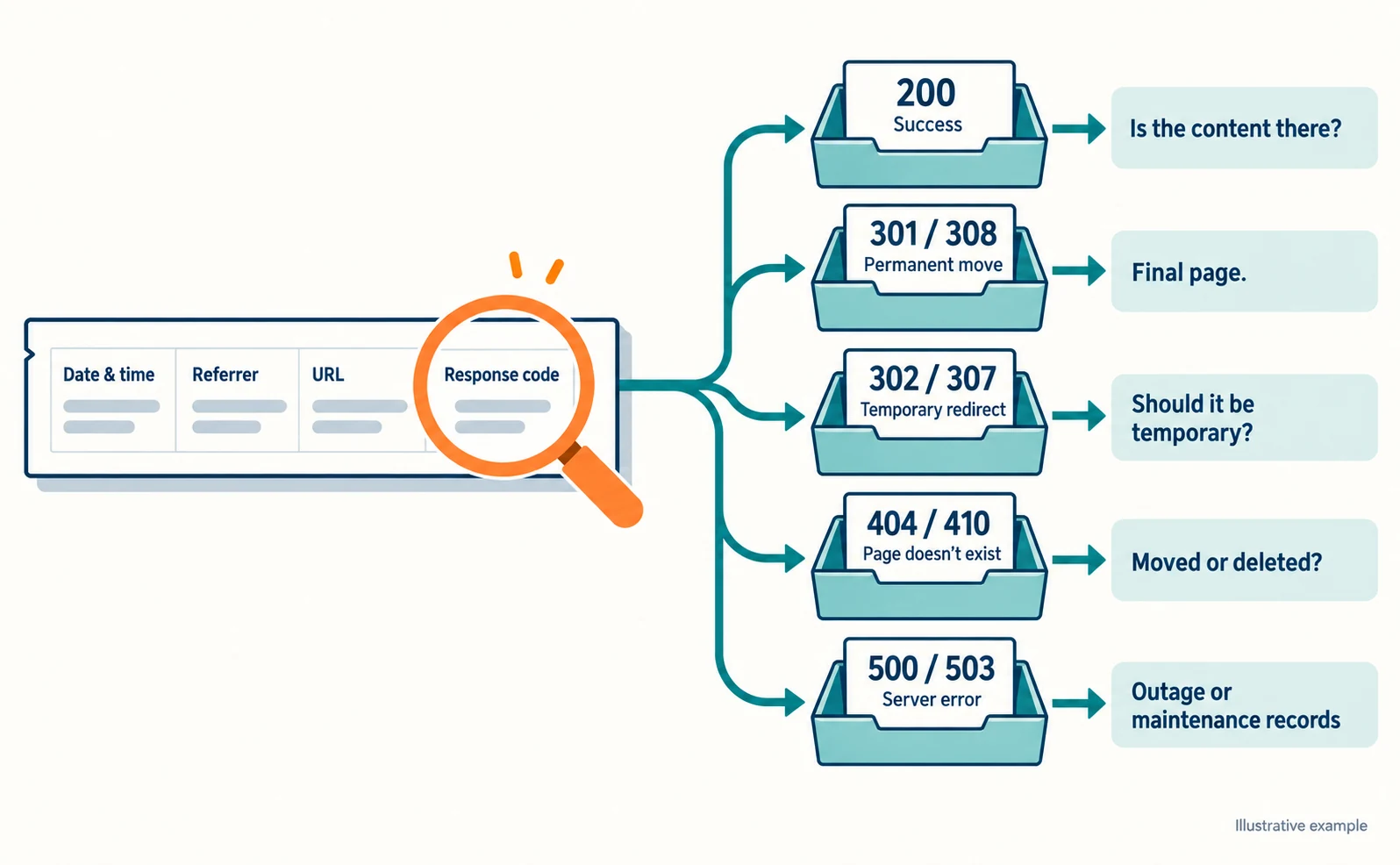
Collect the following items from your access records or from the site administrator. If an item is unavailable, write “Unknown” rather than guessing.
- Visit date and time
- Referrer (the record of where the visit came from)
- The URL requested
- The response code returned
| Response code | Meaning | What to check next |
|---|---|---|
| 200 | Success | Whether the needed content appears |
| 301 or 308 | Permanent move | Whether the final page is appropriate |
| 302 or 307 | Temporary redirect | Whether a temporary redirect is right |
| 404 or 410 | Page does not exist | Whether it moved or was deleted |
| 500 or 503 | Server-side error | Whether there are outage or maintenance records |
The meanings are based on Google’s documentation.[2] The right-hand column contains checks we added for this review.
Even with a 200, Google may treat a page as a “soft 404” if the body is empty or shows only an error message.[2] Do not stop at the code; open the page and check the content.
A single recorded 503 tells you neither the cause nor when service returned. Ask the administrator whether maintenance or an outage happened at the same time.
Fixes for Moves, Deletions and Errors
Handle a move with a permanent redirect, a deletion with a notice that correctly says the page is gone, and an outage by fixing its cause.
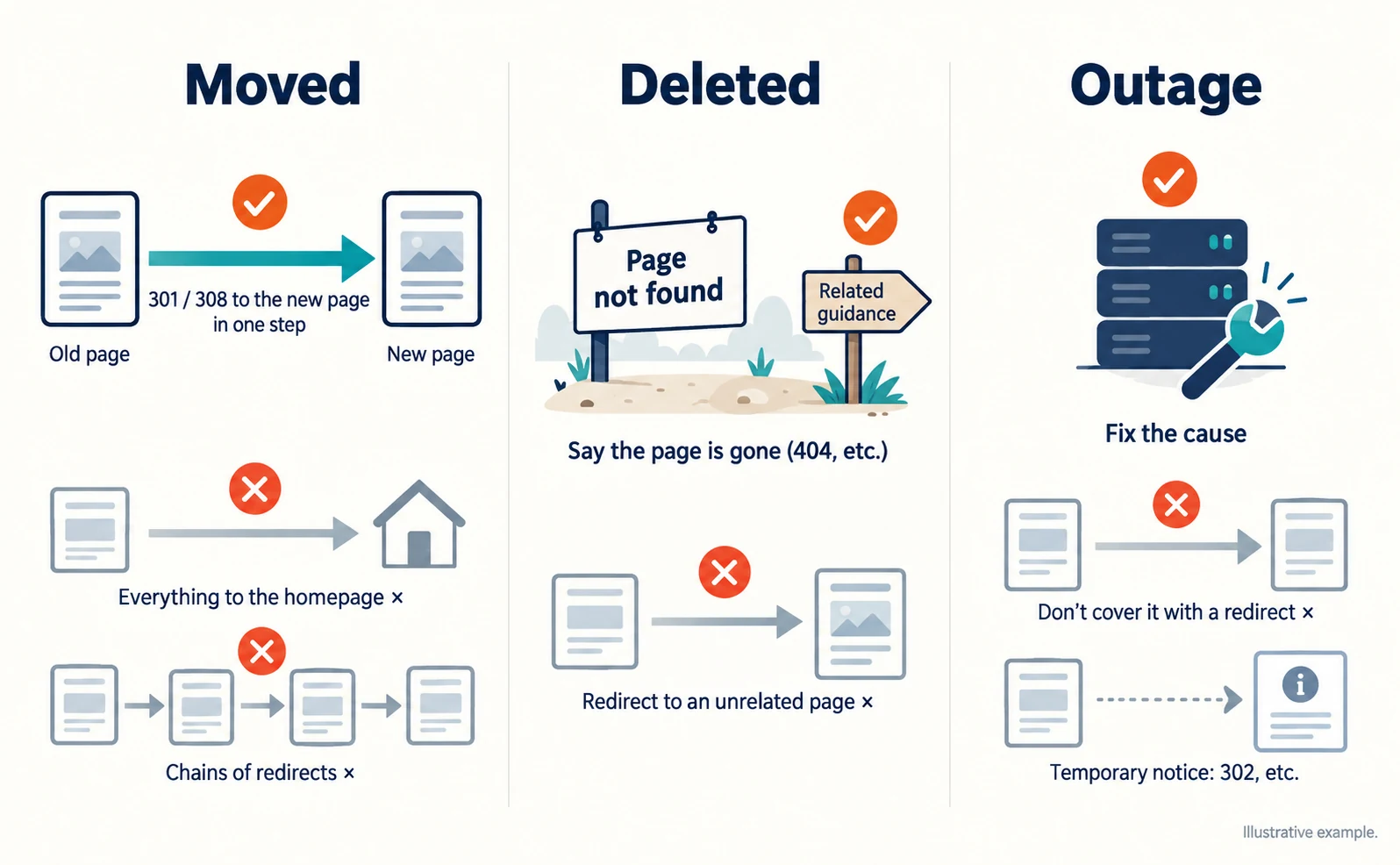
For a move, Google recommends a permanent redirect when you do not plan to reverse it, returning a server-side 301 or 308 where possible.[3] Redirect to a page that answers the same question as the original. Sending everything to the homepage makes visitors search again.
The setup method depends on your site’s system, and platforms such as Shopify and Blogger may have built-in redirect features.[3] Give the administrator three things: the old URL, the new URL and confirmation that the move is permanent.
For a deletion with no replacement, do not redirect to an unrelated page; return a 404 or similar to say the page is gone. Google gradually removes URLs that return a 404 or similar code from its index.[2] You can then add the reason for the ending and related guidance to the page-not-found screen.
For an outage, do not paper over a page with recorded 500 or 503 errors using a redirect. Google says URLs that keep returning server errors are also eventually dropped from its index.[2] To explain the situation on another page temporarily, use a temporary redirect such as 302.[3]
Avoid chains of redirects. Google’s crawlers (programs that read pages) generally follow no more than 10 redirects.[2] Set the redirect so the old URL reaches the new URL in one step.
Check the AI Links After Fixing
After fixing, record separately whether the old URL now reaches the intended content and whether the link in the AI answer has changed. Fixing your site does not tell you when AI answers will update.
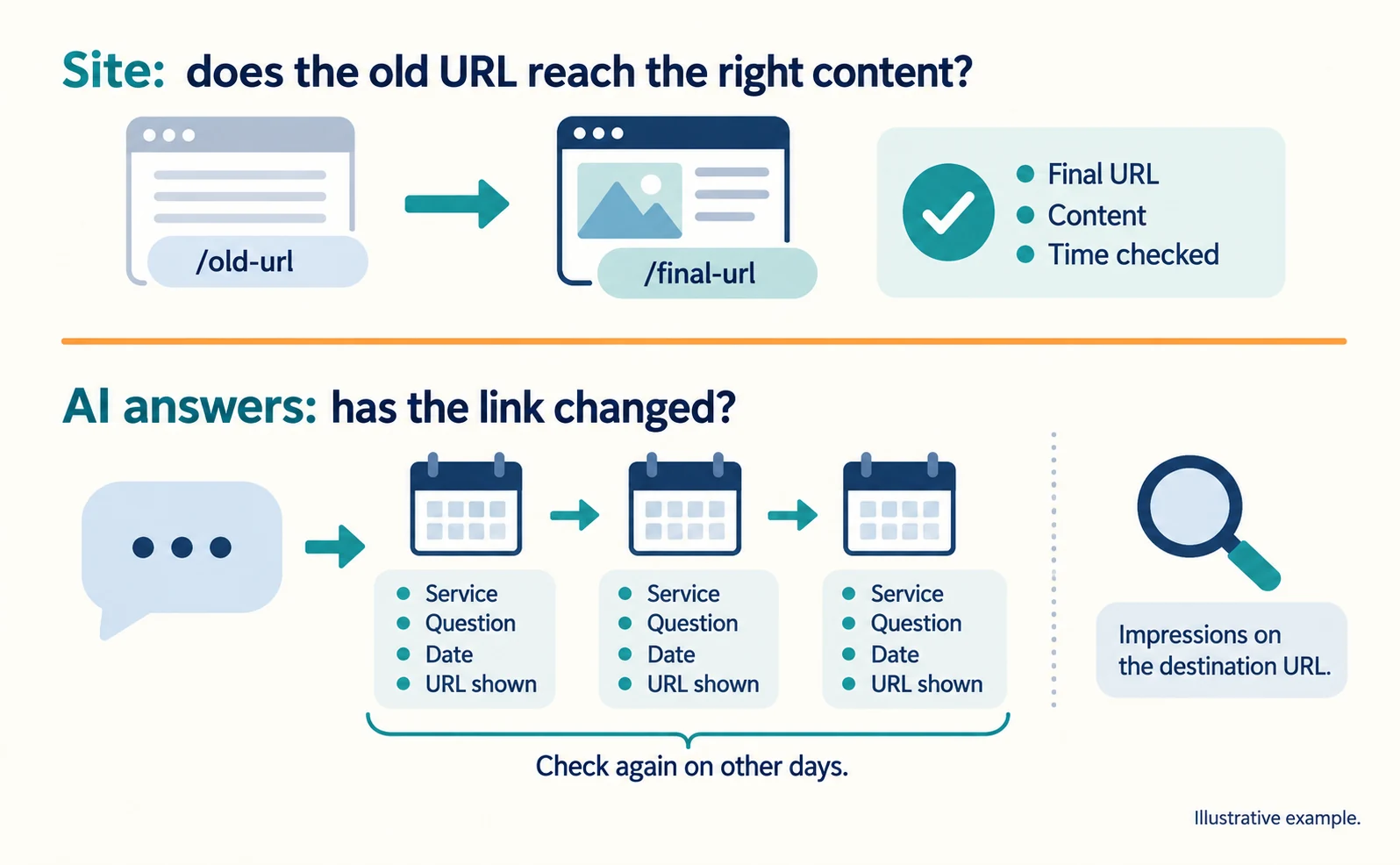
Start with your site. Open the old URL and record the final URL shown, the content displayed and the date and time checked.
For Google, Search Console’s generative AI report shows impressions per page in AI Overviews and AI Mode.[4] Pages are grouped by their final URL after redirects, so check whether impressions continue on the destination URL.[5]
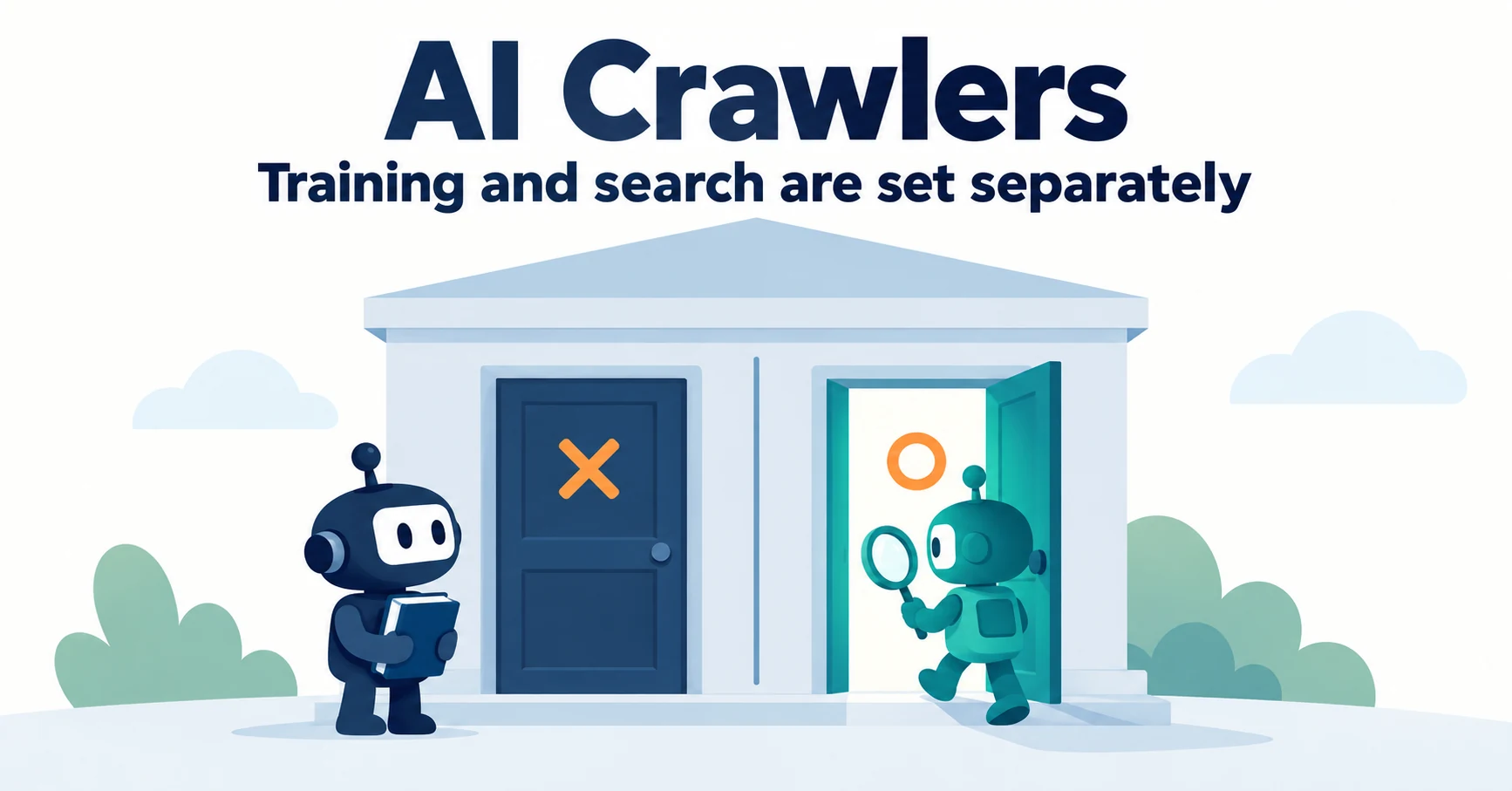
For ChatGPT, sites that block OpenAI’s search crawler, OAI-SearchBot, in robots.txt are not shown in ChatGPT search answers, though they can still appear as navigational links.[6] OpenAI says changes to robots.txt take about 24 hours to take effect.[6]
Enter the same question into ChatGPT or other services, and record the service, question, date and URL shown. Do not decide it is fixed from one result; check again on other days.
If the answer still shows the old URL but the redirect reaches the right content, visitors are not stuck. Treat that separately from whether the link in the answer itself has been updated.
FAQ
- Q. Will a redirect also update the link in the AI answer?
- There is no guarantee. A redirect sends visitors to the new page, but when the link inside an AI answer changes is a separate matter. Record your site and the AI answer separately.
- Q. Does blocking OAI-SearchBot matter?
- Yes. OpenAI says sites that block OAI-SearchBot are not shown in ChatGPT search answers, though they may still appear as navigational links. It is a separate setting from GPTBot, which is used for training.
- Q. How do 404 and 503 differ?
- A 404 means the page does not exist, so check whether it moved or was deleted. A 503 is a server-side error, so check outage and maintenance records and do not rely on a redirect.
Sources
- [1] 80% of Our AI Search Traffic Goes to Our Homepage, Product Pages, and Free Tools (Ahrefs) — accessed 2026-09-23
- [2] How HTTP status codes affect Google's crawlers (Google Crawling Infrastructure) — accessed 2026-09-23
- [3] Redirects and Google Search (Google Search Central) — accessed 2026-09-23
- [4] Introducing Search Generative AI performance reports in Search Console (Google Search Central Blog) — accessed 2026-09-23
- [5] Generative AI performance report (Search) (Google Search Console Help) — accessed 2026-09-23
- [6] Overview of OpenAI crawlers (OpenAI) — accessed 2026-09-23
About the author
Shogo MizushimaCEO of kairos Inc. / AgentSignal Developer
Develops AgentSignal, a tool for measuring AI crawler visits and AI-referred traffic, and diagnosing AIO readiness. Writes about measurement and practical improvements for AI search using observed data.
Related articles

Case studies and research
Where Do AI Visitors Land? Choosing Pages to Improve from the Ahrefs Case
Ahrefs reported that AI-referred visits land on pages beyond its blog. Learn how to find the landing pages for your own AI traffic and choose which pages to improve first.
Published
Measurement and site improvement
What Are AI Crawlers? Why Blocking GPTBot Doesn’t Remove You from ChatGPT Search
AI crawlers are programs AI companies use to read public web pages. Learn how GPTBot differs from OAI-SearchBot, how Google-Extended works, why visits can continue after a robots.txt block and how to choose settings by purpose.
Published
Measurement and site improvement
What Do Visitors from AI Do? Fix Your Entry Page Based on Their Behavior
People arrive from AI answers, yet enquiries do not follow. Use session recordings to see what happens on the entry page: how to filter recordings to AI referrals, how to use page-wide heatmaps as a supplement, what to fix for each behavior pattern and how to recheck after the change.
Published