Where Do AI Visitors Land? Choosing Pages to Improve from the Ahrefs Case
Ahrefs reported that AI-referred visits land on pages beyond its blog. Learn how to find the landing pages for your own AI traffic and choose which pages to improve first.
When people click a link in an AI answer and come to your site, which page do they land on? It is tempting to assume a blog post. In the data Ahrefs published about its own site, most of these visits went elsewhere.
This article reviews that breakdown, then explains how to find your own landing pages and how to choose which pages to fix first. A landing page is the first page a visitor opens.
Where AI-Referred Visits Went, According to Ahrefs
In Ahrefs’ analysis, over 80% of AI-referred visits went to three types of pages: free tools, product pages and the homepage. Ahrefs makes tools for analyzing search traffic, and it counted visits to its own site with its own analytics tool.[1]
Here, an AI-referred visit means a visit from an answer in an AI assistant such as ChatGPT. In the most recent 30 days at the time of the analysis, these visits made up 0.5% of all visits to the site.[1][2]
| What Ahrefs reported | Figure |
|---|---|
| Visits to free tools, product pages and the homepage | Over 80% of AI-referred visits |
| Visits to free tools | 36.4% of AI-referred visits |
| Visits to pages that do not exist | 3.6% of AI-referred visits |
| Visits to international pages | 3.1% from AI; 22.2% from ordinary search |
The figures come from the company’s article published on June 16, 2025.[1] Read them as a case study of one company’s own analysis, not as new news.
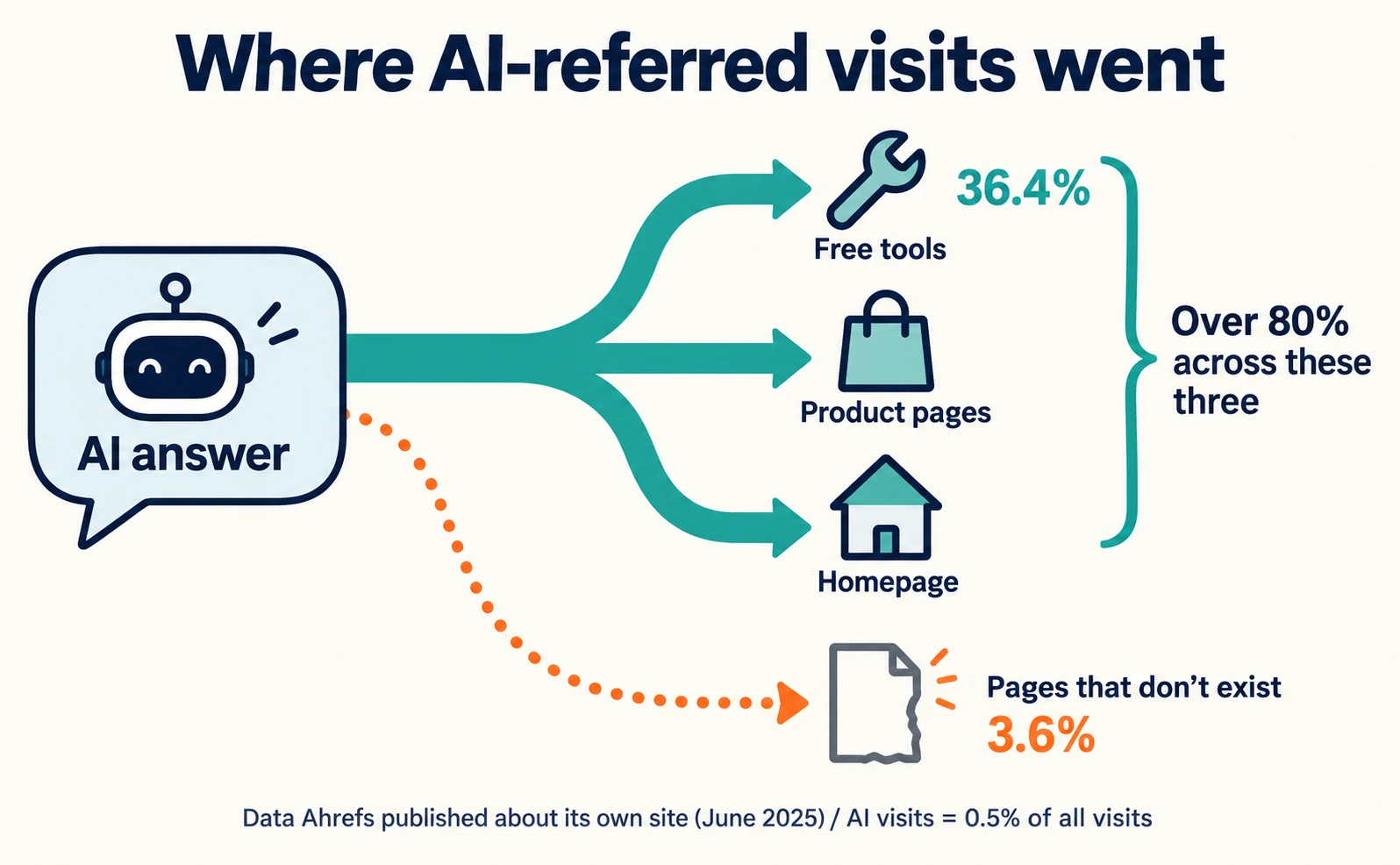
The 3.6% row stands out. AI systems invented URLs on ahrefs.com that did not exist, and visitors arrived at pages with nothing on them. The author recommends picking a threshold, such as 10 visits a month, and redirecting URLs above it to relevant pages.[1]
Keep two caveats in mind. Visits from Google’s AI Overviews could not be tracked separately, so they were counted as ordinary search traffic. The author also writes that some AI visits are not recorded properly, so they are undercounted.[1]
The author interprets the high share for product pages and the homepage as a sign that the brand and products are strongly recommended by AI. He also says the data alone will not lead to a major strategy change.[1] Your site may show a different breakdown.
Find the Landing Pages for Your AI Traffic
On your own site, check “pages shown in AI answers” and “pages AI visitors actually landed on” separately. Use Search Console’s generative AI report for the first and your own analytics for the second.
Search Console is Google’s free tool for checking how your site appears in Google Search. By August 31, 2026, a report showing how often links to your pages appeared in Google’s AI Overviews and AI Mode (impressions) had rolled out to all sites.[3][4]
- Open Search Console and select your site.
- Open the generative AI performance report for Search. If you cannot find it, follow the official help page.
- Switch the table to the page view and choose a date range.
- Write down the five pages with the most impressions.
Pages are grouped by their final URL after redirects, and most data is assigned to the canonical URL. Sites with few impressions may not see the report at all.[4]
Next, in your own analytics, gather visits where the referrer (the record of where a visit came from) is an AI service, and sort them by the first page opened. Visits from ChatGPT and other non-Google AI services do not appear in Search Console.
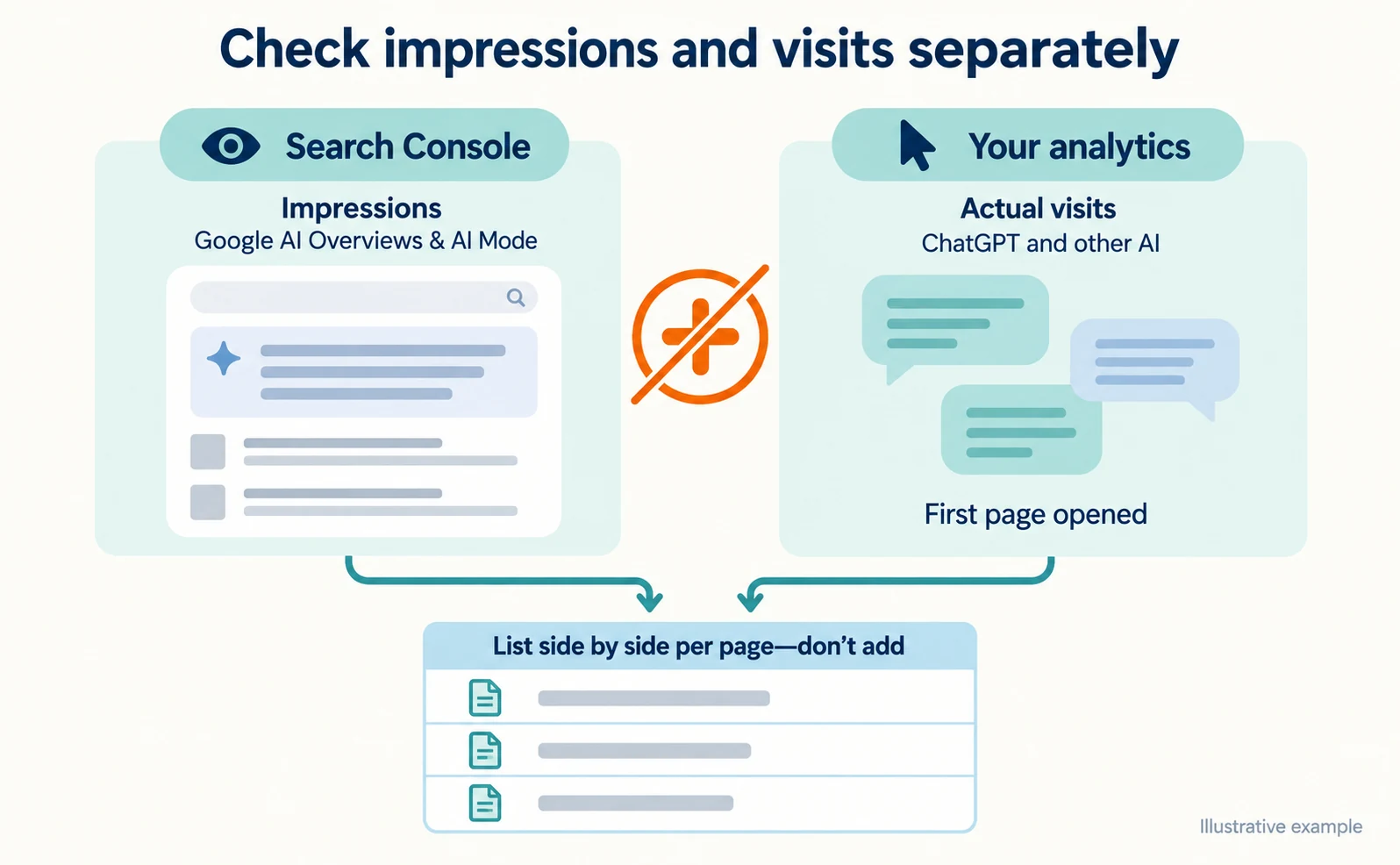
Put the two into one table. The following is a fictional example for illustration.
| Landing page (fictional) | AI impressions (Search Console) | AI-referred visits (your analytics) | Enquiries or signups |
|---|---|---|---|
| /pricing | Many | Many | Few |
| /guide/start | Many | Almost none | – |
| /tools/estimate | Few | Many | Some |
| /old-campaign | – | Some (page missing) | – |
Impressions are not visits. The generative AI report also covers only Google’s AI features. Do not add the two columns together or use one to estimate the other.
Choose What to Improve by Landing Page
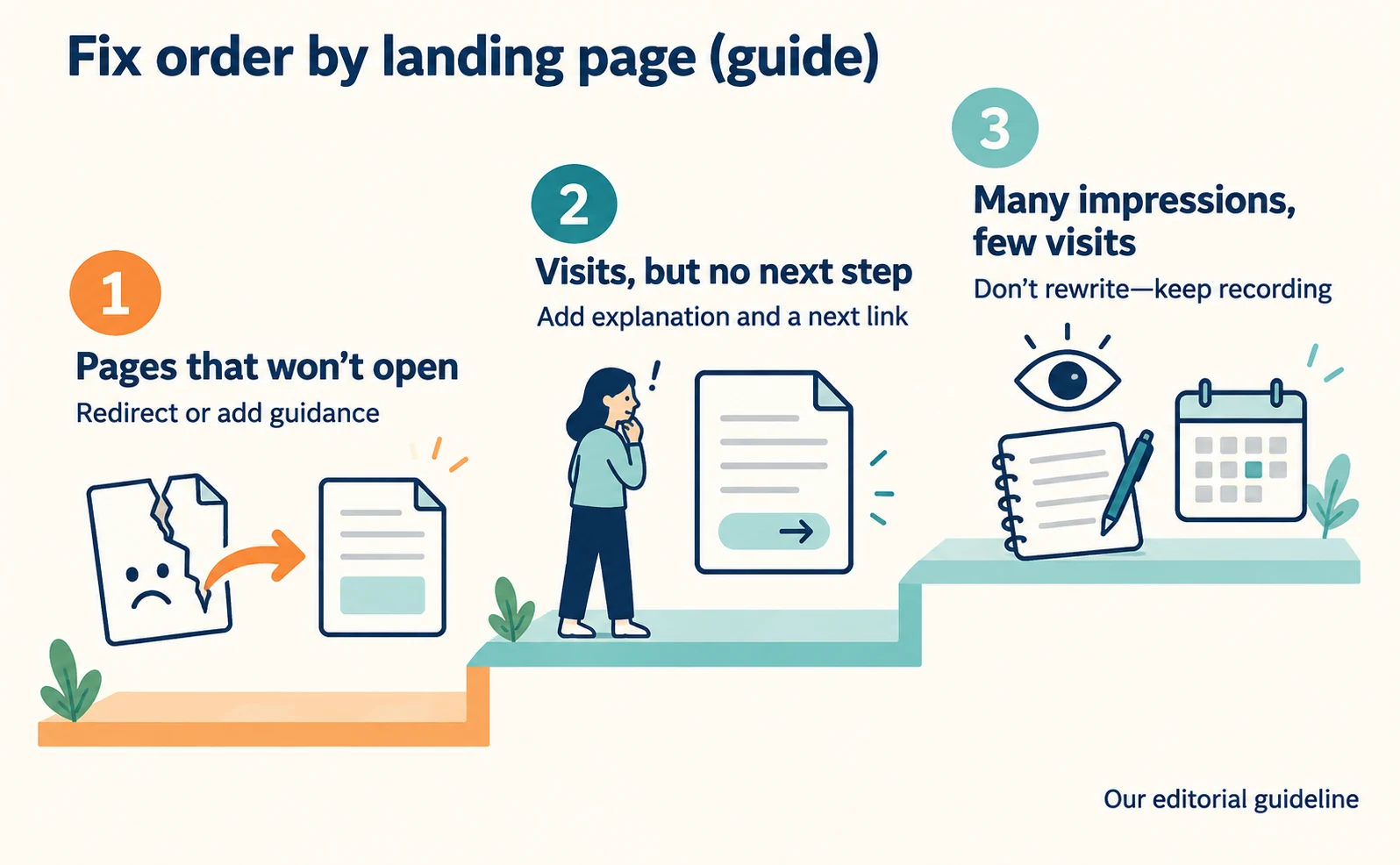
As a guide, fix pages in this order: (1) pages that will not open, (2) pages with visits but no next step, and (3) pages with impressions but few visits. This is our editorial guideline, not an order proposed by Ahrefs.
| Situation | What to check first | First action |
|---|---|---|
| (1) Visitors land on a nonexistent or pre-move URL | Whether the same content exists at another URL | Redirect to a relevant page or add guidance |
| (2) Many visits but no enquiries or signups | Whether the page explains use, conditions and the next link | Add the missing explanation and link |
| (3) Many impressions but few visits | Where the page answers the question | Do not assume a cause; keep recording |
Case (1) is the same kind of problem as Ahrefs’ 3.6%. Visitors leave without reading anything. See How to Check and Fix Links from AI Answers That Won’t Open for the steps.
Case (2) looks like the pricing page in the fictional example. Check whether visitors can read how prices are set and what conditions apply before applying, and whether there is a link to the next page.
In case (3), the AI answer may have resolved the question on its own. The page is not necessarily at fault, so do not rewrite it immediately; keep comparing figures over periods of the same length.
Whichever page you fix, record the page, the change date and what you changed. Even if the numbers rise, you cannot credit the change alone unless you rule out seasonality and other activities.
To see where visitors click on a page, How to Install the Tracking Tag explains how to prepare to check visits and recordings.
FAQ
- Q. Do Ahrefs’ percentages apply to my site?
- Not necessarily. They come from Ahrefs’ own site, and the author attributes them partly to the strength of its brand and products. Check your own landing pages in your own records.
- Q. What should I do with pages that only have impressions?
- Impressions are not visits. The AI answer may have resolved the question, so do not rewrite immediately. Check whether the page contains an answer and keep comparing the same periods.
- Q. Can I see visits from ChatGPT in Search Console?
- No. Search Console’s generative AI report shows impressions in Google’s AI Overviews and AI Mode. Check visits from ChatGPT and other services in your own analytics.
Sources
- [1] 80% of Our AI Search Traffic Goes to Our Homepage, Product Pages, and Free Tools (Ahrefs) — accessed 2026-09-23
- [2] Does AI Search Traffic Convert Better Than Traditional Search? For Ahrefs, Yes: 0.5% of Visitors Drove 12.1% of Signups (Ahrefs) — accessed 2026-09-23
- [3] Introducing Search Generative AI performance reports in Search Console (Google Search Central Blog) — accessed 2026-09-23
- [4] Generative AI performance report (Search) (Google Search Console Help) — accessed 2026-09-23
About the author
Shogo MizushimaCEO of kairos Inc. / AgentSignal Developer
Develops AgentSignal, a tool for measuring AI crawler visits and AI-referred traffic, and diagnosing AIO readiness. Writes about measurement and practical improvements for AI search using observed data.
Related articles
Measurement and site improvement
How to Check and Fix Links from AI Answers That Won’t Open
If clicking a link in an AI answer shows “Page not found,” the cause is usually a move, a deletion or an outage. Learn to tell them apart from visit records and response codes, then fix redirects and notices.
Published

Case studies and research
Claude and ElevenLabs: connect MCP for images, voice and video
Set up ElevenLabs MCP in Claude, prepare images, footage, narration and music, then finish in Studio. Includes connection commands and output checks.
Published

Case studies and research
Claude and HeyGen: set up MCP to create avatar explainers
Connect Claude and HeyGen through MCP, authenticate, prepare a script and create an avatar explainer. Includes voice, caption and MP4 checks.
Published