Worldline UCP payments: what an online store must prepare
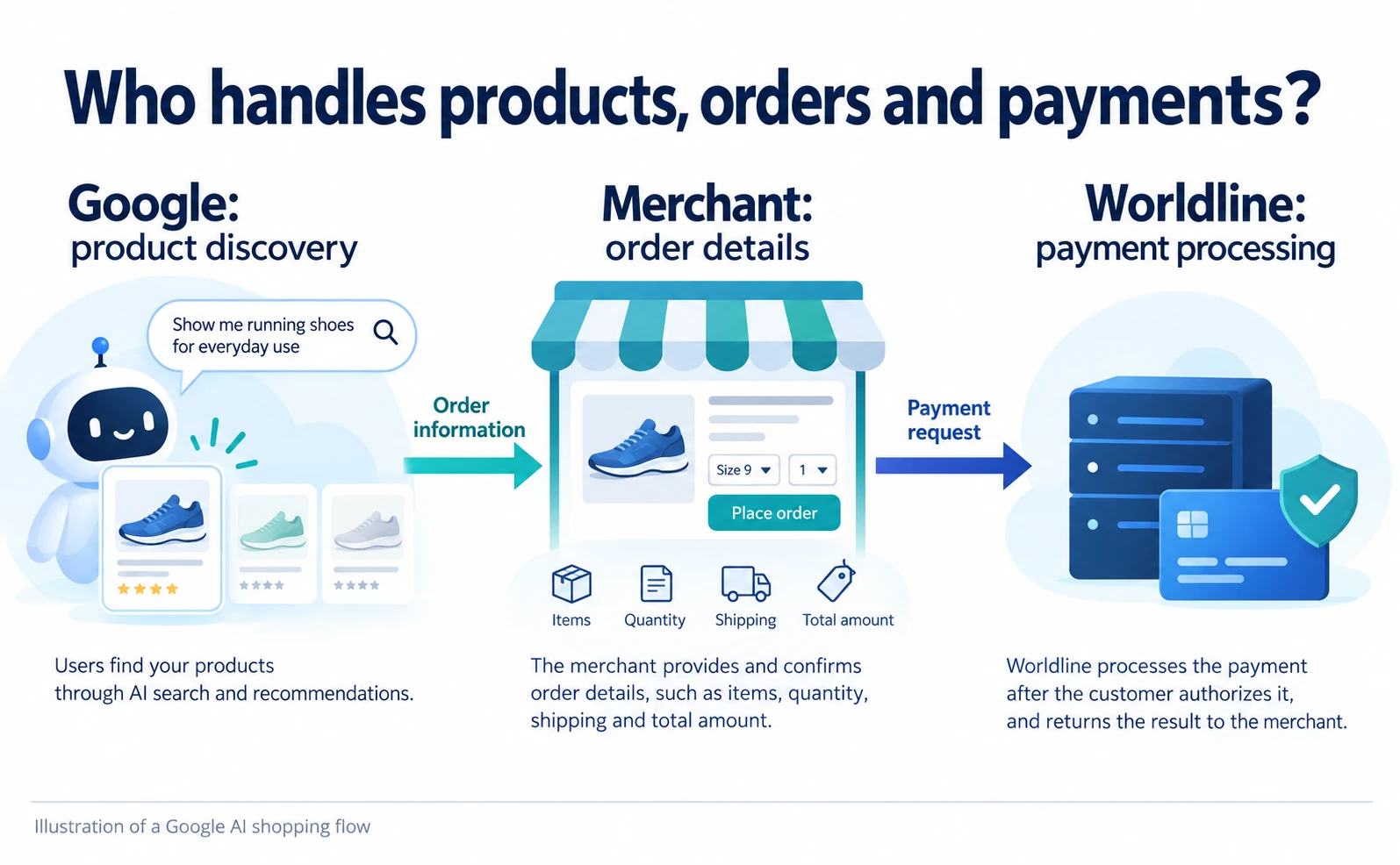
Follow Worldline’s UCP payment flow from product discovery to checkout, buyer approval and payment processing. Understand what the merchant still implements, the documented beta status and the eligibility questions to ask before integration.
Worldline's UCP announcement concerns accepting payments for AI-assisted shopping. It does not mean that a Worldline contract automatically takes care of product registration, checkout and order management.[1][2]
For an independent online store, the practical question is “If AI can sell my products, do I need a different payment service?” We follow the journey from product discovery to ordering and payment, using the September 14, 2026 announcement and official implementation material checked on September 17.
UCP is a shared set of rules for exchanging the information needed to buy something between an AI service and a merchant system. Worldline is a payment company, and this announcement concerns its Global Collect service. The aim here is to identify what Worldline can handle and what the store must still provide.
The new connection is between an order and its payment
A shopper selecting a product through AI still needs a way to pay. The systems must communicate accepted payment methods, process the payment the buyer approves and return the result to the store.
Worldline calls its specification for this handoff a “payment handler.” Think of it as the agreed way to connect a payment service. The AI platform and merchant select a mutually supported method, and the merchant connects it to Worldline's payment processing.[2][3]
The practical benefit is a documented route from an AI-assisted order into payment processing. The announcement does not establish a percentage increase in sales. Customers must use the relevant AI service, the merchant must be eligible to participate, and the complete buying flow must work.
Illustrations are explanatory images, not screenshots of the actual store or payment service.
1. Prepare product information for the AI sales channel
For Google's AI shopping experience, discovery uses product information from Merchant Center. Merchant Center is the service merchants use to supply product information, including names and prices, to Google. Google's UCP page also links to a participation waitlist.[4]
There must first be a way for the service to know what the store sells. Publishing a Worldline payment configuration does not register a product catalog with Google. For another sales channel, check that service's product information and participation requirements.
If Google is the intended channel, open its UCP introduction, read how product information is used and review “Join the waitlist.” This is an application entry point, not a promise of immediate selling access. Our Google AI shopping and UCP guide covers the preparation starting with products.
The remaining steps assume that the merchant and AI service are permitted to connect and that products can be selected. A Google example is not evidence that the same connection procedure works with ChatGPT.
2. Advertise the order interface and payment methods
The AI connects to the merchant system to create, update and complete checkout. This connection uses an API: an interface through which software sends data in an agreed format. It serves a different purpose from the product page a shopper opens.
Worldline's guide places connection information at /.well-known/ucp on the store's root domain. For example, https://shop.example.com/.well-known/ucp would be the location for a fictional store's configuration. It is not a page where a shopper applies or places an order.[2]
The published information identifies checkout endpoints and supported payment methods. Worldline credentials—the identifiers and secret used to request payments—stay on the merchant's server, outside the public profile.[3]
| What the merchant prepares | Purpose | Is it public? |
|---|---|---|
| UCP connection profile | Tell AI how to reach checkout and which capabilities are supported | Intended for discovery |
| Worldline merchant ID and API credentials | Request payments from Worldline | Managed on the merchant server |
| Prices, stock and delivery terms | Determine what can be ordered and the total | Merchant controls information supplied about products |
Publishing payment settings is separate from implementing the checkout API. The guide describes the merchant implementing order creation, updates and completion.[2]
3. Have the merchant calculate the payable total
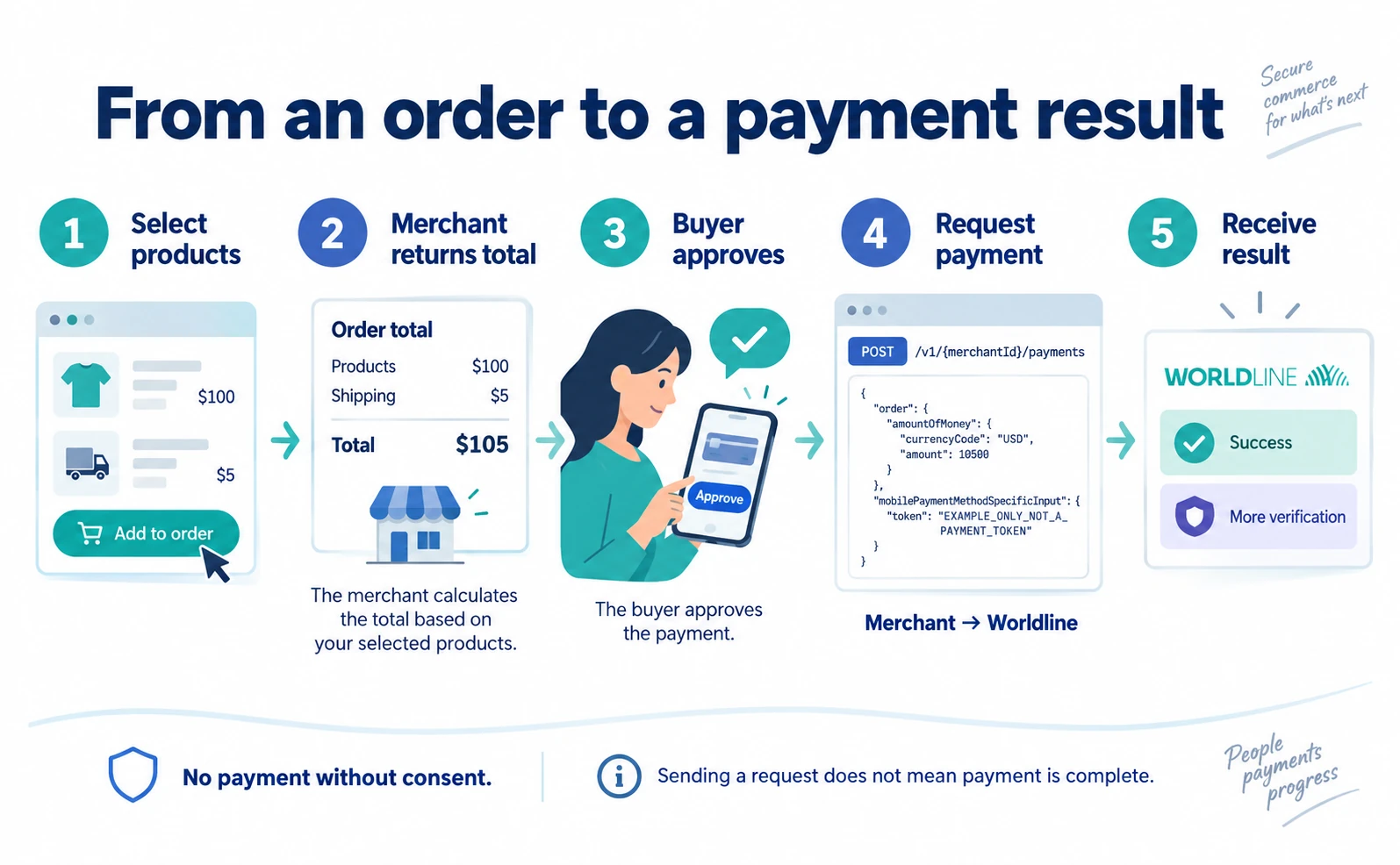
Consider an illustrative order: a product costs USD 100, shipping costs USD 5, and there are no other charges in this example. The total is USD 105. These are not the prices of a real store.
When the AI asks to buy one item, the merchant checks stock and the delivery destination. If shipping or tax changes, the amount shown to the buyer must change too. An amount the AI calculated in conversational text should not become the merchant's authoritative total.
If the order is incomplete, it is not ready for payment. A missing destination may prevent shipping from being calculated. An out-of-stock item should trigger an explanation that it cannot be purchased, rather than a charge. These are examples of behavior to test during implementation.
4. Pass the buyer-approved payment to Worldline
Once the order is ready, the buyer selects a payment method and provides the necessary approval. Worldline's guide includes a Google Pay example. Google Pay is Google's payment service for supported payment experiences.[2]
The example passes a payment “token”: data used for payment processing. It is not a product identifier or a string the merchant can invent.
The documented merchant-to-Worldline request is:[2]
POST /v1/{merchantId}/payments
POST means sending data to request an operation. merchantId is the Worldline merchant identifier. This is a Worldline API path, not something to append to a public product URL.
The amount and token fields look like this in a shortened illustration. JSON represents information as named fields and values. This is an excerpt, not a complete payment request. Authentication and other required fields are omitted.
{
  "order": {
    "amountOfMoney": {
      "currencyCode": "USD",
      "amount": 10500
    }
  },
  "mobilePaymentMethodSpecificInput": {
    "token": "EXAMPLE_ONLY_NOT_A_PAYMENT_TOKEN"
  }
}
USD identifies US dollars. In this example, 10500 means 10,500 cents, or USD 105. The token value is deliberately nonfunctional; a real integration supplies valid payment data obtained through the payment flow. The merchant is telling Worldline the amount, currency and payment data to use.[2]
This is not the full UCP message arriving from an AI service. It illustrates the next handoff, when the merchant turns received payment information into a Worldline request. Keeping those interfaces distinct avoids suggesting that AI can independently charge a customer without the approved flow.
5. Handle extra verification and failed payments
Sending a payment request does not establish that payment succeeded. The buyer may still need to complete an identity check.
Worldline's handler documentation describes using UCP's requires_escalation and continue_url when buyer action is needed. The first indicates that human interaction is required; the second gives the page for continuing it. The merchant must be able to return that handoff.[3]
Test more than the successful path. The following suggested checks help find disagreements between the merchant's state and the AI's explanation.
| Scenario | Expected behavior |
|---|---|
| Payment succeeds | Receive the result and return the order number and confirmed details |
| Further verification is needed | Direct the buyer to continue without declaring success first |
| Payment fails | Avoid reporting completion and explain the available next action |
| A connection is interrupted | Prevent retrying the same request from causing a duplicate charge |
This is our proposed test list. We have not executed payments. Checks must use Worldline's test environment and the connected AI service's requirements. A test environment allows behavior to be checked without creating real sales.
What was established as of September 17?
The announcement and the implementation material should be read together.
| Item | What we verified |
|---|---|
| Product announcement | September 14 announcement of UCP support through Global Collect [1] |
| Implementation status | The section for a merchant's own UCP implementation says “In Beta” [2] |
| Example versions | Worldline shows 2026-04-08; the current UCP overview shows 2026-08-25 [2][5] |
| Availability to Japanese businesses | The material does not establish the individual merchant's contract and eligibility conditions |
A version date identifies a revision of the rules. Mixing examples from different revisions can produce incompatible data. Some code examples in Worldline's page are also inconsistent, so we have not reproduced them as a complete working integration. Agree on a supported version with the other party and test against that version's specification.
Ask the official team about eligibility
A new merchant can start with Worldline's sales contact form. Supply business and contact details, select the country and choose the relevant payment solution. Japan appearing in the form does not establish eligibility for this particular UCP feature.[6]
For example, prepare an inquiry like this. It is our sample wording; we have not sent it.
We are a Japanese company operating an independent online store. We are considering the Global Collect UCP payment handler. Is it available for our selling countries, currencies and payment methods? Please explain the supported UCP version, connected AI services, beta eligibility, test environment and pricing.
Existing customers should also ask whether the required payment products can be enabled for their account. Product discovery, merchant checkout and payment connection are three pieces to consider. Finding out which pieces already exist in your business—and which need work—turns the announcement into a concrete integration decision.
FAQ
- Q. Does signing up with Worldline register products with Google?
- No. Google’s discovery flow uses Merchant Center product information. Payment configuration alone does not complete product registration or AI selling participation.
- Q. Is publishing a UCP file enough to accept payments?
- No. It advertises connection information. The merchant also needs checkout APIs, buyer approval, payment integration and result handling.
- Q. Can a Japanese merchant use it immediately?
- The reviewed public material does not establish this. Ask Worldline about selling countries, currencies, payment methods and beta eligibility for the specific business.
- Q. Can the code excerpt be submitted to test a payment?
- No. It explains the amount and token fields, omits authentication and other required fields, and uses a nonfunctional token. A real integration needs the supported specification and test environment.
Sources
- [1] Worldline enables agentic commerce payments via UCP (Worldline) — accessed 2026-09-17
- [2] Universal Commerce Protocol (UCP) (Worldline) — accessed 2026-09-17
- [3] Worldline Global Collect payment handler (Worldline) — accessed 2026-09-17
- [4] Getting started with UCP on Google (Google) — accessed 2026-09-17
- [5] UCP overview (Universal Commerce Protocol) — accessed 2026-09-17
- [6] Contact our sales team (Worldline) — accessed 2026-09-17
About the author
Shogo MizushimaCEO of kairos Inc. / AgentSignal Developer
Develops AgentSignal, a tool for measuring AI crawler visits and AI-referred traffic, and diagnosing AIO readiness. Writes about measurement and practical improvements for AI search using observed data.
Related articles
AI shopping and booking
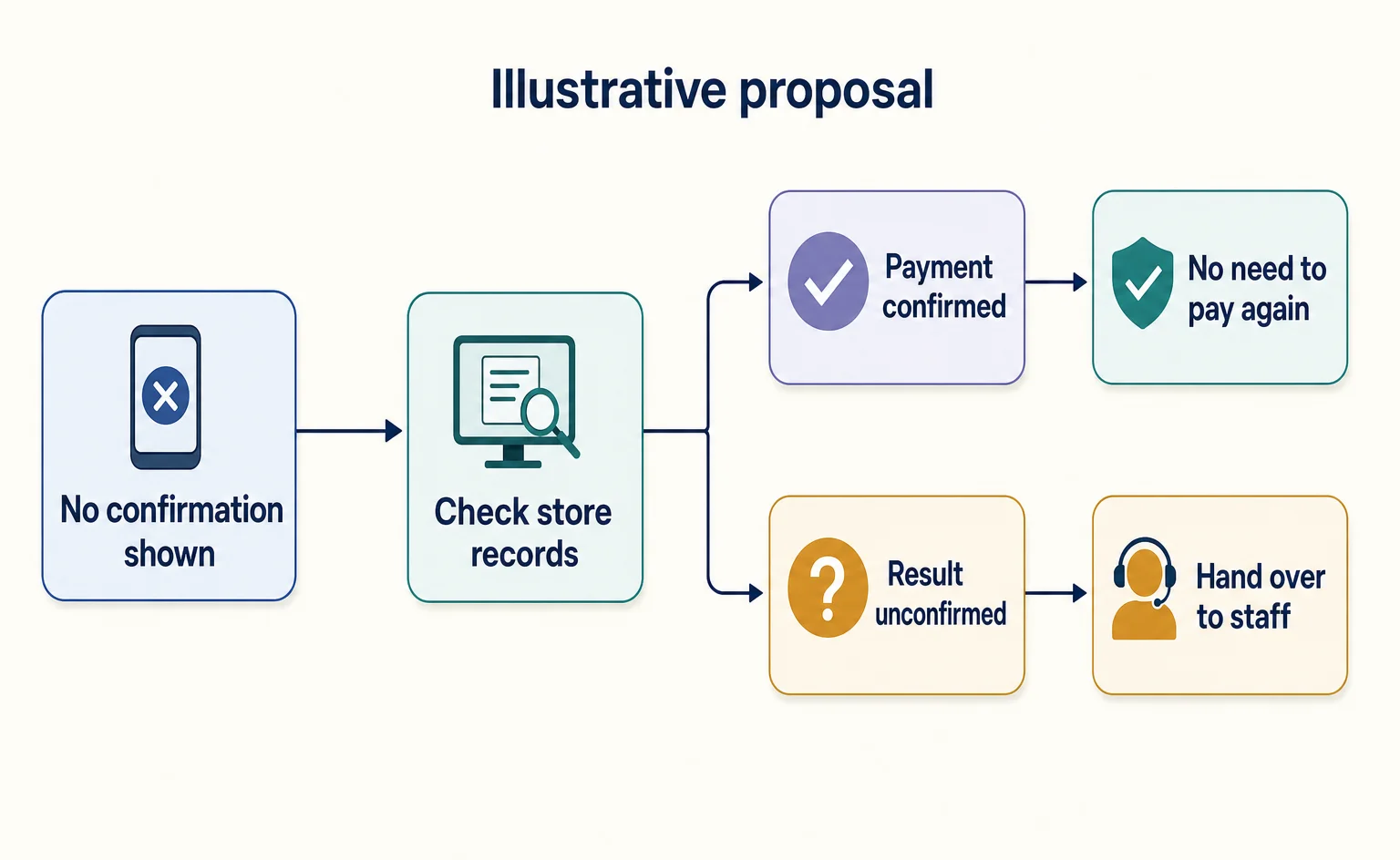
AI Help for Shopping Stalled at Payment: Cashfree’s Proposed Use Case
Cashfree’s GFF 2026 page describes voice AI contacting shoppers after payment failures. This article separates that use case from confirmed availability and results, and explains the information, example guidance, and conditions ecommerce managers should review.
Published
AI shopping and booking
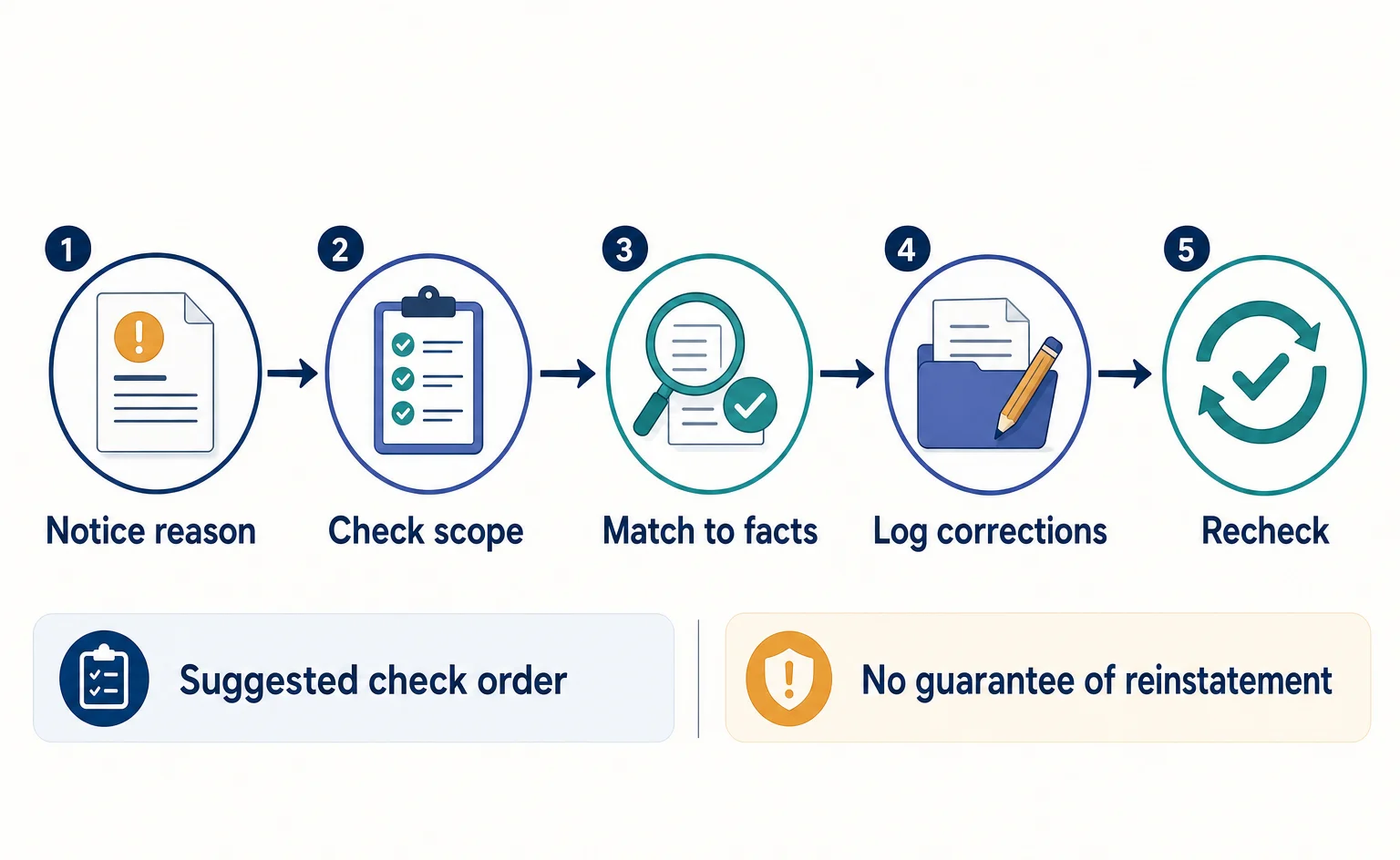
Merchant Center Misrepresentation: How to Check Business Details and Sales Terms
Learn how to read a Merchant Center misrepresentation notice, check business details and sales terms, and record corrections before requesting a review. Includes original sample worksheets. This is not a checklist that guarantees an issue will be lifted.
Published
AI shopping and booking
From Product Comparison to In-Chat Checkout: What Does Salesforce’s Carter Do?
Explore Salesforce’s shopping AI, Carter, through a fictional commuter-bag example. Separate product discovery, questions, checkout, and store-side processing, and see what ecommerce managers in Japan need to confirm before adoption.
Published