From Product Comparison to In-Chat Checkout: What Does Salesforce’s Carter Do?
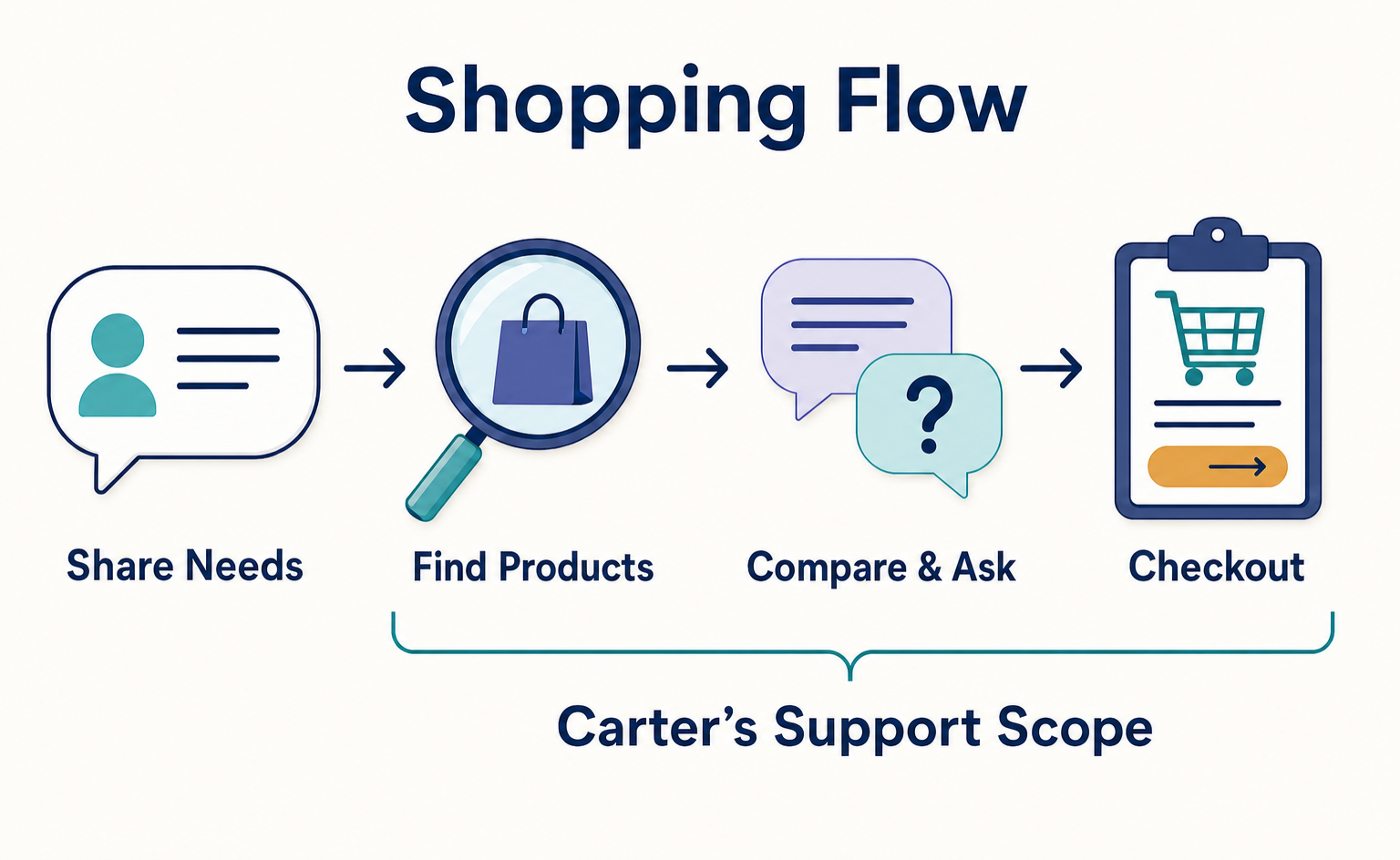
Explore Salesforce’s shopping AI, Carter, through a fictional commuter-bag example. Separate product discovery, questions, checkout, and store-side processing, and see what ecommerce managers in Japan need to confirm before adoption.
A shopping assistant may answer questions about finding products, yet leave customers to select those products again elsewhere before buying. Salesforce introduced its shopping AI, Carter, as a way to reduce this kind of disconnect. Its role is to help shoppers find and compare products, get answers to questions, and proceed to checkout within the chat.[1]
For managers considering AI customer assistance for their online store, assessing product-selection support separately from order processing makes the necessary checks more concrete. This article uses a single shopping example to explain the role you might expect Carter to play and the conditions to confirm before adoption.
Source checked: September 15, 2026. This article is based on Salesforce’s official announcement dated September 14, 2026. We have not verified setup or purchases in an actual account.
Carter Supports Shopping from Product Selection to Checkout
Salesforce announced that it would add role-specific AI agents—AI systems assigned particular tasks—to Agentforce, its AI framework for carrying out business work. Carter is designed for shoppers and, according to the announcement, is generally available, rather than limited to trial use. Salesforce says each AI operates within a company’s business rules, permissions, and security controls.[1]
For shoppers, the benefit is being able to move from a conversation about their needs to comparison and purchase. For stores, the distinction to consider is whether to delegate only answers to questions or to provide connected guidance right up to purchase. However, this announcement alone does not establish geographic availability within Japan, pricing, required product subscriptions, or setup methods.[1]
The commuter-bag example, worksheets, and review approach below are AgentSignal’s own editorial suggestions. They do not reproduce Carter’s actual screens or results, or the activities of any company featured in a case study.
Turn Shopping Preferences into Verifiable Conditions for Comparison
Suppose a fictional store sells commuter bags. A customer wants “a bag I can use on rainy days that fits my work laptop.” At this stage, the store wants to help customers find suitable options even if they do not know the product names.
We will use Product A and Product B as illustrative candidates. Assume that Product A prioritizes low weight, while Product B prioritizes organizing belongings. In an actual review, replace these names with products your store sells and compare them using information from product specification sheets or product pages.
Do Not Turn Vague Preferences into Definite Claims
The preference “usable on rainy days” does not, by itself, establish the level of performance required. The information to check will differ depending on whether the customer expects brief exposure to light rain or a long period outdoors. When planning the conversation you want the AI to have, write down how it should distinguish these needs before drafting recommendations.
For laptops, too, a design that simply answers “it will fit” does not provide enough information for a decision. Plan for a step that compares the dimensions of the customer’s device with those of the bag’s storage compartment. If the dimensions are unknown, the approach is to prepare a response asking the customer to check them.
The table below is an illustrative worksheet that product staff could create in their usual spreadsheet file or a similar tool. “Supporting evidence” means the internal product information that supports an answer. “Handling missing information” means the response policy when information is unavailable.
| Customer preference | Information used for comparison | Illustrative worksheet entry | Handling missing information |
|---|---|---|---|
| I want to use it on rainy days | Water resistance and usage precautions | Check not only the fabric description but also precautions for seams and openings | Do not promise performance that cannot be verified |
| I want to carry a laptop | Dimensions of the compartment and device | Ask for the device’s width, height, and thickness | Ask the customer to confirm the dimensions |
| I want the lighter option | Product weight | Compare A and B using the same unit | State that weight information is unavailable |
| I want to organize my belongings | Storage layout | Explain what the pockets are for, not just how many there are | Check product photos and descriptions |
The purpose of this table is to find gaps in the evidence behind answers, not to refine wording. For example, if Product A has no listed weight, the product staff should confirm the correct value before writing a comparison. This preparation also lets you evaluate AI responses not only for natural conversation but for evidence-based comparison.
The official announcement does not show whether this preparation worksheet can be imported directly into Carter. Where product information comes from and which format it must use are separate points to confirm for the actual setup.
Separate Answers to Questions from Guidance Toward a Purchase Decision
Once candidates have been presented, the next step is to resolve the customer’s remaining uncertainty. In the commuter-bag example, one possible explanation is “A for low weight, B for organizing belongings.” This is an editorial example, not a claim that Carter actually generated this comparison.
A comparison is easier to review when it includes both reasons to choose a product and reasons not to choose it. If Product A is recommended for its low weight, also check whether its storage layout meets the customer’s needs. The aim is to assess how well the recommendation matches the customer’s stated conditions, not whether it steered them toward a more expensive product.
Assign Owners to the Information Used in Answers
Consider assigning responsibility so that product staff verify specifications, staff who manage shipping verify delivery conditions, and staff who manage policies verify return conditions. Even for the same product, a question about specifications and a question about what happens after an order require different supporting information.
For example, the question “Can I use this bag for a business trip next week?” requires checking the delivery destination and shipping conditions, not just the bag’s intended use. Do not design answers that promise an arrival date based only on a product description. This is a suggested response policy for the store to decide, not confirmation that Carter has a verified delivery-date checking feature.
Rather than first writing the answer you want the AI to give, write down what must be checked before it may give that answer. This will make implementation discussions more specific. If some conditions remain unknown, also decide whether to keep checking or hand the conversation over to a person.
Even with In-Chat Checkout, Verify Store-Side Order Processing
The purchase capability announced for Carter is “in-chat checkout,” which means proceeding through the purchase process within a chat. The official announcement does not establish detailed processing specifications such as payment methods, where orders are stored, or how inventory is updated.[1]
When considering adoption, check separately whether the customer can continue the conversation and whether the store can correctly accept the order. Even if the experience looks like one continuous conversation, you still need to assess what can be confirmed about the items being purchased, the amount payable, and the order outcome.
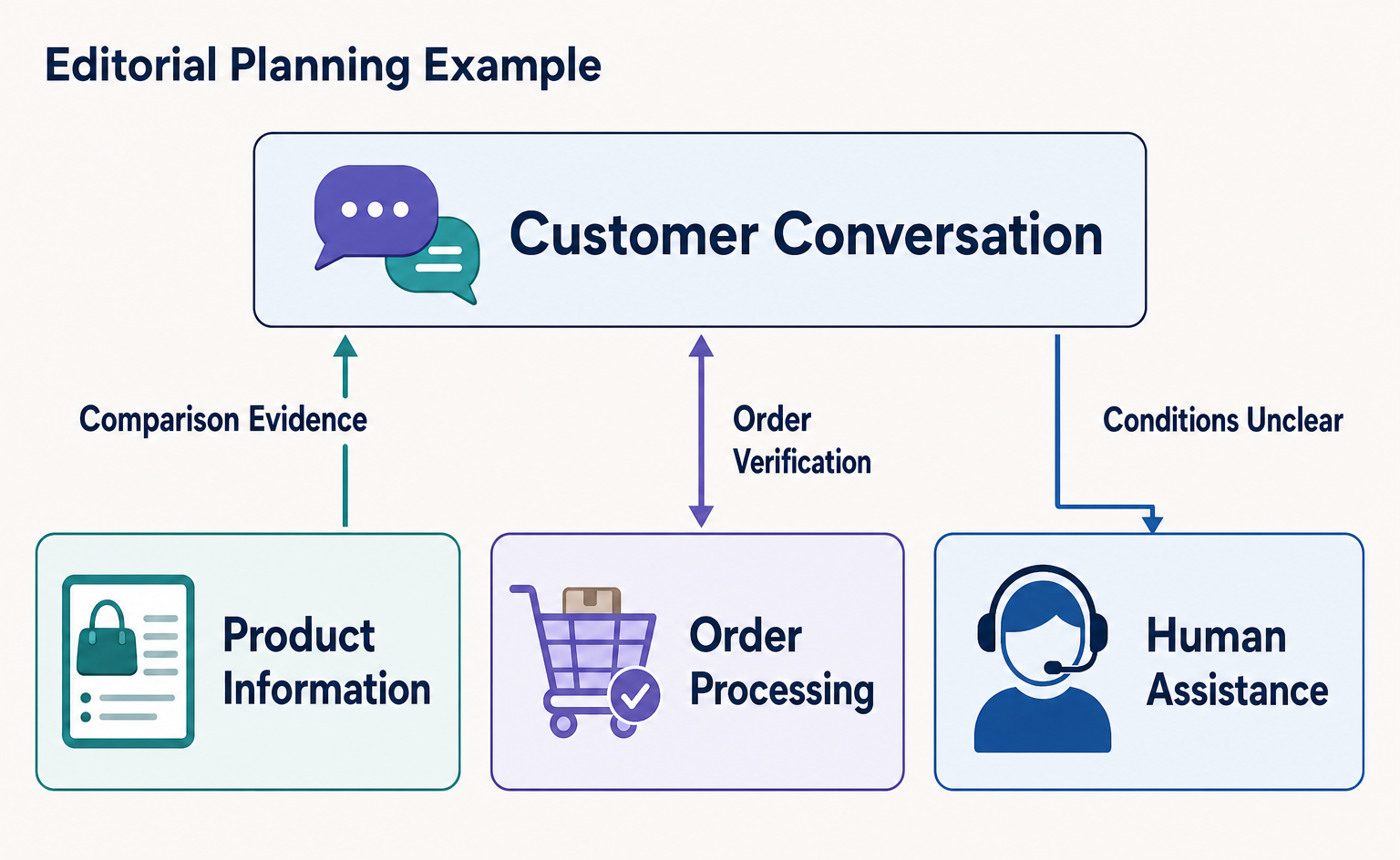
In the commuter-bag example, imagine confirming the color and quantity after the customer selects Product A. Next, consider a flow that shows the amount payable, including shipping and other charges, and lets the customer review the purchase details. This is an example for evaluating the shopping experience, not a procedure describing Carter’s screens or required actions.
| Stage to check | Illustrative question for the store to prepare | Evidence for a pass/fail decision |
|---|---|---|
| Confirming what is being purchased | Can the customer review the selected product, color, and quantity? | Purchase details shown to the customer |
| Confirming the amount payable | Is it clear what is added to the product price? | An explanation of the total, including shipping and other charges |
| Accepting the order | What determines that an order has been placed? | The store’s order record and the message sent to the customer |
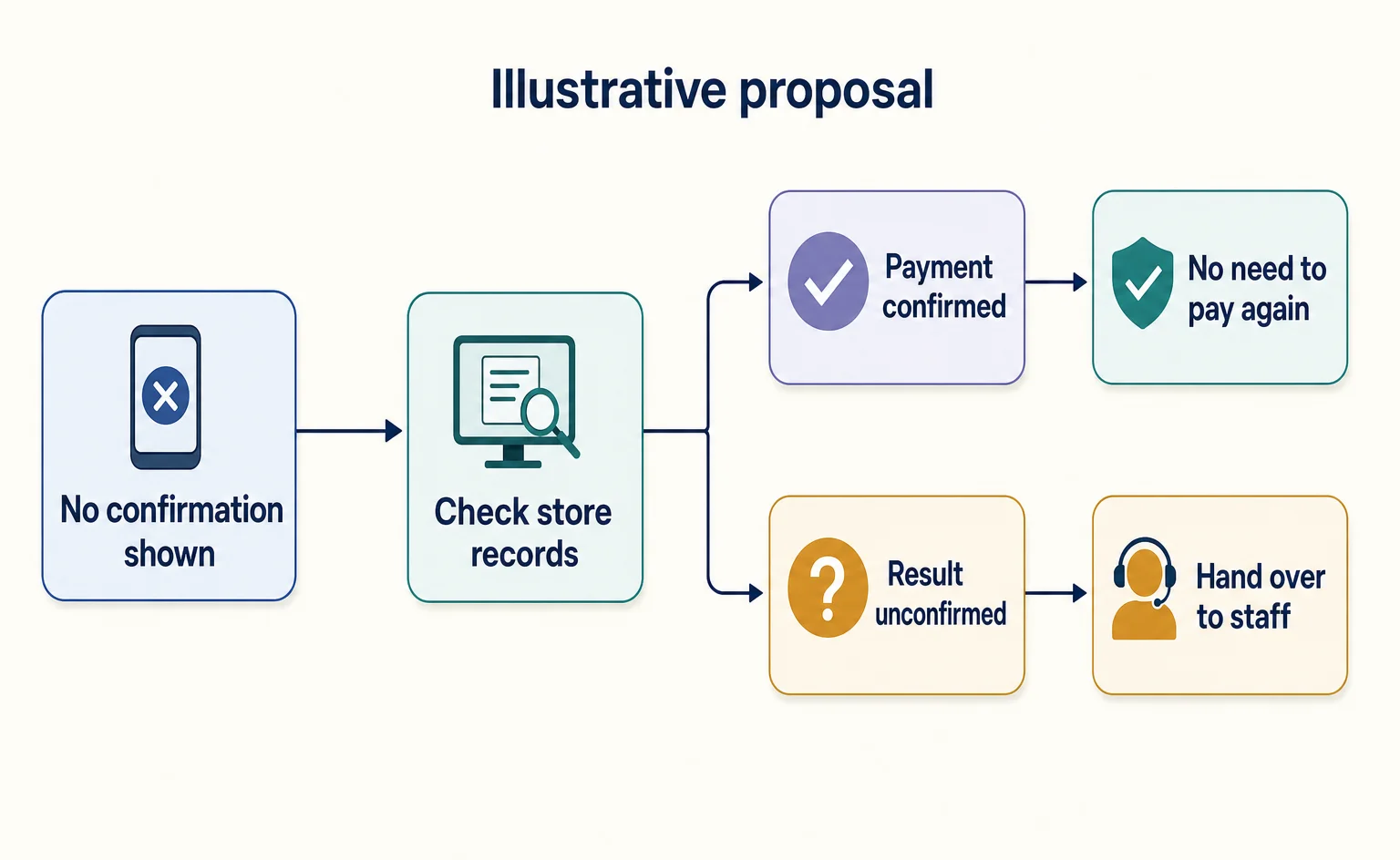
| Handling an interruption | If processing stops midway, how can staff check whether an order exists? | Where to check and how to decide whether to retry |
This table is also an independent editorial suggestion. “Pass/fail” means whether the experience meets the store’s expectations; it is not an official Salesforce assessment standard. Managers should adapt the right-hand column to their own purchase process, specifying the evidence they would need to make a judgment.
In particular, the assessment should not treat a “Purchase completed” message in the conversation as sufficient proof that the store has accepted an order. If you request testing, check whether the store’s order record can be reconciled with the message shown to the customer. We have not carried out that integration or testing for this article.
Carter Has a Different Role from Customer Service and Sales AI
In the same announcement, Casey is described as a generally available customer service AI that handles questions, returns, account management, and handoffs to people. Hunter is a sales AI that handles work from researching prospective customers to reaching out to them. It is available on a trial basis, with general availability planned for November 2026.[1]
If your store’s problem is that customers cannot choose a product before buying, start by considering product-selection support. If the problem is that customers do not understand return conditions after buying, treat that as a separate customer service issue. Even when the chat format looks similar, the information required and the conditions for considering the work complete will differ.
For example, if explaining Product A’s low weight helps the customer settle on a candidate, the comparison support has reached a stopping point. A return inquiry, however, is not resolved merely by identifying a product. Choose which AI role to consider based on the work needed to resolve the customer’s problem, not the appearance of the screen.
Also avoid combining ongoing outreach to sales prospects and shopping assistance for visitors to an online store into the same implementation requirements. This article focuses on Carter’s product-selection and purchase support. There is no need to apply Hunter’s planned release schedule to Carter’s availability conditions.
For Stores in Japan, Confirm Usage Conditions First
Start with the description of Carter and its availability in Salesforce’s official announcement. This announcement provides a feature overview; it cannot serve as an application form or setup guide for stores in Japan.[1]
In your internal review notes, record your current ecommerce system, the countries where you sell, the languages you need, and the situations you want the AI to handle. Then focus your implementation discussions with Salesforce on the following points. These are editorial suggestions for managers, not official application requirements.
- Eligibility and supported use: Can a store operating in Japan sign up for and use Carter? Can it provide the necessary guidance in Japanese?
- Required subscriptions and costs: What products are required in addition to Carter? Which costs vary with usage or other factors?
- Connection to product information: Where will product descriptions, prices, and inventory come from, and how will changes be reflected?
- Connection to order processing: How much of your current checkout, payment, and order management setup can you continue to use?
- Conditions for handing back to a person: Who will respond when an answer lacks supporting evidence or a purchase is interrupted?
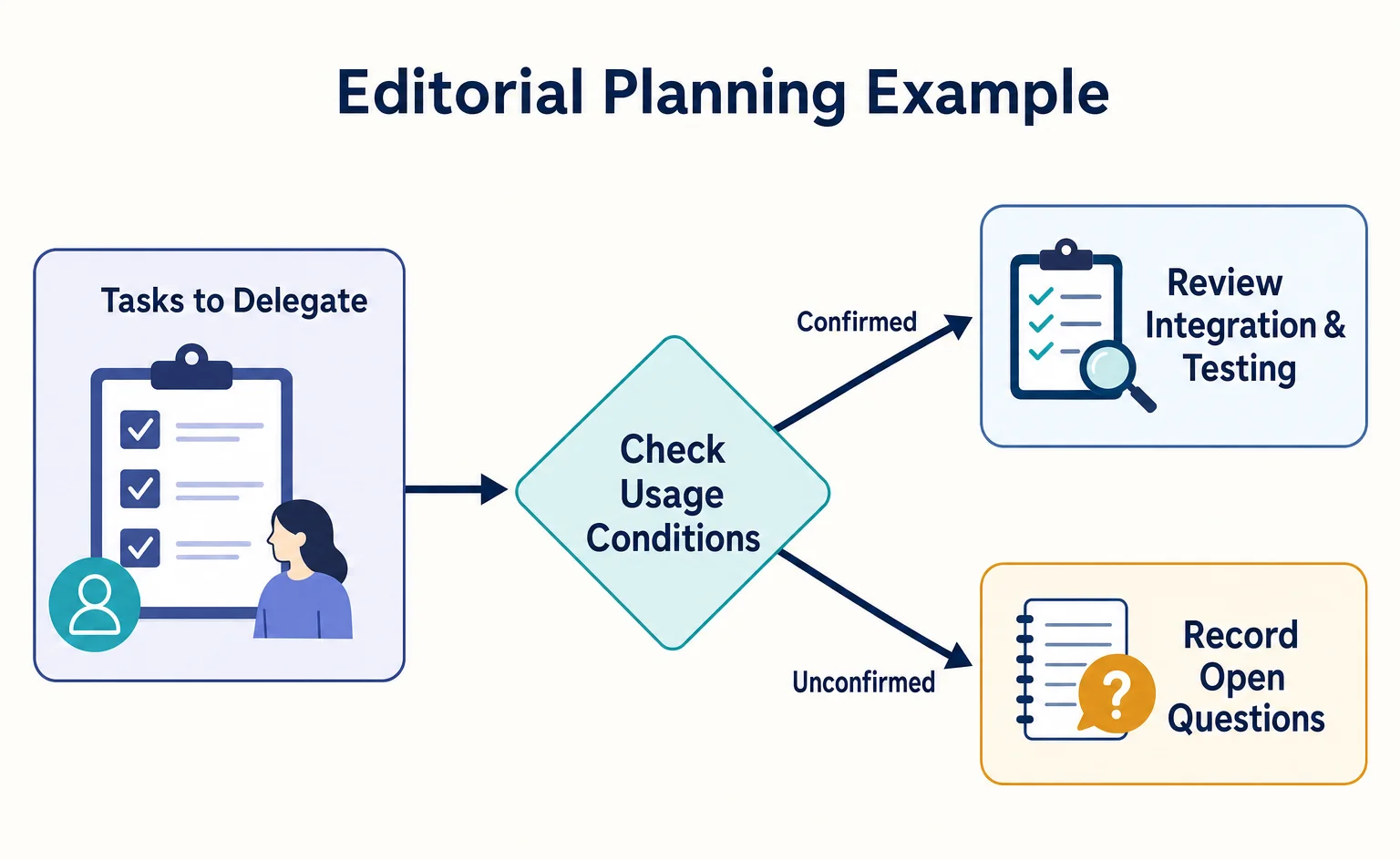
Do not assume that Carter can be used immediately on your online store solely because it is labeled generally available. Nor can this announcement be presented as providing a public product-registration API—an interface through which another system sends product data. The material also does not confirm an implementation method in which any website can use Carter simply by adding one short snippet of code.[1]
As a starting point, choose two real products and write down one question that leaves customers unsure when comparing them. Product staff should verify the evidence behind the answer, while ecommerce operations staff should add the unresolved questions about connecting the experience through to purchase. Rather than rushing to decide whether to adopt Carter, the goal at this stage is to clearly separate the work you want to delegate from the work your company must do to verify the conditions under which it can be completed.
Official guides for your own checks
Salesforce’s feature list also describes Shopper Agent for shopping assistance on a merchant’s own storefront.[2] Its training material explains SCAPI, an interface used to retrieve information from Salesforce’s commerce system.[3] These materials help explain why an AI needs connections to product data and commerce processes, rather than simply knowing a product exists. They describe related products; they do not establish Carter’s contract terms or availability in Japan.
FAQ
- Q. What does Carter do?
- It is an AI that helps shoppers find and compare products, get answers to questions, and proceed to checkout within the chat.[1]
- Q. Can an online store in Japan use it immediately?
- The announcement lists Carter as generally available, but the supplied announcement alone does not establish usage conditions in Japan, pricing, required subscriptions, or implementation steps.[1]
- Q. How does Carter differ from Casey?
- Carter is presented as supporting product selection and purchasing, while Casey handles customer service such as questions, returns, account management, and handoffs to people.[1]
- Q. Is the sales AI Hunter also generally available?
- According to the September 14, 2026 announcement, Hunter is available on a trial basis, with general availability planned for November 2026. Its availability status differs from Carter’s.[1]
- Q. Can Carter connect to our current payment and order management systems?
- The supplied announcement does not include the detailed integration specifications needed to determine this. You will need to confirm how much of your existing payment and order management setup can be used when discussing implementation.[1]
Sources
- [1] Salesforce Expands Agentforce With a New Portfolio of AI Agents Built for High-Value Work - Salesforce (Salesforce) — accessed 2026-09-15
- [2] Agentforce Commerce Innovations | Salesforce (Salesforce) — accessed 2026-09-15
- [3] Enhance Your B2C Commerce with Seamless Integration (Salesforce) — accessed 2026-09-15
About the author
Shogo MizushimaCEO of kairos Inc. / AgentSignal Developer
Develops AgentSignal, a tool for measuring AI crawler visits and AI-referred traffic, and diagnosing AIO readiness. Writes about measurement and practical improvements for AI search using observed data.
Related articles
AI shopping and booking
AI Help for Shopping Stalled at Payment: Cashfree’s Proposed Use Case
Cashfree’s GFF 2026 page describes voice AI contacting shoppers after payment failures. This article separates that use case from confirmed availability and results, and explains the information, example guidance, and conditions ecommerce managers should review.
Published
AI shopping and booking
Can You Submit an AI-Written Product Title to Google As Is?
AI-written product titles need both a content review and an AI-generation designation in your product data. Using a fictional water bottle, this article explains clear product naming, structured_title fields, and checks for each submission method.
Published
AI shopping and booking
51% of US consumers use AI shopping tools. How much has product selection changed?
That does not mean AI placed 51% of orders. It is the share of US consumers who reported using at least one AI-powered shopping tool during the past month.
Published