Help AI understand your products: Google’s new data options
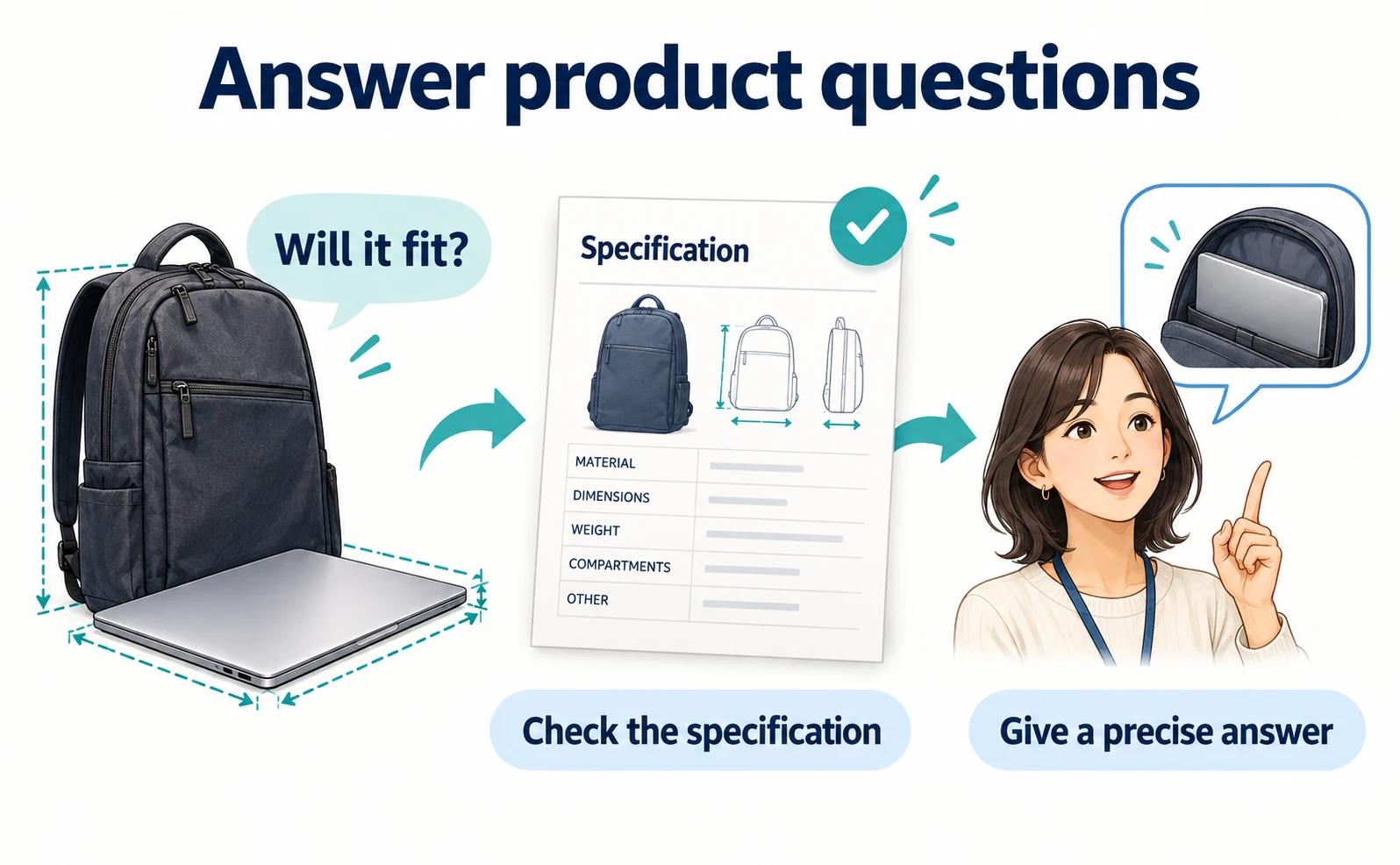
Prepare product questions and answers, connect supplemental data in Merchant Center, and distinguish worldwide attributes from region-limited AI reporting.
Helping AI recommend a product starts with explaining which buying questions it can answer. Google has published a way to submit product questions and answers alongside your product data.[1][2]
A product name and price may be registered correctly, yet leave important questions unanswered. For a backpack, shoppers may also need to know whether their laptop fits and whether the bag can be used in rain.
Following Google’s September 16, 2026 announcement, this article explains how a merchant with existing product listings can prepare an answer and choose a submission method. Information was checked on September 18. Attributes available to Japanese merchants are distinguished from new features limited to other markets.
Beyond the name and price: questions before purchase
Merchant Center is Google’s service for registering and updating product information. The product list a store submits is also called a feed. It uses defined fields for identifiers, names, prices and availability.
Conversational attributes add optional context to that list. An attribute is simply a named field describing a product. These additions supplement the core data; they do not replace it.[1]
Consider this fictional commuting backpack. The specifications below are illustrative, not facts about an actual product or sales results.
| Buying question | Evidence needed | Example explanation |
|---|---|---|
| Will my laptop fit? | Internal compartment dimensions | The compartment is 25 cm wide and 35 cm high. Compare these with the device’s actual dimensions. |
| Can I use it in rain? | Fabric treatment and waterproofing limits | The outer fabric has a water-repellent treatment. The bag, including its seams, is not fully waterproof. |
| Is it machine-washable? | Manufacturer’s care instructions | Do not machine-wash. Wipe dirty areas with a damp cloth. |
“Perfect for commuting” gives a shopper little to check. Dimensions and care instructions let them compare the product with their own needs. Explain both capabilities and limits together.
What the additional fields do
Three useful starting points are product Q&A, document links and related products.[1]
| Field | Information | Typical use |
|---|---|---|
question_and_answer |
A product question and answer | Fill a genuine gap in the existing description |
document_link |
A relevant PDF URL | Provide a manual or assembly instructions |
related_product |
Identifiers for a related item | Explain accessories, replacement parts or alternatives |
A related-product entry specifies the relationship, identifier type and identifier. For example, accessory:id:CASE-01 uses the published format to describe an accessory identified by a merchant’s product ID. CASE-01 is an example and must be replaced with an existing ID.[3]
Do not label an item a required part simply because you would like to sell it. The public page should also make clear whether an accessory is included or sold separately.
1. Choose one question and answer it from evidence
Search your own support system or email for questions about the selected product. Extract the question, not the customer’s name or order number.
If shoppers keep asking whether a laptop fits, open the specification sheet and public product page. Check for internal compartment dimensions. Use manufacturer information or a physical measurement; do not ask AI to invent missing dimensions. If the dimensions cannot be established, hold that answer back.
Then read the description already being submitted. Google advises against repeating information that is already supplied in other descriptive attributes.[1][2]
Write an answer that addresses the question directly. Instead of “Yes, it is convenient,” give the verified dimensions and explain what the shopper should compare. Replace all illustrative measurements with your product’s actual values.
The guide to turning customer questions into useful content can help identify those gaps. The aim is to resolve a buying uncertainty, not collect as many keywords as possible.
2. Keep prices and promotional keywords out of Q&A
The question_and_answer specification allows use in all countries, including Japan. That does not guarantee use in an AI response.[2]
Do not put time-sensitive prices or dates in this field. Use their dedicated attributes instead, and avoid lists of search terms.[2]
Here is an illustrative single cell value for a text data source. It is neither a complete file nor an API request:
"Is it machine-washable?":"Do not machine-wash. Wipe dirty areas with a damp cloth."
Replace the answer with the product’s verified care instructions. Google recommends tab-separated TSV rather than CSV for these grouped values. Check the field specification for handling punctuation and quotation marks in your chosen file format.[2]
At this point, the deliverable is an accurate answer. It is not evidence that an AI has displayed it.
3. Attach the additional data to an existing product
A supplemental data source can add details to the primary product list using matching product IDs. It cannot create new products by itself.[4]
You need access to the store’s Merchant Center and permission to manage data sources. If product registration is not complete, start with the Merchant Center registration guide.
The official route is:[4]
- Sign in to Merchant Center for the correct store.
- Open Settings → Data sources.
- Under Supplemental sources, choose Add supplemental product data and select your source method.
- Match the product ID, language and data-source label to the primary source.
- Select that primary source and choose Create data source.
If the supplemental tab is absent, enable Advanced data source management under Settings → Add-ons. Do not substitute a second primary product list without understanding the consequences.[4]
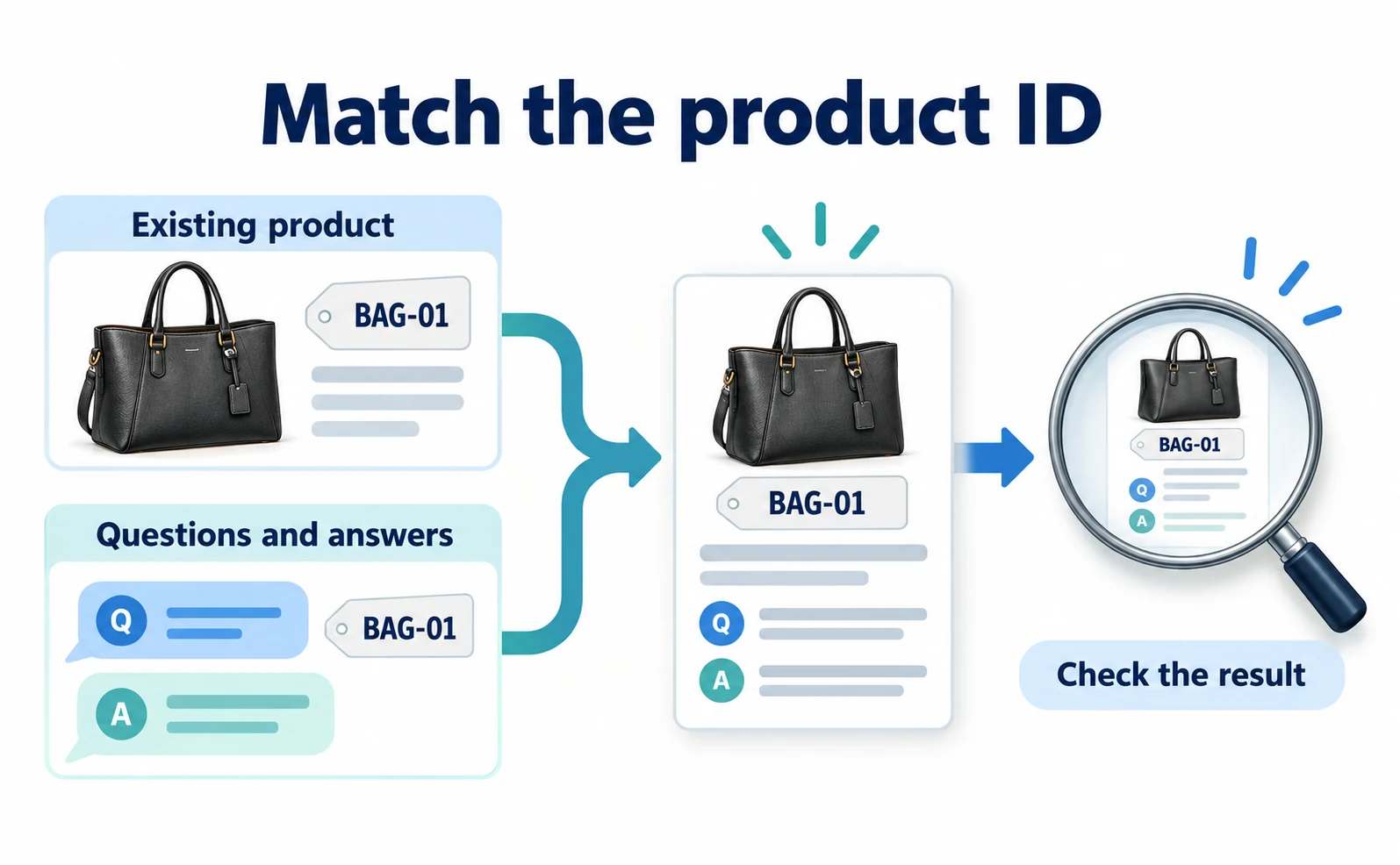
If the existing ID is BAG-01, use that exact ID. Changing the case or choosing another color’s ID can attach the answer incorrectly. This is an example identifier, not a suggestion to renumber your products.
After processing, inspect the supplemental source, any reported problems and the intended product’s additional information. If the answer is missing, start with the ID, language and linked source. A one-product trial makes mistakes easier to locate before expanding the update.
“Used 50% of the time” is not 50% revenue growth
Google reports that conversational attributes supplied by lululemon were incorporated in 50% of relevant AI Mode recommendations during testing. That measures use of the information, not an increase in revenue or conversion rate.[5]
For your own work, distinguish submission, appearance in an AI answer, visits and purchases. Record the date of the product-information change so later observations can be compared.
Eligible merchants can access Analytics → Products → AI performance. As checked on September 18, the help page limits this report to English-language queries and accounts in Australia, Canada, India, New Zealand and the United States. Japan is not listed.[6]
Japanese merchants can still prepare accurate Q&A and keep submitted information consistent with the product page. They do not need to wait for that reporting screen to improve their descriptions. If prices are also inconsistent, first use the product price mismatch checklist to identify which source needs correction.
For ongoing monitoring, AgentSignal’s AI Optimization → AI Traffic shows visits identified as AI referrals, with date and landing-page filters. Install the tracking tag first. This measures identifiable visits, not every product impression in Google AI Mode. See the AI measurement guide for setup.
FAQ
- Q. Will adding Q&A guarantee an AI recommendation?
- No. It supplies additional product information, not guaranteed inclusion.
- Q. Can Japanese merchants submit product Q&A?
- The specification allows this attribute in all countries. The new AI report has separate regional limits.
- Q. Can answers include prices?
- Google asks merchants to send time-sensitive prices and dates through their dedicated attributes instead.
Sources
- [1] How to use conversational attributes (Google) — accessed 2026-09-18
- [2] Question and answer [question_and_answer] (Google) — accessed 2026-09-18
- [3] Related product [related_product] (Google) — accessed 2026-09-18
- [4] Create a product data source (Google) — accessed 2026-09-18
- [5] Boost your holiday sales with these agentic commerce updates (Google) — accessed 2026-09-18
- [6] About AI performance insights (Google) — accessed 2026-09-18
About the author
Shogo MizushimaCEO of kairos Inc. / AgentSignal Developer
Develops AgentSignal, a tool for measuring AI crawler visits and AI-referred traffic, and diagnosing AIO readiness. Writes about measurement and practical improvements for AI search using observed data.
Related articles
AI shopping and booking
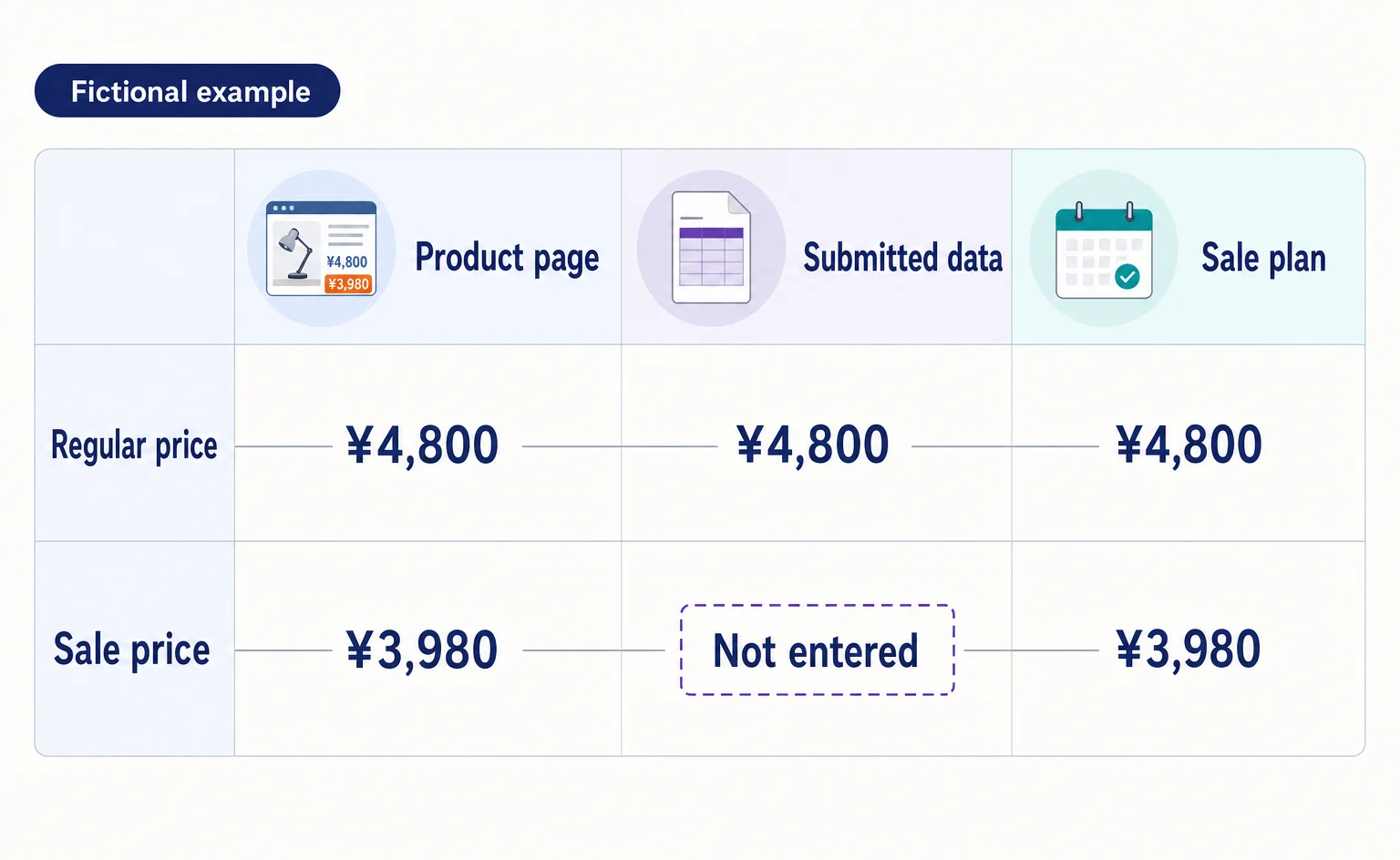
Google Shows the Wrong Price: 3 Places to Check After a Price Cut
If Google still shows an old price after you lower it on your product page, compare the page, the product data sent to Google, and the sale conditions. A fictional example explains where to make corrections and how to check approval status afterward.
Published
AIO and AI search
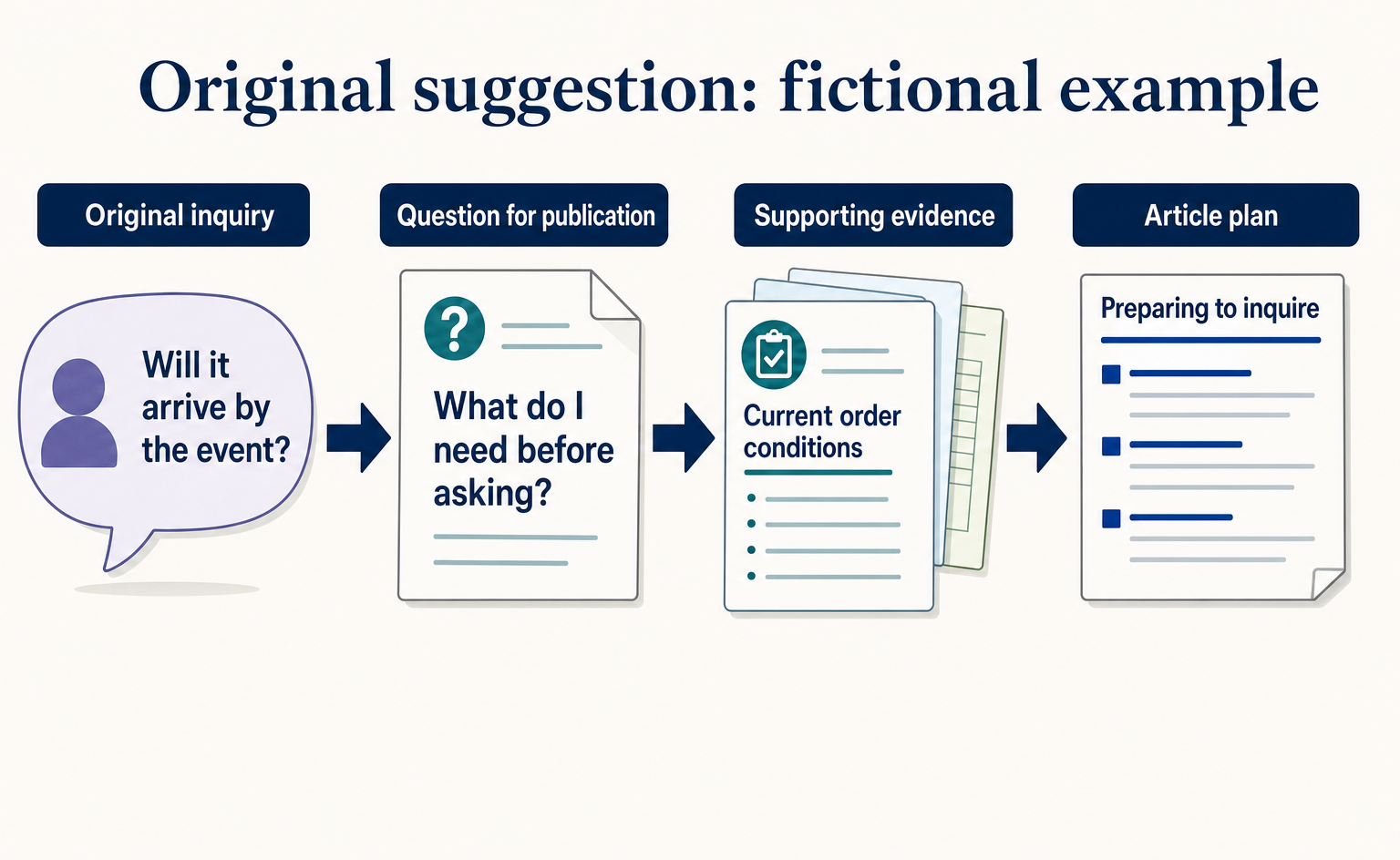
Where to Find Article Ideas Only Your Business Can Write: Start with Customer Inquiries
You do not need original research data to create useful articles. Learn how to turn customer questions, answers, and decision criteria into article plans, with worksheets and fictional before-and-after examples covering anonymization, question grouping, and evidence checks.
Published
AI shopping and booking
How Can AI Find Your Products? Checks Highlighted by Azoma
Based on Azoma’s September 7, 2026 announcement, learn what to check in product details, pricing, stock, shipping, and returns. Includes questions to test AI answers, ways to investigate errors, and steps to track visits and purchases, starting with a few products.
Published