What Can ChatGPT’s WebMCP Support Do? Requirements and the Developer Challenge
ChatGPT’s Site tools let AI use actions provided by a website directly. Review the August 25, 2026 announcement, WebMCP Challenge, supported apps and models, unsupported methods, company announcements, and ways to test actions beyond screen recordings.
ChatGPT can now directly use actions provided by a website. Announced on August 25, 2026, Site tools is a feature that uses WebMCP. The 10-day developer event WebMCP Challenge also began that day [2][3]. However, supported apps and features come with conditions.
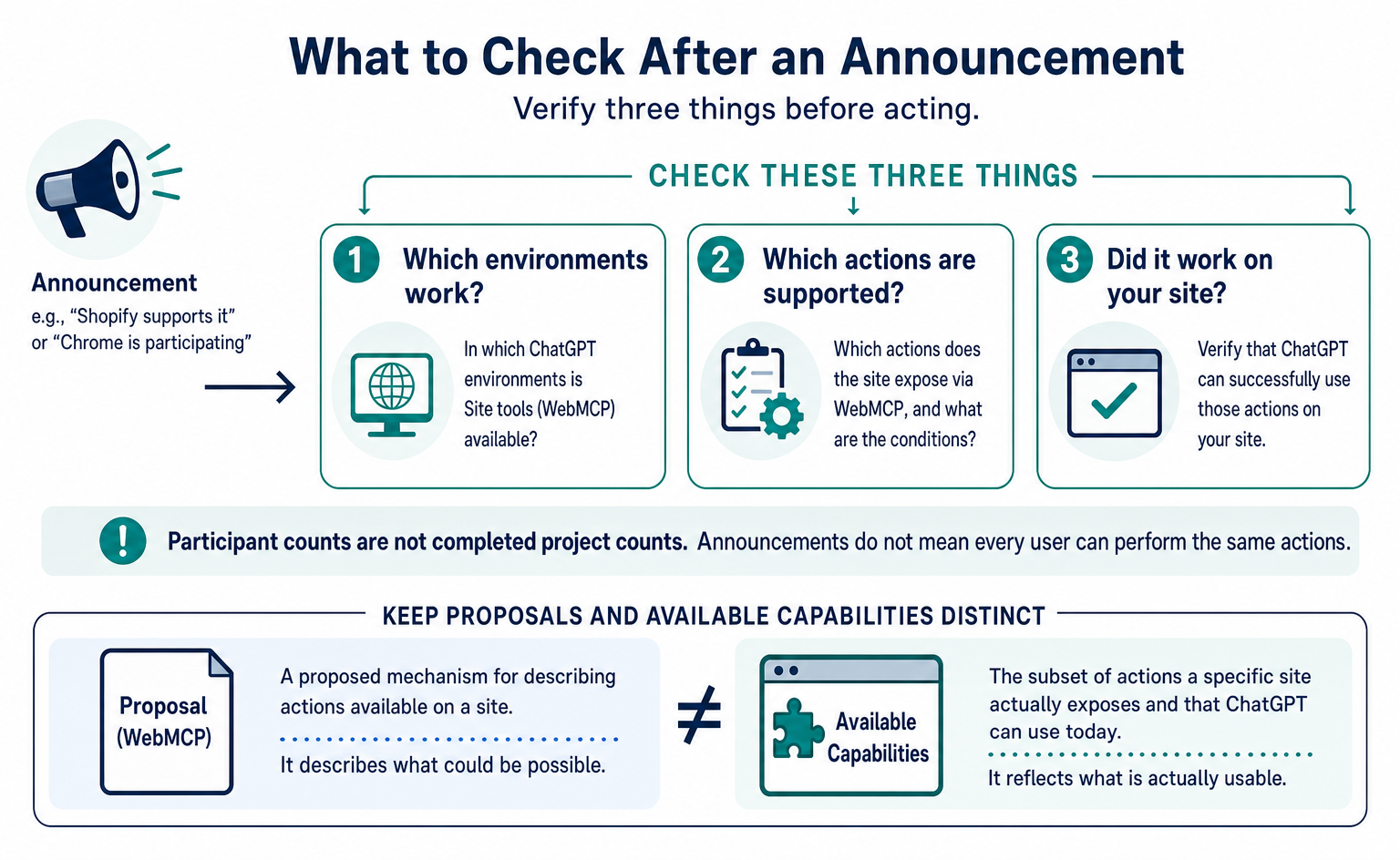
Should you add something to your company’s site, or can it already be used? If the news leaves you unsure, check ChatGPT’s requirements separately from the features the site provides. Announcements such as “Shopify supports it” or “Chrome is participating” do not establish that every user can perform the same actions.
This article organizes the announcements, requirements and event records available as of September 7, 2026. Winners are expected to be announced around September 23; results are not yet public. For an explanation of how WebMCP works, see WebMCP Specifications and Support Status.
Here, we look at what ChatGPT can now do and what your company should verify.
1. What Are ChatGPT’s Site tools?
Site tools let ChatGPT Work and Codex use features on the website currently open. They work in the ChatGPT desktop app’s built-in browser. OpenAI introduced the feature and event in two Community posts and a three-post thread on X [2][3][4][5].
OpenAI’s official page explains the relationship between Site tools and WebMCP as follows [1].
Explanation in brief: Site tools is the feature that brings WebMCP to ChatGPT. [1]
WebMCP is a proposed mechanism for describing actions available on a site. Site tools is the name of the feature that uses it in ChatGPT. This does not mean implementing two separate integrations on your site. Explain this relationship to your developers, then ask whether they can test it in the intended environment.
Keep the “proposal stage” qualification in mind. A formal standard has not been finalized and deployed across all browsers at once. Although a usable feature has been released, the specification and supported scope may change. Adoption therefore requires testing and keeping up with updates.
The Community announcement highlights that people and AI can share the same page state [2].
Explanation in brief: People and AI can work on the same page with the same login state. [2]
For example, AI could find specified items or suggest changes in an editing screen a person has open. A session means the continuing state of a login and page interactions. It does not mean unrestricted access to another user’s session.
MCP connects AI to local or remote services and can provide features that work without an open page. Site tools uses features on the page currently open. OpenAI says this is useful for work where people and AI view the same content, such as an editing canvas or an administration screen [1]. A single site can provide both.
The announcement on X mentions the desktop app’s built-in browser and ChatGPT Sites [5].
Explanation in brief: The announcement mentions support in the built-in browser and ChatGPT Sites. [5]
A product being named in an announcement does not mean complete instructions are available for every product. Before implementation, check the requirements on the official page for the app you will use. Do not fill in missing details about eligible plans or supported registration methods from a short social media announcement.
As of the September 7, 2026 review, no detailed WebMCP description had been found on the official Sites pages. Record the scope mentioned in the announcement separately from the scope covered by developer instructions. Not finding documentation does not prove that a feature does not exist; it defines the extent of the explanation confirmed at that point.
The August 24–28, 2026 entry in the official “What’s new” also describes using Site tools in ChatGPT Work and Codex [6]. The August 25 browser release announcement includes the same feature. This confirms it was announced as a product update, but individual availability still affects whether it can be used.
2. Developments from August 5 to September 23
Before the August 25 announcement, Shopify and Cloudflare had already announced site-side support. The developer event’s deadline was extended by 12 hours because of an OpenAI outage [9]. The main events are listed below in date order.
| Date (2026) | Event | Primary source |
|---|---|---|
| August 5 | Shopify’s developer changelog announces WebMCP tools for all Liquid storefronts and for Hydrogen (developer preview). Effective August 21 at 12:00 PM ET | [10] |
| August 6 | Cloudflare publishes “Give any website a WebMCP interface,” a developer preview enabled with one dashboard switch | [13] |
| August 21 | Shopify’s announcement takes effect | [10] |
| August 25 (PT) | OpenAI announces Site tools and WebMCP Challenge in two Community posts and three X posts. Devpost opens submissions, at 11:00 AM PT under the rules. Netlify announces participation on its official blog; Render announces participation on X | [2][3][4][5][7][8][14][16] |
| August 25, 21:18Z | OpenAI’s nmccormack-oai creates PR #258 in the WebMCP specification repository to add ChatGPT Desktop to the implementation status page | [17] |
| August 26 | Google’s domfarolino approves and merges PR #258. The implementation status page adds “WebMCP is supported in ChatGPT Desktop.” | [17][18] |
| September 1, 12:00 PT | Deadline to apply for Netlify credits | [15] |
| September 3, 13:00 PT | Original submission deadline | [8] |
| September 3 | status.openai.com records the incident “Elevated errors across ChatGPT and Codex” | [23] |
| September 4, 1:00 AM PT | Devpost posts “Deadline Extension | 12 more hours,” extending the deadline “Due to OpenAI outage.” It later displays “Submissions are closed” | [9] |
| September 4–21 | Judging period | [8] |
| September 4 | Google’s Sarah Drasner merges PR #296, revising the definition of headless use cases in the specification README | [18] |
| On or around September 23, 2:00 PM PT | Scheduled winner announcement, described as “on or around” | [7][8] |
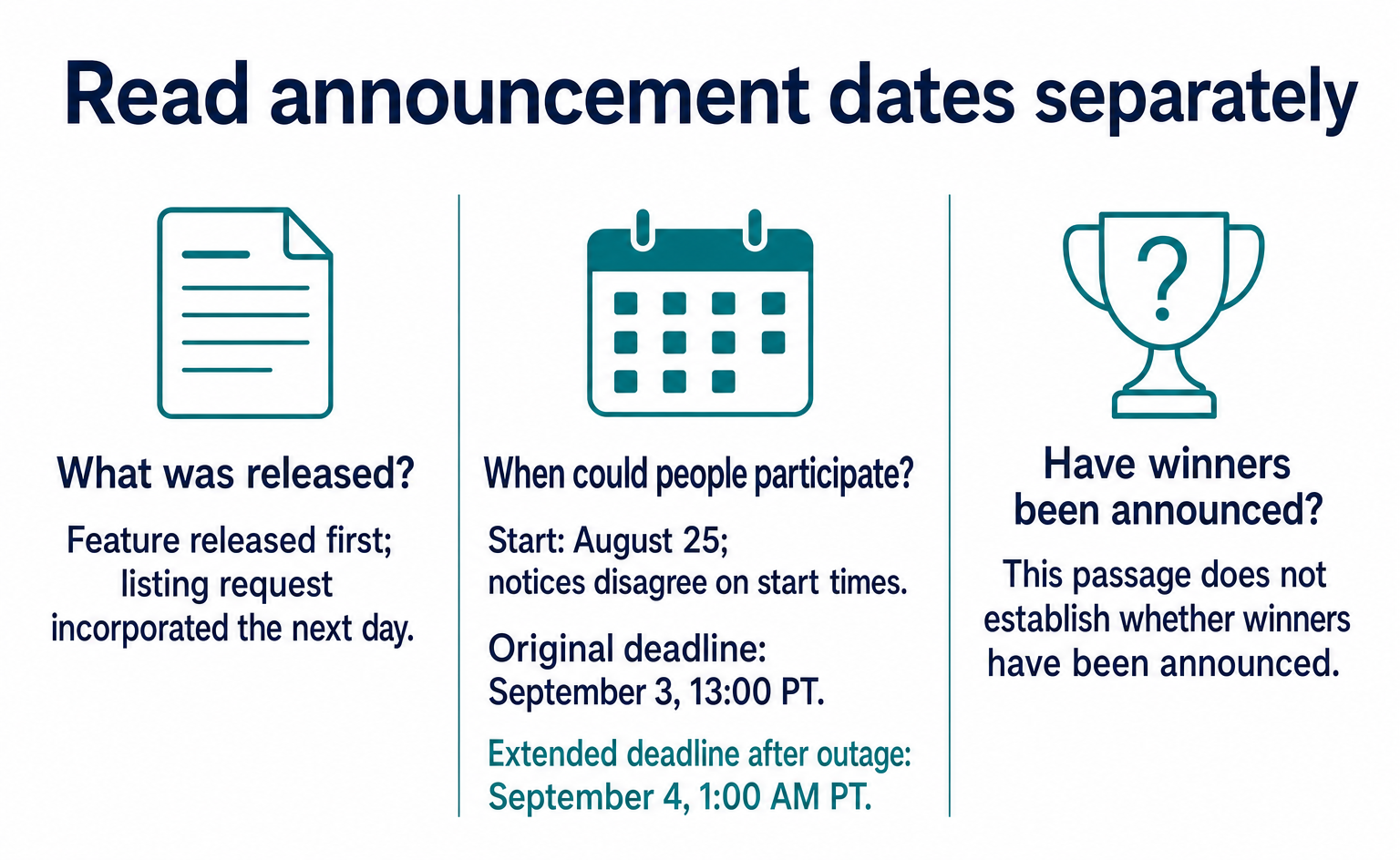
The timeline distinguishes three points: Shopify released its feature first, OpenAI’s listing request was incorporated the next day, and an outage extended the deadline. Approval of a listing request does not establish a company-wide strategy or a statement of welcome. The extension also does not prove that all participants depended on the same environment. Record these as confirmed events, without extending their meaning.
The notices differ on start and deadline times. Devpost’s rules give an 11:00 AM PT start; other materials give 10:00 or 12:00 PT. The Community deadline was 2026-09-04T00:00:00Z, or September 3 at 17:00 PT, while Devpost’s rules specified September 3 at 1:00 PM PT.
Following the organizer’s rules and update notice, this article uses August 25 as the start date, September 3 at 13:00 PT as the original deadline, and September 4 at 1:00 AM PT as the extended deadline. When quoting a time, retain the date and time zone as well.
3. Supported Apps and Models
The official guidance requires the latest desktop app and GPT-5.6 Sol or Terra. Site tools is unavailable in Enterprise / Edu workspaces and also depends on the rollout [1]. The table below sets out the requirements to check as of September 2026.
| Item | What the official docs say |
|---|---|
| Supported client | Only the ChatGPT desktop app’s built-in browser. ChatGPT Work and Codex make the calls |
| App | Update to the latest version |
| Model | GPT-5.6 Sol or Terra. “GPT-5.6 Luna currently has WebMCP disabled.” |
| Workspace | “Site tools aren't available in Enterprise or Edu workspaces.” |
| Rollout | “Availability also depends on rollout and the tools provided by the current page.” |
| Plans: Free / Plus / Pro | Not specified in the docs |
| Declarative API: form attributes | Unsupported. “Tools defined through HTML form attributes aren't available as site tools.” |
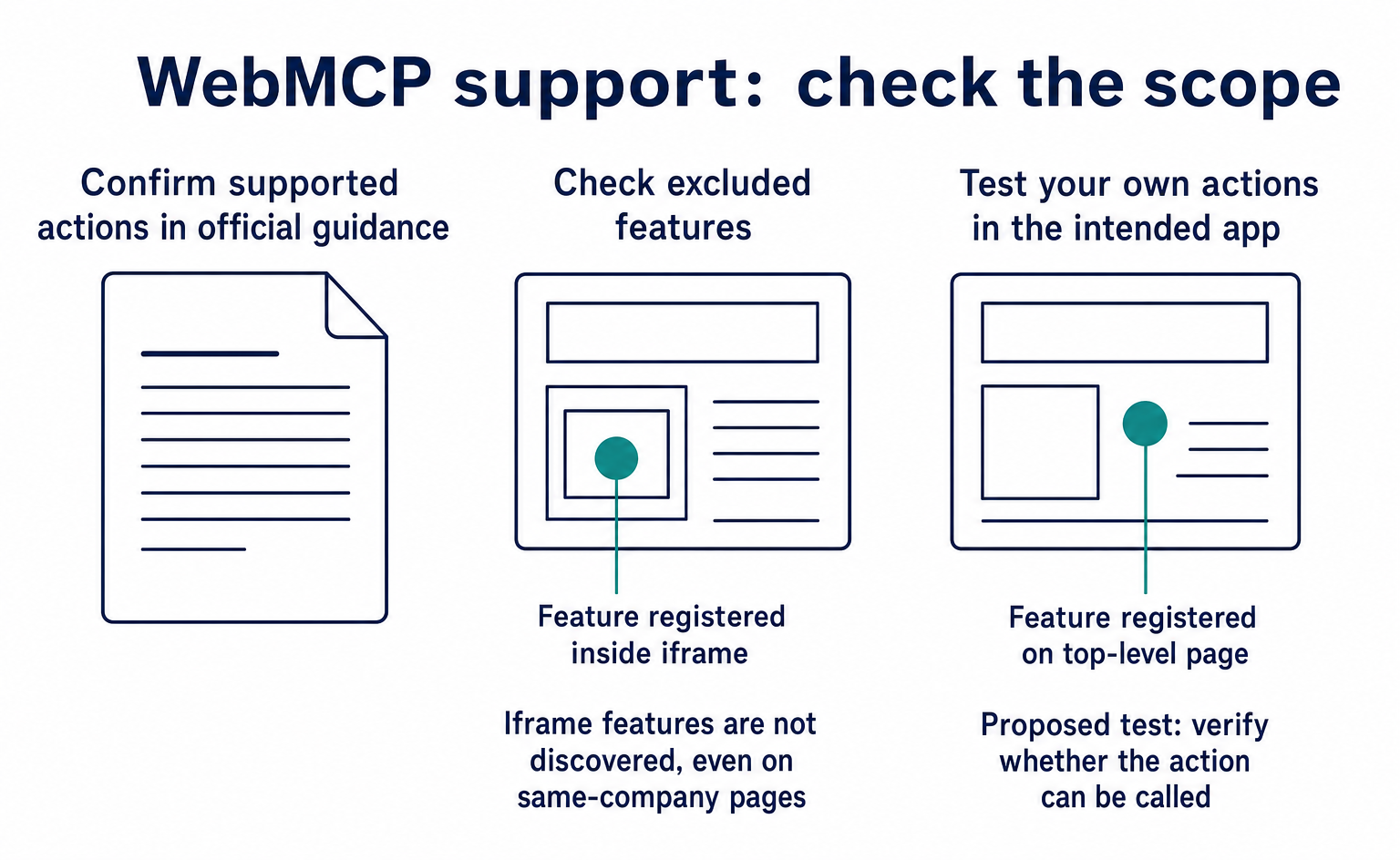
| iframe | Unsupported. “The browser doesn't discover tools registered inside iframes, including same-origin and cross-origin iframes.” |
| Site-side opt-in | Not required. No allowlist, verification, meta tag or application is described. Call registerTool in the top-level page’s JavaScript |
| Tool lifetime | “Tools belong to the page that provides them. Closing or navigating away from a page can make its tools unavailable.” |
| User setting to disable tools | Turn off “Enable site tools” under Settings > Browser > Permissions |
The site development instructions do not describe an advance application to OpenAI. Register features in the page’s JavaScript using document.modelContext.registerTool(). But do not read this as “add one piece of code and any site is ready.”
You still need to connect existing actions, validate inputs, check login status and permissions, and verify results. The absence of an application requirement also does not establish that OpenAI has no knowledge of supported sites.
Registration methods have limits. You can register features with JavaScript, but adding attributes to HTML input forms is not supported. Adding toolname to a form does not, by itself, make it a Site tool. ChatGPT may use the form through ordinary browser interactions, but that is different from calling a WebMCP feature [1].
4. Unsupported Actions
ChatGPT supports only part of WebMCP’s functionality. OpenAI calls this a “subset” [1]. The term simply means that not everything in the specification is available.
Explanation in brief: The built-in browser supports some WebMCP features. [1]
Even if your implementation follows the WebMCP draft, it will not work in ChatGPT if it uses a method ChatGPT does not yet support. Conversely, one feature working in ChatGPT does not mean it will behave identically in other browsers. Check both the specification and each product’s support.
Three points deserve particular attention: adding attributes to forms is unsupported; features registered inside iframes are not discovered; and ChatGPT Work and Codex are the features that make the calls. An iframe is a frame that embeds another page within a page. The restriction also applies when the embedded page belongs to the same company.
The form-based method also has unfinished parts in the specification itself, marked TODO and linked to a separate explanatory document. Rather than speculate about why it is unsupported and judge it on that basis, check whether your chosen method falls within the supported scope. When commissioning development, specify not just “WebMCP support” but also the app in which execution must be tested.
For example, register a search feature on the top-level page and test whether it can be called from ChatGPT’s built-in browser. If the same search form is placed inside an embedded frame, that requires a separate check. Screens may look similar, but where a feature is registered changes what the AI can discover.
5. Checks for Safe Operation
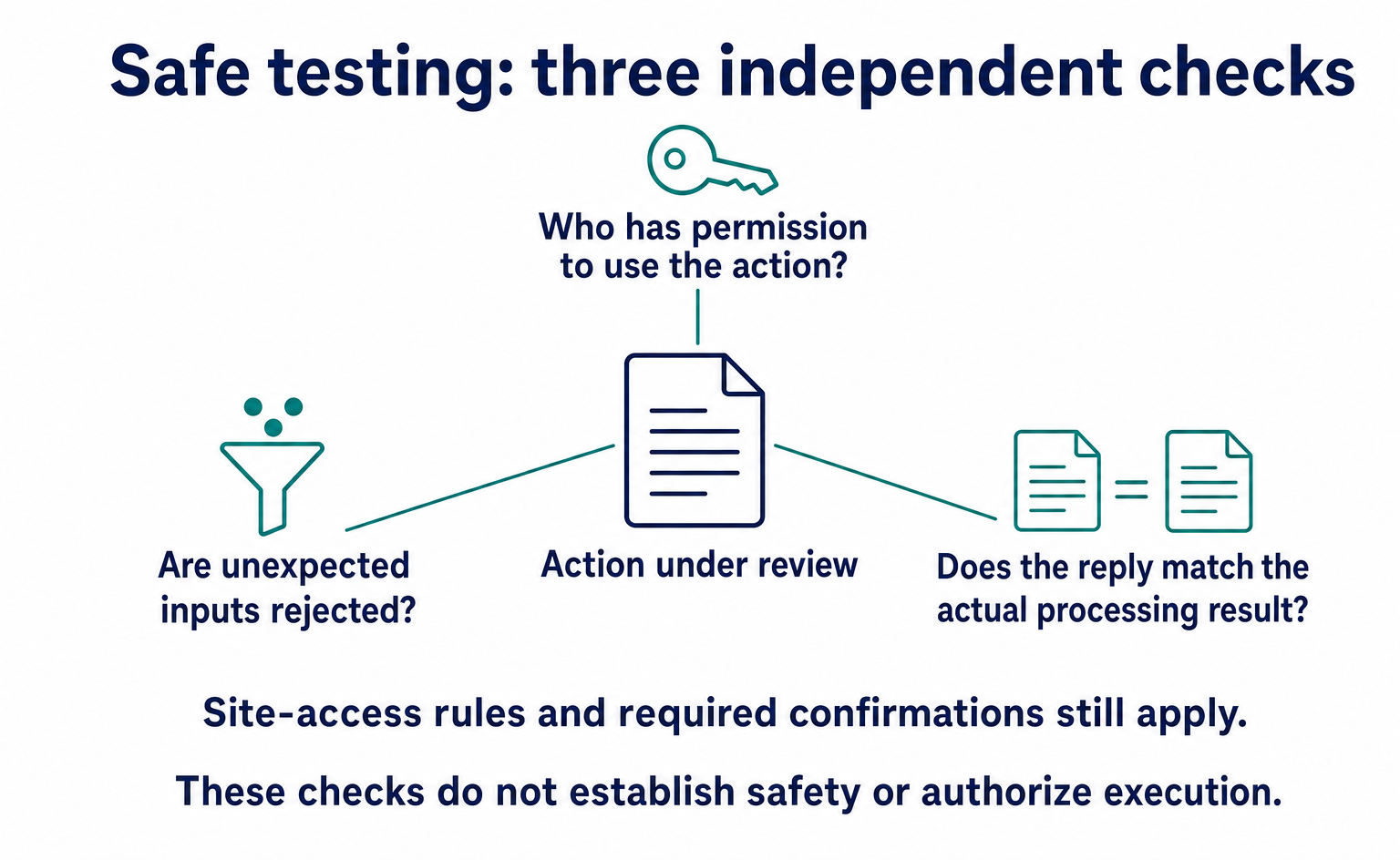
Descriptions and results supplied by a site are not treated as inherently trustworthy. OpenAI says it checks each tool call before execution [1]. Calling a tool “read-only” does not guarantee that it makes no changes.
Explanation in brief: Site-provided descriptions, results and read-only claims do not prove how a tool actually behaves. [1]
Sites should check that tool names and descriptions match the actual processing. Avoid designs where a feature described as viewing product information silently changes the cart. Both are necessary: the AI must read the description, and the site must correctly restrict what the action does.
Explanation in brief: Tools are checked before execution. [1]
Even with pre-execution checks, sites must not omit login or permission checks. Ensure that an incorrect AI decision cannot expose another user’s information or make an unauthorized change. Apply the same rules that protect the action in the normal interface.
OpenAI also explains the limit: these checks do not make a site or its returned information trustworthy [1].
Explanation in brief: Checks reduce risk but do not guarantee that a site or its output is trustworthy. [1]
Returned text could contain instructions unrelated to the user’s request. If product search results instruct the AI to send other information, that does not constitute user permission. Tool providers should keep unnecessary information out of inputs and results.
Normal site-access and confirmation policies still apply to submissions, purchases, deletions, permission changes and similar actions [1][24]. The browser also associates each feature with the page that provides it. Sending booking details or completing payment is different from viewing search results. For each feature, check what the user has already requested and which actions require confirmation.
The specification discussion also included a September 3 report that the AI itself could press an approval button placed on the page. In the review as of September 7, 2026, this was treated as an unresolved report. It is an individual report, not evidence that all environments behave the same way.
Still, one design question is important: placing a confirmation button on a screen does not necessarily prove that a human made the decision.
6. Developer Event Prizes and Eligibility
WebMCP Challenge is a 10-day event for building working sites or features. Devpost runs it, and OpenAI OpCo, LLC is the sponsor. The rules award the same prize to each of the top 10 entries [7][8]. Prizes, participant numbers and submission requirements are set out separately below.
| Item | Details |
|---|---|
| Official name | The WebMCP Challenge. Subtitle: “10 days for exploring what's possible with WebMCP” |
| Organizer / sponsor | Devpost, Inc. / OpenAI OpCo, LLC |
| Submission period | August 25, 11:00 AM PT to September 3, 1:00 PM PT. Extended by 12 hours to September 4, 1:00 AM PT because of an OpenAI outage |
| Judging / announcement | September 4, 10:00 AM PT to September 21, 5:00 PM PT / on or around September 23, 2:00 PM PT |
| Registrants | 7,083, as displayed on Devpost on September 7, 2026 |
| Submission count / winners | Not published. The project list says “hackathon managers haven't published this gallery yet” |
| OpenAI prizes: equal awards for the top 10 entries | $3,000 cash + Codex Micro + one year of ChatGPT Pro + swag + a feature on X |
| Supporter prizes: for each winning entry | Cloudflare: $10,000 credits / Vercel: $3,600 credits + $600 Gateway credits / Render: $300 credits / Netlify: $500 cash / Shopify: exclusive gear worth $250 / Google Chrome: three months of Google AI Ultra |
| Breakdown of “$35,000 in cash” | OpenAI: $3,000 × 10 = $30,000, plus Netlify: $500 × 10 = $5,000. This is our calculation; each figure comes from a primary source |
| Judging criteria: equal weight | WebMCP Leverage / Execution / Potential Impact / Creativity & Ambition |
| Submission requirements | A live URL accessible to judges through ChatGPT’s built-in browser or Google Chrome with WebMCP enabled / a written description / a public demo video under three minutes, with audio / a public repository with an open-source software license |
| Judges | Andrew Galloni, Cloudflare / Alex Nahas, creator of MCP-B / Ilya Grigorik, Shopify / Jude Gao, Vercel / Justin Rushing, OpenAI Browser Platform Lead / Sarah Drasner, Google Chrome Distinguished Engineer / Sean Roberts, Netlify |
| Eligibility exclusions | Belarus / Brazil / China / Crimea / Cuba / Donetsk / Hong Kong / Iran / North Korea / Luhansk / Quebec / Russia / Syria / Venezuela, and people affiliated with the sponsor, organizer or judges |
The judges include representatives from OpenAI’s browser team and Google Chrome. This confirms that people from several companies are evaluating entries in the same event. It does not promise that their products will all implement the same specification in full. Read event participation separately from product availability requirements.
The first judging criterion, WebMCP Leverage, assesses how effectively an entry uses WebMCP [7].
Explanation in brief: Entries are judged on how effectively they use WebMCP. [7]
Beyond registering features, entrants must show how those features improve users’ work. Adding more tool names does not demonstrate usability or completeness. When viewing published demos, look at what task a user can actually finish.
The other criteria assess implementation quality, potential impact, and creativity and ambition. Because they carry equal weight, tool count alone does not determine rankings. When reading award explanations, distinguish the official assessment from your own interpretation of a project.
Submissions required a public URL that judges could actually open [8]. The aim was to inspect working behavior, not just a description.
Explanation in brief: A working public URL must open in ChatGPT’s built-in browser or Chrome with WebMCP enabled. [8]
A “live URL” is an address where a working site can be opened. It is different from submitting only images or a video. The listed judging environments are ChatGPT’s built-in browser and Google Chrome with WebMCP enabled. Support may differ depending on which one is used for testing.
Likewise, a public demo that works in Chrome with an experimental feature enabled is not proof that it will work in an ordinary browser without configuration. Test the same action in the environment your company intends to use.
The Community call for entries allows both building a new site and adding WebMCP to an existing site [3].
Explanation in brief: You can enter with a new site or an addition to an existing site. [3]
Eligible projects therefore include not only new demos but also features added to everyday editing screens or product searches. Your company can take a similar approach: start with one troublesome action rather than assume the entire site needs rebuilding.
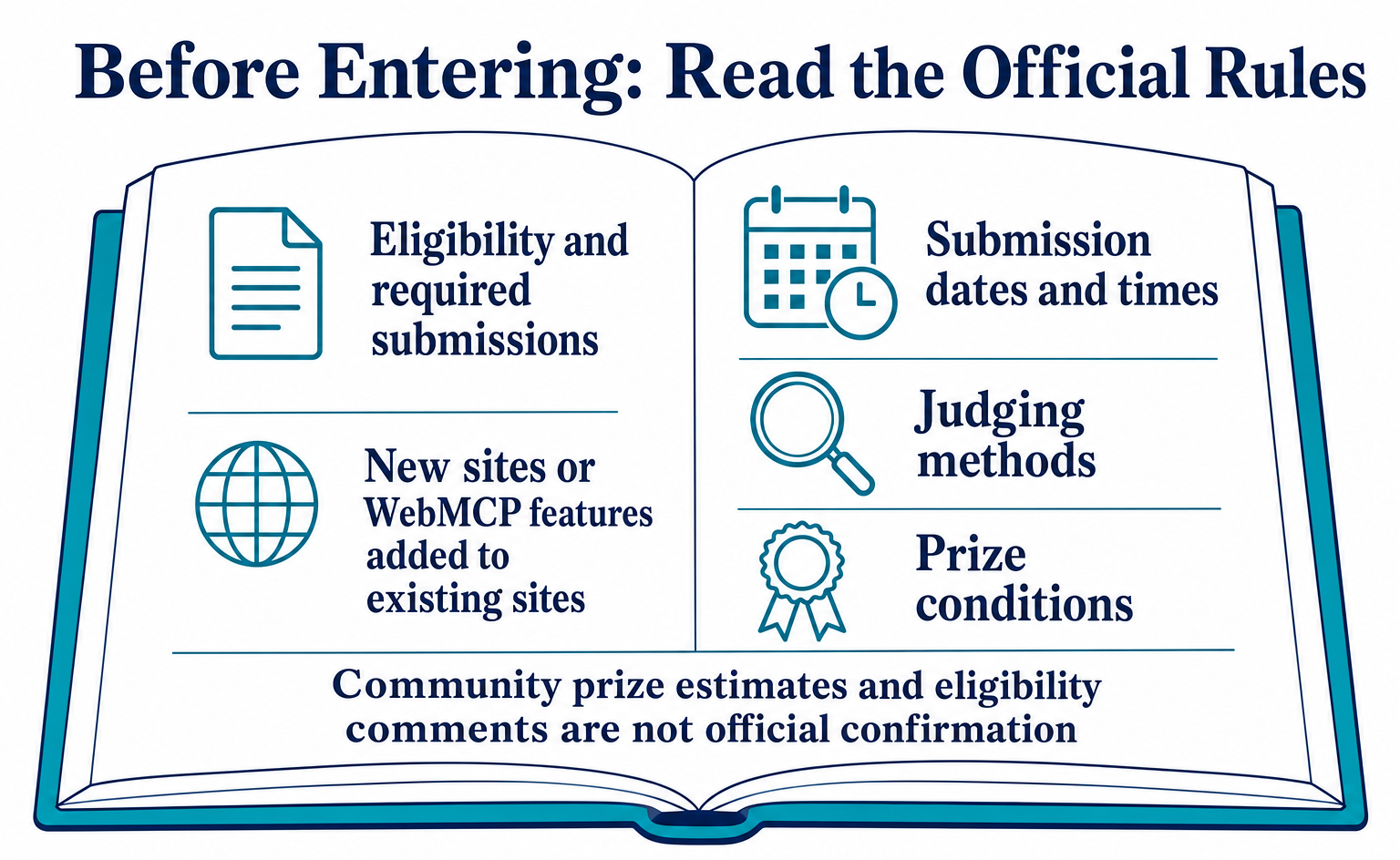
Community posts also included a participant’s calculation that each winning project would receive about $18,480 in value including credits, and comments about eligibility from people living in Brazil. These are user posts, not the organizer’s official position. They do not establish credit terms or tax treatment. Check the official rules for prize details.
7. Announcements from the Six Supporting Companies
The six partners are involved in different ways. Some provided their own features, some offered credits to participants, and some joined as judges. For your implementation, the relevant question is which features are available under which conditions.
| Company | Official blog / docs | X posts | Challenge involvement shown on Devpost |
|---|---|---|---|
| Shopify | August 5 changelog, effective August 21, plus docs for 10 Web MCP tools. No mention of ChatGPT [10][11] | On August 25, Ilya Grigorik’s personal account posted “millions of Shopify storefronts are live and ready” [12] | Judge + $250 gear |
| Cloudflare | Only the August 6 developer preview article. No additional article about the Challenge or ChatGPT [13] | Not confirmed | Judge + $10,000 credits |
| Netlify | August 25 official blog, “Compete in OpenAI's WebMCP Challenge with Netlify,” plus a microsite. Three million credits: 3,000 each for the first 1,000 people; a $5,000 prize pool; and five demos that can be forked, or copied for further development [14][15] | Yes | Judge + $500 cash |
| Render | No official blog article | August 25: “Render's a proud partner.” $50 credits for participants, $300 for the top 10 entries, and office hours on August 31 [16] | Judge + $300 credits |
| Vercel | No WebMCP material found in the official blog, changelog or templates | Not confirmed | Judge + $3,600 + $600 credits |
| Google Chrome | Chrome docs still showed an August 7 update, with no mention of ChatGPT or the Challenge [20] | Not confirmed | Judge + three months of Google AI Ultra |
Within the scope of this review, Netlify was the company that announced Challenge participation on its official blog. Shopify and Cloudflare had earlier feature announcements. Render’s involvement can be confirmed through its X post, and Vercel’s and Chrome’s through Devpost.
“Not found” does not mean an announcement definitively does not exist. It describes the time and sources covered by the review.
Shopify’s August 5 announcement states the browser requirements at that time [10].
Explanation in brief: This announcement describes support through an experimental offering in Chromium-based browsers. [10]
An origin trial in Chromium-based browsers lets supported browsers test a new feature under specific conditions. It is not general availability across all browsers. Even if a store exposes tools, the AI and browser must meet the requirements.
The phrase “millions of Shopify storefronts” comes from Ilya Grigorik’s August 25 post on his personal account [12]. Identify the source when reading both Shopify’s official developer guidance and an employee’s personal post.
Explanation in brief: Ilya Grigorik’s personal post mentions ChatGPT support and says millions of Shopify stores are ready. [12]
This does not mean personal posts are unhelpful. They can prompt you to test a released feature. But do not quote the statement as an official company guarantee or as test results covering every store.
Shopify’s official page specifies every Liquid storefront [11]. The “millions” figure comes from the personal post. Do not group the Hydrogen preview with Liquid as the same automatic support; check the guidance that matches how your store is built.
Netlify’s blog uses navigator.modelContext, while the current specification and OpenAI’s guidance use document.modelContext. The May change is explained in Section 2 of WebMCP Specifications and Support Status.
When using a sample, check the intended environment and its dependencies, not just this one word. Correcting the name alone may not make it work.
8. Confirmed Developments on Google’s Side
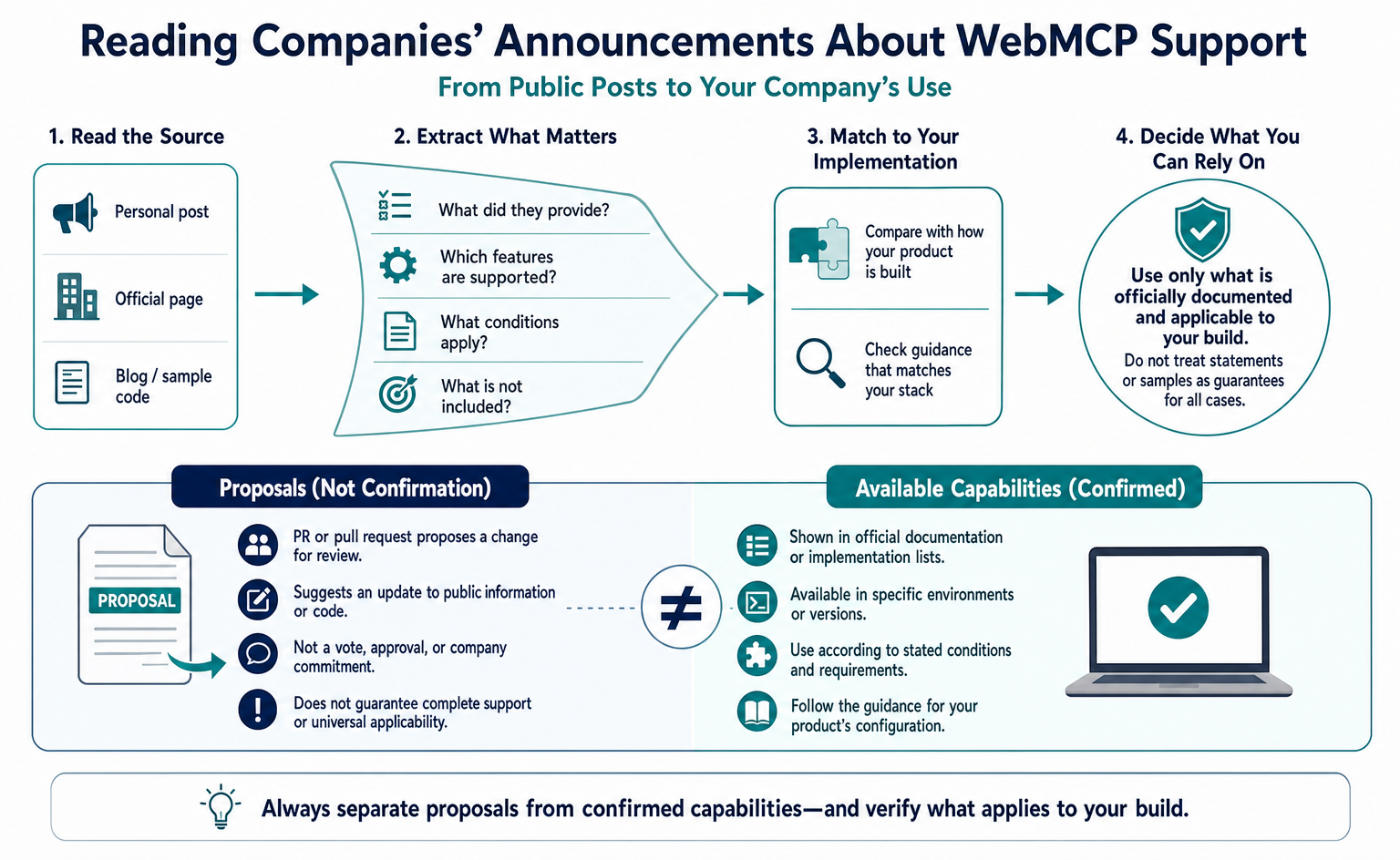
What can be confirmed is that OpenAI’s request to update the implementation status was incorporated the next day. This cannot be recast as a welcome statement from Google as a whole or as confirmation that Gemini support is complete.
GitHub PR #258 was created from an OpenAI account on August 25 [17]. A PR, or pull request, proposes a change to public information or code for review.
Explanation in brief: The proposal adds ChatGPT Desktop support to the implementation status list. [17]
The proposed change was to add ChatGPT Desktop’s WebMCP support to that list. It was not a vote approving a new standard or evidence of an agreement between companies. Read what the proposal actually changes.
Google’s domfarolino approved and merged it on August 26; Intel’s anssiko also approved it. ChatGPT Desktop support was added alongside entries such as the Chrome 149 trial and Edge 150 [17][18].
Explanation in brief: ChatGPT Desktop support was added to the list. [18]
The listing makes it possible to confirm ChatGPT Desktop as one supporting implementation. However, the brief entry does not explain restrictions involving models or form-based methods. For actual use, consult OpenAI’s detailed guidance.
As of September 7, 2026, Chrome’s overview page displayed an August 7 update date [20]. The May Google I/O announcement describes future support for Gemini in Chrome [19]. OpenAI’s support announcement does not establish that Gemini already supports it too.
Individual Chrome developer pages have different update dates, so do not apply the overview page’s date to all documentation.
In the Mozilla discussion, domfarolino asked about Mozilla’s position on the programmatic and form-based methods on August 24, and Jake Archibald replied the next day [21]. This is a discussion about registration methods, separate from an assessment of ChatGPT support.
Similarly, a review finding no responses in the WebKit discussion after August 20 does not justify inferring a change in support or opposition.
A Checklist for Staying Within the Scope of Announcements
When sharing announcements internally, compare strong headlines with the confirmed scope, as shown below. Checking the original company, date and service helps avoid combining unrelated events.
| Wording seen in secondary coverage | What primary sources confirm |
|---|---|
| “Expedia, Instacart and Target are experimenting with ChatGPT’s WebMCP” | The only source is the alt text of a logo image in the May 19 Google I/O Chrome blog. The article says “global consumer brands experimenting with WebMCP,” without company names, in a Chrome context. OpenAI’s materials never name these three companies. No announcements from the companies themselves were found [19] |
| “Millions of Shopify stores can be used from ChatGPT,” attributed to Shopify officially | The number comes from an employee’s personal X account. Official docs go only as far as “every Liquid storefront” [11][12] |
| “Google / the Chrome team issued a welcome statement” | No such statement appears in the Chrome blog or docs. Only PR approval and merging, and participation as a judge, can be confirmed [17][20] |
| “Gemini in Chrome already supports WebMCP” | The wording remains “will soon support” [19] |
| “It is available on these Free / Plus / Pro plans” | The docs specify only that Enterprise / Edu is excluded and availability depends on rollout [1] |
| “Add attributes to a form and ChatGPT can use it” | The declarative API is explicitly unsupported [1] |
| “There were X submissions, and Y won” | Submission counts, the gallery and winners are not public. The announcement is expected around September 23 [7] |
| “There is an official OpenAI sample repository” | Ten showcase projects, including Codex Modeling Studio, Margin Editor and Verdant Market, are hosted on ChatGPT Sites, but no repository links are provided. The official demos that can be forked are Netlify’s [22][14] |
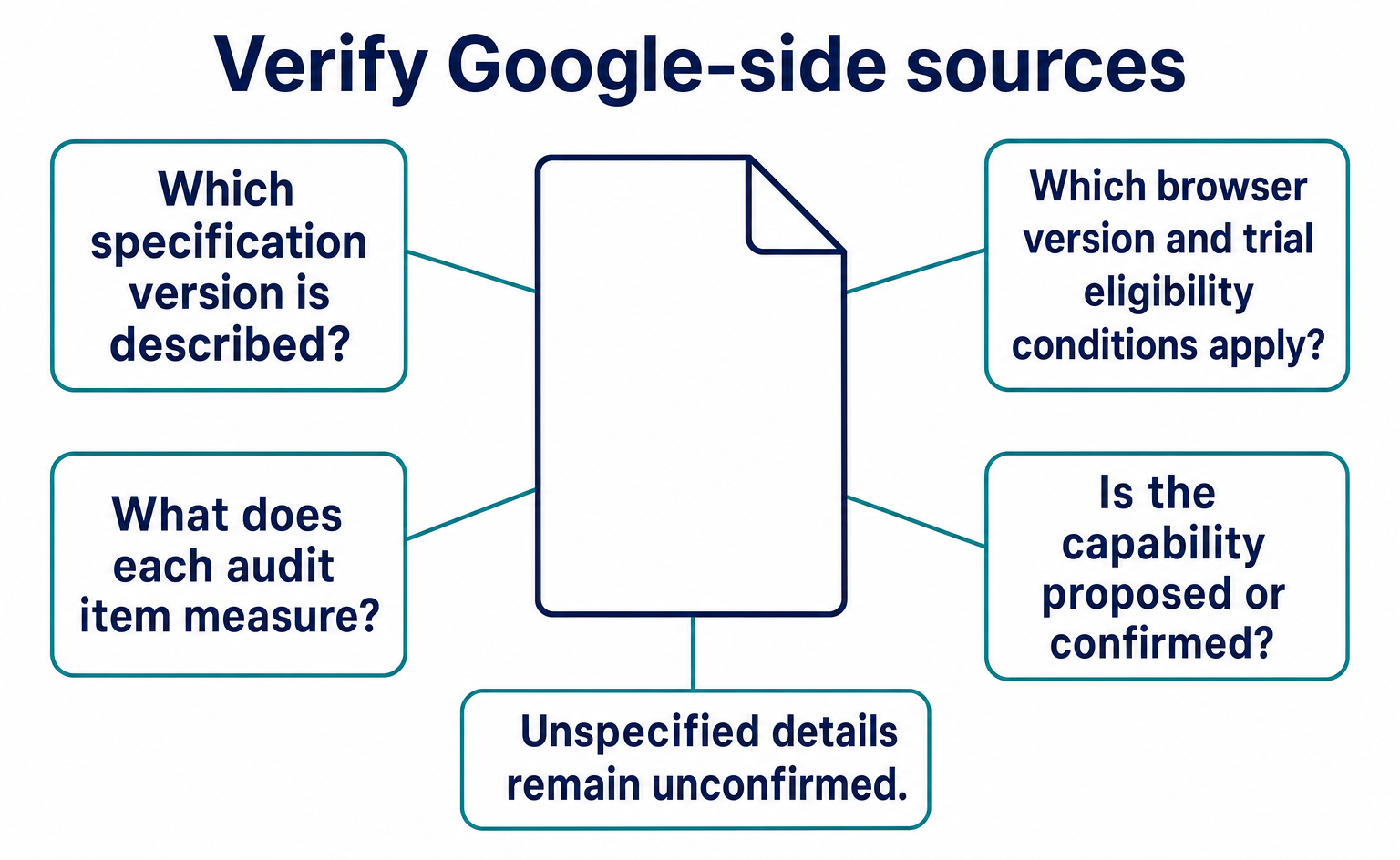
Take particular care not to mix Google’s May announcement with OpenAI’s August announcement, or treat an employee’s personal post as an official company guarantee. When sharing information, open the source and briefly explain what it confirms. Do not invent missing details to make the story easier to explain.
9. What to Check Before Adoption
The release of a feature that can actually be tested in ChatGPT gives site operators a reason to begin evaluating it. It does not provide enough information to conclude that every site should adopt it immediately. As of September 7, 2026, there are promising developments and unresolved questions.
Three developments support testing: OpenAI published a product update and usage requirements; ChatGPT Desktop was added to the specification’s implementation list; and eligible Shopify stores had already exposed features. The significance is that supported AI can now be tested with site-provided features. This is not proof of a sales impact.
Three questions remain: ChatGPT supports only some methods; completed support for Gemini in Chrome has not been confirmed, and Safari and Firefox are not available for equivalent use; and Challenge submission counts and winners are not yet public.
For iPhone use, too, check the specific environment rather than grouping all apps together by device name.
A September 7 GitHub Search API record counted 2,419 repositories created on or after August 25 with “webmcp” in the name or description. That is more than 2,000 in a little over 10 days, but search results change. The count may include copies and experiments, and does not equal Challenge submissions, completed projects or actual users. Treat it as a supporting indicator of developer activity.
Winners are expected to be announced around September 23. Once the top 10 entries are public, their work and the organizer’s assessment can be reviewed. When adding results, state the date checked and separate official award reasons from editorial impressions of the projects. Results that have not yet been released cannot be filled in with predictions.
10. Actions You Can Review with AgentSignal
Before deciding to adopt it, define the action you want to delegate and how you will verify the result. Site tools uses features on a page open in the built-in browser. Recorded AI visits can help, but their count alone should not determine whether adoption is needed. Some visits or actions may not be visible in your measurements.
AgentSignal classifies visits as human, AI agent or bot based on the information it can collect, and lets you review recorded on-screen actions. However, direct WebMCP execution does not necessarily appear as a click or a screen change. Site-side execution logs may also be needed to verify the tool name, inputs, and success or failure.
The tracking tag is installed by adding one line to the head. Instructions are available in Install the Tracking Tag. For visit types, also see AI Crawler Types and Settings.
The following items are for reviewing WebMCP with developers. They are not a list of features that the free AIO check can all inspect automatically. Confirming registered features and verifying successful actions are separate tests. Use this checklist alongside OpenAI’s guidance and Lighthouse checks.
| Check | What to inspect | Basis |
|---|---|---|
| Are tools registered? | The top-level page calls document.modelContext.registerTool, and at least one tool exists |
OpenAI docs on registration [1] |
| Is an old API being used? | No use of names absent from the current specification, such as navigator.modelContext or provideContext |
May specification changes and the error in Netlify’s blog [14] |
| Does the code check environment support? | Registration follows a check using typeof document.modelContext?.registerTool === "function" |
OpenAI docs sample [1] |
| Are tool names and descriptions clear? | Verb + object in snake_case; side effects stated in the description; narrowly scoped inputs | OpenAI’s “Keep inputs narrow, describe side effects” [1], and the “WebMCP Leverage” judging criterion [7] |
| Is readOnlyHint used appropriately? | Read-only tools use readOnlyHint: true, with an additionalProperties: false schema |
OpenAI docs sample [1] |
| Are tools outside iframes? | Registration occurs on the top-level page, not inside an iframe | ChatGPT does not discover tools inside iframes [1] |
| Are forms described? | Main forms have toolname / tooldescription attributes; unsupported in ChatGPT but effective in Chrome |
Lighthouse’s “Forms missing declarative WebMCP” audit |
| Does the normal interface still work? | The same action is available through the screen in browsers without WebMCP support | OpenAI’s “Preserve the normal interface” [1] |
The basics are to accept only necessary inputs, describe the changes an action makes, and return information that lets its result be checked [1]. A surface-level support score cannot establish these things.
Explanation in brief: Keep inputs narrowly scoped, describe changes, and return information that allows the result to be verified. [1]
Here, “side effects” means an action changes data or sends information elsewhere. For an add-to-cart action, explain that it changes the products and quantities in the cart. For a read-only feature, verify that no change-making process is actually included.
Explanation in brief: Preserve the normal interface for people and unsupported browsers. [1]
Keep the normal interface available. People using browsers without WebMCP support, or choosing to act manually, must be able to complete the same task. Check that adding AI-specific processing has not broken existing fields or buttons.
One possible sequence is to review visible visits over one month, identify difficult actions from screens or execution logs, and test support for those actions only. Even if just three visits are recorded in a month, consider undetected visits and important use cases. A “100-point support score” cannot guarantee sales, and a low count alone does not prove a lack of value. Judge the count, purpose and limits of what you can verify together.
11. Start by Testing Product Search
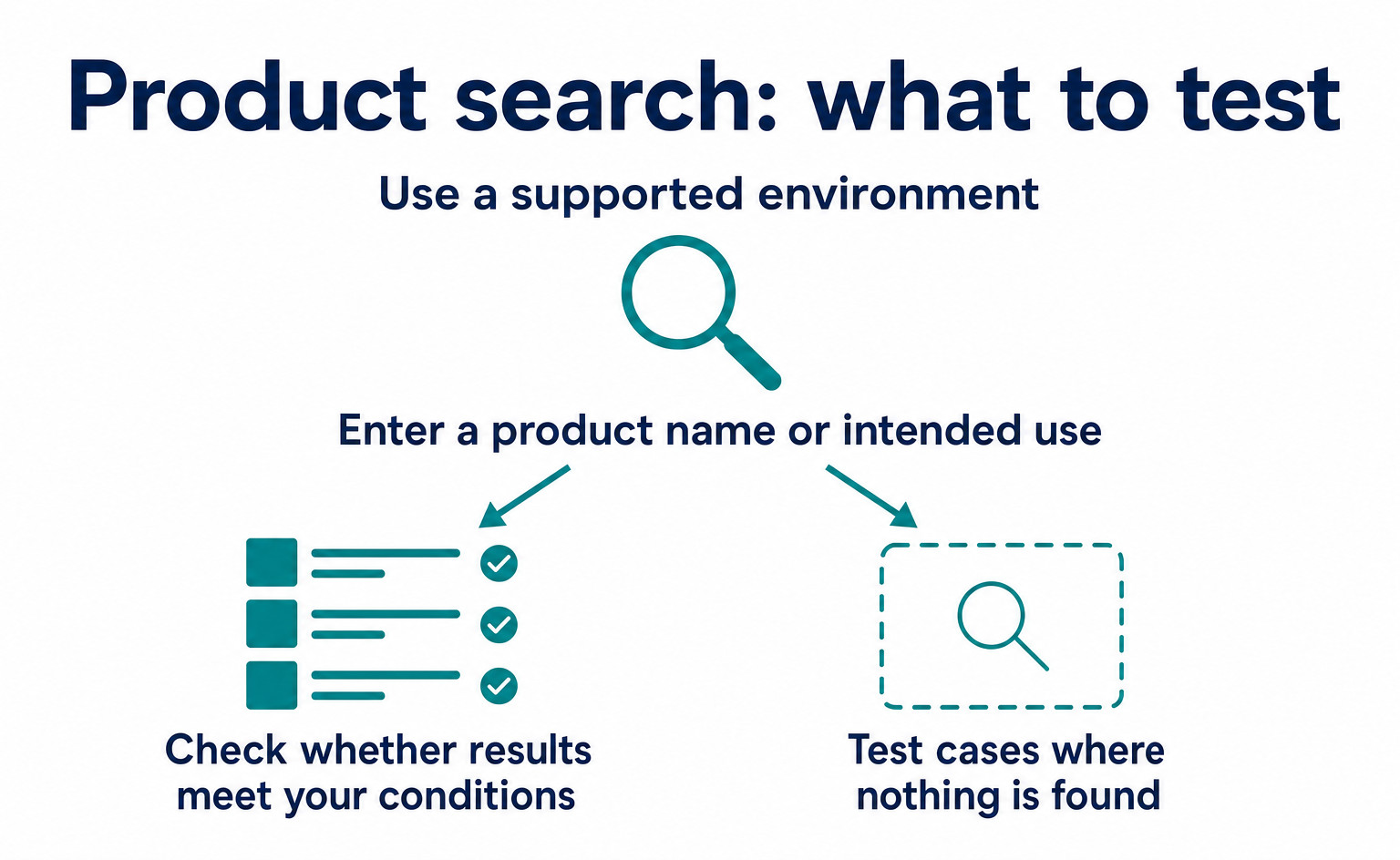
For the first test, give AI one action and compare its result with a person performing the same action under the same conditions. Testing search, adding to the cart and purchasing all at once makes failures harder to locate. Start with something whose results are easy to inspect, such as a product or article search. The following steps describe a product-search test on your company’s site.
These are example tasks for someone evaluating adoption, not Challenge entry requirements.
11-1. Define “It Worked” Before Testing
“AI found a product” is not enough to share a meaningful result internally. Record the search terms, price and stock conditions, and returned products. For example, when asked for red products, it might return items merely because their names contain “red.” Comparing against the human search interface under the same conditions makes differences easier to spot.
Do not change test questions after seeing the results. This prevents “search worked under these conditions” from becoming “it can find any product.” If you add conditions, record the outcome as a new result. Keeping only successful questions can hide situations that will cause problems after adoption.
| What to record | Product-search example |
|---|---|
| User request | Find products with specified color, price and stock conditions |
| Human-operated result | Products shown in the search interface under the same conditions |
| AI result | Candidate products and an explanation of how they meet the conditions |
| Mismatches | Includes out-of-stock items, fails the color condition, and so on |
| Next check | Whether to fix how conditions are passed, product information or the explanation of results |
Enter actual inputs and results before staff impressions. Comments such as “it was useful” can come afterward. Make the record detailed enough for a colleague to verify what worked.
11-2. Test Cases Where Nothing Is Found
When no products match, check whether the AI relaxes the conditions without permission. If it suggests alternatives, it should first say that no products meet the conditions. If it describes an out-of-stock item as purchasable, the test is not complete even if the search executed successfully.
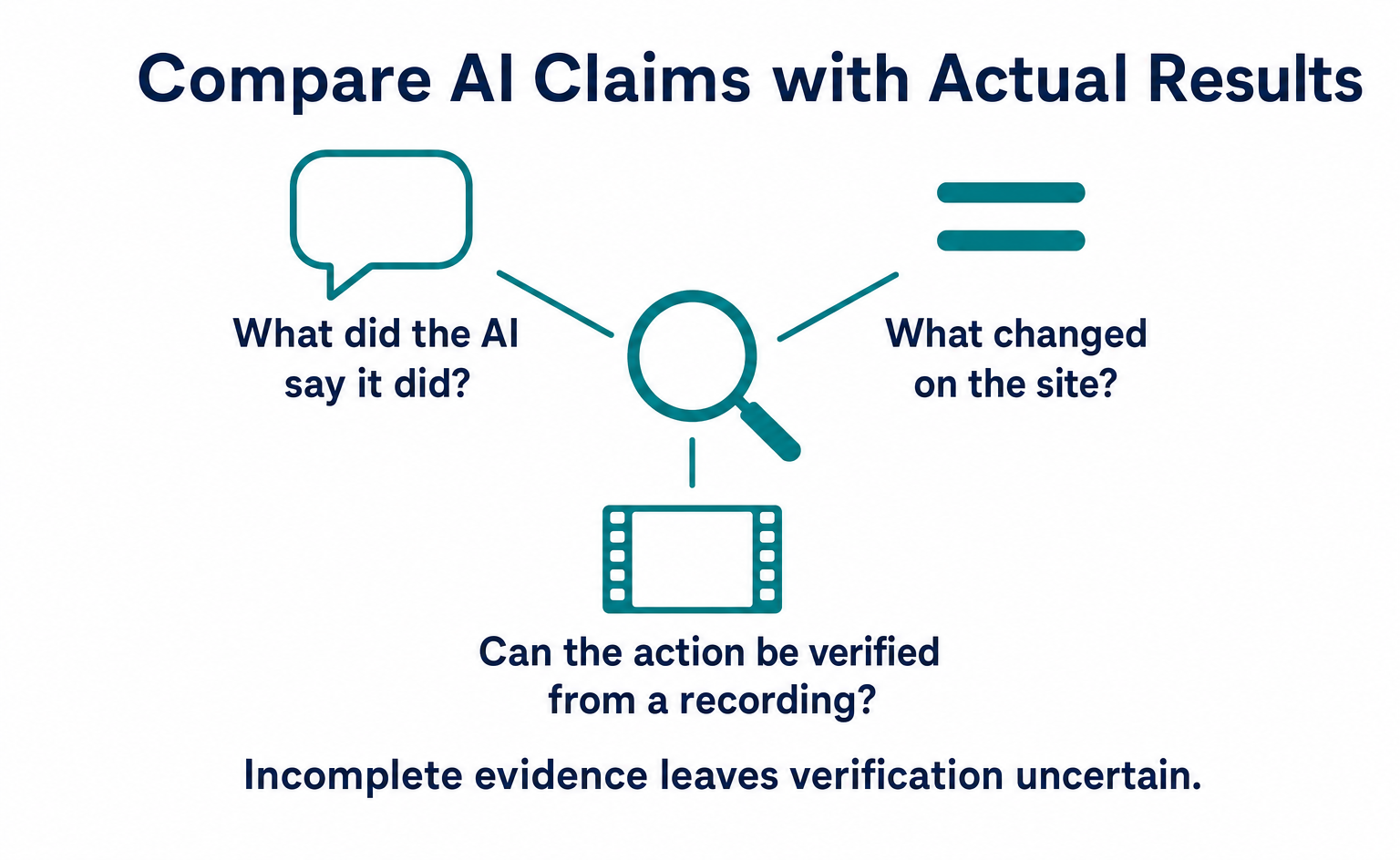
Also test failures in the site’s processing. When a response is delayed, does nothing happen, or does the user receive a suggestion to try again? A search may succeed behind the scenes even when no candidates appear on screen. Conversely, the AI may say “Completed” while the site’s processing has failed. Compare the AI’s reply with the result recorded by the site.
Developers can investigate technical causes. Operations staff should provide a reproducible description: “With this request, it reached this point and stopped.” Include the app and model names, test date and time, and messages displayed on screen. This makes it easier to investigate under the same conditions. Hide confidential information in screenshots before sharing them.
11-3. Check Whether Actions Can Be Undone Before Moving to Purchases or Submissions
A successful search does not mean you need to delegate live purchases immediately. If the next action is adding to the cart, test whether a person can check the added product and quantity and undo mistakes. Keep this separate from confirming an order, and make sure everyone involved agrees on the point where payment occurs.
Retain site-side permission checks even if ChatGPT provides confirmation mechanisms. Do not return members-only order histories to users who are not logged in. Even for logged-in users, check whether they can specify someone else’s order. Writing “only the user’s own orders” in a tool description is not the same implementation task as verifying ownership during processing.
Align these checks with the normal interface used without AI. Quantities or inputs rejected by the normal screen must not be accepted through a tool. Ask developers to test the same inputs through both the interface and the tool. Check that the new entry point has not bypassed existing restrictions.
11-4. After Testing, Separate Reasons to Continue from Reasons to Wait
Before deciding “we implemented it, so let’s release it,” review the use case. Products with many search conditions may justify another test if conversational requests make searching easier. For a page where users already complete the task in a few short actions, compare the benefit with the implementation effort. Using a new mechanism is not, by itself, an outcome.
Write internal reports in this order: the action tested, the results confirmed, and the remaining problems. If an unsupported app failed, record that separately from a site fault. Even if a supported app failed, do not immediately conclude that WebMCP as a whole is unusable. Identify where the difference arose: inputs, site processing or the AI’s explanation.
If you release it, preserve direct human access, such as the normal search screen. Agree with developers on help for users who get stuck and a way to stop the tool. After specification or app updates, rerun the saved questions. A record that allows repeat testing under the same conditions—not just a screenshot of the first success—provides a basis for handing over ongoing operations.
Conclusion
ChatGPT’s Site tools now lets it use actions provided by websites. Check the supported environment and registration method, then start small with an action you need.
- On August 25, 2026, OpenAI announced Site tools, its WebMCP implementation in the ChatGPT desktop app’s built-in browser. The 10-day WebMCP Challenge began the same day with Chrome / Cloudflare / Shopify / Vercel / Render / Netlify.
- Requirements include GPT-5.6 Sol or Terra and the latest app; Enterprise / Edu is excluded. Declarative form attributes and tools inside iframes are unsupported, and OpenAI explicitly calls its support a “subset.” No site-side application or enrollment is required.
- Tool definitions and results are treated as untrusted content. Every call undergoes a safety review, and consequential actions require confirmation. OpenAI itself notes that this does not make a site trustworthy.
- The Challenge has 7,083 registrants and equal prizes for the top 10 entries, with OpenAI and Google Chrome representatives among the judges. An OpenAI outage extended the deadline by 12 hours. Submission counts and winners are not public; the announcement is expected around September 23.
- Google’s confirmed response extends to approving and merging PR #258 the next day. Claims about Expedia / Instacart / Target “experimenting” originate in Google’s May logo image, while “millions of Shopify stores” comes from an employee’s personal post.
- More environments are available for real testing, but some methods and environments remain unsupported. Define the action and recording method, and verify execution that may not be visible on screen.
FAQ
- Q. Which versions of ChatGPT can use WebMCP support, or Site tools?
- ChatGPT Work and Codex use it in the ChatGPT desktop app’s built-in browser, with GPT-5.6 Sol or Terra. Luna and Enterprise / Edu are excluded, and availability varies with the rollout. The official explanation does not specify eligibility for Free, Plus or Pro.
- Q. Do I need to apply or register to make my company’s site usable from ChatGPT?
- No application is required. Register actions in the page’s JavaScript using document.modelContext.registerTool(). Tools defined only through HTML form attributes and tools inside iframes cannot be used. Test them in a supported app.
- Q. Have the WebMCP Challenge results been announced?
- Not as of September 7, 2026. An outage led to a 12-hour deadline extension. The organizer’s update gives the new deadline as September 4 at 1:00 AM PT. Judging runs September 4–21, with an announcement expected around September 23. There are 7,083 registrants, but submission counts and the project gallery remain unpublished.
- Q. How did Google respond to ChatGPT’s WebMCP support?
- What can be confirmed is that a Google editor approved OpenAI’s August 25 update to the implementation list on August 26. Chrome’s overview page was updated on August 7, while some individual how-to pages also have September updates. This is not enough to say Google welcomed the development as a company.
- Q. Can ChatGPT use Shopify stores without the stores doing anything?
- The announcement says Liquid stores automatically expose 10 tools from August 21. Hydrogen has separate setup requirements. Shopify’s announcement predates ChatGPT support, so check that the required actions work in the app and store you will actually use.
- Q. Is it safe to let ChatGPT use WebMCP tools?
- OpenAI says it checks tool calls for safety before execution and asks for confirmation for actions such as purchases, submissions and deletions. This does not guarantee that site content is accurate. Sites must still check login status, permissions and inputs.
Sources
- [1] Site tools — Use WebMCP to give AI agents a direct way to work with your website (OpenAI (learn.chatgpt.com)) — accessed 2026-09
- [2] Build Agent Ready Websites with ChatGPT (OpenAI Developer Community) — accessed 2026-09
- [3] The WebMCP Challenge is here (OpenAI Developer Community) — accessed 2026-09
- [4] @OpenAIDevs: The WebMCP Challenge is here (2026-08-25) (X (OpenAI Developers)) — accessed 2026-09
- [5] @OpenAIDevs: We're adding support for WebMCP in the ChatGPT desktop app (2026-08-25) (X (OpenAI Developers)) — accessed 2026-09
- [6] What's new in ChatGPT (August 24–28, 2026) (OpenAI (learn.chatgpt.com)) — accessed 2026-09
- [7] The WebMCP Challenge (hackathon page) (Devpost) — accessed 2026-09
- [8] The WebMCP Challenge — Official Rules (Devpost) — accessed 2026-09
- [9] The WebMCP Challenge — Updates (Deadline Extension) (Devpost) — accessed 2026-09
- [10] WebMCP support for Liquid and Hydrogen storefronts (Shopify Developer Changelog) — accessed 2026-09
- [11] Web MCP tools reference (Shopify) — accessed 2026-09
- [12] Ilya Grigorik (Shopify): ChatGPT built-in browser speaks WebMCP (2026-08-25) (X) — accessed 2026-09
- [13] Give any website a WebMCP interface (Cloudflare Blog) — accessed 2026-09
- [14] Compete in OpenAI's WebMCP Challenge with Netlify (Netlify Blog) — accessed 2026-09
- [15] Netlify × WebMCP Challenge (Netlify) — accessed 2026-09
- [16] @render: Render's a proud partner of the WebMCP Challenge (2026-08-25) (X (Render)) — accessed 2026-09
- [17] [codex] Add ChatGPT Desktop to implementation status (PR #258) (GitHub (webmachinelearning/webmcp)) — accessed 2026-09
- [18] WebMCP implementation status (GitHub (webmachinelearning/webmcp)) — accessed 2026-09
- [19] Chrome at Google I/O 2026 (Chrome for Developers) — accessed 2026-09
- [20] WebMCP (developer documentation) (Chrome for Developers) — accessed 2026-09
- [21] Mozilla standards-positions #1412: WebMCP (GitHub (mozilla/standards-positions)) — accessed 2026-09
- [22] OpenAI Developers Showcase (WebMCP apps) (OpenAI) — accessed 2026-09
- [23] OpenAI Status — Incident History (OpenAI) — accessed 2026-09
- [24] ChatGPT browser (documentation) (OpenAI (learn.chatgpt.com)) — accessed 2026-09
About the author
Shogo MizushimaCEO of kairos Inc. / AgentSignal Developer
Develops AgentSignal, a tool for measuring AI crawler visits and AI-referred traffic, and diagnosing AIO readiness. Writes about measurement and practical improvements for AI search using observed data.
Related articles
Connecting AI and the web
What Is WebMCP? How AI Operates Websites and Current Support
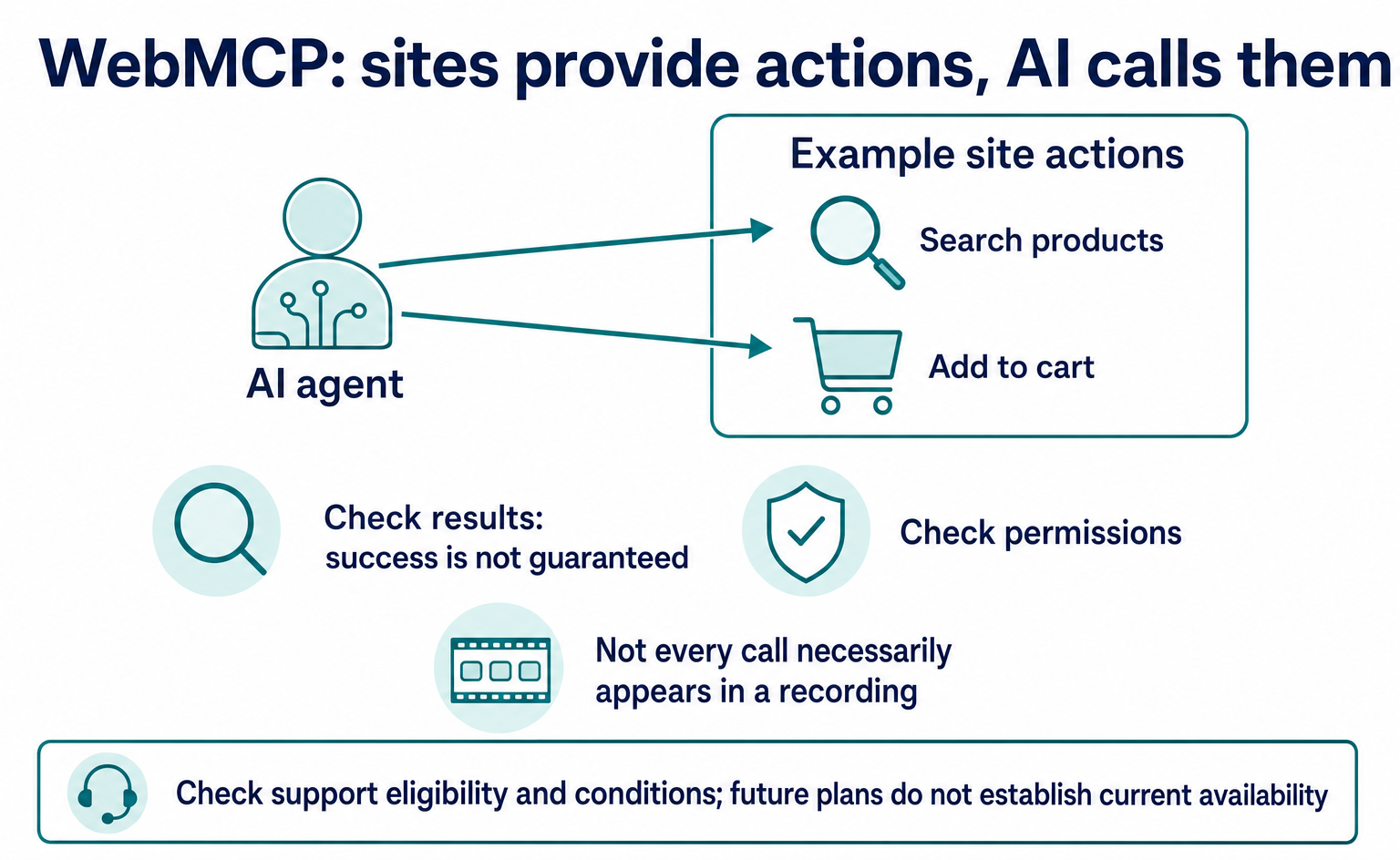
WebMCP tells AI which actions a website offers, such as product search and adding items to a cart. As of September 2026, it is not a formal standard. Learn about support in Chrome, Edge, ChatGPT, Cloudflare and Shopify, what to ask developers, and how to test and record actions.
Published
Measurement and site improvement
What Are AI Crawlers? Why Blocking GPTBot Doesn’t Remove You from ChatGPT Search
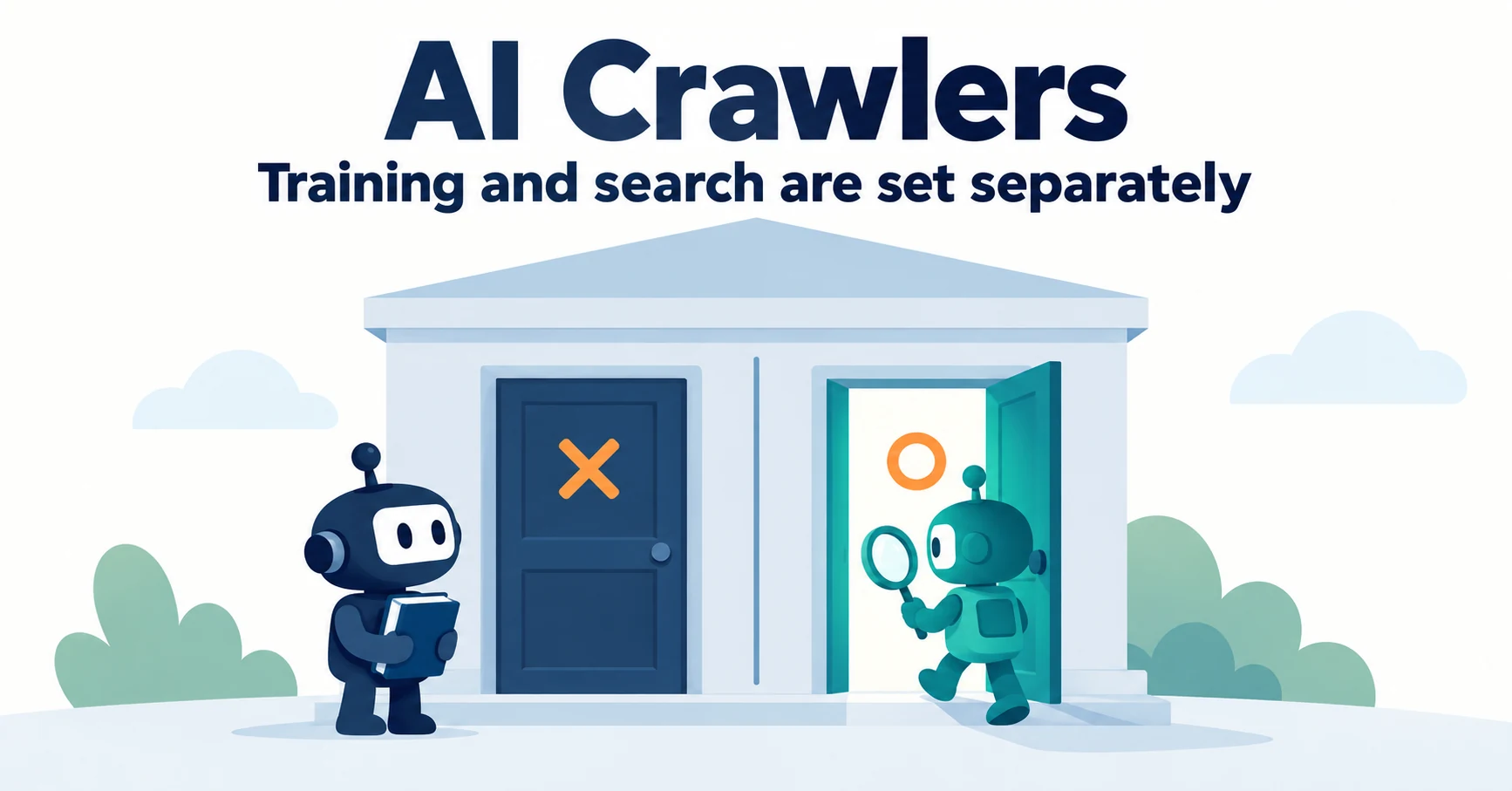
AI crawlers are programs AI companies use to read public web pages. Learn how GPTBot differs from OAI-SearchBot, how Google-Extended works, why visits can continue after a robots.txt block and how to choose settings by purpose.
Published
AIO and AI search
Do You Need llms.txt? What It Can Do and What to Check Before Adding It
llms.txt is a list of links to public pages you want AI to read. Learn whether AI search requires it, how it differs from robots.txt, when it helps, how to write it, and how to set it up and check it in WordPress and other platforms.
Published