Do You Need llms.txt? What It Can Do and What to Check Before Adding It
llms.txt is a list of links to public pages you want AI to read. Learn whether AI search requires it, how it differs from robots.txt, when it helps, how to write it, and how to set it up and check it in WordPress and other platforms.
llms.txt is a list of links to public pages you want AI to read. Google says no special AI-only file is needed for AI features, and none of the official sources we checked show that adding it increases citations. Consider it when you want to point AI to instruction or procedure pages, and if you add it, check its contents and how it is served.
This article uses a fictional company, “Training Company A” (it does not exist). Its web manager runs the site on WordPress. The company’s web agency has proposed, “Let’s install llms.txt.” The manager is unsure whether it is needed for AI and what the file actually does.
What is llms.txt: a list of links to public pages you want AI to read
llms.txt is a proposed format: a text file, written in Markdown, containing a short introduction to a site and links to pages you want read. It has no function that controls whether pages may be read.
Markdown organizes text with simple symbols, such as “#” for headings. People can open and read it as it is.
The format is published at llmstxt.org, and the current version is v2 (updated August 10, 2026). It is a proposal, not a fixed standard that every AI follows (llmstxt.org).
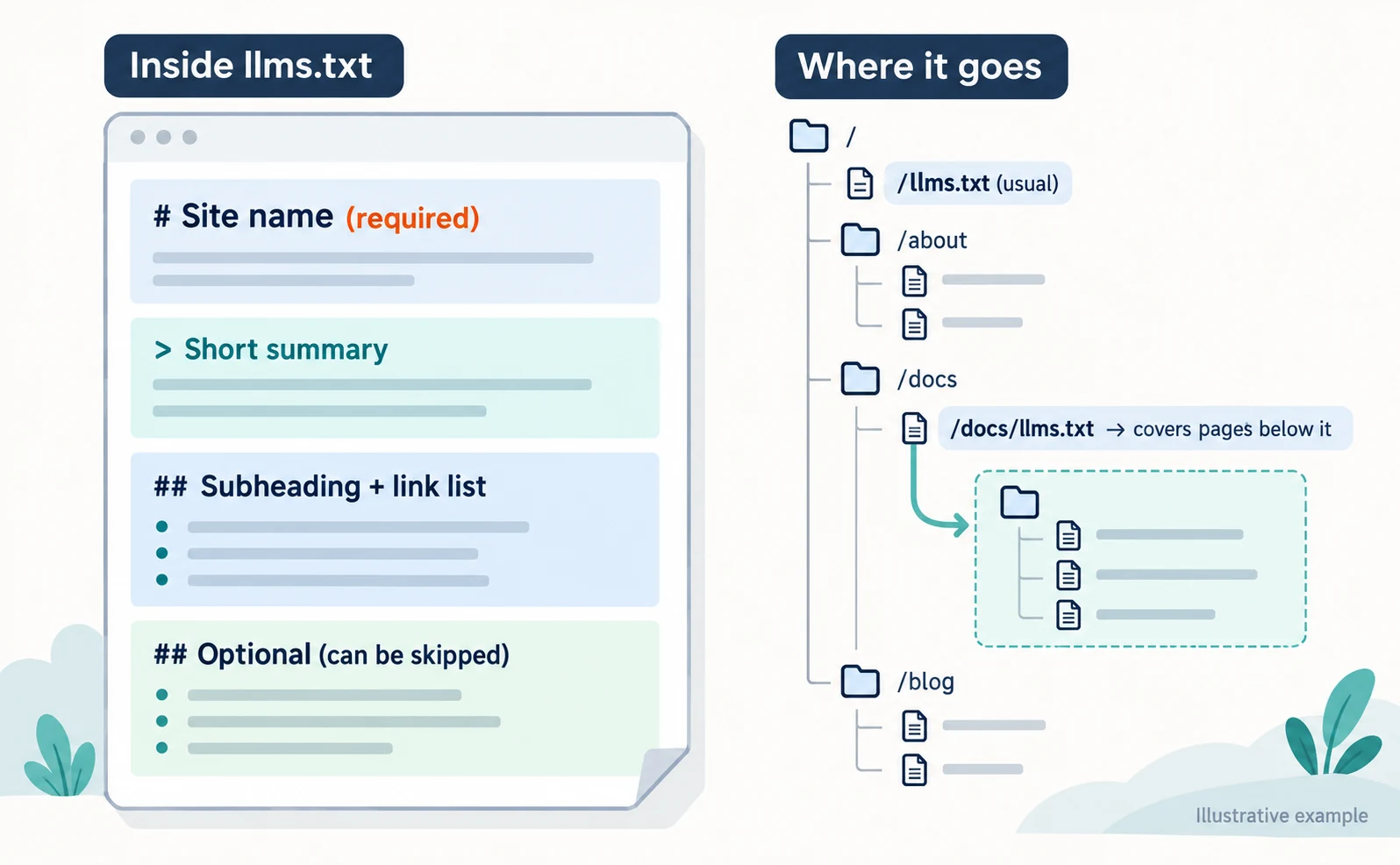
According to the current description, the structure is:
- A main heading (H1) with the site name, which is required
- A short summary written as a quotation (a line starting with
>) - Optional additional explanation
- Subheadings (H2), each followed by a Markdown list of links
- Items under an “Optional” subheading are treated as information that can be skipped
The usual location is /llms.txt, directly after your domain. In v2, you can also place it under a path such as /docs/llms.txt, in which case it covers pages below that path. If there are several, the most specific one applies (llmstxt.org).
You can also link to Markdown versions of pages (such as .md files), but only use ones that actually exist.
Is llms.txt required for AI search? What Google and other providers say
It cannot be called a required file for being cited in AI search. Google says there are no additional technical requirements for inclusion in AI features such as AI Overviews, and no special AI-only file is needed. It also states that meeting the requirements does not guarantee inclusion (Google Search Central).
OpenAI’s crawler documentation explains that OAI-SearchBot, used for ChatGPT search, and GPTBot, used for training, are controlled through robots.txt and by allowing its published IP addresses (OpenAI: Overview of OpenAI crawlers).
v2 clarifies scenarios in which AI agents use the web. However, whether providers use llms.txt to decide search rankings or citations has not been officially confirmed. This section is based on official explanations from Google and OpenAI. For other AI services, check each provider’s latest documentation.
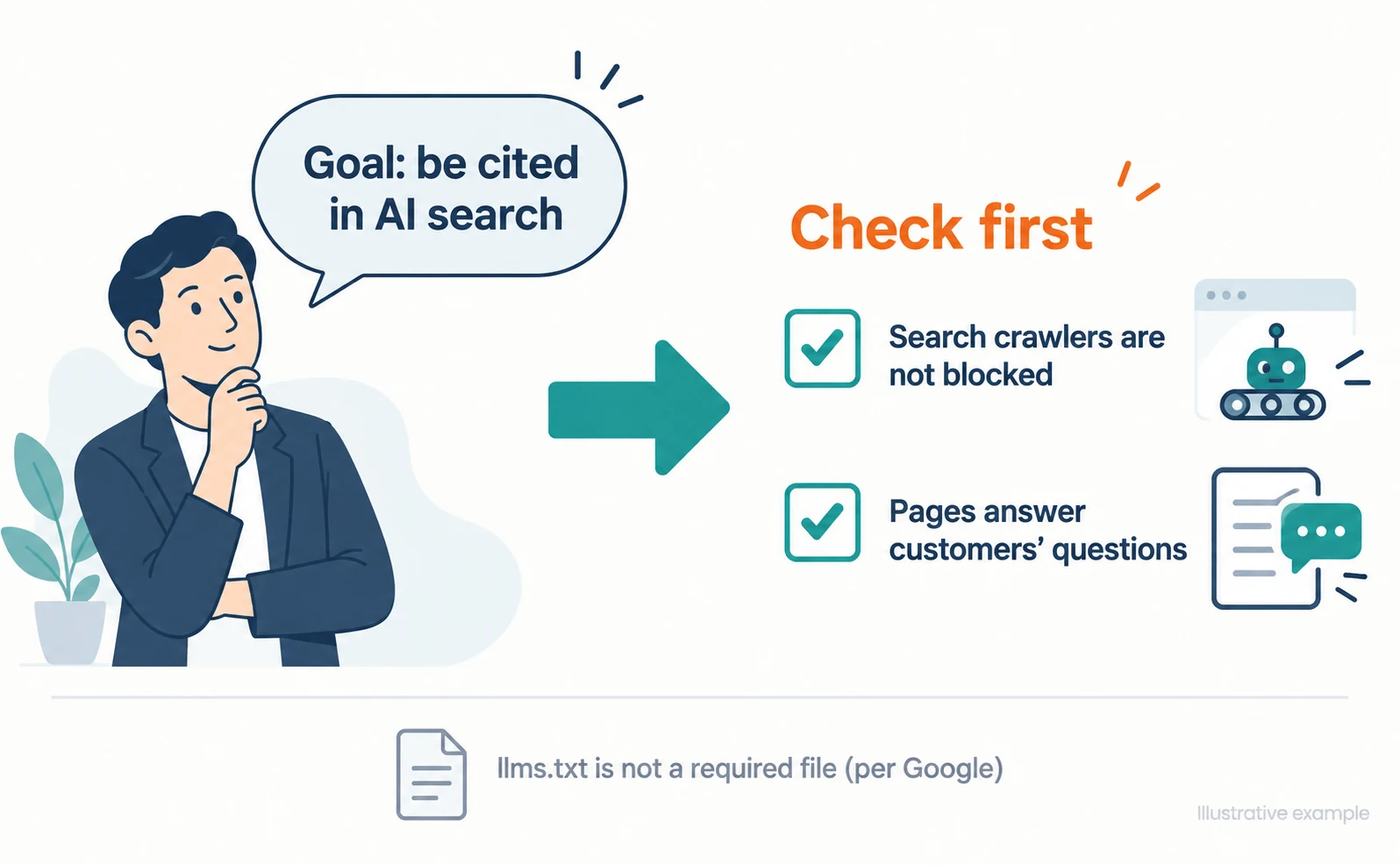
For Company A, if the only goal is “to be cited in AI search,” there is no reason to rush. First check that search crawlers are not blocked and that pages answer customers’ questions. The approach is also covered in What Is AIO?.
How llms.txt differs from robots.txt
robots.txt controls what crawlers may read; llms.txt points to pages you want read. Writing something in llms.txt cannot refuse training or remove pages from search results.
| Point | robots.txt | llms.txt |
|---|---|---|
| Role | Tells crawlers where they may and may not read | Points to public pages you want read |
| Refusing training | Can refuse named training crawlers such as GPTBot | Cannot |
| Removing from search results | Not guaranteed (another setting is needed) | Cannot |
| Provider support | Officially documented by Google and OpenAI | A proposal; reading it is up to each provider |
robots.txt does not guarantee that a page stays out of search results. To keep a page out of search results, use a separate setting called noindex (Google: Introduction to robots.txt). noindex works only when the page is read, so crawlers cannot see it if robots.txt blocks the page.
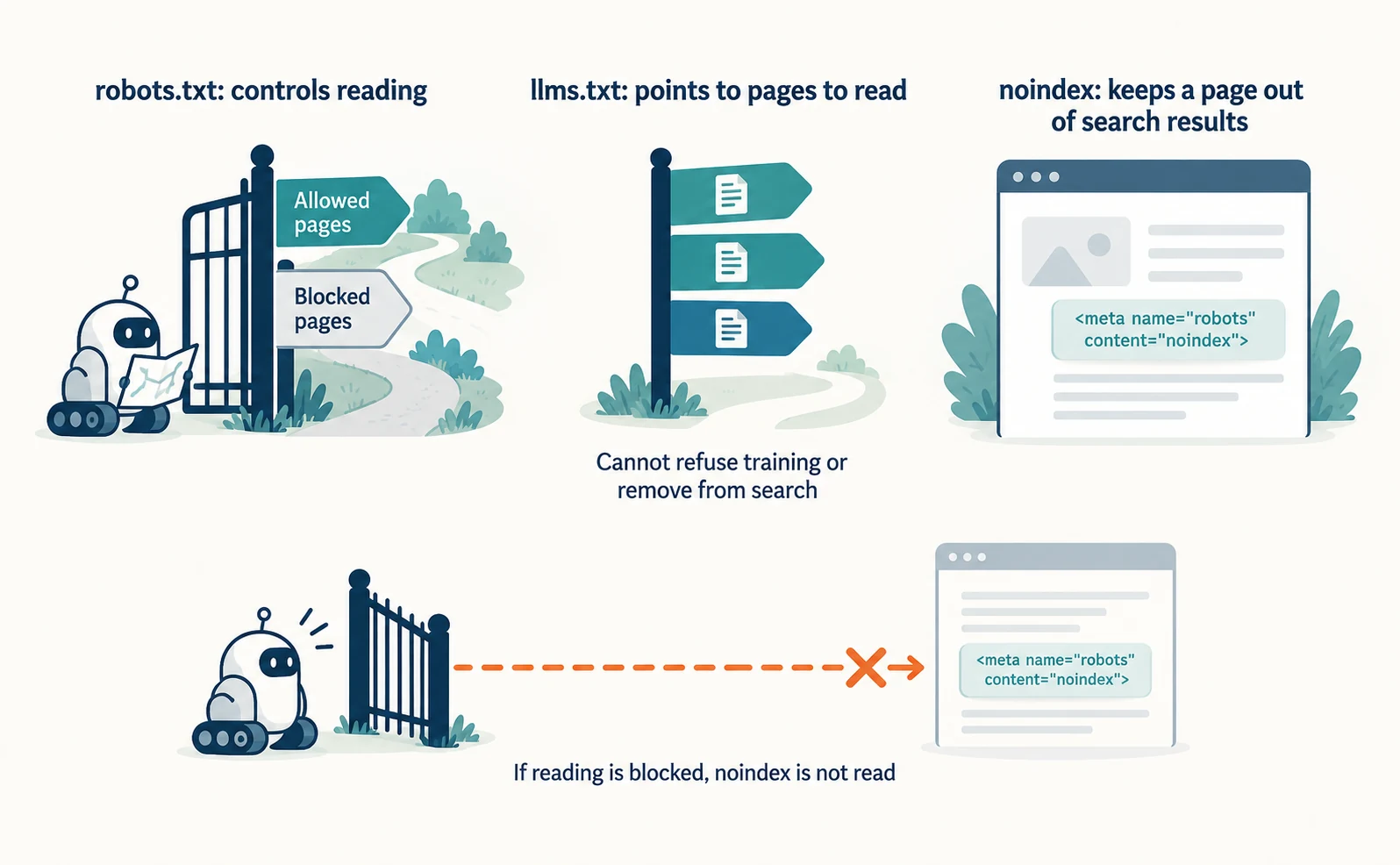
OpenAI explains that GPTBot, for training, and OAI-SearchBot, for search, can be configured separately (OpenAI). If you want to refuse training but still appear in search, set each one separately in robots.txt. Examples are in How AI Crawlers Differ.
When llms.txt helps: guiding AI to developer documentation
If you have public pages you want AI agents to read—instructions, API documentation, or procedures—you can use llms.txt as a link list. An AI agent is an AI that researches or carries out tasks at someone’s request.
An API is a way for other software to use your functions. On sites with many API documentation pages for developers, a link list may help AI find the explanation it needs.
As a real example, OpenAI’s developer pages (such as Overview of OpenAI crawlers) point readers to llms.txt at the top as a full index of the documentation (checked September 23, 2026). This shows one way to guide readers to documentation; it does not show that rankings or citations increase.
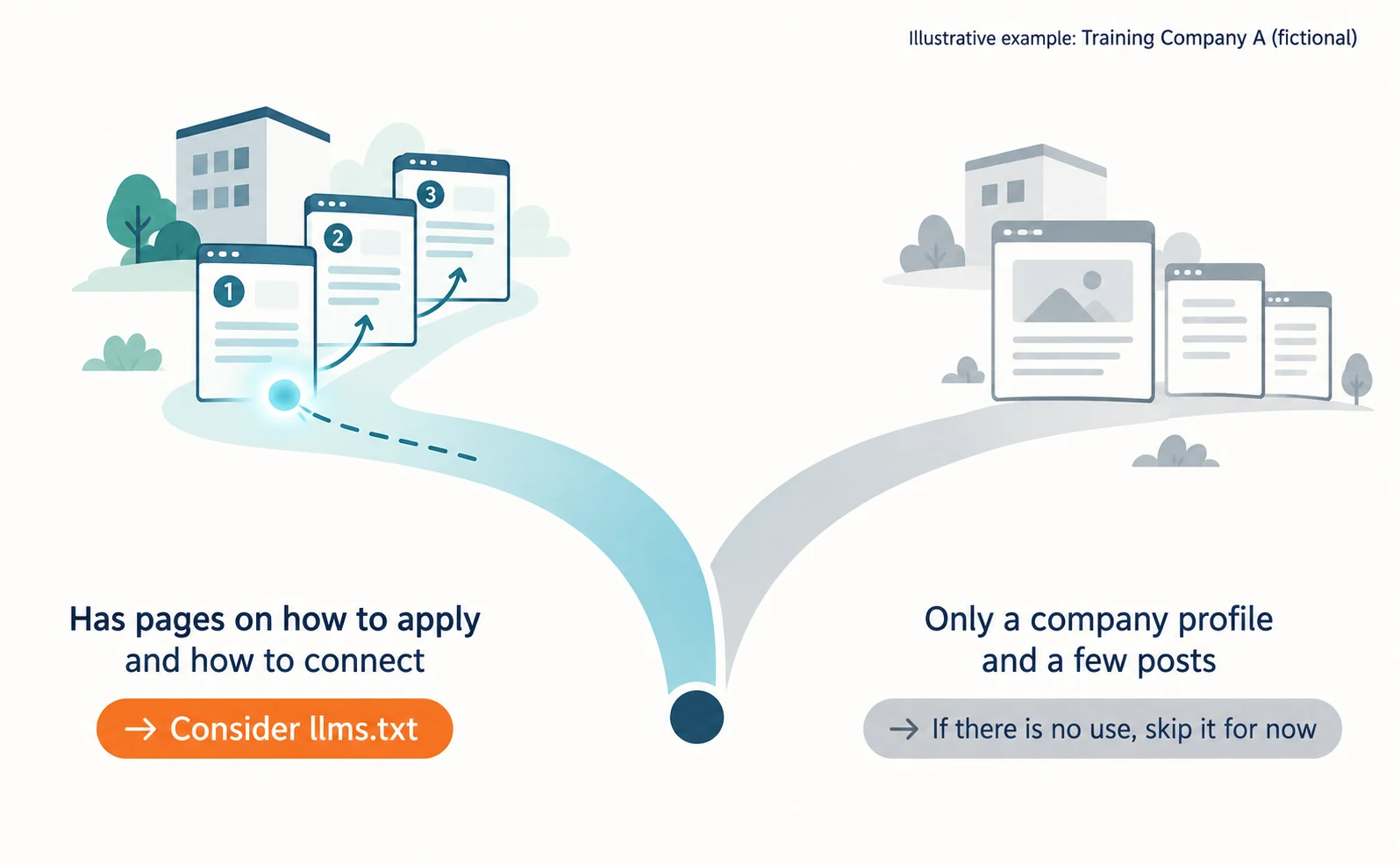
For Company A, candidates would be pages explaining how to apply for training or how to connect to online sessions. If you have only a company introduction and a few blog posts, first think about who would read the file and for what task. If you cannot think of a use, it is fine not to add it now.
How to write llms.txt and check setup in WordPress and Shopify
If you add it, choose only the pages you want read and add short descriptions. In a CMS, check that the file can be served from the root and does not conflict with an existing file. A CMS is a system for managing a site, such as WordPress or Shopify.
The following example assumes Company A. All URLs are examples. Replace them with real URLs from your own site, and do not include rows for pages that do not exist. Regular page URLs are fine; list a Markdown (.md) version only if you actually provide one.
# Training Company A

> We provide staff training for businesses, in person and online.

## Training services
- [New-hire training](https://kenshu-a.example/services/new-hire): content, duration, audience
- [How pricing works](https://kenshu-a.example/pricing): prices by group size and extra costs

## Applying and attending
- [How to apply](https://kenshu-a.example/guide/apply): from inquiry to delivery
- [Preparing for online sessions](https://kenshu-a.example/guide/online): connection steps

## Optional
- [Company profile](https://kenshu-a.example/company)
Next to each link, briefly state what the page covers. A description of the content is more useful than promotional wording. Do not include drafts or private pages.
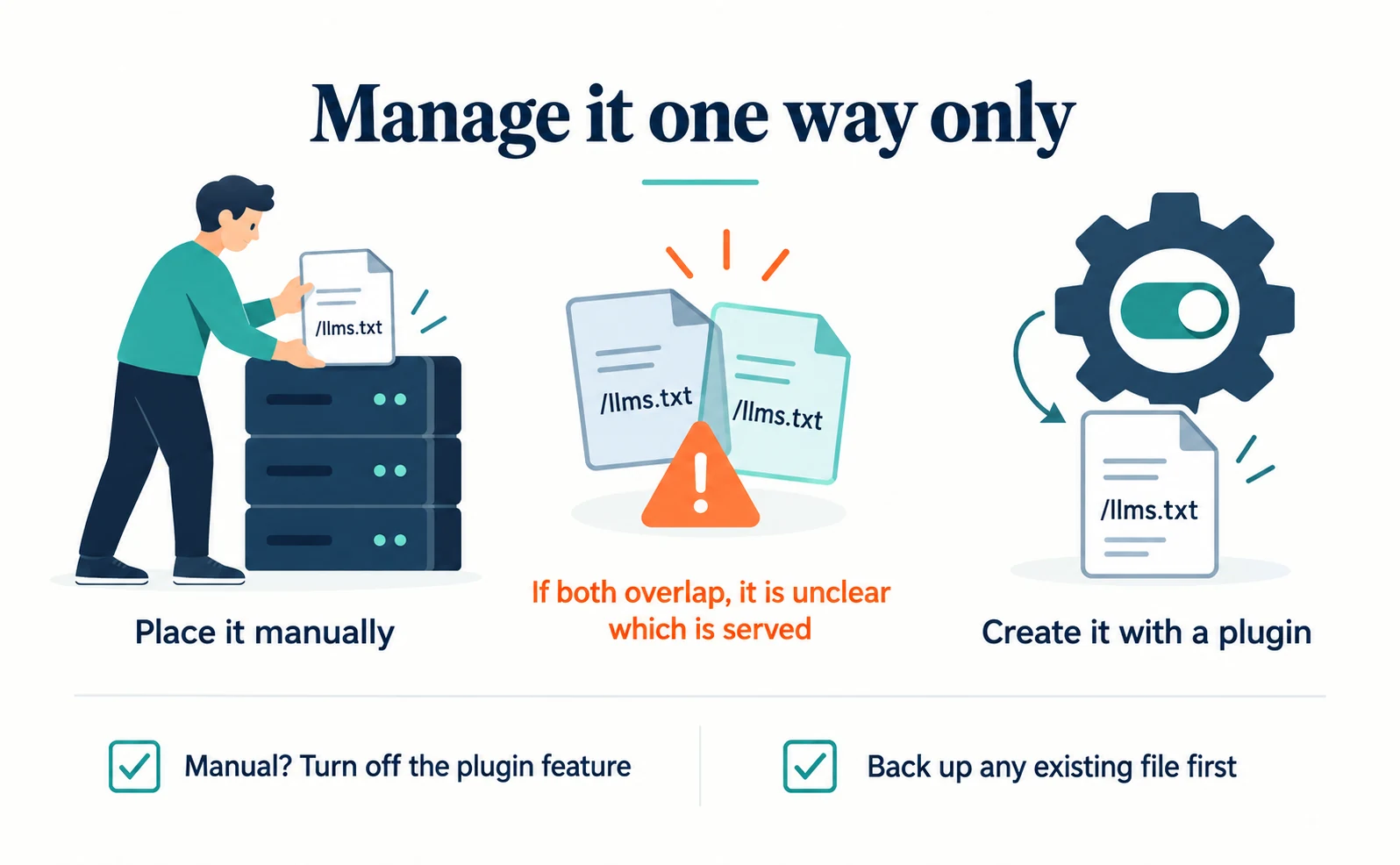
In WordPress, you do not always need a plugin. If you have permission to place files on the server, you can add the text file manually. If you prefer to configure it from the dashboard, you can use a plugin.
For example, if you use Yoast SEO, the steps published by Yoast, the company that provides it, are as follows (Yoast).
- In the dashboard, open Yoast SEO “Settings”
- Under “Site features,” in “AI tools,” turn on “llms.txt”
- Click “Save changes”
- To choose which pages to list, open “Customize llms.txt file,” select “Manual page selection,” choose pages, and save
Yoast says you need the latest version and permission to make changes, and that multisite is not supported. Labels may differ by language or version. There is no need to install Yoast solely for this purpose.
According to Yoast’s specification, it creates llms.txt at the root and updates it weekly. It does not overwrite an existing llms.txt (Yoast specification). If a file you created and the plugin’s output overlap, it becomes unclear which one is served. Do not delete an existing file without a backup. If you manage the file manually, turn off the plugin feature.
On Shopify, llms.txt has not been confirmed as a standard feature available to every store. If you have already installed the Yoast SEO app for Shopify, these steps are provided (Yoast for Shopify).
- In Yoast SEO “Settings,” open “llms.txt” under “Advanced”
- Turn on “Enable llms.txt feature” and click “Save changes”
- To choose pages, select “Manual page selection” under “llms.txt page selection” and save
Check your app subscription and permissions in advance. Yoast announced a change so that, in the Shopify version, llms.txt is generated as a theme file synced with the active theme (Yoast changelog). After switching themes, reopen /llms.txt and check its contents.
After setup, check the following.
| What to check | How to check |
|---|---|
| Does the file open? | Open the file’s location (usually /llms.txt, or a path such as /docs/llms.txt) in a browser and confirm it displays as text |
| Do the links open? | Open every listed URL and look for page-not-found errors |
| Are drafts included? | Confirm no private or unpublished pages are listed |
| Are descriptions current? | When prices or procedures change, update llms.txt too |
| Conflicts with an existing file | Confirm a manual file and plugin output do not overlap |
Check whether it is being read after setup
Count requests for the URL where you placed llms.txt (usually /llms.txt) in your server or CDN (delivery service) access records. If you do not have access to the records, ask your server administrator or web agency to summarize them.
JavaScript tracking tags that run in the browser cannot record requests for a text file. Use server-side records to check whether llms.txt was read.
Crawler names in the records are strings the visitor reports about itself, so they alone do not prove who sent the request. OpenAI publishes the IP addresses its crawlers use (OpenAI). If you need to confirm authenticity, compare the IP addresses in your records with that list.
A recorded request does not mean the page was cited in an AI answer. Check reads and citations separately. If there are no requests for a while, reconsider whether to keep updating the file.
To check whether the pages themselves can be read, enter a URL in the free AIO Check. It checks for robots.txt blocking major AI crawlers and search instructions within the page. It does not show whether llms.txt was read or what actual AI answers say.
FAQ
- Q. Will adding llms.txt make AI more likely to cite my pages?
- None of the official sources we checked show that it does, and adding it does not guarantee citations. Google says AI features do not require special AI-only files. If you want citations, first check that search crawlers are not blocked and that your pages answer customers’ questions.
- Q. Do I need a plugin to add llms.txt in WordPress?
- Not necessarily. If you have permission to place files on the server, you can add it manually. If you use Yoast SEO, you can create it from the settings screen. Avoid overlapping a manual file with plugin output, and do not delete an existing file without a backup.
Sources
- [1] AI features and your website (Google Search Central) — accessed 2026-09-23
- [2] Overview of OpenAI crawlers (OpenAI) — accessed 2026-09-23
- [3] Introduction to robots.txt (Google Search Central) — accessed 2026-09-23
- [4] The /llms.txt file (llmstxt.org) — accessed 2026-09-23
- [5] How to enable llms.txt in Yoast SEO (Yoast) — accessed 2026-09-23
- [6] llms.txt functional specification (Yoast) — accessed 2026-09-23
- [7] How to enable llms.txt in Yoast SEO for Shopify (Yoast) — accessed 2026-09-23
- [8] Yoast SEO for Shopify changelog (2026-06-23) (Yoast) — accessed 2026-09-23
About the author
Shogo MizushimaCEO of kairos Inc. / AgentSignal Developer
Develops AgentSignal, a tool for measuring AI crawler visits and AI-referred traffic, and diagnosing AIO readiness. Writes about measurement and practical improvements for AI search using observed data.
Related articles
AIO and AI search
What Is AIO? Its Two Meanings and Where to Start with AI Optimization
AIO has two meanings: work to get your company featured in AI answers, and Google Search’s AI Overviews. Learn how it relates to SEO, what to confirm in a proposal, what Search Console and Bing reports show, and your first tasks.
Published
Measurement and site improvement
What Are AI Crawlers? Why Blocking GPTBot Doesn’t Remove You from ChatGPT Search
AI crawlers are programs AI companies use to read public web pages. Learn how GPTBot differs from OAI-SearchBot, how Google-Extended works, why visits can continue after a robots.txt block and how to choose settings by purpose.
Published
AIO and AI search
What Is LLMO? How It Differs from SEO and Why Some Say It Is Pointless
LLMO is the work of helping answers from ChatGPT and other AI find and accurately describe your company. Learn how it differs from SEO, why some call it pointless, how E-E-A-T relates, how to measure results and what to do in the first month.
Published