What Is WebMCP? How AI Operates Websites and Current Support
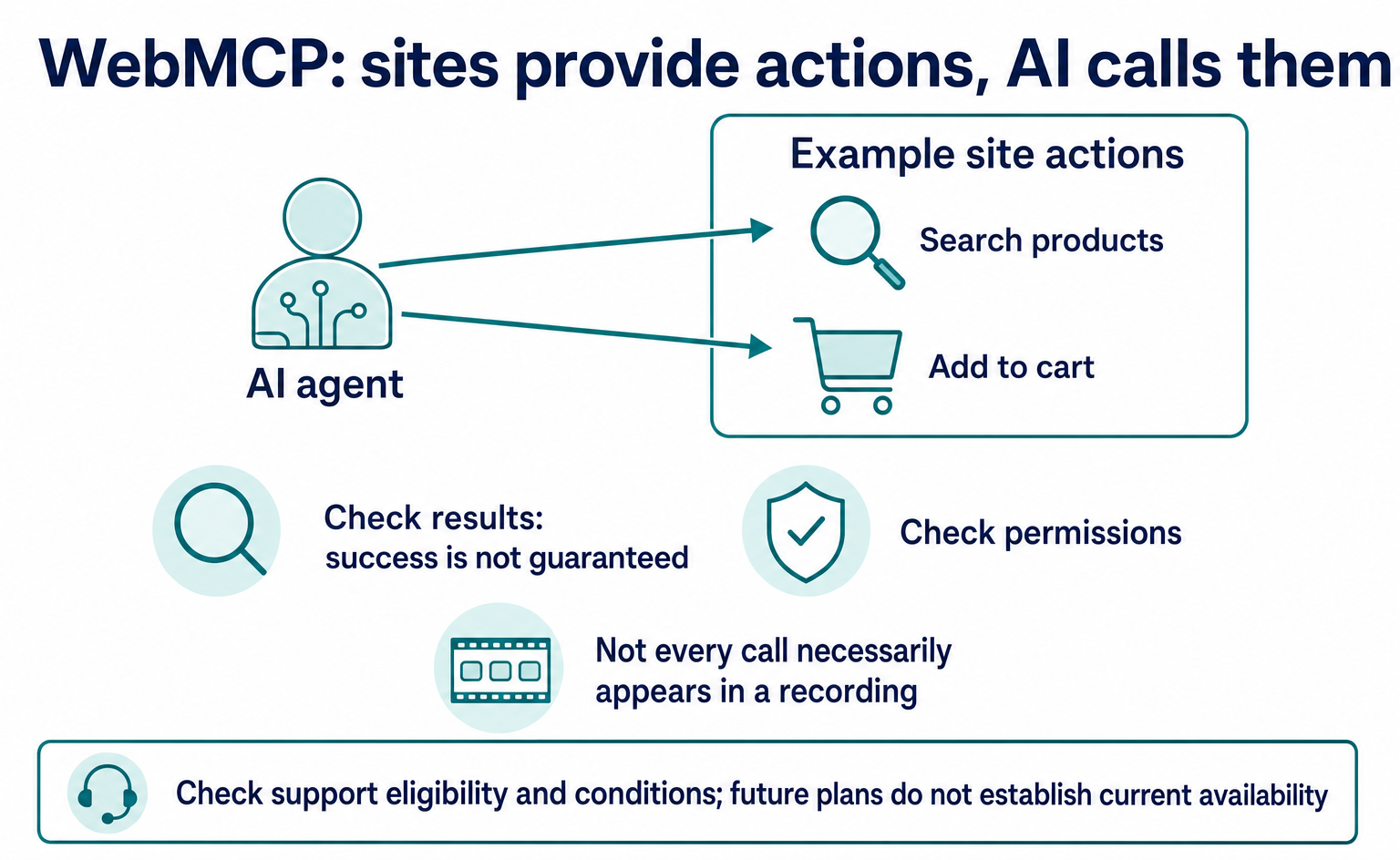
WebMCP tells AI which actions a website offers, such as product search and adding items to a cart. As of September 2026, it is not a formal standard. Learn about support in Chrome, Edge, ChatGPT, Cloudflare and Shopify, what to ask developers, and how to test and record actions.
WebMCP is a way to tell AI which actions a website offers. A site can explain how to do things such as “find a product” or “add it to the cart.” AI that acts on a person's behalf is called an “AI agent.” WebMCP reduces the need for AI to infer what buttons mean from the screen. It does not guarantee successful actions [1].
If you are unsure whether your site should support it, first check the services you use and the actions you want AI to handle. In some cases, such as eligible Shopify stores, the platform provides support. In others, you add the functionality yourself. The September 4, 2026 version is a draft from a W3C community group.
It explicitly states that it is neither a formal W3C standard nor on the formal standards track [1][4].
Browser and service “support” does not always mean the same thing. Some features require trial registration. Others work only within a particular app, or have only been announced as future plans. This article covers the situation as of September, including updates since July 2026. When deciding whether to adopt it, check eligibility and conditions, not just the names in the tables.
1. How WebMCP changes website interactions
When a site provides an action's name and required inputs, AI can more easily find out how to use it. For example, instead of locating a search box on screen, AI can receive a product search function and its input requirements.
Chrome's guidance describes this as a way for sites to explain the purpose of buttons and input fields [6].
Official explanation, summarized: Sites can explain the purpose of buttons and input fields. [6]
Descriptions such as “This function searches for products” and “Enter a search term” give AI information for choosing an action. It may still misunderstand the description or enter values that do not meet the requirements. The site must check the inputs it receives and permission to perform the action.
Think of a menu that lists not only dish names but also the conditions needed to order them. In WebMCP, an action's description and input format are registered as a tool. The specification's guidance shows how to use existing programs and input forms [2].
Official explanation, summarized: Existing programs and input forms can be exposed as tools with descriptions. [2]
A “tool” is one function that AI can call. A product search tool accepts search criteria and returns results. This does not necessarily mean building a new screen. You explain how to use the site to AI while retaining the screens people normally use and the processes already in place.
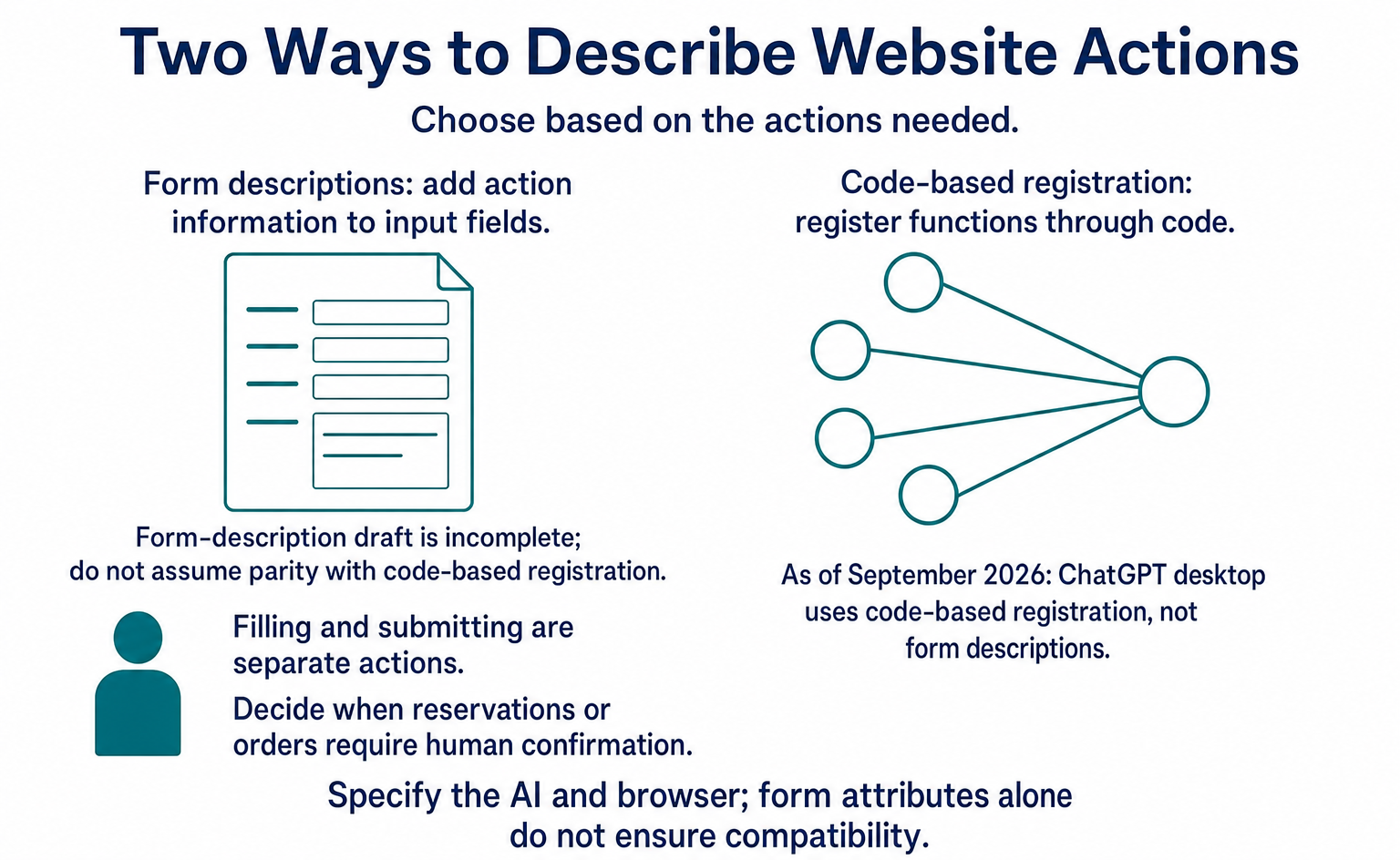
There are two registration methods. One uses JavaScript, a language for handling page behavior, to register functions. The other adds descriptions to HTML input forms. Technical documents call the first the “imperative API” and the second the “declarative API.” Those formal names appear below, but site operators can understand the distinction as “register through code” versus “add descriptions to forms.”
2. Two ways to explain actions to AI
The September 2026 draft uses document.modelContext to register functions. Its three main operations are registration, listing tools, and execution [1]. The following table is a reference for discussions with developers. Even if you do not write code, it helps you identify names that differ from older documentation.
| Method / attribute | Role |
|---|---|
registerTool(tool, options) |
Registers a tool. Accepts name (letters, numbers, _, -, and .; 1–128 characters), description, inputSchema (JSON Schema), execute (a function that returns a Promise), and annotations |
getTools(options) |
Gets a list of registered tools |
executeTool(tool, input, options) |
Executes a tool |
toolchange event |
Notifies when tools are registered or removed |
annotations |
Three annotations: readOnlyHint (read-only), untrustedContentHint (contains untrusted content), and consequentialHint (has irreversible consequences) |
The previous name was navigator.modelContext. PR #184, which proposed the change, was merged on May 27, 2026, moving it under document, which represents the page [3]. The idea is that the functionality belongs to the open page, not the entire window.
Chrome's guidance, updated September 1, 2026, also uses the document version [7].
Explanations from spring 2026 and polyfills—programs that fill gaps in unsupported environments—may retain the old name. The initial proposal's provideContext and clearContext also differ from the current registration method. To remove a registration, use the AbortSignal passed to registerTool.
If something does not work, check not only the reference article's publication date but also the specification it targets and the actual runtime environment.
The draft defines steps for registration through code
This method calls document.modelContext.registerTool({...}) in JavaScript to register an action's description and processing logic. The draft defines how it works. Chrome's guidance also includes exposedTo, which restricts who can access the tool, and signal, which removes its registration [7].
An origin is a site boundary defined by the combination of connection scheme, domain, and port number. Specifying where a tool is exposed lets you share functionality with trusted parties.
The draft's form-description method is still incomplete
The form-based method adds information such as toolname, tooldescription, toolparamdescription, and toolautosubmit to a <form>. However, this section of the draft is marked TODO, indicating that it is incomplete. It refers readers to a separate explainer for detailed behavior [1][2]. Do not assume it is as complete as the code-based registration method.
Chrome explains that when AI uses a form's functionality, the browser fills in the input fields. The form remains visible to people. toolautosubmit specifies automatic submission, while agentInvoked on the SubmitEvent indicates whether AI initiated the submission [7].
Helping fill in a form and submitting it are separate actions. For reservations and orders, decide when human confirmation is required.
As of September 2026, the ChatGPT desktop app does not support the form-description method. It uses JavaScript's registerTool [15]. Adding attributes to a form alone does not necessarily make it usable in ChatGPT.
When requesting implementation, first specify which AI and browser you will test.
3. Safety measures the site needs
Writing “safe” in a function's description does not make its behavior safe. The draft states that there is no guarantee a description matches the actual processing. It also addresses attacks that insert instructions into descriptions or results to steer AI toward inappropriate actions [1]. This manipulation is called prompt injection, and the draft groups it into three types.
The specification's point is that a function's name and description cannot be trusted as proof of its actual behavior.
Official explanation, summarized: There is no guarantee that a tool's description matches its actual processing. [1]
For example, a process named “view product information” could actually change a cart. Providers must make descriptions match the processing, and those using the tools must perform the necessary checks. A “read-only” hint does not itself block changes.
The following table lists common problems [1]. The English names help you match them to technical documents. Use the explanations on the right to discuss with developers where checks are needed.
| Risk | What it means |
|---|---|
| Tool Poisoning (metadata attack) | Placing instructions in a tool's description to steer the agent |
| Output Injection | Mixing instructions into tool output to manipulate the next action |
| Tool Implementation as Attack Targets | Using the tool's implementation itself as a foothold for an attack |
| Misrepresentation of Intent | Misrepresenting intent, such as declaring a tool “read-only” while it writes data |
| Privacy Leakage Through Over-Parameterization | Extracting personal information through more input parameters than necessary |
| Violation of Same-Origin Boundaries | Accessing another site's information or functions in ways that should not be allowed |
Chrome's guidance also advises against relying only on AI's judgment for safety [7].
Official explanation, summarized: AI's judgment alone cannot guarantee safe behavior. [7]
AI responses and judgments can vary. As with regular features, the site must check whether the user is logged in, has permission to act, and has supplied valid inputs. Treat improving descriptions and actually blocking unauthorized actions as separate tasks.
OpenAI's guidance also calls for reusing existing login checks, permission checks, and input validation, while keeping the regular interface usable in unsupported browsers [15]. For example, users must still be unable to change another user's order through an AI-facing feature. Do not waive checks because AI is involved; apply the same operating rules.
4. Support in Chrome, Edge, and other browsers
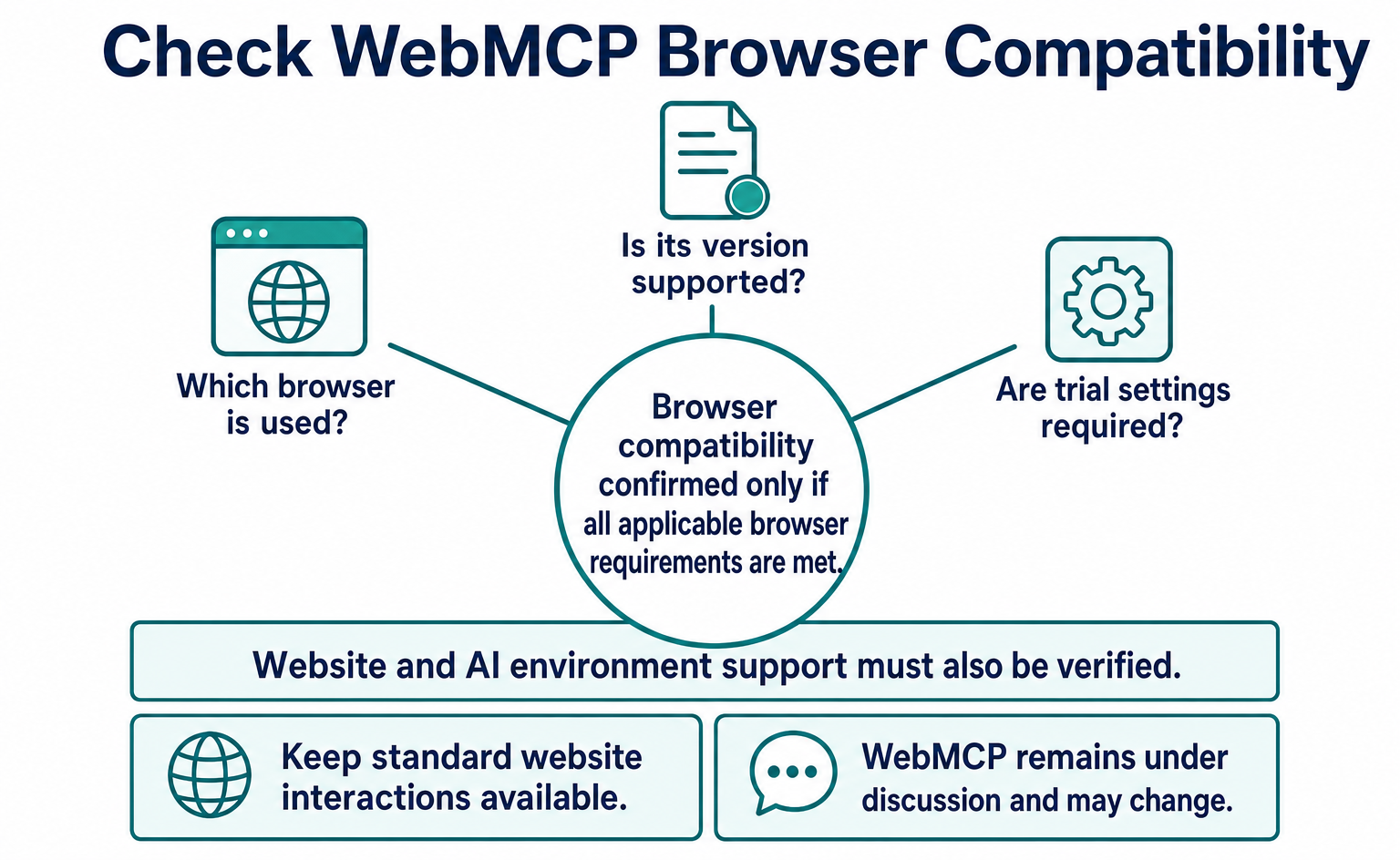
Chrome and Edge offer trials; WebMCP is not available across all browsers. An “origin trial” lets sites test new features under specified conditions. Some apps and experimental implementations also support it, so distinguish trials from general availability.
| Browser / vendor | Status | Primary sources |
|---|---|---|
| Chrome | Announced at Google I/O 2026 on May 19. The origin trial starts with Chrome 149; the blink-dev Intent lists 149–156. WebMCP debugging in the DevTools Application panel (Chrome 149). Local testing flag: chrome://flags/#enable-webmcp-testing |
[5][6][8] |
| Gemini in Chrome | The I/O announcement says it “will soon support” WebMCP APIs. As of September 7, 2026, no primary-source announcement confirming available support was found | [5] |
| Edge | Origin trial in Edge 150 (July 2, 2026). Expires November 17, 2026. No primary source for “native support” | [9] |
| Brave | Experimental support in Leo AI chat, according to the specification's implementation-status document | [2] |
| Mozilla (Firefox) | Neutral in standards-positions. Describes it as an API for sites to declare a dedicated lane for automated interaction, but has no implementation plans | [10] |
| WebKit (Safari) | Oppose in standards-positions. Formally stated on June 3, 2026 | [11] |
WebKit, which builds Safari's underlying engine, favors a different approach to improvement [11].
Official explanation, summarized: Page structure and the meaning of actions should be conveyed through shared mechanisms that help people, screen readers, and AI. [11]
WebKit's view is that, before adding AI-specific descriptions, sites should correctly convey the meaning of buttons and input fields through normal page construction. HTML and ARIA are mechanisms for conveying a page's structure and roles. WebKit calls for improvements that make pages easier for people, screen readers, and AI to use alike.
For site operators, normal interactions must remain available in unsupported browsers such as Safari and Firefox. If you have customers using iPhones, check regular product search and form submission after adding AI-facing functionality. Do not broadly assume that every iPhone browser and app uses the same implementation. Evaluate the environments you actually target.
Google says WebMCP remains under discussion and may change [7]. If you adopt it, plan not only for development costs but also for specification updates. Start with a small feature and record which version you followed, so changes are easier to trace.
5. Support in ChatGPT, Cloudflare, and Shopify
ChatGPT, Cloudflare, and Shopify each announced support in August 2026. An AI app, a website delivery service, and an e-commerce platform play different roles. Separating those roles helps you decide what work your business needs to add.
| Date | Who | What they did | Primary sources |
|---|---|---|---|
| 2026-08-05 (effective 08-21) | Shopify | Exposed WebMCP tools on all Liquid storefronts and Hydrogen (developer preview). Liquid stores require no additional setup or installation. Ten tools, including search_catalog, get_product, get_cart, update_cart, and proceed_to_checkout |
[18][19] |
| 2026-08-06 | Cloudflare | Developer preview that enables WebMCP with one dashboard switch. Uses HTMLRewriter to inject a one-line bridge script reference into each HTML response, then calls document.modelContext.registerTool() in the browser. No changes to the origin are required |
[17] |
| 2026-08-07 | Cloudflare | Added WebMCP support to its Radar traffic statistics service, enabling agents to run URL scans and domain searches | [17] |
| 2026-08-25 | OpenAI | Site tools in the ChatGPT desktop app's built-in browser implements WebMCP. “Site tools are ChatGPT's implementation of the proposed WebMCP standard.” Requires GPT-5.6 Sol / Terra; unavailable for Enterprise / Edu; unavailable inside iframes; no support for declarative forms | [14][15] |
| 2026-08-25–09-04 | OpenAI + Chrome / Cloudflare / Shopify / Vercel / Render / Netlify | WebMCP Challenge, a 10-day hackathon with $35,000 in cash prizes; winners to be announced September 23 | [16] |
| 2026-09-08–09 | W3C / GS1 | “E-Commerce for Humans and AI Agents” workshop in Zurich. Shopify leads a WebMCP session | [20] |
Shopify says the functionality is provided to eligible Liquid stores from August 21 [18]. Liquid is the system used to build standard Shopify storefronts. Stores built with Hydrogen have a developer preview; do not group them under automatic support with the same conditions.
Official explanation, summarized: AI can search for products, manage the cart, and move to checkout. [18]
The exposed functions include product search, viewing and changing the cart, and moving to checkout. This differs from requiring store operators to install a separate dedicated app for each function. However, support being present and AI actually using it to choose your products are different things.
It also matters whose cart the actions affect. Shopify explains that they run within the shopper's current browsing state [18].
Official explanation, summarized: Actions run within the shopper's active session and use the store's normal processes. [18]
Here, a session means the continuous state in which a user has a site open and interacts with it. This does not describe AI creating a separate, invisible cart. It handles the user's cart through normal store operations. Moving to checkout and completing payment must also be treated separately.
Even when processing takes place within the same page state, not every tool execution is necessarily recorded as a click. A record of the resulting screen or cart change is different from a record of which tool was called. Keep that distinction when checking measurement.
Cloudflare describes adding a reference to a small program to the pages it delivers [17]. A key feature is that you can try this without directly changing the site's source code.
Official explanation, summarized: When enabled, it adds a reference that loads a bridge script into the delivered HTML. [17]
Enabling it in the dashboard adds one line to each HTML response through HTMLRewriter, a mechanism for rewriting pages. The bridge script loaded by that line connects the page to WebMCP. Think of these technical names as components for adding processing to delivered pages.
The preview includes two tool packs, both described as running in the browser [17]. Support from a delivery service does not necessarily turn all your business operations into suitable tools automatically. Check the exposed functions, inputs, and results. Custom forms and page structures may require additional testing.
6. Lighthouse checks
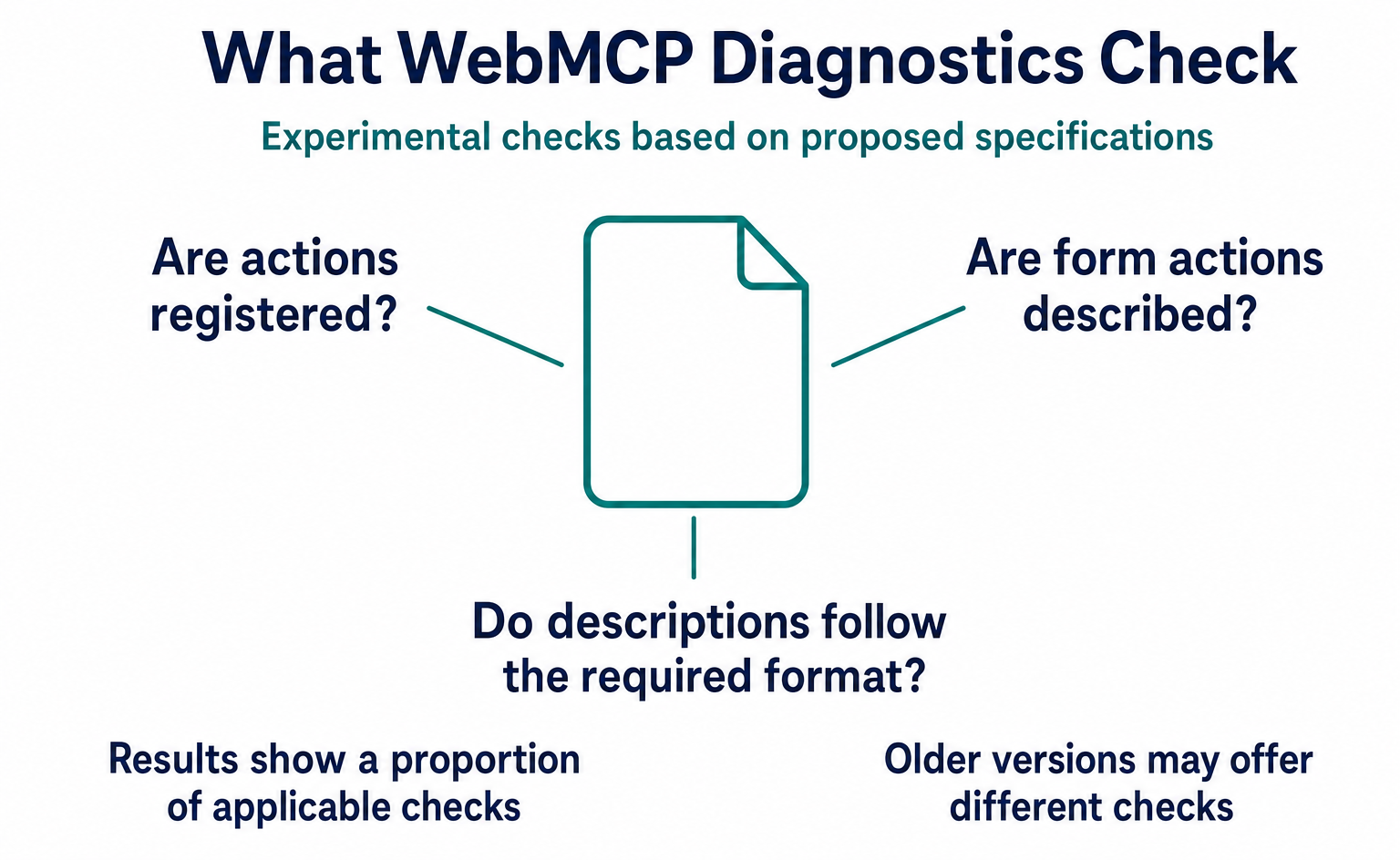
Lighthouse includes checks for how AI can use a page. Lighthouse is a tool for checking aspects such as page speed and ease of use. Its Agentic Browsing category, introduced in May 2026, includes three WebMCP checks.
| Audit | What it checks | Status |
|---|---|---|
| Registered WebMCP tools | Lists the WebMCP tools registered on the page, both imperative and declarative | Informational |
| Forms missing declarative WebMCP | Lists forms without toolname and tooldescription |
Informational; explicitly states that it does not currently produce a warning |
| WebMCP schema validity | Whether the description of a tool's accepted input format is valid | — |
Lighthouse v13.2.0 (May 1, 2026) added the category and three checks. Version 13.3.0 (May 7) included them in the default configuration, and v13.4.1 (July 20) added support for document.modelContext and the PageSpeed Insights API [13].
The same category also covers the presence of llms.txt, ease of page use by AI, and visual stability. Older versions may offer different checks.
Google describes these checks as experimental and based on proposed specifications [12]. They display a proportion of applicable checks rather than a 0–100 score like a regular speed assessment, and they do not affect the normal Performance score. Appearing in a diagnostic report is separate from being a condition for ranking higher in search.
If a report shows missing support, you do not need to implement everything immediately. Some checks are informational only. Check whether they relate to actions your business needs and whether your target AI can use them. Do not sign contracts or commission changes on the assumption that inclusion in a diagnostic tool means a feature will become mandatory.
7. The difference between MCP and WebMCP
MCP connects AI to services; WebMCP gives AI access to actions on an open page. The names are similar, but they are implemented in different places. Google explains that the two can complement each other [7]. What you discuss with developers will differ depending on whether you want to search internal data or operate an online store's cart.
| Aspect | MCP (Model Context Protocol) | WebMCP |
|---|---|---|
| Where it runs | Server (back end) | Browser (the currently open page) |
| What is needed | Set up an MCP server | Add registerTool to the page's script, or attributes to a form |
| Lifetime | Provided as a service to connect to; depends on how it runs | Only while the tab is open (ephemeral) |
| Authentication | Implemented on the server | Uses the user's existing login state |
| Developments in 2026 | Major revision on July 28: stateless operation, stronger authorization, and moving Tasks to an extension | Draft updates continue: July 21, August 14, August 19, August 26, and September 4 |
The July 28 MCP revision describes a move from maintaining communication state to a request-and-response-focused model [21]. The technical term is “stateless.” This is an MCP change, including stronger authorization and changes to Tasks. It does not mean making the same changes to WebMCP's API.
Shopify also documents its WebMCP functions separately from its MCP server [19].
When requesting development, explain what you want AI to do, rather than simply saying “We want MCP support.” Connecting to internal data or external services requires different design and checks from acting on a page the user has open. A separate WebMCP server is not mandatory, but existing server-side processes for saving orders or reservations are still needed.
8. What to watch for in older explanations
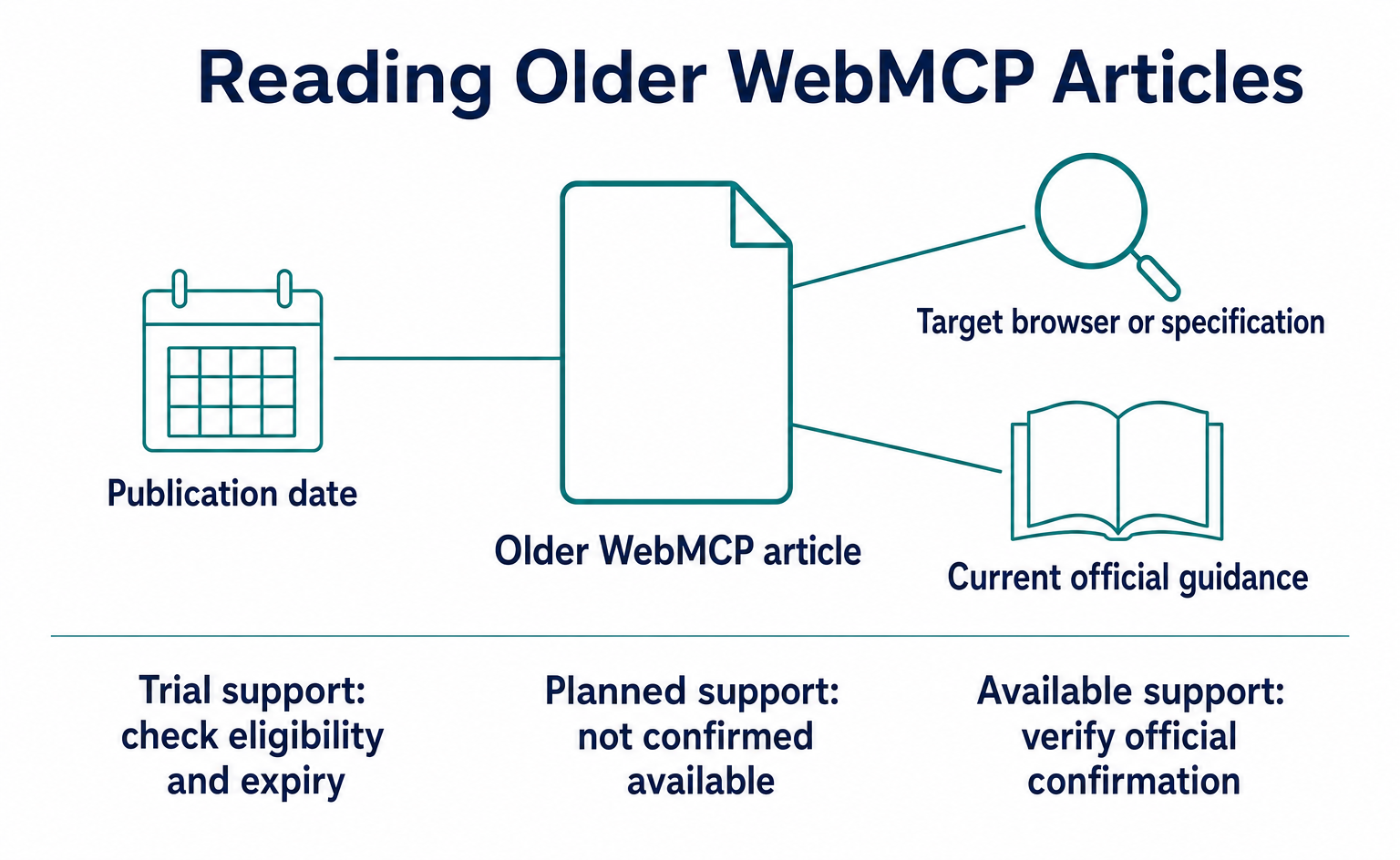
When using older material, check API names, trial conditions, and the distinction between planned and available support. The following three points are especially easy to confuse, including when consulting explanations from July or earlier.
- Do not confuse deprecation in Chrome 150 with the date of the specification change. Some secondary articles describe it that way, but neither the Chrome 150 release notes nor Chrome's documentation contains that statement. The confirmed facts are limited to this: the specification moved to document on May 27, and Chrome's documentation lists only the document version.
- Separate Edge's general availability from its trial. Microsoft's primary source confirms only an origin trial in Edge 150, expiring November 17.
- Do not describe planned Gemini in Chrome support as already available. The I/O announcement says “will soon support,” and no announcement confirming available support was found as of September 7. Site tools in ChatGPT desktop implemented support first.
A news headline may say “support,” while the article itself describes a trial or future plan. Check the specification, browser guidance, and guidance for the app you will actually use separately. Knowing the dates and target environments helps avoid mixing explanations with different conditions.
9. Deciding whether to adopt it
First identify the actions you want AI to handle and where you currently have problems. Check what you can measure, then consider adoption alongside your platform's support. There are three factors to assess.
The first is your current platform. For Shopify, check whether you use Liquid or Hydrogen. For Cloudflare, check the preview conditions and exposed functions. For a custom implementation, use document.modelContext and test in your target browser or ChatGPT desktop.
Keep the normal interface usable in unsupported environments such as Safari. Platform support does not remove the need for operational checks.
The second is your capacity to handle changes. The specification is still under discussion, and the form-based draft has incomplete sections. There is no guarantee that the same code will work six months later. Nor is it certain that it will need rewriting. Keep the test feature small and assign responsibility for checking updates and making fixes.
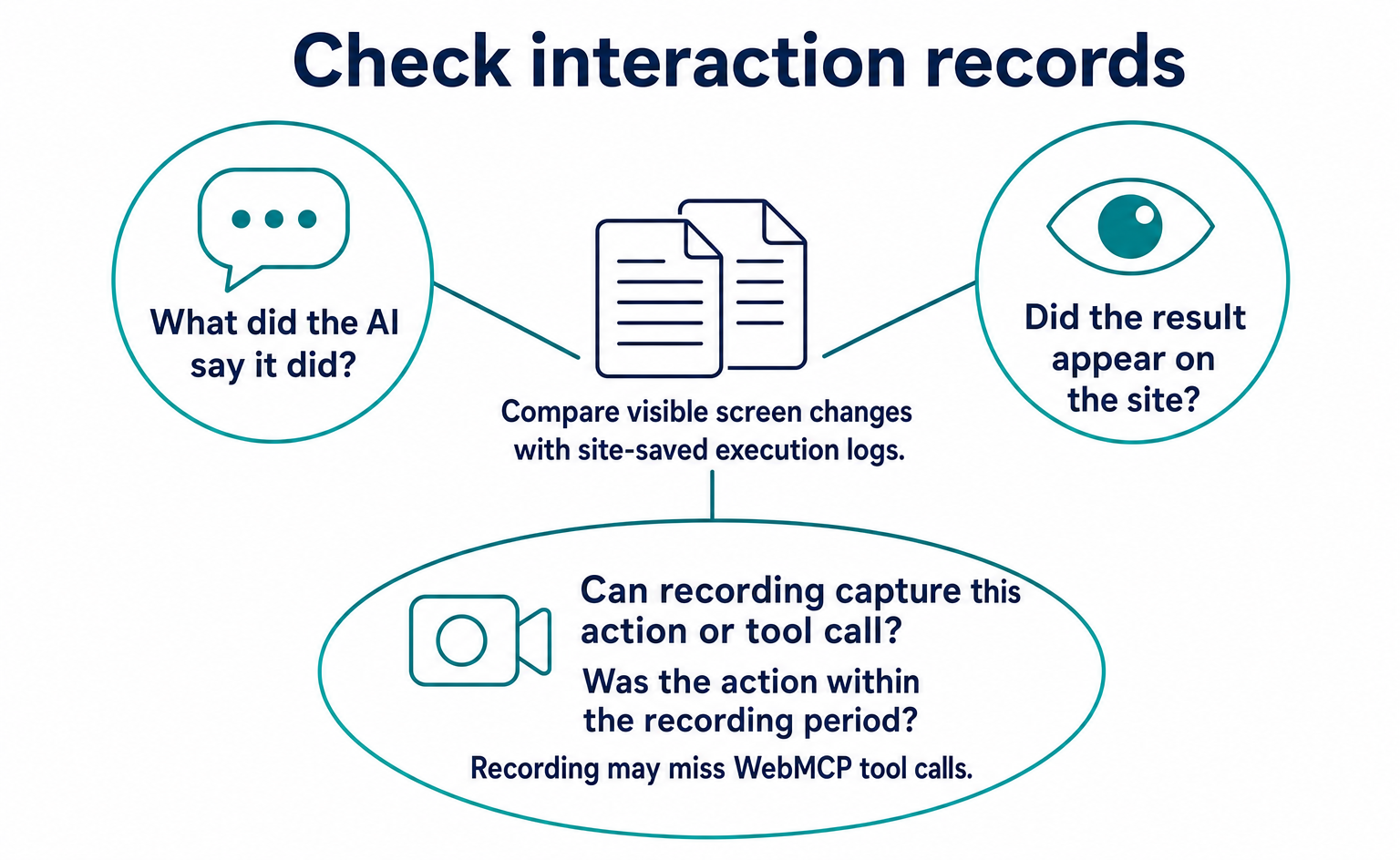
The third is whether you can verify results. WebMCP runs in the browser, but directly executing a tool does not necessarily produce a normal click. Even if a recording shows screen changes, additional logs may be needed to identify the tool, inputs, and success or failure. Whether you can classify an interaction as AI or human also depends on the information collected. Before adoption, establish what you can and cannot see.
You can work through the following sequence. If you have few records, do not draw conclusions from elapsed time alone. Check how many times the target action was actually attempted.
| Step | What to do | What you can determine |
|---|---|---|
| 1 | Check measurement coverage, then review human / AI agent / bot classifications and recorded visit counts for one month | Whether target visits exist within the recorded coverage |
| 2 | Watch recordings of AI agent sessions to see where they stop: search, forms, or cart | Whether there is a point where progress stops on screen; investigate the cause separately |
| 3 | Use Lighthouse's Agentic Browsing category to list forms without toolname |
Which forms would be candidates for the declarative API |
| 4 | For Shopify / Cloudflare, check eligibility and exposed tools. Compare execution logs with screen changes over roughly two weeks | Whether the target action improved, if there were enough executions |
| 5 | For a custom implementation, start with one read-only tool, such as search, using document.modelContext.registerTool. Add readOnlyHint and retain existing authentication and input validation |
Whether the scope is small enough to keep up with specification changes |
Steps 1 and 2 establish what existing measurement can tell you. If you see no change in step 4, first investigate whether the tool was used and whether its use was recorded. Without attempts, you cannot compare effectiveness. Once you have confirmed the actions you need, decide whether to add a custom implementation.
10. Checking interactions with AgentSignal
AgentSignal lets you review classifications of recorded visits and on-screen interactions. Its three categories—human, AI agent, and bot—are based on the information it can collect. There is no guarantee that it can identify every AI or record every WebMCP tool call.
Combining visible screen changes with execution logs saved by the site makes it easier to investigate where progress stopped during search or cart use.
Do not assume that the free AIO check alone can show registered WebMCP tools or every execution result. Keep support checks separate from testing actual actions. For tracking tag setup, see Install the tracking tag. For the difference between programs that read pages and AI that operates them, see AI crawler types and settings. Start with what your existing records can establish.
11. An adoption example using product search
For a first test, an action that only finds information is easier to verify. Product searches and stock checks can be tested separately from actions that finalize orders. This does not mean the same checks are sufficient for every tool. Test separately when adding functions that make changes.
For example, imagine a user asking AI to “find products that meet these conditions.” With normal screen interactions, AI looks for the search box and filters. With a WebMCP product search tool, it can read the description and input requirements, then call the function. Product names and conditions returned in the results give it information to present options to the user.
Do not check only whether the tool registered successfully. Also check whether the specified conditions were passed correctly, whether the results match the actual product information, and whether the response clearly explains when no products match. A name appearing in the list of available tools does not meet the user's goal if the search results are wrong.
11-1. Define success
Before testing, check the result of a person doing the same task. This gives you a basis for comparing whether AI's suggestions are correct. If prices, stock, eligible regions, or other product conditions can change, save the information as it stood at the time of the check. Do not compare an old screen recording with a current result and automatically label the difference an AI error.
A successful search returns the correct candidates. Successfully adding to a cart means the correct product and quantity appear in the intended user's cart. Check moving to checkout and finalizing an order separately, too. A blanket report that “shopping worked” obscures how far the test went.
| Action | Result to verify | Separate checks |
|---|---|---|
| Product search | Returns candidates matching the specified conditions | Explanation when no products match |
| Viewing product details | Matches current prices and conditions | Whether outdated results are being used |
| Viewing the cart | Shows the user's current cart contents | Whether another user's information can be accessed |
| Changing the cart | Applies the specified product and quantity | Handling of duplicate execution and insufficient stock |
| Proceeding to checkout | Opens the correct checkout screen | Distinguish this from completed payment |
11-2. Test incorrect inputs too
Testing only valid inputs misses situations that cause users trouble. Also check empty search terms, nonexistent products, and unavailable conditions. If a tool reports success without explaining that there are no results, AI may proceed with another action.
Describe only the inputs that are needed. If product search does not require personal information, do not request extra inputs. Making a tool description more detailed and collecting more information are different things. Do not collect information that the normal search screen does not need simply because the feature is for AI.
11-3. Check unsupported environments too
Confirm that normal search and forms work in browsers without WebMCP support. Build the page so that failure of the added program does not make the entire page unusable. AI-facing additions must not create problems for existing users.
List target browsers and versions when checking with developers. Do not describe success in an environment with experimental features enabled as availability to all users. If the trial has an expiry date or conditions, include them in the work record.
12. Briefing and checking with your development team
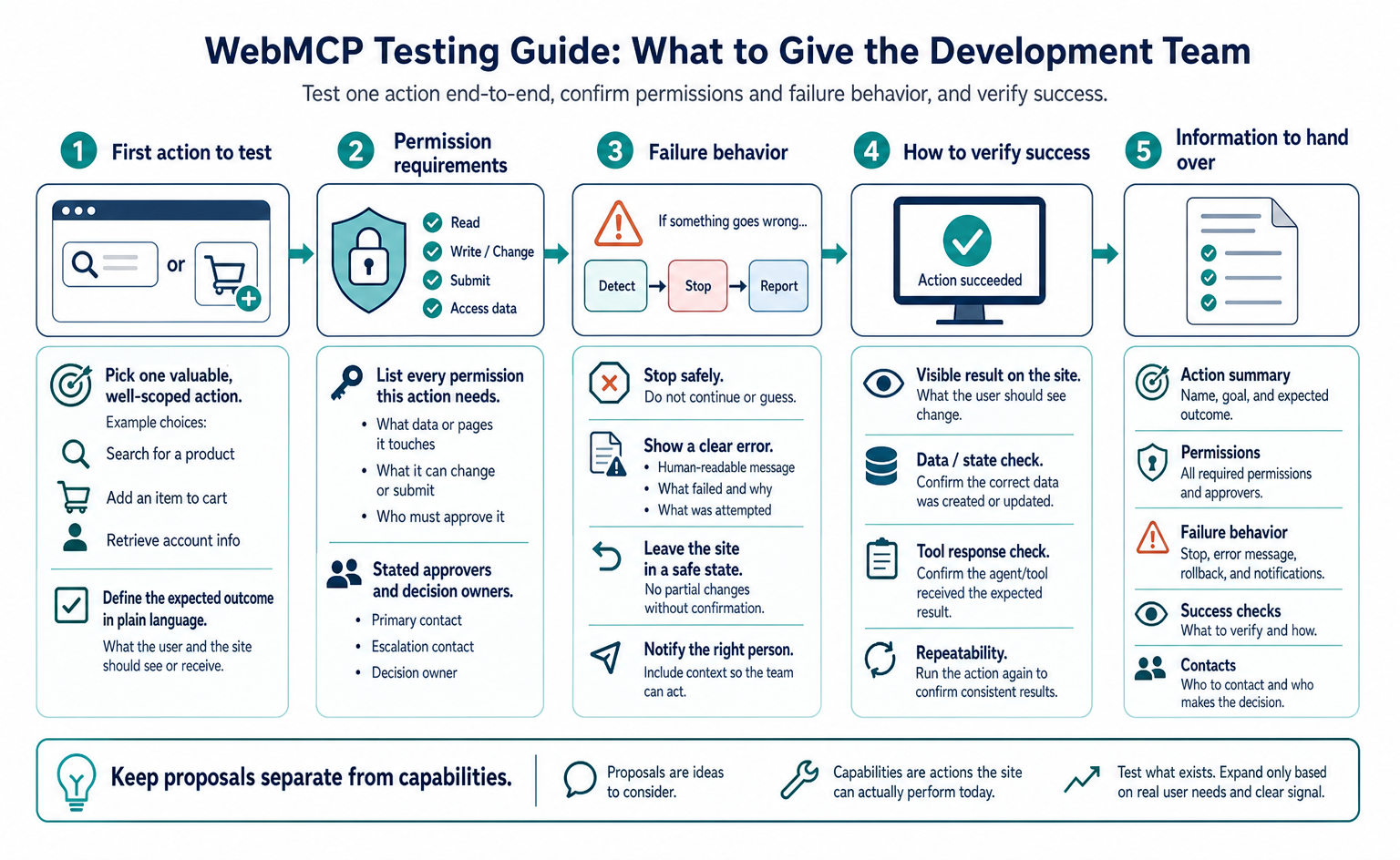
Specify the action and target environment, rather than simply asking for “WebMCP support.” Asking only for the feature name can lead to very different proposals: one may stop after adding descriptions to forms, while another checks execution inside the app. Decide at the outset what results you want delivered.
We would like a small test to see whether our site's product search can be used by the target AI. Please check whether our current platform already exposes any WebMCP tools. If anything needs to be added, limit it to search; exclude orders and payments. Record the date of the specification you follow, the target browser and app, the registered functions, and the inputs and results tested. Please also confirm that normal search works in unsupported environments.
This request asks for both implementation and functional testing. Your business should provide the search criteria to test and the criteria for judging correct results. If product conditions are complex, prepare examples whose answers your staff can verify. Do not leave developers alone to judge whether the product information is correct.
12-1. Records to receive
Keep the tool name, input conditions, execution date and time, success or failure, and changes to the screen or data. You do not need to save users' personal or confidential information unchanged in diagnostic logs. Agree with the team on a method that retains only necessary information.
Recordings help show what happened on screen. However, they may not reveal searches that cause no screen change or actions that call processing directly. Check whether recordings can be linked to execution logs. Do not treat an invisible action as an action that never happened.
12-2. Handling specification changes
After testing, assign someone to monitor specification and service updates. Draft changes, the end of trials, or changes in target app support may require retesting. Keeping the reference URLs and dates lets you later trace which guidance the implementation followed.
If you outsource maintenance, ask what extent of change the contract covers. Renaming a function takes different work from changing an entire interaction method. You do not need to predict everything, but you can identify whom to contact when a change is found and who will decide the response.
12-3. Deciding whether to expand support
If testing identifies a useful action, choose what to extend next. Prioritize tasks that genuinely trouble users rather than simply increasing the number of tools. If search worked but the agent stopped at the cart, investigate whether the cause was input requirements, permissions, or an unclear interface.
In some cases, improving normal form headings or error messages is more appropriate than adding WebMCP. Do not assume that more AI-specific functionality is always the answer. Keep the site understandable for people, too. Connecting test results to the reasons for the next task makes it easier to decide whether to expand support or continue with maintenance alone for now.
Summary
WebMCP tells AI which actions a website offers. It is still a draft, so test a small scope in your target environment and continue checking the normal interface and interactions.
- WebMCP declares site functions—JavaScript functions and HTML forms—as “tools” for AI agents. The September 4, 2026 version is a W3C community group draft, not a standard and not on the standards track.
- The current API is
document.modelContext(registerTool/getTools/executeTool). It moved from navigator on May 27. Older articles usingprovideContextornavigator.modelContextdiffer from the current specification. - The draft defines steps for code-based registration, while the form-based method is marked TODO. ChatGPT does not support declarative forms.
- Chrome 149–156 and Edge 150 offer origin trials. Check app-side support conditions separately. Mozilla is neutral, WebKit opposes the proposal, and Gemini in Chrome support is described as coming “soon.”
- Implementations are moving ahead: all Shopify Liquid stores (effective August 21), Cloudflare with one switch (August 6), ChatGPT desktop Site tools (August 25), and the WebMCP Challenge (winners announced September 23). Lighthouse includes Agentic Browsing audits.
- Define the action to test, the target environment, and how to record it. Even browser-based execution does not mean every action appears as a click or in a recording.
FAQ
- Q. Is WebMCP a formal W3C standard?
- No. It is a draft being developed by a W3C community group. Trials in Chrome and Edge, and implementations such as ChatGPT's, are progressing, but the specification may still change.
- Q. What is the difference between MCP and WebMCP?
- MCP connects AI to external services and data. WebMCP gives AI access to actions on the page currently open. It does not require a separate dedicated MCP server, but the site's underlying processes, such as reservations and inventory management, are still needed.
- Q. Should our website support WebMCP?
- First decide whether there are actions you want AI to perform. Shopify Liquid stores receive support automatically, and Cloudflare offers a setting for trying it. For other sites, start with a small action whose impact you can check.
- Q. Should we use navigator.modelContext or document.modelContext?
- The current name is document.modelContext. It changed on May 27, 2026. Before using navigator.modelContext or provideContext from older examples, check the current specification and support in your target environment.
- Q. Does it work in Safari or Firefox?
- At the time of this article's review, regular Safari and Firefox have no built-in browser implementation. Mozilla is neutral, and WebKit opposes the proposal. Check support inside apps such as ChatGPT separately from support in regular browsers.
- Q. When an AI agent operates a site through WebMCP, does it appear in analytics or recordings?
- Not everything is recorded. Page displays and clicks can be recorded when the relevant conditions are met. Some processes, however, return results without changing the screen. Keep tool-side or server-side logs as well to establish which tool was called and whether it succeeded.
Sources
- [1] WebMCP — Draft Community Group Report, 4 September 2026 (W3C Web Machine Learning Community Group) — accessed 2026-09
- [2] webmachinelearning/webmcp (README / declarative-api-explainer / implementation-status) (GitHub) — accessed 2026-09
- [3] Move the modelContext getter to Document (PR (GitHub (webmachinelearning/webmcp)) — accessed 2026-09
- [4] Web Machine Learning Community Group Charter (W3C) — accessed 2026-09
- [5] Chrome at Google I/O 2026 (Chrome for Developers) — accessed 2026-09
- [6] Join the WebMCP origin trial (Chrome for Developers) — accessed 2026-09
- [7] WebMCP — Imperative API / Declarative API / Compare with MCP / Secure tools (Chrome for Developers) — accessed 2026-09
- [8] Intent to Experiment: WebMCP (blink-dev) — accessed 2026-09
- [9] Web platform release notes for Microsoft Edge 150 (Microsoft Learn) — accessed 2026-09
- [10] Mozilla standards-positions (GitHub) — accessed 2026-09
- [11] WebKit standards-positions (GitHub) — accessed 2026-09
- [12] Lighthouse agentic browsing scoring (Chrome for Developers) — accessed 2026-09
- [13] Lighthouse v13.2.0 / v13.3.0 / v13.4.1 release notes (GitHub (GoogleChrome/lighthouse)) — accessed 2026-09
- [14] Build Agent Ready Websites with ChatGPT (Site tools) (OpenAI Developer Community) — accessed 2026-09
- [15] Site tools (WebMCP) developer documentation (OpenAI) — accessed 2026-09
- [16] The WebMCP Challenge is here (OpenAI Developer Community) — accessed 2026-09
- [17] WebMCP (developer preview) (Cloudflare Blog) — accessed 2026-09
- [18] WebMCP support for Liquid and Hydrogen storefronts (Shopify Developer Changelog) — accessed 2026-09
- [19] Shopify Web MCP tools reference (Shopify) — accessed 2026-09
- [20] W3C/GS1 Workshop on E-Commerce for Humans and AI Agents (2026-09-08〜09) (W3C) — accessed 2026-09
- [21] The 2026-07-28 Specification (Model Context Protocol Blog) — accessed 2026-09
About the author
Shogo MizushimaCEO of kairos Inc. / AgentSignal Developer
Develops AgentSignal, a tool for measuring AI crawler visits and AI-referred traffic, and diagnosing AIO readiness. Writes about measurement and practical improvements for AI search using observed data.
Related articles
Measurement and site improvement
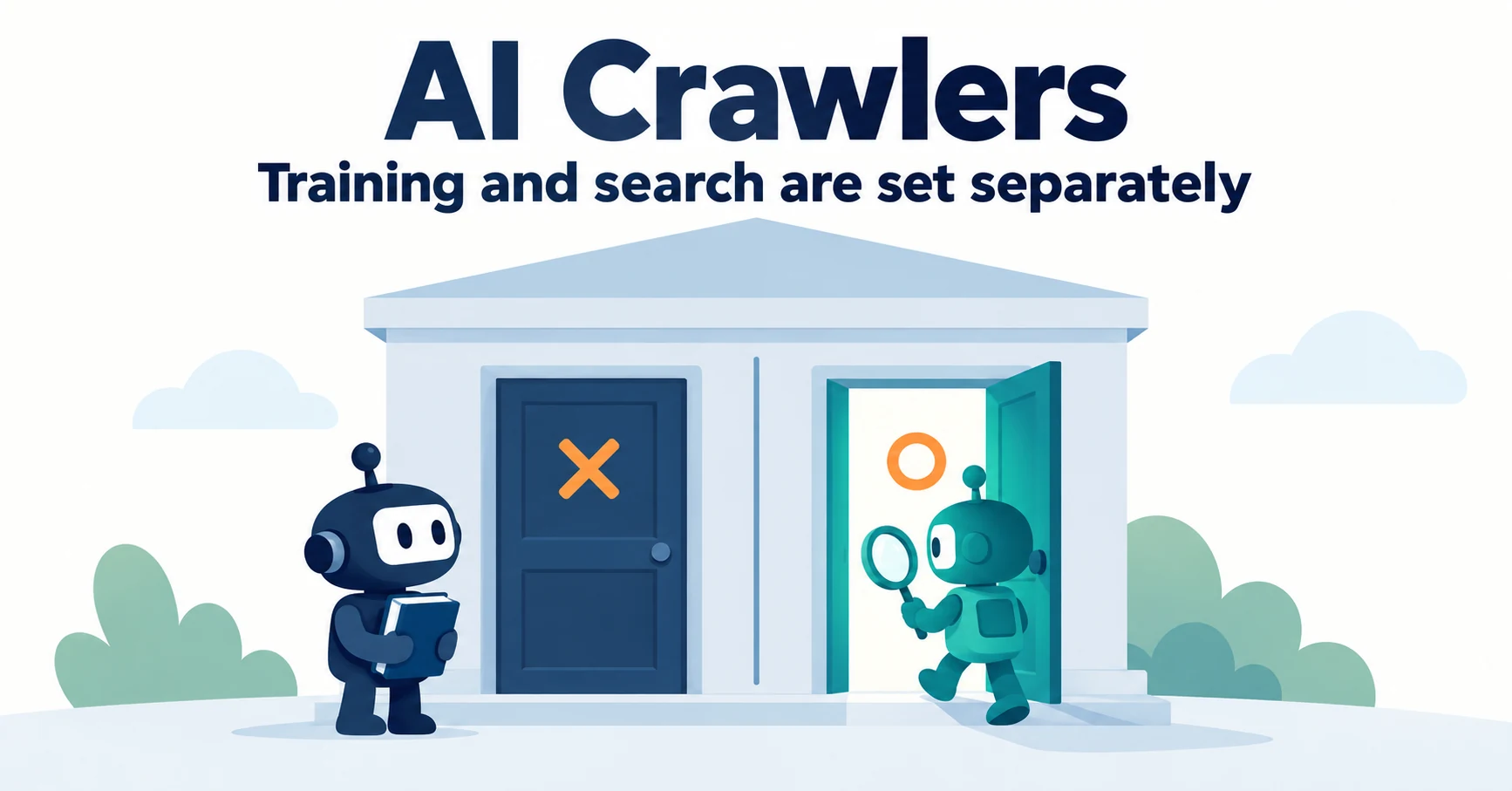
What Are AI Crawlers? Why Blocking GPTBot Doesn’t Remove You from ChatGPT Search
AI crawlers are programs AI companies use to read public web pages. Learn how GPTBot differs from OAI-SearchBot, how Google-Extended works, why visits can continue after a robots.txt block and how to choose settings by purpose.
Published
AIO and AI search
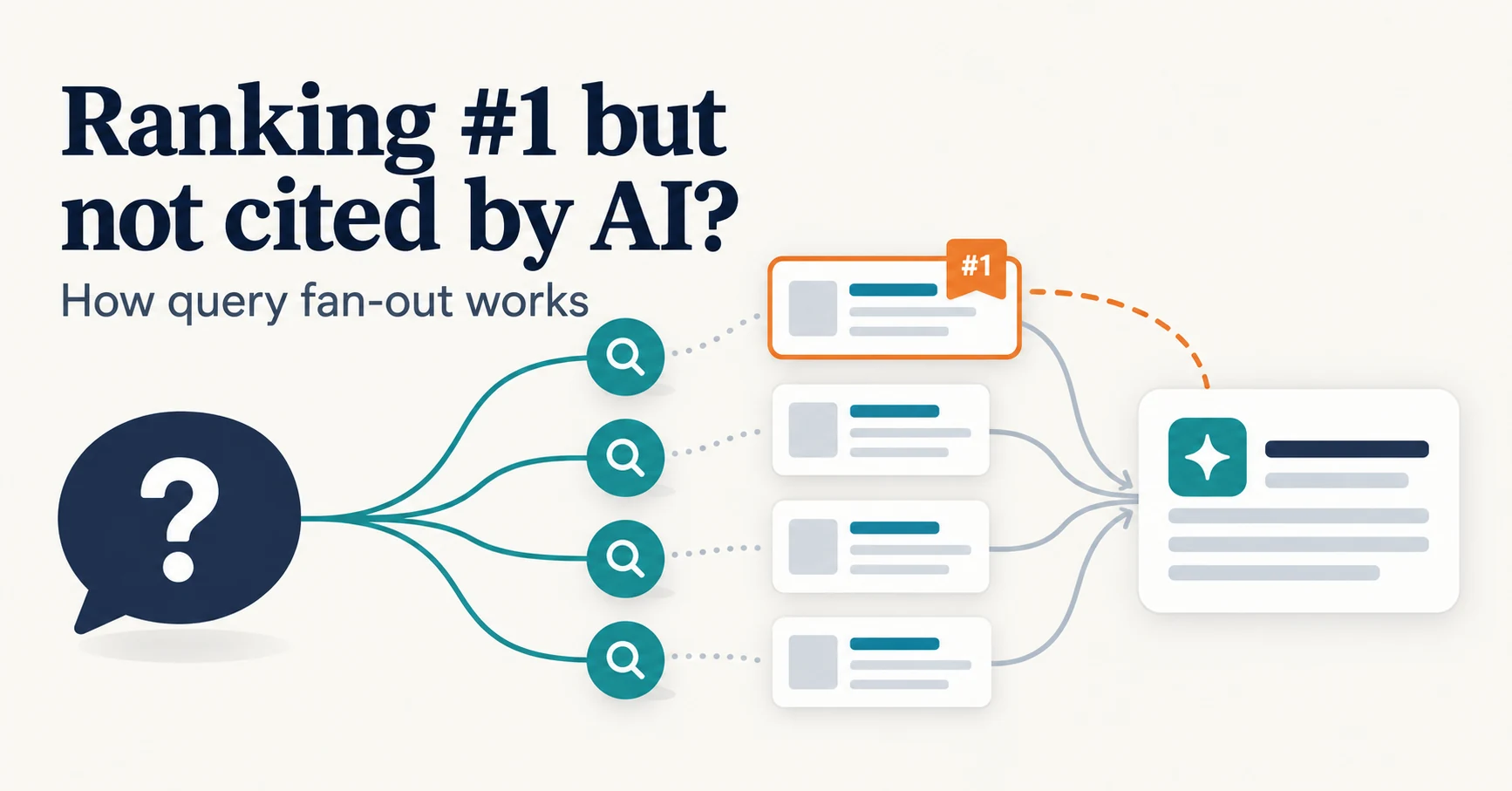
Ranking First but Not Cited by AI? How Query Fan-Out Works
Query fan-out is a technique in which AI may run several related searches to answer one question. Learn why a first-place page may not be cited, which related questions your pages should answer, and what you can observe in Search Console and Bing.
Published
AIO and AI search
Do You Need llms.txt? What It Can Do and What to Check Before Adding It
llms.txt is a list of links to public pages you want AI to read. Learn whether AI search requires it, how it differs from robots.txt, when it helps, how to write it, and how to set it up and check it in WordPress and other platforms.
Published