Ranking First but Not Cited by AI? How Query Fan-Out Works
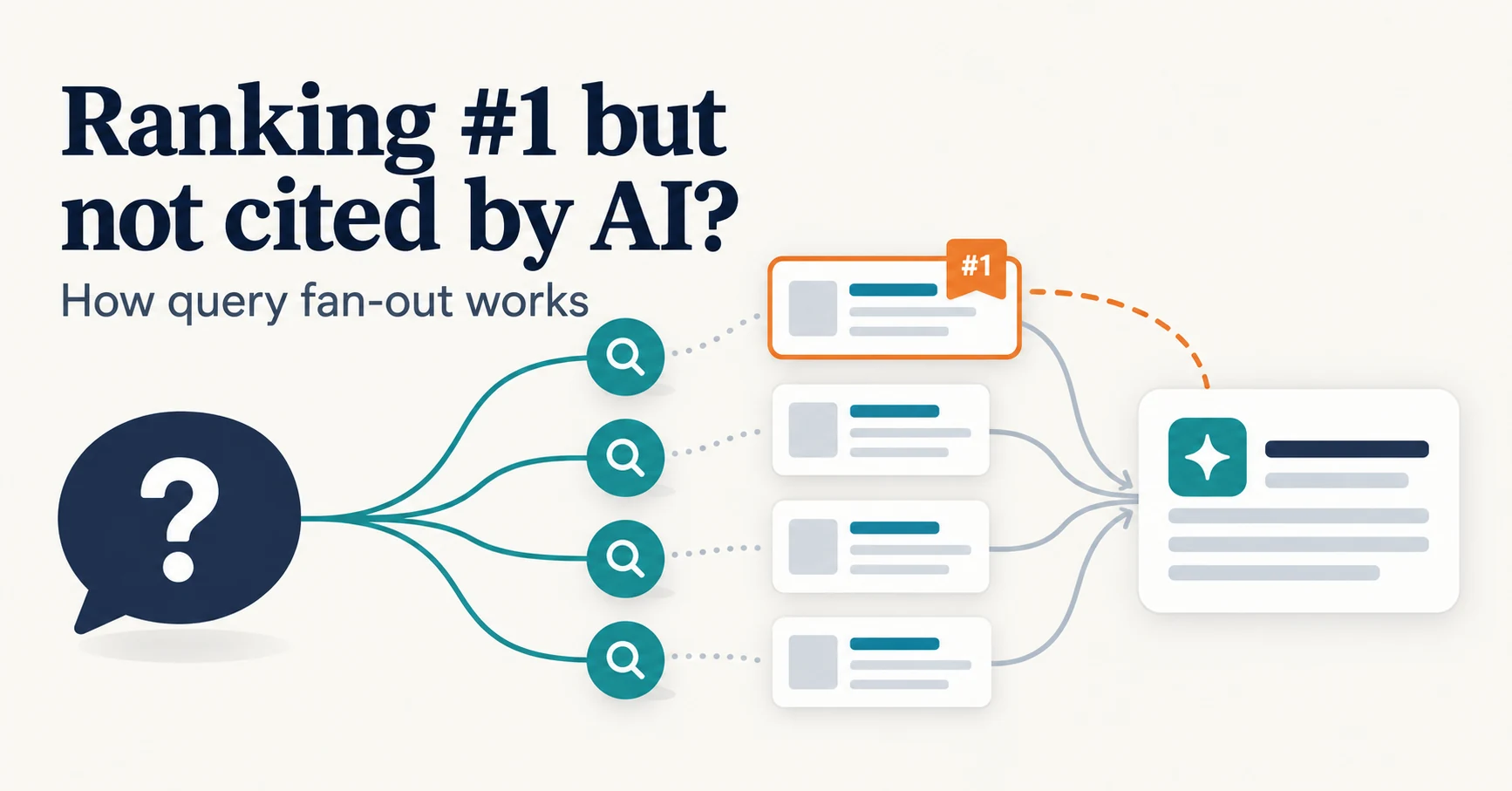
Query fan-out is a technique in which AI may run several related searches to answer one question. Learn why a first-place page may not be cited, which related questions your pages should answer, and what you can observe in Search Console and Bing.
Query fan-out is a technique in which AI may run several related searches to answer a single question. Google says AI Overviews and AI Mode may use this technique [1].
For example, when asked “how to fix a lawn that’s full of weeds,” AI may also look up “best herbicides for lawns,” “remove weeds without chemicals,” and “how to prevent weeds in lawn” before composing an answer. This is the example Google gives in its official guide [2].
So the page ranking first for the original search term is not the only possible source. That is why you can rank highly yet see only competitors in AI answers.
What Is Query Fan-Out?
Query fan-out splits the original question into smaller topics, searches each one, and builds an answer from what it finds. The resulting searches are also called “subqueries.”
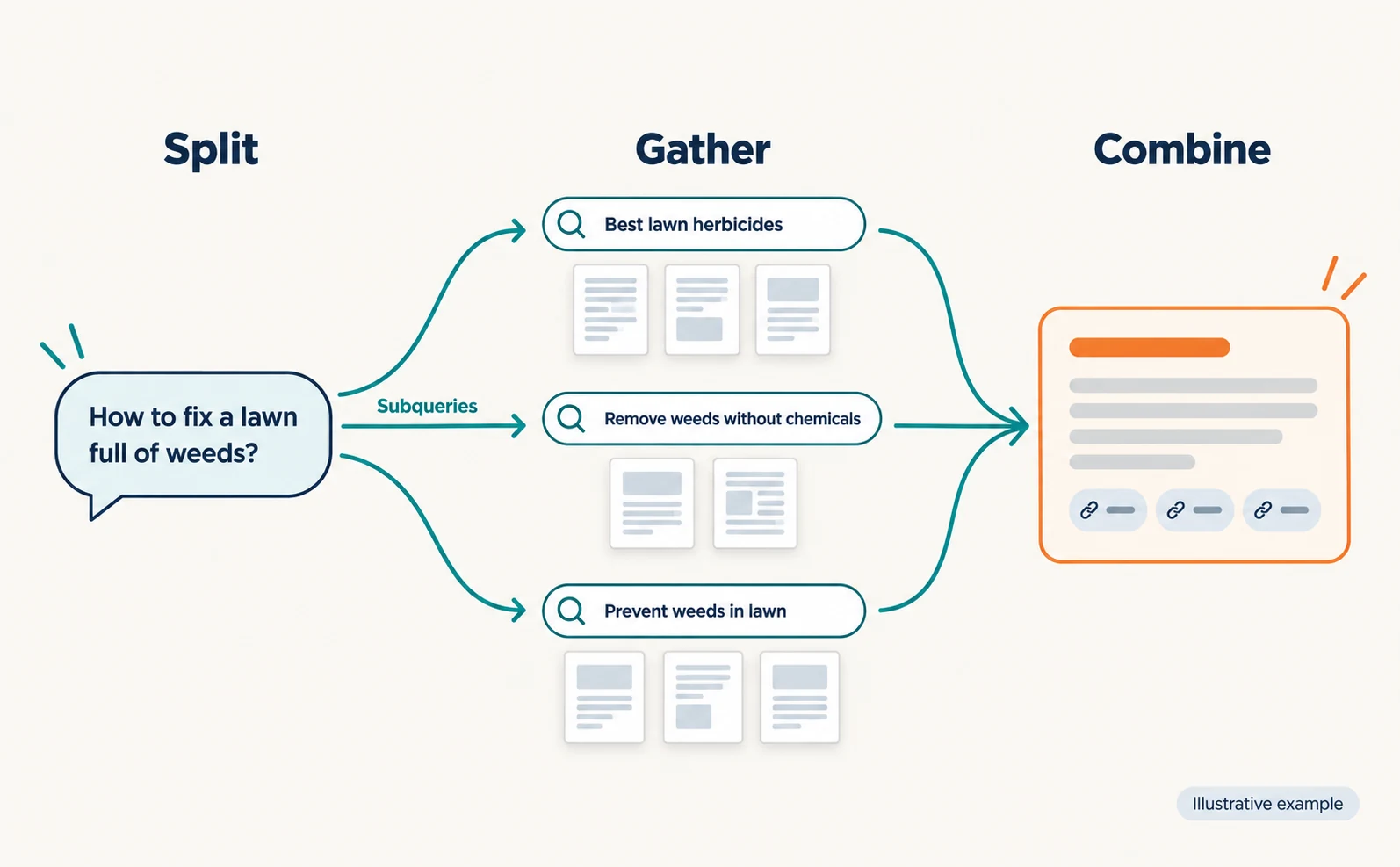
According to Google, AI Overviews and AI Mode run related searches across subtopics, which lets them show a wider set of supporting pages than a classic search [1]. Because the two features may use different models and techniques, the links shown for the same question can differ [1].
| Stage | What happens | What it means for your site |
|---|---|---|
| Split | The original question is split into related searches | Your pages may need to be found beyond the original term |
| Gather | Candidates are gathered from pages indexed in Google Search | Pages must be indexed and eligible to show with a snippet [1] |
| Combine | The findings become an answer with supporting links | The detailed selection criteria cannot be determined from outside |
AI Mode added Japanese-language support in September 2025 [10].
What matters is not guessing what AI searched internally. It is whether your pages answer the questions related to what customers ask.
Google says no special files or structured data are needed to appear in its AI features, and that ordinary SEO basics apply [1].
Track Search Rankings and AI Inclusion Separately
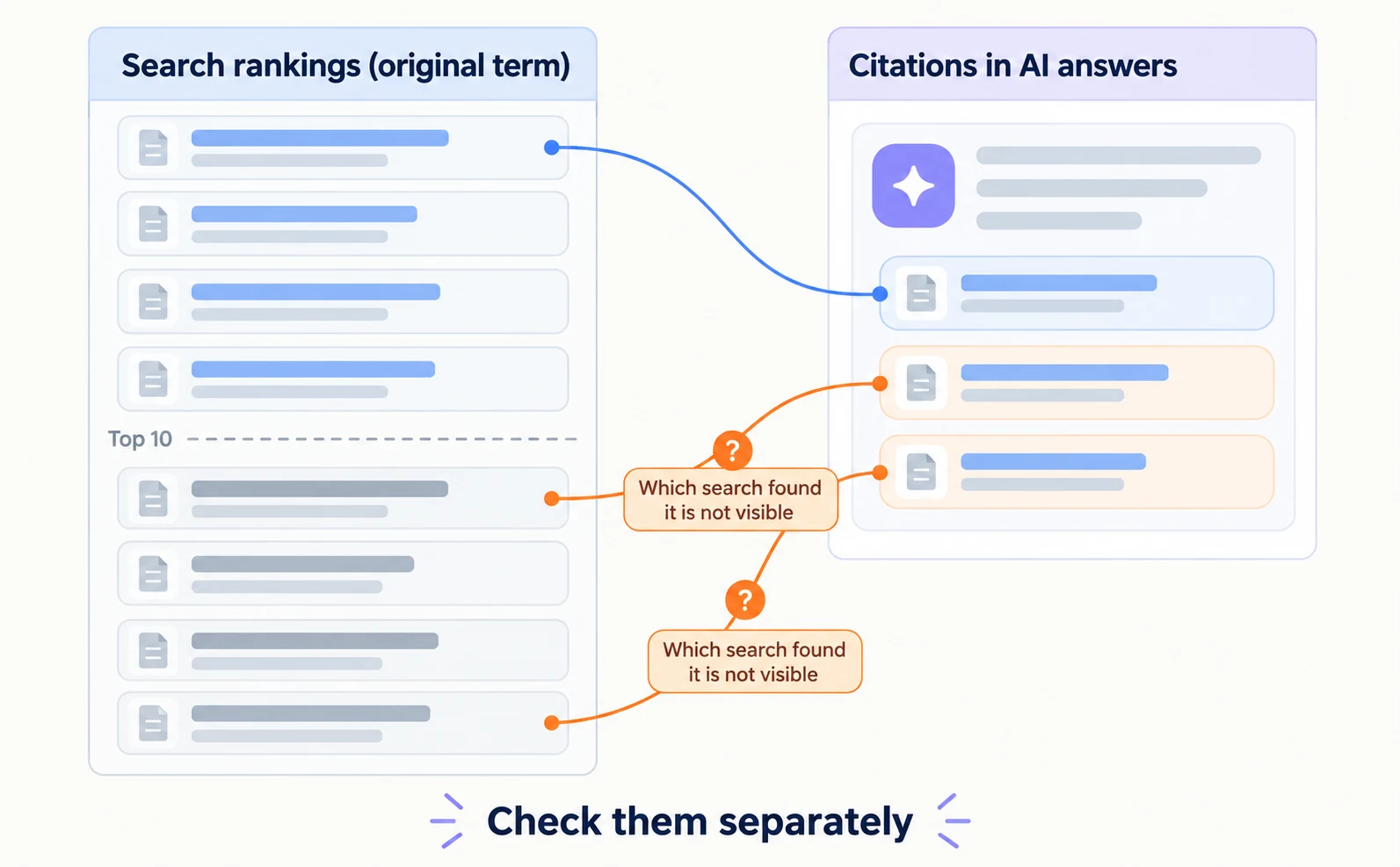
Check search rankings separately from whether you are cited in AI answers. Doing well in one does not mean doing well in the other.
According to a report on Ahrefs data covering 863,000 keywords and 4 million AI Overview URLs, 38% of cited pages also ranked in the top 10 for the same query [3]. Positions 11–100 accounted for 31.2%, and beyond position 100 for 31.0% [3].
Ahrefs’ July 2025 study had put the figure at 76%. However, Ahrefs has since improved its parsing method, and the report notes the two datasets are not directly comparable [3]. Do not simply read it as “cut in half.”
These figures suggest that some cited pages may have been found through related searches. But they do not show which page was found through which subquery.
Ordinary SEO remains necessary. Google says optimizing for generative AI search is still optimizing for search, and thus still SEO [2].
Observing Query Fan-Out Results in Search Console and Bing
You cannot see the searches AI added internally. But Search Console and Bing Webmaster Tools let you check part of the result: whether your pages were shown or cited.
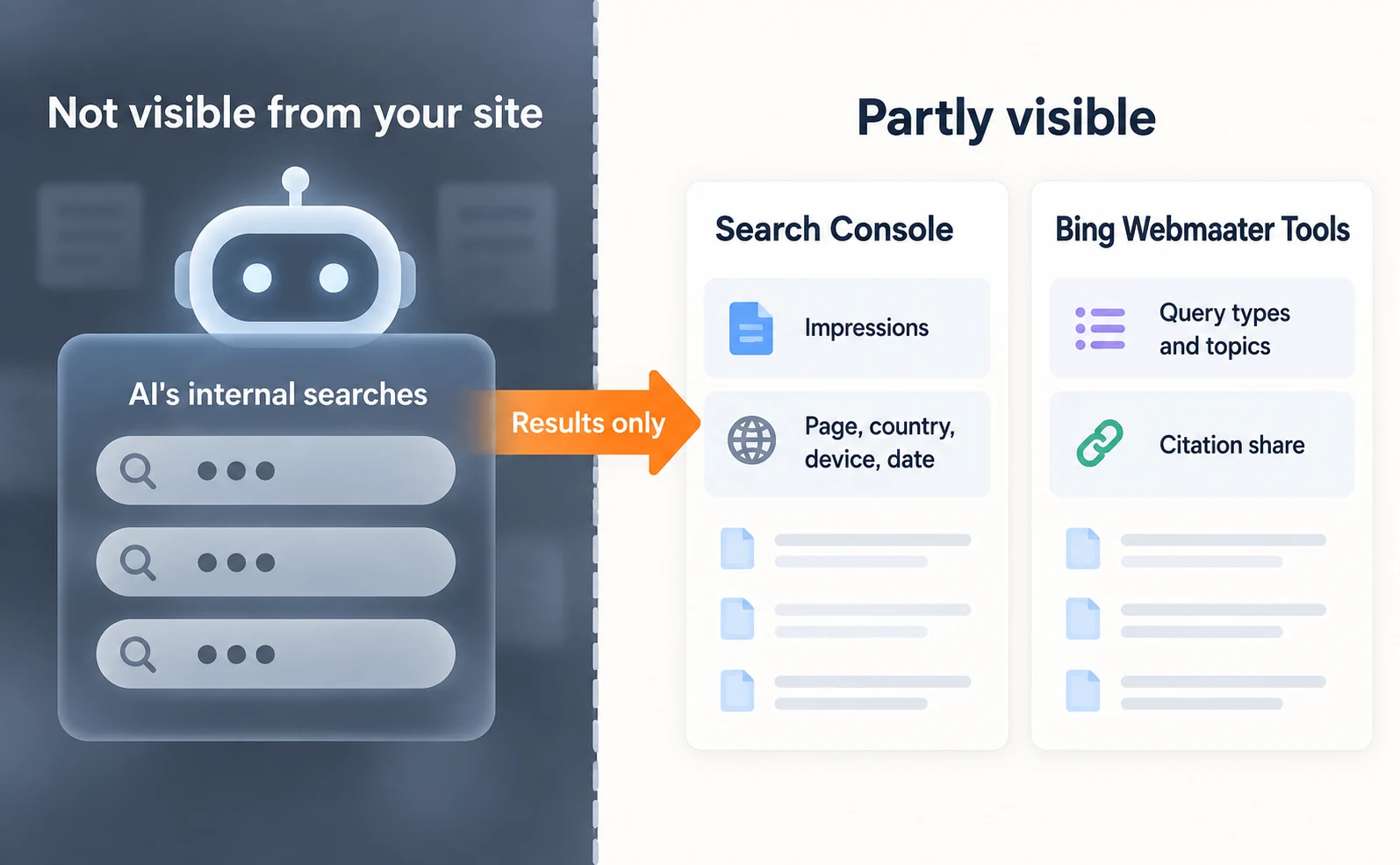
Google added a generative AI performance report to Search Console and noted that it had rolled out to all websites worldwide by August 31, 2026 [4]. It shows how often your URLs appeared in AI Overviews and AI Mode, by page, country, device, and date [5]. Sites with too few impressions may not see the report [5]. Discover has a separate report, and the device breakdown is available for Search [4].
On June 16, 2026, Bing began a preview of Intents, Topics, Citation Share, and Compare in its AI Performance report [6]. Intents classifies the queries behind citations into types such as Informational and Commercial [6]. Topics groups related queries into themes [6].
Citation Share is the percentage of citations your site receives among all citations shown for a specific query. Bing says it is not a ranking or traffic share and does not reveal competitor domains [6].
| Tool | What it shows | What it does not show |
|---|---|---|
| Search Console generative AI report | Impressions by page, country, device, and date [5] | The searches AI ran internally |
| Bing Intents and Topics | Types and themes of cited queries [6] | Visibility in Google |
| Bing Citation Share | Your share of citations per query [6] | Rankings, traffic, or competitor names |
| Bing Compare | Comparison with a previous period [6] | The cause of changes |
Both are tools for viewing results. A change in the numbers does not by itself identify the cause.
Example Searches from One Question and Page Structure
List the questions likely to branch from one query, and check whether your pages answer them. The table below is a hypothetical example for reviewing pages. These are not observed search terms.
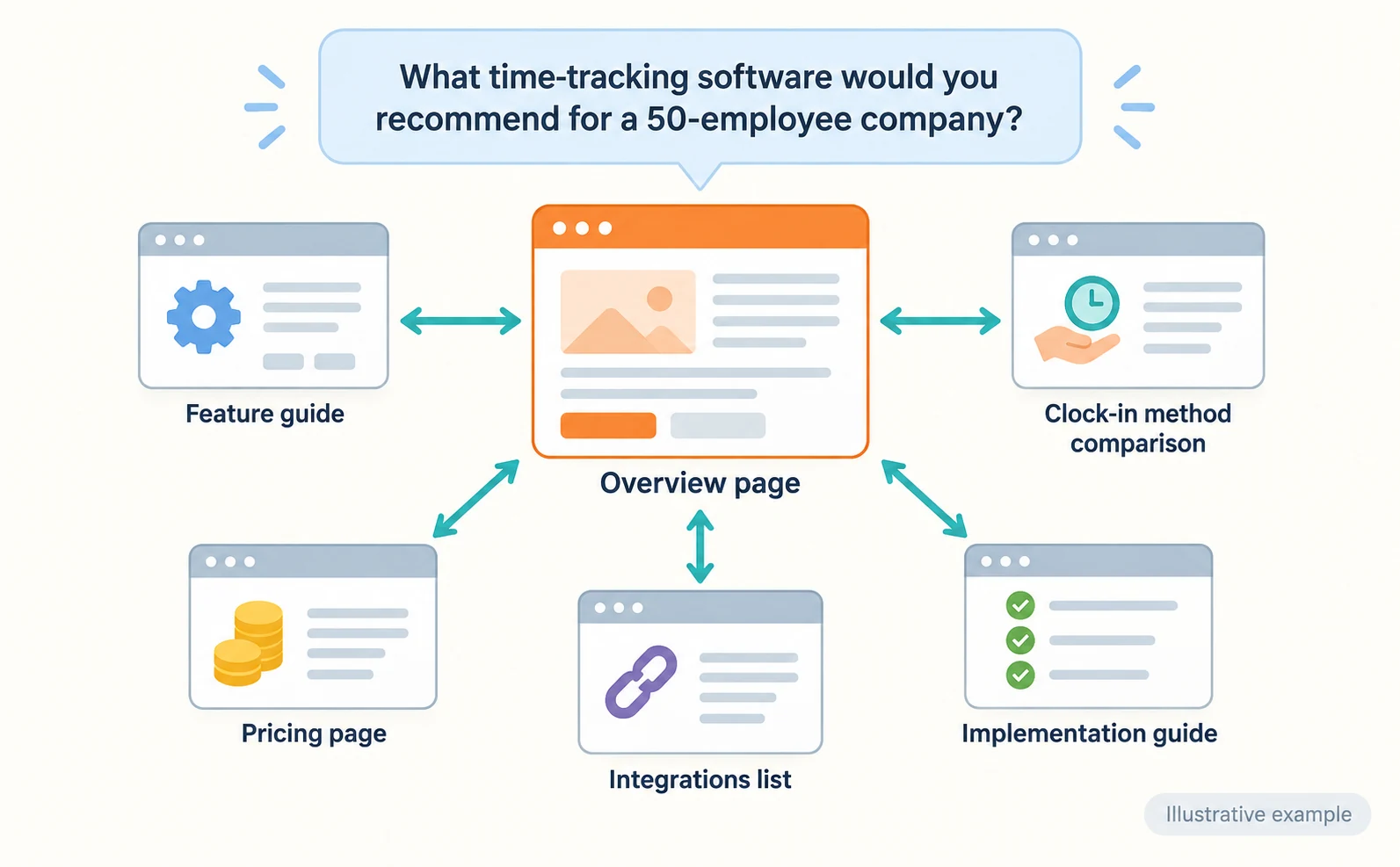
Take the original question: “What time-tracking software would you recommend for a company with 50 employees?”
| Possible related question | Page that answers it |
|---|---|
| What features does a 50-person company need? | Feature guide |
| What types of clock-in methods are there? | Clock-in method comparison |
| What is the typical cost? | Pricing page |
| Does it connect with payroll software? | Integrations list |
| How long does setup take? | Implementation guide |
Link from the overview page to detailed pages, and let readers return from detailed pages to the overview. This helps readers reach the information they need.
However, Google warns that creating separate pages for every related search phrasing, mainly to manipulate rankings, violates its spam policies [2]. Keep short clarifications on the same page, and give separate pages only to independent tasks.
On each page, answer the question in the first paragraph. In 100,000 AI Overview citations Surfer collected in June 2026, 38% came from the first 100 words of a page [7]. This is correlational data measured in words and does not show cause, so do not turn it into a fixed length target.
Length alone does not decide citations. In Ahrefs’ analysis of 174,000 pages, 53.4% of pages cited in AI Overviews had fewer than 1,000 words [9].
Citera’s study of US B2B SaaS keywords found that AI Overviews appeared for 87% of comparison queries and 83% of question-format queries [8]. Starting your review with comparison and question-style queries makes it easier to begin.
Example questions and how to record results are covered in LLMO, GEO, AEO and AIO: Understanding AI Optimization Terms.
Check Answers and Visits After Revisions
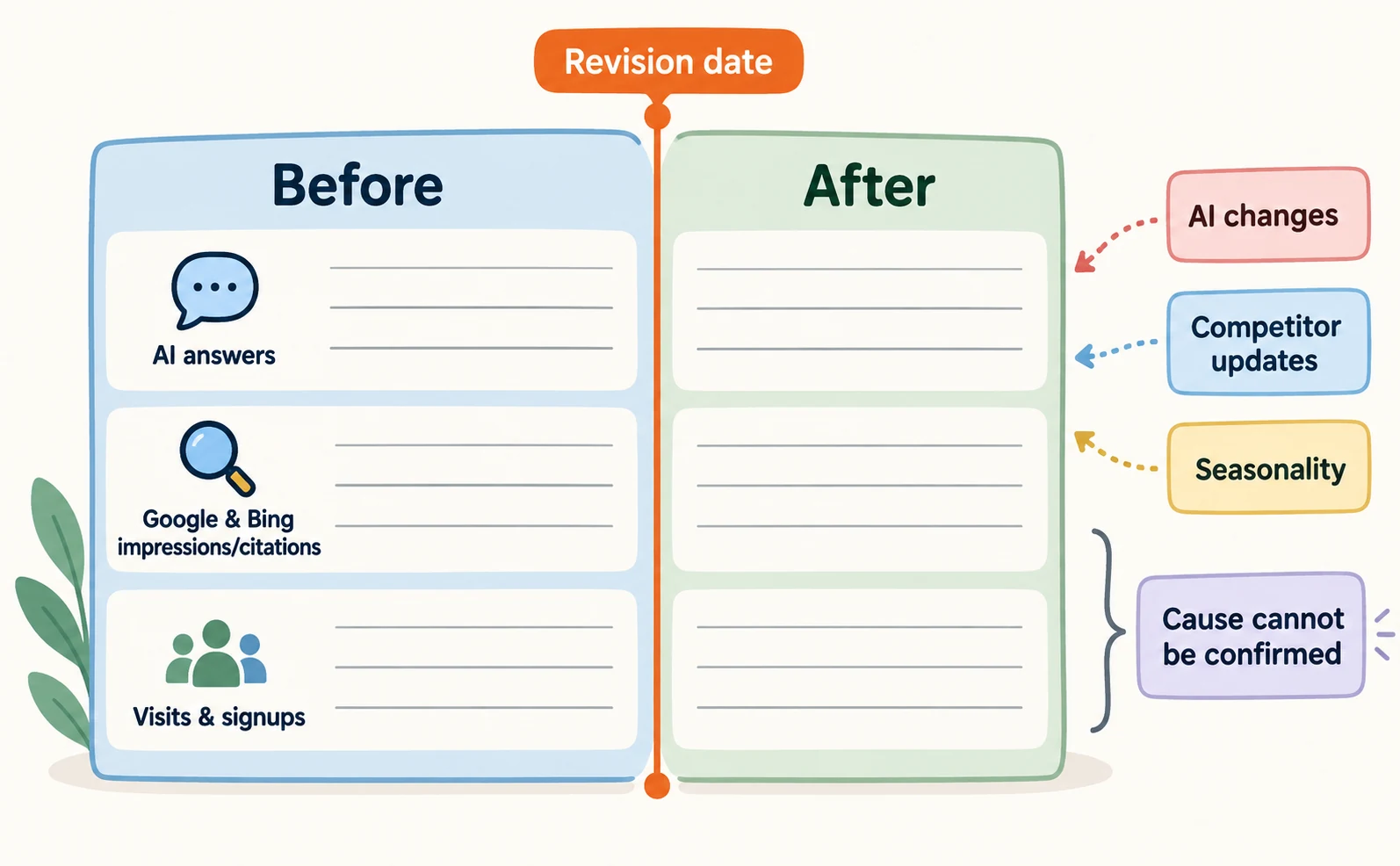
After revising pages, check AI answers, impressions and citations in Google and Bing, and visits to your site as separate records.
- Before revising, record the question, the AI used, the date and time, and the links in the answer.
- Ask the same AI the same question several times and record how often you appeared, such as “N out of 5.”
- In the Search Console generative AI report, compare impressions for the revised page over periods of the same length before and after [5].
- Use Bing Compare to compare with the previous period [6].
- In your analytics, look at visits from AI services separately from inquiries or signups.
Even if impressions or citations rise, you cannot say for certain that your revision caused it. Changes in AI, competitor page updates, and seasonality also play a part. Record which page you changed and when, and report only what you could confirm.
For the difference between knowledge AI learned in training and searches it runs when answering, see What Is LLMO?.
FAQ
- Q. Can I find out which additional terms AI searched for?
- Not all of them from your site. Search Console’s generative AI report shows which pages appeared and how often, and Bing’s Intents and Topics show the types and themes of cited queries. Treat internal search terms as assumptions.
- Q. Is Bing’s Citation Share a search ranking?
- No. It is your site’s share of citations among all citations shown for a specific query. Bing says it is not a ranking or traffic share and does not reveal competitor domains.
- Q. If I rank first, will AI cite me?
- Not necessarily. Because AI may run several related searches, check whether your pages answer related questions in addition to tracking rankings.
Sources
- [1] AI features and your website (Google Search Central) — accessed 2026-09-23
- [2] Optimizing your website for generative AI features on Google Search (Google Search Central) — accessed 2026-09-23
- [3] Google AI Overview Citations From Top-Ranking Pages Drop Sharply (Search Engine Journal) — accessed 2026-09-23
- [4] Introducing Search Generative AI performance reports in Search Console (Google Search Central) — accessed 2026-09-23
- [5] Generative AI performance report (Search) (Google Search Console Help) — accessed 2026-09-23
- [6] New AI Visibility Insights in Bing Webmaster Tools: Intents, Topics, Citation Share, Compare (Microsoft Bing) — accessed 2026-09-23
- [7] Why almost 40% of AI citations come from your first 100 words (Surfer) — accessed 2026-09-23
- [8] An Analysis of 350,000 B2B SaaS Articles: What Predicts Google Ranking and AI Citation (Citera) — accessed 2026-09-23
- [9] Short vs. Long Content in AI Overviews: The Data Says Both Work (Ahrefs) — accessed 2026-09-23
- [10] Google’s AI Mode adds 5 new languages including Hindi, Japanese, and Korean (TechCrunch) — accessed 2026-09-23
About the author
Shogo MizushimaCEO of kairos Inc. / AgentSignal Developer
Develops AgentSignal, a tool for measuring AI crawler visits and AI-referred traffic, and diagnosing AIO readiness. Writes about measurement and practical improvements for AI search using observed data.
Related articles
AIO and AI search
What Are AI Overviews? How to Review Your Former SGE Work
AI Overviews are AI-generated summaries shown in Google Search. Learn how they relate to the former SGE trial, how they differ from AI Mode, why no extra requirements apply, how to review earlier work and how to check the Search Console generative AI report.
Published
AIO and AI search
LLMO, GEO, AEO and AIO: Understanding AI Optimization Terms
LLMO, GEO, AEO and AIO are names for work that helps AI answers find your company. Learn what GEO and AEO mean, how GEO differs from local map optimization, where the terms overlap, and how to compare proposals that use different names.
Published
AIO and AI search
What Is LLMO? How It Differs from SEO and Why Some Say It Is Pointless
LLMO is the work of helping answers from ChatGPT and other AI find and accurately describe your company. Learn how it differs from SEO, why some call it pointless, how E-E-A-T relates, how to measure results and what to do in the first month.
Published