What Is Structured Data? Its Role in AI Search and SEO, and How to Write It
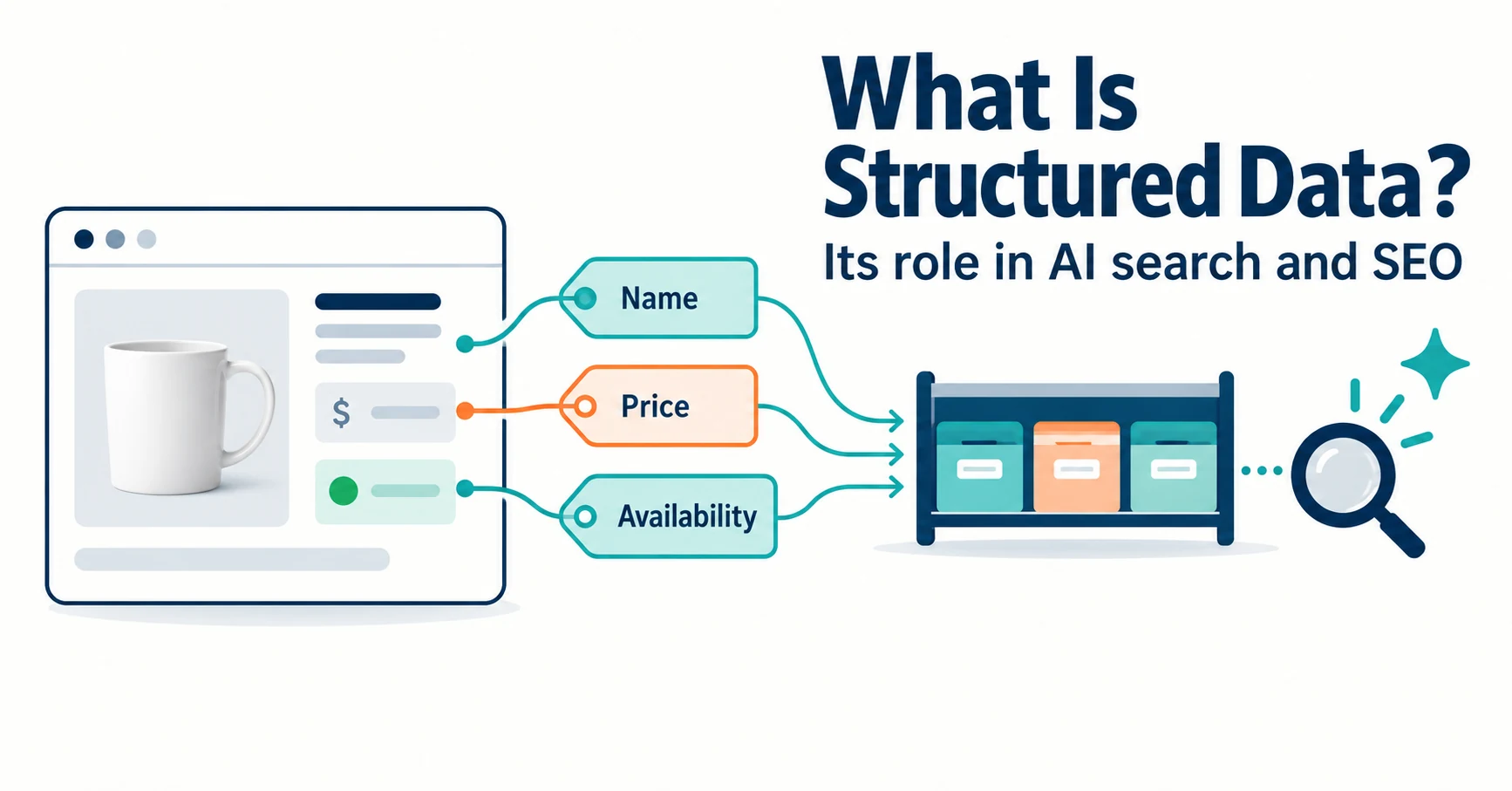
Structured data is markup that tells search engines about a page’s content in a defined format. This guide covers its SEO role, whether AI search needs it, how to choose types, JSON-LD basics and what to check after adding it.
“Apparently you need structured data to appear in AI search.” Hearing this, you may wonder whether to add something to your site.
This article starts with what structured data is, then covers its role in SEO, whether AI search needs it, how to choose types, how to write it and what to check afterward. It uses one product as a running example so you can decide without specialist knowledge. Information was checked on September 23, 2026.
What is structured data?
Structured data is markup that tells machines such as search engines what a page contains, using shared terms and a defined format. Google describes it as a standardized format for providing information about a page and classifying its content.[1]
People looking at a product page immediately see “white mug,” “¥3,300” and “in stock.” For a machine, it is harder to tell which number is the price and which is the product code.
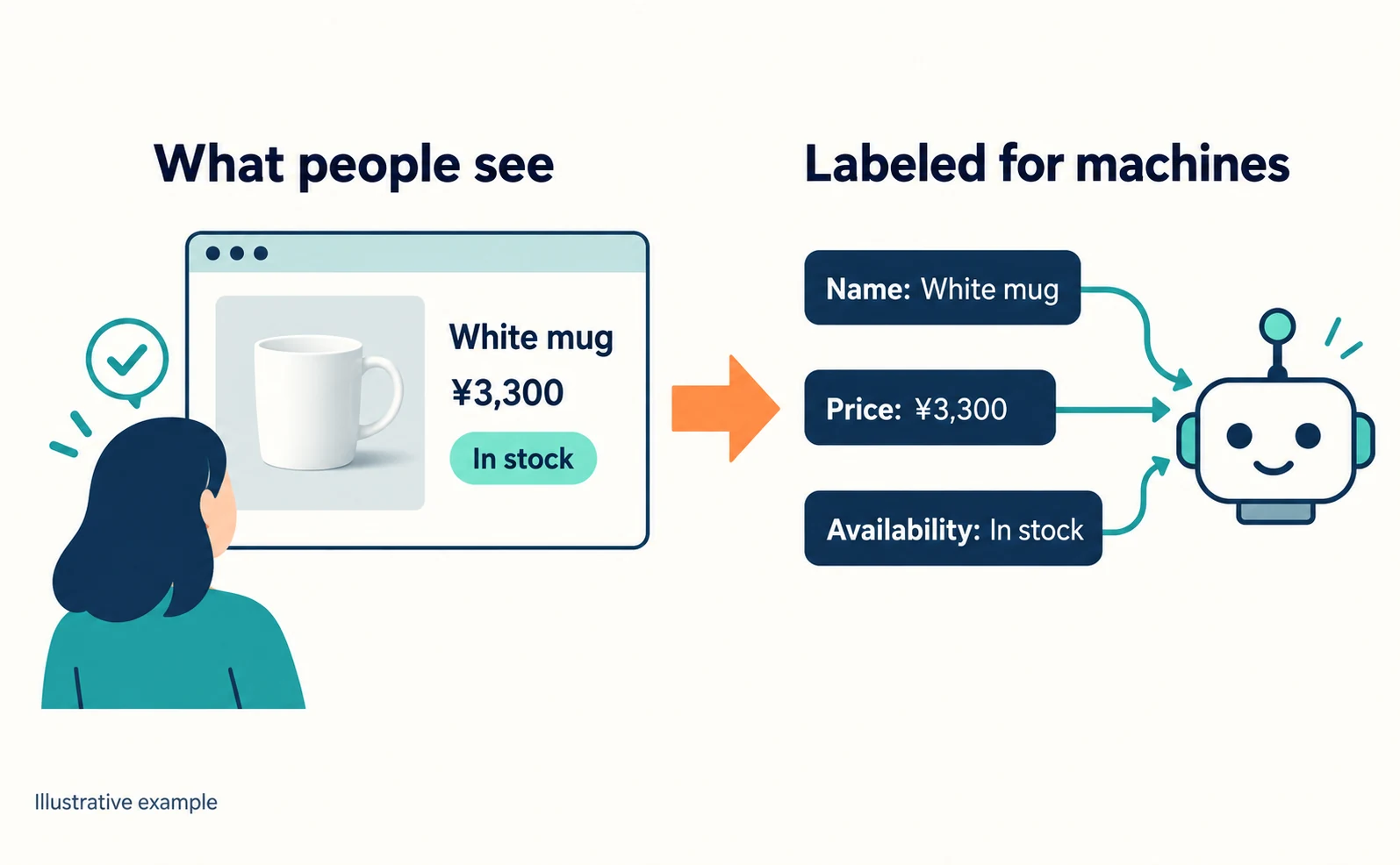
So you add labeled information: “this is a product, its name is this, its price is this.” Most labels come from a shared vocabulary called Schema.org.[1]
A recipe page, for example, can describe ingredients, cooking time and calories as separate items.[1] A product page can describe the name, price and availability.
The SEO effect of structured data
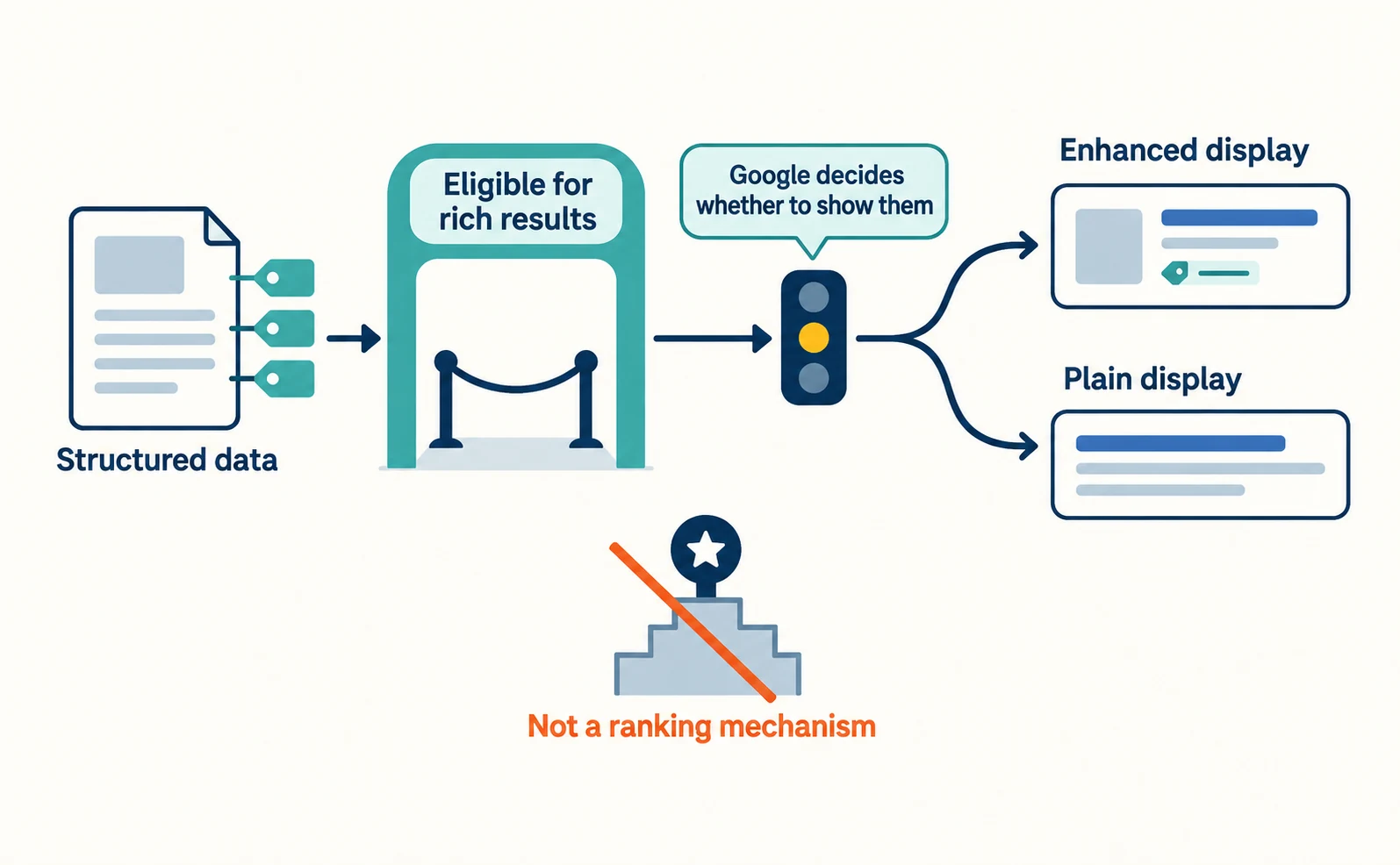
Structured data can make a page eligible for enhanced search displays with prices or ratings, called rich results. It guarantees neither display nor rankings. Google states that even correct markup that passes testing may not appear in results.[2]
Reasons include Google deciding a plain result suits that search better, or the markup not reflecting the page’s main content.[2]
A manual action for markup that violates the guidelines removes eligibility for rich results. Google says this does not affect web search rankings.[2] It helps to think of structured data not as a ranking mechanism but as information that makes a page a candidate for certain displays.
To measure its effect, Google suggests comparing a few pages before and after adding it over several months.[1] Avoid pages whose traffic changes by season.
Is structured data necessary for AI search?
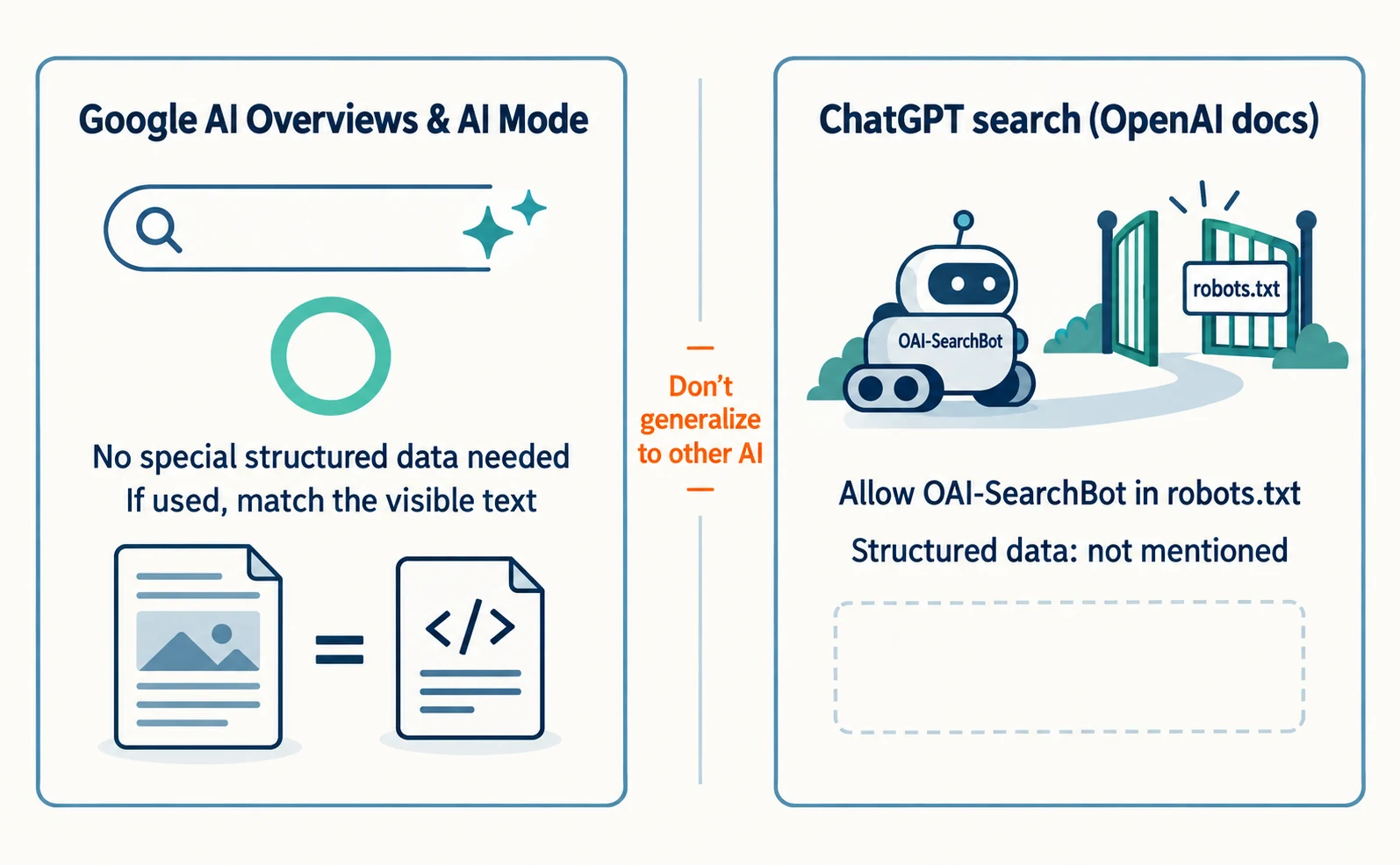
Structured data is not required to appear in Google’s AI Overviews or AI Mode. Google says there are no additional technical requirements and no special schema.org structured data is needed.[3]
Google does list, as one basic SEO practice, making sure structured data matches the visible text on the page.[3] If you use it, keep it accurate.
For ChatGPT search, OpenAI recommends allowing its search crawler, OAI-SearchBot, in robots.txt. That document does not mention whether structured data is needed.[4] Not being mentioned is not proof that it is unnecessary either, so avoid generalizing about other AI services.
If you are wondering how this differs from AI-specific files, see “Do You Need llms.txt? What It Can Do and What to Check Before Adding It.”
Types of structured data and how to choose
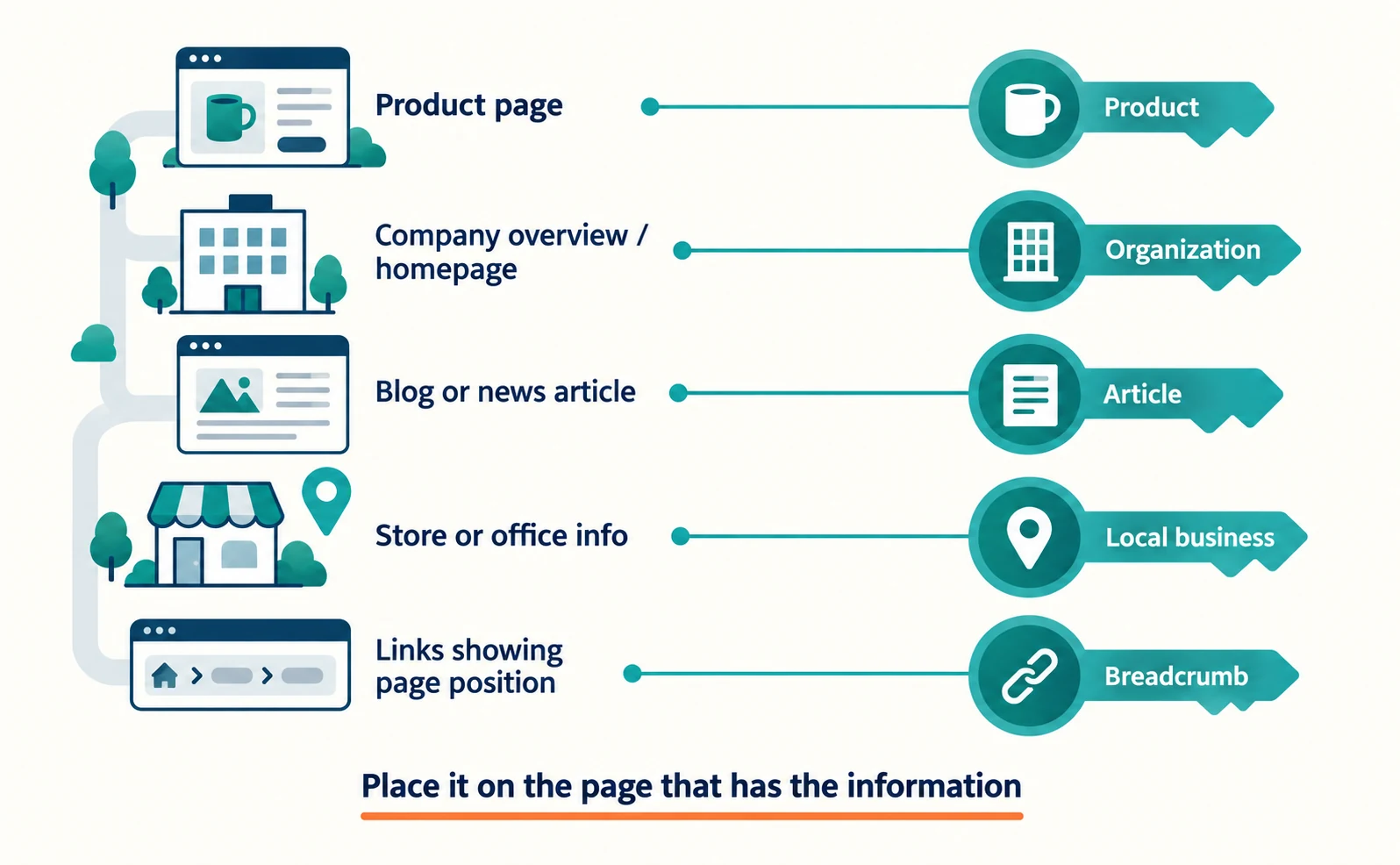
First decide what kind of page you have, then choose the matching type. Google publishes a list of the types it supports.[5]
| Page type | Example type | Notes |
|---|---|---|
| Page where a product can be bought | Product | Price and availability[5] |
| Company overview or homepage | Organization | Name, logo, address[5] |
| Blog or news article | Article | Headline, author, dates[5] |
| Store or office information | Local business | Opening hours, address[5] |
| Page where users answer a question | Q&A | Different from a company-written FAQ[5] |
| Links showing page position | Breadcrumb | Site hierarchy[5] |
As of September 23, 2026, FAQ and HowTo are not on this list.[5] Company details are covered in more depth in “What Is Organization Structured Data? Aligning Company Details and Official Links.”
You do not need the same markup on every page. Place structured data on the page that contains the information.[1]
Writing structured data: JSON-LD basics
There are three formats, and Google recommends JSON-LD in most cases. JSON-LD sits apart from the visible text, which makes it easier to maintain.[1] The others are Microdata and RDFa; any of them is fine for Google if written correctly.[1]
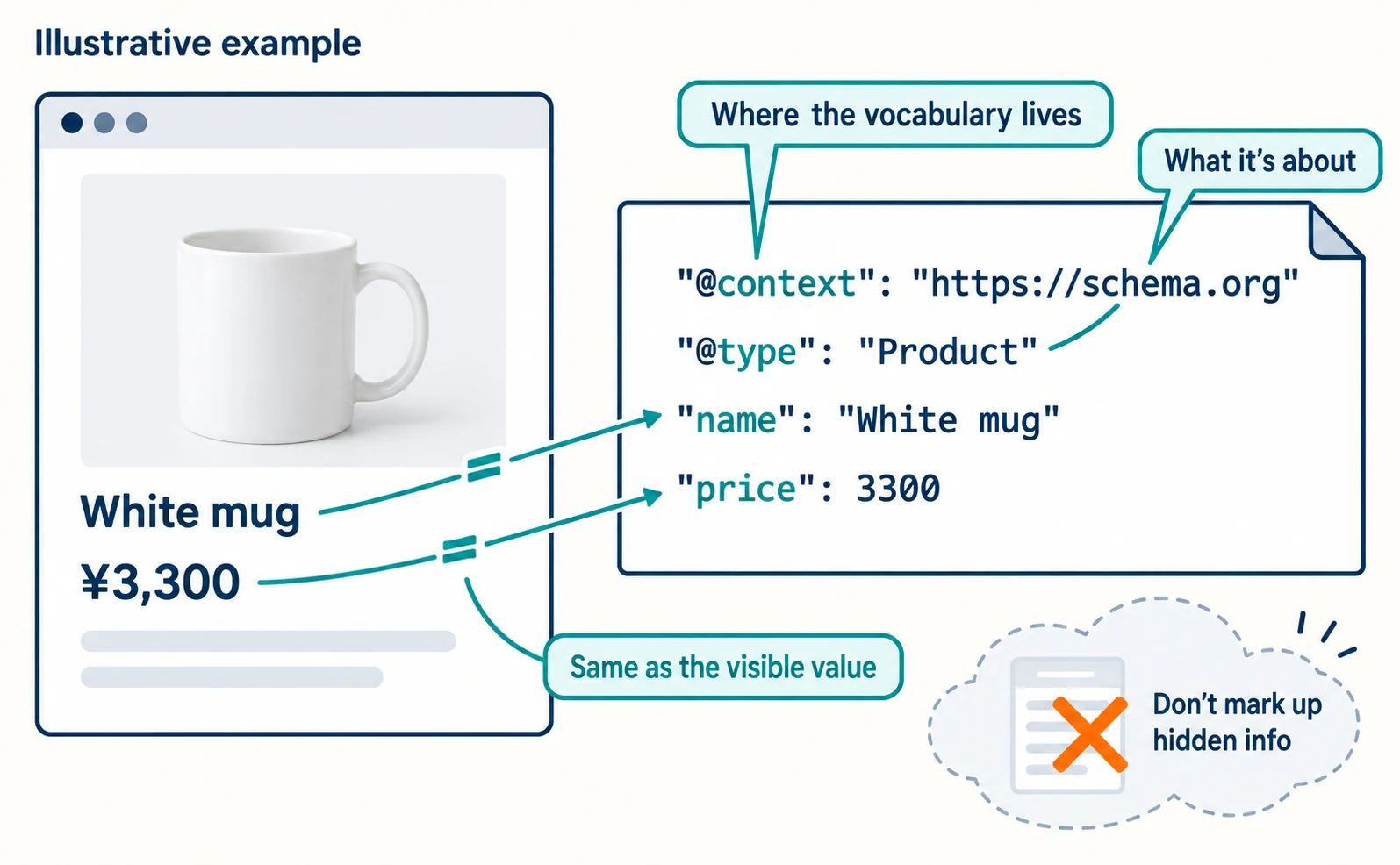
JSON-LD has three basics:
@context: where the shared vocabulary lives, usuallyhttps://schema.org.@type: what the information is about, such asProduct.- Each property: the same value visible on the page.
Here is a short illustrative example. The values and URL are fictional, and it is not a complete version meeting every merchant listing requirement.
<script type="application/ld+json">
{
  "@context": "https://schema.org",
  "@type": "Product",
  "name": "White mug",
  "image": "https://example.com/mug.jpg",
  "offers": {
    "@type": "Offer",
    "price": 3300,
    "priceCurrency": "JPY"
  }
}
</script>
If you use WordPress, Shopify or a similar service and cannot edit HTML directly, you can use that service’s settings or an integrated plugin.[1]
Do not describe information that is not visible on the page. Even accurate information should not be marked up if readers cannot see it.[1]
Checks after adding structured data
After adding it, check the format with tools and the content with your own eyes. These are separate checks.
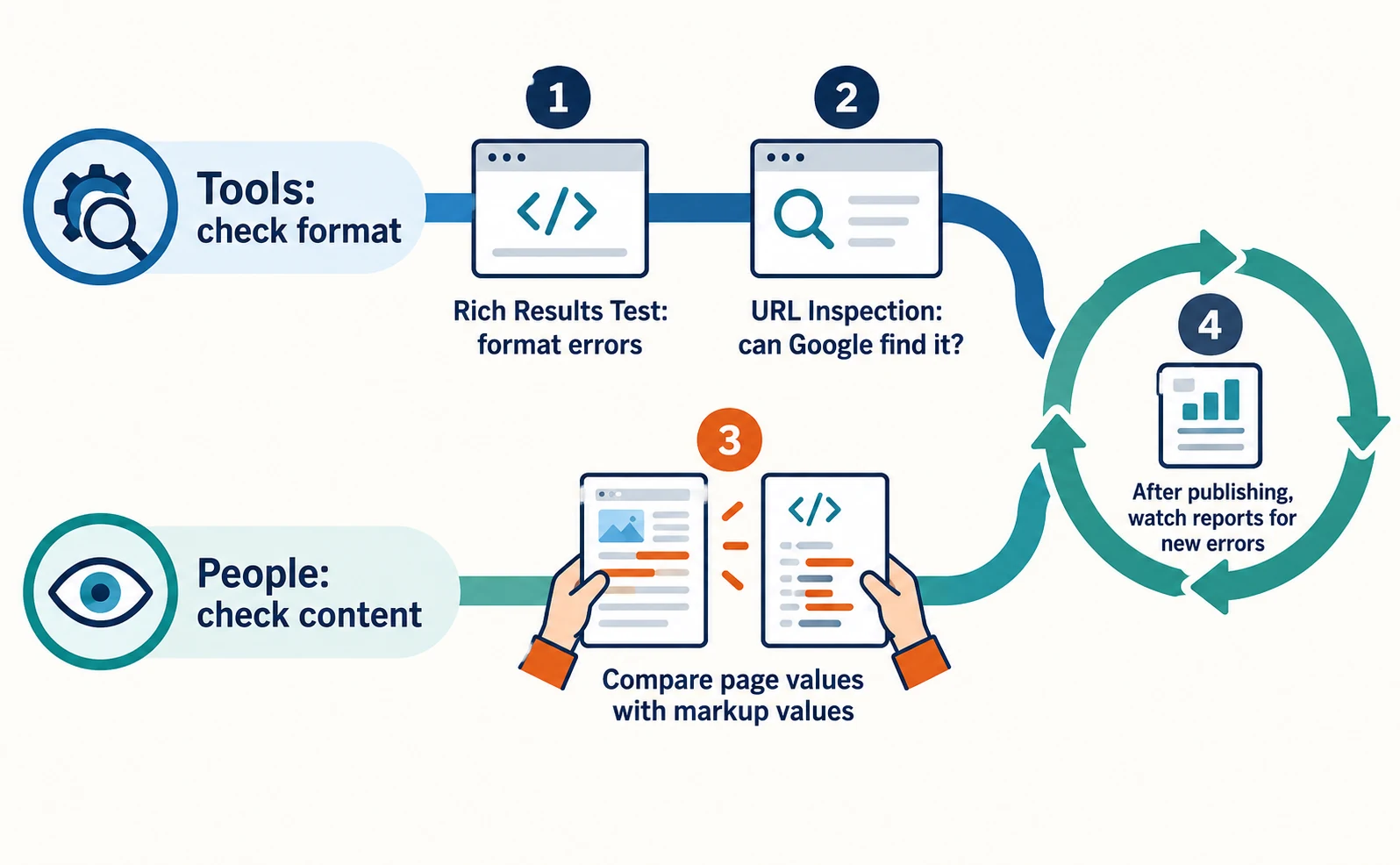
- Use the Rich Results Test to check for critical format errors.[1]
- After publishing, use URL Inspection in Search Console to confirm Google can find the page and its data.[1]
- Have a person compare the values shown on the page with the values in the markup, because automated tests miss some errors.[2]
- Keep watching Search Console’s rich result reports for errors caused by template changes and similar updates.[1]
Start by choosing which type in the table your main pages fall under. You can begin by accurately conveying only the information visible on that page.
FAQ
- Q. Will structured data get my site cited by AI?
- Google says AI Overviews and AI Mode need no special structured data and does not say adding it leads to citations. We could not confirm the position of other AI services from official documents.
- Q. Should I use JSON-LD or Microdata?
- Google says any format is fine if written correctly, and recommends JSON-LD in most cases because it is easier to maintain.
- Q. Do I need structured data on every page?
- No. Place it on the page that contains the information. For example, company details go on the homepage or the company overview page.
Sources
- [1] Introduction to structured data markup in Google Search (Google Search Central) — accessed 2026-09-23
- [2] General structured data guidelines (Google Search Central) — accessed 2026-09-23
- [3] AI features and your website (Google Search Central) — accessed 2026-09-23
- [4] Overview of OpenAI Crawlers (OpenAI) — accessed 2026-09-23
- [5] Structured data markup that Google Search supports (Google Search Central) — accessed 2026-09-23
About the author
Shogo MizushimaCEO of kairos Inc. / AgentSignal Developer
Develops AgentSignal, a tool for measuring AI crawler visits and AI-referred traffic, and diagnosing AIO readiness. Writes about measurement and practical improvements for AI search using observed data.
Related articles

AIO and AI search
What Is Organization Structured Data? Aligning Company Details and Official Links
Mistaken for a same-name company, or your site name and authors don’t show correctly? Align your company overview and official links, then describe them with Organization, WebSite and author structured data, and check the results after publishing.
Published
AIO and AI search
Do You Need llms.txt? What It Can Do and What to Check Before Adding It
llms.txt is a list of links to public pages you want AI to read. Learn whether AI search requires it, how it differs from robots.txt, when it helps, how to write it, and how to set it up and check it in WordPress and other platforms.
Published
AIO and AI search
What Are AI Overviews? How to Review Your Former SGE Work
AI Overviews are AI-generated summaries shown in Google Search. Learn how they relate to the former SGE trial, how they differ from AI Mode, why no extra requirements apply, how to review earlier work and how to check the Search Console generative AI report.
Published