How Often Do AI Overviews Appear for Pricing Searches? What an Overseas Study Means for Pricing Pages
A New Zealand study found Google AI Overviews on 96% of its cost and pricing searches. Learn what the figure measured, what your pricing page should answer, and how to check your visibility in Search Console.
A New Zealand study found Google AI Overviews on 96% of the cost and pricing searches it tested. The queries were preselected and collected with Google New Zealand desktop settings. The figure does not describe Japan, the US or your own business.[1]
AI Overviews are AI-generated explanations with supporting links shown above Google search results.
If people researching prices read an AI summary first, what should your pricing page answer? This article explains what the study measured, which conditions a pricing page should cover and how to check visibility after publishing. Information was checked on September 23, 2026.
The overseas study measuring AI Overviews on pricing searches
The 96% is the share of the study’s selected cost and pricing queries that showed an AI Overview. It is not the share of answers citing a particular business, and it is not a change in inquiries.
The study was published by AI Search Marketing Agency, an Auckland search consultancy. Its announcement, dated September 18, 2026, covers 1,000 commercial searches across 20 industries.[1]
Data was collected on September 8 through DataForSEO, a search-results data service, using Google New Zealand desktop settings. The queries were chosen in advance across five intent categories.[1]
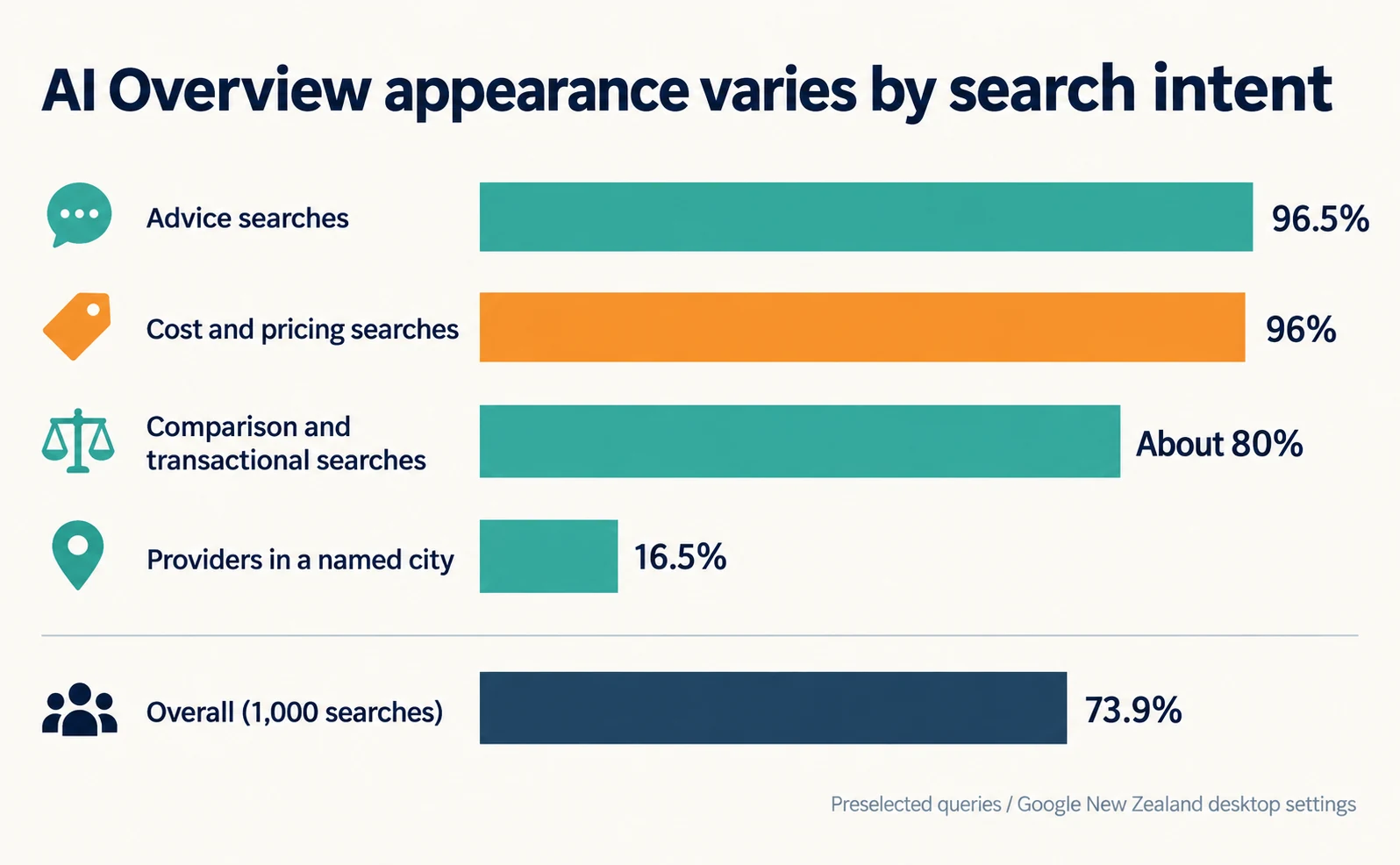
Results varied sharply by intent.
| Search intent | AI Overview appearance |
|---|---|
| Advice searches | 96.5% |
| Cost and pricing searches | 96% |
| Comparison and transactional searches | About 80% |
| Providers in a named city | 16.5% |
| Overall (1,000 searches) | 73.9% |
Source: our table based on the announcement [1]
Questions such as “how much?” and “which one?” showed AI explanations far more often than searches for a provider in a specific city.
When results were weighted by search volume, the rate across 275 queries with available volume fell to 27%. The study attributes this mainly to high-volume local and booking searches being less likely to show AI answers.[1]
So the study does not show that 96% of people searching for prices saw an AI answer. The announcement also does not state how many pricing queries were in the sample.
Google says AI Overviews appear only when its systems judge them additive to classic Search, and often do not trigger.[2] Whether they appear for your questions has to be checked under your own conditions.
Checking the information pricing answers tend to use
The study does not show which pages were cited in pricing answers. Search your own questions and read which conditions are explained and which are missing.
Across the whole study, 80% of cited sources were New Zealand domains. The comparison site MoneyHub was cited in 19% of AI Overviews, YouTube in 18% and Reddit in 15%.[1]
These are overall figures, not pricing-specific ones. They do not prove that comparison sites are chosen for pricing answers.
Check your own questions instead. Here is an illustrative cleaning-service example; it does not describe a real company’s prices.
- Choose three pricing questions from sales notes or inquiry emails, such as “store cleaning night work extra cost.”
- Open Google Search and search that phrase without your company name.
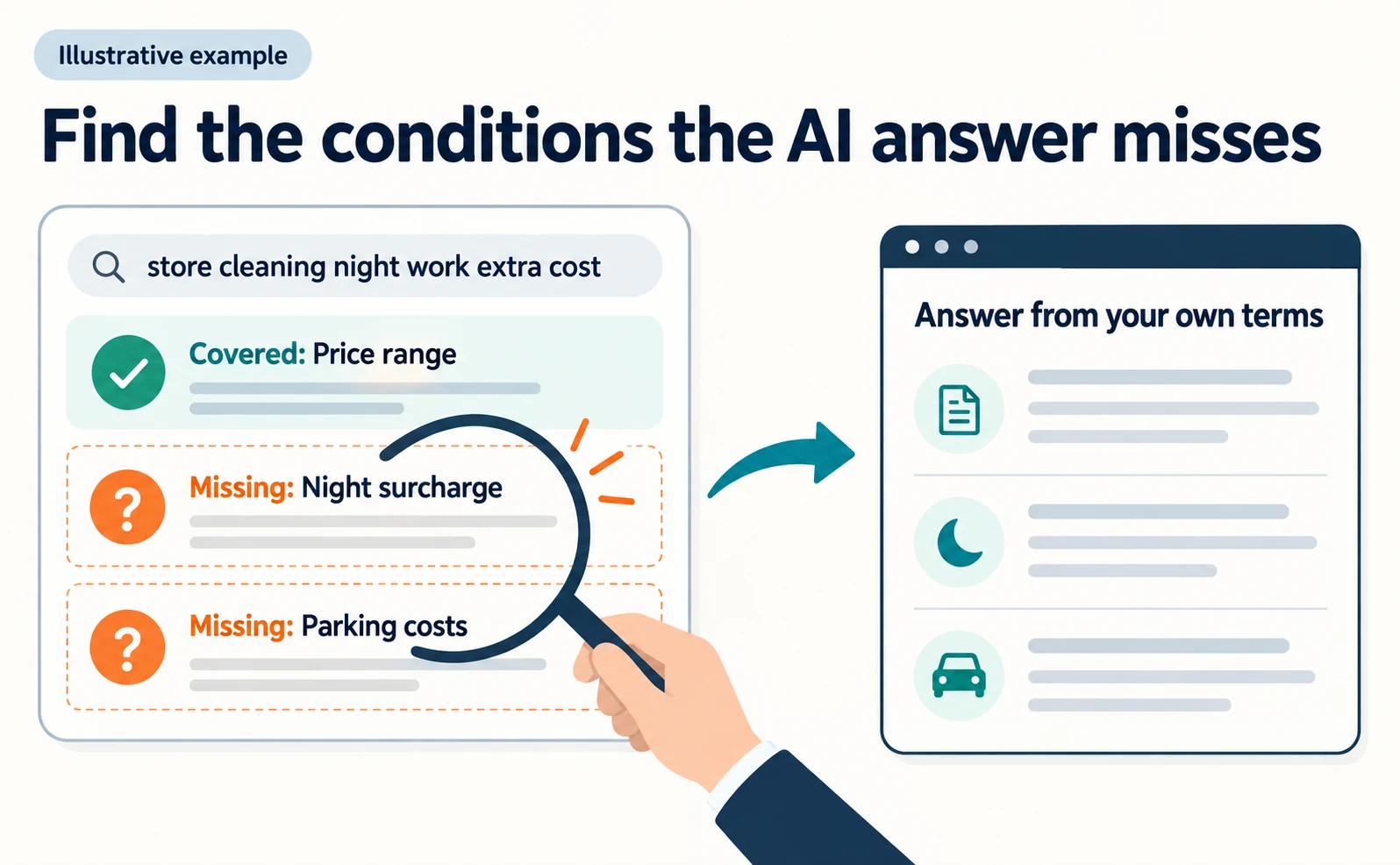
- If an AI Overview appears, note which costs it explains and which conditions are missing. Open the supporting links too.
- If none appears, record that and read the pages chosen in the ordinary results.
AI Mode and AI Overviews can show different answers and links.[2] A single search shows the current state only. Repeat the check with the same question, location and device.
A general price range with no mention of night surcharges or parking costs is a gap your company can fill from its own terms. Do not reuse another company’s figures as your prices.
What your pricing page should answer
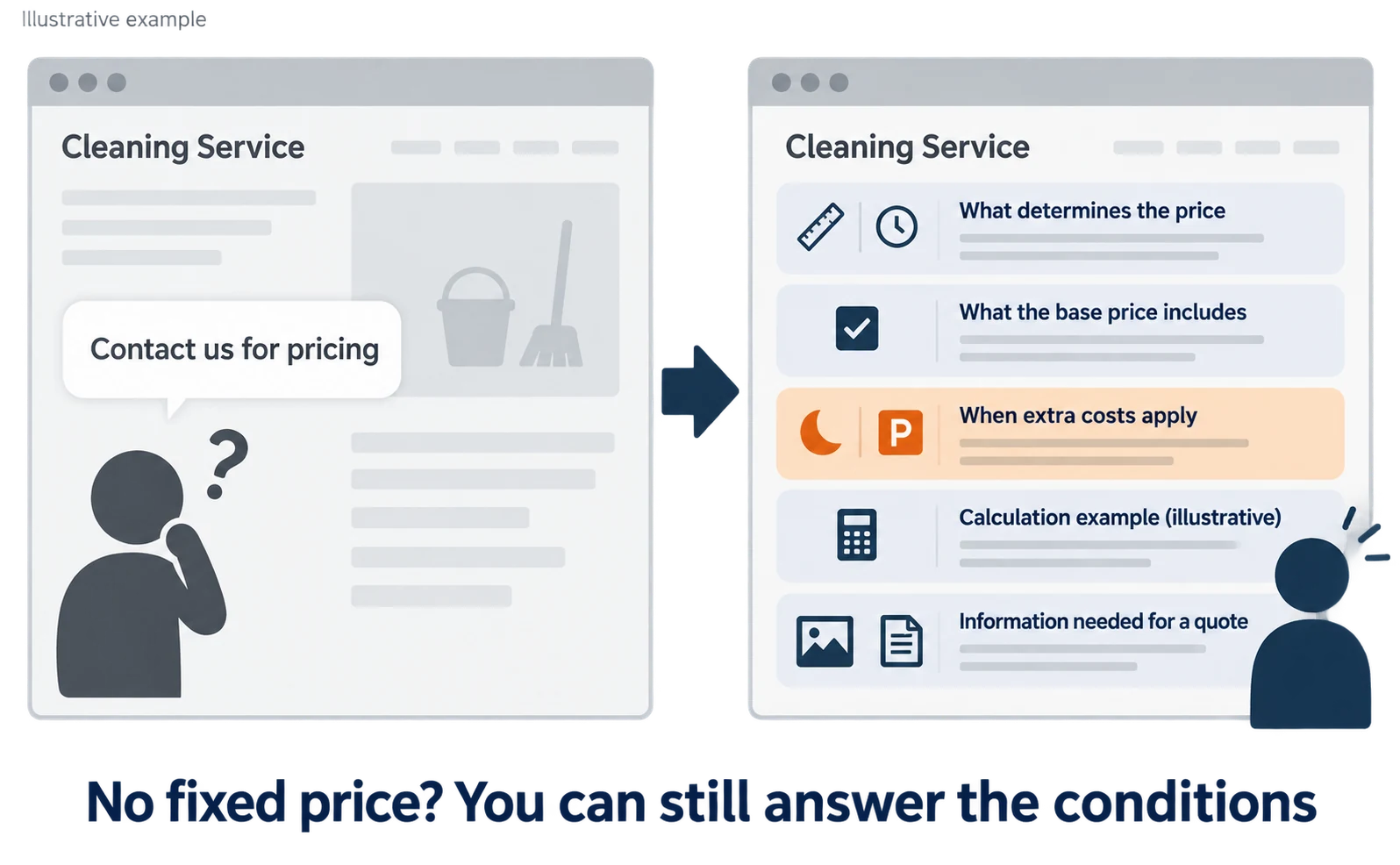
Even without a single fixed price, you can explain what changes the price, what is included, when extra costs apply and what is needed for a quote.
Google says no special AI files or markup are needed to appear in AI Overviews and recommends making important content available as text.[2] Put pricing explanations in the page text, not only in images or PDFs.
Open your pricing page and check whether the text alone answers the items below.
| Item to check | Example content (fictional cleaning service) |
|---|---|
| What determines the price | Area, type of work, start time |
| What the base price includes | Floor cleaning, waste removal |
| When extra costs apply | Night starts, parking fees where no parking is available |
| Calculation example | An illustrative example with stated assumptions |
| Information needed for a quote | Floor area, preferred time, photos of the spaces |
“Night cleaning available. Contact us for pricing” does not say whether the price changes. A sentence such as “Night-cleaning prices depend on the area, type of work and start time. Quotes show standard work and night surcharges separately” is easier to act on.
If you include a calculation example, do not present it as a real customer’s bill. Make clear that it is illustrative.
If you use structured data, keep it consistent with the prices visible on the page. Google says not to add structured data about information users cannot see.[3]
Before creating another pricing article, consider adding to your existing pricing page. Conflicting answers on several pages confuse readers and editors. See five questions your pricing page should answer for a broader checklist, and how to turn customer inquiries into article ideas if you need to collect questions first.
Checking your visibility for pricing queries
Use the generative AI performance report in Search Console to see impressions for your pricing page, and count inquiries and quote requests separately.
Search Console is Google’s free tool for site owners to see how their site performs in Google Search. It works for properties you have verified.
In June 2026, Google announced reports showing visibility in generative AI features. On August 31, it added a note that the reports had rolled out to all websites worldwide.[4]
The report shows how often links to your pages appeared in AI Overviews and AI Mode. You can group the data by page, country, date and device.[5]
- Open Search Console and select your property.
- Open the generative AI performance report for Search. Sites without enough impressions may not see the report.[5]
- In the Pages view, find your pricing page URL and review its impressions over time.
- Record the date you edited the page and compare the trend before and after.
This shows how often links to your pricing page appeared in AI features. Whether people visited or sent an inquiry needs to be checked separately in your analytics and inquiry records.
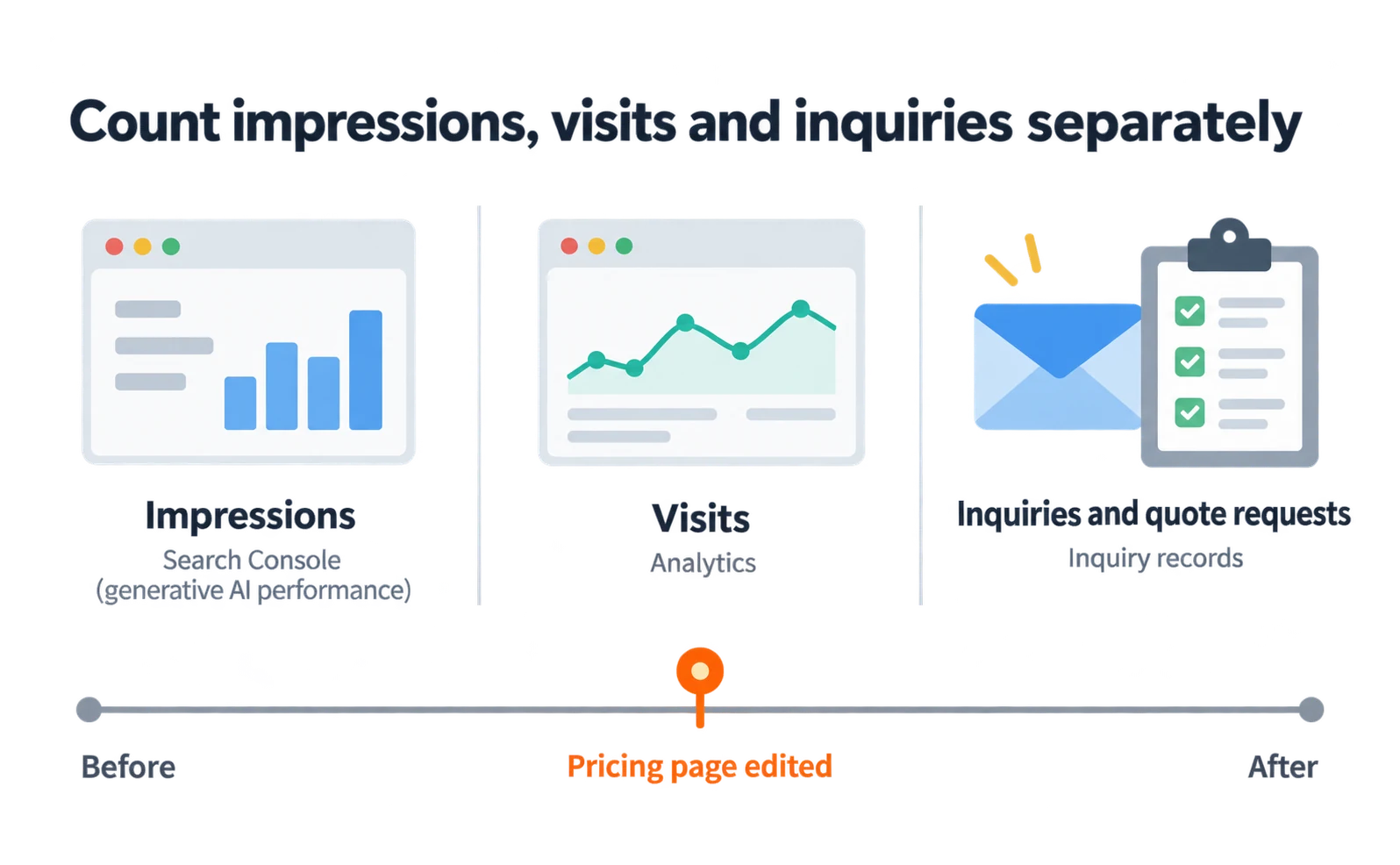
Google AI-feature appearances are also included in Search Console’s overall web search data.[2] Do not treat the whole search total as AI results.
The overseas 96% does not need to become your target. Start by choosing one pricing question, answering it on your pricing page and tracking visibility and inquiries separately after publishing.
FAQ
- Q. Will AI Overviews appear on 96% of pricing searches in my market?
- Not necessarily. The 96% comes from preselected cost and pricing queries using Google New Zealand desktop settings. Weighted by search volume, the overall rate was 27%. Check your own questions.
- Q. Will publishing prices get my page cited in AI answers?
- Citations are not guaranteed. Explain in the page text what changes the price and what is included, then check Search Console impressions and inquiries separately.
- Q. Does pricing structured data make AI Overviews more likely?
- Google says no special structured data is needed to appear in AI Overviews. If you use it, keep it consistent with the prices visible on the page.
Sources
- [1] AI Search Marketing Agency Study Finds Google AI Overviews on 74% of New Zealand Commercial Searches (AI Search Marketing Agency / MarketersMEDIA) — accessed 2026-09-23
- [2] AI features and your website (Google Search Central) — accessed 2026-09-23
- [3] Introduction to structured data markup in Google Search (Google Search Central) — accessed 2026-09-23
- [4] Introducing Search Generative AI performance reports in Search Console (Google Search Central Blog) — accessed 2026-09-23
- [5] Generative AI performance report (Search) (Google Search Console Help) — accessed 2026-09-23
About the author
Shogo MizushimaCEO of kairos Inc. / AgentSignal Developer
Develops AgentSignal, a tool for measuring AI crawler visits and AI-referred traffic, and diagnosing AIO readiness. Writes about measurement and practical improvements for AI search using observed data.
Related articles
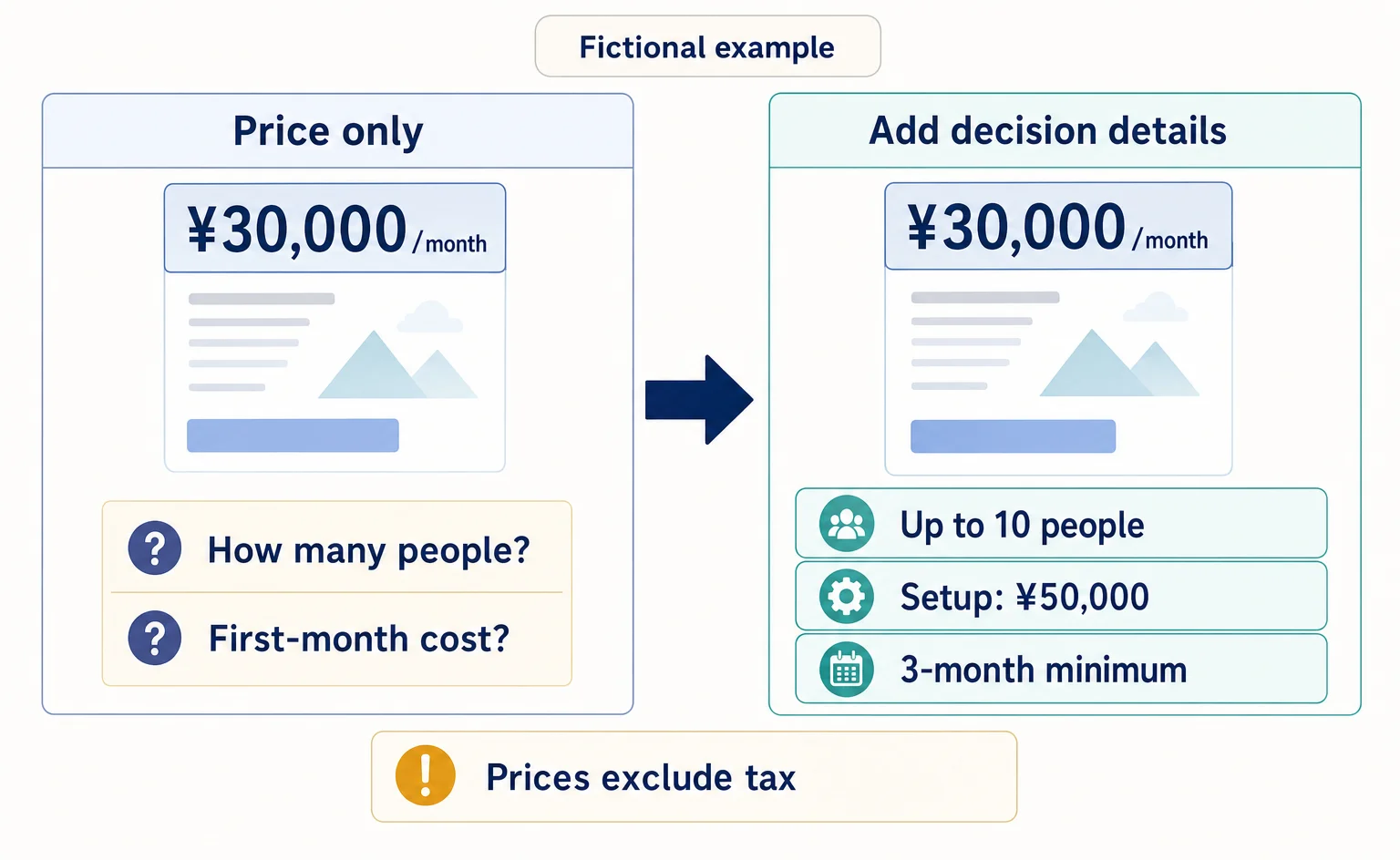
Measurement and site improvement
Before Adding More AI-Focused Articles: Five Questions Your Pricing Page Should Answer
Getting visits but few inquiries for your business service? Use this worksheet and a fictional before-and-after example to review what pricing includes, extra charges, cost calculations, contract terms, and what happens after someone applies.
Published
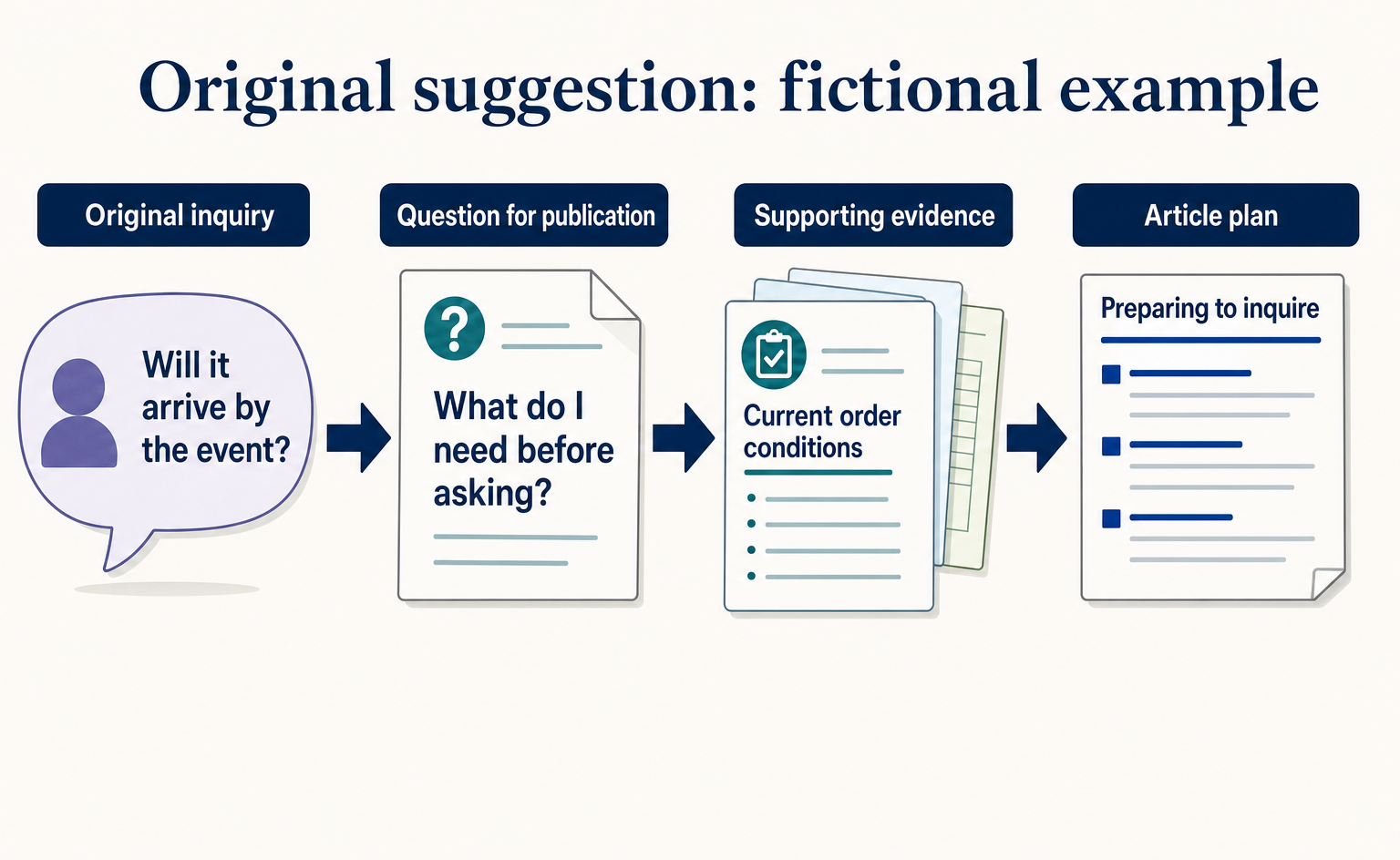
AIO and AI search
Where to Find Article Ideas Only Your Business Can Write: Start with Customer Inquiries
You do not need original research data to create useful articles. Learn how to turn customer questions, answers, and decision criteria into article plans, with worksheets and fictional before-and-after examples covering anonymization, question grouping, and evidence checks.
Published

AIO and AI search
What Is AIO? Its Two Meanings and Where to Start with AI Optimization
AIO has two meanings: work to get your company featured in AI answers, and Google Search’s AI Overviews. Learn how it relates to SEO, what to confirm in a proposal, what Search Console and Bing reports show, and your first tasks.
Published