Google AI Mode vs. Gemini: Which to Use for Research and Writing
Compare Google AI Mode and the Gemini app with practical prompts, source-checking steps, and a workflow that turns verified research into an internal draft.
Google AI Mode is a useful starting point for researching the web. The Gemini app is a useful starting point for discussing and drafting text from material at hand. This distinction can help a new user choose which screen to open first.
The capabilities overlap. AI Mode can produce text, and Gemini can research information. The difference is not that one can search and the other cannot.
This guide covers opening the two services, trying sample prompts, checking source links, and turning verified research into a working document. It is written for people already familiar with ordinary Google Search.
Product descriptions were checked against official help on September 29, 2026. The prompts and worksheets are our proposed exercises, not a benchmark of accuracy or speed.
AI Mode versus Gemini in one sentence
Start with AI Mode when the information to investigate is on the web; start with the Gemini app when the immediate task is shaping material into a useful document. This is a workflow suggestion, not a hard boundary between features.
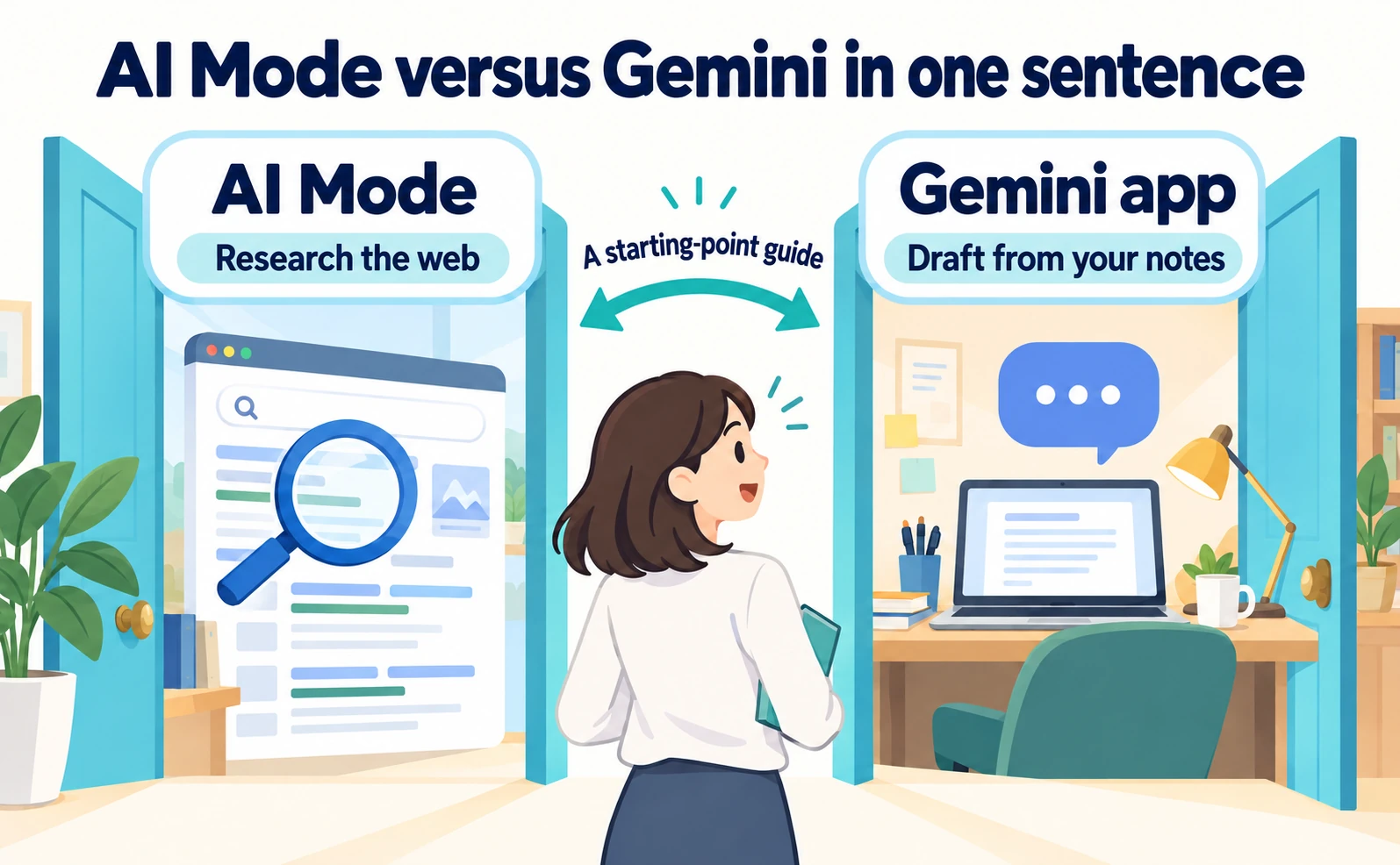
Illustrative diagram; interfaces and work records are conceptual.
AI Mode is part of Google Search: answers, web information, and follow-up questions support an investigation. The Gemini app supports conversational work such as drafting, summarizing, and organizing ideas.[1][3]
The name Gemini can be confusing because Google also uses it for AI models. A model is part of the underlying system generating responses; the Gemini app is a service where people enter requests. This article compares the app with AI Mode in Search.
Even when related AI technology is involved, interfaces, information retrieval, and available features need not be identical. The practical comparison is between two entry points.
Imagine researching booking-management software for a business. If no shortlist or comparison criteria exist yet, the task is gathering external information: reading official pages and checking prices and supported features.
Later, the task may become writing an email asking a manager to approve a trial. At that stage, arranging confirmed facts and unresolved questions matters more than finding additional candidates.
One possible workflow is to research through AI Mode, then give Gemini verified notes for the email. Switching during the task is reasonable; neither service must do everything.
| Immediate task | Suggested starting point | Useful output to retain |
|---|---|---|
| Understand an unfamiliar topic | AI Mode | Terms and pages to investigate |
| Check current product or program conditions | AI Mode, then official pages | Conditions, URLs, verification date |
| Explain verified material briefly | Gemini app | An explanation draft |
| Plan an email or proposal | Gemini app | Structure and missing information |
| Compare researched options | Either can be tested | A table using consistent criteria |
These are suggested uses, not claims that one product is invariably more accurate or better at writing.
Before entering a prompt, write one sentence describing completion. “Identify migration conditions for three candidates and save official URLs” is easier to evaluate than “learn about booking software.”
For writing, specify the purpose: “Explain why two candidates remain and list unresolved conditions for my manager.” That gives the reviewer a clear standard for the output.
If unsure, try one small task from normal work before investigating every feature. Save the prompt, response, and corrections made. Those records reveal what helps in the actual workflow.
There is no need to select a subscription first. Begin with the functions currently available in the account and test the task. The sample prompts here do not require a particular paid model or additional purchase.
Availability can vary with country, language, age, device, account type, and plan. When someone else's interface differs, compare account and usage conditions before assuming something is broken.[1][3]
What Google AI Mode can help with
AI Mode can start an investigation from a question containing conditions, then narrow it through follow-up questions while the user checks web sources. It can help establish comparison criteria as well as provide an initial answer.[1]
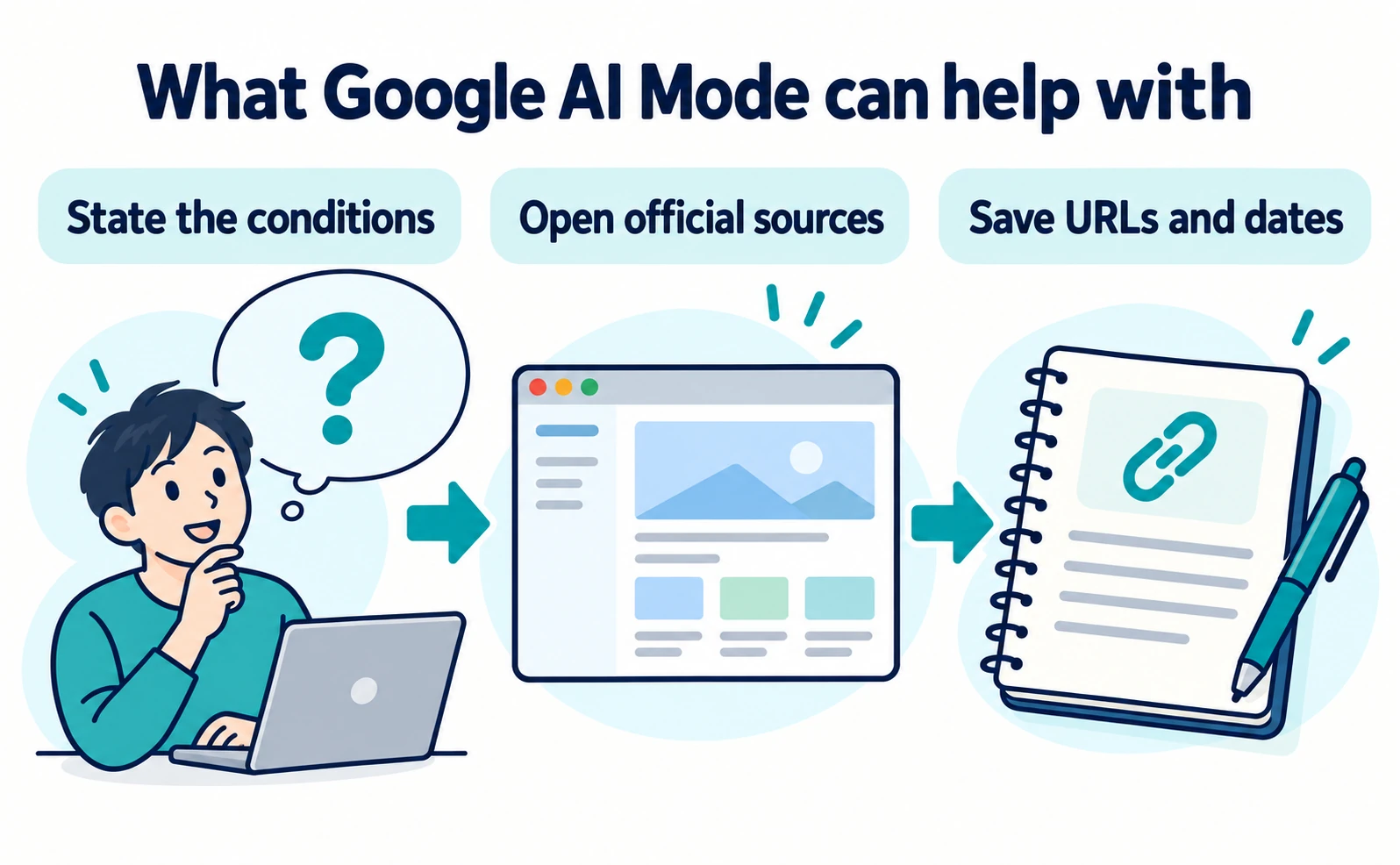
Illustrative diagram; interfaces and work records are conceptual.
On a computer, open Google Search and select AI Mode. Enter and submit a question. Placement and labels can change; if the entry point is unavailable, consult Google's official AI Mode help for eligibility and access conditions.
The example below concerns choosing booking-management software for an internal evaluation. It is an exercise in research, not a recommendation of a particular product.
Start with requirements, without confidential company or customer information.
Outline the criteria a small business should compare when choosing booking-management software. Priorities are importing existing reservation data and assigning different permissions to staff. Separate items that can be checked in official documentation from items requiring an individual inquiry.
The initial goal is not to select a winner. It is to determine what must be verified before choosing candidates. Keep the returned criteria relevant to the business rather than adopting all of them automatically.
For example, external calendar integration may be low priority if the business does not use it. Conversely, if knowing who changed a reservation is important, add that requirement.
Additional requirement: we need to identify which staff member changed a reservation. Suggest terms to look for in official documentation and questions to ask the provider.
Make the change explicit in a follow-up. “More detail” does not distinguish between more candidates and a deeper explanation of one condition.
When candidate names appear, save names and official URLs. Open the links and verify pricing, features, and eligibility on the actual pages. A link's presence does not establish that its destination supports the particular claim.
Put only verified information into the confirmed column of the comparison. Mark missing conditions as unverified; absence from a page does not prove a feature is unsupported.
| Criterion | Possible official location | Information to record |
|---|---|---|
| Existing data migration | Setup guide or migration help | Supported data, format, exclusions |
| Permissions | Feature list or administrator help | Who can change what |
| Price | Pricing page and signup explanations | Billing unit and included scope |
| Change history | Feature documentation or manual | Recorded actions and access to logs |
| Contact route | Support information | Where to ask unresolved questions |
These are research fields, not specifications of a real product. Add the URL and verification date for each actual candidate.
If information conflicts, compare page scope: old versus current plans, individual versus business use, or monthly versus annual billing. Checking those distinctions may explain the mismatch before another AI query is necessary.
Where official material remains unclear, retain a question for the provider. Instead of only asking whether migration is possible, identify the fields to transfer and the available export format. Any information actually sent should remain within the company's disclosure rules.
If research expands too far, return to the intended deliverable. Confirming migration conditions does not require a market forecast or an exhaustive catalog of every product. Close the research stage when the required facts and remaining questions are organized.
When a response is too short, name the missing fields rather than asking for length: “Include excluded data and the supporting URL.” The instruction clarifies the request, although it cannot guarantee correct completion.
When a response is too long, request a compact structure: candidate, migration scope, unresolved questions. Check that table against original sources and do not encourage invented values for unavailable information.
At the end, save the pages used for decisions, not just the generated answer. URLs and location notes make it easier for a colleague to trace a condition than a screenshot of the answer alone.
Use comparable conditions across candidates. A premium plan for one and a free plan for another may describe plan differences rather than product differences. Put plan names in a separate column.
Similarly, preserve published amounts and payment conditions when monthly and annual prices are mixed. Convert periods in a separate column if needed. Account for setup and usage charges before estimating total cost; if user counts or usage remain unknown, that is the next information to establish.
Research in stages. First check mandatory requirements and record reasons for excluding unsuitable candidates. Then examine operating effort and usability for the remaining options. Completing every feature field for every product is not the objective.
Do not exclude an existing supplier solely because AI did not mention it. Add known candidates to the same comparison. An AI-generated list is not an exhaustive inventory of the market.
For the business-publisher perspective, see Google AI Mode basics for businesses. Using AI Mode to research and improving a website's own discoverability are related but distinct tasks.
What the Gemini app can help with
The Gemini app can help draft, summarize, and organize material when given a purpose and constraints. Specifying the desired document makes the output easier to review.[3]
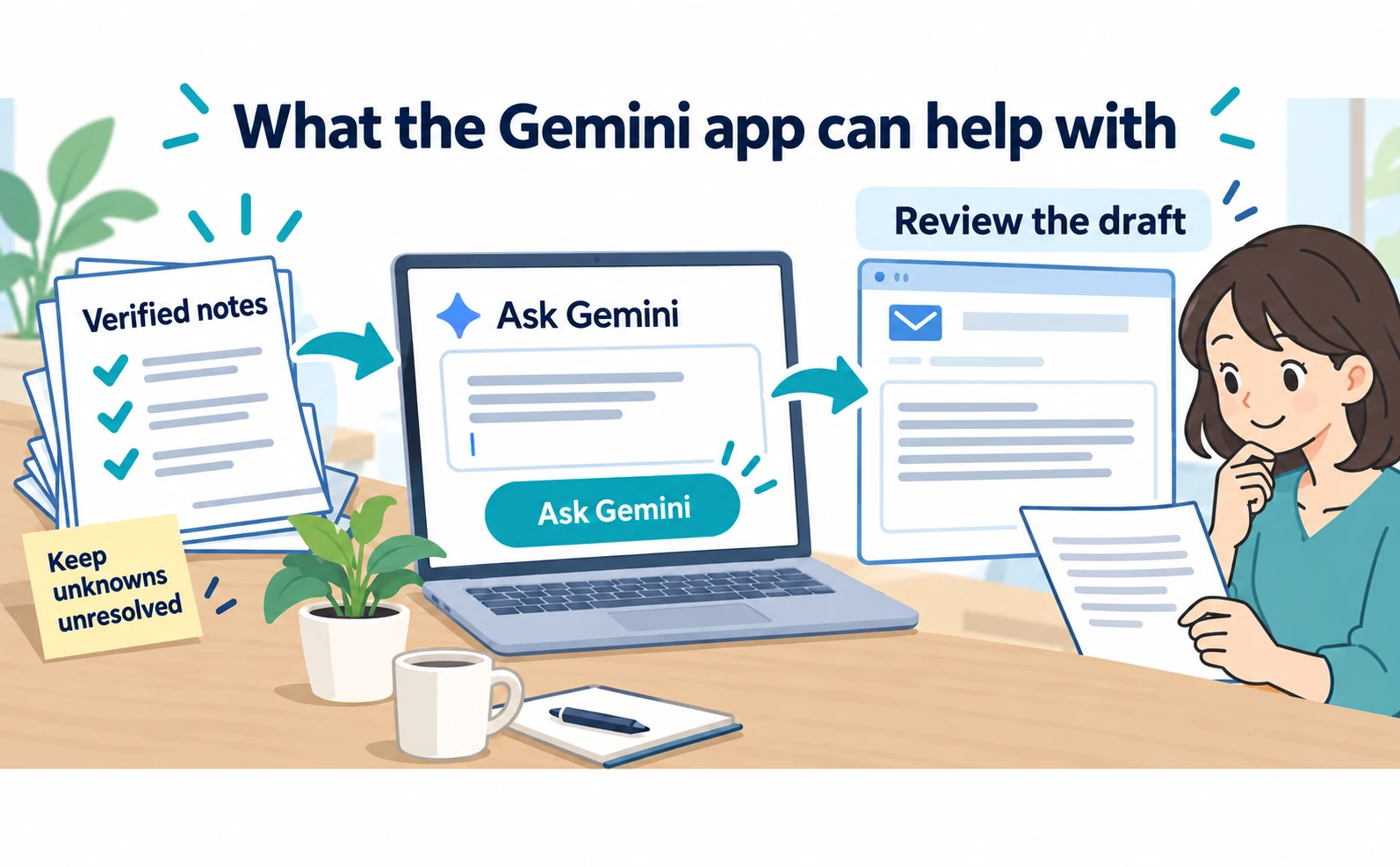
Illustrative diagram; interfaces and work records are conceptual.
On a computer, open Gemini, type a request, and submit it. Official help also describes adding files or images where available. Access depends on account and other conditions.[3]
A first exercise can use a short text prompt without connecting additional services. For company material, use an approved account and confirm what information may be entered.
Suppose the booking-software research is complete and verified notes are ready. The next exercise turns them into an internal email. The facts below are fictional.
Use only the following notes to draft an email to my manager about evaluating two booking-management services. The purpose is permission to trial two candidates, not final contract approval. Keep it brief: start with the request, explain why the candidates remain, and finish with unresolved questions. Do not add prices or features absent from the notes.
Confirmed: candidate A publishes a reservation-data import procedure. Candidate B documents staff-specific permissions. Both remain under consideration for a trial. Unverified: whether our existing export can be imported unchanged; how many months of change history are available. Next action: test with dummy data and ask the providers about migration and history conditions.
The request defines purpose, audience, length, order, and permitted material. Not every prompt needs this much detail, but the purpose and factual boundaries are useful starting points.
Review meaning as well as fluent prose. If “publishes an import procedure” becomes “offers easy migration,” the draft has strengthened the claim beyond the notes.
Give a precise correction:
Remove “easy migration,” which is unverified. Say that a migration procedure is available but compatibility with our current data remains to be checked. Do not state that A is better than B; list the conditions we will test.
Specific corrections are easier to verify than repeated requests to make the text more natural. When shortening a draft, make sure unresolved conditions have not disappeared.
The same notes can support another document. For a meeting checklist, change the purpose explicitly.
From the same verified notes, create questions for a provider meeting. Group them under data migration, staff permissions, and change history. State each condition to confirm in one sentence. Do not invent answers to unresolved questions.
Review this checklist before sending it. Remove irrelevant conditions and ensure the questions are specific enough for a provider to answer.
For summarization, specify what must survive. A price-change notice may require the affected users, start date, changed items, and whether action is needed. “Summarize in three lines” alone does not protect those details.
A polished summary does not make unverified source material more reliable. Keep verified research notes, a generated draft, and a reviewed final document distinct so their status is clear.
| Desired output | Input to provide | Review after generation |
|---|---|---|
| Internal request email | Request, audience, confirmed facts | Whether a proposal sounds already approved |
| Comparison memo | Candidate data under equal conditions | Whether missing fields were guessed |
| Document summary | Original material and required details | Dates, conditions, exclusions |
| Meeting questions | Decision needed and unknowns | Whether each question is answerable |
| Proposal structure | Audience, purpose, available evidence | Whether it assumes unsupported results |
Begin with a short draft before assigning a larger workflow. Transfer the reviewed text into the usual email or document tool and verify names and dates before use. The sample prompt does not send an email automatically.
Gemini can also investigate external information. When a new fact is needed, request official support and open the resulting links. A fact added during drafting needs the same verification as the original research.
Separate gathering new facts from writing with existing facts. Identifying the current stage in the prompt also clarifies what to review afterward.
Review drafts in three passes: facts, structure, then wording. Confirm conditions first, check whether the request appears early, and only then shorten long sentences. Polishing inaccurate conditions creates rework.
If a trial-approval email begins with a generic product introduction, ask for the opening sentence to state the trial request. Reasons and unresolved questions can follow, making the decision clearer to the recipient.
Specify where source links should remain: “Put each supporting URL after the paragraph describing that candidate's conditions.” Reopen the links afterward to ensure they have not been swapped between candidates.
Do not let an unperformed test become a firsthand claim. “Testing showed it was easy” is inappropriate before testing. “Usability will be checked during the trial” accurately describes the stage of work.
For a handoff, add a brief verification note: “Official feature documentation checked; compatibility with our data awaiting a provider response.” That tells the next reader what decisions the document can support.
How source links differ, and how to check them
For both services, open the supporting page instead of judging only the answer text. Link placement or count does not determine whether an answer is correct.
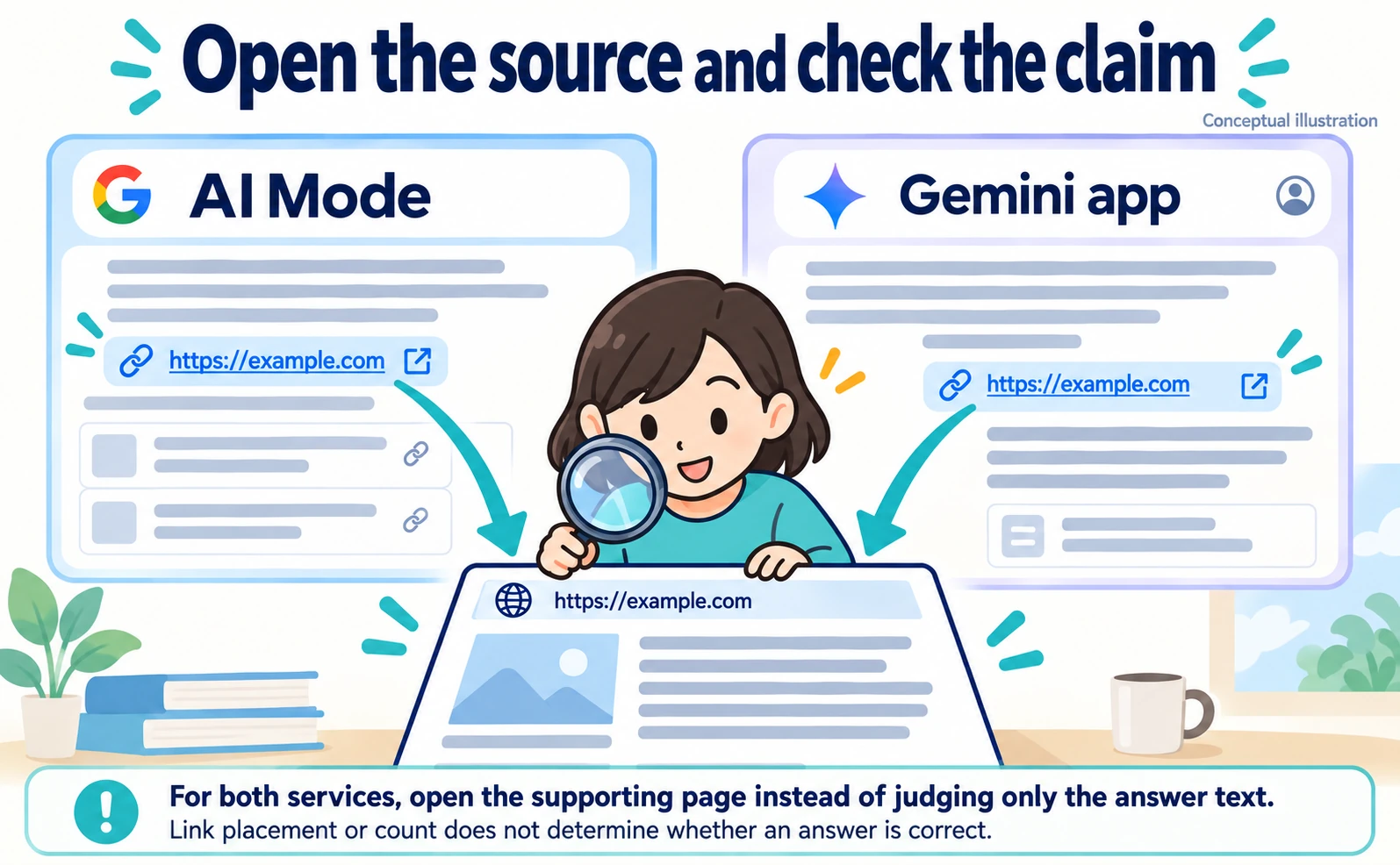
Illustrative diagram; interfaces and work records are conceptual.
AI Mode provides a search-oriented route to web information. Gemini can also show related sources, but not every response includes them.[1][2]
Gemini's official help explains that sources can include uploaded files as well as web pages. Identify whether a citation points to public information or supplied material.[2]
In a September 28, 2026 check using the same question in Japanese Chrome, AI Mode displayed web links and related search results, while Gemini also displayed links including official pages. This was one account and one question, not a test establishing an invariant interface.
Gemini displayed Pro during that check. Different accounts or models introduce different conditions, so this observation does not establish an accuracy or speed ranking.
Start source review by choosing one decision-relevant statement. If the answer says a candidate supports existing-data migration, investigate exactly what is supported and under which conditions.
Open the link and identify the publisher, relevant product or plan, and displayed update information. Search within the page for terms such as migration or import, then read the surrounding explanation. A matching word is not enough.
“Migration assistance” does not necessarily mean automatic transfer of every field. If detailed scope is on another official help page, open it. If individual consultation is required, preserve that condition in the comparison.
Classify verification results in three ways.
| Result | How to record it | Next action |
|---|---|---|
| Conditions verified | Confirmed, with scope and source | Use in comparison or draft |
| Related information found, but incomplete | Partly confirmed; list missing conditions | Check further official material or contact the provider |
| Supporting evidence not found | Unverified | Do not state it as established fact |
This evaluates individual claims, not the response as one undifferentiated score. A single answer may contain both verified and unresolved statements.
For an older source, check whether it still describes the current conditions. A recent page date does not prove every item was updated. Follow links to the material directly governing the condition, such as current pricing or product help.
Multiple websites repeating the same announcement are not necessarily independent confirmation. Return to the original publisher or product provider for scope and eligibility.
If a link fails, use the page name and publisher to locate the relevant official material through ordinary search. If it cannot be found, leave the claim unverified rather than repeatedly asking AI the same question.
Keep a verified statement, URL, and date together in research notes. Long copied passages are unnecessary; summarize the needed fact in original wording while retaining a path back to the source.
Requesting official citations helps start verification but does not replace it. Neither service guarantees that every requested fact will arrive with adequate support.
Try the same question in both services
Use identical questions and review criteria to compare suitability for a particular job. Different inputs make differences in output harder to interpret.
Open the services in separate tabs and begin a fresh question in each. Avoid comparing one conversation carrying prior instructions with another that has none.
This is the English equivalent of the Japanese question used in the September 28 display check:
What is the difference between Google AI Mode and the Gemini app? Explain how to use them for research and writing, with links to official sources.
Save each initial answer before adding a follow-up. If only one receives an extra instruction to use official sources, the comparison conditions have changed.
Use practical review questions:
- Can the response help explain the difference briefly?
- Are official links provided and accessible?
- Do those pages support the main claims?
- Are conditions and unresolved points clear?
- Can the reader identify a sensible next action?
The worksheet below is blank by design; it does not contain test scores.
| Field | AI Mode | Gemini app |
|---|---|---|
| Time and device | Record at use | Record at use |
| Displayed model and conditions | Record what is visible | Record what is visible |
| Prompt | Save identical text | Save identical text |
| Official URLs opened | Record actual links | Record actual links |
| Supported explanation | Summarize verified claims | Summarize verified claims |
| Remaining unknowns | Record uncertainties | Record uncertainties |
| Manual corrections | Record changes made | Record changes made |
Do not equate length with usefulness. A concise response may include all necessary conditions; a long one may lack evidence. More links can also create more review work without improving support.
If recording time, consider the time needed to produce usable notes, including reading, checking sources, and correcting text. One timing observation should not become a general performance claim.
Treat revised prompts as a second comparison. For example, send the same request for three beginner-friendly differences to both services. Keeping rounds separate helps identify which instruction improved the output.
Answers and links may change on a later date. A difference is not automatically an error, but information used for work needs current verification. An old screenshot is not a substitute for checking present conditions.
The question is which entry point makes this task easier to verify. Different jobs may justify different choices; drafting advice and researching current product eligibility do not need identical workflows.
Choosing a workflow for the task
When uncertain, separate collecting information from producing a document. Research through AI Mode, verify the original sources, and give Gemini the resulting notes to draft from.
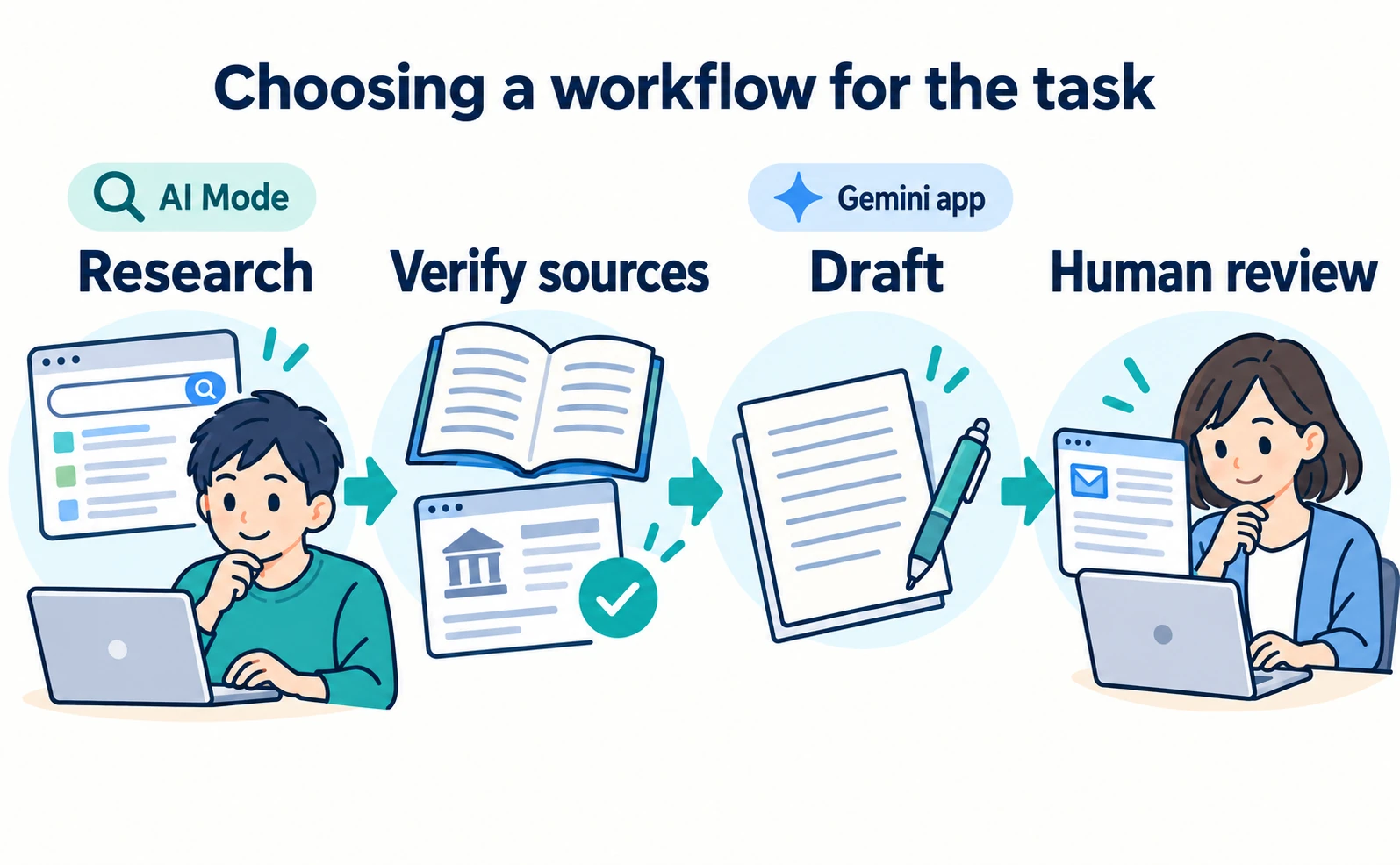
Illustrative diagram; interfaces and work records are conceptual.
A broad request to choose the best booking service and write a proposal at once may be possible, but it creates a large body of assumptions to review. Beginners can divide the work into stages, passing one stage's output into the next.
Define the decision. In this example, the goal is permission to trial two candidates, not final contract or expenditure approval.
Research criteria and candidates. Tell AI Mode the required migration, permissions, and history conditions. Treat returned names as investigation leads rather than evidence of suitability.
Verify official material. Use consistent criteria, separate confirmed and unknown conditions, and retain URLs, dates, and plan scope.
Draft the internal request. Give Gemini only the verified notes, preserve unknowns, and explain that the request concerns a trial.
Review before use. Check names, dates, conditions, and the requested next action against the sources. Confirm that the recipient can understand the decision from the document itself.
Using two AI products is not the deliverable. A document with verified facts and a clear next decision is. If one service supports that workflow adequately, using it alone is also reasonable.
The same structure works in other situations.
| Use case | Research stage | Writing stage | Human review |
|---|---|---|---|
| Internal product comparison | Current features and eligibility | A concise comparison | Unresolved conditions retained |
| Introduction to a new topic | Terms and original sources | Audience-appropriate explanation | Terms and prerequisites explained |
| Event announcement | Official dates and registration conditions | Invitation or notice | Time, venue, registration link |
| Improving an existing document | Missing facts | Clearer order and less repetition | Original meaning and conditions preserved |
For date-sensitive work, return to the organizer's announcement rather than repeatedly asking AI to confirm it. Use the organization setting the conditions as the starting source.
When progress stalls, identify the missing input before making the prompt longer. Generic answers may need a clearer audience and constraints. Misaligned writing may need a clearer recipient and desired action.
“Explain booking software” can become “List what a small business migrating existing reservations should check before signing a contract.” This does not guarantee accuracy, but it establishes criteria for judging the response.
If too many conditions make the answer unwieldy, prioritize those necessary for the current decision. Check mandatory requirements first, then test usability among remaining candidates.
For team use, share prompts and review criteria together rather than merely prescribing a product. Selecting a research tool does not compensate for failing to open source links.
A brief handoff can record purpose, input, sources, unresolved points, and final reviewer. That is enough to convey the state of work to another person.
Decide where to save the comparison table, source notes, and outgoing document. Keeping them in one project folder with verification dates makes later revisions easier to trace.
If conditions change, record the change rather than silently replacing old wording: for example, “Updated candidate B's migration scope after provider confirmation.” Readers of the earlier version can then identify what changed.
There is no need to retest every feature on every task. Review corrections in one recurring workflow. If unsupported facts appear, state the material boundary more clearly; if drafts become too broad, narrow the audience and purpose.
For a wider comparison, see AI search engines for business users. For the relationship with AI summaries in ordinary results, see the transition from SGE to AI Overviews.
Start with one exercise: enter the same question in AI Mode and Gemini, then open a supporting source from each. Use the entry point that makes the needed facts easier to verify, and turn verified notes into a short draft. The practical difference becomes clearer through that work.
FAQ
- Q. Are Google AI Mode and Gemini the same product?
- AI Mode is a Google Search feature. The Gemini app is a conversational service for tasks including drafting and discussion. The Gemini model name is a separate distinction.
- Q. Can Gemini research information?
- Yes. Using AI Mode for web research and Gemini for drafting is a workflow suggestion, not an exclusive division of capabilities.
- Q. Can source checks be skipped in either service?
- No. Open supporting pages for claims used in decisions and verify their scope. The presence of a link alone does not establish the claim.
Sources
- [1] AI Mode in Google Search (Google Search Help) — accessed 2026-09-29
- [2] Gemini responses and related sources (Gemini Apps Help) — accessed 2026-09-29
- [3] Get started with Gemini Apps (Gemini Apps Help) — accessed 2026-09-29
About the author
Shogo MizushimaCEO of kairos Inc. / AgentSignal Developer
Develops AgentSignal, a tool for measuring AI crawler visits and AI-referred traffic, and diagnosing AIO readiness. Writes about measurement and practical improvements for AI search using observed data.
Related articles
AIO and AI search
What Is Google AI Mode? What Changes for Business Website Visibility and Traffic
Google AI Mode is a Search feature that answers questions needing deeper exploration or comparison with AI responses and supporting links. Learn how it differs from AI Overviews, when business sites can appear, how to check impressions in Search Console, and how to read traffic.
Published
AIO and AI search
What Is an AI Search Engine? Key Services Businesses Should Check and How to Choose
An AI search engine answers questions in text and links to the pages it relied on. Learn how Google AI Overviews, ChatGPT search, Perplexity and Bing differ, and which to check first when reviewing how your business is presented, based on what official sources confirm.
Published
AIO and AI search
What Are AI Overviews? How to Review Your Former SGE Work
AI Overviews are AI-generated summaries shown in Google Search. Learn how they relate to the former SGE trial, how they differ from AI Mode, why no extra requirements apply, how to review earlier work and how to check the Search Console generative AI report.
Published