Can You Submit an AI-Written Product Title to Google As Is?
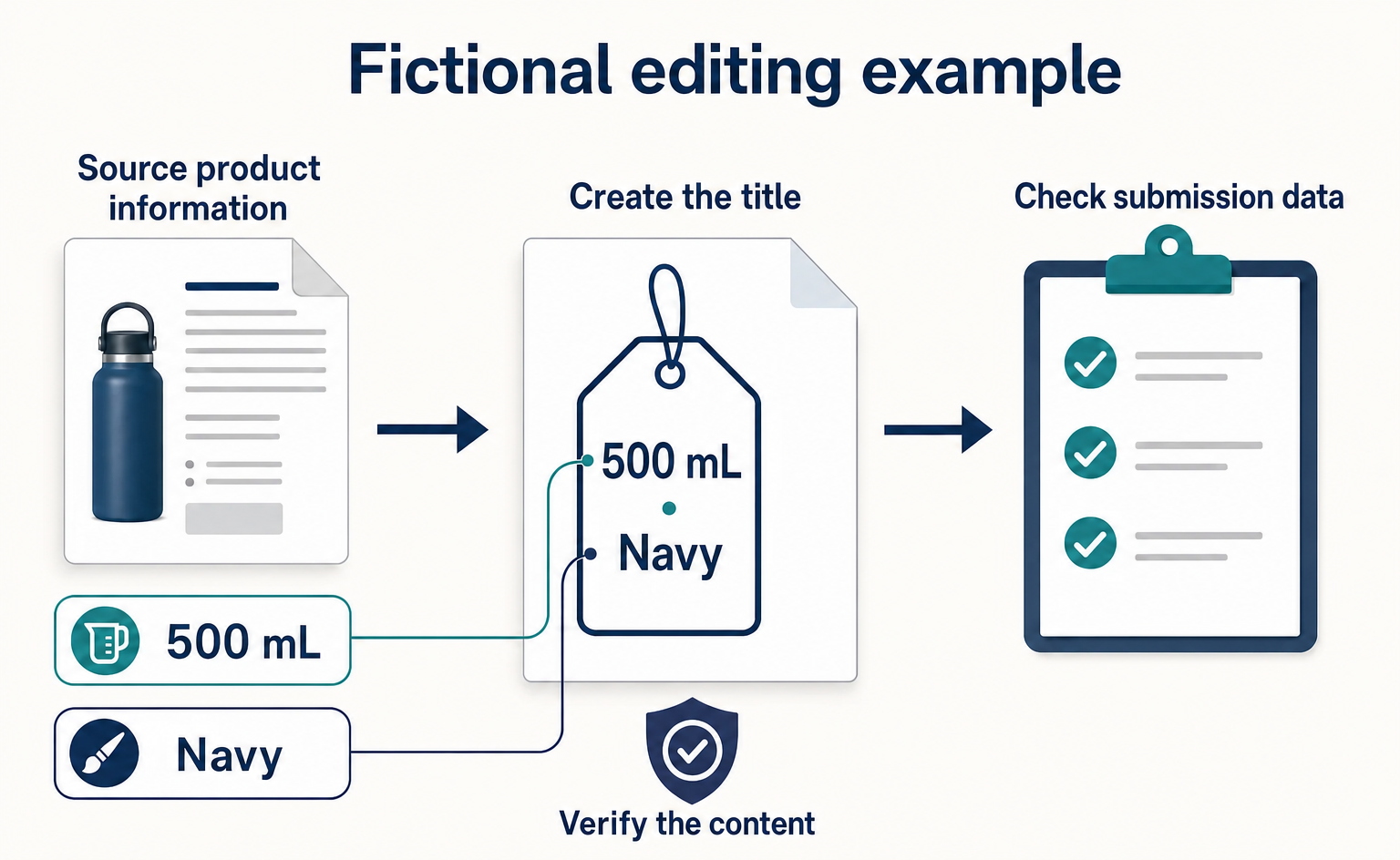
AI-written product titles need both a content review and an AI-generation designation in your product data. Using a fictional water bottle, this article explains clear product naming, structured_title fields, and checks for each submission method.
You can use product titles written by generative AI—AI that creates content—in Google's product data. However, you need to designate them as AI-generated, rather than simply paste them into the standard product title field.[1] This article explains how ecommerce managers can revise product titles and check the data used to submit them.
The scope is product titles sent to Google Merchant Center, Google's service for submitting and managing product information used in ads and free product listings. Treat changes to the headings displayed on your website separately from changes to the fields sent to Google. References checked: September 15, 2026. The sources' update dates have not been verified; this is not a report on a new announcement.
Check the wording and submission method separately for AI-written titles
Google requires structured_title for AI-generated product titles. This field sends the title text together with information about whether AI created it. The text must be 1–150 characters long, describe the same product as the linked page, and distinguish differences such as color and size. It must not include promotional information such as prices or shipping charges.[1]
For example, even if AI produces a readable title, you need to correct it if it adds a different capacity or an unverified feature. Conversely, even if the wording is accurate, checking whether it is sent in the right field is a separate task. If the person reviewing the text is not the person submitting the product data, recording both sets of checks makes the handoff easier.
The water bottle, completed tables, and before-and-after wording below are all fictional examples created as original editorial suggestions. They do not represent actions or results from Google or any real company. When using them in your business, replace the details with information verified in your product records and sales page.
First, make sure the title identifies the right product
For this example, we will use a navy stainless steel water bottle with a capacity of 500 mL. Assume the same series also includes a 350 mL version. Product records are internal documents that compile information about the products you sell, such as model numbers and capacities.
The editor should open the product records and the relevant product's sales page to compare them, rather than start by reading the AI output. The main question is not whether the wording is appealing, but whether a shopper can tell which product they would be buying from this title.
| Information to check | Fictional entry | Decision when creating the title |
|---|---|---|
| Product type | Stainless steel water bottle | Include it so shoppers know what is being sold |
| Capacity | 500 mL | Include it to distinguish this product from the 350 mL version |
| Color | Navy | Include it so shoppers can confirm the color they are buying |
| Heat retention | Not verified in the product records | Do not add “keeps drinks hot for hours” |
| Shipping terms | Managed in separate shipping information | Handle separately, outside the title options |
The “Decision” column explains why a detail was included in or excluded from the title. This is not a table for filling gaps with AI guesses. If you cannot find documentation for a performance claim, leave that wording on hold and create the title using only verified information.
An illustrative prompt is: “Using only the following product information, create a title that identifies the product type, capacity, and color. Do not add unverified performance claims or promotional wording. Product information: stainless steel water bottle, 500 mL, navy.” This is an editorial example for drafting text, not an input format for Google.
After AI produces a title, match each detail to the source information. You can check “500 mL” against the capacity field and “navy” against the color field, but there is no corresponding information for “unbeatable heat retention.” The purpose of this review is to find words whose source you cannot explain.
Replace promotional wording with product identifiers
In this example, the product title will be “Stainless Steel Water Bottle 500 mL Navy.” It makes the capacity and color visible, unlike a title that says only “Water Bottle.” This is an illustrative editorial suggestion, not a result shown to increase clicks or purchases.
| Stage | Fictional product title | What to review |
|---|---|---|
| Before | Limited-Time Deal! The Ultimate Bottle with Free Shipping | Capacity and color are unclear. The performance claim is also unsupported |
| Draft with added information | Stainless Steel Water Bottle Navy | Does not distinguish the 350 mL and 500 mL versions |
| After | Stainless Steel Water Bottle 500 mL Navy | Product type, capacity, and color can be checked against the source records |
The aim of this example is not just to remove promotional language, but also to add the information shoppers need to choose. Check the removed free-shipping message separately as information used to manage shipping terms, rather than returning it to the product title.
If the sales page offers multiple capacities, the person checking the title should compare it with the information shown when 500 mL is selected. This avoids checking the 350 mL product's information even though the title says 500 mL. Also record which option on the sales page the title corresponds to in an internal note.
What to enter in the fields that identify AI-generated content
structured_title contains digital_source_type, which identifies how the text was created, and content, which holds the product title text. For AI-generated text, the value of the former is trained_algorithmic_media. If it is omitted, the value is treated as default, meaning non-AI-generated content, so do not omit it for AI-generated titles. Also, if you send the standard title field alongside it, Google uses only title.[1]
The following is an original example using the water bottle above. The English field names are the official names used to check the submitted data; they are not words to include in the product title.
| Field | Role | Fictional entry |
|---|---|---|
structured_title |
Groups the two fields below | A pair containing the AI-generation designation and the title text |
digital_source_type |
Identifies how the text was created | trained_algorithmic_media |
content |
Holds the product title text to be displayed | Stainless Steel Water Bottle 500 mL Navy |
This is not an example of translating the long designation value into Japanese before entering it, or appending “AI-generated” to the product title. Enter the title that staff review separately from the value that identifies how it was created.
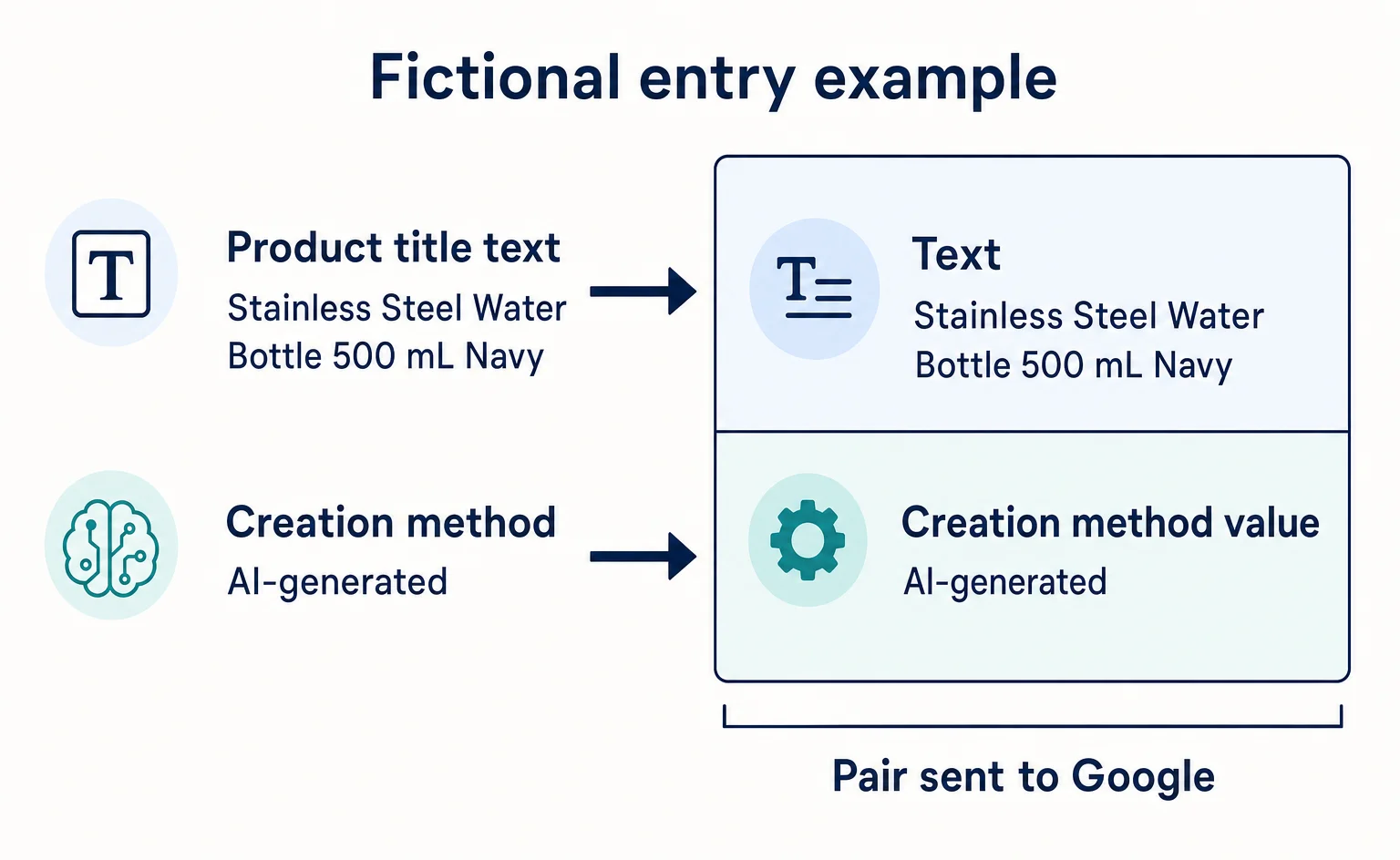
In the official text format, the creation method and title text are separated by a colon.[1] The single line below is an example value that places the fictional product title into that format. It is not executable code or a complete file ready for upload.
| Column name to submit | Illustrative value for that column |
|---|---|
structured_title |
trained_algorithmic_media:Stainless Steel Water Bottle 500 mL Navy |
In this example, the colon separates the creation method on the left from the product title on the right. The table shows only the part relating to the product title. It does not include other information required for a complete product submission, such as the product identifier or price. When applying this to an existing file, do not replace the other information with this single line.
The spelling and format of the value follow the English-language official help page. Keep checking the meaning through the plain-language explanation separate from checking the exact spelling of the value to be sent. Also make sure not to reuse this text format unchanged for another submission method.
If AI also wrote the product description, check a separate field
A product title briefly identifies what the product is, while a product description explains its features and specifications in sentences. Google requires structured_description for AI-generated descriptions. This field also contains digital_source_type and content, and uses the same AI-generation designation value. The description text must be 1–5,000 characters long. If you also send the standard description field, only that field is used.[2]
For the water bottle above, an editorial draft of the description would be: “This is a navy stainless steel water bottle with a capacity of 500 mL.” Do not add unverified heat-retention times or dishwasher compatibility just to make the description longer. Check the capacity, color, and material against the same product records used to review the title.
| Item | Fictional record of AI use | Content review result |
|---|---|---|
| Product title | Draft created with AI | 500 mL and navy verified |
| Product description | Draft created with AI | Capacity, color, and material verified |
This table is a suggested internal note to help prevent reviewing the title while overlooking the description. This article does not advise treating content as automatically non-AI-generated once a person has reviewed it. The official sources do not establish the precise boundary at which editing changes the classification.
Check what is sent based on your submission method
First, identify how your business sends product information to Google. The following is a checking guide based on the format explanations in the official help pages. It does not provide steps through to completed setup, because individual interface buttons and support offered by integration services have not been verified.
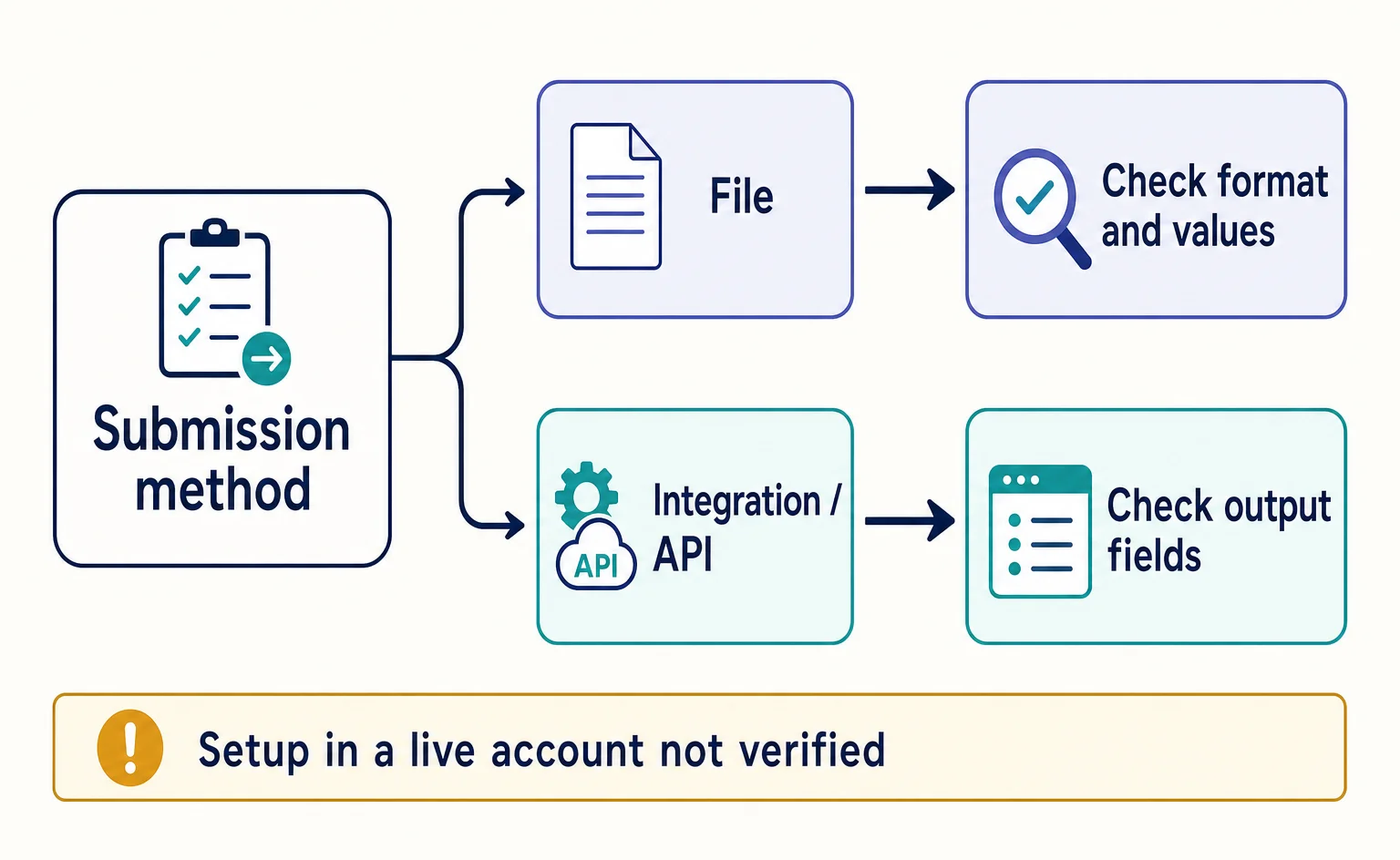
If you submit a file
The person responsible for product data should open “File format examples” under “Format” in the official product title help page. This is guidance for checking the submission format, not a screen for entering data. It provides separate examples for “Text data sources” and “XML data sources,” a format that encloses information in tags.[1]
The person responsible should inspect the actual file to be sent and compare it with the example for the company's format. For the example in this article, there are three things to check: the product title text, the AI-generation designation, and whether the standard product title field is also being sent. Record any issues as items to correct before submission, and keep separate records of correcting the file and Google accepting it.
If you submit through an ecommerce service integration or a program
Do not judge solely by the product title input field in your ecommerce service. Check which field is actually sent to Google. Give the water bottle example table to the person responsible for the integration and ask them to confirm “Which fields will contain this text and the AI-generation designation?” and “Will the standard product title also be sent?”
If you use Merchant API, an interface for sending product information between programs, the product title help page directs you to dedicated documentation.[1] The official sources do not include its communication specifications, so this article does not provide API input examples or authentication procedures. Until support is clear, do not hand over the single line in text format as complete data ready for the API.
“Structured data” is information embedded in a website to communicate the meaning of products to search services and other systems. However, the official source states that structured_title has no corresponding property in Schema.org, a shared standard for structured data.[1] Do not assume that changing the product title on your website also configures the submission field discussed here.
Finally, keep separate review notes such as “Text reviewed” and “Submission content awaiting review.” Checking that the title is correct, that the required designation is sent, and that Google handles the data without problems each involves a different check. Start with one product, checking the text together with the data being sent, and use the result to decide how to apply the approach to other products.
For the text-file format, if the product title itself contains a colon (:), enclose the entire content value in double quotes. Double any double quote within that value. Check the format examples in the official title documentation before applying this to your file.[1]
Official guides for your own checks
After fixing product titles, check the wider store requirements too. Google’s Merchant Center guidelines cover matters such as contact information and clear return and refund terms.[3] A correctly formatted title alone does not establish eligibility for listing.
FAQ
- Q. Can I submit an AI-written product title to Google?
- Yes. However, AI-generated product titles must be sent using structured_title, with digital_source_type set to trained_algorithmic_media. The title's content must also meet the requirements.[1]
- Q. Can I send the standard title field as well?
- If you send both, Google uses only title. Check the actual data being sent against the requirement to use structured_title for AI-generated product titles.[1]
- Q. Does an AI-written product description go in the same field as the title?
- No. Use the separate structured_description field for product descriptions. Within it, put the description text in content and the value identifying AI-generated content in digital_source_type.[2]
- Q. Does updating the product title on my website also complete the AI-generation designation?
- You cannot assume that changing the website also configures the submission fields. The supplied source states that structured_title has no corresponding Schema.org property, so check the product data sent to Google separately.[1]
Sources
- [1] Title [title] and structured title [structured_title] - Google Merchant Center Help (Google) — accessed 2026-09-15
- [2] Description [description] and structured description [structured_description] - Google Merchant Center Help (Google) — accessed 2026-09-15
- [3] Follow Merchant Center guidelines to keep your account approved - Google Merchant Center Help (Google) — accessed 2026-09-15
About the author
Shogo MizushimaCEO of kairos Inc. / AgentSignal Developer
Develops AgentSignal, a tool for measuring AI crawler visits and AI-referred traffic, and diagnosing AIO readiness. Writes about measurement and practical improvements for AI search using observed data.
Related articles
AI shopping and booking
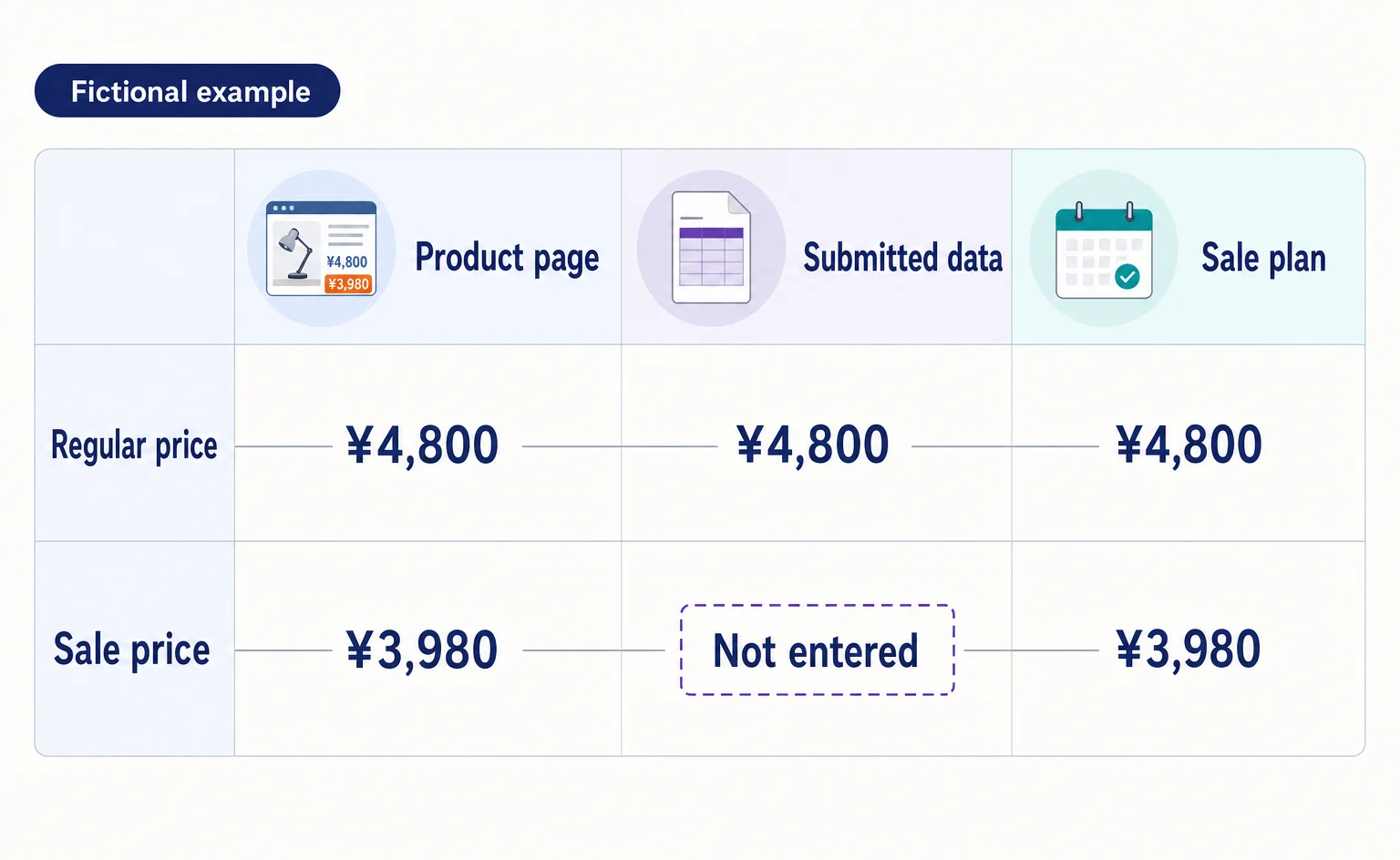
Google Shows the Wrong Price: 3 Places to Check After a Price Cut
If Google still shows an old price after you lower it on your product page, compare the page, the product data sent to Google, and the sale conditions. A fictional example explains where to make corrections and how to check approval status afterward.
Published
AI shopping and booking
Merchant Center Misrepresentation: How to Check Business Details and Sales Terms
Learn how to read a Merchant Center misrepresentation notice, check business details and sales terms, and record corrections before requesting a review. Includes original sample worksheets. This is not a checklist that guarantees an issue will be lifted.
Published

AI shopping and booking
51% of US consumers use AI shopping tools. How much has product selection changed?
That does not mean AI placed 51% of orders. It is the share of US consumers who reported using at least one AI-powered shopping tool during the past month.
Published