How is Google's AI commerce changing? Saving, alerts, and checkout with Universal Cart

Google's October 15, 2026 U.S. Universal Cart launch: saving across Search and Gemini, alerts, Wallet perks, two checkout routes, and the retailer's role.
Google's Universal Cart lets shoppers save products from different retailers, follow changes in price or availability, and return to make a purchase. Google announced its U.S. launch across Search and the Gemini app on October 15, 2026. Purchases can proceed within the cart or continue on a retailer's website.[1]
A shopper might find a product in Search, leave it for later, and resume browsing through a separate conversation. Universal Cart is designed to reduce the need to find those products again. For ecommerce teams, the announcement also raises a practical question: where does checkout happen, and who handles the order afterward?
This explanation reflects the official material checked on October 16, 2026. It separates the U.S. launch from the plans announced in May, then offers practical checks for product information and customer support guidance.

Google's AI commerce rollout brings Universal Cart to the U.S.
The new cart preserves shopping choices across Google's services and across retailers. A product saved while searching can remain available when the shopper returns through a conversation. Google describes help with organizing products, receiving updates, choosing a payment method, and proceeding to checkout.[1]
AI commerce describes shopping in which AI helps with product discovery or purchasing. That can mean anything from helping someone compare products to acting on their behalf. Following what the AI does, and when the shopper decides to buy, makes the role of this particular feature clearer.

Retailers still have important points of contact with the shopper. Someone who discovers a product on Google may buy there or continue on the retailer's own website. The first step is to understand the launch's timing and scope before following the journey from saving to purchasing.
Separate the October 15 launch from the May preview
The October 15 announcement reports the U.S. launch; the May 19 announcement introduced Universal Cart and its intended rollout. Features mentioned in the earlier preview should not automatically be added to the list of features launched in October.[1][2]
| Date | Source | How to read it |
|---|---|---|
| May 19, 2026 | Universal Cart preview | Understand the original vision and future plans |
| May 20, 2026 | Retailer UCP update | Understand the background to the checkout options |
| October 15, 2026 | U.S. launch | Identify the scope explicitly announced as launching |
For example, May's preview included later expansion to YouTube and Gmail. October's launch announcement names Search and Gemini. Keeping planned destinations separate from launched destinations makes an internal briefing more accurate.
The same distinction applies to timing. An earlier rollout forecast is different from the date of the actual launch announcement. The relevant change is not simply when the name first appeared, but which functions have reached which market.[1][2][3]
The launch covers Google Search and the Gemini app in the U.S.
The announced launch covers Google Search and the Gemini app in the United States. Gemini is Google's conversational AI service, where people can also explore products through questions and conversation. Continuing the same shopping activity across these two entry points is central to Universal Cart.[1]
Country and service need to be read together. Saying only that a feature has been added to Google Search could imply that it is also available in Japan. An announcement specifying the U.S. does not establish that an ecommerce manager in Japan can immediately use the same feature domestically.
Ordinary search links, AI Mode in Search, and Gemini conversations are also different entry points. The product-saving example in the announcement uses AI Mode and Gemini. It does not establish that every search result includes the same cart action.
YouTube and Gmail, mentioned in May, require separate confirmation. An internal note can say that the U.S. launch covers Search and Gemini, while keeping Japan and other Google services on a list for follow-up. That preserves the value of the overseas news without prematurely treating it as a domestic implementation guide.[1][2]
A shared cart for resuming shopping, rather than an automatic purchase instruction
Universal Cart was not announced as a feature that purchases products simply because someone saves them. Google distinguishes work on AI that acts on people's behalf from tools that help shoppers stay in control, placing this cart in the latter category.[1]
Saving an item under consideration and confirming an order represent different decisions. A cart can hold a choice while someone pauses and returns later. Saving should therefore not be treated as equivalent to a decision to buy.
The announcement does describe the cart following price and inventory changes in the background. That helps people learn about a change without repeatedly reopening a product page. When describing something as automatic, it matters whether the action is monitoring information or spending money.
May's announcement also discusses AP2, a separate initiative related to delegated payments. That discussion does not establish that saving an item in Universal Cart authorizes an agent to purchase it. The announced journey is to keep products under consideration, learn about changes, and proceed when ready to buy.[1][2]
Save products from different retailers in Google's shared cart
Universal Cart keeps products from different stores together for later consideration. Google's example connects items saved in Search with products added in Gemini, allowing a shopper to return to their existing choices. It is intended to reduce the need to start again when moving between entry points.[1]
What becomes shared is the place where the shopper organizes products. Different retailers do not become one business, and the presence of their products in one cart does not establish that every purchase becomes a single order. Keeping track of choices and completing a sale serve different purposes.

A person might look for a bag first, then consider clothing or cosmetics later. The official example connects those separate moments. The benefit of saving across stores should not be confused with universal retailer coverage or a guarantee of consolidated orders.
Keep a product found in AI Mode for later
Google's example starts with saving a Steve Madden handbag found through AI Mode in Search. AI Mode provides AI-powered responses and related information to help people explore questions. In this example, finding the product leads to keeping it for later, rather than purchasing immediately.[1][4]
Browser tabs and screenshots can help someone remember products they have seen. A cart provides a different place to organize those choices and continue shopping. Google presents Universal Cart as an alternative to relying on separate tabs and saved images for that purpose.[1]
The useful distinction is between discovering a product and deciding to purchase it. Someone can be interested in an item while still wanting to compare options. Keeping the choice provides a starting point for the next stage of consideration; that is the intended benefit described here.
This example is not an operating manual. Button labels, positions, and the number of taps should only be described after checking the relevant interface. The confirmed use case is saving a product found in AI Mode and returning to it later.
Add products from other stores in Gemini and continue shopping
The official example continues in Gemini, where the shopper adds a Quince sweater and an Ulta Beauty lip gloss. Google describes these products remaining in the same cart alongside the handbag saved earlier.[1]
The example does not depend on continuing a single search. A person can begin in Search, then explore another item through a later conversation. The cart's role is to retain earlier choices even when the entry point and retailer change.
For ecommerce teams, one useful implication is to avoid treating the place of discovery as the whole shopping journey. After becoming interested in a product, a shopper can look at other stores or take time before deciding. This is a way to interpret the experience, not a report based on tracking a particular retailer's customers.
The named stores illustrate the use case; they are not a comprehensive compatibility list. The example does not show that all retailers and all products support identical behavior. A business considering participation still needs to establish its own coverage separately from understanding the concept.
One cart does not remove the relationship with each retailer
Google states that the retailer remains the seller and provides customer support after the purchase. The announcement does not describe Google acquiring and reselling every product. A shared place to save items and the identity of the seller are separate matters.[1]
A unified shopping view can make products from different stores appear together. But choosing a purchase still requires knowing which product comes from which retailer. Without that connection, it is harder to relate a purchase to the appropriate order confirmation and support contact.
| What the shared cart brings together | What remains specific to the retailer |
|---|---|
| Products under consideration | Which store sells each product |
| A place to revisit saved choices | Where checkout is completed |
| A way to learn about product changes | Order confirmation and support |
This distinction allows the convenience of the cart to be explained without losing the store's role. A common shopping entry point does not imply identical order terms across retailers.
The announcement also does not settle whether all products from multiple stores can always be paid for in one transaction, or exactly how orders are separated. The relevant question is which purchase experience the particular product and retailer support, rather than how many carts appear on screen.
Follow prices and restocks using Shopping Graph product information
Universal Cart can notify shoppers about price drops and products returning to stock. Shopping Graph, Google's system for organizing product information, underpins this capability. The launch announcement describes more than 60 billion continually refreshed product listings.[1]
The conditions surrounding a saved item can change while someone considers it. Price and availability changes can give the shopper a reason to revisit the choice. This creates a point of contact during the waiting period as well as during product discovery.

A notification provides information about a change. It does not, by itself, establish that a purchase has been completed or an item reserved. Price and inventory notifications also answer different questions, so their meaning should be considered separately.
Revisit a product when its price falls
Google describes Universal Cart notifying shoppers when the price of a saved product drops. That can prompt someone to reconsider a purchase they had left open. The function addresses the need to keep checking the same item for a price change.[1]
It helps to separate the alert that a price has fallen from the amount payable at checkout. The notification is a reason to revisit the item; the purchase stage is where the shopper reads the selected product and the terms being displayed. An alert should not be treated as if the final order details have already been established.
A reduction is also a change in the price of that item. It does not establish that the product is the cheapest available across stores or that its price will not fall again. Any comparison needs to account for the product version and retailer, rather than relying only on the product name. This is a way to interpret pricing information, not a claim that Google guarantees the lowest price.
The launch announcement does not specify notification frequency or the threshold for a price-drop alert. There is no basis here for inventing settings or rules. The confirmed purpose is to learn about a reduction and reconsider a saved item; the feature description also provides no retailer sales-uplift figure.
Wait for an out-of-stock product to return
Universal Cart also includes notifications when a product comes back into stock. The purpose is to learn when a previously unavailable item can be considered again. A price notification concerns cost, whereas a restock notification concerns availability.[1]
The reason for waiting changes what the shopper needs to read next. Someone waiting for a lower price will look at the current price; someone waiting for stock first needs to establish whether the relevant item is available to buy. Both notifications can restart consideration, but for different reasons.
Learning about a restock is different from reserving inventory. The official announcement describes an alert, not a commitment to hold the item for its recipient. Availability still needs to be checked in the purchase experience.
For products with options such as color or size, matching the desired item to the purchase selection is another useful check. The announcement does not provide detailed notification rules for every variation. Even so, it is possible to understand the role of the alert: it is a prompt to return to the product, rather than proof that the preferred variation has been secured.
More than 60 billion counts product listings, not users
The figure of more than 60 billion refers to Shopping Graph product listings. It is not a count of Universal Cart users, participating stores, or completed purchases. Any explanation of the figure needs to identify what is being counted.[1]
| What the figure describes | What it does not establish |
|---|---|
| The scale of organized product information | How many people use the cart |
| The product-listing count stated in the announcement | The total number of participating retailers |
| A foundation of continually refreshed information | That every listed product can be purchased through the cart |
A large body of product information and support for purchasing a particular store's products are separate questions. After identifying what the number measures, a retailer still needs to check market coverage and checkout support.
Continual refreshing also does not mean that every record becomes current at the same instant. The number does not specify how long a retailer's price change takes to appear in the cart. Information scale should not be converted into a promise about update speed.
The figure provides background for understanding the information supporting the shopping features. It should not be presented as adoption evidence or proof of sales performance.
Use Google Wallet to consider perks and payment methods
Universal Cart uses Google Wallet to help shoppers choose payment methods with card benefits in mind. Google Wallet is Google's service for handling cards and other items digitally. The launch announcement describes understanding card perks and displaying relevant promo codes in the cart.[1]
The product price alone may not explain the differences between payment options. Someone with several cards may not remember the benefits of each. Google's example concerns assistance at that stage, after identifying a product and considering how to pay.

The announcement does not provide a list establishing identical support for every card. Separating card benefits, retailer promotions, and the decision to purchase makes the scope of the assistance easier to understand.
Compare payment methods using card benefits
Google says Universal Cart can understand card perks through Google Wallet and help with choosing between payment methods. The example concerns a shopper who has multiple cards but does not know each card's benefits. The assistance therefore extends beyond finding a product to considering payment options.[1]
The useful comparison concerns benefits relevant to the purchase, rather than card names alone. If an offer is shown, the shopper can relate its explanation to the selected item and payment method. That makes the basis of the comparison more concrete.
Understanding card benefits and calculating an exact saving on a particular order require different evidence. A specific calculation needs the relevant card and its applicable terms. The announcement does not supply a complete list of supported cards and conditions, so the benefits available on an actual purchase still require individual verification.
Google's example concerns choosing among payment methods someone already has. Bringing comparison information into one place is intended to reduce the work of looking up separate benefits. What applies to a particular purchase still depends on the offer shown and its conditions.
Read promo codes together with their conditions
Universal Cart is also described as showing relevant promo codes. A promo code is a code used for an offer such as a purchase discount. The feature brings such information closer to the place where a shopper revisits saved products.[1]
Finding a code and being eligible to use it are separate steps. If an offer has conditions involving products or dates, the shopper needs to read whether the purchase meets them. These are suggested checks for interpreting an offer, not verified terms for a particular retailer.
| Information to read | Question it helps answer |
|---|---|
| The code's explanation | Which purchase is the offer for? |
| Eligibility and expiry details | Does this purchase meet the conditions? |
| The display before purchase | How is the offer reflected in the selected order? |
Showing a card benefit and a promo code in the same cart does not establish that they can always be combined. The announcement supplies no retailer-by-retailer list of discount rates or combination rules, so there is no basis for calculating a combined saving here.
The intended value is making relevant offers easier to find. The practical sequence is to use the information as a prompt, read the conditions, and check the purchase details. That explains the convenience without overstating individual eligibility.
Separate payment suggestions from the decision to buy
Receiving a payment suggestion and proceeding with a purchase are different stages. The launch announcement describes using Google Pay or moving to the retailer's cart when ready to buy. Saving an item or seeing an offer is not presented as confirming an order.[1]
A shopper might save a product, learn about a reduction, and compare card benefits. Each provides information for a decision. The selected product, retailer, and purchase terms still matter. Describing all this as AI deciding the purchase would obscure the decisions retained by the shopper.
May's announcement also discusses AP2, a separate initiative for delegated payments and their conditions and records. Its existence does not show that saving an item in this cart authorizes a delegated purchase.[2]
Retailer guidance can use distinct terms for saving a product, receiving a payment suggestion, and completing a purchase. That identifies which stage is being discussed instead of using “purchase” for everything. Specific confirmation screens and button labels still require verification in the relevant interface.
Two routes from Universal Cart to a purchase
Shoppers can use Google Pay within the shared cart or transfer products to the retailer's cart. Google Pay is Google's payment service. The announcement describes these two routes without establishing that both are freely available for every retailer and product.[1]
The location of checkout matters to an ecommerce team. A product discovered on Google may still be purchased on the store's own website. Conversely, completing a purchase through Google's experience does not remove the retailer's role.

Both routes share the stated arrangement that the retailer provides order confirmation and customer support. Separating the service providing the interface from the business selling the product helps explain the journey before and after checkout.
Use Google Pay in the cart with supported retailers
For supported shopping experiences, shoppers can proceed through Google Pay within Universal Cart. Google names Nike, Sephora, Target, Ulta Beauty, Walmart, Wayfair, and many Shopify merchants as examples for the simplified checkout experiences.[1]
These names illustrate the announcement; they do not establish identical coverage for every product, country, or account. Google also discusses the two purchase routes together. This article therefore does not assign one particular route to every named retailer without further evidence.
The same caution applies to Shopify. Shopify provides technology retailers use to operate ecommerce businesses, but “many” merchants cannot be rewritten as “all” Shopify stores. Using the same ecommerce platform does not, by itself, confirm that a particular business's products are eligible.
In-cart purchasing brings product consideration and checkout closer together. That description does not establish an improvement in any particular retailer's conversion rate. A retailer can distinguish understanding the experience, verifying its own access, and evaluating actual performance as three successive questions.
Transfer products to the retailer's cart to finish buying
Google also describes transferring products directly to the retailer's cart and completing the purchase on its website. This lets someone organize choices on Google before continuing with the store. The retailer's website can therefore remain the place where checkout is completed.[1]
The confirmed use case is transferring items to a merchant cart. Clicking a general product link, transferring items into a cart, and creating an order are different events. The transfer should not be described as if the sale is already complete.
| Stage | What the shopper is doing |
|---|---|
| Universal Cart | Considering saved products |
| Transfer to the retailer's cart | Continuing that store's checkout process |
| Completed purchase | Confirming order details and receiving confirmation |
One practical question for the retailer is whether someone arriving through that route can recognize the intended product. Product names and options need to make the selected purchase understandable. The next section offers checks for that purpose.
The announcement does not describe the detailed transfer behavior for colors and sizes, communication formats, or analytics parameters. Implementation requires appropriate supporting documentation; those details cannot be reconstructed from the launch news alone.
The retailer handles order confirmation and support
Google says shoppers receive direct confirmation and customer support from the merchant through either purchase route. The announcement uses “seller of record” to identify the retailer's continuing role as the seller. Using Google's interface does not remove that relationship.[1]
Separating the place of purchase from the post-purchase contact also helps when writing customer guidance. Even when discovery happens on Google, identifying which store sold the product connects the purchase to the relevant confirmation and support channel. The name of the discovery service alone does not identify an order.
The retailer's support role does not make every store's returns policy identical. Return periods, eligibility, and contact methods remain matters to read in the relevant retailer's guidance. The announcement does not provide grounds for generalizing about individual policies or legal responsibilities.
For ecommerce teams, a useful implication is that new discovery channels do not eliminate the need for clear post-purchase information. Does the confirmation identify the seller? Does the support guidance help the customer identify the order? These questions should be checked against the store's actual materials once the relevant purchase experience has been established.
What ecommerce teams can review in product and support information
Useful review areas include prices and stock information, product identification, and post-purchase contacts. These are editorial suggestions based on the announcement, not newly announced requirements for joining Universal Cart. They address situations in which information or entry points change between saving a product and buying it.
Google's guidance for Search recommends keeping Merchant Center information current and ensuring that structured data matches visible page content. Merchant Center is the service retailers use to submit and manage product information on Google. Structured data expresses information about products and other subjects in a machine-readable format.[4]

These general recommendations should be kept separate from the cart's specific features. Correcting product information does not guarantee cart eligibility or an immediate notification update. The following checks focus on information a business can actually inspect.
Keep prices and availability consistent across product pages and submitted data
When prices or stock change, a useful starting point is to compare the customer-facing product page with the information submitted to Google. Google's general guidance for AI features in Search recommends current Merchant Center information and consistency between structured data and visible text.[4]
Choose one changed product and compare the correct information maintained by the business with its public page and submitted product data. Use the same item and variation throughout. The following is an example record for this review.
| Place to compare | Information to record |
|---|---|
| Correct business information | Product, variation, current price and availability |
| Public product page | Price and availability visible to a shopper |
| Submitted product data | Values supplied for the same item |
| Any discrepancy | Where it needs correction, the owner, and recheck time |
If values differ, give the responsible person the specific product and discrepancy. After correction, inspect the same places again. That makes the request more actionable than a general instruction to optimize for AI.
Completion of this check means the business's information has been aligned. It does not establish Universal Cart's update timing or successful delivery of a notification. If the cart's own display has not been tested, keep that distinction in the review record.
Check whether customers can recognize the same product on the store's website
For the route leading to the retailer's cart, a useful review asks whether the shopper can recognize the intended product. Relevant details can include the product name, image, color, and size. This is a suggested retailer check, not a claim that Google guarantees transfer of every product option.[1]
Choose a product and compare its page with the store's cart display. Check whether the selected item and its options remain identifiable. A shortened or ambiguous name may be a candidate for clearer wording before purchase.
| Detail | Review question |
|---|---|
| Product name and image | Is the selected product identifiable? |
| Color, size, or other options | Can the intended variation be recognized? |
| Cart display | Does it match the selection on the product page? |
If the business is supported by Universal Cart and can test the actual transfer, it can review the same details through that route. If eligibility is unconfirmed, keep the store's internal checks separate from a Google-to-store transfer test. A working store cart is not evidence that an external integration has been verified.
Record the work specifically: inspected the display, corrected the wording, or tested the transfer. Those descriptions preserve the boundary of what was checked. If no purchase was made, do not label the result a successful order.
Match post-purchase contacts to the purchase route
Google's statement that merchants provide confirmation and support suggests reviewing the store's guidance against each purchase route. The question is whether someone purchasing through Google's experience or through the store's website can identify the seller and the relevant order.[1]
Gather the business's order-confirmation guidance and support page. Read where the seller's name, identifying order information, and contact route appear. This review does not require sending a real customer's order information elsewhere; suitable review materials can be used to inspect the guidance.
For example, a support page might direct a customer to open their order history. The responsible team can check whether that instruction fits the purchase route under discussion. The question is whether customers from a different route are being directed to a screen they cannot use. This is a hypothetical review scenario, not a reported failure at a named store.
If an issue appears, identify which customer route and instruction cause the difficulty, then correct that guidance. Recheck whether the customer can move from identifying the purchase to finding the contact channel. A reduction in support requests would require later evidence from actual records.
Understanding a new shopping entry point is useful because it helps connect purchases to the store's ongoing responsibilities. The aim is clear guidance for customers arriving through the supported routes.
What remains unconfirmed about Google's AI commerce rollout
The announcement does not settle a Japan launch date, every retailer's participation conditions, or sales impact. The U.S. launch and shopper-facing features are confirmed, but information needed for a retailer's own adoption decision must be established separately.[1]
| Decision | What the sources establish |
|---|---|
| Where the rollout starts | Google Search and the Gemini app in the U.S. |
| What it helps with | Saving, notifications, payment choices, and purchasing |
| Whether a particular business can join | No verified set of current conditions covering every retailer |
| Whether it improves results | No sales or conversion-rate results in the launch announcement |

This illustration organizes open questions. The bar heights do not represent measured results.
Putting all open questions under a single “waiting for support” label obscures what evidence is needed next. A country expansion, merchant eligibility guidance, and a performance study answer different questions. Each should update the corresponding decision.
Japan availability and account requirements
The October 15, 2026 launch announcement does not provide a Japan release date. The confirmed scope is Google Search and the Gemini app in the United States. Reading the announcement in Japanese does not establish domestic availability.[1]
Detailed requirements concerning devices, accounts, and languages also cannot be settled from this announcement alone. If the cart is not visible, that fact does not establish a configuration error. Unverified settings changes or workarounds should not be presented as instructions for obtaining access.
Future announcements need to be read for the specific service and feature, as well as the country. Product discovery, saving to the common cart, and completing checkout can easily be grouped under the same broad description. Establish what has actually changed before revising internal guidance.
A Japan-based retailer selling to the U.S. should likewise not infer eligibility from its location alone. The shopper's supported market and the conditions applying to the merchant are separate matters. This news is an account of a change in the U.S. shopping experience, rather than an immediate implementation guide for Japan.
Merchant participation requirements and the role of UCP
UCP, short for Universal Commerce Protocol, is a shared protocol intended to connect AI shopping experiences with retailers' systems. Google identifies it as supporting this checkout experience. May's retailer announcement also explains its connection to purchasing from the cart or transferring to a store's website.[1][3]
Supporting a protocol and qualifying for a particular service are separate questions. The existence of UCP does not establish automatic listing of every retailer's products or access to all checkout functions. Eligibility, review requirements, fees, and supported routes need to be checked against current merchant guidance.
A retailer can prepare for that discussion by identifying its selling markets, ecommerce platform, and desired functionality. A more specific question than “Can we support UCP?” is “Which Universal Cart functions support our products and selling markets?” This is a suggested question for evaluating participation, not a published application procedure.
This article does not establish new UCP implementation or application requirements. Conditions described in older materials should not simply be relabeled as the current terms for October's Universal Cart launch. Understanding the underlying role of the protocol and gathering the conditions for participation remain separate parts of the decision.
Evaluate saving, visits, and purchases as separate events
The launch announcement does not report sales growth or conversion-rate improvement attributable to Universal Cart. It introduces functions and use cases. The intended convenience should be separated from measured results for a particular business.[1]
Saving a product, visiting a store's website, and completing a purchase are distinct events. A saved item remains under consideration; a visit means someone reached the site; a purchase means an order was completed. The announcement does not establish that merchants have a reporting interface measuring every one of those stages.
| Stage to evaluate | How to treat it in a record |
|---|---|
| Product saving | Use only if an actual record is available |
| Visits to the store | Record the source and period that can be verified |
| Orders and revenue | Keep order counts and monetary values separate |
Unavailable data should not be entered as zero, and visits should not be used to reverse-engineer save counts. When comparing performance after adoption, record the period and products, and consider other promotions or tracking changes. This is a suggested evaluation method, not proof of the feature's results.
The change illustrated by Universal Cart is that consideration can continue across Google's entry points after product discovery. Understanding that journey provides a basis for checking product information, selected-item displays, and post-purchase guidance. Those concrete checks connect the confirmed change to everyday ecommerce work.
Sources
- [1] Google’s new Universal Cart launches today in the U.S. (Google) — accessed 2026-10-16
- [2] Google Shopping introduces Universal Cart, agentic shopping (Google) — accessed 2026-10-16
- [3] Google helps retailers thrive with new UCP and AI tools (Google) — accessed 2026-10-16
- [4] AI Features and Your Website | Google Search Central | Documentation | Google for Developers (Google Search Central) — accessed 2026-10-16
About the author
Shogo MizushimaCEO of kairos Inc. / AgentSignal Developer
Develops AgentSignal, a tool for measuring AI crawler visits and AI-referred traffic, and diagnosing AIO readiness. Writes about measurement and practical improvements for AI search using observed data.
Related articles
AI shopping and booking
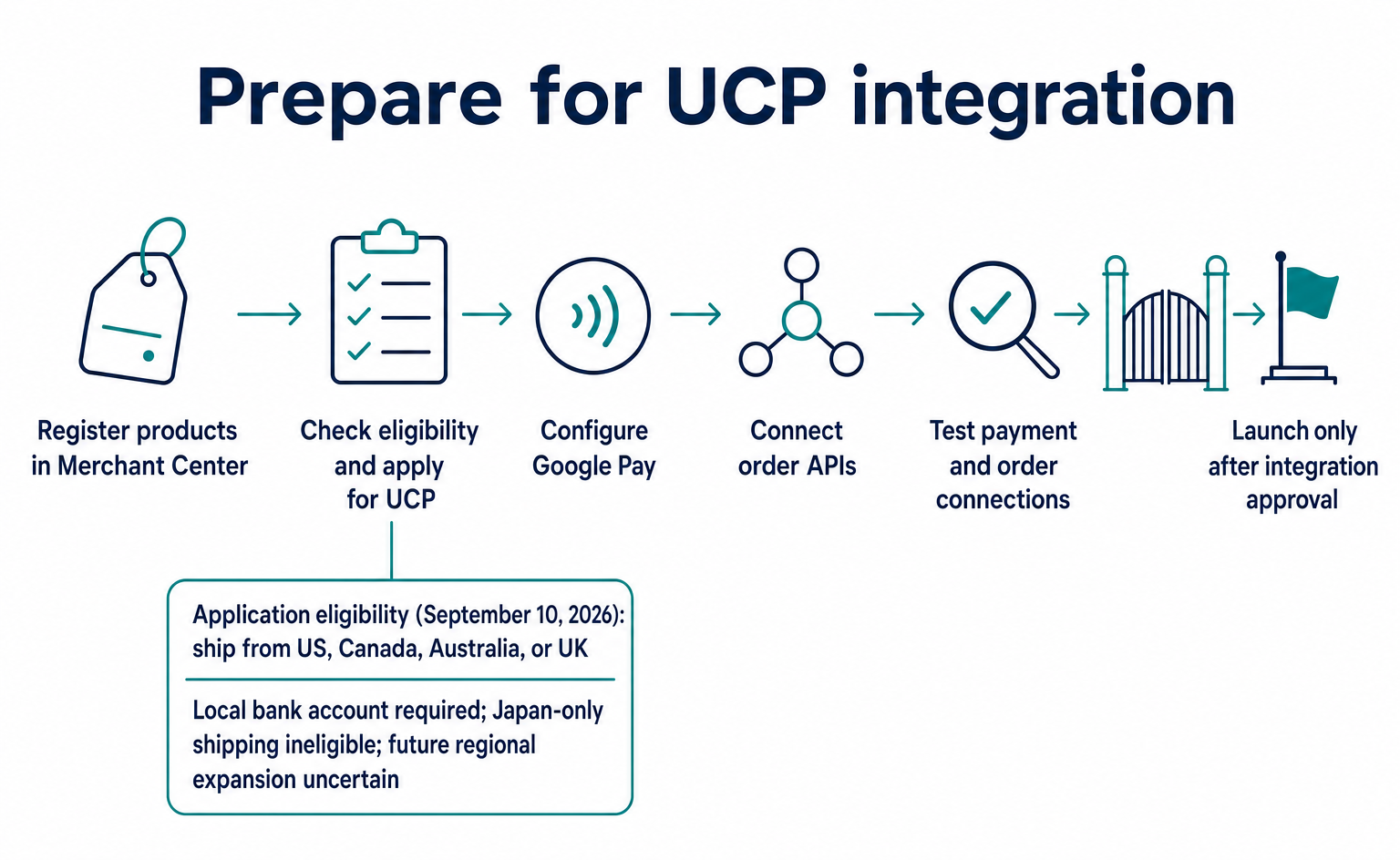
How to Sell Products Through Google’s AI: From UCP Application to Orders
A guide for ecommerce teams to Merchant Center product registration, UCP country eligibility and applications, Google Pay setup, and order API integration. Covers conditions as of September 10, 2026, plus testing and approval checks.
Published
AIO and AI search
LLMO for E-Commerce Sites: Getting AI to Recommend Your Products
LLMO for e-commerce means making sure AI reads your product information correctly as it helps people find, compare and buy. Separate three routes—product pages, product data and AI shopping integrations—and see what to fix first.
Published

AI shopping and booking
AI agent orders reached 5.3×: what Forter’s commerce study shows
Forter reports AI-agent orders at 5.3× their early-August level, with browser agents at 65% of detected agent orders. Understand the sample, checkout routes and questions for your cart provider.
Published