What Are Content Signals? Separating Search Use from AI Training
Want your content used for search but not AI training? Learn the three Content Signals uses, robots.txt examples, what omitted settings mean, how access rules differ, how Cloudflare manages them, and what to check after setup.
Content Signals lets websites state how their articles may be used: “You may use this for search, but not for AI training.” It helps website and e-commerce managers who want visitors from search while communicating their policy on AI use of company content. The basic use settings are search=yes, ai-train=no.[1]
However, declaring permitted uses is different from stopping crawler access. This article uses a coffee bean shop’s article on “How to Store Coffee Beans” to explain how to write the settings and check what is served after setup.
1. Separate the Uses of the Same Article
Content Signals provides machine-readable instructions about content use in the robots.txt file at the root of a domain. The website operator states its policy, and the operators of crawlers that collect articles are responsible for responding to those instructions.[1]
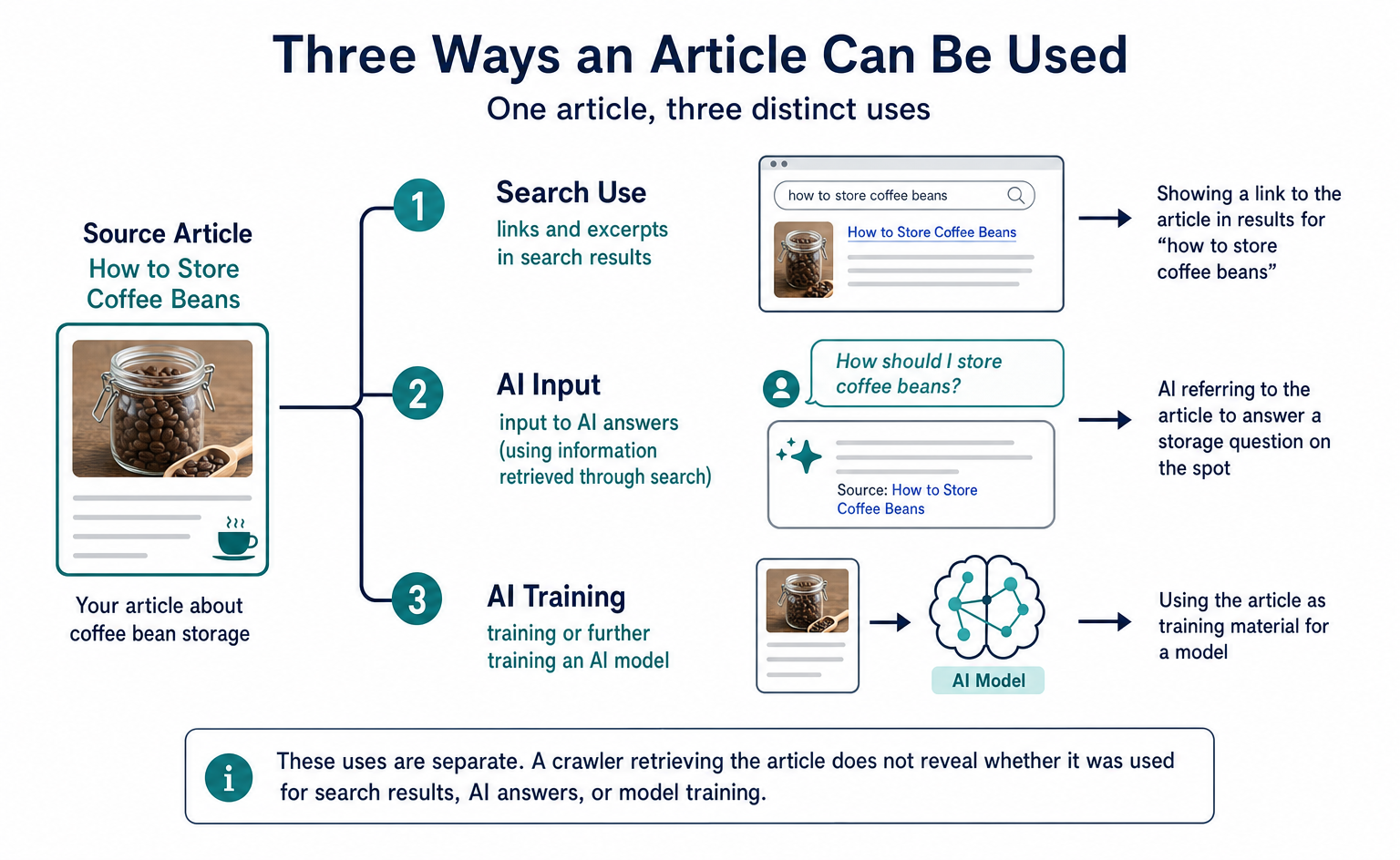
For example, suppose a coffee bean shop publishes an article about storage methods. In this illustrative example, the shop can separately specify two wishes: “Show a link to the article in search results” and “Do not use the article as training material for an AI model.”
AI referring to the article to answer a storage question on the spot is treated as another use. The benefit is that you can separate search, input for answers, and training, rather than make one blanket decision about whether AI may use the content.
| Item | Use covered | Example involving the storage article |
|---|---|---|
search |
Creating a search index and providing search results that include links and short excerpts | Showing a link to the article in results for “how to store coffee beans” |
ai-input |
Input to an AI model, such as generating answers using information retrieved through search | AI referring to the article to answer a storage question on the spot |
ai-train |
Training or further training an AI model | Using the article as training material for a model |
Under this definition, search does not include AI-generated search summaries. Even for a feature within a search service, search=yes cannot be read as blanket permission to generate AI answers.[1]
Also, the fact that a crawler retrieved an article does not tell you whether it was used for an immediate answer or for model training. Treat the categories of use and actual retrieval records separately.
2. How to Allow Search and Decline Training
Combining the basic settings with the crawler designation in the official example gives the following format. This is only an excerpt showing the parts needed to explain the use settings. It is not a complete file to replace your existing robots.txt.[1]
User-Agent: *
Content-signal: search=yes, ai-train=no
User-Agent: * identifies a group that applies to all crawlers. The Content-signal: line below it states the use settings for that group. If you have groups for specific crawlers or existing retrieval rules, you need to review those too.
| Entry | Meaning |
|---|---|
User-Agent: * |
A group that applies to all crawlers |
search=yes |
A statement permitting collection for search purposes |
ai-train=no |
A statement prohibiting collection for training or further training |
ai-input omitted |
No permission or restriction is expressed through this mechanism for use as input to answers |
The official managed content also includes policy text defining uses and reserving rights, Allow: /, Disallow rules for individual AI crawlers, and the experimental use=reference setting. These are omitted from the example above.[1]
For the storage article, a crawler would read the settings as follows. This explanation assumes a crawler that supports the instructions.
- The crawler retrieves the shop’s
robots.txt. - It reads the retrieval rules and use settings in the group that applies to it.
- It interprets the use settings as: “Collection for search is permitted; collection for training is prohibited; no position is stated on use as input to answers.”
These are the conditions of use communicated by the shop. Even if search use is set to yes, other retrieval rules or server-side blocking may prevent the article from being retrieved.
Omission Means Neither Permission nor Prohibition
Omitting ai-input does not prohibit use as input to answers. The official explanation says that an omitted use has neither permission nor restrictions expressed through Content Signals.[1]
If the shop decides, “AI may use the storage article as input to answer questions on the spot,” it can write the settings as follows. This is also an illustrative excerpt using the official items and values.
User-Agent: *
Content-signal: search=yes, ai-input=yes, ai-train=no
If you also want to decline use as input to answers, choose ai-input=no. Do not stop at an agreement to decline training. Have the relevant staff decide whether to permit input for answers as well, so that the intent is clear.
3. Retrieval Rules and Use Declarations Are Different
The Allow and Disallow rules in robots.txt tell crawlers which locations they may retrieve. Content Signals, by contrast, states the purposes for which content may be collected and used. They serve different roles, even when they appear in the same file.[1]
For the storage article, ai-train=no specifies a use restriction: “Do not collect this for training.” It is not the same as placing the article’s path under Disallow or blocking requests from a particular crawler on the server.
| Method | Main decision it communicates or enforces | Technical access blocking |
|---|---|---|
| Content Signals | The purposes for which content may be collected and used | The declaration itself does not block access |
Retrieval rules in robots.txt |
The paths that may be retrieved | The rules themselves do not block access |
| Blocking features such as AI Crawl Control | Whether to allow the targeted retrieval requests | Enforced through a separate feature |
Cloudflare explains that compliance with robots.txt is voluntary and that some crawlers may ignore its instructions. If you need to stop retrieval itself, consider blocking features such as AI Crawl Control in addition to declaring permitted uses.[1]
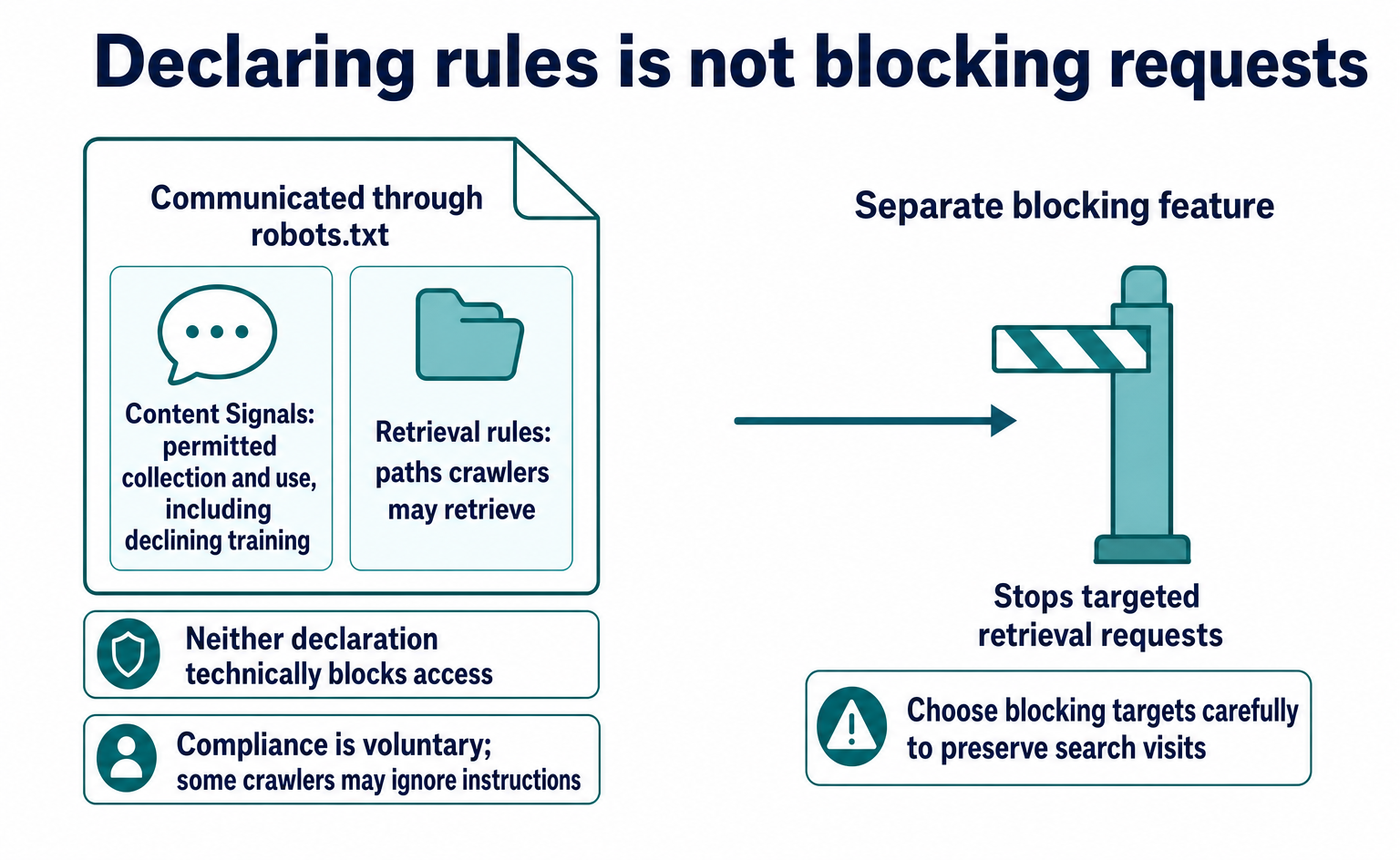
If the shop wants to maintain visits from search, it also needs to choose blocking targets carefully. Decide separately on the policy of declining training and which crawlers to stop from retrieving content. Then check that the rules being served match both intentions.
4. When Cloudflare Manages the File
Distinguish Content Signals use settings from Cloudflare’s management feature. Cloudflare’s managed robots.txt feature is available on all plans. Alongside use settings, it serves rules that prohibit retrieval by known AI crawlers.[1]
If an existing robots.txt returns HTTP 200, Cloudflare adds its managed content before the existing content and returns both in one response. If no existing file is present, it creates and serves a new file that includes Disallow rules for known AI crawlers.[1]
It is therefore important not to think of enabling the feature as simply adding one line containing ai-train=no. Even if you want the storage article used as input to AI answers, check whether the retrieval prohibitions for individual crawlers are compatible with that wish.
Official Setup Path
The official explanation gives the following steps.[1]
- In the Cloudflare dashboard, open Security Settings for the relevant domain.
- Filter by
Bot traffic. - Enable
Set your preference to block training in robots.txt.
After setup, open /robots.txt on the relevant domain and inspect the body actually returned. Review not only the use settings in the managed section, but also the Disallow rules for individual crawlers and the contents of the original file.
Watch for a Policy That Only Defines Uses
According to the official explanation, when a crawler requests robots.txt from a Free-plan domain that has neither its own robots.txt nor the management feature enabled, Cloudflare displays the Content Signals Policy. This policy defines the uses but does not specify individual permissions or prohibitions.[1]
Seeing explanatory text about what AI training means does not establish that you are serving ai-train=no. Check whether the Content-signal: line contains the items and values your company intends.
use=reference Is an Experimental Extension
In the official explanation updated on August 3, 2026, Cloudflare says it is testing an optional extension called content-use. This is a fourth item addressing retention and reuse of content after retrieval. Cloudflare says it adds use=reference for users who enable the management feature.[1]
On that page, use=reference refers to indexing, excerpts, and presenting links. It is an additional item separate from the three basic uses, so include it when reviewing the actual managed content.
5. What to Check After the File Is Served
After setup, first check whether the intended file is being served. Then check what retrieval requests are arriving. The Directives tab in Cloudflare’s AI Crawl Control lets you review the status of robots.txt for each hostname.[2]
The official path is to select your account and domain in the dashboard, then open Directives from AI Crawl Control. You can check request counts, response status, and whether Content Signals is present, among other details.[2]
| What to check | What to look at |
|---|---|
| Whether the file can be reached | Response status and the number of failed requests |
| Whether use settings are present | The presence of Content Signals and the items and values in the actual body |
| Whether there are requests to paths where retrieval is prohibited | Crawler names, paths, and matching rules in Robots.txt violations |
| Whether the data reflects the period after a change | The reporting period and the date rules were added or changed |
The successful-request count includes HTTP status codes below 400, so it covers redirects as well as HTTP 200 responses. Do not conclude from the success count alone that the intended body was returned. Check the content being served too.[2]
Also, Robots.txt violations shows requests to paths where retrieval is prohibited. It does not detect use for AI training. Because the table compares past requests against current rules, requests that were acceptable before a rule change may appear as violations.[2]
For example, if you prohibit retrieval of the storage article starting today, yesterday’s requests may appear as violations. To judge whether a crawler ignored the instructions in effect at the time, compare the request date and time with the date the rules changed.
6. Three Decisions for Your Company
For a shop that wants people to find its storage article through search but wants to decline AI training use, the starting point is search=yes, ai-train=no. Deciding the following three things will make it easier to hand the policy to the person responsible for setup.
- Uses: Decide whether to permit, prohibit, or state no position on each use: search, input to answers, and training.
- Retrieval: Decide whether communicating permitted uses is enough, or whether you need to technically block retrieval by particular crawlers.
- Delivery checks: Decide whether to serve the settings through your existing
robots.txtor the management feature, then review the final body and retrieval rules.
Content Signals is suited to cases where your first goal is to communicate a clear policy for each use. Do not assume that a declaration alone can also prove training has stopped or withdraw use of articles retrieved in the past.
Scope of Review and Legal Effect
This introductory article is based on the Cloudflare official explanations selected for review as of September 10, 2026. It has not verified the standardization stage of Content Signals itself, whether it has approval from bodies such as W3C or IETF, the extent to which individual crawlers have adopted or comply with it, or the detailed combinations of the experimental use setting with the three uses.
Cloudflare’s policy text states restrictions as a reservation of rights under Article 4 of EU Directive 2019/790. However, this does not guarantee their effect under Japanese law or their binding force on individual businesses.[1] Even if you can check delivery and retrieval requests, that does not mean you can verify past use or the removal of effects on already-trained models.
FAQ
- Q. What should I write if I want to allow search but decline AI training?
- The basic format identifies the target group with “User-Agent: *” and places “Content-signal: search=yes, ai-train=no” below it. This is an excerpt of the use settings, not a complete robots.txt file. Review existing retrieval rules too, and decide separately with ai-input whether to allow input for answers.[1]
- Q. Does search=yes also permit use in AI-generated search summaries?
- No. In the official explanation, search does not include AI-generated search summaries. Feeding an article into an AI model to generate an answer on the spot or for similar purposes is treated separately as ai-input.[1]
- Q. Does omitting ai-input prohibit that use?
- No. Omission means that Content Signals expresses neither permission nor restrictions for that use. State your policy with ai-input=yes to allow input for answers, or ai-input=no to decline it.[1]
- Q. Does Cloudflare’s management feature only add a declaration declining training?
- No. It also includes Disallow rules for known AI crawlers. The explanation updated on August 3, 2026 says it also adds use=reference as part of the experimental content-use extension. If the existing file returns HTTP 200, the managed content is added before it, so you need to review the full content served.[1]
- Q. Can the violation count in the Directives tab detect AI training?
- Robots.txt violations is a table showing requests to paths where retrieval is prohibited. It does not detect use for training. Because it compares past requests against current retrieval rules, requests that were acceptable before a rule change may appear as violations.[2]
- Q. Does writing ai-train=no legally stop AI training in Japan?
- The declaration alone cannot guarantee legal effect under Japanese law or binding force on individual businesses. Cloudflare’s policy text describes a reservation of rights under an EU directive, but this article has not verified its effect under Japanese law. Technical access blocking also requires a separate feature.[1]
Sources
- [1] robots.txt setting(最終更新:2026年8月3日) (Cloudflare) — accessed 2026-09-10
- [2] Directives(最終更新:2026年4月23日) (Cloudflare) — accessed 2026-09-10
About the author
Shogo MizushimaCEO of kairos Inc. / AgentSignal Developer
Develops AgentSignal, a tool for measuring AI crawler visits and AI-referred traffic, and diagnosing AIO readiness. Writes about measurement and practical improvements for AI search using observed data.
Related articles
Measurement and site improvement
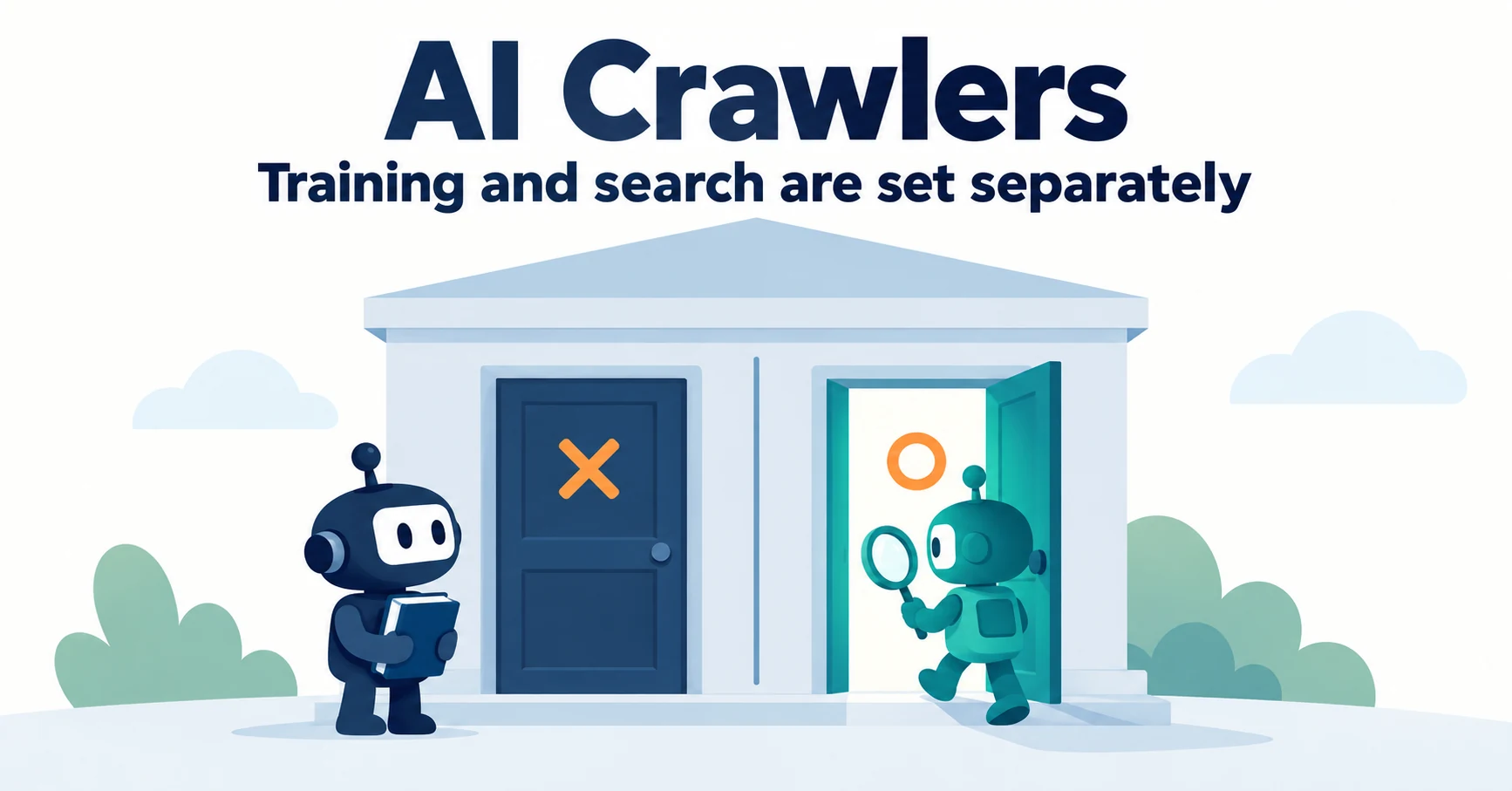
What Are AI Crawlers? Why Blocking GPTBot Doesn’t Remove You from ChatGPT Search
AI crawlers are programs AI companies use to read public web pages. Learn how GPTBot differs from OAI-SearchBot, how Google-Extended works, why visits can continue after a robots.txt block and how to choose settings by purpose.
Published
AIO and AI search
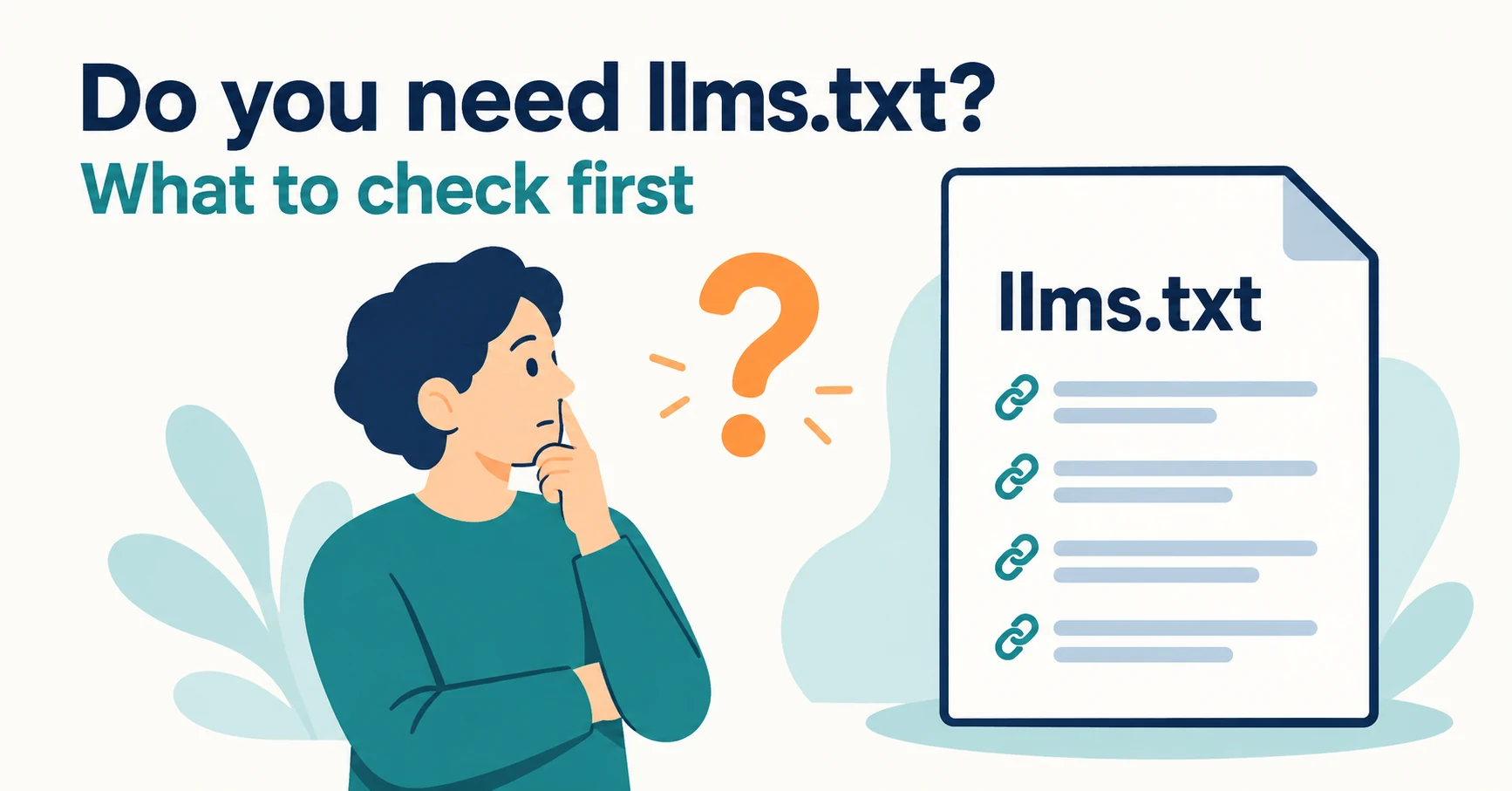
Do You Need llms.txt? What It Can Do and What to Check Before Adding It
llms.txt is a list of links to public pages you want AI to read. Learn whether AI search requires it, how it differs from robots.txt, when it helps, how to write it, and how to set it up and check it in WordPress and other platforms.
Published
Measurement and site improvement
What Do Visitors from AI Do? Fix Your Entry Page Based on Their Behavior
People arrive from AI answers, yet enquiries do not follow. Use session recordings to see what happens on the entry page: how to filter recordings to AI referrals, how to use page-wide heatmaps as a supplement, what to fix for each behavior pattern and how to recheck after the change.
Published