Animate images with Claude, GPT Image and ElevenLabs
Create artwork with GPT Image, animate it with Claude and add ElevenLabs narration. Follow asset paths, transparency checks, MCP setup and export steps.
A still image becomes more useful when you can move its parts and add a voice. Separating those steps makes a Claude-assisted animation workflow easier to understand.
GPT Image supplies artwork, code written with Claude supplies motion, and ElevenLabs supplies narration. The following setup shows how to try that division of work in a short explainer.
The starting point is a post by Sebastián Cisterna naming GPT Image and ElevenLabs. The public account does not establish the exact animation framework or every audio responsibility. This is our proposed implementation of the idea, not the creator’s disclosed implementation. Original post
Reference video using this combination
{{tweet:https://x.com/scisterna/status/2103600499861623106}}
The steps below are a suggested workflow based on public information, not the creator’s undisclosed prompts or production settings.
What image animation with GPT Image and Claude means
This approach changes the position, size and layering of completed artwork over time. A background might move slowly while a bird in front moves across the frame.
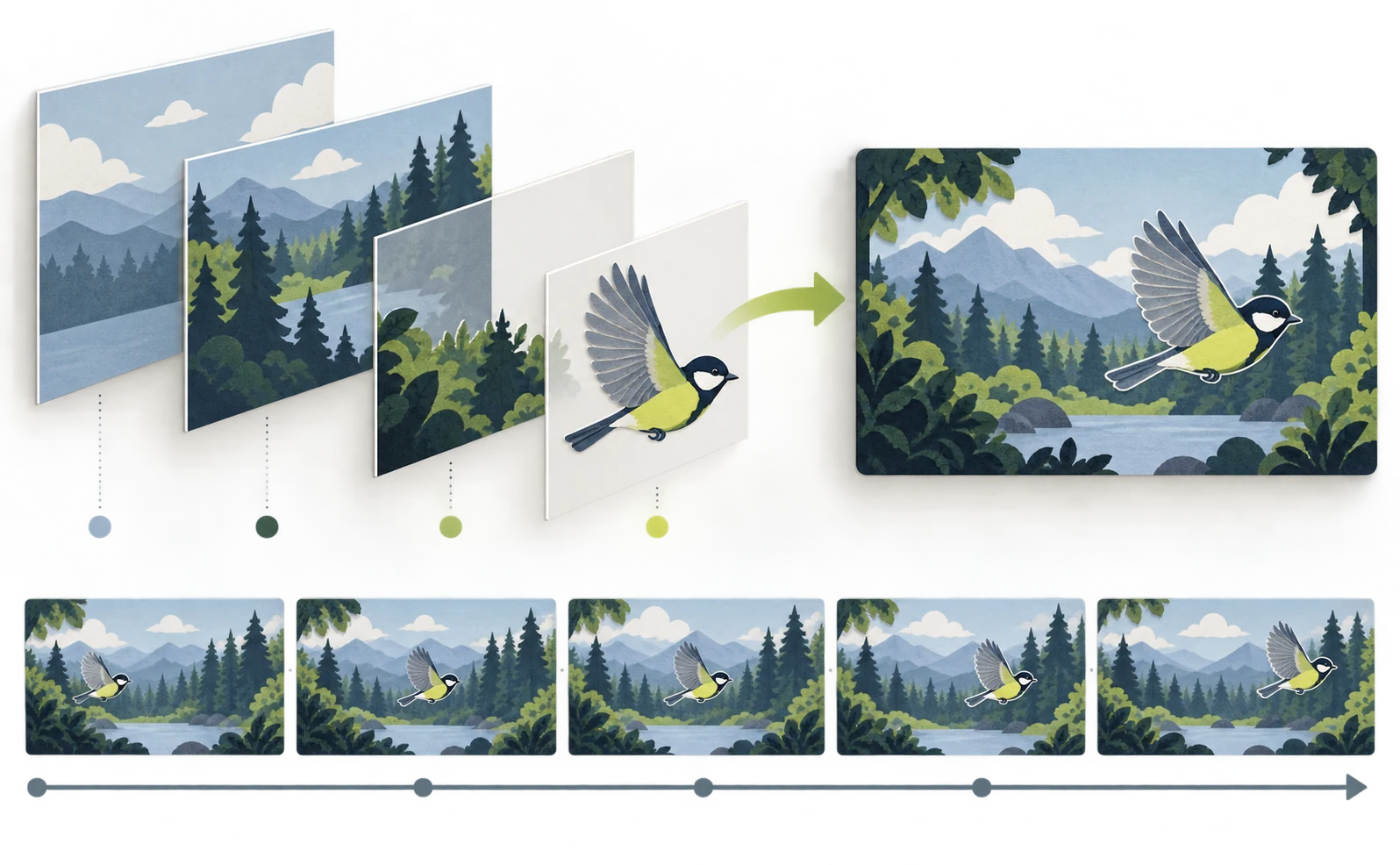
That differs from generating new footage of a person turning freely. Zooming into one picture produces a video, but independently moving objects require separate assets.
OpenAI officially offers GPT Image 2.5 Flare and Sunburst. The original post does not identify which variant was used. Instead of assuming an API model configuration, this exercise starts by creating and saving images in ChatGPT. Official announcement
Prepare ChatGPT image-generation access, Claude Code, Node.js 22 or later, FFmpeg and an ElevenLabs account. The HyperFrames installation used for animation follows this setup guide.
Separate generated artwork and animate it with Claude
Generating the background and moving object separately can reduce later cutout work. This exercise uses a forest background and a bird.
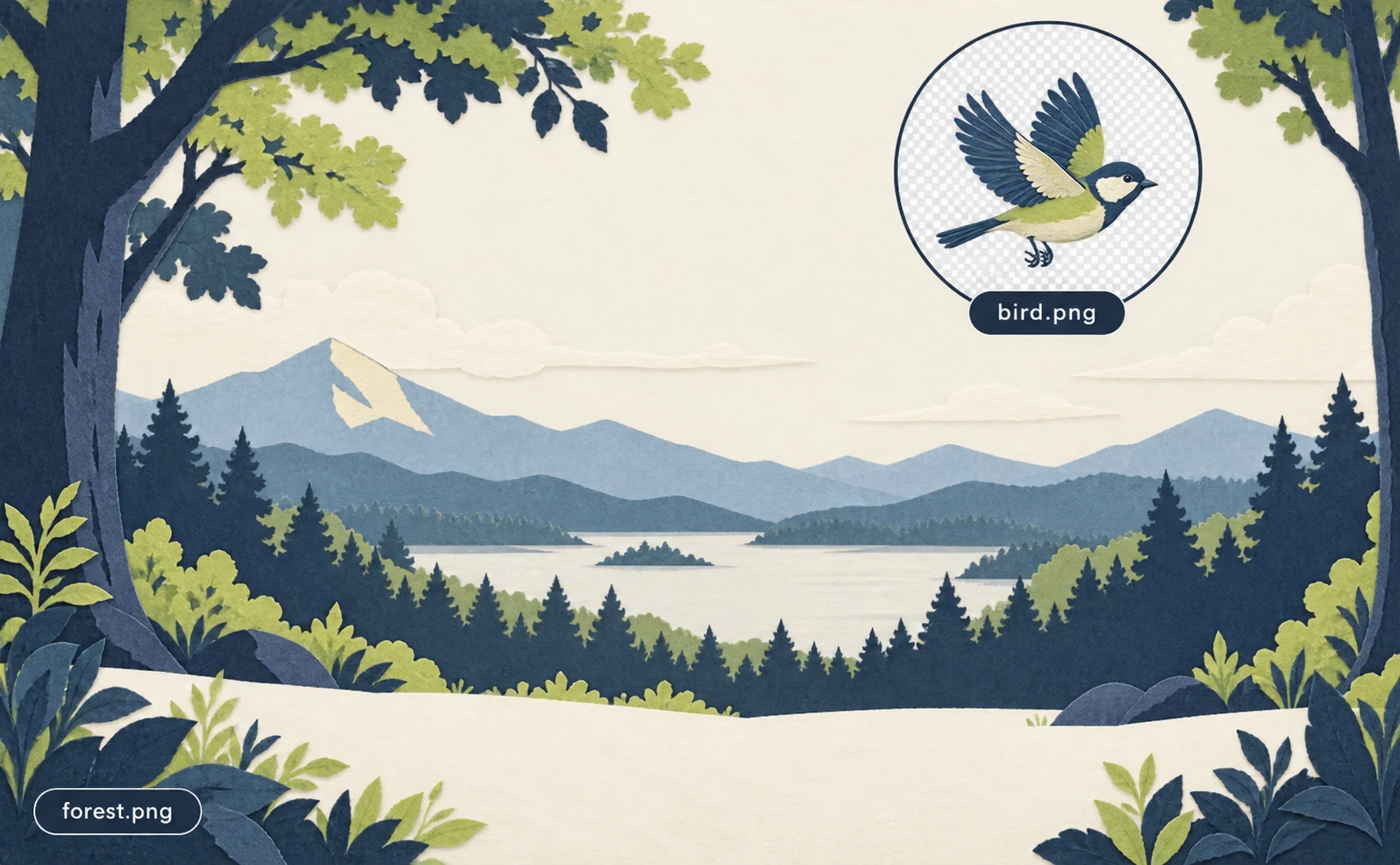
In a new ChatGPT conversation, request the background:
Generate a landscape 16:9 forest
illustration made from layered paper.
Mountains in the distance, sky in the
center, generous foreground space.
No birds, people or text. Use navy,
cream and lime.
This will be a background beneath a
separately animated bird image.
Save the result in PNG format in your project as assets/forest.png. If the download uses another format, convert it to PNG rather than changing only its extension. Attach that background as a reference and request the bird separately:
Generate one small bird matching this
background's paper texture and palette.
Side view, with the complete body inside
the frame. Transparent background.
No trees or text. The bird will be an
independent animation asset.
Save it as assets/bird.png. A checkerboard painted into the image is not transparency. Ask Claude to check whether the file has an alpha channel and request a cutout if it does not.
Launch Claude Code in the HyperFrames project and paste:
/hyperframes
Use assets/forest.png and
assets/bird.png for a 10-second,
1920×1080, 30fps video. Slowly zoom the
background.
Move the bird left to right between
seconds 2 and 7.
Do not generate new images or footage.
Report cutout problems first.
At second 8 show “Take a small step
today.”
Use a readable font and keep everything
inside the frame.
Show the plan before building, then run
checks and open a preview.
Inspect the silent version for a white rectangle around the bird or blurred artwork. If an image is enlarged too far, reduce the zoom or regenerate it at the resolution the composition needs.
Add ElevenLabs narration and verify it
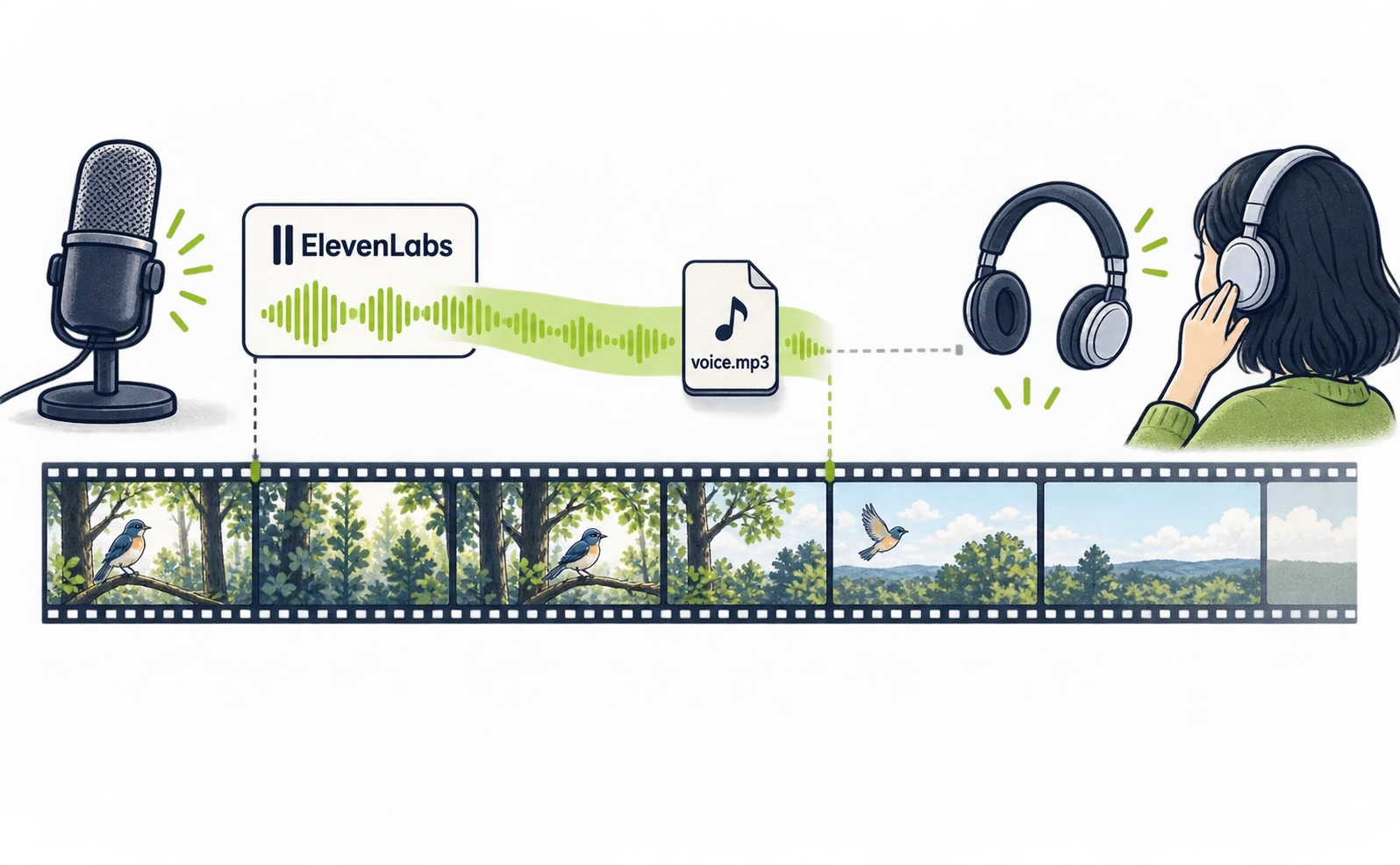
The official hosted ElevenLabs MCP can connect narration tools to Claude Code. MCP is the connection through which Claude uses an external service.
Run the following in a terminal in your project, then start Claude Code. Official connection instructions
claude mcp add --transport http elevenlabs https://api.elevenlabs.io/v1/mcp
claude
Inside Claude Code, open /mcp, select ElevenLabs and finish browser authentication. Then ask for available speech tools and suitable voices, without generating anything yet. Choose a voice.
Use the chosen voice name or ID in this request:
Create one ElevenLabs narration using
the voice I selected.
Script: “Take a small step today.” Use a
calm, natural pace.
Before generating, show the model and
usage conditions.
After my confirmation, generate and save
it as assets/voice.mp3.
If local saving is unavailable, return a
download link.
If you receive a link, download the audio into that location yourself. Check its duration, then ask Claude to start the voice at second 4 and keep the picture visible until the sentence finishes.
If the narration feels rushed, lengthen the video instead of forcing the voice to fit at an extreme speed. After checking picture and sound, export in the terminal:
npx hyperframes check
npx hyperframes render --output out.mp4
Play all of out.mp4 and check that the sentence is not cut off. For authentication errors, inspect /mcp; for usage-limit errors, check the ElevenLabs allowance.
Separate image, voice and revision costs
Track artwork, narration, Claude’s work and rendering separately. Account-based connections still consume the external services’ generation allowances.
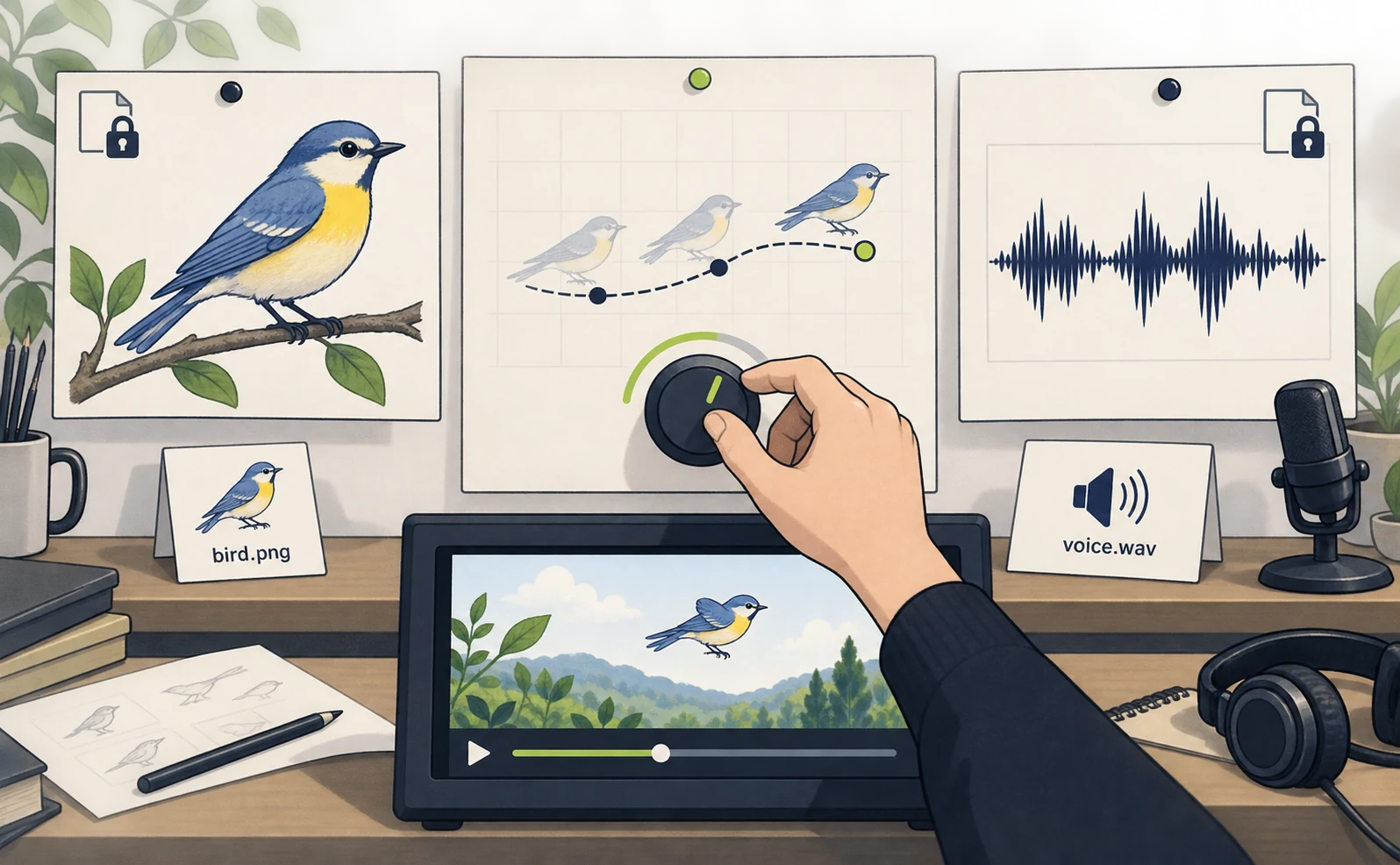
This exercise saves images manually; the original creator reported an API-based setup. These are different billing routes.
| Requested change | First place to edit |
|---|---|
| Move the bird farther right | Animation code |
| Change the spoken sentence | Narration script and audio |
| Change the bird’s shape | Image asset |
| Change only on-screen wording | Text element in the composition |
Changing movement speed does not require regenerating the bird. Saving approved image and audio files lets you choose which stage to repeat.
Finish a first version with one background, one foreground asset and one voice track. The same division of work scales to more assets. If natural character performance matters more, compare the Higgsfield production setup.
Sources
- [1] Original post — accessed 2026-09-27
- [2] Official announcement — accessed 2026-09-27
- [3] Official connection instructions — accessed 2026-09-27
About the author
Shogo MizushimaCEO of kairos Inc. / AgentSignal Developer
Develops AgentSignal, a tool for measuring AI crawler visits and AI-referred traffic, and diagnosing AIO readiness. Writes about measurement and practical improvements for AI search using observed data.
Related articles
Case studies and research
Claude video generation: seven Opus 5.5 workflows compared
Compare seven Claude video workflows. Start with motion graphics written by Claude Code alone, with no external video generation or MCP, then find setup guides for HyperFrames, Remotion, image animation, Higgsfield, HeyGen and ElevenLabs.
Published
Case studies and research
Claude Code and HyperFrames: make a video and add Lyria music
Set up Claude Code and HyperFrames, add Lyria music, preview a composition and export an MP4 with commands and a 15-second starter prompt.
Published
Case studies and research
Claude and Remotion: make visuals and sound with code
Install the Remotion plugin for Claude Code, build a text-and-shapes video, add a Node.js sound cue and render an MP4. Includes paths and troubleshooting.
Published