Claude Code and HyperFrames: make a video and add Lyria music
Set up Claude Code and HyperFrames, add Lyria music, preview a composition and export an MP4 with commands and a 15-second starter prompt.
A service name appears, followed by shapes and text moving with the music. Claude Code and HyperFrames are one way to build that kind of short promotional video.
Claude Code plans and writes the composition; HyperFrames renders the video file. Lyria supplies background music. Here is a setup path for a first 15-second project.
The instructions use official documentation checked on September 27, 2026. The sample prompts are our proposed exercises, not a reconstruction of a creator’s private prompts.
Reference video using this combination
{{tweet:https://x.com/Majin_AppSheet/status/2103497319899693327}}
The steps below are a suggested workflow based on public information, not the creator’s undisclosed prompts or production settings.
What HyperFrames and Claude Code each do
Claude Code is the production assistant. HyperFrames turns code such as HTML into video. Editable text and animation timing make it useful when headlines may change later.
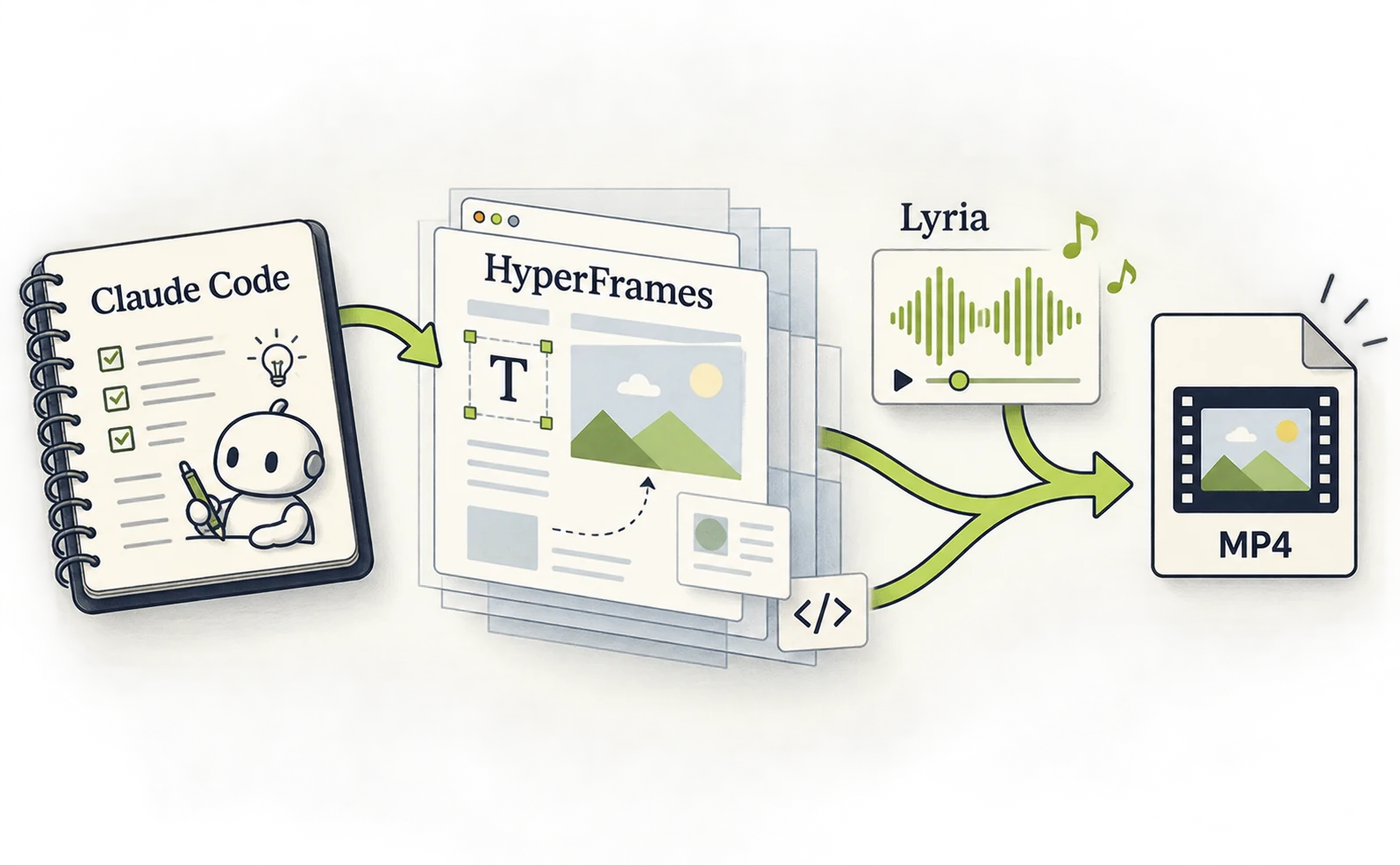
Majin shared a project combining Claude Code with Opus 5.5, HyperFrames and Lyria music. This article provides an entry point for trying that combination. Creator post
Prepare an account with Claude Code access, Node.js 22 or later, and FFmpeg. Node runs the command-line tools; FFmpeg packages picture and sound into a video. HyperFrames project
On a Mac that already has Homebrew, run the following in Terminal. For Windows or another setup, select the appropriate installation method in the Claude Code setup guide.
brew install --cask claude-code
brew install node ffmpeg
claude --version
node --version
ffmpeg -version
Skip installations you already have. Check that the Node version is at least 22, then launch claude and sign in with your subscription account. If you intend to use a subscription allowance, distinguish it from API billing.
Build assets, animation and an export with HyperFrames
Create a project, ask Claude to build its contents, then move from preview to export. Start without sound so setup problems are easier to isolate.
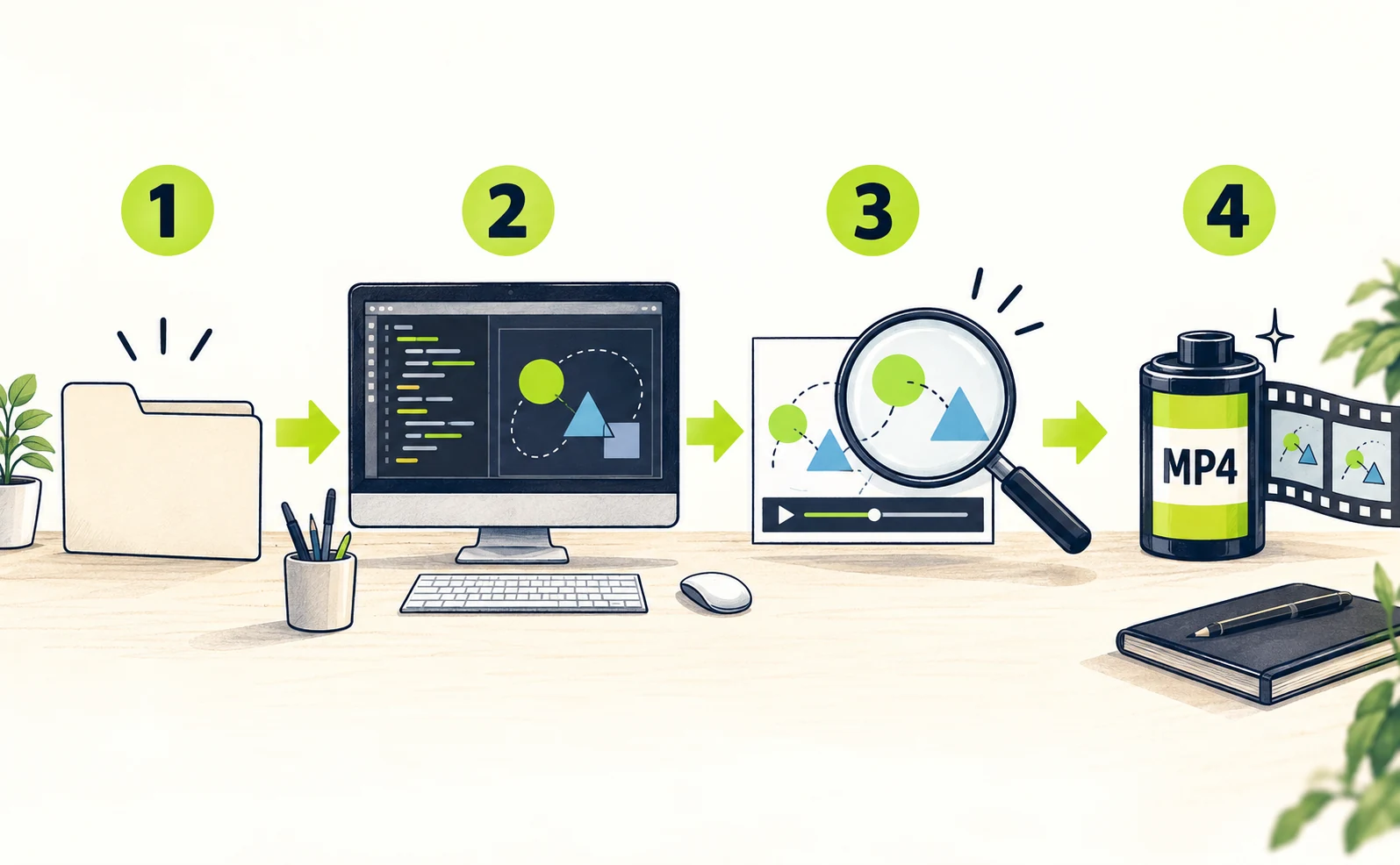
Run these commands in order. my-first-video is the new working folder. Official quickstart
npx hyperframes init my-first-video
cd my-first-video
npx skills add heygen-com/hyperframes
claude
In the Skills picker, choose Core Skills and Claude Code and follow the installation prompts. Skills provide the assistant with production instructions. Restart Claude Code if they are not recognized.
Paste this proposed exercise into Claude Code, replacing the product as needed:
/hyperframes
Create a 15-second, 1920×1080, 30fps
introduction in this folder.
The subject is a fictional notes app
called Memo.
0–4 seconds: “Capture an idea as it
happens.”
4–10 seconds: Three notes appear and
organize one at a time.
10–15 seconds: “Keep today's ideas.”
Use a navy background and white text,
with enough time to read.
Do not generate external audio, images
or video yet.
Do not invent product features or
results.
Show a storyboard first. After approval,
build it,
run checks and show the preview.
Approve the storyboard once it matches your intent. To open the preview yourself, use another terminal in the same folder:
npx hyperframes check
npx hyperframes preview
Open the printed URL and inspect cropped text and scene changes. When satisfied, stop the preview command with Ctrl+C and render:
npx hyperframes render --output out.mp4
Your first milestone is a playable out.mp4 in the project folder. Generated code may need corrections. Give Claude the check error and a description of the scene where the problem occurs.
Add Lyria music to the HyperFrames video
A straightforward first route is to generate music in Gemini, download the MP3 and give it to HyperFrames. You do not need to start by building an API integration.

In Gemini, choose Upload and tools, then Create music. After generation, use Download and select the audio-only MP3. Age, account and activity-setting requirements apply; if the feature is missing, check Google’s instructions and eligibility.
A proposed music prompt:
Create a light, calm instrumental for a
short notes-app introduction.
No vocals. Piano and restrained
percussion.
Make the beat clear from the beginning,
without distracting from text.
Save the audio as assets/bgm.mp3 inside the project. The generated track may be longer than the video, so specify the segment to use:
Use assets/bgm.mp3. Fit the first 15
seconds to the video
and fade the ending naturally. Suggest
text entrances on the beat.
Preview the volume and transitions, then
render out.mp4 again.
Do not regenerate music or charge
another service.
If audio is missing, first check that the MP3 plays independently and its filename matches. Then test the exported MP4 as well as the browser preview.
Change only the opening of a HyperFrames ad
To vary an ad’s opening, state both the replacement text and the conditions that must stay fixed. Explaining the comparison helps keep unrelated parts from changing.
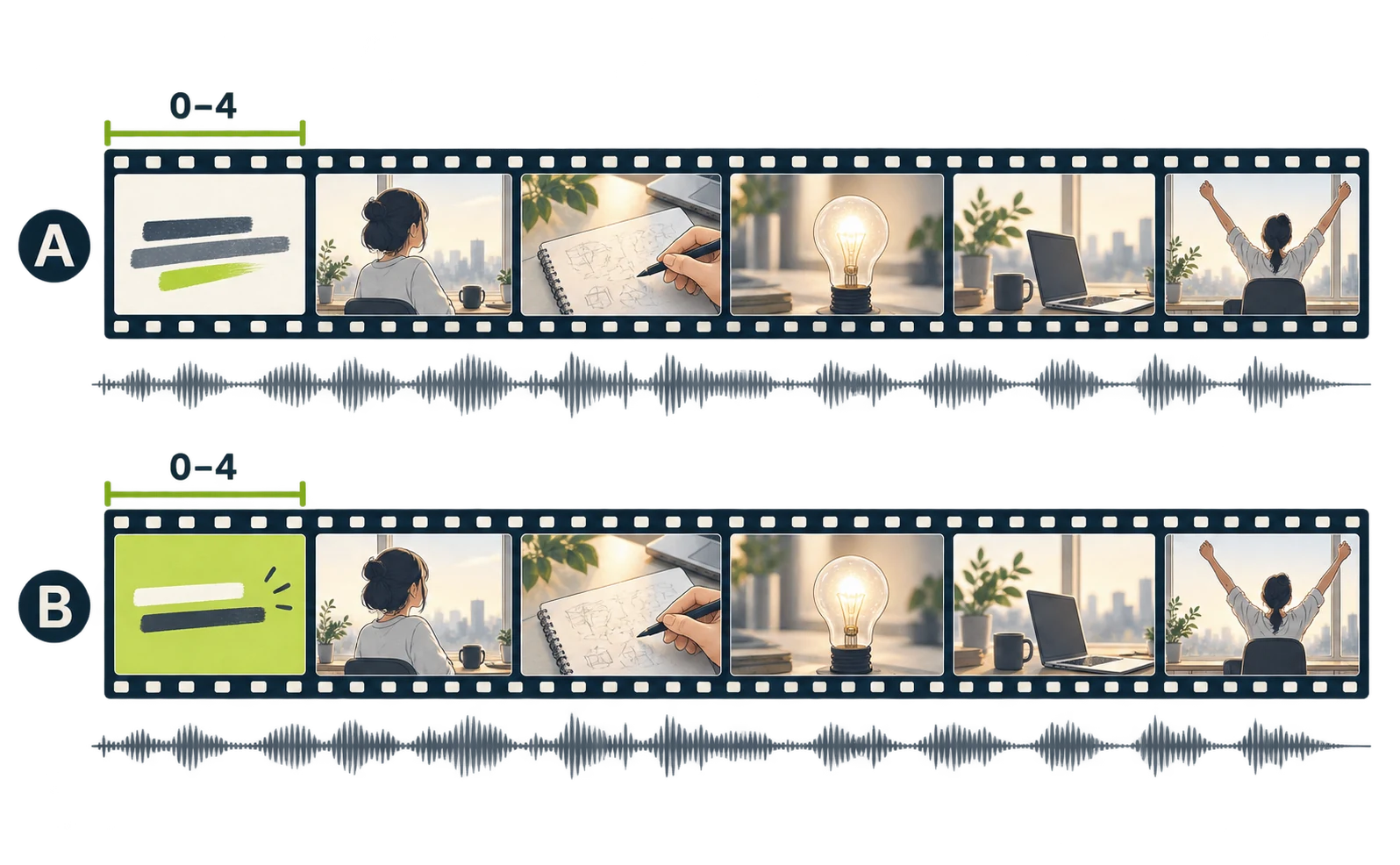
Save the current video as version A. For
version B,
change only the text at 0–4 seconds to
“Before the idea disappears.”
Keep text position, duration, music and
everything after second 4 identical.
Check the differences and export
separate MP4 files.
Compare the two exports before uploading them to an ad platform. Different text lengths can create different line breaks, so inspect them on a phone too.
HyperFrames licensing is separate from Claude and Lyria allowances. Check any additional asset-generation cost when adding services. Easier production does not establish better advertising performance; compare CTR and CPC after delivery.
For alternative setups, see six Claude video workflows.
Sources
- [1] Creator post — accessed 2026-09-27
- [2] HyperFrames project — accessed 2026-09-27
- [3] Claude Code setup guide — accessed 2026-09-27
- [4] Official quickstart — accessed 2026-09-27
- [5] Google’s instructions and eligibility — accessed 2026-09-27
About the author
Shogo MizushimaCEO of kairos Inc. / AgentSignal Developer
Develops AgentSignal, a tool for measuring AI crawler visits and AI-referred traffic, and diagnosing AIO readiness. Writes about measurement and practical improvements for AI search using observed data.
Related articles
Case studies and research
Claude video generation: seven Opus 5.5 workflows compared
Compare seven Claude video workflows. Start with motion graphics written by Claude Code alone, with no external video generation or MCP, then find setup guides for HyperFrames, Remotion, image animation, Higgsfield, HeyGen and ElevenLabs.
Published
Case studies and research
Claude and Remotion: make visuals and sound with code
Install the Remotion plugin for Claude Code, build a text-and-shapes video, add a Node.js sound cue and render an MP4. Includes paths and troubleshooting.
Published
Case studies and research
Animate images with Claude, GPT Image and ElevenLabs
Create artwork with GPT Image, animate it with Claude and add ElevenLabs narration. Follow asset paths, transparency checks, MCP setup and export steps.
Published