Who Handles AIO? Roles and Monthly Workload for Small Teams

Without a dedicated specialist, who should handle AIO work? Learn the four roles of measurement, writing, fact-checking and site settings, example splits for teams of two or three, and how to estimate monthly workload.
AIO work (getting your company presented accurately in AI answers) divides into four roles: measurement, writing, fact-checking and site settings. One person can hold several, but we recommend that the person who writes not be the one who checks the facts.
This four-role split is our suggested approach, not an industry requirement.
“We have no specialist, but my manager asked me to start AIO.” For part-time owners in that position, this article covers how to divide roles, examples for teams of two or three, how to estimate monthly workload, what to outsource and what to decide in the first month. If you want the meaning of AIO first, read What Is AIO?
The four roles needed to run AIO in-house
We suggest dividing AIO work into four roles: measurement, writing, fact-checking and site settings. Each needs different access, so define roles before assigning people.
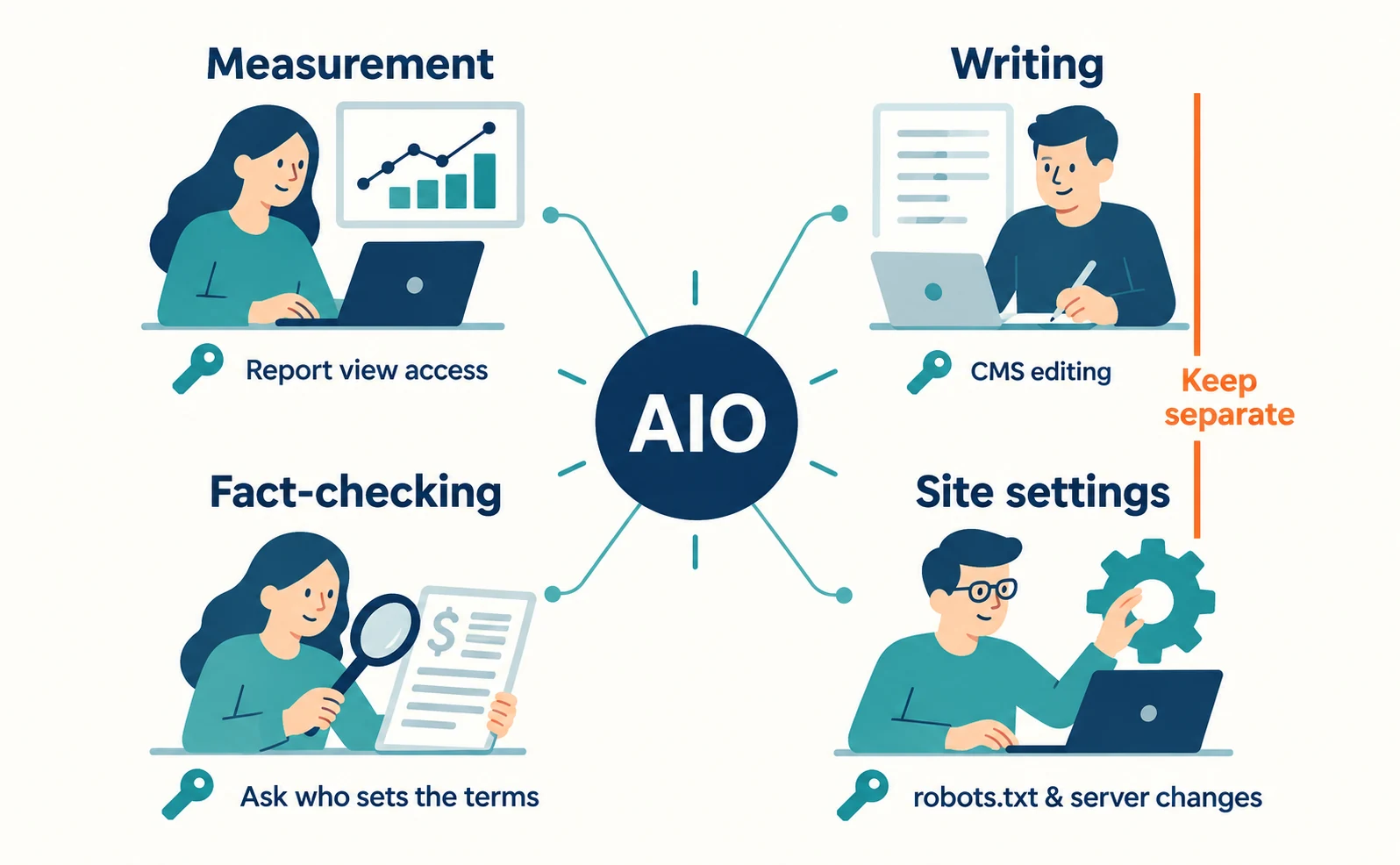
| Role | Main tasks | Access needed | Can be combined with |
|---|---|---|---|
| Measurement | Record AI answers per question and review Google and Bing reports | View access to Search Console and Bing Webmaster Tools | Site settings, writing |
| Writing | Draft fixes for pages missing answers or conditions | CMS editing | Measurement |
| Fact-checking | Verify prices, conditions and scope | Ability to ask the department that sets terms and prices | Anything except writing |
| Site settings | Check that pages are usable in search and crawling is not blocked | Changes to robots.txt or server settings | Measurement |
The site settings role exists because Google applies standard SEO basics to its AI features. Google lists checks such as allowing crawling in robots.txt and in CDNs (external services that deliver pages quickly), providing important content as text and matching structured data to visible text [1].
Separating the checker from the writer keeps “the text is finished” apart from “the conditions were verified.” Readable text still cannot be published if deadlines or prices are wrong.
Example role splits for teams of two or three
With few people, give writing and fact-checking to different people, and combine measurement with site settings. The team setups below are hypothetical.
| Setup (hypothetical) | Person A | Person B | Person C |
|---|---|---|---|
| Two: marketing owner + web developer | Writing, requesting fact-checks | Measurement, site settings, fact-checking | — |
| Three: marketing owner + web developer + sales lead | Measurement, writing | Site settings | Fact-checking |
With two people, A writes and B checks so no one reviews their own work. For prices or contract terms neither person can decide, ask the department that sets them.
With three people, the sales lead who explains real terms in meetings is well suited to fact-checking. They also know frequent customer questions and can help choose questions for measurement.

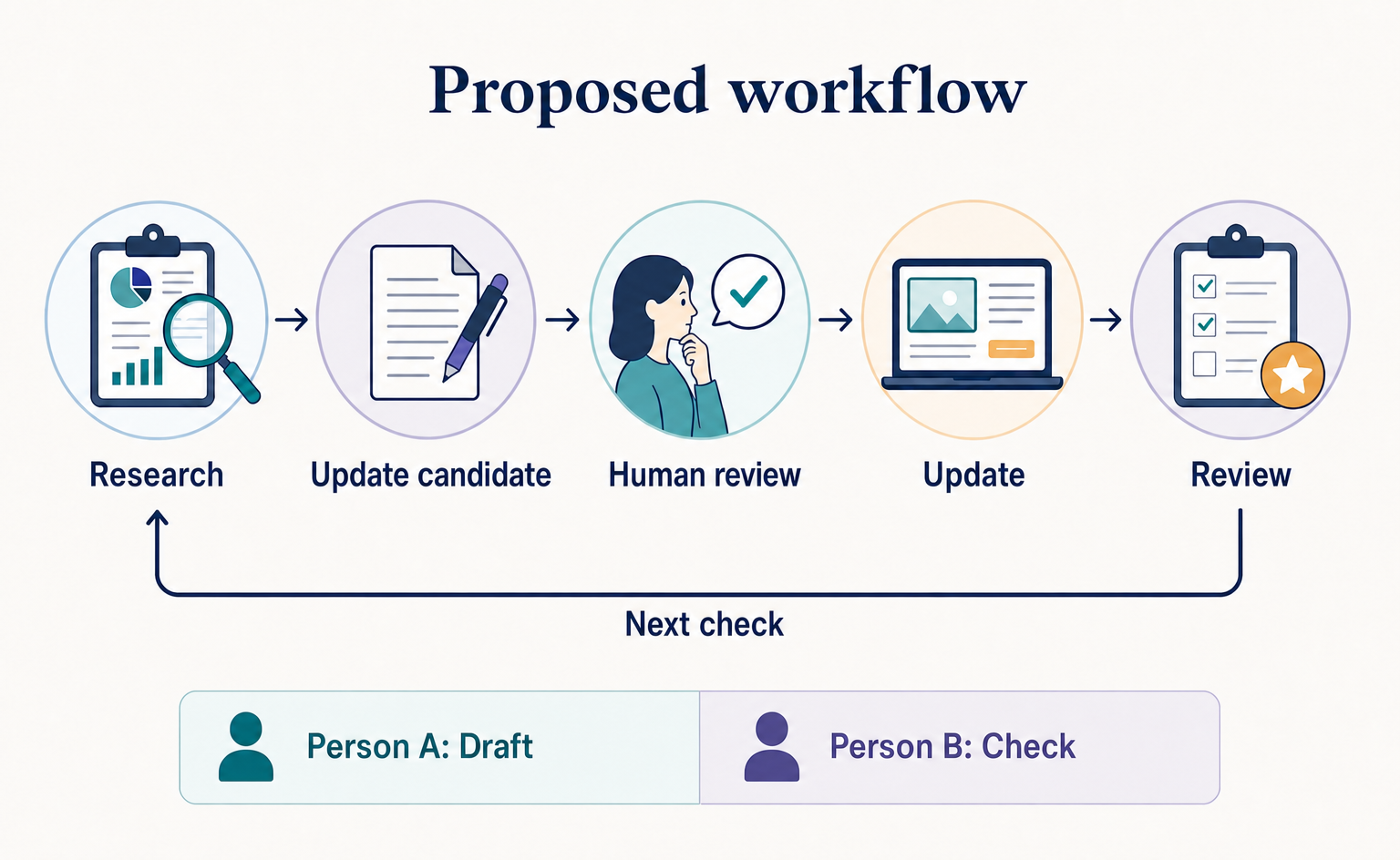
A weekly flow for two people from research to edits and approval is covered in Lessons from Plaid’s Small Team.
Monthly AIO workload: estimating measurement, fixes and checks
Monthly workload depends on the number of target pages and questions, so there is no fixed time. Break the work into small units, time one unit yourself and multiply.
| Work unit | Counting unit | Your estimate | Example entry (hypothetical) |
|---|---|---|---|
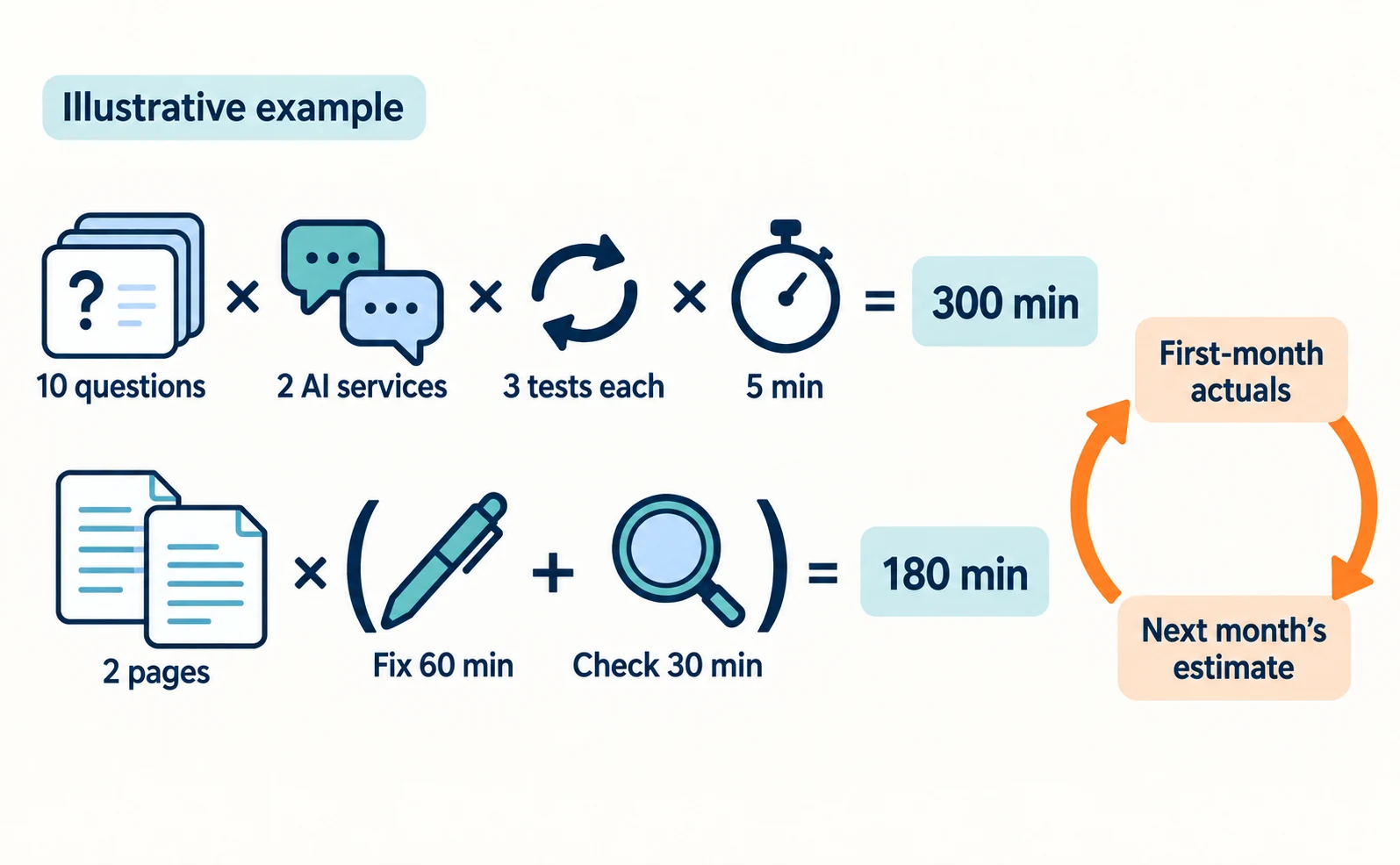
| Test and record one question in one AI | Questions × AI services × tests | __ min | 5 min |
| Copy report figures to the record | Once a month | __ min | 20 min |
| Draft a fix for one page | Pages | __ min | 60 min |
| Fact-check one page | Pages | __ min | 30 min |
| Check settings | Once a month | __ min | 30 min |
Because AI answers change even for the same question, decide how many times to ask each question and multiply by that too. Using the example entries, 10 questions × 2 AI services × 3 tests is 300 minutes, and fixing and checking 2 pages is 180 minutes. This shows how to calculate; it is not an actual workload. Record the real time spent in the first month and use it for the next month’s estimate.
Monthly tasks for measurement: reviewing Search Console and Bing AI reports
The measurement owner records Google and Bing reports separately and does not mix them with clicks or visits.
Search Console’s Generative AI Performance Report is described as rolled out to all websites on August 31, 2026 [2]. It shows how often your URLs appeared (impressions) in features such as AI Overviews and AI Mode, in separate Search and Discover reports, by page, country and date, with a device breakdown for Search only [2]. Clicks are not among the announced items, so check visits separately in your analytics.
Bing Webmaster Tools’ Citation Share launched in preview on June 16, 2026 [3]. It is your site’s share of all citations across all sites for a specific grounding query, the search query the AI uses to find supporting sources [3]. It is separate from the answers the measurement owner records per question. A Compare feature for comparing with a previous period launched at the same time [3]. Microsoft describes Citation Share as an observational metric, not a ranking or traffic share [3].
Open the reports by selecting your site in Search Console and Bing Webmaster Tools. Both require a verified site and view access; if you lack access, ask your site administrator.
Set up these columns in your monthly record:
| Month | Impressions in Google’s AI features | Pages with most impressions | Bing Citation Share | AI-referred visits (analytics) | Notes |
|---|
Do not attribute a change straight to page edits. Keep the edit date alongside the record date, and note seasonality or changes in measurement.
Monthly tasks for writing and fact-checking: fixing one page at a time
The writer and checker pick one page and treat fixing and verifying its answer, conditions and evidence as one cycle.
- From the measurement record, pick one question where your company did not appear.
- Open the page that answers it. Check whether the answer is at the top and whether conditions are hidden far away.
- The writer drafts the fix and attaches the terms or price list used as evidence.
- The checker verifies deadlines, prices and scope against the evidence. Hold publication if anything is unverified.
- After publishing, set a date for the measurement owner to recheck the same question.
Google says meeting its conditions does not guarantee inclusion in AI features [1]. So report “the page was fixed” separately from “the answer changed.”
Deciding what to keep in-house and what to outsource
Keep fact-checking of your own prices and terms in-house; recording results and checking site settings can be outsourced. The dividing line is whether your company holds final responsibility for accuracy.
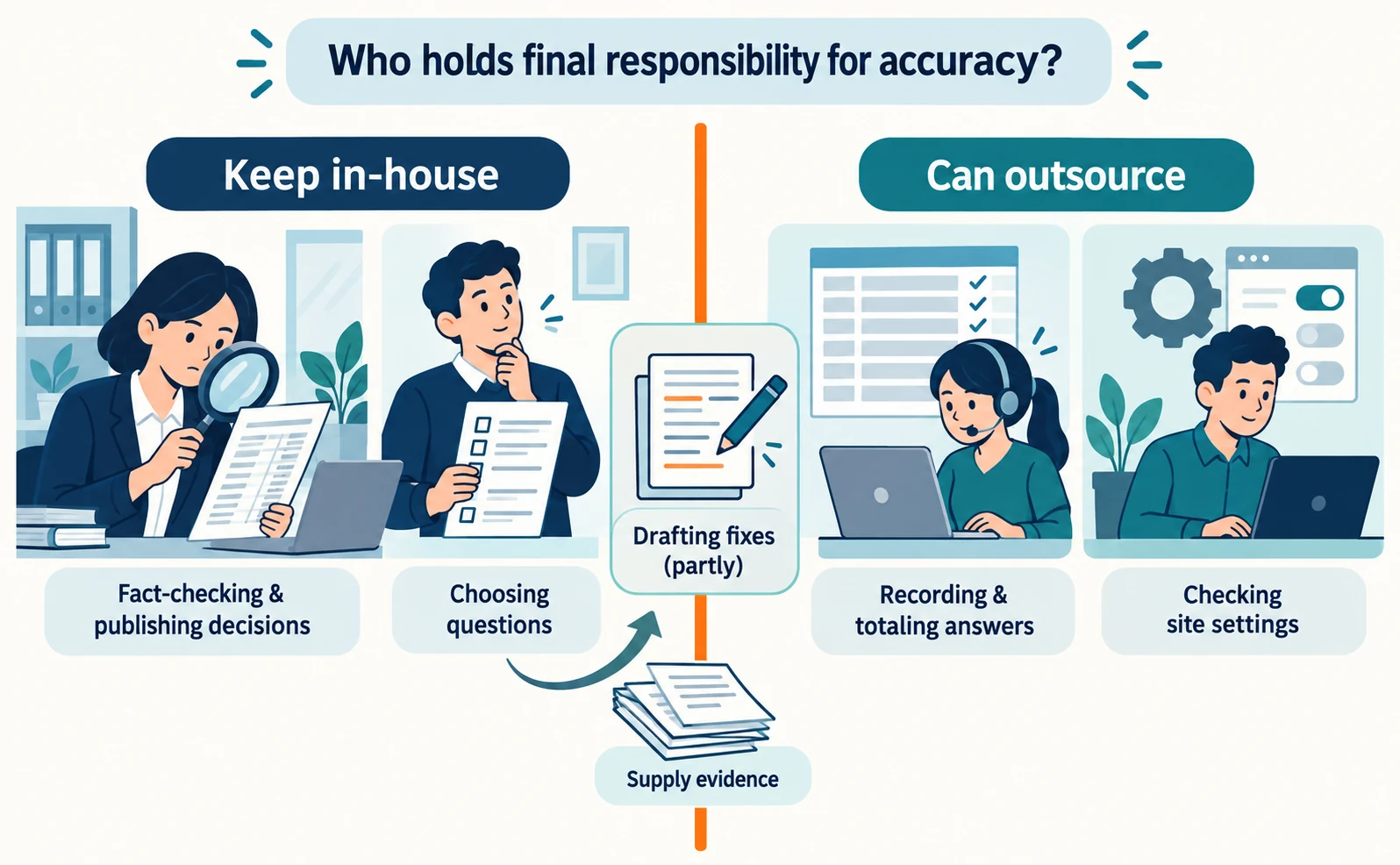
| Task | Outsourcing | Reason |
|---|---|---|
| Recording and totaling answers | Can outsource | Once questions and conditions are set, it follows a procedure |
| Checking site settings | Can outsource | Technical checks with few internal decisions |
| Drafting fixes | Partly | Drafts can be delegated, but your company supplies the evidence |
| Fact-checking and publishing decisions | Keep in-house | Terms can be shared with the vendor, but your company decides who gives final approval |
| Choosing questions to measure | Led in-house | Your company knows what customers actually ask |
Even when outsourcing, name an internal owner for the question list and pre-publication checks. The proposal comparison in LLMO, GEO, AEO and AIO can also help you compare requests.
What to decide in the first month
You can start once you decide four things: owners’ names, three target pages, where the record lives and check dates.
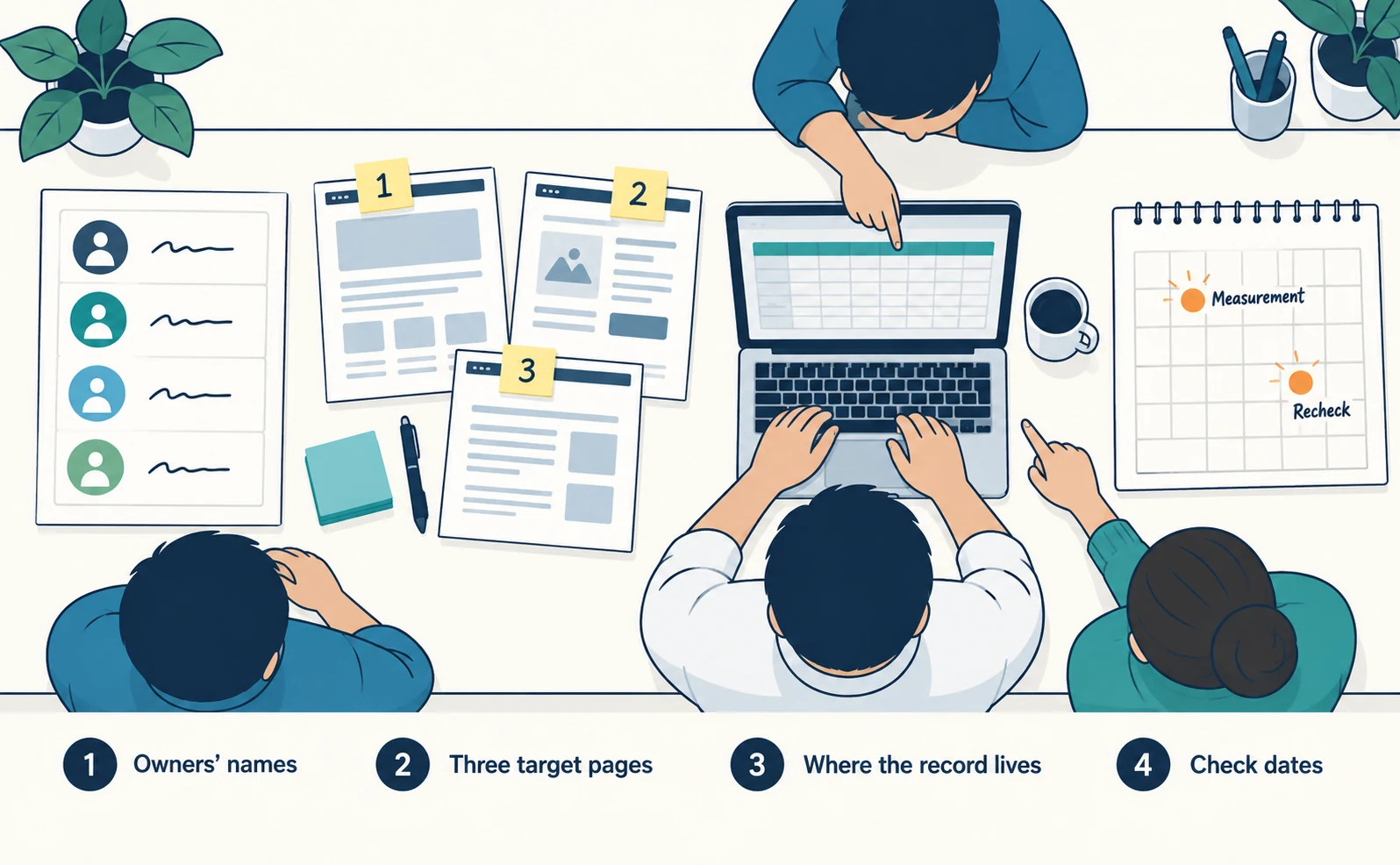
- Owners’ names: write a real name for each of the four roles. Combining roles is fine.
- Three target pages: choose pages that answer customer questions, such as pricing or high-inquiry product pages.
- Where the record lives: somewhere everyone sees the same sheet, such as a shared spreadsheet.
- Check dates: put the monthly measurement date and post-fix recheck dates on the calendar.
In the first month, also record the time each task took. Next month, put those actuals into the estimate column and decide whether to add pages or questions. To keep recording answers per question, see How to Use AI Optimization for AgentSignal’s AI citation rate workflow.
FAQ
- Q. Can one person handle AIO?
- One person can combine measurement, writing and site settings. Ask the department or manager who sets prices and terms to verify them, so the writer is not the only one deciding to publish.
- Q. Should the writer and the checker be different people?
- Yes, we recommend it. Readable text and correct deadlines or prices are separate checks, and writers find it hard to spot their own errors.
- Q. How much time does it take each month?
- There is no fixed time because it depends on the number of pages and questions. Time each unit, such as recording one question or fixing one page, and multiply by the count.
Sources
- [1] AI features and your website (Google Search Central) — accessed 2026-09-23
- [2] Introducing Search Generative AI performance reports in Search Console (Google Search Central Blog) — accessed 2026-09-23
- [3] New AI Visibility Insights in Bing Webmaster Tools: Intents, Topics, Citation Share, Compare (Microsoft Bing Blogs) — accessed 2026-09-23
About the author
Shogo MizushimaCEO of kairos Inc. / AgentSignal Developer
Develops AgentSignal, a tool for measuring AI crawler visits and AI-referred traffic, and diagnosing AIO readiness. Writes about measurement and practical improvements for AI search using observed data.
Related articles
Case studies and research
Turn AI Search Research into Content Updates: Lessons from Plaid’s Small Team
Plaid’s two-person search marketing team uses Profound for AI search research and content improvement proposals. Explore the case and AgentSignal’s proposed weekly work plan for turning findings into update candidates, editorial checks, and regular reports.
Published

AIO and AI search
What Is AIO? Its Two Meanings and Where to Start with AI Optimization
AIO has two meanings: work to get your company featured in AI answers, and Google Search’s AI Overviews. Learn how it relates to SEO, what to confirm in a proposal, what Search Console and Bing reports show, and your first tasks.
Published
AIO and AI search
LLMO, GEO, AEO and AIO: Understanding AI Optimization Terms
LLMO, GEO, AEO and AIO are names for work that helps AI answers find your company. Learn what GEO and AEO mean, how GEO differs from local map optimization, where the terms overlap, and how to compare proposals that use different names.
Published