Traffic Down Because of AI Search? How to Investigate in Search Console
If you think AI search has reduced your traffic, first separate changes in clicks, click-through rate and impressions. Learn how to use Search Console’s generative AI report, page-level checks and Bing’s citation share, and how to choose a page to fix.
If you think AI search has reduced your traffic, first separate whether clicks, impressions or click-through rate changed. Then compare Search Console’s generative AI report with the standard report to see which pages to investigate.
Your pages appear in search more often than before, yet visits are not growing. If you blame AI answers alone, you may miss ranking drops or changes in search terms.
This article explains how to investigate using Google Search Console’s new generative AI report and how to read Bing’s citation share. Information was checked on September 23, 2026.
Separate the symptoms when AI search traffic drops
First, separate whether clicks, click-through rate or impressions fell. Sometimes only the rate falls while visits increase.
Click-through rate, or CTR, is the share of search impressions that produce a click.[4]
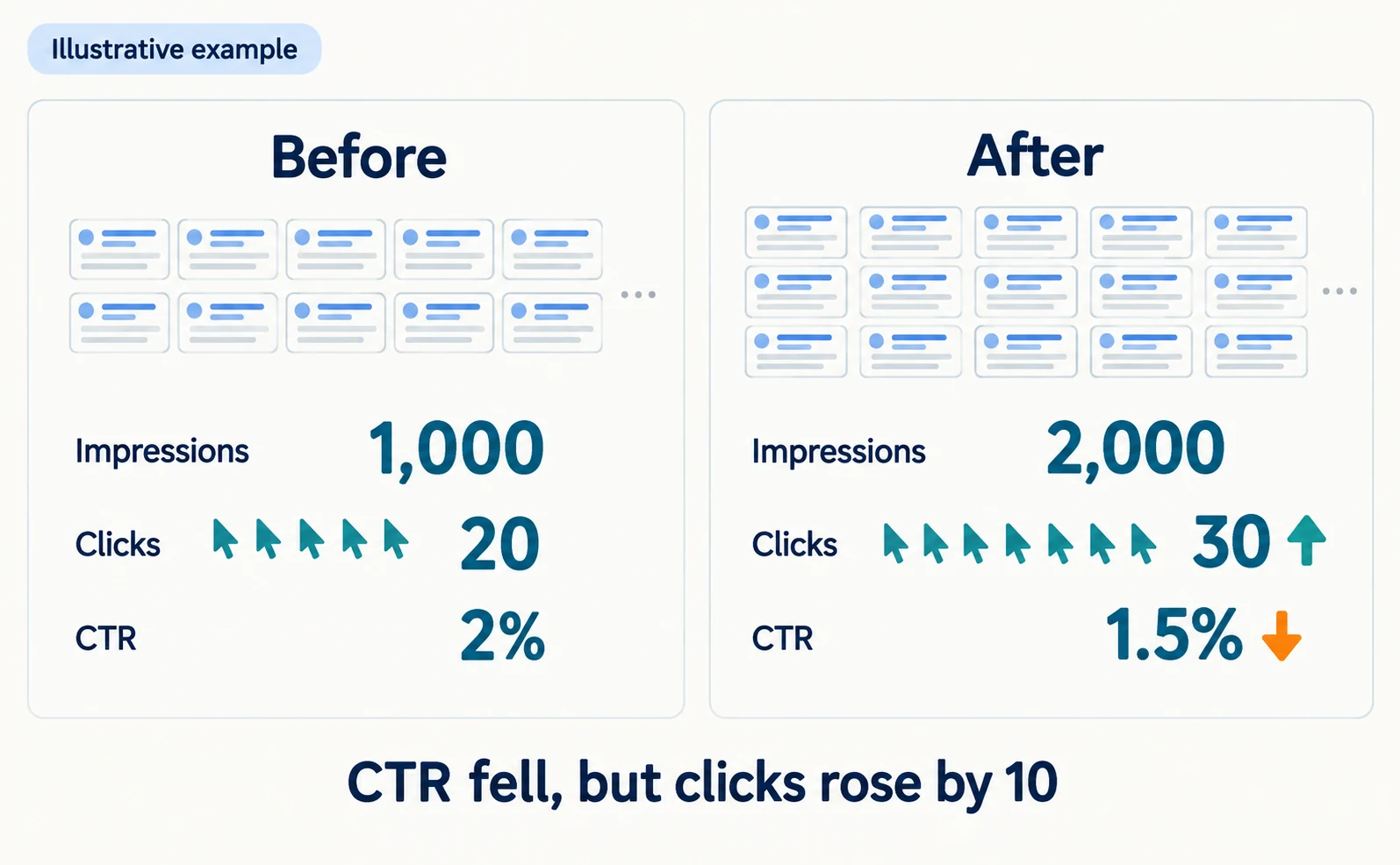
The following figures are an illustrative calculation, not measured results.
| Period | Impressions | Clicks | CTR |
|---|---|---|---|
| Before | 1,000 | 20 | 2% |
| After | 2,000 | 30 | 1.5% |
CTR fell, but clicks increased by ten. When a page starts appearing for new search terms, the rate alone can fall.
Where to look next depends on the symptom.
| Symptom | Where to look next |
|---|---|
| Both impressions and clicks fell | Rankings, indexing status, content |
| Impressions steady, CTR fell | How results appear, visibility in AI Overviews |
| Impressions rose, only CTR fell | Newly appearing search terms |
This table does not determine the cause. It helps you choose what to check first.
What Search Console’s generative AI report shows
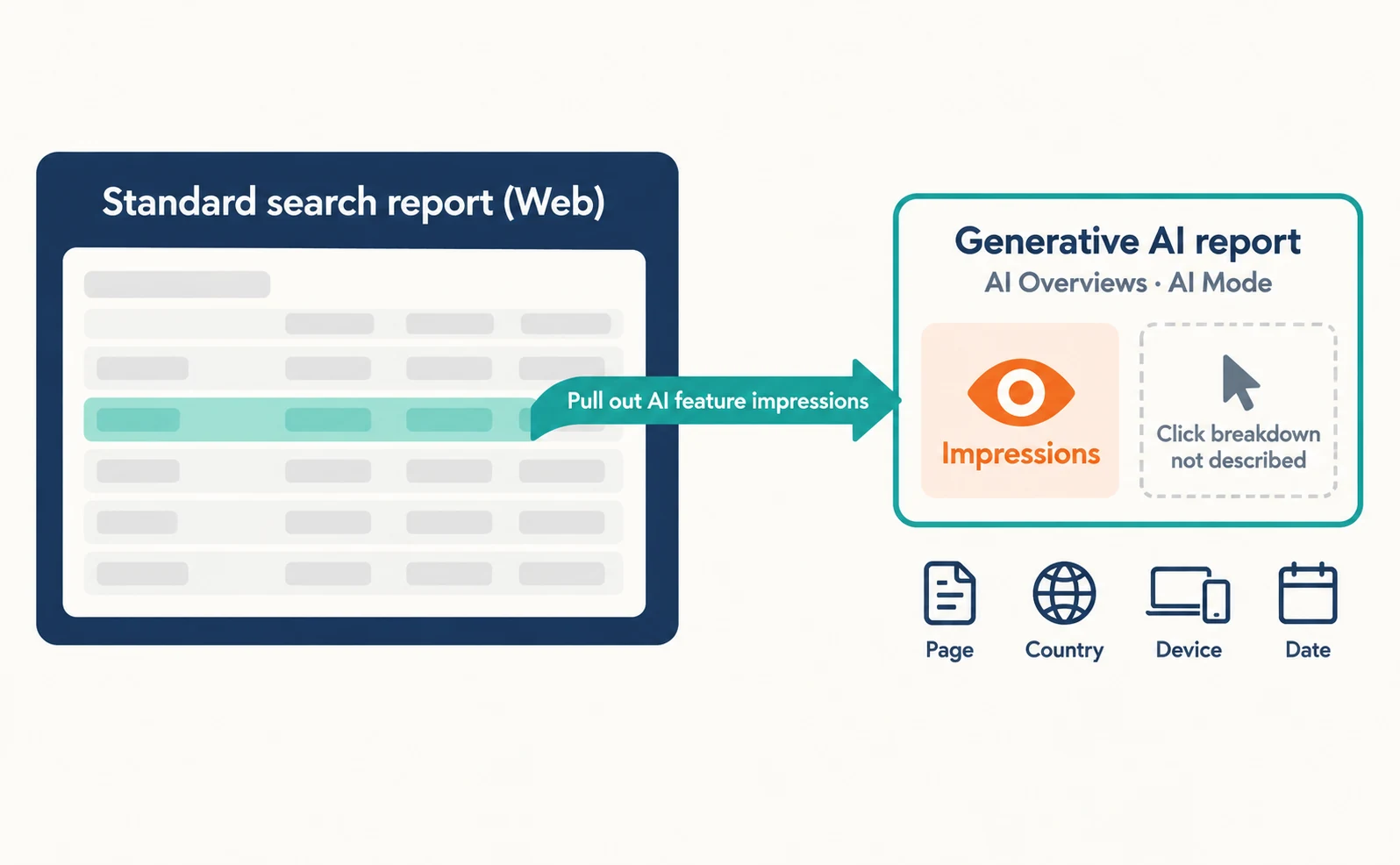
The generative AI report shows how many times links to your pages appeared in Google’s AI Overviews and AI Mode, broken down by page, country, device and date.[2]
Google announced the report on June 3, 2026 and added a note that it was rolled out to all websites worldwide as of August 31.[3]
There are separate reports for Search and Discover.[3] This article covers the Search report. Discover is a separate surface that recommends content, for example in the Google app.
You can view impressions by the following dimensions.[2]
- Page: which page’s link appeared
- Country: where the search came from
- Device: desktop, tablet or mobile
- Date: daily, weekly or monthly trends
Keep some points in mind.
First, the metric described in the help page is impressions. A breakdown of clicks is not part of that description.[2] You cannot count lost clicks from AI Overviews with this report alone.
Second, sites without enough impressions in AI features may not see the report.[2] Dates are reported in Pacific Time.[2]
This data is also included in the Web search type of the standard performance report.[2][1] Think of the generative AI report as a separate view of AI feature impressions taken from that data.
For the basics of AI Overviews, see our article on SGE becoming AI Overviews.
Narrow down pages and queries and read them with position
In the performance report, filter by period, page and query, and read position and impressions together. Use that to choose what to check next.
Follow these steps.
- Open Google Search Console and select your site.
- Open the search results report under Performance.
- Set the date to compare two periods of the same length, such as the last 28 days and the 28 days before.
- Show total clicks, total impressions, average CTR and average position.[4]
- In the Pages tab, select a page that declined, then look at Queries.[4]
The newest data can be preliminary and may change within hours.[4] Avoid judging from the last few days alone.
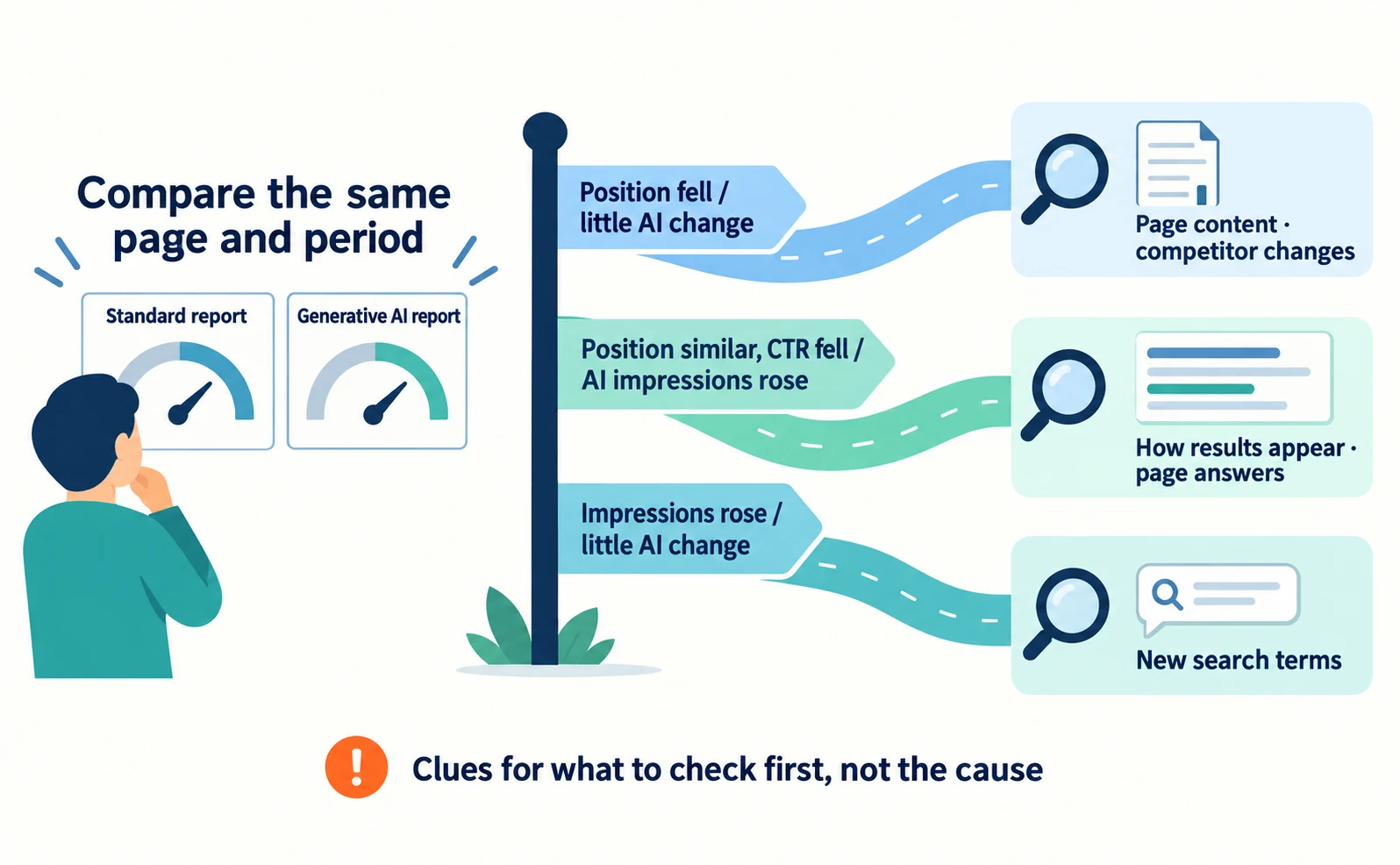
Open the same page in the generative AI report and look at impressions for the same period.
| Standard report | Generative AI report | What to investigate |
|---|---|---|
| Position fell | Little change | Page content and competitor changes |
| Position similar, CTR fell | AI feature impressions rose | How results appear and whether the page answers the question |
| Impressions rose | Little change | Relationship to new search terms |
Even if two numbers move together, you cannot conclude that one caused the other. Use them as clues for what to check first.
Check Bing citation share and other AI services
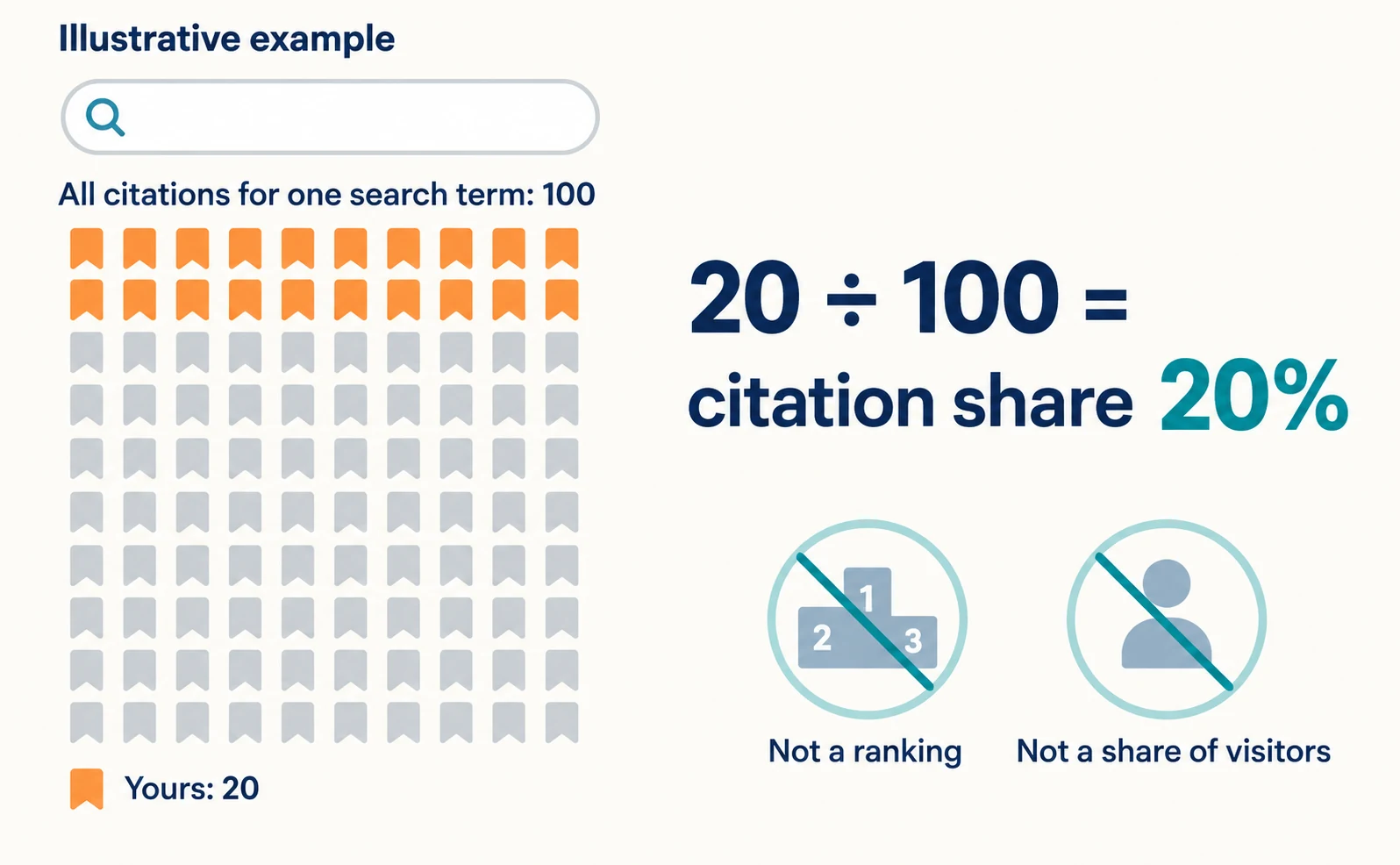
Bing’s Citation Share is your site’s share of all citations for a specific search term. It is not a ranking or a share of visitors.[5]
On June 16, 2026, Microsoft added citation share and other features to AI Performance in Bing Webmaster Tools as a preview.[5] It is a metric for citations in Copilot and Bing AI answers.
Citation share is an observational metric. It is not a ranking system or competitor scorecard, and it does not show competitor domains.[5]
The search term here is a grounding query, the phrase AI used to find supporting information. This differs from a citation rate that uses the number of AI answers as its denominator.
For example, if a search term had 100 citations in total and 20 were yours, your share would be 20%. This is a hypothetical calculation. It does not mean you gained 20% of visitors.
Bing citations can fall even when Google impressions do not. Check each service in its own interface, and do not add their numbers together.
Do not jump to a cause; choose a page to fix
Do not settle on a single cause. Choose one page where content does not match what searchers want, and fix it. Record the change date, and track visits and enquiries separately.
Google says the fundamentals of SEO apply to AI Overviews and AI Mode as well.[1] Reviewing whether your page answers searchers’ questions comes before any AI-specific measures.
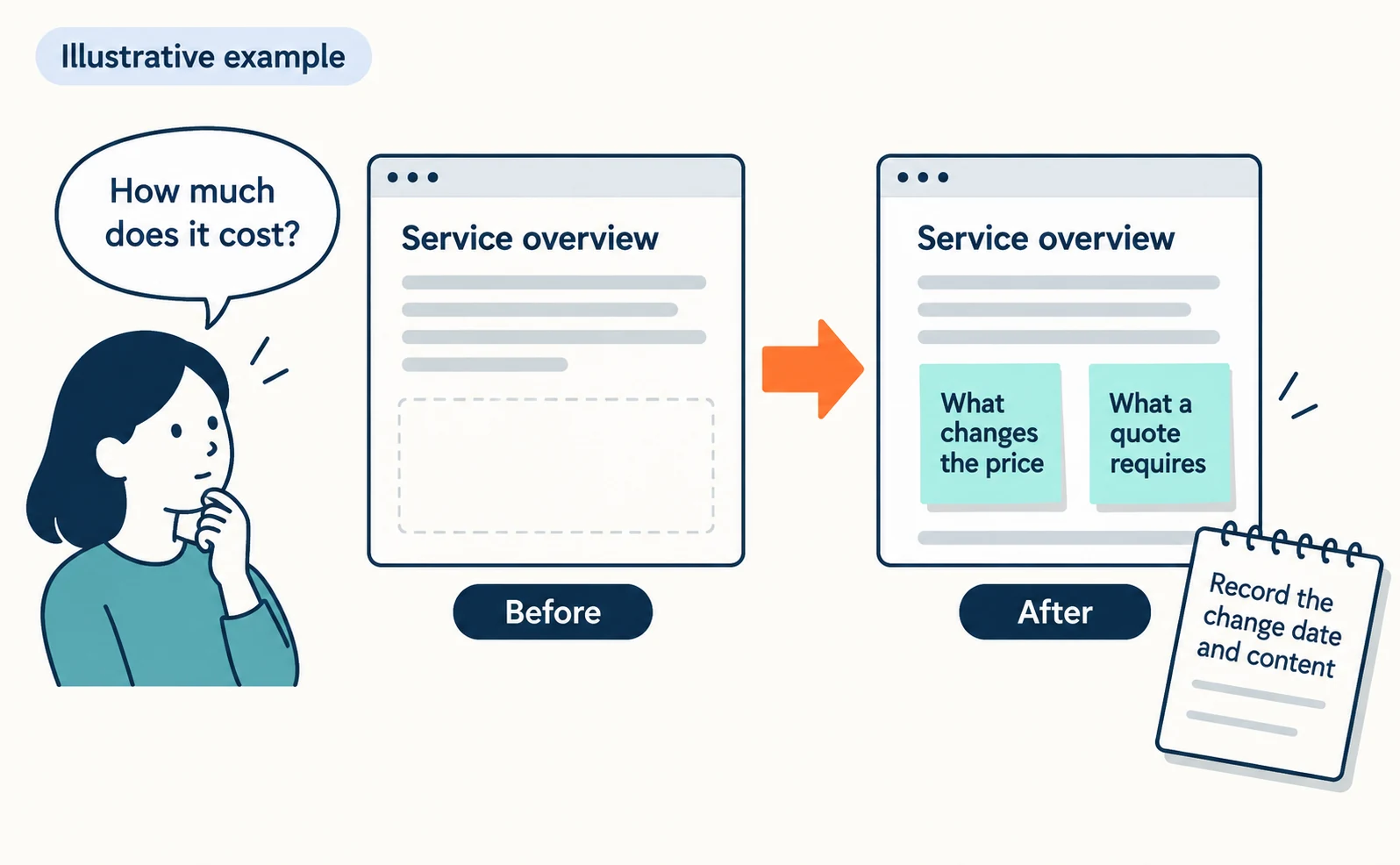
For example, a page may appear for pricing searches while offering only a general service overview. Even if you cannot publish prices, you can explain what changes the price and what information a quote requires.
When you make a change, record:
- The target URL
- The date and content of the change
- Impressions and clicks for a matching period before the change
- Numbers of enquiries or applications
AI answers may run several searches from one question. Why a high-ranking page may not be cited is explained in how query fan-out works.
As a first step, choose one page that lost clicks and compare the generative AI report and the standard report over the same period.
FAQ
- Q. Can Search Console show clicks from AI Overviews only?
- The metric described for the generative AI report is impressions. A click breakdown is not part of that description, so you cannot count clicks from AI Overviews with this report alone.
- Q. If Bing citation share falls, has my ranking fallen?
- Citation share is your share of all citations for a specific search term, not a ranking. If total citations grow, your share can fall even while your citation count rises.
- Q. Why can’t I see the generative AI report?
- Sites without enough impressions in AI features may not see the report.
Sources
- [1] AI features and your website (Google Search Central) — accessed 2026-09-23
- [2] Generative AI performance report (Search) (Google Search Console Help) — accessed 2026-09-23
- [3] Introducing Search Generative AI performance reports in Search Console (Google Search Central Blog) — accessed 2026-09-23
- [4] Performance report (Search results): Overview and basic setup (Google Search Console Help) — accessed 2026-09-23
- [5] New AI Visibility Insights in Bing Webmaster Tools: Intents, Topics, Citation Share, Compare (Microsoft Bing) — accessed 2026-09-23
About the author
Shogo MizushimaCEO of kairos Inc. / AgentSignal Developer
Develops AgentSignal, a tool for measuring AI crawler visits and AI-referred traffic, and diagnosing AIO readiness. Writes about measurement and practical improvements for AI search using observed data.
Related articles
AIO and AI search
What Are AI Overviews? How to Review Your Former SGE Work
AI Overviews are AI-generated summaries shown in Google Search. Learn how they relate to the former SGE trial, how they differ from AI Mode, why no extra requirements apply, how to review earlier work and how to check the Search Console generative AI report.
Published
AIO and AI search
Ranking First but Not Cited by AI? How Query Fan-Out Works
Query fan-out is a technique in which AI may run several related searches to answer one question. Learn why a first-place page may not be cited, which related questions your pages should answer, and what you can observe in Search Console and Bing.
Published
AIO and AI search
What Is AIO? Its Two Meanings and Where to Start with AI Optimization
AIO has two meanings: work to get your company featured in AI answers, and Google Search’s AI Overviews. Learn how it relates to SEO, what to confirm in a proposal, what Search Console and Bing reports show, and your first tasks.
Published