AgentSignal Pricing and How to Choose a Plan
Subscribe separately to AgentSignal’s web recording, live viewing, customer engagement, and AI optimization features. Compare prices, usage limits, retention periods, and prepaid discounts, with examples and steps for signing up, changing plans, canceling, and checking bills.
AgentSignal lets you choose a plan for each feature you want to use. You do not need paid subscriptions for web recording, web live viewing, customer engagement, and AI optimization all at once. When checking prices, look at usage allowances and retention periods as well as monthly fees. Paid plans start at ¥1,980 per month, and all displayed prices include tax. There is no setup fee.
“I only want to watch recordings. Which pricing table should I check?” The pricing page lists four tiers for each of four features, making 16 plans in total. Choose the feature you want first, and you will not need to compare every table at once.
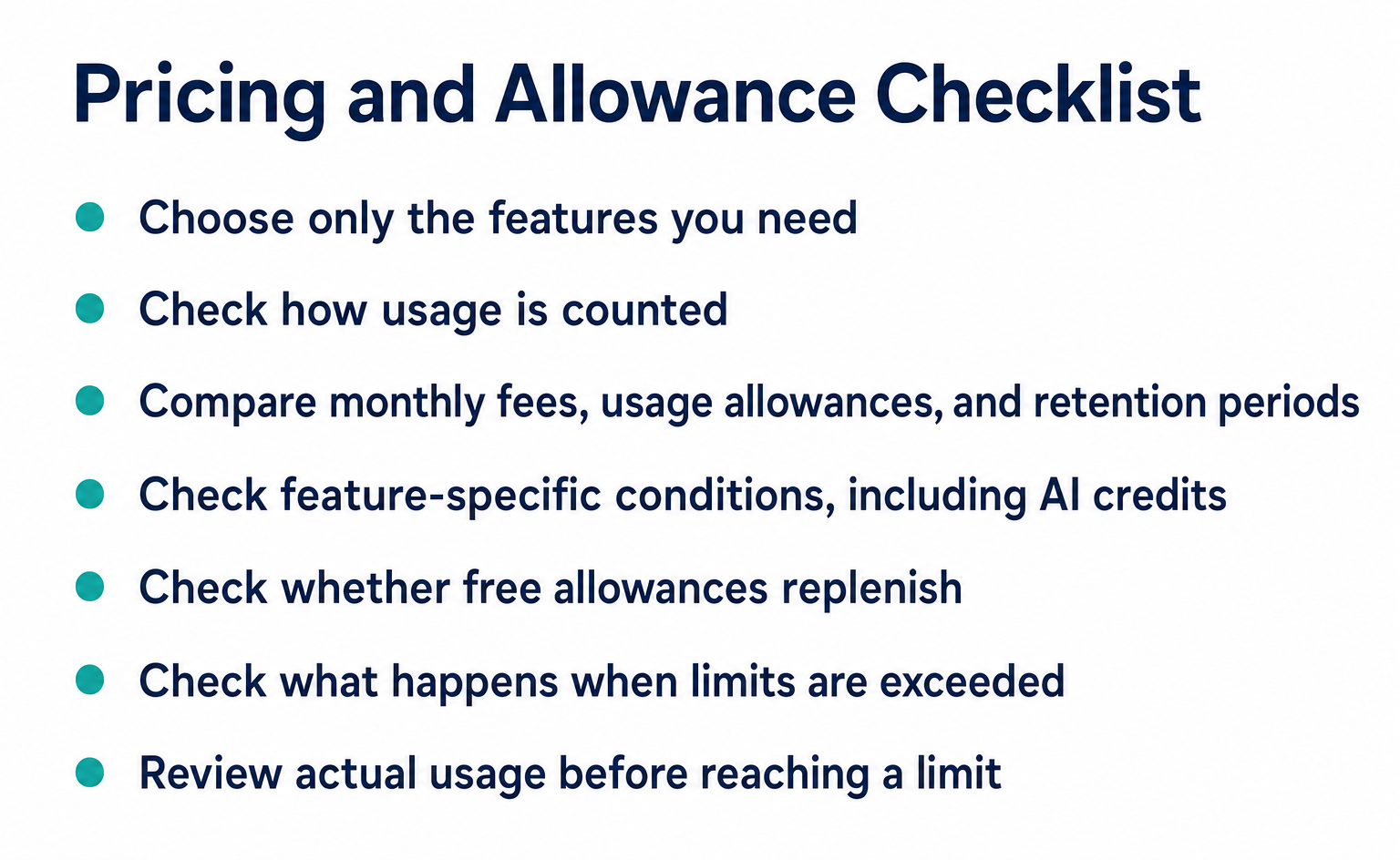
The screen example below shows sample usage. Check your own admin dashboard for your actual usage. Separately from prices, check whether free allowances replenish and what happens when you exceed a limit.
1. Subscribe only to the features you need
Each feature has Free, Starter, Growth, and Pro plans. Each subscription is separate, so you can combine Web Recording Growth with AI Optimization Starter and keep the other features free.
| Feature | What it does | Free | Starter | Growth | Pro |
|---|---|---|---|---|---|
| Web recording | Session recordings of visitors and AI agents, user interface improvements, conversions and custom events | ¥0 | ¥2,980 | ¥9,800 | ¥29,800 |
| Web live viewing | Watch the screens of users currently visiting your site | ¥0 | ¥1,980 | ¥5,980 | ¥15,800 |
| Customer engagement | Persistent site chat + AI bot | ¥0 (14-day trial) | ¥2,980 | ¥9,800 | ¥39,800 |
| AI optimization | Measure citation rates in ChatGPT and similar services, diagnose URLs, and generate code for improvements | ¥0 | ¥2,980 | ¥9,800 | ¥29,800 |
These are the prices displayed on the pricing pages as of September 7, 2026. All are monthly prices including tax [1][2][3][4]. Choosing Starter for all four features costs ¥10,920 per month, but you do not need to subscribe to all of them from the outset.
First, try the feature that answers your questions for free. Then consider a paid plan based on usage and the retention period you need. The free customer engagement plan has a 14-day trial, so do not assume it has the same time limit as other free allowances.
Each feature has its own pricing page, such as /pricing/recording. You can also open it from Paid plans (有料プラン) under each feature in the admin dashboard’s left menu. When sharing an estimate, include the feature name, such as web recording, as well as the plan name.
2. Check usage in the admin dashboard
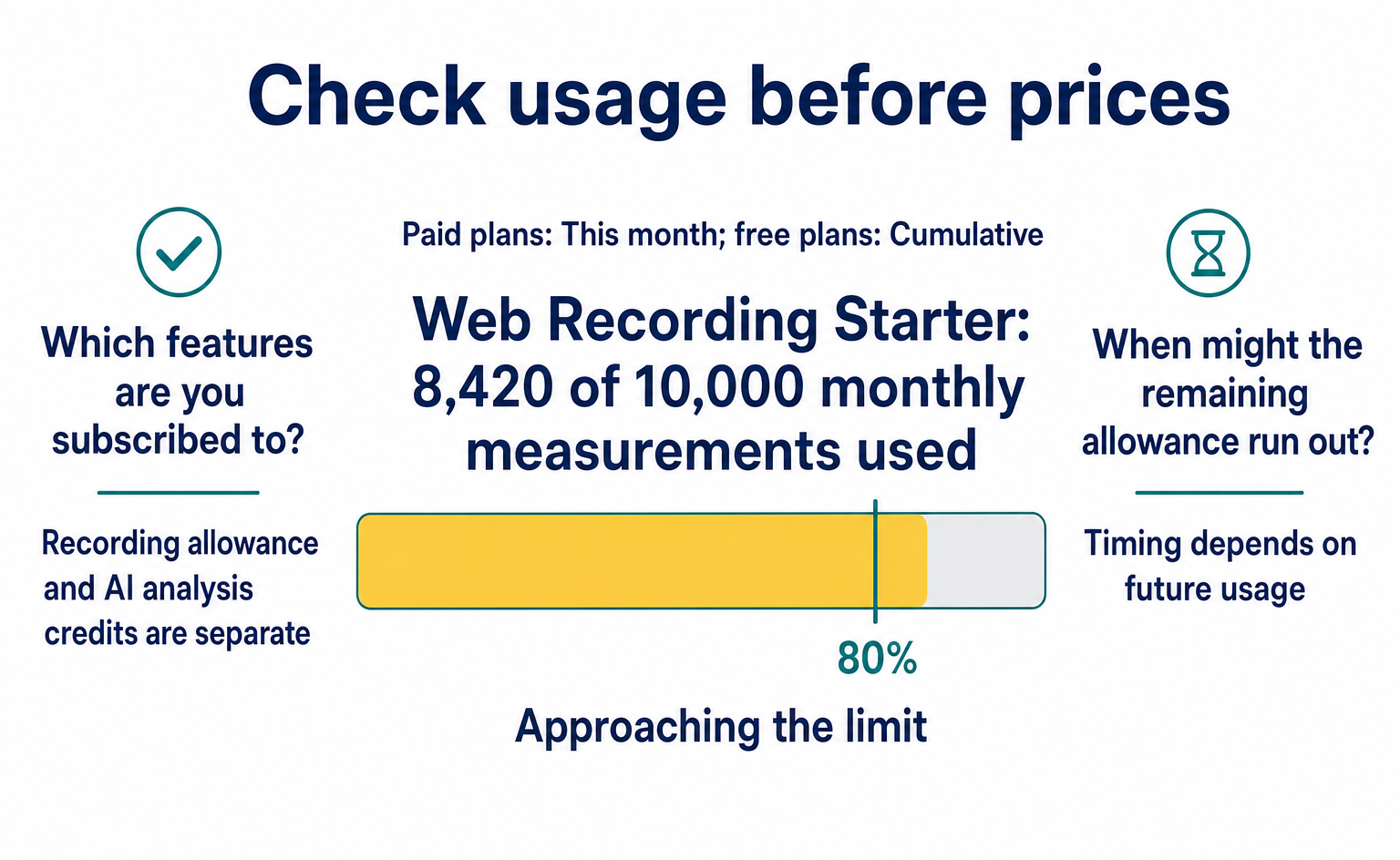
Check the usage bar at the top of each menu. “Allowance (利用枠)” means the amount available to use. Paid plans display “This month (今月),” while free plans display “Cumulative (累計).” The bar turns yellow above 80% and red at the limit, with guidance on changing plans.
Try the interactive demo below. The article also explains each step in text.
The example shows 8,420 of Web Recording Starter’s 10,000 monthly measurements used. The yellow bar and “Approaching the limit (まもなく上限です)” message indicate that little allowance remains. At the limit, the message changes to “Limit reached (上限に達しました).”
Read the usage and limit figures, not just the color. Also check that you are looking at the right feature’s allowance. Having recording allowance left does not mean you have the same amount of credits left for AI analysis.
Bots, AI crawlers, and visits with no recording data do not consume recording allowance. AI crawlers are programs that read and collect pages.
AI agents that operate pages at a person’s request are recorded like human visitors and consume allowance. Do not treat all visits labeled “AI” alike; check their classification in the admin dashboard.
3. Web recording pricing
Choose a web recording plan by comparing the number of visits you can record and how long recordings remain viewable. A session is a record of a single visit. Consider both monthly visits and any comparisons you plan to make later.
| Plan | Monthly price, tax included | Measurements | Recording viewing period | Usage-based overage rate | Registered domains |
|---|---|---|---|---|---|
| Free | ¥0 | 1,000 cumulative measurements (no monthly reset) | 30 days | No usage-based billing (stops at limit) | Unlimited |
| Starter | ¥2,980 | 10,000 per month | 90 days | ¥0.298 per measurement | Unlimited |
| Growth | ¥9,800 | 40,000 per month | 180 days | ¥0.245 per measurement | Unlimited |
| Pro | ¥29,800 | 150,000 per month | 365 days | ¥0.199 per measurement | Unlimited |
Every plan includes Agent Replay, which records AI agents. Paid plans include unlimited event tracking. Events are actions you choose to record, such as clicks.
Check retention periods too. For example, if you want to watch a recording from three months ago, check exactly how many days ago it was. Starter allows 90 days and Growth allows 180 days. Do not decide based only on the phrase “three months.” Check that the dates you want to compare fall within the viewing period.
The usage-based rates in the pricing table show the charge for usage above the allowance. For example, 12,000 measurements in a month on Starter would mean an overage of 2,000 measurements: 2,000 × ¥0.298 = ¥596.
However, recording currently has a check that stops it at the usage limit. A listed overage rate does not mean recording will continue automatically after that limit. As you approach it, check the dashboard guidance and arrange enough allowance. Read the overage tables below as calculation examples using the published rates.
4. AI optimization pricing
AI optimization counts AI-powered analysis and similar usage in “credits.” URL diagnosis checks page settings without using AI and is unlimited even on the free plan.
| Plan | Monthly price, tax included | Credits | Guide to scheduled analysis | Usage-based overage rate | URL diagnosis |
|---|---|---|---|---|---|
| Free | ¥0 | 25 cumulative (no monthly reset) | 5 questions × 1 AI × 1 run uses 10 credits. AI suggestions are separate | No usage-based billing | Unlimited |
| Starter | ¥2,980 | 150 per month | 8 questions × once a week | ¥19.8 per credit | Unlimited |
| Growth | ¥9,800 | 500 per month | 4 questions × daily | ¥19.8 per credit | Unlimited |
| Pro | ¥29,800 | 1,500 per month | 12 questions × daily | ¥19.8 per credit | Unlimited |
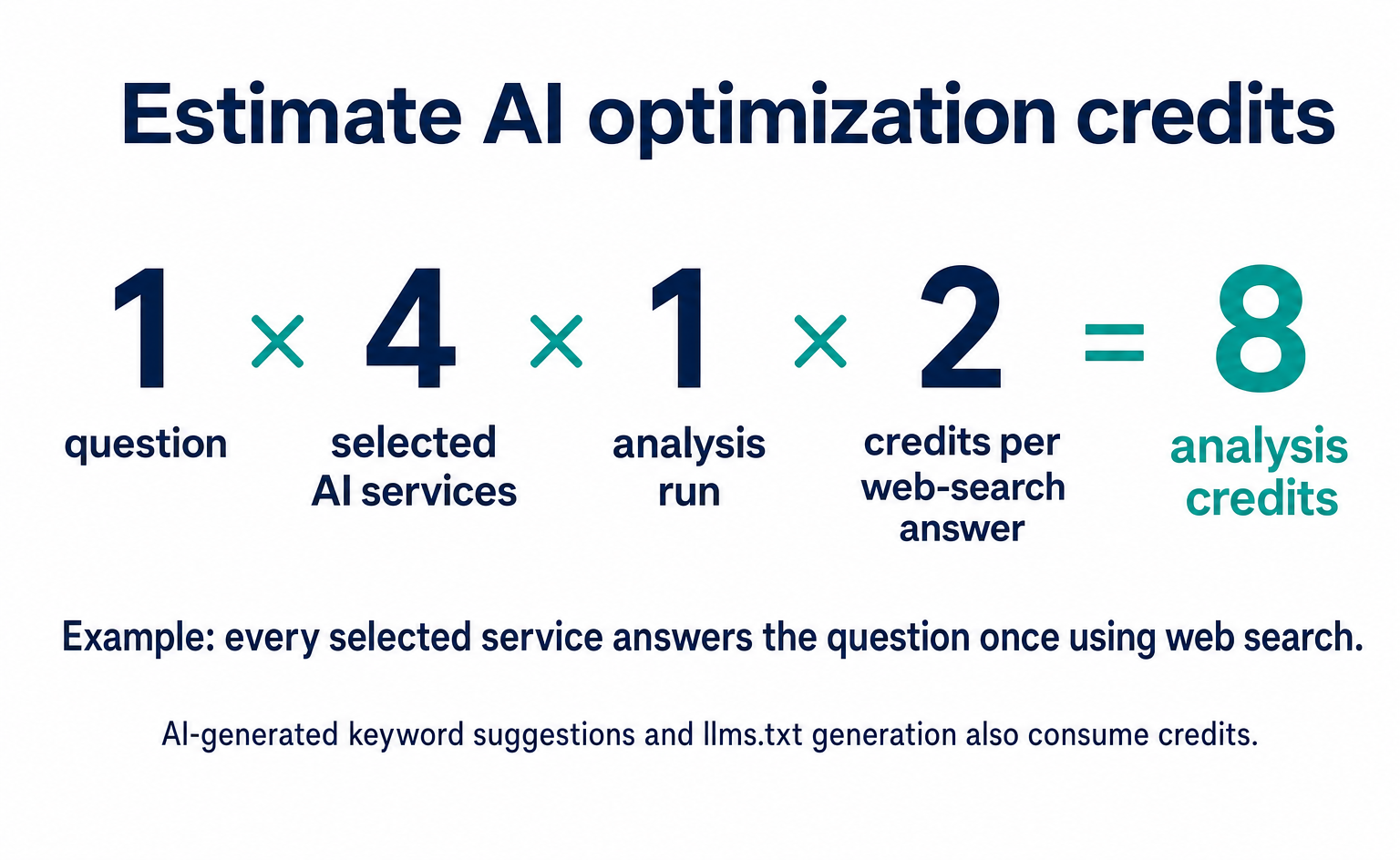
Each operation that asks an AI to answer using web search costs 2 credits. Analyzing one question across ChatGPT, Gemini, Perplexity, and Claude, for example, uses 8 credits in total.
Adding AI services increases usage, just as adding questions does. The analysis frequencies in the table are only a guide, so include the number of AI services you actually select in your calculation. AI-generated keyword suggestions and llms.txt generation also consume credits.
You can use the 25 free credits to try analysis first. For regular use, estimate your needs by deciding how many questions, AI services, and analysis runs you want. If you only need URL diagnosis, you can use it for free.
The AI citation rate is the share of analyzed answers that cite your company’s pages. For guidance on questions to ask and how to read the results, see What is AIO? and What is LLMO?. Before choosing a price plan, check what the feature investigates.
5. Live viewing and customer engagement pricing
For live viewing, check visit counts and simultaneous viewing limits. For customer engagement, check page and staff limits. “Simultaneous operators” means the number of staff members serving visitors at the same time. Treat AI chat credits separately from AI optimization analysis credits.
| Web live viewing | Monthly price, tax included | Live streams | Simultaneous viewing | Overage |
|---|---|---|---|---|
| Free | ¥0 | 500 cumulative sessions | 1 connection | No usage-based billing |
| Starter | ¥1,980 | 5,000 sessions per month | 3 connections | ¥0.396 per session |
| Growth | ¥5,980 | 20,000 sessions per month | 10 connections | ¥0.299 per session |
| Pro | ¥15,800 | 60,000 sessions per month | 30 connections | ¥0.263 per session |
| Customer engagement | Monthly price, tax included | Pages with engagement enabled | Simultaneous operators | AI chat credits | Overage |
|---|---|---|---|---|---|
| Free (14-day trial) | ¥0 | 1 page | 1 person | 100 cumulative | No usage-based billing |
| Starter | ¥2,980 | 5 pages | 2 people | 1,000 per month | ¥2.65 per credit |
| Growth | ¥9,800 | 20 pages | 5 people | 5,000 per month | ¥2.65 per credit |
| Pro | ¥39,800 | 50 pages | 15 people | 15,000 per month | ¥2.65 per credit |
Web recording and live viewing have different limits even on Starter. Recording allows 10,000 measurements per month; live viewing allows 5,000 sessions. If you use both, check their usage separately. Live viewing also has a check that stops it at the limit.
The customer engagement pricing table allows one page on Free and five on Starter. If you are considering both a contact page and a pricing page, check that requirement against the free plan’s one-page allowance.
Current chat display settings also apply at the team level. Do not confuse the page count in the pricing table with a setting that lets you display chat only on chosen pages. Consider the target sites, staff numbers, and automated response usage together.
6. How free and paid allowances differ
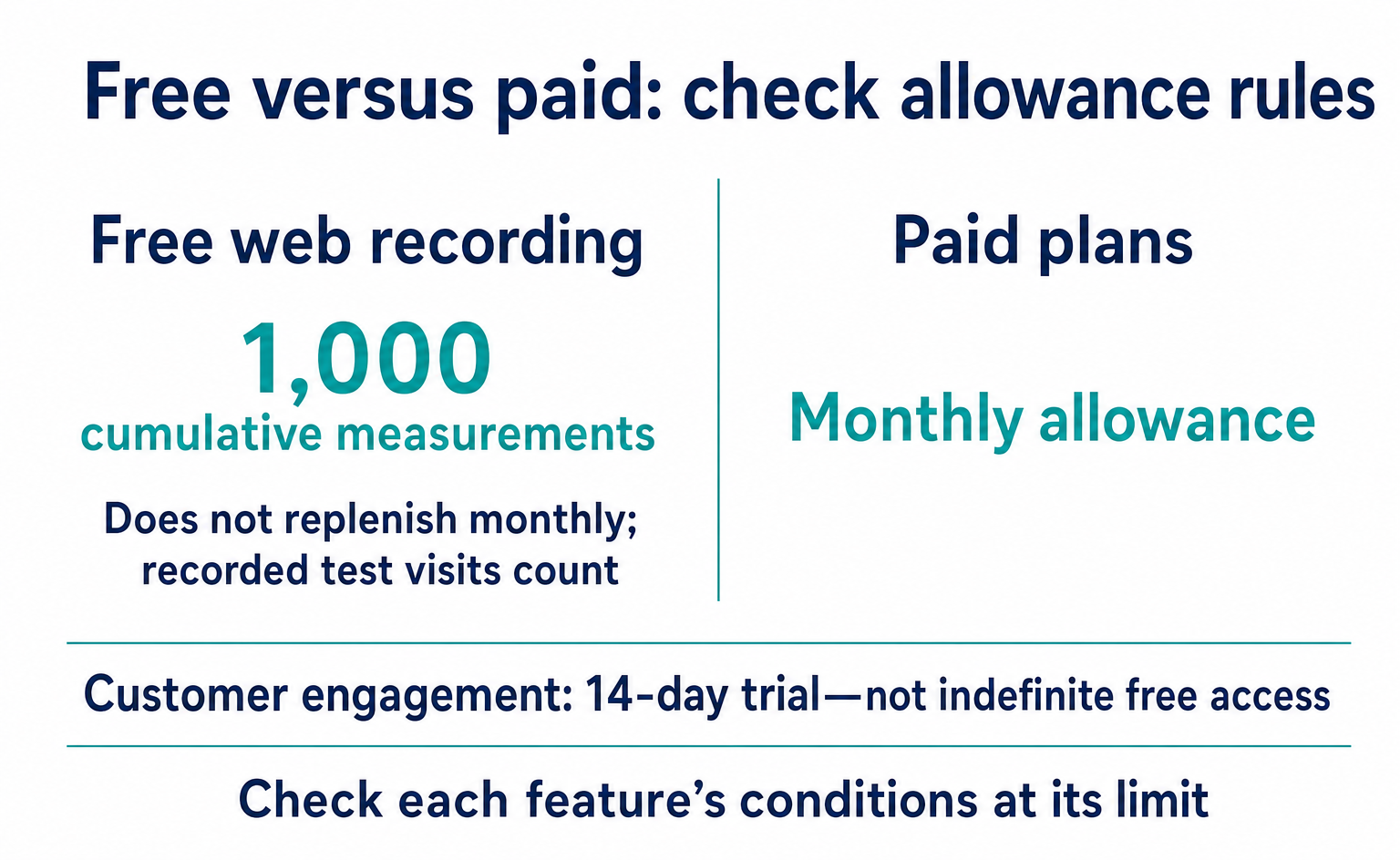
As a general rule, free allowances are cumulative and paid allowances are monthly. Check these five points on the pricing pages and usage screen. Check the customer engagement trial period separately.
| Rule | Details |
|---|---|
| Free allowances are cumulative | No monthly reset. For web recording, you can use the service without a time limit until you consume the cumulative 1,000 measurements |
| Paid allowances reset monthly | You use a monthly allowance. Pricing tables list overage rates, but recording and live viewing may stop at the limit. For subscriptions that incur overage charges, these are added to the next invoice |
| Usage is counted when consumed | Measurements count when they occur. Deleting recording data does not restore consumed allowance |
| Display can lag by up to 30 minutes | Aggregated usage figures are cached for up to 30 minutes. Recording continues even if the displayed count appears unchanged |
| Bots do not consume allowance | Bots, AI crawlers, and visits with no recording data do not count toward usage. Registered domains are unlimited on all plans |
The free web recording allowance is 1,000 cumulative measurements. It does not replenish when the month changes, so include recorded internal test visits when checking usage. If you place a tag on a pre-launch test site, those visits are recorded too.
Customer engagement, by contrast, has a 14-day trial. Do not assume every free feature is available indefinitely. See Install a tracking tag for how to choose where to install it.
Check visits from crawlers that collect pages separately from recording usage. Records of visits from GPTBot, for example, are not simply added to your recording usage count.
To understand these categories, see AI crawlers and the role of robots.txt. Distinguish what “AI traffic” records count from what recording allowances count.
7. Discounts for six-month and annual payments
Paying for six months upfront gives 15% off; paying annually upfront gives 30% off. There is no discount for bundling multiple features. When choosing a longer payment period, check both the monthly equivalent and the full amount payable upfront.
The following estimates include tax. Six-month totals use monthly price × 6 × 0.85; annual totals use monthly price × 12 × 0.70. Check the checkout screen for the actual amount, including any rounding.
| Monthly price | Six months upfront (15% off) | Monthly equivalent | Annual upfront (30% off) | Monthly equivalent |
|---|---|---|---|---|
| ¥1,980 | ¥10,098 | ¥1,683 | ¥16,632 | ¥1,386 |
| ¥2,980 | ¥15,198 | ¥2,533 | ¥25,032 | ¥2,086 |
| ¥5,980 | ¥30,498 | ¥5,083 | ¥50,232 | ¥4,186 |
| ¥9,800 | ¥49,980 | ¥8,330 | ¥82,320 | ¥6,860 |
| ¥15,800 | ¥80,580 | ¥13,430 | ¥132,720 | ¥11,060 |
| ¥29,800 | ¥151,980 | ¥25,330 | ¥250,320 | ¥20,860 |
| ¥39,800 | ¥202,980 | ¥33,830 | ¥334,320 | ¥27,860 |
Annual upfront payment gives you 12 months for the equivalent of 8.4 monthly payments. However, there is no prorated refund if you stop early. Consider the total payment and your expected period of use, not just the discount.
For example, if you plan to use the service for only three months, paying for six months upfront may not be cheaper. If your usage period is uncertain, you can start with monthly payments and consider six-month or annual payments once you expect to continue.
The first payment is taken when you sign up. The subscription then renews automatically at your chosen monthly, six-month, or annual interval. For subscriptions that incur usage-based charges, those charges are added to the invoice [5].
When sharing costs internally, include the amount payable now and the next renewal date, not just the monthly equivalent. Annual payment is not a monthly installment arrangement.
8. Overage calculation examples using published rates
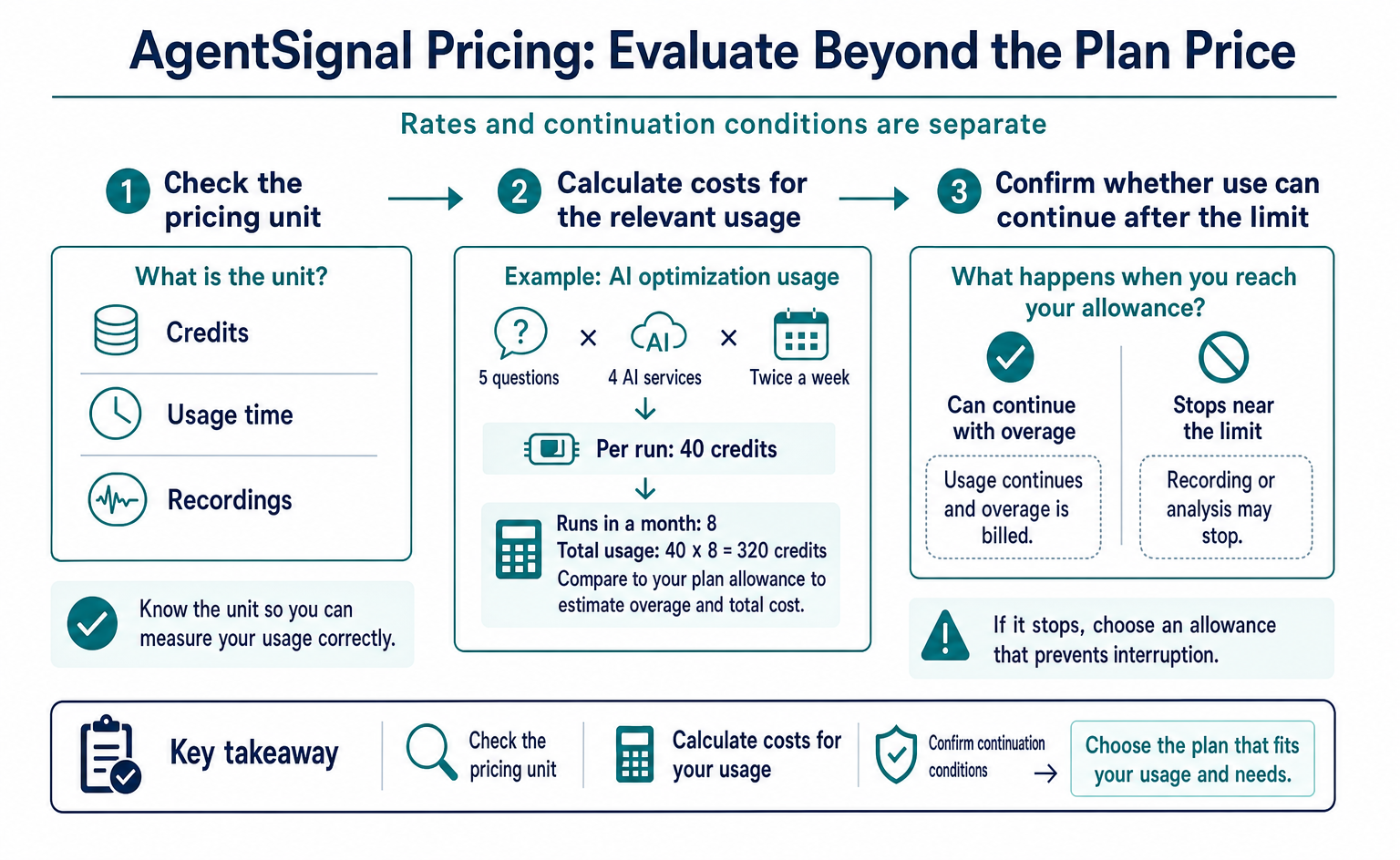
To calculate additional costs from an overage rate, add the excess usage charge to the base price. The following examples use the rates on the pricing pages. They do not guarantee automatic service continuation after the limit or the actual billed amount.
The Web Recording Starter pricing table lists 10,000 measurements per month and ¥0.298 per additional measurement. The calculations below use those terms. If recording has stopped in your dashboard, check the limit guidance first.
| Monthly measurements | Overage | Usage-based charge | Monthly total, tax included | Cost on the next plan |
|---|---|---|---|---|
| 8,000 | 0 | ¥0 | ¥2,980 | — |
| 12,000 | 2,000 | ¥596 | ¥3,576 | Growth: ¥9,800 (more expensive) |
| 20,000 | 10,000 | ¥2,980 | ¥5,960 | Growth: ¥9,800 (more expensive) |
| 33,000 | 23,000 | ¥6,854 | ¥9,834 | Growth: ¥9,800 (almost the same) |
| 40,000 | 30,000 | ¥8,940 | ¥11,920 | Growth: ¥9,800 (Growth is cheaper) |
In this example, Starter costs ¥9,834 at 33,000 monthly measurements, close to Growth’s ¥9,800. At 40,000 measurements, Growth has the lower calculated cost. Their viewing periods also differ: 90 days for Starter and 180 days for Growth.
Compare your usual usage and required retention period, rather than looking only at high-usage months. If you want to avoid recording stopping near the limit, check the allowance you need in advance.
You can also calculate AI optimization usage from the number of questions. Suppose you use Starter’s 150 monthly credits to analyze 5 questions across 4 AI services twice a week. Each run uses 40 credits.
At 8 runs in a month, that is 40 × 8 = 320 credits. The overage is 170 credits: 170 × ¥19.8 = ¥3,366. Adding the base price gives ¥6,346. Usage changes with the number of weeks or runs in the month.
Growth costs ¥9,800 for 500 monthly credits. In this example, it costs ¥3,454 more but leaves 180 credits available. Consider any analysis runs you plan to add when choosing between them.
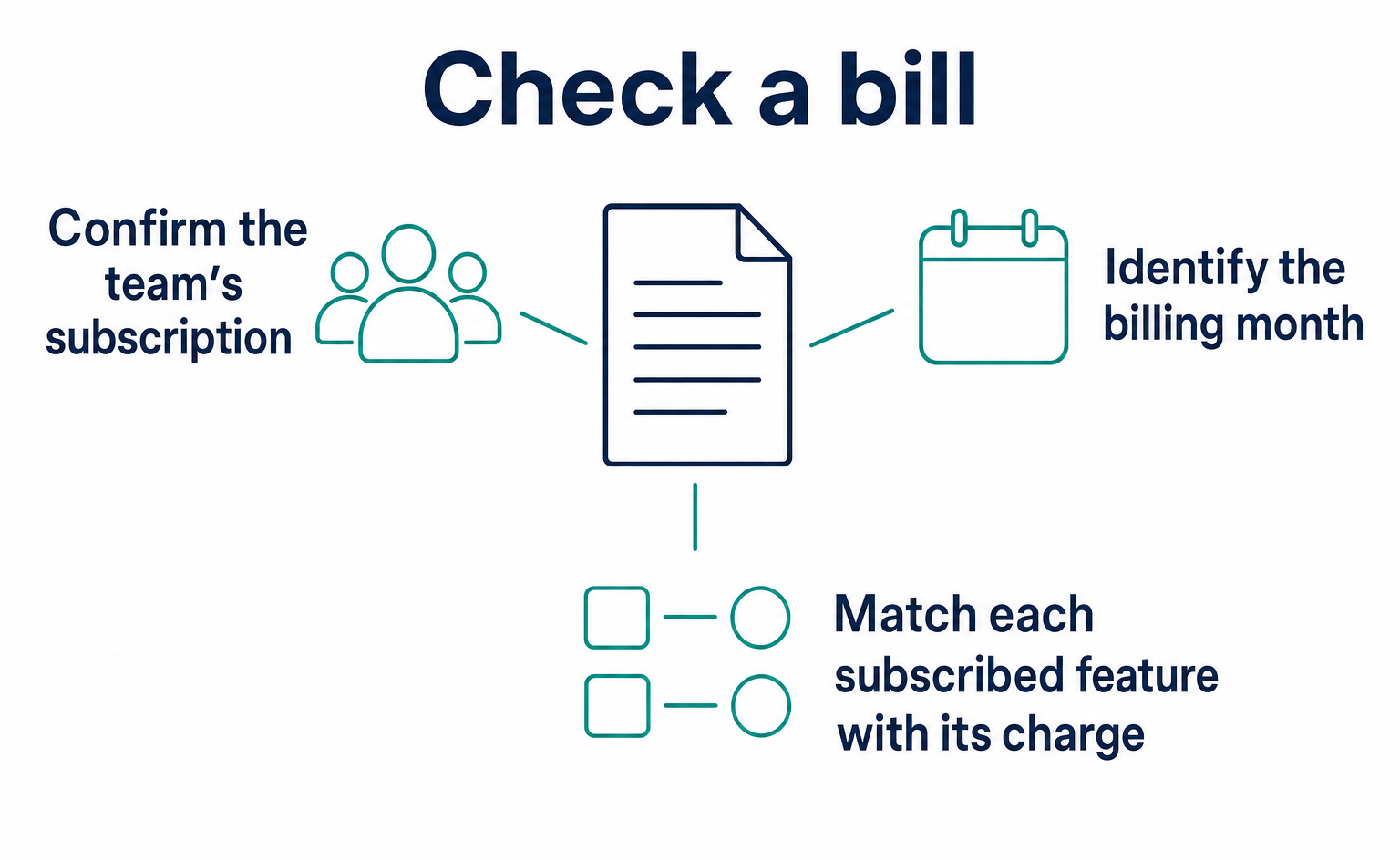
The billing guidance says usage-based charges are totaled monthly and added to the next billing cycle’s invoice [5]. Subtracting the allowance from usage gives the excess amount, but not the final bill including taxes and adjustments. Use the invoice to verify payment amounts too.
9. Sign up for a paid plan
Choose a plan on the pricing page for the feature you need, review it, and then pay. Signing up takes about three minutes. The team owner or the person responsible for billing should complete the process.
- Open the pricing page for the feature you want, such as /pricing/recording. After logging in, you can also open it from “Paid plans (有料プラン)” in the left menu.
- Use the switch at the top to choose a payment cycle: monthly, six-month, or annual. The plan cards’ prices change to show the upfront total and monthly equivalent.
- Click “Choose this plan (このプランを選ぶ)” on the plan card. If you are not logged in, you will first be directed to free account registration.
- Review the details on “Review selected plan (選択したプランの確認),” then click “Proceed to checkout with this plan (このプランで決済に進む).”
- Enter your card details on Stripe’s checkout page. Paid features activate immediately after payment is completed [5].
Payments use Stripe, a payment service. AgentSignal does not store your card number. Depending on your card issuer, an identity verification screen may appear. This is called 3D Secure [7].
If verification requires a password or authentication app, follow your card issuer’s instructions. If you close the verification screen, check whether payment completed before trying again.
Credit cards are the only payment method. Payment by invoice and bank transfer are not supported. Keep Stripe’s receipt email as a record of your card payment.
If your internal procedures require specific documents, check before subscribing. Receiving a receipt email is not the same as being able to pay by invoice.
10. Change or cancel a plan
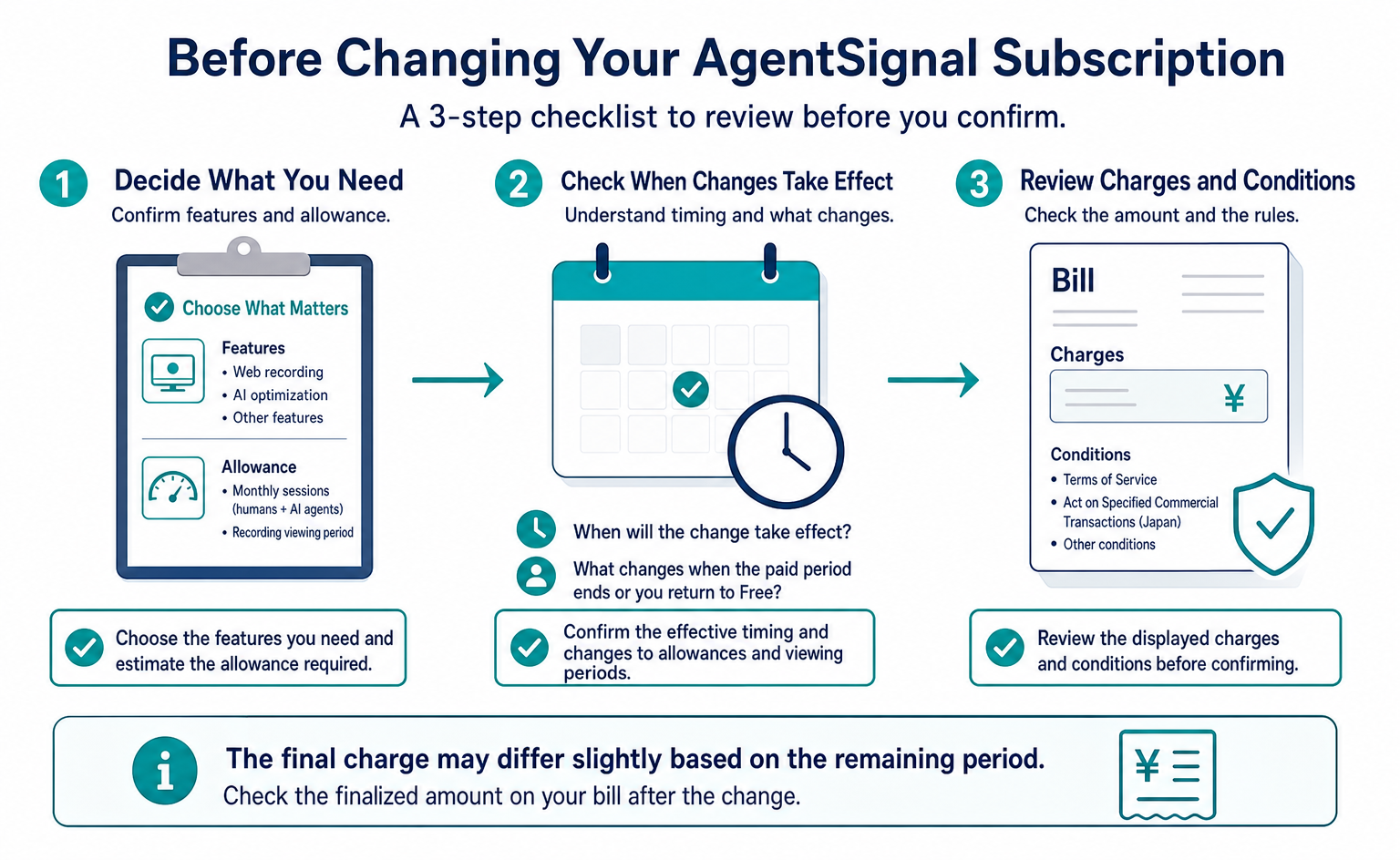
Plan changes take effect immediately, and the price difference is calculated for the remaining period. You can request cancellation at any time and retain access through the last day of the paid period. There are no prorated refunds.
| Action | What happens | Billing treatment |
|---|---|---|
| Move to a higher plan (upgrade) | Your limit increases immediately | The prorated difference for the remaining period is charged immediately |
| Move to a lower plan (downgrade) | The plan changes immediately | The prorated amount for the remaining period becomes a credit deducted from future bills |
| Change the payment cycle | The new cycle starts at the next renewal | Proration as above |
| Cancel | Access continues through the last day of the paid period, then reverts to Free | No prorated refund |
The prorated difference shown on the change screen is an estimate. Stripe calculates the actual amount based on the remaining period, so it may differ by a few yen [8]. Check the finalized amount on the bill after the change.
If you have not registered a card, start by selecting a plan and registering one. Before confirming, review which feature you are changing and whether you are also changing the payment interval.
When the paid period ends and you return to Free, usage allowances and recording viewing periods also change. Free web recording has a 30-day viewing period. Even if Growth let you view 180 days of recordings, recordings older than 30 days will no longer be viewable after you return to Free.
This does not mean all data disappears the moment you request cancellation. However, recordings beyond their retention period are subject to automatic deletion. Complete any necessary reviews while access is still available. Check the Terms of Service and the disclosure under Japan’s Act on Specified Commercial Transactions for the conditions [5][6].
11. Choose a plan that fits your use
First decide what you want to learn, then estimate the usage required. The feature you choose depends on whether you want to watch recordings or check whether your company appears in AI answers.
| Monthly sessions (humans + AI agents) | What you want to check first | Suggested combination | Monthly price, tax included |
|---|---|---|---|
| Up to 1,000 (initial exploration) | What can be measured | All features free | ¥0 |
| Up to 10,000 | AI-referred visits and recordings | Web Recording Starter; others free | ¥2,980 |
| Up to 10,000 | Citation rate in ChatGPT | AI Optimization Starter; others free | ¥2,980 |
| Up to 10,000 | Both | Web Recording Starter + AI Optimization Starter | ¥5,960 |
| Up to 40,000 | Before-and-after comparisons spanning three months or more | Web Recording Growth + AI Optimization Starter | ¥12,780 |
| Up to 150,000 | Regular use across multiple sites and staff members | Web Recording Pro + AI Optimization Growth + Live Viewing Growth | ¥45,580 |
For the example of up to 10,000 monthly sessions, Web Recording Starter’s base price is ¥2,980. To investigate AI answers, AI Optimization Starter is ¥2,980. The combined base price is ¥5,960.
These amounts are not billing caps for every usage pattern. AI usage depends on question counts and analysis runs, not just site visits. Treat the table as examples of combinations and estimate your actual usage separately.
If you do not know your visit count, one approach is to start measuring for free and review a week of records. Multiplying the dashboard’s past-seven-day figure by four gives a rough monthly estimate.
However, weeks with advertising campaigns or many holidays may not be typical. The free recording allowance is also cumulative, so do not assume recording continues under the same conditions after reaching the limit. Check the period actually measured before using the figures.
12. Troubleshoot billing and receipts
Distinguish payment problems from delays in usage figures. The following six situations show what to check. Do not determine the cause from the table alone; inspect the actual screen too.
| Symptom | Cause | What to do |
|---|---|---|
| Payment fails | Incorrect card details, card limit, or incomplete 3D Secure verification | Check the card details and retry. If you closed the 3D Secure screen, proceed to payment again |
| Features are unavailable after payment | The browser tab still shows an old state | Reload the page. If “Payment completed (決済が完了しました)” appeared when payment finished, activation is complete |
| Usage figures do not increase | Aggregated usage figures are cached for up to 30 minutes | Wait. Measurements themselves are still recorded |
| The limit is reached unexpectedly | Internal test visits or a tag on a staging site | Check your company’s IP addresses and internal visits in the web recording list, and remove the tag from the test environment |
| You need a receipt | Stripe’s receipt email was overlooked | Check the inbox and spam folder for the email address used when registering your card |
| The bill after a downgrade does not match expectations | Credit for the remaining period is allocated to future bills | Compare “Credit for remaining period (残期間分のクレジット)” on the change screen with the next bill |
If an old screen remains after payment, reload the page. If the feature still does not work, use Ask AI (AI に質問) in the header and provide the payment date, time, and feature name. Check your current subscription status before subscribing again.
13. Common questions before subscribing
Check free-plan time limits, separate feature subscriptions, recording usage, limits, and long-term payments individually. Similar names do not necessarily mean identical conditions.
Free web recording and some other features have cumulative allowances, while free customer engagement has a 14-day trial. Free plans are neither all limited to 14 days nor all available indefinitely. Check the pricing table for the feature you will use.
You do not need paid plans for all four features. For example, you can subscribe only to Web Recording Starter and use free URL diagnosis in AI optimization. Consider another subscription once you know which additional feature you need.
Visits from bots and AI crawlers that collect pages do not consume recording allowance. Recordings of humans and AI agents operating at a person’s request do count. Check the visit classification rather than relying on the word “AI.”
Even if the pricing table lists an overage rate, do not assume measurement will continue without checking what happens at the limit. Recording and live viewing have checks that stop them at the limit. As you approach it, review your usage and the guidance on changing plans.
Canceling an annual upfront subscription early does not provide a prorated refund for the remaining period. One option is to pay monthly for two to three months, then consider a longer payment period once you know your usage and how long you will continue.
Compare the total upfront payment with your expected use, not just the lower price. If long-term use is already confirmed, check the six-month and annual upfront amounts.
The following five lines are an example for explaining the purchase internally. They assume a three-month trial of Web Recording Starter, so adjust the feature name and period to your actual plan. Explain overage rates separately from whether use can continue after the limit.
- AgentSignal measures AI-referred visits and visits by AI agents. We will subscribe only to the feature we need: Web Recording Starter for this project.
- The price is ¥2,980 per month including tax, with no setup fee, no minimum contract term, and cancellation available at any time.
- The allowance is 10,000 measurements per month. New recordings stop at the limit even on paid plans. The published ¥0.298 overage rate alone does not mean recording continues automatically.
- Payment is by credit card through Stripe. Annual upfront payment gives 30% off, at ¥25,032 per year.
- We will start with three months of monthly payments and switch to annual upfront payment once we have usage figures.
Summary
Choose the features, usage allowances, and payment interval you need, then check the total before confirming. Check free-plan time limits and behavior at the usage limit separately for each feature.
- Subscribe separately to four features: web recording, live viewing, customer engagement, and AI optimization. All have free plans. Paid plans start at ¥1,980 per month including tax, with no setup fee or minimum contract term.
- Web recording and AI optimization each cost ¥2,980, ¥9,800, or ¥29,800. Choose web recording by measurement count and viewing period, and AI optimization by credit count. URL diagnosis is unlimited even on Free.
- Free allowances are cumulative; paid allowances reset monthly. Do not infer automatic continuation from overage rates alone; check the limit guidance. Allowance is consumed when used and is not restored by deletion. Usage figures can lag by up to 30 minutes. Bots and AI crawlers do not consume allowance.
- Discounts depend only on the payment cycle: 15% off for six months upfront and 30% off annually upfront. Annual payment equals 8.4 monthly payments. Switching to upfront payment after you have usage figures is the safer approach.
- Plan changes take effect immediately and are prorated. You can cancel at any time and retain access through the last day of the paid period. There are no prorated refunds.
- For up to 10,000 monthly sessions, start with Web Recording Starter or AI Optimization Starter at ¥2,980. Both together cost ¥5,960.
FAQ
- Q. Is there a discount for subscribing to all four features?
- There is no bundle discount. Choose each feature separately. Discounts depend on the payment period: 15% off for six months paid upfront and 30% off for a year paid upfront.
- Q. Do free plans expire?
- There is no expiration date. The 1,000 measurements for web recording and the 25 AI optimization credits granted to the first team are cumulative allowances. Free allowances do not replenish the following month.
- Q. Do the displayed prices include tax?
- Yes. Prices on the pricing pages, at checkout, and on your bill include consumption tax.
- Q. Does deleting recordings restore my allowance?
- No. Recording allowance is consumed when a measurement is made. Usage figures can take up to 30 minutes to update, so recent measurements may not appear immediately.
- Q. Does measurement stop completely when I reach the limit?
- Recording and live viewing stop new recordings or streams at the limit, even on paid plans. Overage rates in this article, such as ¥0.298 for Web Recording Starter, are used for pricing examples. Check your remaining allowance rather than assuming recordings will continue automatically after the limit.
- Q. Can I switch to a cheaper plan during my subscription?
- Yes. The plan shown on screen changes immediately, and the price difference for the remaining period is deducted from future bills. The displayed difference is an estimate. Stripe’s prorated calculation may make the actual amount differ by a few yen.
- Q. Will I lose access on the day I cancel?
- You can keep using the service through the last day of the period you have paid for. You can cancel in the admin dashboard. Canceling during a paid period does not provide a refund for the remaining days.
- Q. Where do I receive invoices or receipts?
- Stripe sends a payment confirmation email to the address used when registering your card. Payment is by credit card. Payment by invoice via bank transfer is not supported.
Sources
- [1] 料金プラン (Web 録画) (AgentSignal) — accessed 2026-09
- [2] 料金プラン (AI 最適化) (AgentSignal) — accessed 2026-09
- [3] 料金プラン (Web ライブ視聴) (AgentSignal) — accessed 2026-09
- [4] 料金プラン (接客) (AgentSignal) — accessed 2026-09
- [5] 特定商取引法に基づく表記 (AgentSignal) — accessed 2026-09
- [6] 利用規約 (AgentSignal) — accessed 2026-09
- [7] 3D Secure authentication (Stripe Docs) — accessed 2026-09
- [8] Prorations (Stripe Docs) — accessed 2026-09
About the author
Shogo MizushimaCEO of kairos Inc. / AgentSignal Developer
Develops AgentSignal, a tool for measuring AI crawler visits and AI-referred traffic, and diagnosing AIO readiness. Writes about measurement and practical improvements for AI search using observed data.
Related articles
AIO and AI search
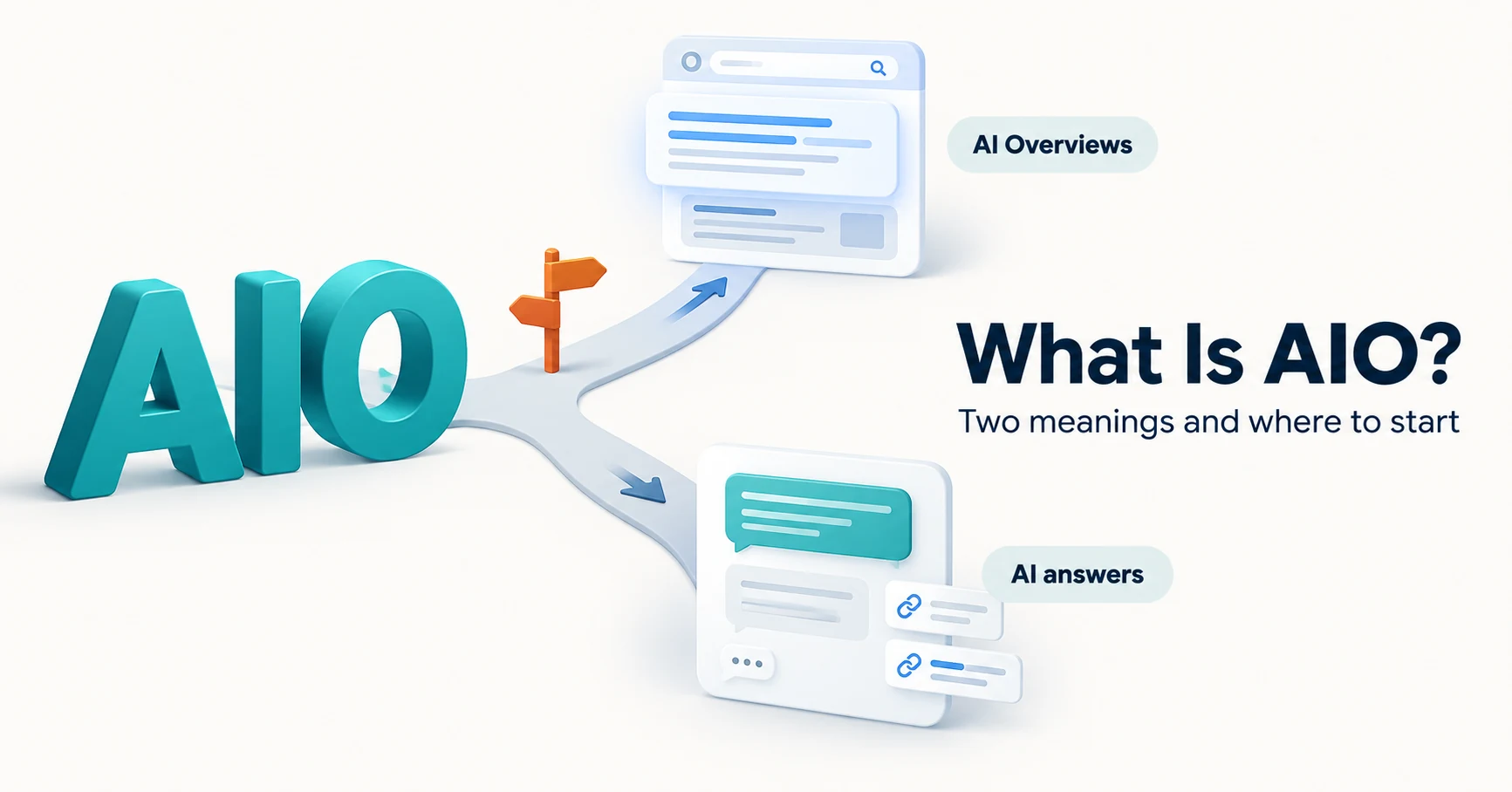
What Is AIO? Its Two Meanings and Where to Start with AI Optimization
AIO has two meanings: work to get your company featured in AI answers, and Google Search’s AI Overviews. Learn how it relates to SEO, what to confirm in a proposal, what Search Console and Bing reports show, and your first tasks.
Published
AIO and AI search
What Is LLMO? How It Differs from SEO and Why Some Say It Is Pointless
LLMO is the work of helping answers from ChatGPT and other AI find and accurately describe your company. Learn how it differs from SEO, why some call it pointless, how E-E-A-T relates, how to measure results and what to do in the first month.
Published
Measurement and site improvement
What Are AI Crawlers? Why Blocking GPTBot Doesn’t Remove You from ChatGPT Search
AI crawlers are programs AI companies use to read public web pages. Learn how GPTBot differs from OAI-SearchBot, how Google-Extended works, why visits can continue after a robots.txt block and how to choose settings by purpose.
Published