What Is Product Page Structured Data? Price and Stock Examples and Checks
Product page structured data tells Google a product’s name, price and availability. This guide shows a single-product JSON-LD example, testing and URL Inspection, and how to keep prices and stock aligned after price cuts or sell-outs. It also explains why AI search does not require special markup.
Your product page may say “¥3,300, in stock,” but you cannot tell just by looking at the page whether Google reads the same information. That is what product page structured data is for.
This article is for people who manage product information on online stores. It assumes an implementer with editing permissions makes any HTML changes. Information was checked on September 23, 2026.
What is product page structured data?
Product page structured data is information added to a page in a defined format that Google can easily read, such as the product name, price and availability. The product itself is described with the Product type, and the terms of sale with the Offer type. A type is simply the name for a kind of information.[1]
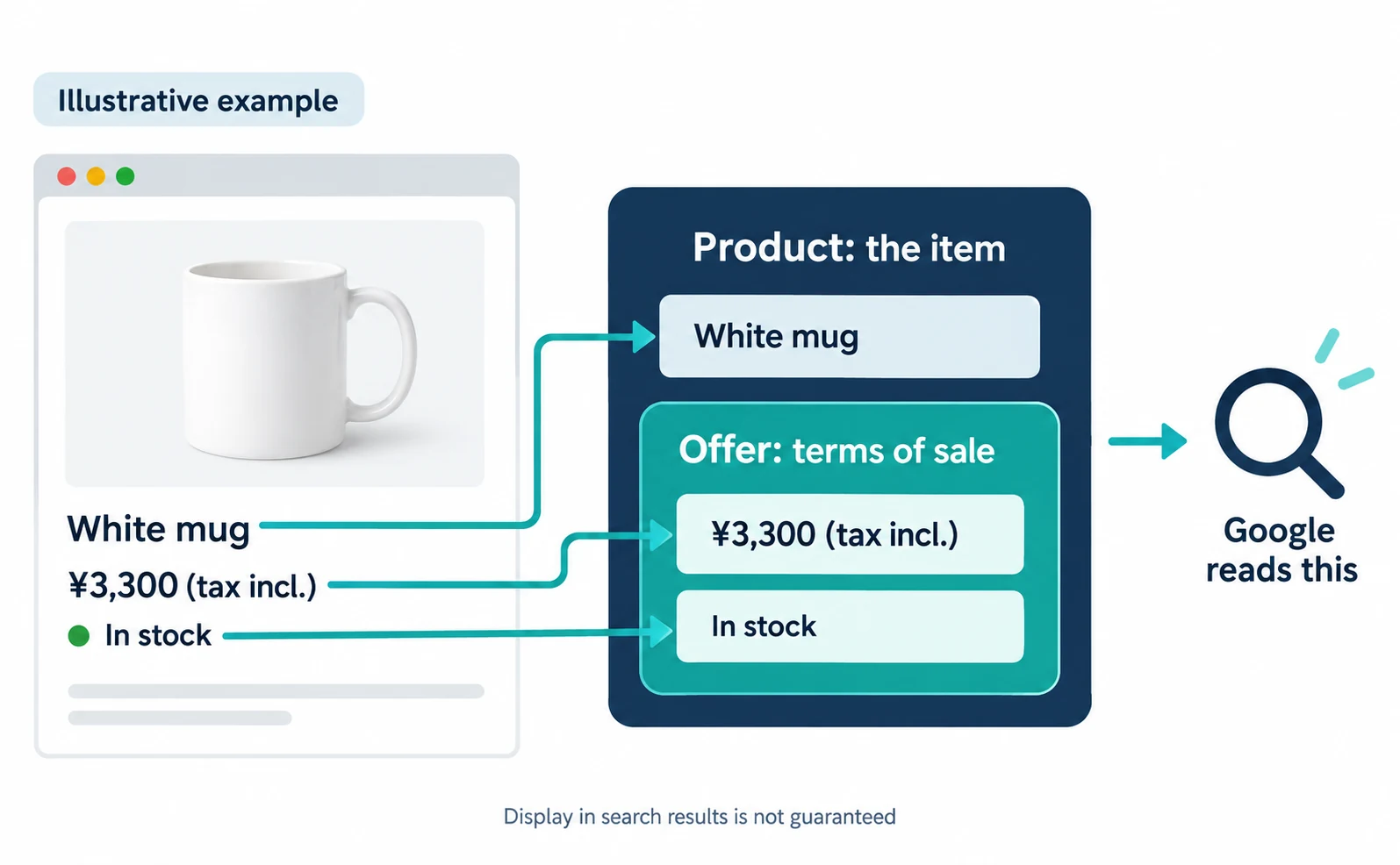
Google may use this information to show prices, availability or shipping in search results. Even correct markup does not guarantee that display.[1][3]
It applies to pages where shoppers can buy the product. Pages that only link to other stores, or review articles, follow the separate requirements for “product snippets.”[1][2]
From here we use a fictional store for illustration. It sells a white mug for ¥3,300 each, including tax. The product number is MUG-WH-01, and it is in stock.
Is product structured data required for AI search?
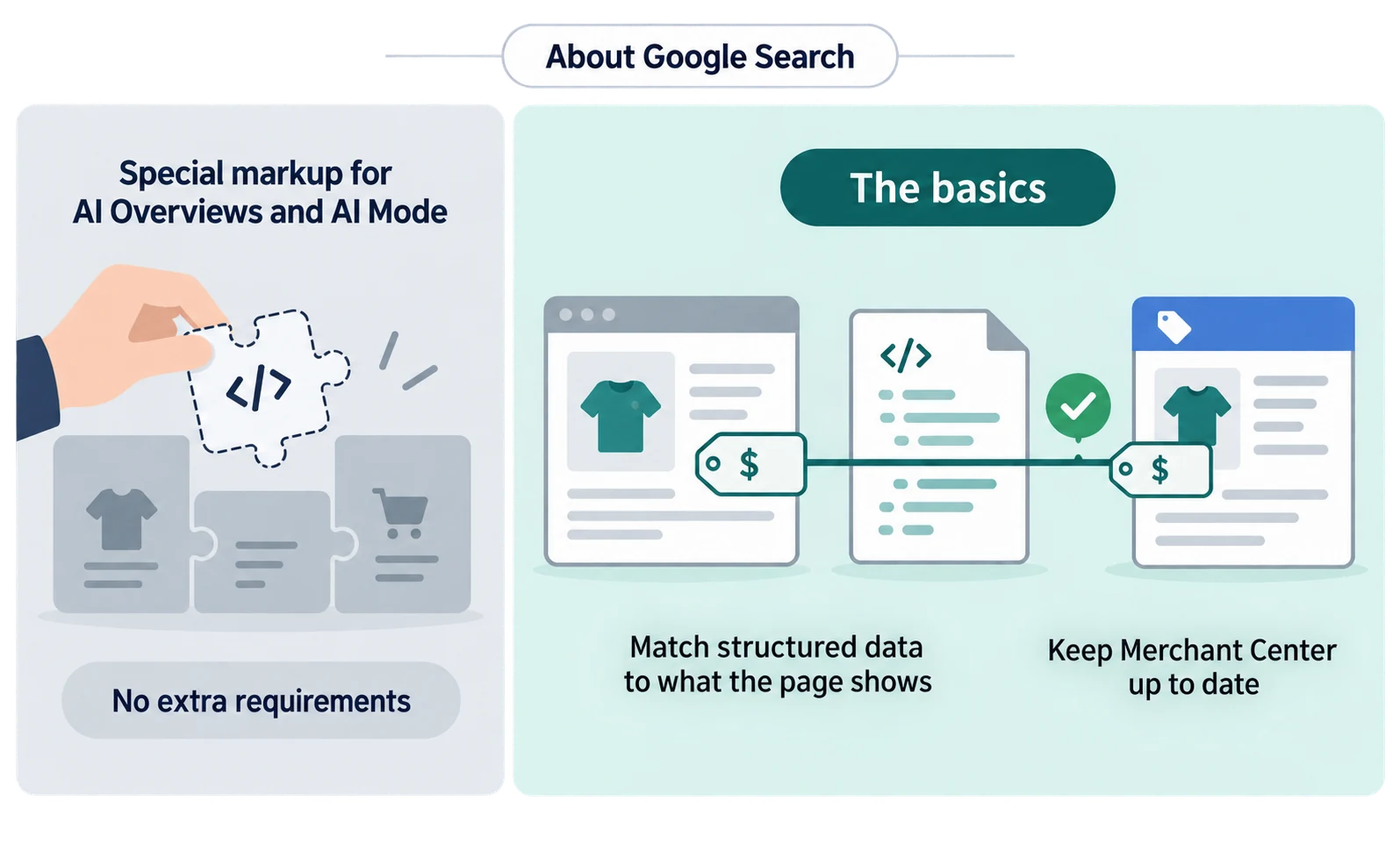
You do not need to add special product structured data to appear in Google’s AI Overviews or AI Mode. Google says these AI features have no additional technical requirements and need no special schema.org structured data.[4]
At the same time, Google lists basic SEO practices such as making sure structured data matches the visible text on the page and keeping Merchant Center information up to date.[4]
In other words, keeping your existing product information consistent matters more than adding something new for AI search.
This applies to Google Search. We have not checked how ChatGPT or other AI services use product structured data. For background on AI Overviews, see “SGE Is Now AI Overviews. Do Your Earlier Efforts Still Work?”
Describe price and availability with Product and Offer
For a single product, put the name, image and product number in Product, and the current price, currency and availability in its Offer. Google’s merchant listing guidance makes name, image and offers required. In the Offer, price and priceCurrency are required, and the price must be greater than zero.[1]
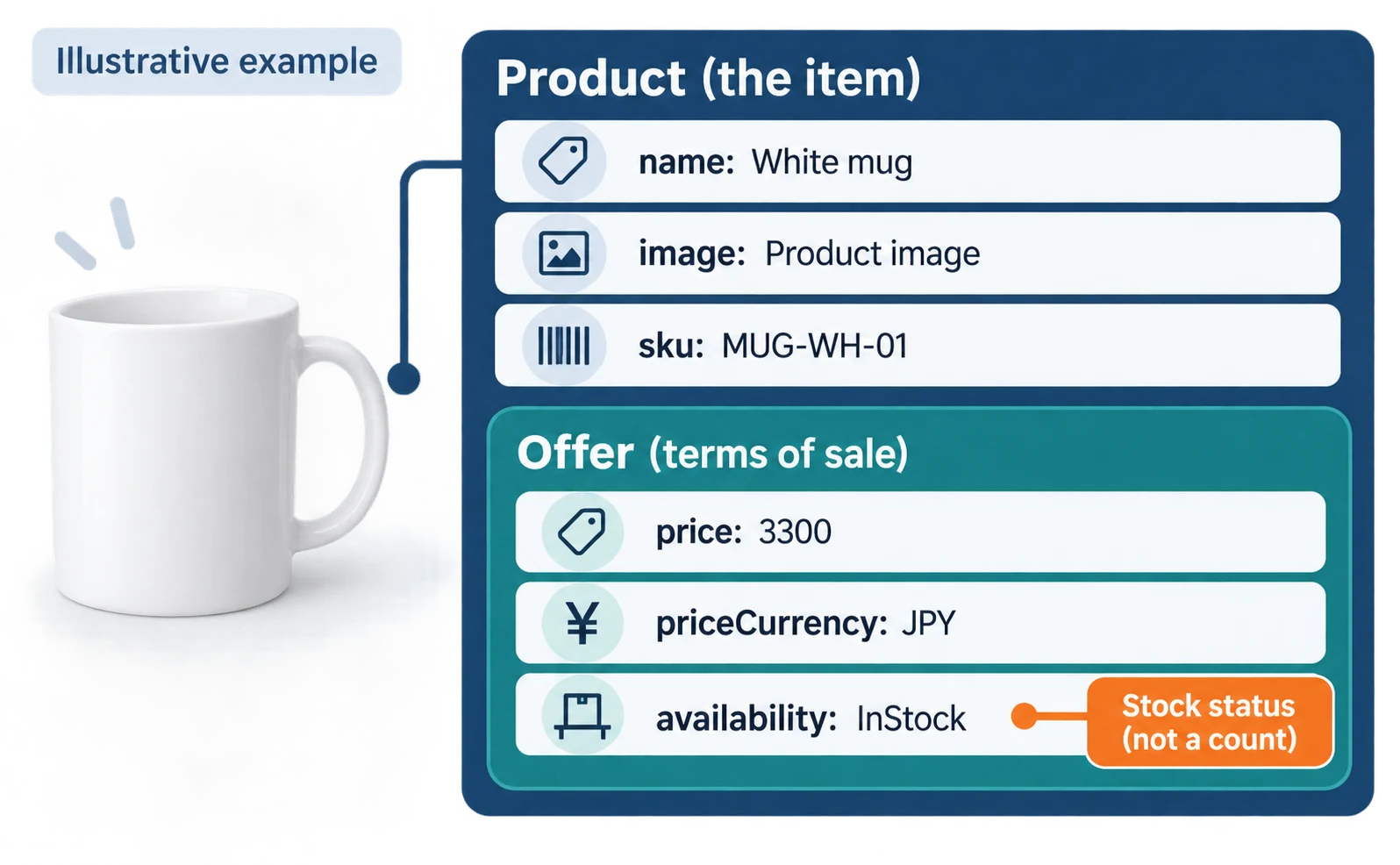
The following JSON-LD, one way of embedding the data in HTML, was created for illustration. The URLs and values are fictional, and shipping and returns are omitted.
<script type="application/ld+json">
{
  "@context": "https://schema.org/",
  "@type": "Product",
  "name": "White mug",
  "image": ["https://example.com/images/mug-wh-01.jpg"],
  "sku": "MUG-WH-01",
  "offers": {
    "@type": "Offer",
    "url": "https://example.com/products/mug-wh-01",
    "priceCurrency": "JPY",
    "price": 3300,
    "availability": "https://schema.org/InStock"
  }
}
</script>
This mapping table helps you and your implementer talk about the same things.
| What the page shows | JSON-LD field | Compare it with |
|---|---|---|
| Product name | name |
The heading on the product page |
| Product image | image |
The same product’s image on the page |
| Product number | sku |
Your product management record |
| Price ¥3,300 | price and priceCurrency |
The selling price on the page |
| In stock | availability |
The page and actual sales status |
availability describes stock status, not the number of units. When sold out, choose one value from Google’s list, such as https://schema.org/OutOfStock.[1]
Google’s official examples include reviews and star ratings, but do not add reviews your product does not have. The guidelines prohibit fake reviews and content that readers cannot see on the page.[3]
Shipping can be described per product with shippingDetails. However, Google recommends placing store-wide shipping rules in your organization (Organization) markup.[1]
Handle color and size variants with separate markup
For products whose price or stock changes by color or size, do not reuse the single-product example; use ProductGroup markup. ProductGroup groups the parent product, hasVariant lists each color or size as a Product, and variesBy states what differs, such as color or size.[5]
Google requires each variant to have a unique ID such as sku, and each variant to be directly selectable by its own URL.[5]
For example, if white and blue mugs have different stock, do not apply the white mug’s “in stock” status to the blue one.
Test product structured data and use URL Inspection
Before publishing, fix critical errors with the Rich Results Test. After publishing, check how Google sees the page with URL Inspection in Search Console. This is the order Google describes.[1]
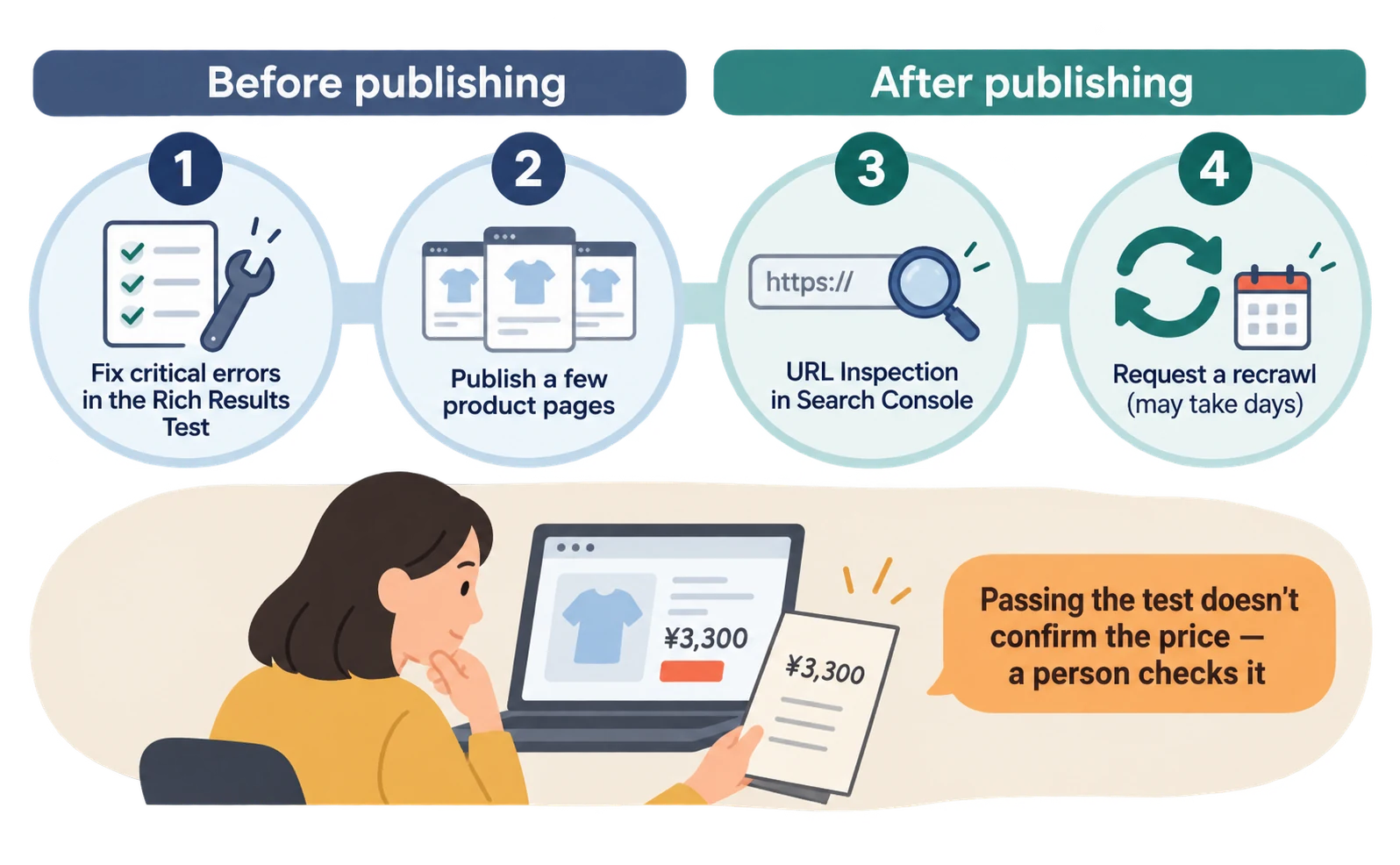
- The implementer tests the code, updated with your own values, in the Rich Results Test. If critical errors appear, fix them and test again.
- Publish only a few product pages first.
- Someone with access to the site enters the published product page URL into URL Inspection in Search Console. Check that robots.txt, noindex (a setting that keeps a page out of search results) or a login requirement is not blocking the page.
- If everything looks fine, request a recrawl, which asks Google to read the page again. It may take several days for Google to find and read it.[1]
After publishing, you can also watch Search Console’s merchant listings report for increases in errors or warnings.[1]
Passing the test does not tell you whether ¥3,300 is the real selling price. A person should make the final comparison against the product page.[3]
Keep price and stock aligned after price cuts and sell-outs
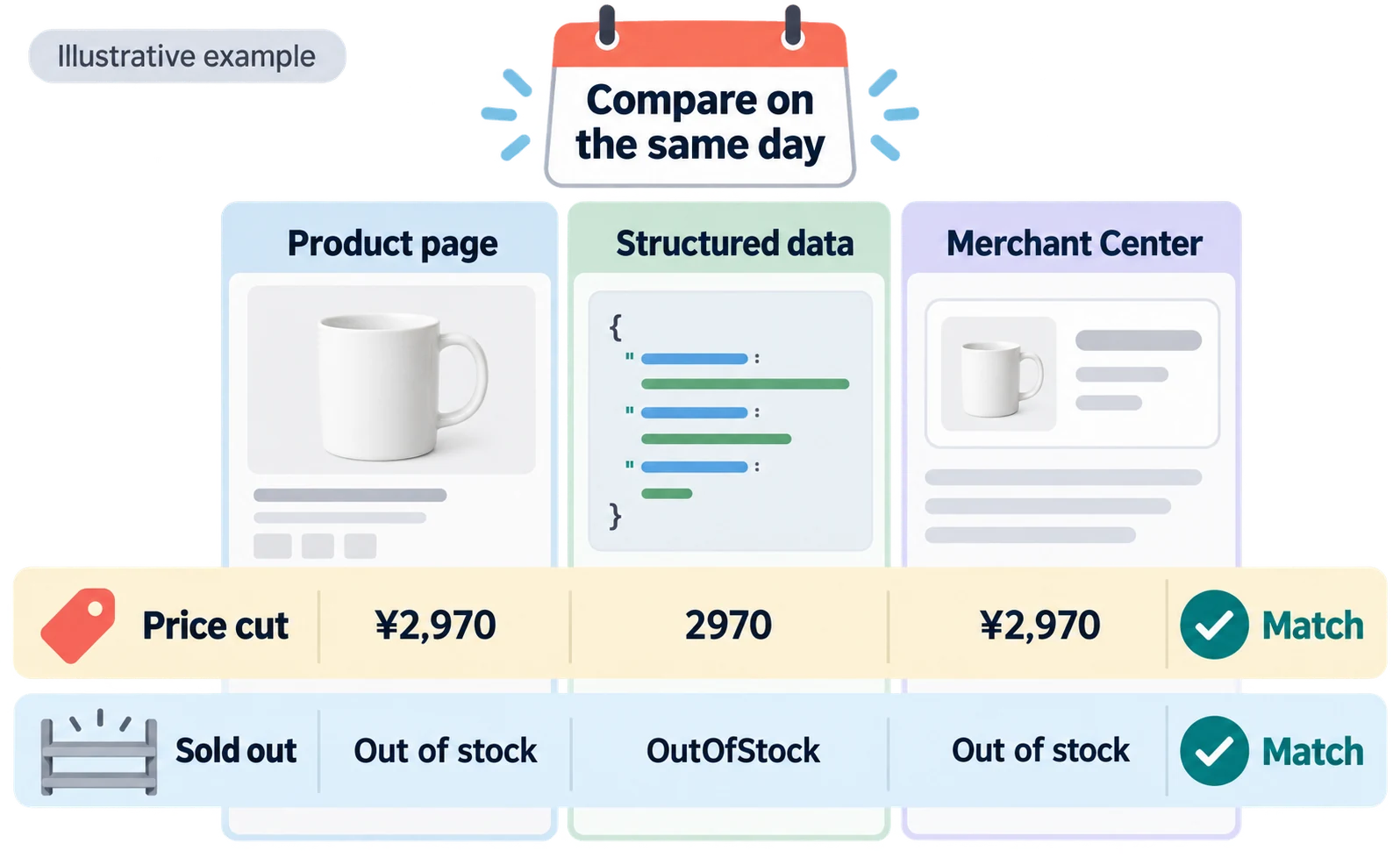
Each time you cut a price or sell out, compare the product page, the structured data and Merchant Center on the same day. Google requires up-to-date information in structured data and does not show rich results for time-sensitive content that is no longer relevant.[3]
To show a sale price, put the current price in price, and put the original price inside priceSpecification with priceType set to https://schema.org/StrikethroughPrice. You can show the sale period with properties such as validFrom and priceValidUntil.[1]
If you also send product data to Merchant Center, check it as well. Google says providing both page structured data and a Merchant Center feed broadens eligibility, and some experiences combine the two.[2]
When shipping or return settings exist in several places, product-level data submitted in Merchant Center takes precedence over on-page markup.[1] Do not stop after fixing only the page.
Here is an example comparison record. All dates and values are illustrative assumptions.
| Change date | Change | Page shows | JSON-LD | Merchant Center | Result |
|---|---|---|---|---|---|
| Oct 1 | Price cut | ¥2,970 | 2970 |
¥2,970 | Match |
| Oct 8 | Sold out | Out of stock | OutOfStock |
Out of stock | Match |
Start by choosing one of your product pages and checking that the displayed price and the JSON-LD price are the same. For investigating price mismatches after a price cut, see “Google Shows the Wrong Price: 3 Places to Check After a Price Cut.”
FAQ
- Q. Will adding structured data guarantee that my price appears in search results?
- No. Google says that even correct markup that passes testing does not guarantee display.
- Q. If I send data to Merchant Center, do I still need structured data?
- You can use both. Google says providing both broadens eligibility. Compare them on the same day so price and stock do not conflict.
- Q. Do I need special markup to appear in AI Overviews?
- Google says AI Overviews and AI Mode have no additional technical requirements and need no special schema.org markup. Keeping structured data consistent with the page is the basic step.
Sources
- [1] Merchant listing (Product, Offer) structured data (Google Search Central) — accessed 2026-09-23
- [2] Introduction to Product structured data (Google Search Central) — accessed 2026-09-23
- [3] General structured data guidelines (Google Search Central) — accessed 2026-09-23
- [4] AI features and your website (Google Search Central) — accessed 2026-09-23
- [5] Product variant structured data (ProductGroup, Product) (Google Search Central) — accessed 2026-09-23
About the author
Shogo MizushimaCEO of kairos Inc. / AgentSignal Developer
Develops AgentSignal, a tool for measuring AI crawler visits and AI-referred traffic, and diagnosing AIO readiness. Writes about measurement and practical improvements for AI search using observed data.
Related articles
AI shopping and booking
Google Shows the Wrong Price: 3 Places to Check After a Price Cut
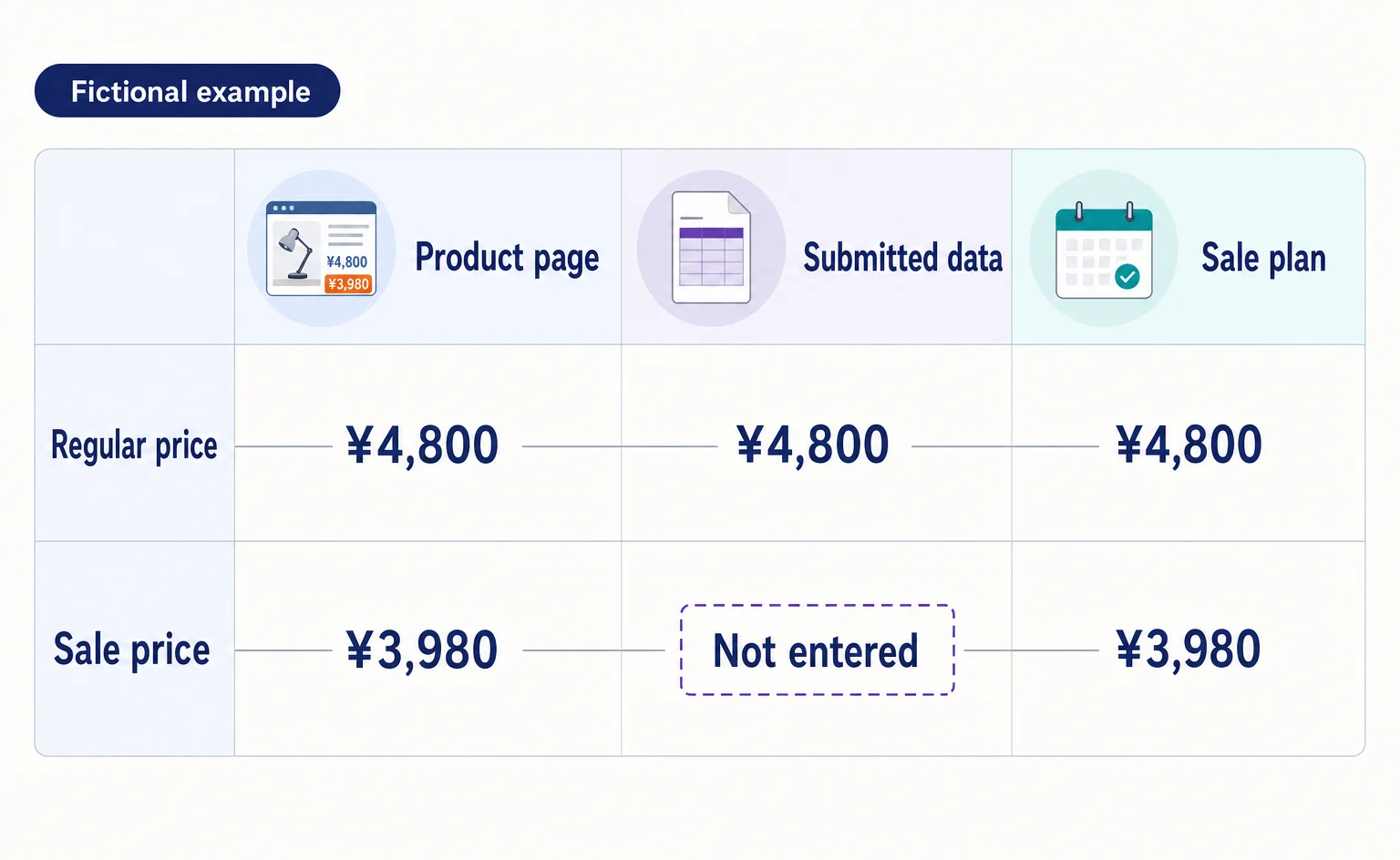
If Google still shows an old price after you lower it on your product page, compare the page, the product data sent to Google, and the sale conditions. A fictional example explains where to make corrections and how to check approval status afterward.
Published
AIO and AI search
What Are AI Overviews? How to Review Your Former SGE Work
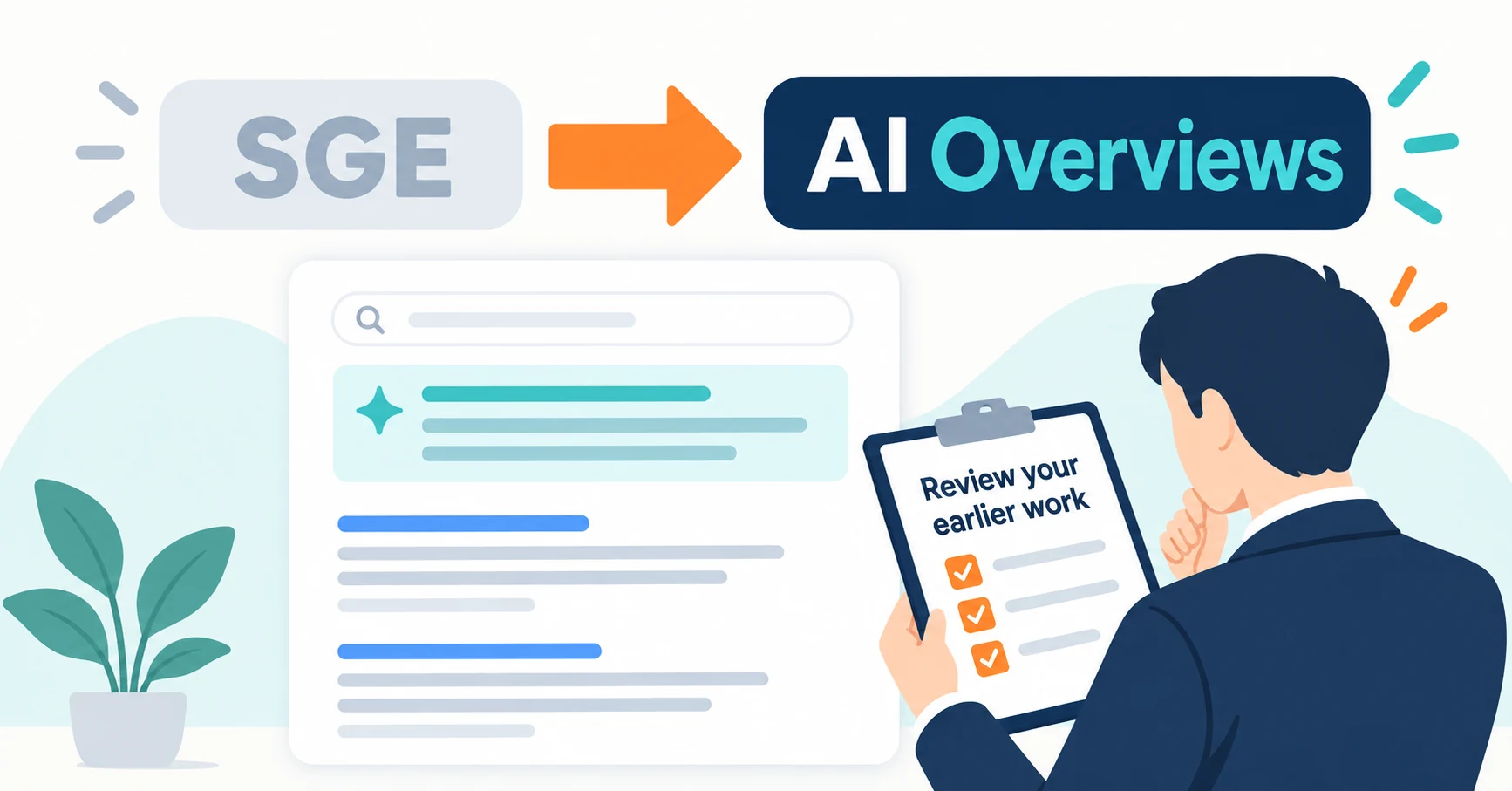
AI Overviews are AI-generated summaries shown in Google Search. Learn how they relate to the former SGE trial, how they differ from AI Mode, why no extra requirements apply, how to review earlier work and how to check the Search Console generative AI report.
Published
AI shopping and booking
Can You Submit an AI-Written Product Title to Google As Is?
AI-written product titles need both a content review and an AI-generation designation in your product data. Using a fictional water bottle, this article explains clear product naming, structured_title fields, and checks for each submission method.
Published