How to Set Up Structured Data in WordPress and Shopify: Plugins and Existing Output
Themes and plugins in WordPress and Shopify often output structured data already. Learn what to check before adding more, where output comes from in each CMS, whether llms.txt is needed, and how to test after changes.
Before adding structured data in WordPress or Shopify, check what your current theme or plugins already output. Layering the same information on top of existing markup makes it harder to manage which version is correct.
Structured data is markup that adds page information, such as a company name or product price, in a form search services can read easily. A CMS is a system like WordPress or Shopify that lets you update a site without writing HTML directly.
This article is for people who run a site without writing code. It explains how to find where output comes from, what to check in each CMS, and whether extra settings are needed for AI. Information was checked on September 23, 2026.
CMS sites often already output structured data
In a CMS, themes and SEO plugins often output structured data automatically. Before adding anything, check which types are already there.
Google also notes that in a CMS you may not be able to edit HTML directly, and that a search engine settings page or plugin may let you specify structured data.[1]
For example, the WordPress plugin Yoast SEO attempts to output Organization for the company or owner, WebSite for the site and WebPage for the page on every page.[3] If you add company information with another plugin without knowing this, you end up with two descriptions of the same company.
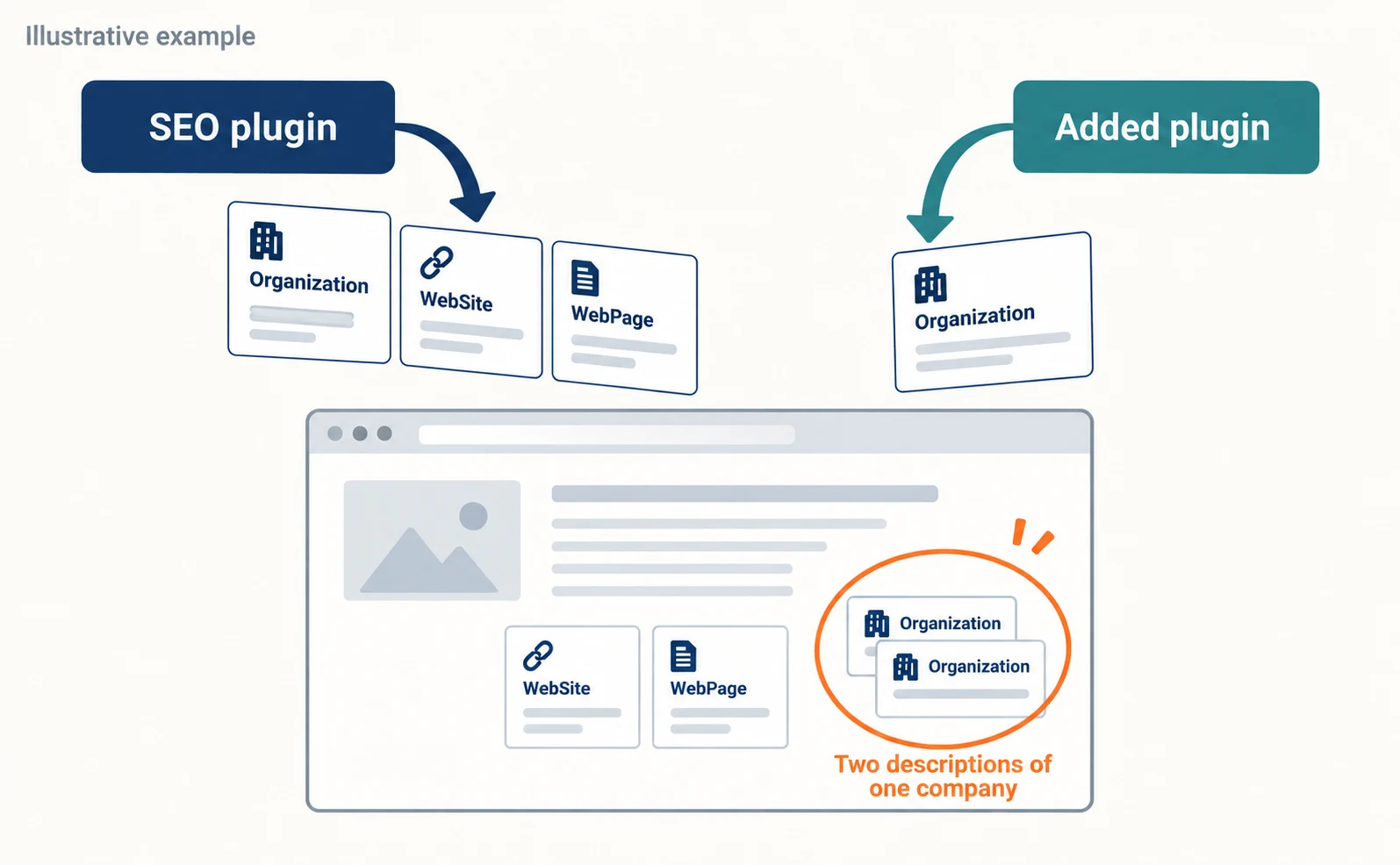
You can check current output like this.
- Open the Rich Results Test.[7]
- Choose URL, enter the address of one of your public pages and run the test.
- Note the list of detected types.
The Rich Results Test checks for types that support Google Search features, so some types output on the page may not appear in its results. To see everything, view the page source in your browser and search for application/ld+json to find markup in JSON-LD format.
| What to check | Where to look | Next decision |
|---|---|---|
| Which types are output | Rich Results Test, page source | Consider adding only missing types |
| What outputs them | Theme, plugin and app settings | Choose one source |
| Whether a type appears twice | Search the page source for the type name | Stop or merge one output |
WordPress structured data and plugins
In WordPress, SEO plugins and themes output structured data. Check the official documentation of the plugin you use for the types it outputs and where its settings are.
This section uses Yoast SEO as an example because its output is documented officially. Other plugins and themes may also output structured data, so check their documentation.
The main types Yoast SEO outputs are as follows.[3]
| Page condition | Types output |
|---|---|
| Every page | Organization, WebSite, WebPage |
| Posts | Article in addition to the above |
| Pages with an FAQ block | FAQPage added to WebPage |
| Pages with a HowTo block | HowTo added |
In the WordPress dashboard, go to Yoast SEO, open Settings, and find Schema under Advanced. There is a toggle to enable the whole schema framework, and Yoast strongly advises keeping it on.[4]
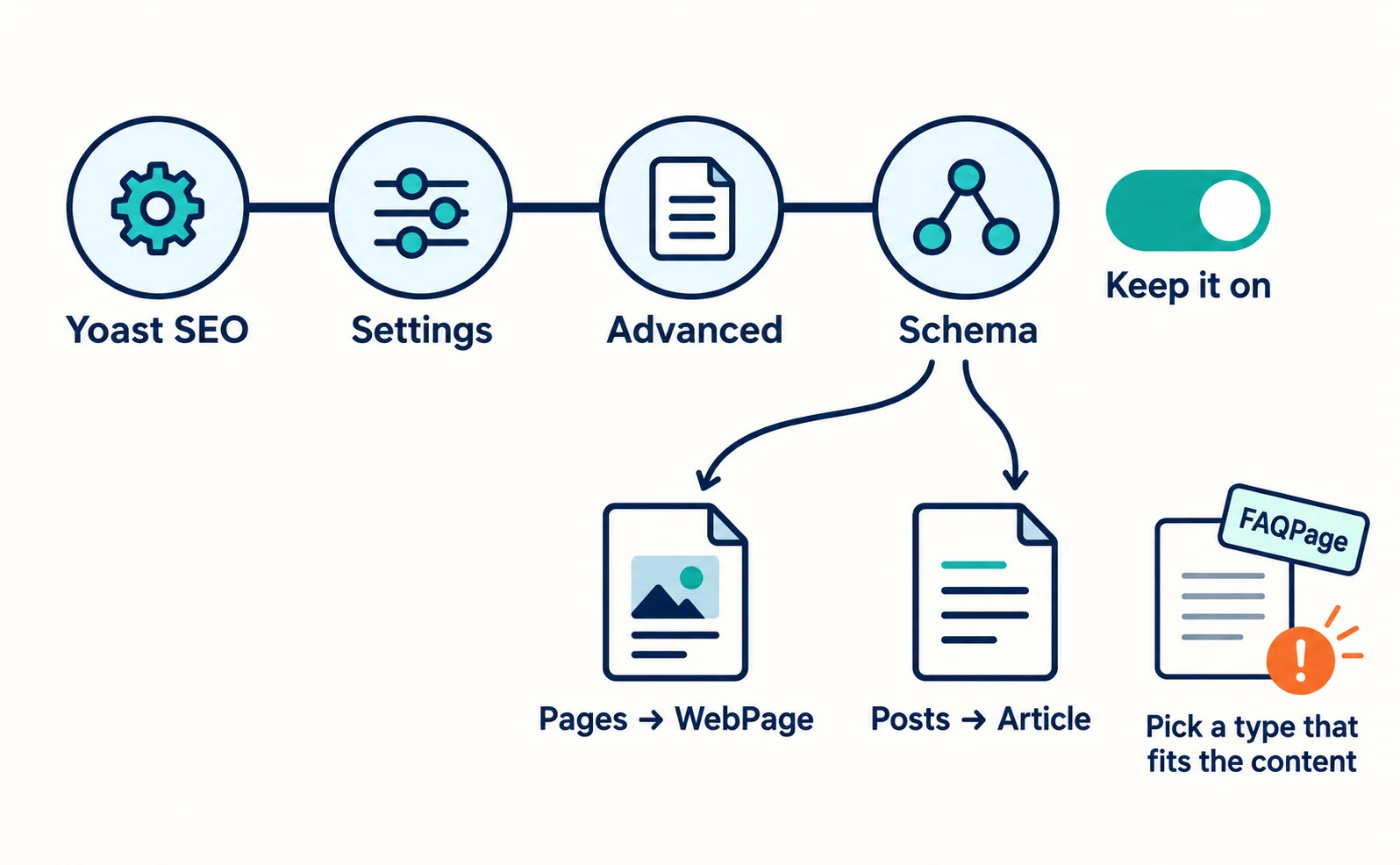
You can also change defaults by content type. Pages default to WebPage and posts to Article.[5] Yoast warns that choosing an unsuitable type can cause validation errors. For example, marking a page without questions and answers as FAQPage will not work as expected.[5]
Before adding another plugin, check whether it outputs the same types and whether one output can be turned off.
Shopify structured data
In Shopify, theme code may output structured data for products and articles. Adding an app may add separate output.
Shopify themes are built with a template language called Liquid. Liquid has a structured_data filter that converts product and article information into schema.org format.[6]
With this filter, products without variants such as color or size are output as Product, and products with variants as ProductGroup. Articles are output as Article.[6]
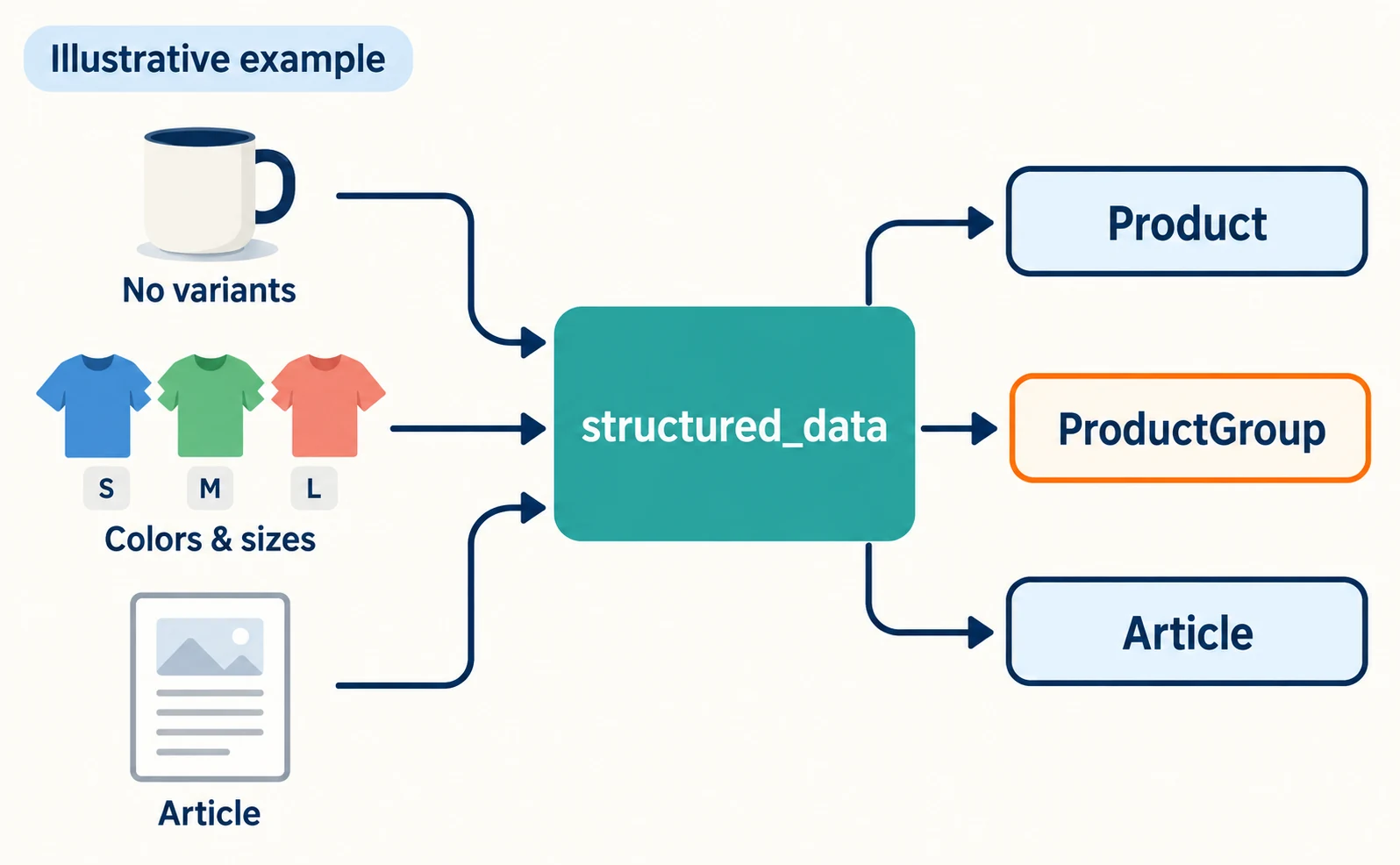
Whether your theme uses this filter depends on the theme. Check as follows.
- Test a public product page URL in the Rich Results Test and see whether a product type is detected.
- Ask someone who can edit the theme to search the theme files for
structured_dataorapplication/ld+json. - If you use an app that outputs structured data, check its documentation for what it outputs.
If product information comes from two places, it is harder to find the cause when prices or stock disagree. Choosing a single source helps prevent missed updates.
Is llms.txt needed in your CMS?
You do not need AI-oriented files such as llms.txt or special structured data to appear in Google’s AI Overviews or AI Mode.
Google says you do not need to create new machine-readable files, AI text files or markup to appear in its AI features. It also says there is no special schema.org structured data you need to add.[2]
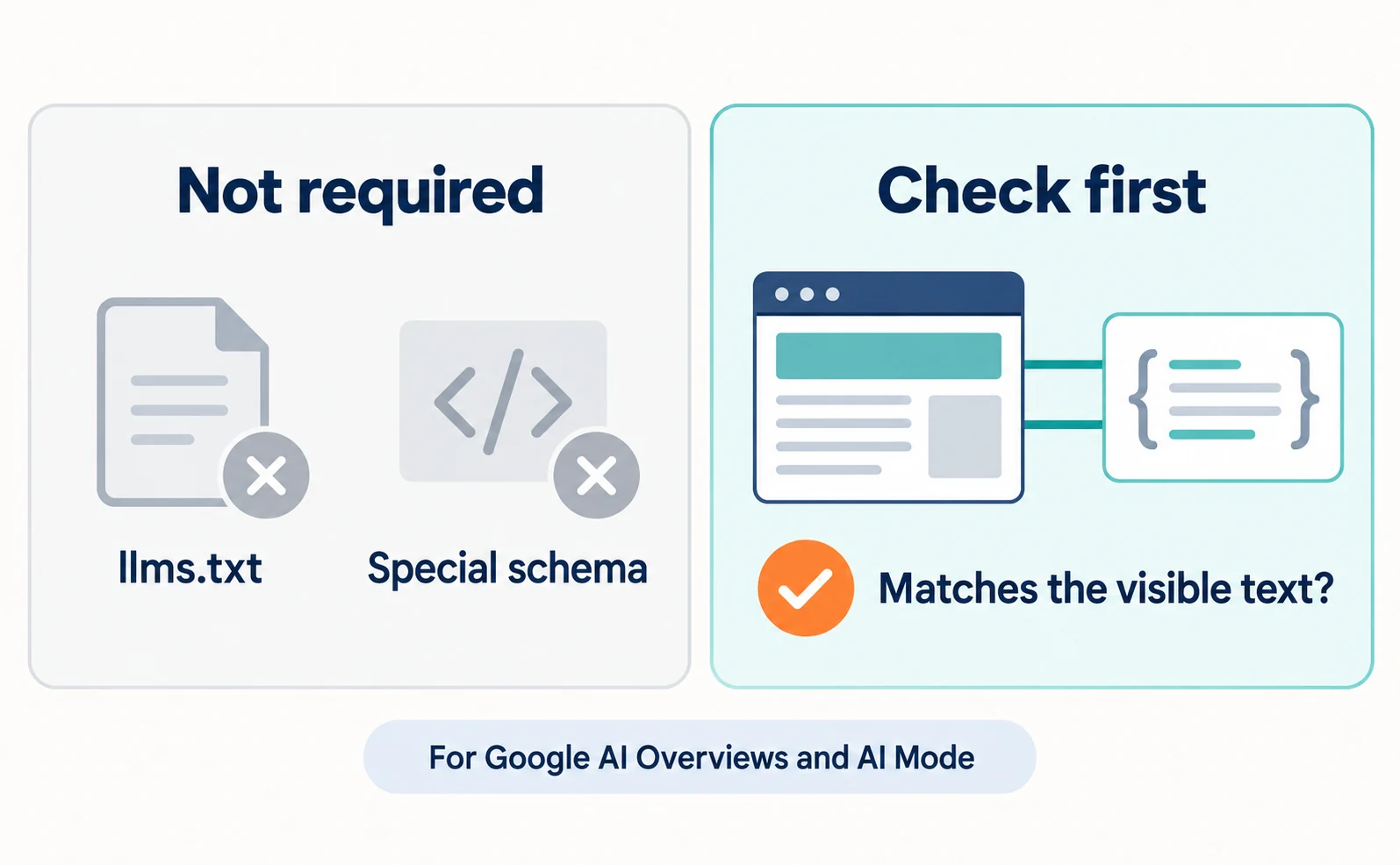
So before installing a new plugin for LLM optimization, first check that your existing structured data matches the visible text. Google lists making structured data match the visible text as a basic practice.[2]
This applies to Google Search AI features. Other companies’ AI services may have different conditions. Whether to add llms.txt is covered in our article on whether you need llms.txt.
Check the output after changing CMS settings
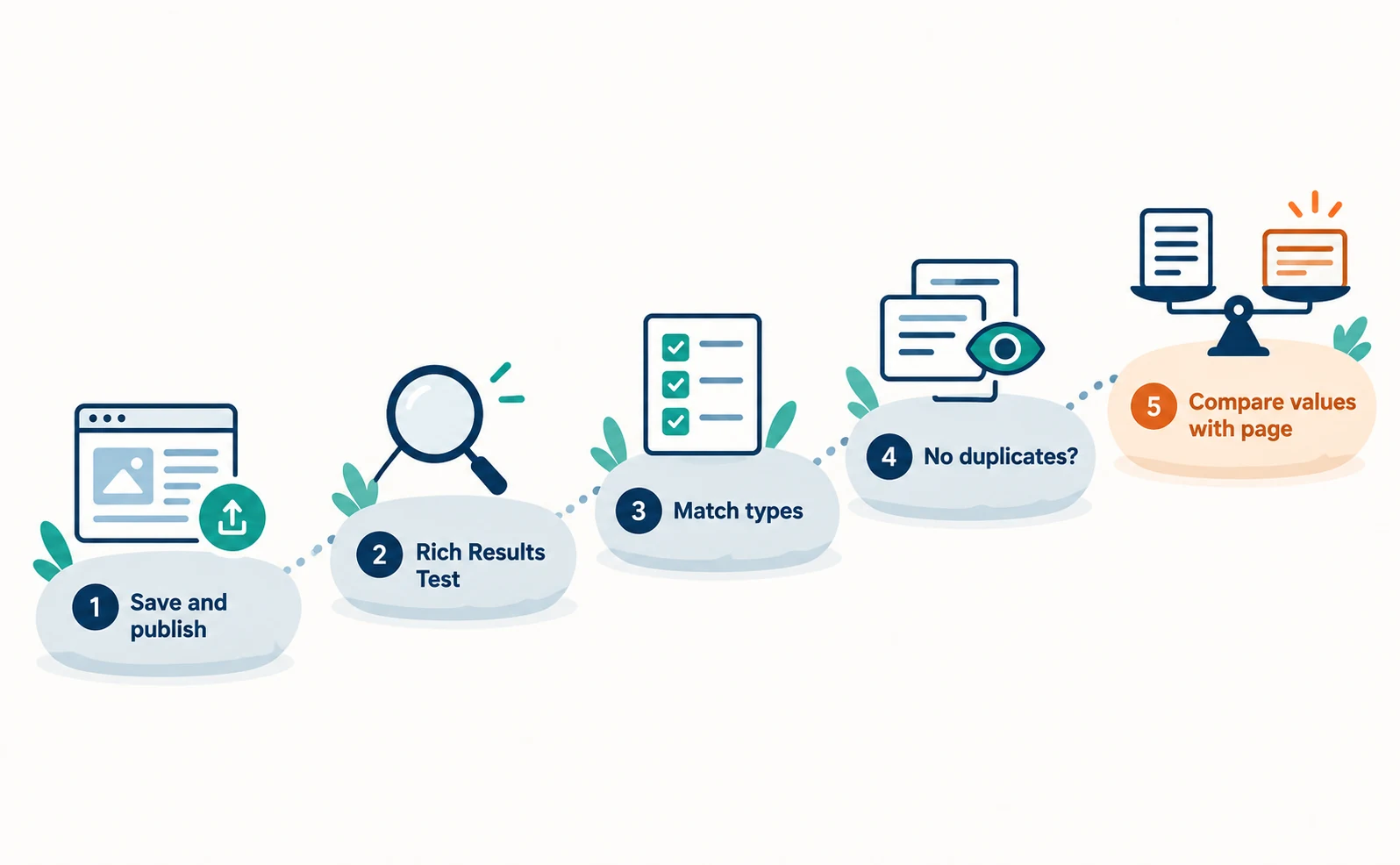
After changing settings, test the public page, and check that no type is duplicated and that values match the page.
Follow these steps.
- Save the settings and make sure the page is public.
- Test the public URL in the Rich Results Test.[7]
- Check that the detected types match what you intended.
- Check the page source to see that no type appears twice.
- Compare values such as product names, prices and company names with what the page shows.
Google asks site owners not to mark up information that is not visible on the page.[1] Also check that the company details entered in plugin settings match what your company page shows. See how to align company details and official links.
The first step is to pick one representative page and identify which theme or plugin outputs its structured data. Once you know the source, you can decide whether to add, stop or fix output.
FAQ
- Q. Is it a problem to install two structured data plugins?
- If the same type is output twice, it becomes harder to manage which is correct when values differ. Check current output before adding, and choose one source or turn off one output.
- Q. Does Shopify output structured data without an app?
- Theme code may output structured data for products and articles. Check whether your theme does so by testing a public page or reviewing the theme files.
- Q. Do I need llms.txt for AI search?
- For Google’s AI Overviews and AI Mode, Google says AI files and special schema are not needed. Check other AI services’ conditions separately.
Sources
- [1] Introduction to structured data markup in Google Search (Google Search Central) — accessed 2026-09-23
- [2] AI features and your website (Google Search Central) — accessed 2026-09-23
- [3] Yoast SEO for WordPress: Schema output (Yoast) — accessed 2026-09-23
- [4] Yoast SEO settings: Schema (Yoast) — accessed 2026-09-23
- [5] The Page or Article type in your Schema settings (Yoast) — accessed 2026-09-23
- [6] structured_data (Shopify) — accessed 2026-09-23
- [7] Rich Results Test (Google) — accessed 2026-09-23
About the author
Shogo MizushimaCEO of kairos Inc. / AgentSignal Developer
Develops AgentSignal, a tool for measuring AI crawler visits and AI-referred traffic, and diagnosing AIO readiness. Writes about measurement and practical improvements for AI search using observed data.
Related articles
AIO and AI search
Do You Need llms.txt? What It Can Do and What to Check Before Adding It
llms.txt is a list of links to public pages you want AI to read. Learn whether AI search requires it, how it differs from robots.txt, when it helps, how to write it, and how to set it up and check it in WordPress and other platforms.
Published
AIO and AI search
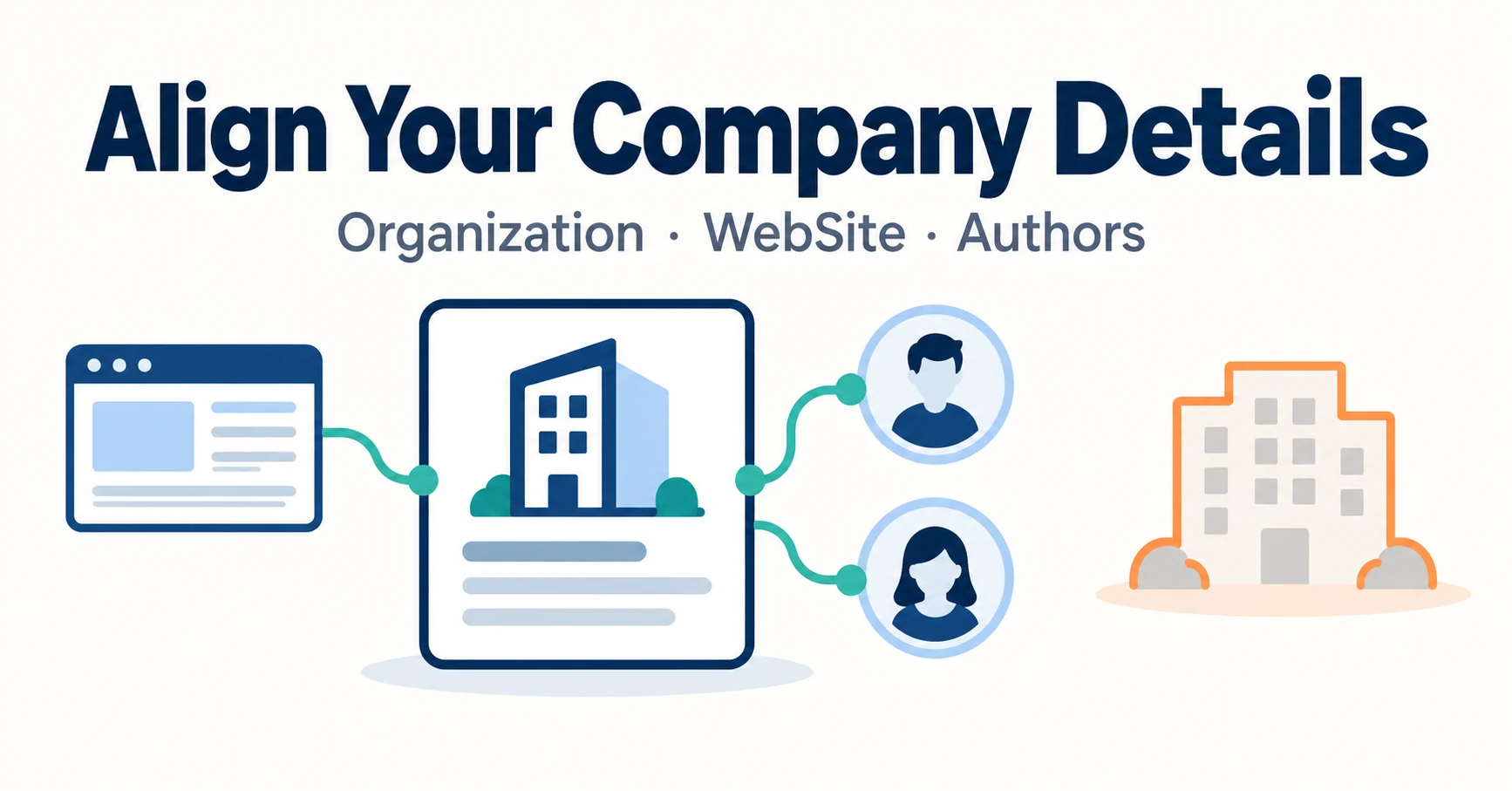
What Is Organization Structured Data? Aligning Company Details and Official Links
Mistaken for a same-name company, or your site name and authors don’t show correctly? Align your company overview and official links, then describe them with Organization, WebSite and author structured data, and check the results after publishing.
Published
AIO and AI search
What Is LLMO? How It Differs from SEO and Why Some Say It Is Pointless
LLMO is the work of helping answers from ChatGPT and other AI find and accurately describe your company. Learn how it differs from SEO, why some call it pointless, how E-E-A-T relates, how to measure results and what to do in the first month.
Published