B2B AI Search: Review Existing Pages Before Adding New Articles
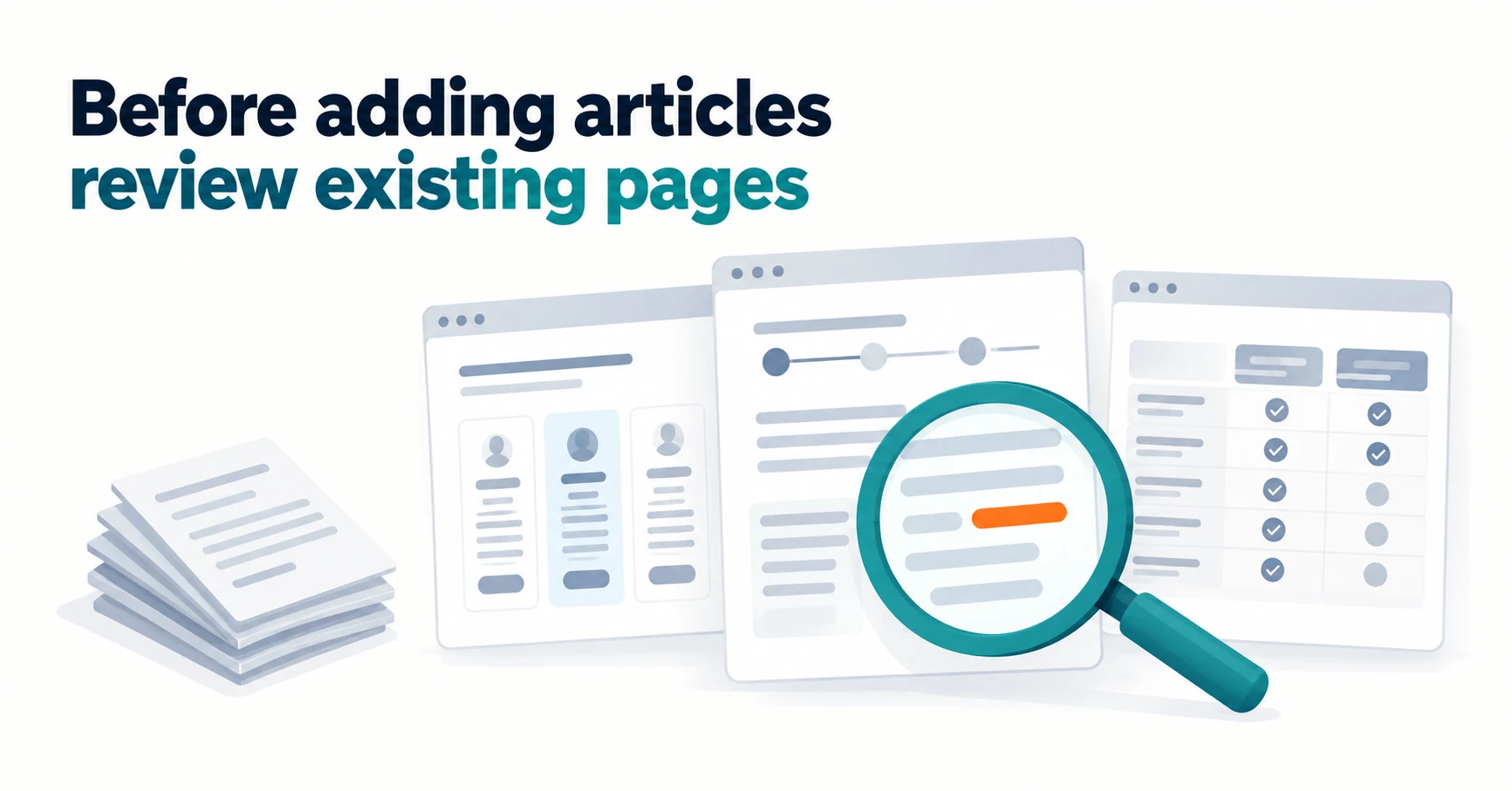
Before adding articles for AI search, B2B companies can find gaps in existing pages and choose to keep, correct, combine, or create. This guide uses a case study and worked examples, and shows how Search Console’s generative AI report can help narrow down pages.
For B2B AI search, check whether your existing pages answer readers’ decisions before publishing more articles. Correct pages that serve the right purpose but contain errors or gaps, and consider new pages only for decisions no page currently supports.
Suppose a prospective customer wants to know, “Can we transfer our past inspection records?” If your implementation guide does not explain this, what you need is an addition to that guide, not another article on the same topic.
This article uses a fictional software company that helps teams create equipment inspection reports. We walk through building a review sheet, narrowing down pages in Search Console, choosing an approach, and recording updates.
Why B2B AI Search Work Starts with Existing Pages
Start with existing pages because most answers buyers need should already live on your pricing, implementation, and comparison pages. Adding articles while leaving errors or gaps in place splits the explanation of a single question across several pages.
Google says there are no additional technical requirements or special optimizations needed to appear in AI Overviews or AI Mode. Fundamental SEO practices still apply, such as helpful people-first content, not blocking search engines from crawling (reading) your pages, and making important content available as text[2].
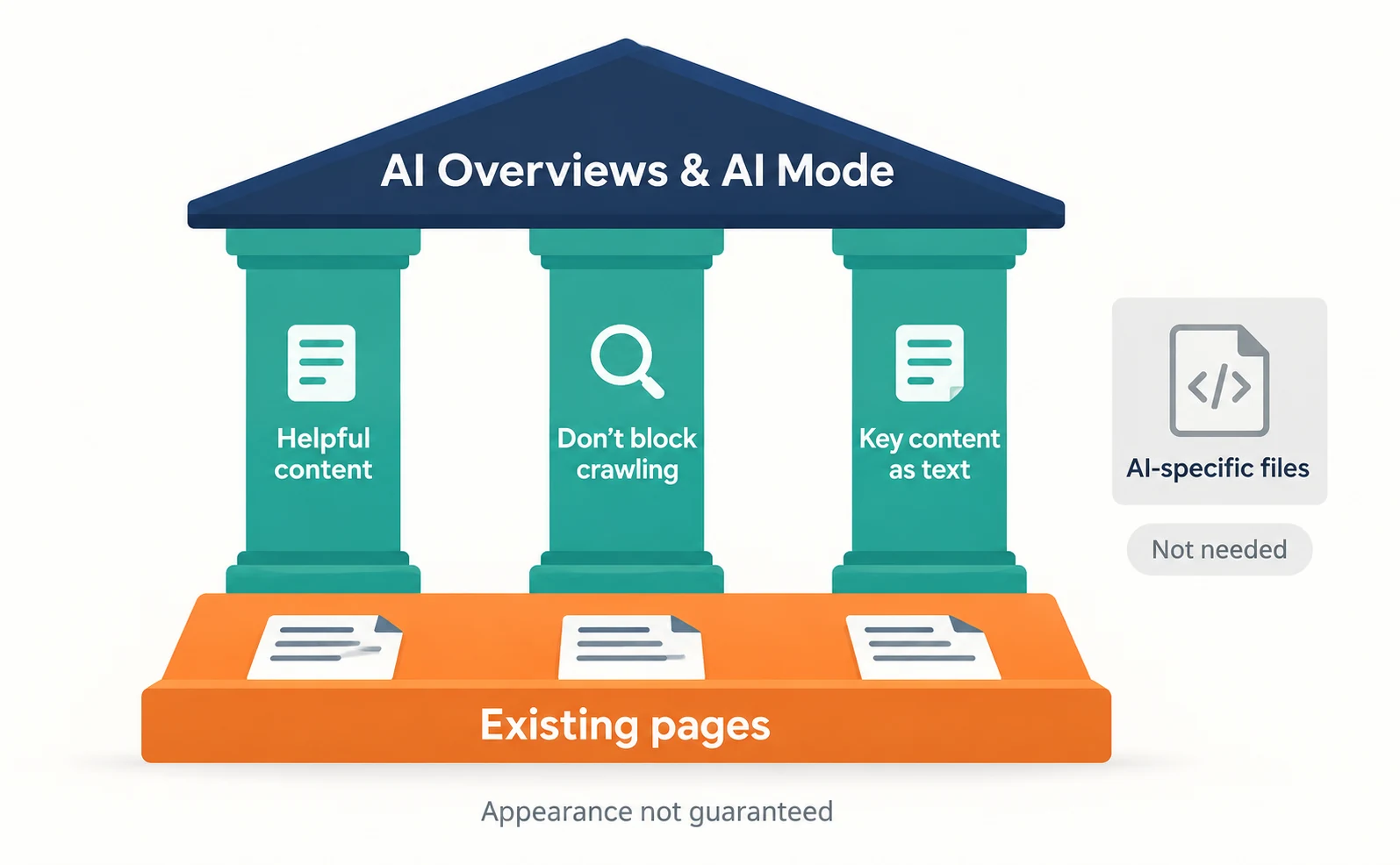
Google also says you do not need AI-specific files or special structured data, meaning code that describes page content in a fixed format for search engines[2]. So the first practical step is checking whether your pages answer what readers want to know.
Meeting these requirements does not guarantee appearance[2]. Fixing existing pages is work to help readers decide, not a promise of visibility.
What the Optimist Case Shows and the Limits of Its Numbers
The Optimist case shows a combination of existing article updates, expert involvement, and original research. The numbers are self-reported by the agency, and the effect of any single activity is unknown.
Optimist helps companies get found in search and AI answers. In a case study published on February 20, 2026, it describes work for an unnamed large B2B technology company[1].
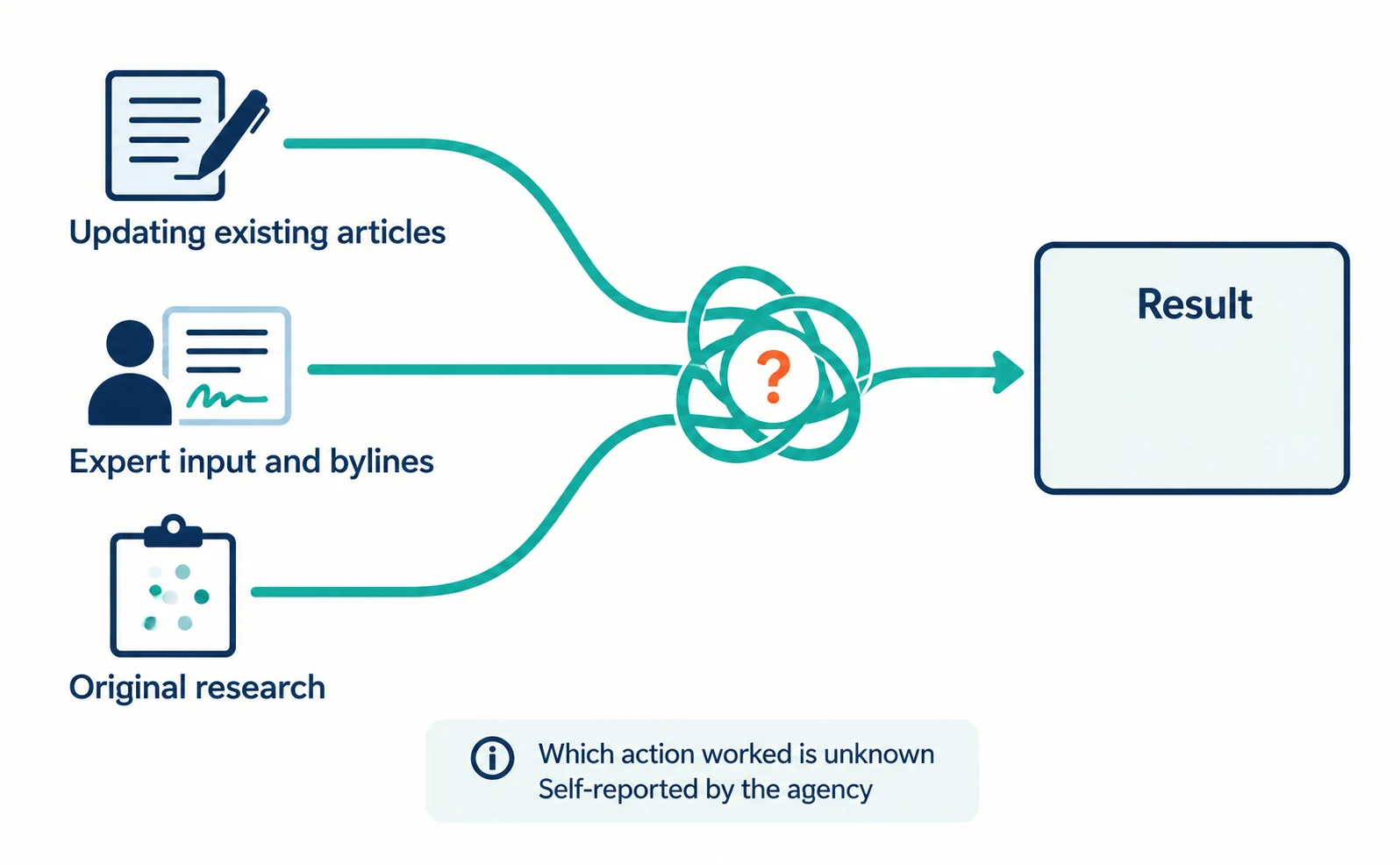
The agency lists three areas of work[1]:
- It created standards for citable content and applied them retroactively to existing articles, prioritizing those with the highest citation potential and revenue relevance.
- It added subject matter expert input and bylines to key content.
- It built a first-party data program and ran several proprietary studies.
It reports that revenue from ChatGPT, Perplexity, and Claude referrals grew over 14 months[1]. However, the page title and body describe the growth differently. The baseline revenue and the method for attributing revenue to that traffic are not disclosed[1].
Optimist itself states that it cannot attribute specific actions to specific results with certainty[1]. This article does not use the multiples and focuses only on how pages were chosen for updates.
A Review Sheet for Finding Gaps in Existing Pages
The review sheet has four columns: page name, role, gap, and approach. The role is what the page answers; the gap is what readers still cannot decide after reading.
Open each target page on your site and fill in a spreadsheet you already use. The table below is a fictional example for the software company. Replace it with your own page names and URLs.
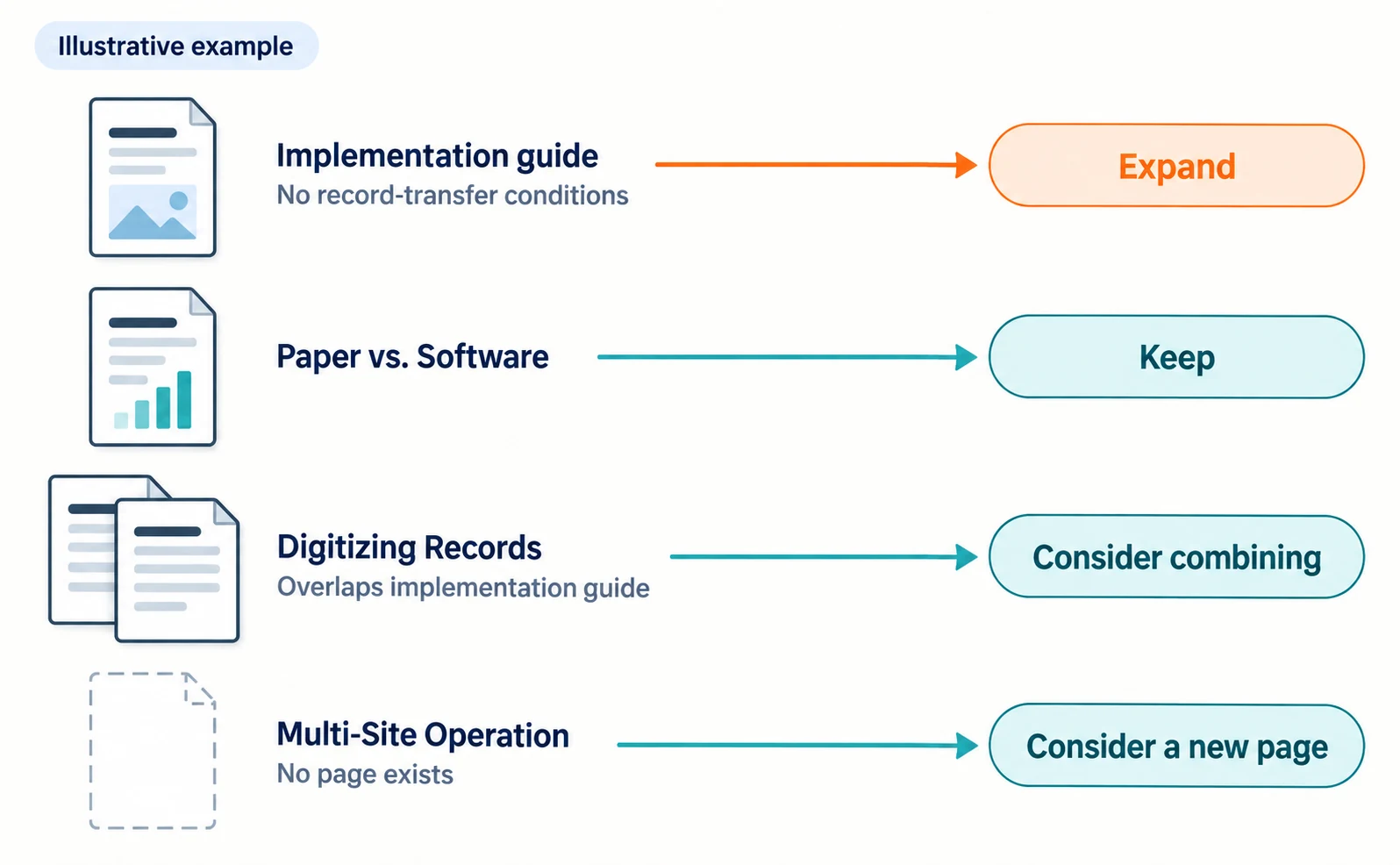
| Page name | Role | Gap or overlap | Approach |
|---|---|---|---|
| How to Implement the Inspection Software | Understand steps before adoption | No conditions for transferring past records | Expand |
| Paper vs. Software | Choose the right method | Necessary explanations are present | Keep |
| How to Digitize Inspection Records | Understand the transfer work | Largely overlaps with the implementation guide | Consider combining |
| Operating Across Multiple Sites | Understand per-site management | No page exists | Consider a new page |
The implementation guide serves the right purpose and the missing conditions can be added, so it is a candidate for expansion. Multi-site operation supports a different decision, so consider a new page rather than forcing it into an existing one.
Pages with similar titles can stay separate if they serve different readers. Data entry instructions for field staff and approval instructions for managers cover the same software but have different roles.
Also note the evidence that will fill each gap. In this example, an implementation specialist can confirm which records can be transferred. If you cannot prepare evidence, mark the page “awaiting confirmation” instead of adding guesswork.
For concrete examples of gaps on pricing pages, see Five Questions Your Pricing Page Should Answer.
Narrow Down Pages with Search Console’s Generative AI Report
Search Console’s generative AI report shows how often your pages appeared in AI Overviews and AI Mode. It helps when you have many candidate pages.
Search Console is Google’s free service for checking how your site performs in Google Search. The generative AI report announced in June 2026 was updated with a note that, as of August 31, it had rolled out to all websites worldwide[3].
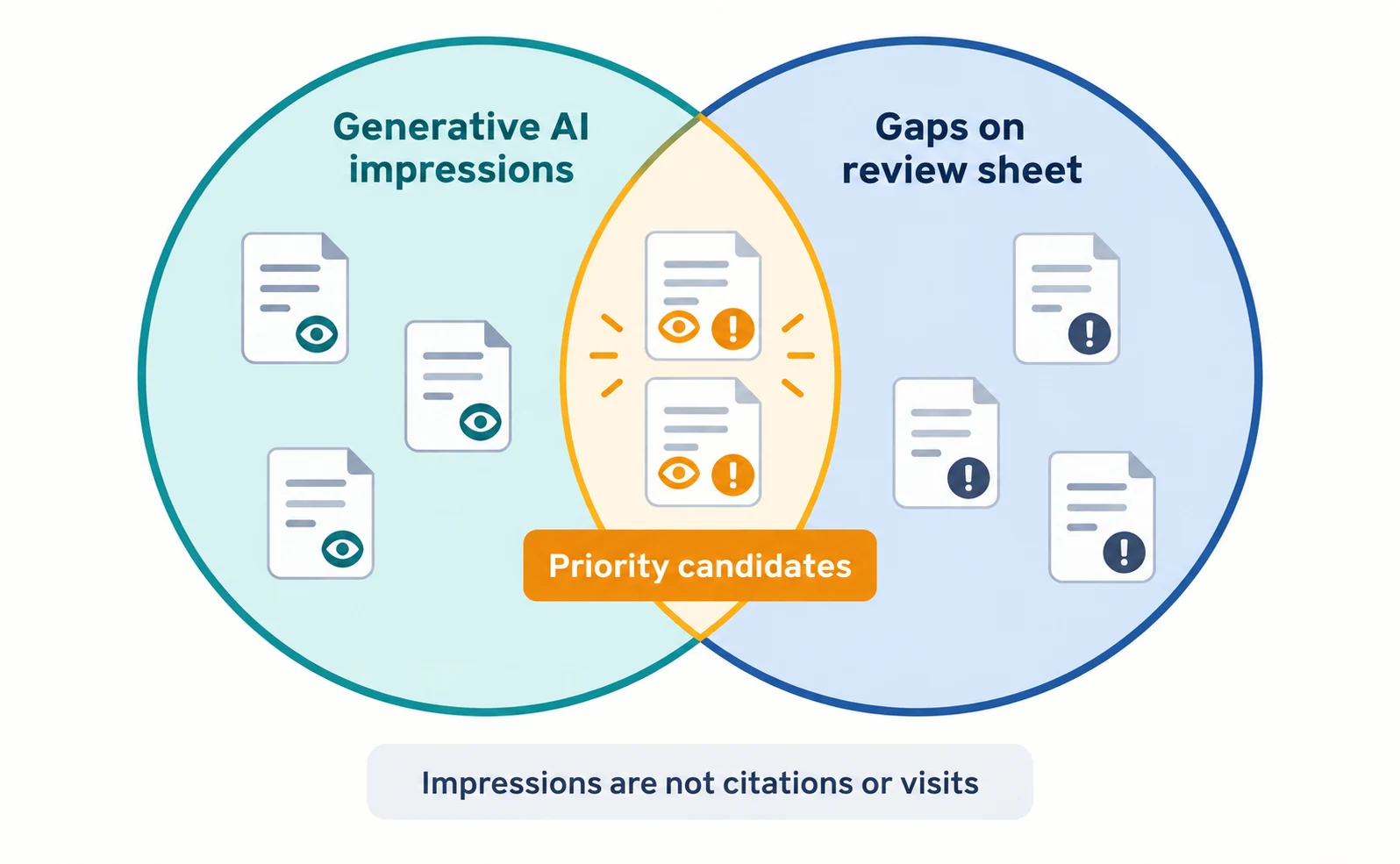
There are separate reports for Google Search and for Discover, Google’s feed of suggested content. The Search report used here shows impressions, pages, countries, devices, and dates[3][4]; device data is available only for Search[3]. Impressions are how many times links to your site were shown in a generative AI feature[4].
- Open Search Console and select your site.
- Open the report using the link on Google’s help page.
- Group the table by page and check whether pages on your review sheet appear.
- Prioritize pages that have impressions and a gap on your review sheet.
A few reading notes: page data is mostly assigned to the canonical URL, the URL treated as the representative of duplicate pages. Dates use Pacific Time. In exported data, values shown as “~” or “-” become zeros[4].
Sites without enough impressions in generative AI features may not see the report[4]. In that case, prioritize using the gaps and evidence on your review sheet alone.
Impressions are not citations or visits. Do not set the order of work by impressions alone; combine them with gaps and available evidence.
Decide Whether to Keep, Correct, Combine, or Create
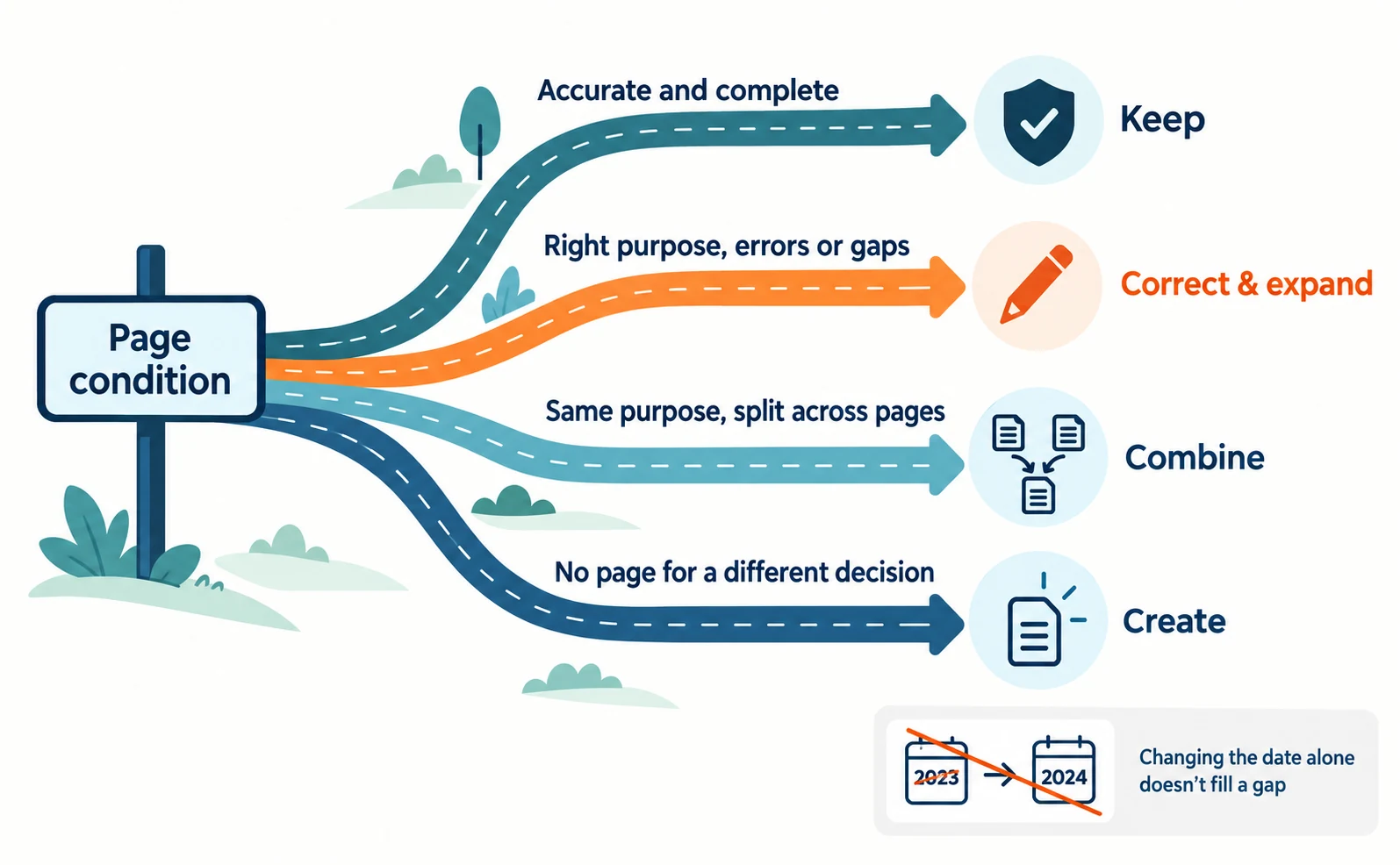
After reviewing the sheet and the report, decide for each page whether to keep it, correct and expand it, combine it, or create a new page. Use this table as a guide.
| Page condition | Approach | What to check first |
|---|---|---|
| Accurate and complete | Keep | Have product conditions changed? |
| Right purpose, but errors or gaps | Correct and expand | Can you verify evidence and fix it? |
| Same purpose split across pages | Combine | Can you keep information unique to each page? |
| No page supports a different decision | Create | Is its role different from existing pages? |
If you find outdated conditions, correct or replace the old explanation instead of only adding new text. Changing the date alone does not fill a gap.
Choosing to combine pages does not mean deleting old ones immediately. Decide what to keep and where, then check URL changes and redirects separately with your web team.
How to Record Updates and Read Their Effects
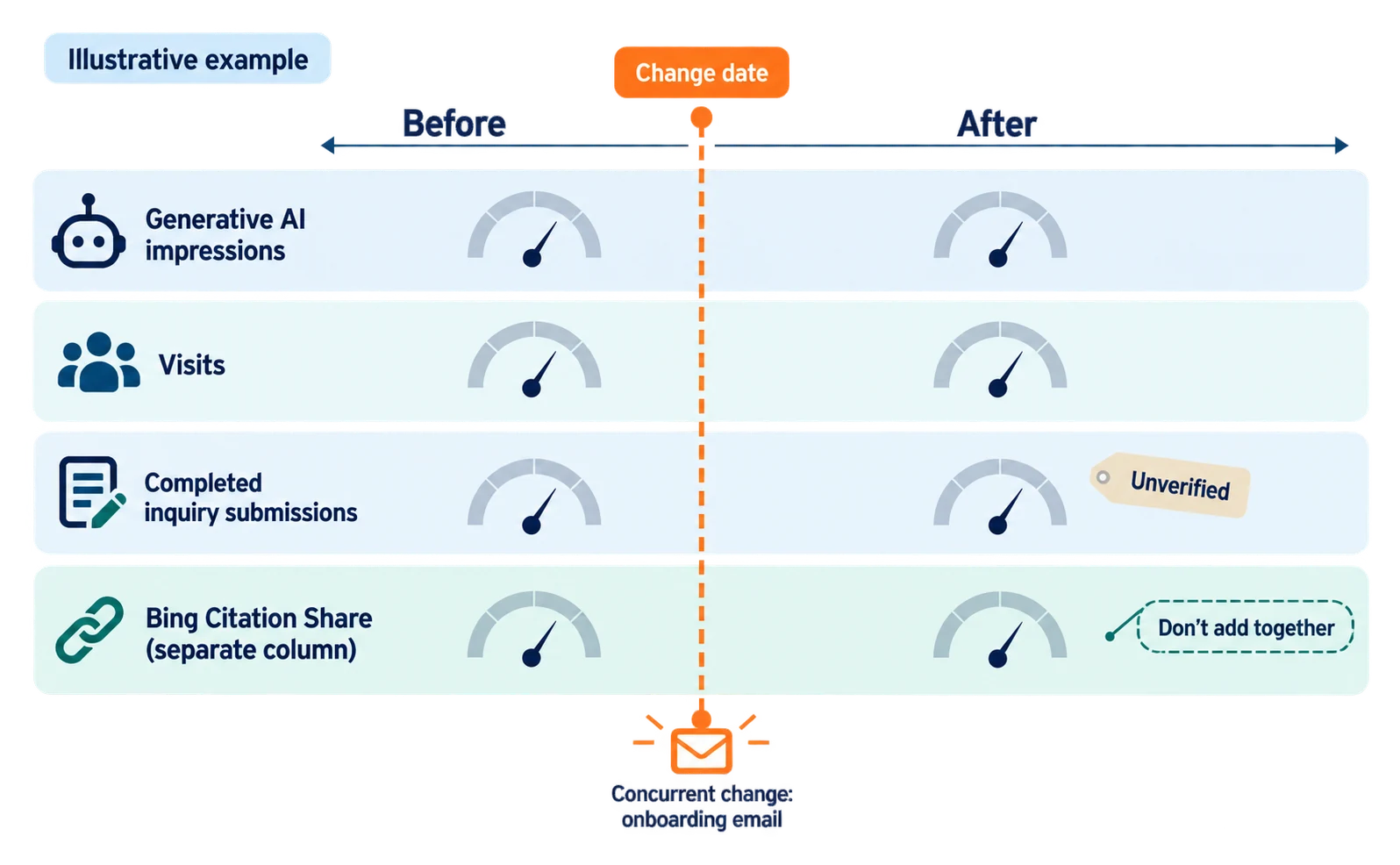
Record the change date, what changed, who reviewed it, and other changes made at the same time, and compare AI impressions, visits, and inquiries separately. Merging them into one number hides what actually changed.
| Record field | Fictional example |
|---|---|
| Page | How to Implement the Inspection Software (use the real URL) |
| Change date | The actual publication date |
| Changes made | Added transferable record conditions and exclusions |
| Reviewer | Implementation specialist (transfer section only) |
| Changes at the same time | Onboarding email also changed; article impact alone is unknown |
| Numbers to compare | Generative AI impressions, visits, completed inquiry submissions |
If you use Bing, you can also record Citation Share from Bing Webmaster Tools in a separate column. It became available in preview on June 16, 2026, and shows, for each grounding query (the search an AI uses to find sources for its answer), your site’s share of all citations shown[5].
Bing says this is not a ranking or traffic share and does not expose competitor domains[5]. It is counted differently from Google impressions, so keep it in its own column.
Even if numbers change, the article edit may not be the only cause. Use comparable periods and mark unavailable numbers as “unverified” rather than zero.
The first task is not to rewrite everything at once. Pick one existing page and write down what readers cannot decide, the evidence to add, and who will verify it. For gathering questions, see Start with Customer Inquiries.
FAQ
- Q. Should I fix the pages with the most impressions in the generative AI report first?
- Not based on impressions alone. Impressions are not citations or visits, so combine them with the gaps on your review sheet and whether you have evidence to fill them.
- Q. Why does this article not use the case study’s growth multiples?
- The page title and body describe the growth differently, and the baseline revenue and attribution method are not disclosed. The agency itself says it cannot attribute results to specific actions with certainty.
- Q. Is updating existing articles always better than creating new ones?
- No. Update a page that serves the same purpose but has gaps, and create a new page when none supports a different decision.
Sources
- [1] B2B Tech AEO Case Study: 49x Growth in LLM Referral Revenue (Optimist) — accessed 2026-09-23
- [2] AI features and your website (Google Search Central) — accessed 2026-09-23
- [3] Introducing Search Generative AI performance reports in Search Console (Google Search Central Blog) — accessed 2026-09-23
- [4] Generative AI performance report (Search) (Search Console Help) — accessed 2026-09-23
- [5] New AI Visibility Insights in Bing Webmaster Tools: Intents, Topics, Citation Share, Compare (Microsoft Bing Blogs) — accessed 2026-09-23
About the author
Shogo MizushimaCEO of kairos Inc. / AgentSignal Developer
Develops AgentSignal, a tool for measuring AI crawler visits and AI-referred traffic, and diagnosing AIO readiness. Writes about measurement and practical improvements for AI search using observed data.
Related articles
Measurement and site improvement
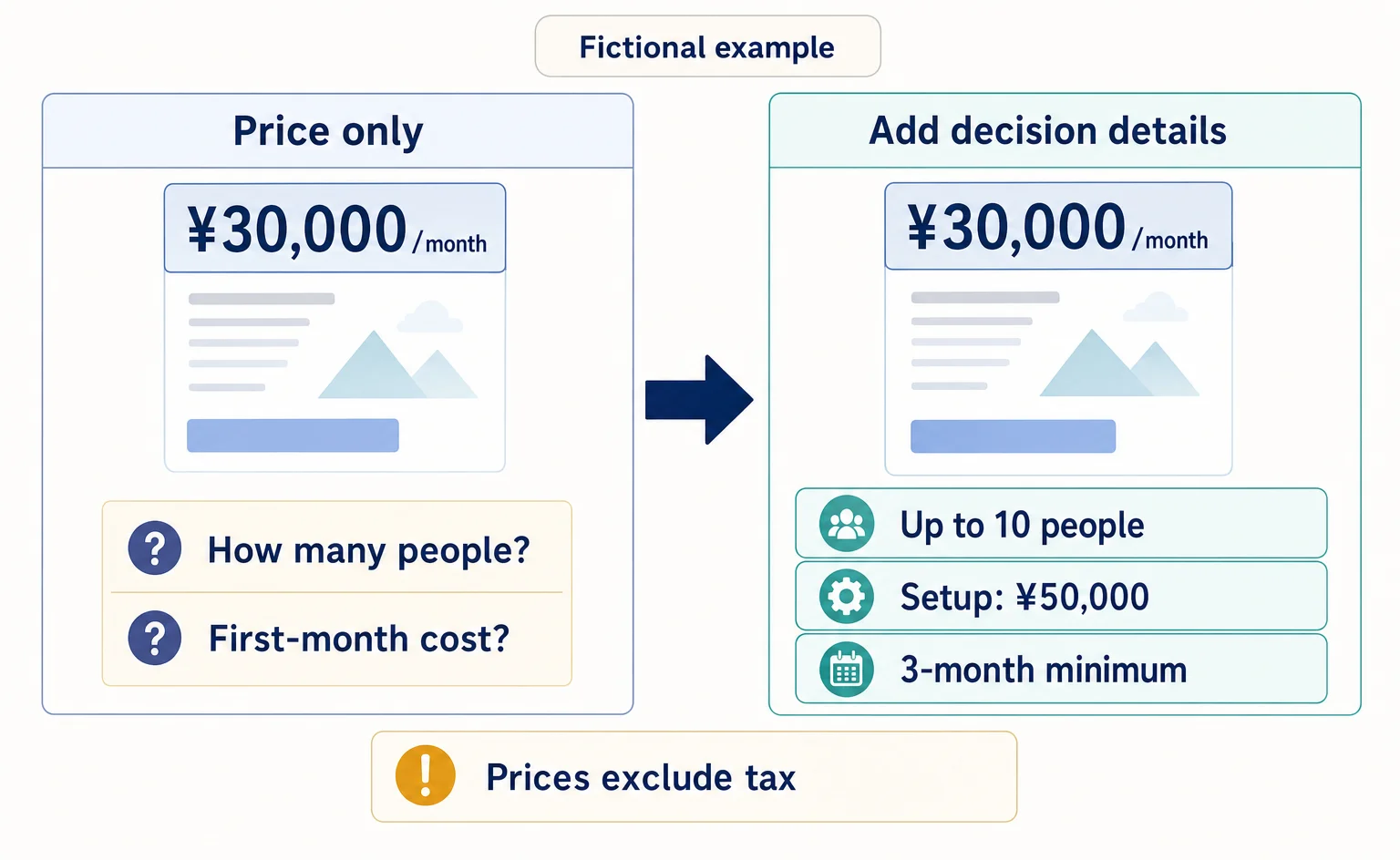
Before Adding More AI-Focused Articles: Five Questions Your Pricing Page Should Answer
Getting visits but few inquiries for your business service? Use this worksheet and a fictional before-and-after example to review what pricing includes, extra charges, cost calculations, contract terms, and what happens after someone applies.
Published
AIO and AI search
Where to Find Article Ideas Only Your Business Can Write: Start with Customer Inquiries
You do not need original research data to create useful articles. Learn how to turn customer questions, answers, and decision criteria into article plans, with worksheets and fictional before-and-after examples covering anonymization, question grouping, and evidence checks.
Published

AIO and AI search
What Is AIO? Its Two Meanings and Where to Start with AI Optimization
AIO has two meanings: work to get your company featured in AI answers, and Google Search’s AI Overviews. Learn how it relates to SEO, what to confirm in a proposal, what Search Console and Bing reports show, and your first tasks.
Published