When AI Search Gives Outdated or Wrong Information: Where It Lives and How to Fix It
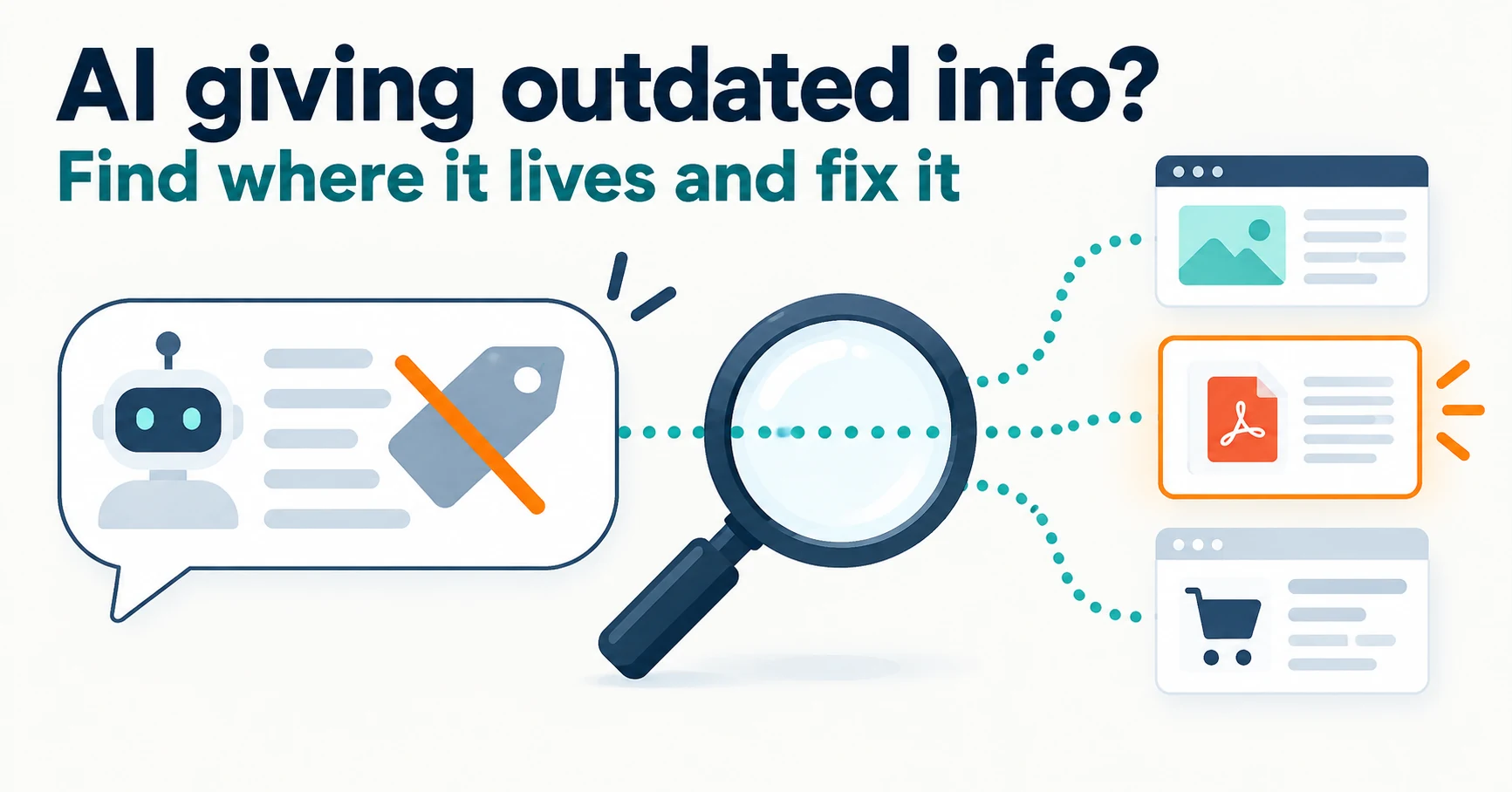
When AI search shows an old price, old opening hours or a discontinued service, or describes your business incorrectly, learn how to find where the information remains, fix your pages, PDFs and third-party listings, and ask search engines to revisit.
When AI search shows an old price, a discontinued service or an incorrect description of your business, start by opening the links in the answer and finding where that information still lives. Fix it yourself if it is on your own pages, and contact the publisher if it is on someone else’s. Then ask Google and Bing to revisit the updated page.
“The AI said it was ¥1,500 for the day.” You raised the price to ¥1,800, yet customers still quote the old one. A night plan you ended may even be described as available.
We will use a fictional coworking space as an illustration. It raised its day rate from ¥1,500 to ¥1,800 on September 1, 2026, and ended its night plan on August 31. This is not a real business or a measured AI result.
What Is Happening When AI Search Gives Outdated or Wrong Information
AI answers can be built from information on published pages. If old information remains somewhere—another page on your site, a PDF, supplementary data attached to a page, or a third-party listing—it may appear in answers too.
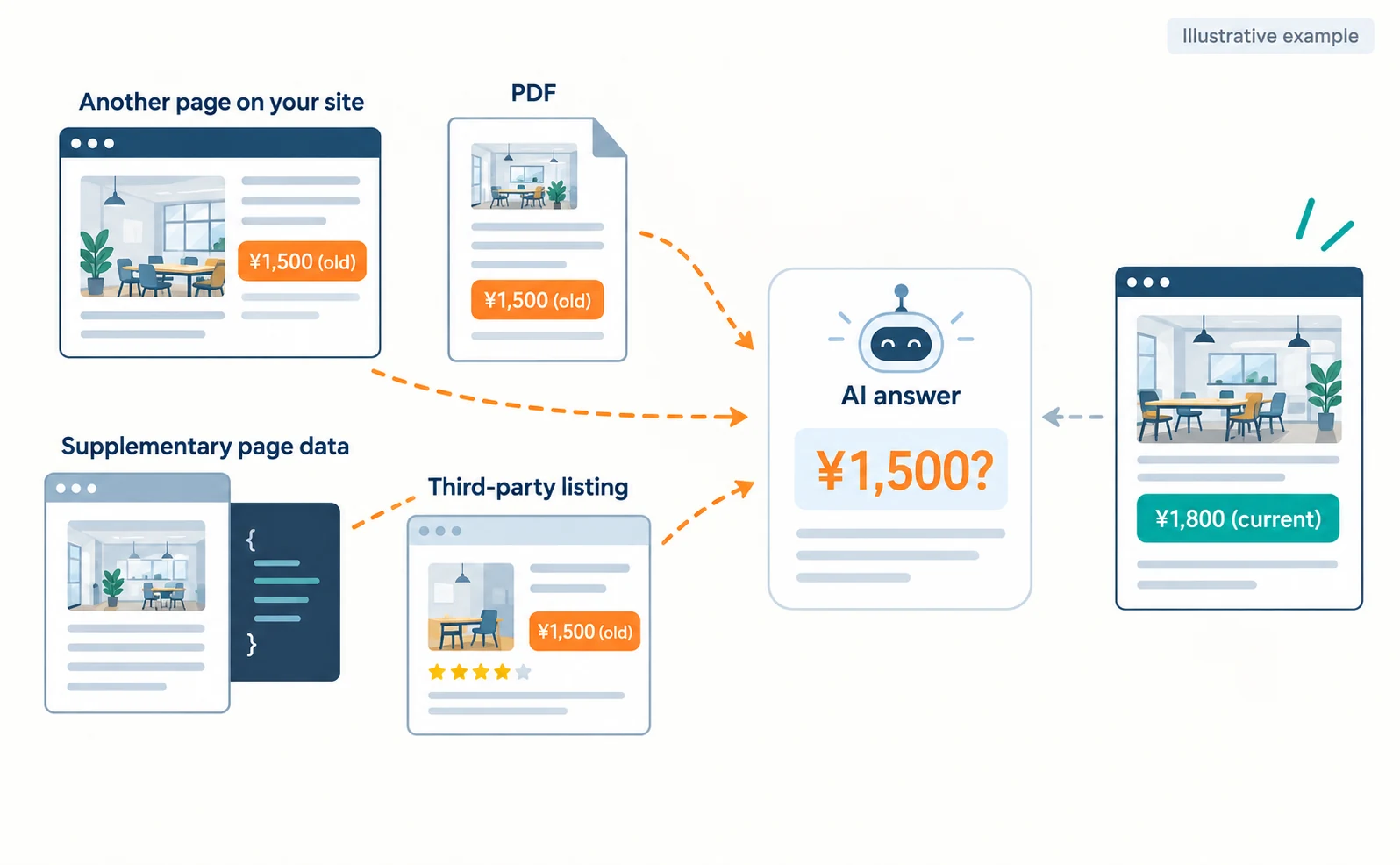
Google’s AI Overviews and AI Mode show links to supporting pages alongside the answer.[1] Open those links first and look for “¥1,500” or “night plan.”
If the linked page already shows the new price, you cannot say the old information is still on that page. Record the date, time and page as a mismatch between the answer and the current page.
Google says no special files or settings are needed to appear in its AI features; the usual search fundamentals apply, and appearing is not guaranteed.[1] Rather than expecting an “AI setting” to fix things, start by finding where the information remains.
Where Each Type of Error Tends to Remain and What to Fix
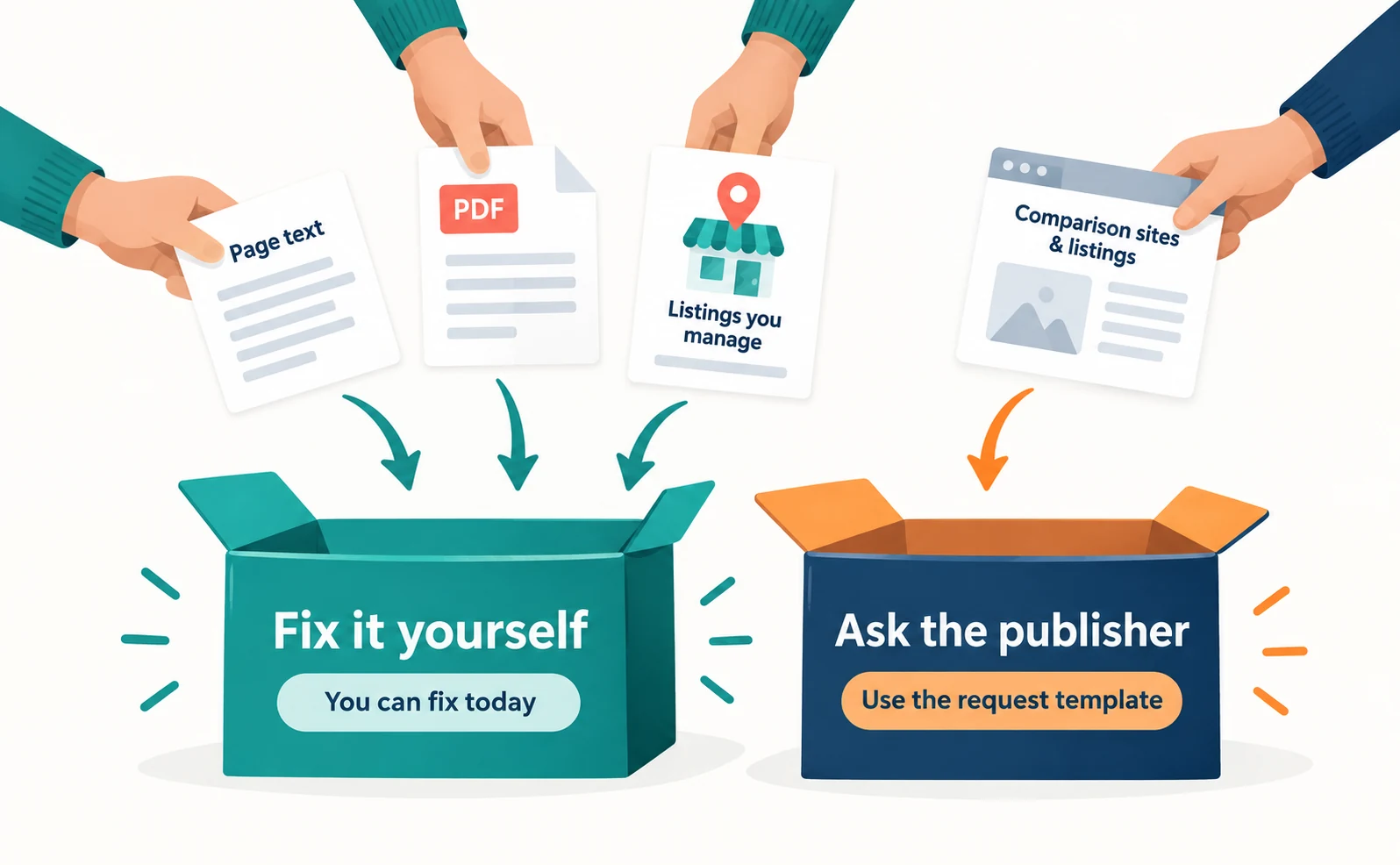
The type of error determines where to look and who makes the fix. The table below is an illustrative checklist created for this article.
| Type of error | Where it tends to remain | What to fix |
|---|---|---|
| Price | Text outside the pricing page, PDF price lists, booking pages | The relevant pages and the PDF source file |
| Opening hours | Announcements, location pages, map listings | Your site and listings you manage |
| Address | Company profile, page footer, third-party listings | Company profile and a request to the publisher |
| Discontinued service | Service lists, old articles, comparison sites | State current offerings and add an ending notice |
| Business description or service area | Old company introductions, careers pages, interviews | Company description and a request to the publisher |
| Confusion with a same-name company | The other company’s pages, search results | Your company details and official links |
Google lists keeping Merchant Center and Business Profile information up to date among the fundamentals.[1] Microsoft also advises local businesses to keep address and hours current in Bing Places.[5] For hours or address errors, check these listings as well as your site.
You can fix your own published pages today. For external pages, use the request template later in this article.
When a Discontinued Service Is Described as Available
If AI says a discontinued service is still available, first state your current offerings clearly on your service list. On the discontinued service’s page, add the end date and what you now offer instead.
For the fictional venue: “Our night plan ended on August 31, 2026. The day pass is currently available.” Simply deleting the page can leave visitors from old listings with nowhere to go. See How to Check and Fix Links from AI Answers That Won’t Open for handling moved or removed pages.
Do not rewrite past announcements as if today’s facts applied then. Link to the current page instead.
Is Old Information Left in Your Structured Data?
Structured data is a description that attaches details such as prices and hours to a page in a form search services can read easily. It is not displayed on screen, so an old value can remain after you edit the visible text.
Google says structured data should describe the page’s content and must not include information that visitors cannot see.[2] For AI features, it also advises checking that structured data matches the visible text.[1]
Give your developer the page address and ask: “Please check whether ¥1,500 remains in the structured data on our pricing page.” If the page says ¥1,800, the structured data should say the same.
When You Are Confused with a Same-Name Company
If answers mix you up with another company of the same name, state your location, business activities and contact details consistently on your company profile. Make it easy to tell you apart rather than adding statements about the other company.
See How to Align Company Details and Official Links to Avoid Confusion with a Same-Name Company for the steps.
What to Do When You Cannot Find the Source of an Error
If the answer has no links, or the linked pages do not contain the error, do not guess the source. Check your site, PDFs, listings you manage and the main third-party pages, and fix only what you find.
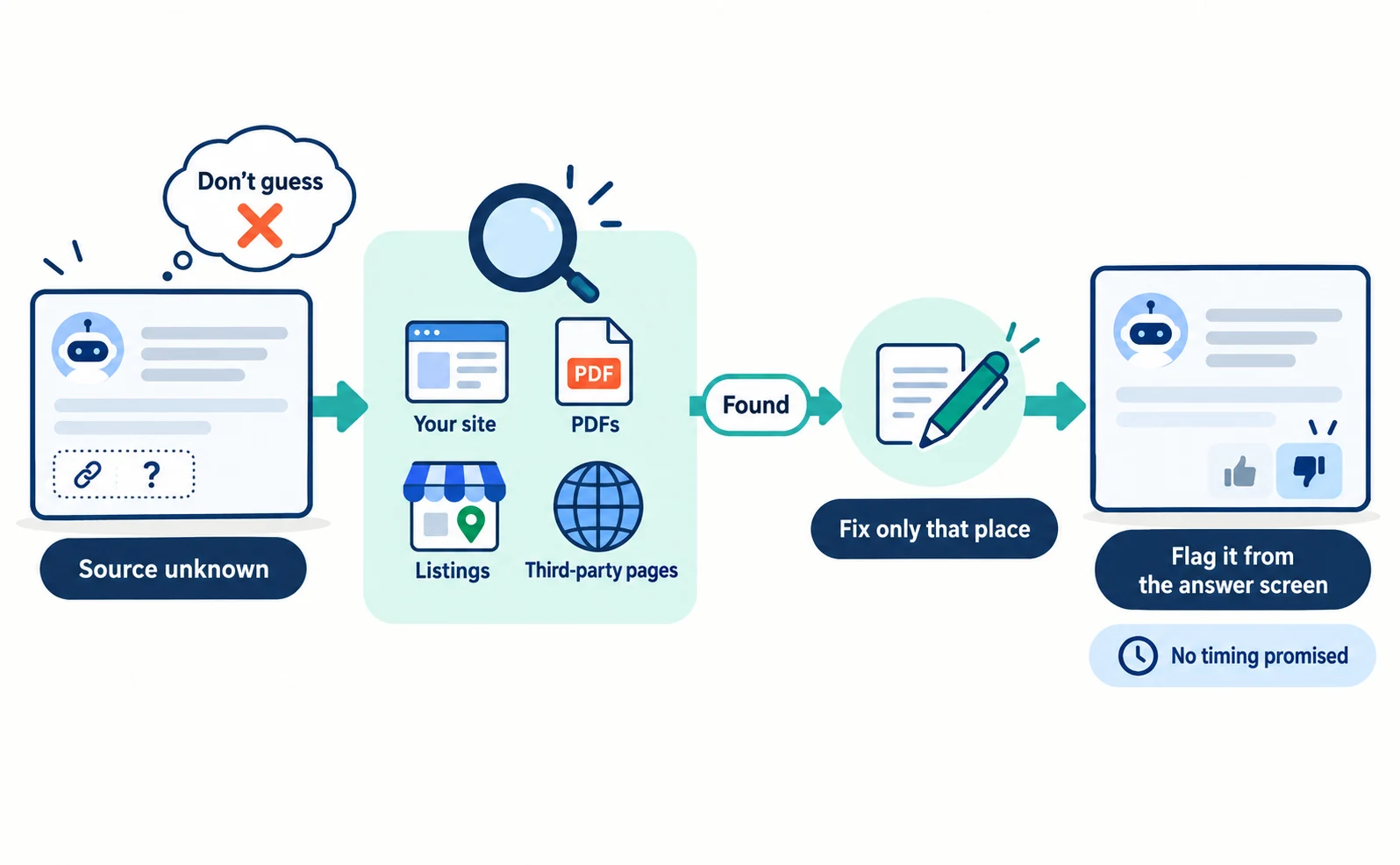
You can then send feedback from the AI service’s answer screen. These are the methods confirmed in official documentation:
| Service | How to send it | What the official page confirms |
|---|---|---|
| Google AI Overviews | Thumbs down under the overview, then “Report a problem” | Your recent search and its results are included[6] |
| Google AI Mode | Thumbs down under the response | You can give feedback on inaccurate responses[7] |
| ChatGPT | Thumbs down under the message, then select an issue | The reporting guidance focuses on terms-of-use and legal concerns[8] |
Google says feedback helps improve AI Overviews but does not say when an individual answer will change.[6] ChatGPT’s reporting guidance does not promise individual corrections either.[8] Treat feedback as a way to flag the error, and record it separately from fixes to your own pages.
When sending feedback, briefly state what is wrong, what is correct, and an official page that confirms it.
Contacting Publishers of Pages You Cannot Edit
If a local directory or comparison site still shows old information, ask the publisher to correct it. Instead of only saying “your information is out of date,” give the page, current wording, correct information and evidence together.
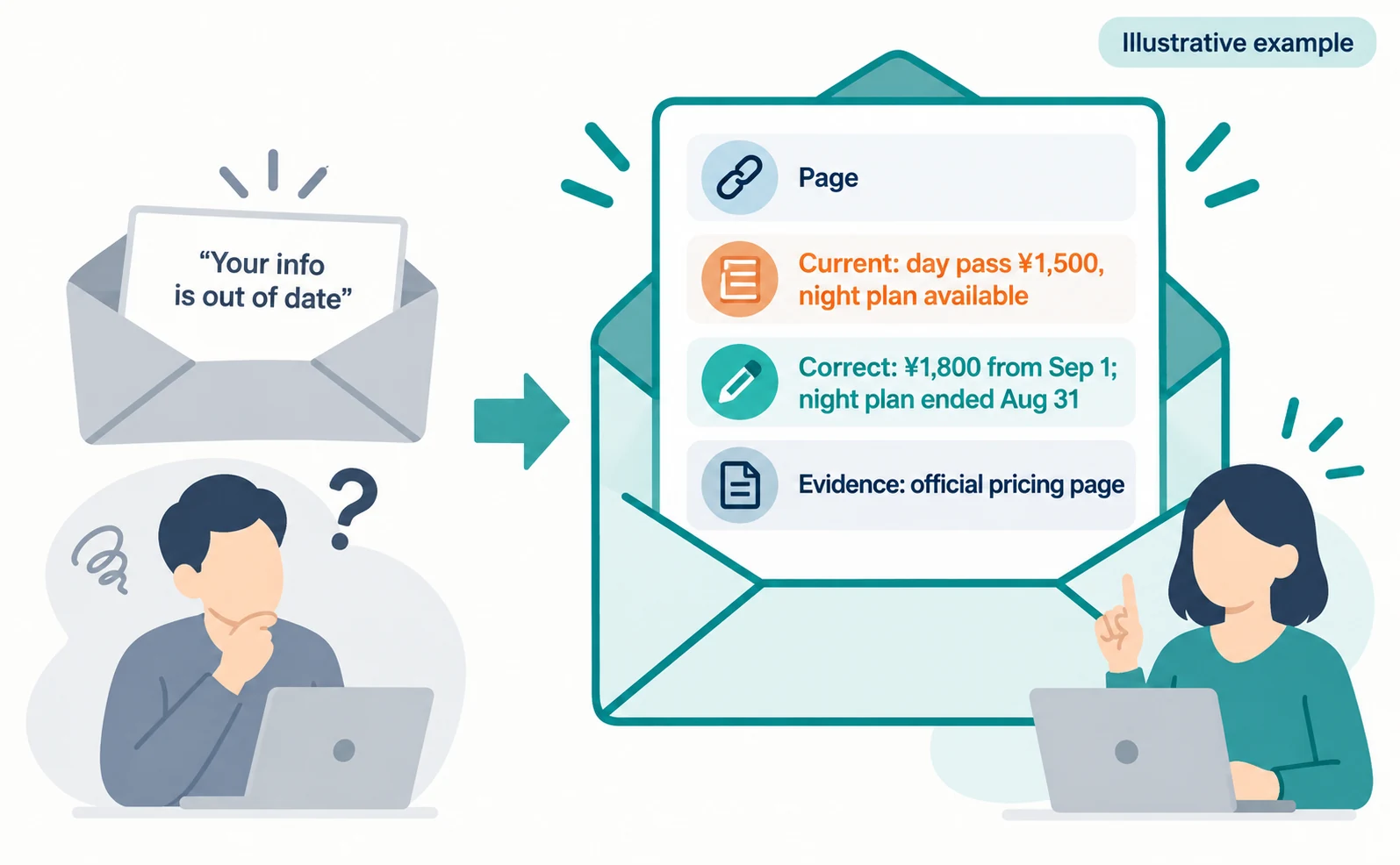
Please correct the information in your listing.
Page: [listing URL]
Current wording: day pass ¥1,500 including tax; night plan available
Correct information: day pass ¥1,800 including tax from September 1, 2026; night plan ended August 31, 2026
Official details: [official pricing page URL]
This is a template. Replace the brackets, amounts and dates with your own details. The publisher decides whether to change its page, so record when you contacted them, their reply and what the page shows.
Asking Google and Bing to Revisit After You Fix Pages
After fixing your pages, you can ask search services to revisit them. This does not directly rewrite an AI answer.
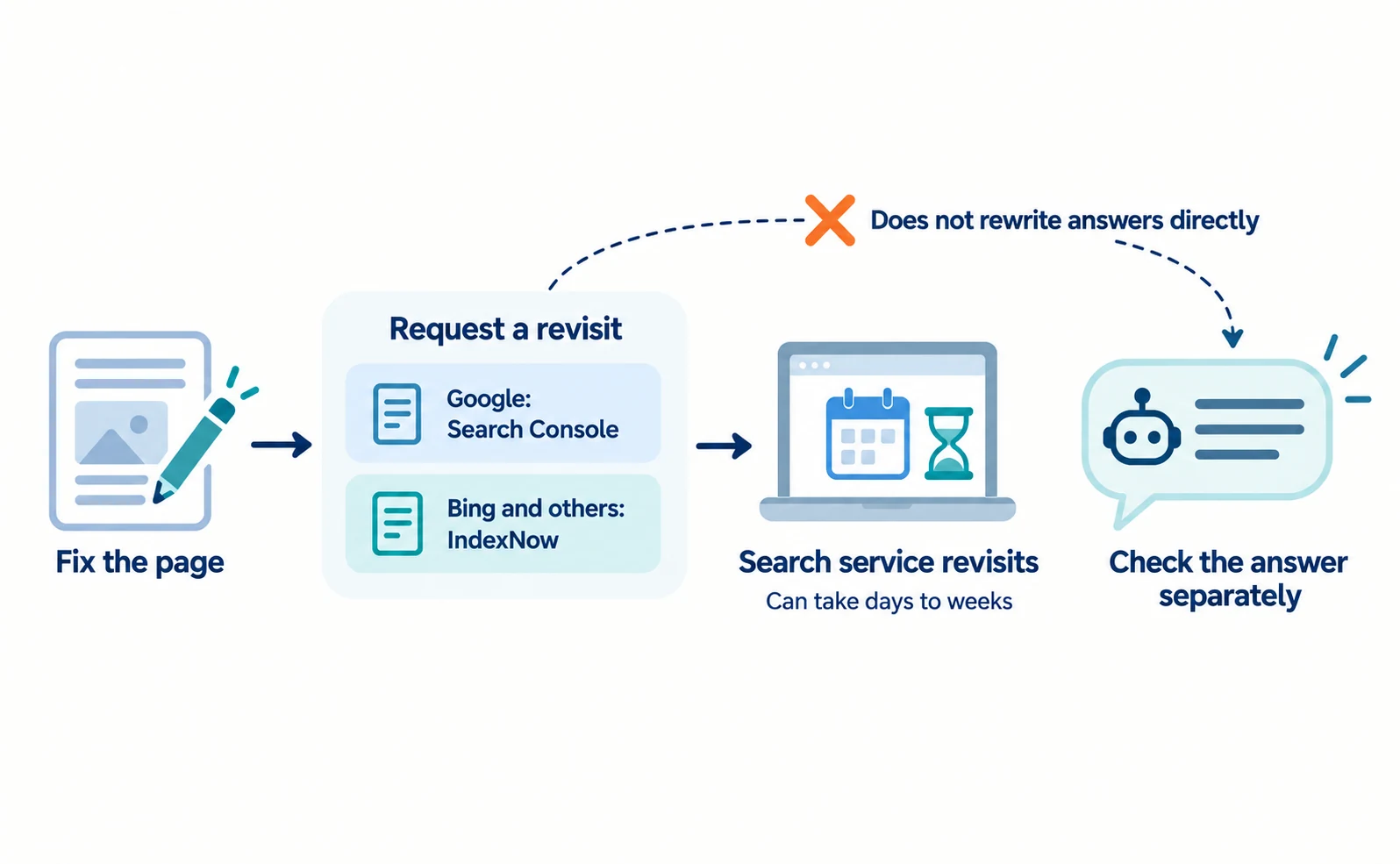
For Google, use URL Inspection in Google Search Console, Google’s free service for site owners to see how their site is handled in search. You need owner or full-user access for the site.[3]
- Sign in to Search Console and select your site.
- Paste the updated page’s address into the inspection field at the top.
- Select “Request indexing” in the result.
Indexing means adding a page to what search can show. Revisiting can take days to weeks, a request does not guarantee inclusion, and repeated requests do not speed it up.[3] If you lack access, give the updated page address to your administrator.
For search engines that participate in IndexNow, such as Bing, you can notify them of added, updated or removed pages.[4] Microsoft says IndexNow helps keep information fresh across search and AI experiences.[5] It requires setup by your developer, such as placing a key file on your site. A successful response only means the URL was received.[4]
Checking Site Fixes and Answer Changes Separately
Check “the site is fixed” and “the answer has changed” separately. First confirm that your official pages, PDFs and listings show the new information, and record the date.
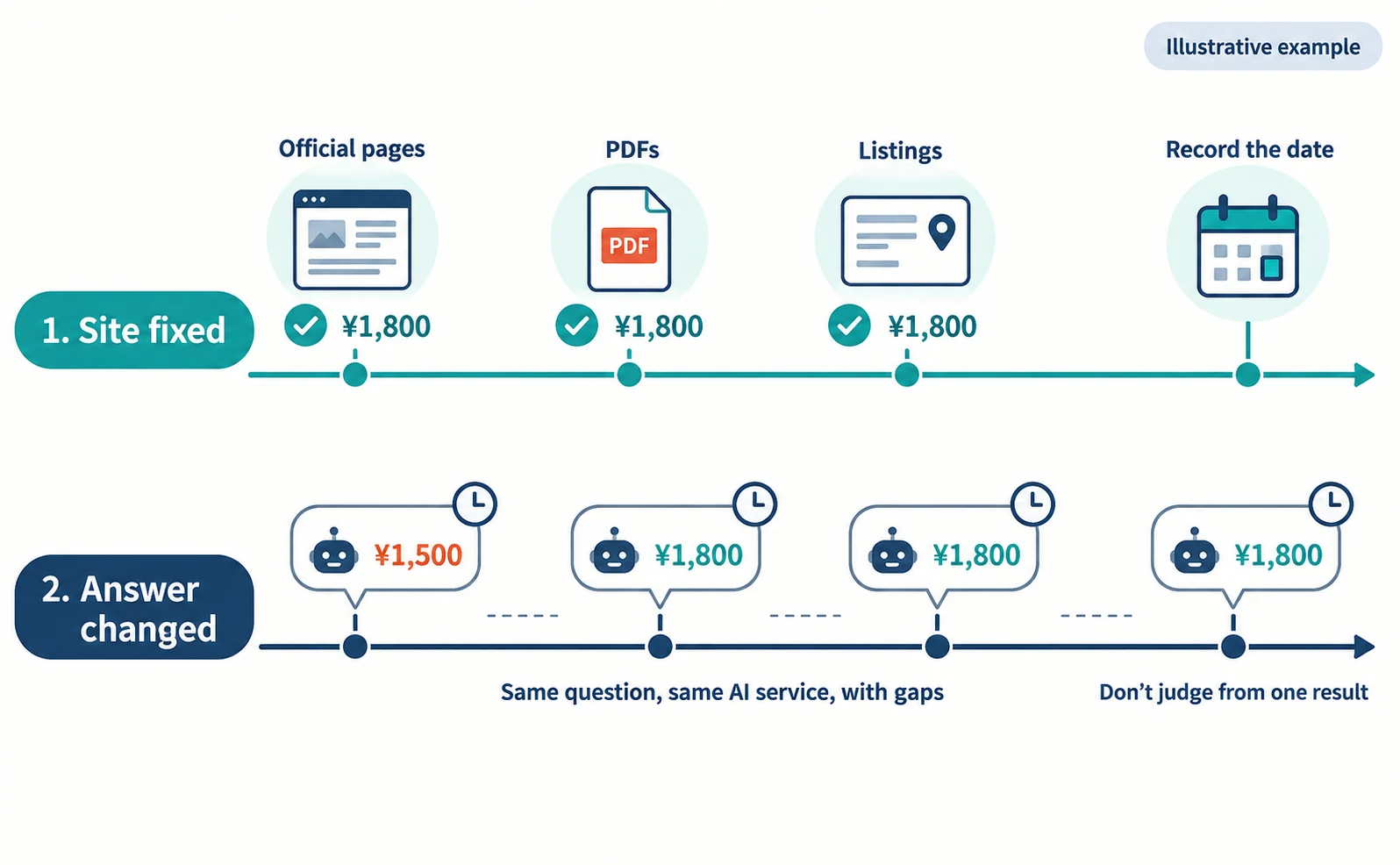
Next, ask the same question that produced the old information, using the same AI service. Answers vary, so one result does not prove a fix. Check several times with gaps in between, and record the date, time and answer.
| Date | Question | AI service | Price in answer | Cited link |
|---|---|---|---|---|
| Sep 24 | What is the day rate at …? | Service A | ¥1,500 | Listing site |
| Oct 1 | Same | Same | ¥1,800 | Official page |
This table is an illustrative example, not a real measurement.
In Bing Webmaster Tools, AI Performance shows how often your pages were cited in Microsoft Copilot and Bing AI answers, and which URLs.[5] It helps you follow citation changes, but read the answer itself to confirm the content is correct.
If you track questions in AgentSignal, open AI citation tracking and use the AI answer log to review saved full answers and cited sources. Sign-in is required, and new measurements use credits.
FAQ
- Q. If I ask Google to recrawl, will ChatGPT’s answers change too?
- No. That request is for Google Search. It does not change answers from other AI services such as ChatGPT. Check each service’s answers and sources separately.
- Q. Should I update past announcements with the new price?
- You do not need to rewrite historical facts. Make it clear they are past announcements and link to the page with current prices and offerings.
- Q. Can I ask AI providers to correct an answer directly?
- Google AI Overviews, AI Mode and ChatGPT let you send feedback on answers. Their official pages do not promise when an individual answer will be corrected.
- Q. Will the answer change as soon as I fix my page?
- Not necessarily. Google may take days to weeks to revisit, and inclusion is not guaranteed. Check the same question again after some time.
Sources
- [1] AI features and your website (Google) — accessed 2026-09-23
- [2] Introduction to structured data markup in Google Search (Google) — accessed 2026-09-23
- [3] Ask Google to recrawl your URLs (Google) — accessed 2026-09-23
- [4] IndexNow Documentation (IndexNow) — accessed 2026-09-23
- [5] Introducing AI Performance in Bing Webmaster Tools Public Preview (Microsoft Bing) — accessed 2026-09-23
- [6] Find information in faster & easier ways with AI Overviews in Google Search (Google) — accessed 2026-09-23
- [7] Get AI-powered responses with AI Mode in Google Search (Google) — accessed 2026-09-23
- [8] Reporting Content in ChatGPT and OpenAI Platforms (OpenAI) — accessed 2026-09-23
About the author
Shogo MizushimaCEO of kairos Inc. / AgentSignal Developer
Develops AgentSignal, a tool for measuring AI crawler visits and AI-referred traffic, and diagnosing AIO readiness. Writes about measurement and practical improvements for AI search using observed data.
Related articles
AIO and AI search
What Is Organization Structured Data? Aligning Company Details and Official Links
Mistaken for a same-name company, or your site name and authors don’t show correctly? Align your company overview and official links, then describe them with Organization, WebSite and author structured data, and check the results after publishing.
Published
Measurement and site improvement
How to Check and Fix Links from AI Answers That Won’t Open
If clicking a link in an AI answer shows “Page not found,” the cause is usually a move, a deletion or an outage. Learn to tell them apart from visit records and response codes, then fix redirects and notices.
Published
AIO and AI search
What Is AIO? Its Two Meanings and Where to Start with AI Optimization
AIO has two meanings: work to get your company featured in AI answers, and Google Search’s AI Overviews. Learn how it relates to SEO, what to confirm in a proposal, what Search Console and Bing reports show, and your first tasks.
Published