How Can AI Find Your Shopify Products? Setup and the Purchase Process
Learn how to check Shopify’s AI sales destinations, share product data, and configure checkout. Covers ChatGPT and Meta, eligibility for selling to US customers, product descriptions, and order tracking.
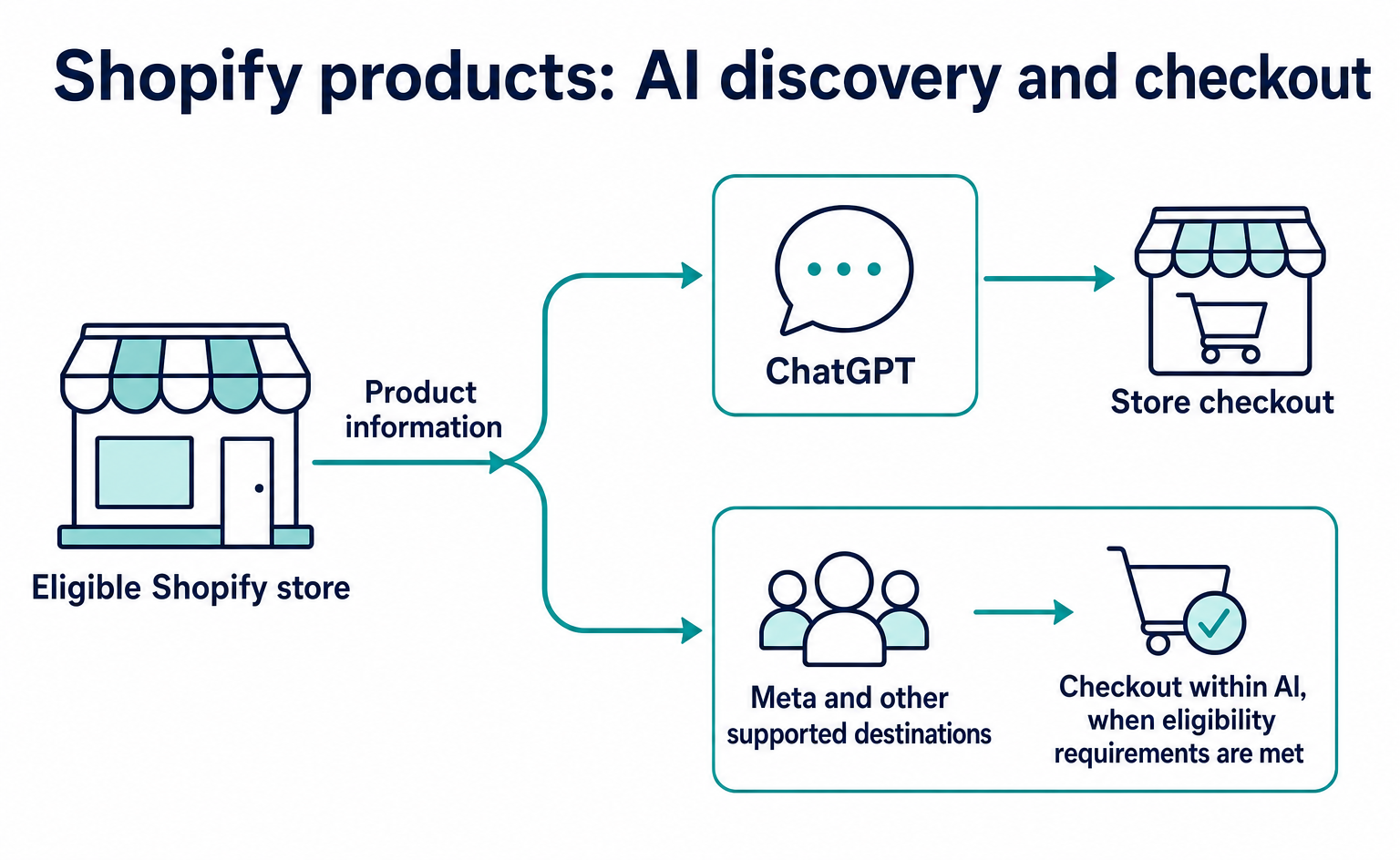
Eligible Shopify stores can share product information with AI through the admin and check the resulting purchases. Start by opening “Agentic” under “Sales channels.” Before developing an ordering program for AI from scratch, check which sales destinations your store can use.[1]
“I want my products to appear in ChatGPT. But do I need to build ACP or UCP myself?” If you run a Shopify store, the admin settings are a useful starting point for answering this question. Let’s look first at where products are presented, then at where customers pay.
This article draws on the official help documentation as of September 12, 2026. Shopify also announced on September 8 that Meta had joined its Agentic sales destinations. This is not an announcement from today, but it is a change worth reviewing your settings for.[2]
1. Understand how customers find products and where they buy
Agentic Storefronts is a Shopify feature for managing AI services as new sales destinations. “Agentic” means that AI carries out tasks it is asked to do. Here, it refers to a system that presents your products to people searching for them and helps them move toward a purchase.[1]
Consider a store that sells lightweight commuter bags. A customer asks AI, “Find me a bag that fits a laptop and works on rainy days.” Information such as material, dimensions, and price helps determine the answer—not just the product name. This is an illustrative scenario, not a verified example of a particular store appearing in results.
Shopify Catalog brings product information together and passes it to AI. A catalog is a collection of product information. It shares your store’s product names, descriptions, images, prices, stock levels, and other details in a format AI can read.[3]
However, having a product considered as a candidate does not mean every AI service offers the same checkout experience. According to the official help documentation, Shopify’s ChatGPT sales destination directs customers to the store’s checkout. Meta and some other destinations allow customers to buy directly within the AI service when eligibility conditions are met.[4][5]
| What to check | ChatGPT sales destination | Meta sales destination |
|---|---|---|
| How product information is shared | Uses Shopify Catalog | Uses Shopify Catalog |
| Where customers pay | Your store’s checkout | Meta’s checkout for eligible stores, or your store’s checkout |
| “Direct checkout” setting | Not available under ChatGPT in Shopify | Can be configured when the requirements are met |
If there is no direct checkout switch under ChatGPT, that does not necessarily mean you missed a setting. First, check how each sales destination works.[4][5]
2. Check whether your store is eligible
Check which countries you sell to, not just whether your company is based in Japan. Shopify’s requirements for selling through ChatGPT include selling to customers in the United States. Stores based outside the United States may also qualify.[4]
The documentation does not say that stores selling only within Japan can use the same sales route simply by changing a setting. When deciding whether to start selling internationally, consider shipping costs and the burden of handling returns. Do not add a country you cannot actually ship to just to enable AI sales.
Shopify also requires the products themselves to be eligible for Catalog. Some product types, such as B2B-only products, are not eligible for these sales destinations. B2B-only means products sold exclusively between businesses, rather than to individual consumers.[4]
You also need terms of service, a privacy policy, and return and refund policies. The official help documentation directs you to prepare these under “Settings > Policies” in the admin. In the Japanese interface, these are “設定” and “ポリシー.”[4]
For the bag example, you should at least be able to explain the following based on how your store actually operates:
- Which countries can you ship to? How are shipping costs and delivery times determined?
- Can customers return an unused item? Under what conditions are returns not accepted?
- Who pays for return shipping? Who should customers contact about refunds?
This is a checklist for identifying missing explanations, not a policy template. Set your policies to match your products and shipping methods.
3. Check where product information is shared in the admin
Log in to the Shopify admin, select the relevant store, and open “Sales channels > Agentic.” The store owner or a staff member with the required product-viewing and sales-channel permissions should do this.[6]
Start by checking which destinations are enabled without changing any settings. “Allow Shopify to manage for me” lets Shopify manage participation in sales destinations and related settings. When enabled, it includes automatic enrollment in destinations added in the future.[6]
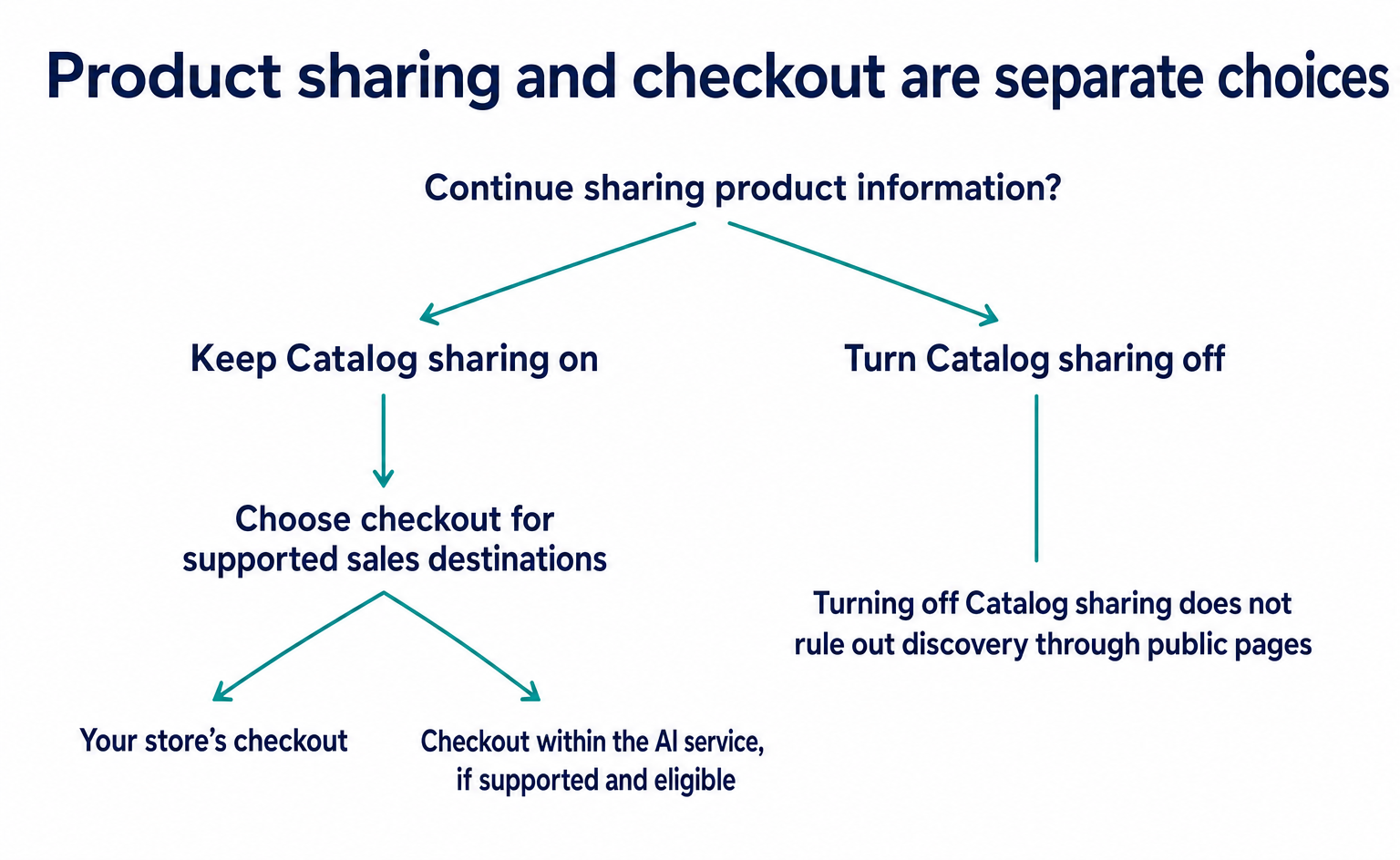
If you want to choose the destinations yourself, turn off this setting and open the relevant sales destination. Then check “Shopify Catalog access.” This controls whether Catalog product information is shared with that destination.[6]
| Setting shown | What it means in plain language | What to decide before changing it |
|---|---|---|
| Shopify Catalog access | Share product information | Do you want this AI service to present your products? |
| Auto enroll new storefronts | Automatically join new sales destinations | Should future additions be managed automatically, or will you choose them individually? |
| Direct checkout | Use checkout within the AI service | Does it meet the eligibility requirements and fit how your store sells? |
You may want to keep having your products presented but send customers to your own checkout. In that case, check Direct checkout for the destinations that support it. You do not necessarily need to stop sharing product information altogether.[6]
If you make changes, click “Save,” then reopen the same destination to check the settings. This guidance follows the public help documentation; it is not based on our operating a reader’s admin.
4. Add the details shoppers care about to product descriptions
After enabling the settings, check that the product information passed to AI is accurate. Stores that save product names or descriptions in custom fields may need to configure Catalog Mapping. This feature specifies which field should be used as the product description.[3]
Longer descriptions are not necessarily better. “A high-quality, easy-to-use bag” does little to help customers judge whether it meets their needs. Replacing vague wording with information your store can verify also helps human readers.
The following are fictional examples of how to add product details. Use figures and performance claims that match the actual product.
| Vague description | Example using verified information |
|---|---|
| Lightweight and easy to carry | The bag weighs 420 g. The shoulder strap is adjustable. |
| Fits a laptop | The laptop pocket measures 33 cm wide and 24 cm high internally. |
| Ready for rainy days | The surface has a water-repellent treatment. The seams are not waterproof. |
| Plenty of storage | There are two small-item pockets inside. |
“Water-repellent” and “waterproof” do not mean the same thing. Exaggerating performance to make a sale can lead to dissatisfaction after purchase. Explaining limitations as well as strengths helps customers choose.
Register color and size variations accurately for each product, too. If you use internal codes such as “NV” or “L2,” review whether customers can understand what they mean. Choose images that explain dimensions and use, rather than showing only the front of the product.
Make sure the product page and the information shared with AI show the same prices and stock levels. When you correct what appears on your store’s page, check that the underlying information used for sharing has also been updated.
5. Check Meta direct checkout against how your store sells
If customers buy directly within Meta, not every feature of your store’s normal checkout will necessarily work. The official help documentation as of September 12 lists products and features that direct checkout does not support, including subscriptions and product bundles.[5]
For example, if your store always sells a bag and its dedicated cover as a set, check how bundles are handled first. If you print a customer’s name on a product when they order, you need to know whether you can receive their personalization instructions. These examples show how to compare feature support with your sales process; they are not verified examples of orders that Meta supports.
Check “Unsupported features” in the official help for selling through Meta. If an unsupported feature is essential to your orders, consider a setup that sends customers to your store’s checkout.
Also, when a purchase is completed within an AI service, tracking programs such as Google Analytics installed on your store’s pages do not run. These small tracking programs are called “pixels.” Do not conclude that there are no sales based solely on website visit counts.[5]
6. Check sharing settings, discoverability, and orders separately
Finally, check product information and order records—not just whether the settings were saved. Enabling sharing does not guarantee that a product will appear in response to a particular question.
First, confirm that the information for the example bag is registered correctly. Next, if available, use the Agentic search preview to check product names and terms customers might search for. This preview shows Shopify Catalog search results; it does not reproduce exactly what an actual AI service displays.[6]
For example, even if the bag appears as a candidate for “commuter bag for rainy days,” ChatGPT will not necessarily present the same products in the same order. Use what you learn as a clue to gaps in your product descriptions.
Once orders start coming in, check orders by AI sales destination over the same period. The records you can see differ depending on whether customers visited your store before buying or completed the purchase within the AI service.[1][5]
| Stage to check | What it tells you | What it does not tell you at that stage |
|---|---|---|
| Sharing settings | Whether you have allowed product information to be shared | Whether a product appeared in a specific answer |
| Search preview | How products appear as candidates in Catalog | An exact reproduction of actual AI answers |
| Order and sales records | Whether orders came from the relevant sales destination | Every view or step in the customer’s consideration process |
Use your store’s traffic records as well to check what customers do after arriving at your website through AI. Do not assume that orders completed within an AI service are included in website visit records.
Start by opening Agentic and checking the eligibility requirements and sharing destinations. Then improve your product information and confirm how checkout works for each destination. After reviewing the integrations available through Shopify, you can decide whether your business needs any additional development.
FAQ
- Q. Can stores in Japan use this?
- Eligibility does not depend solely on whether your company is Japanese. The conditions for ChatGPT include selling to customers in the United States. Check each sales destination’s requirements.[4]
- Q. Why is there no direct checkout setting under ChatGPT?
- Shopify’s ChatGPT sales destination directs customers to your store’s checkout, so it has no direct checkout setting.[4]
Sources
- [1] Agentic storefronts (Shopify) — accessed 2026-09-12
- [2] Meta is now an AI channel in your admin (Shopify) — accessed 2026-09-12
- [3] Products in agentic storefronts (Shopify) — accessed 2026-09-12
- [4] Selling products through ChatGPT (Shopify) — accessed 2026-09-12
- [5] Selling products through Meta (Shopify) — accessed 2026-09-12
- [6] Managing agentic storefronts (Shopify) — accessed 2026-09-12
About the author
Shogo MizushimaCEO of kairos Inc. / AgentSignal Developer
Develops AgentSignal, a tool for measuring AI crawler visits and AI-referred traffic, and diagnosing AIO readiness. Writes about measurement and practical improvements for AI search using observed data.
Related articles

AI shopping and booking
51% of US consumers use AI shopping tools. How much has product selection changed?
That does not mean AI placed 51% of orders. It is the share of US consumers who reported using at least one AI-powered shopping tool during the past month.
Published
AI shopping and booking
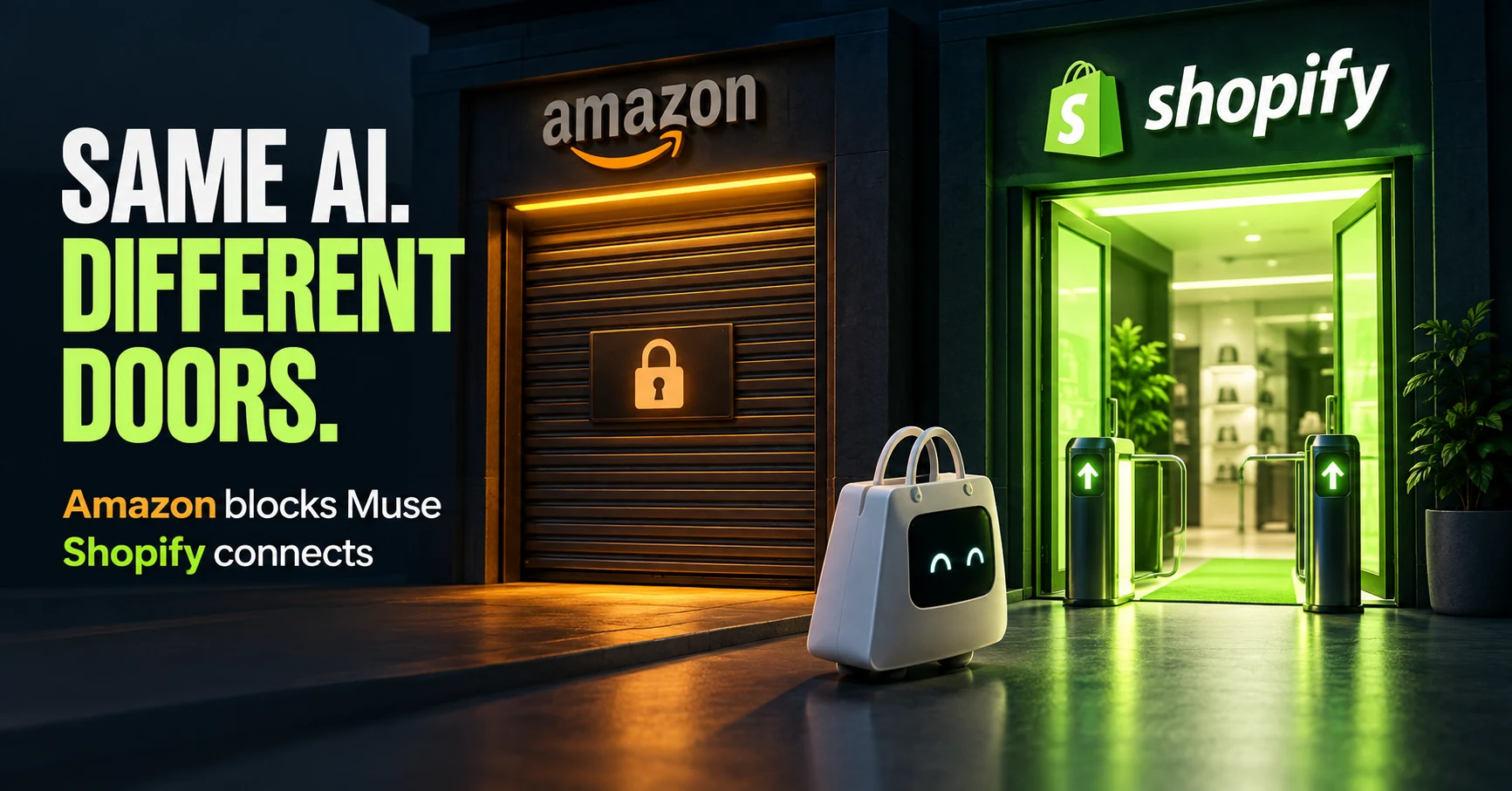
Same AI, different doors: why Amazon blocked Muse while Shopify offers a connection
Amazon has reportedly blocked Meta's AI agent, Muse. Meanwhile, Shop's official help lists Muse as an example of a supported AI platform.
Published
AI shopping and booking
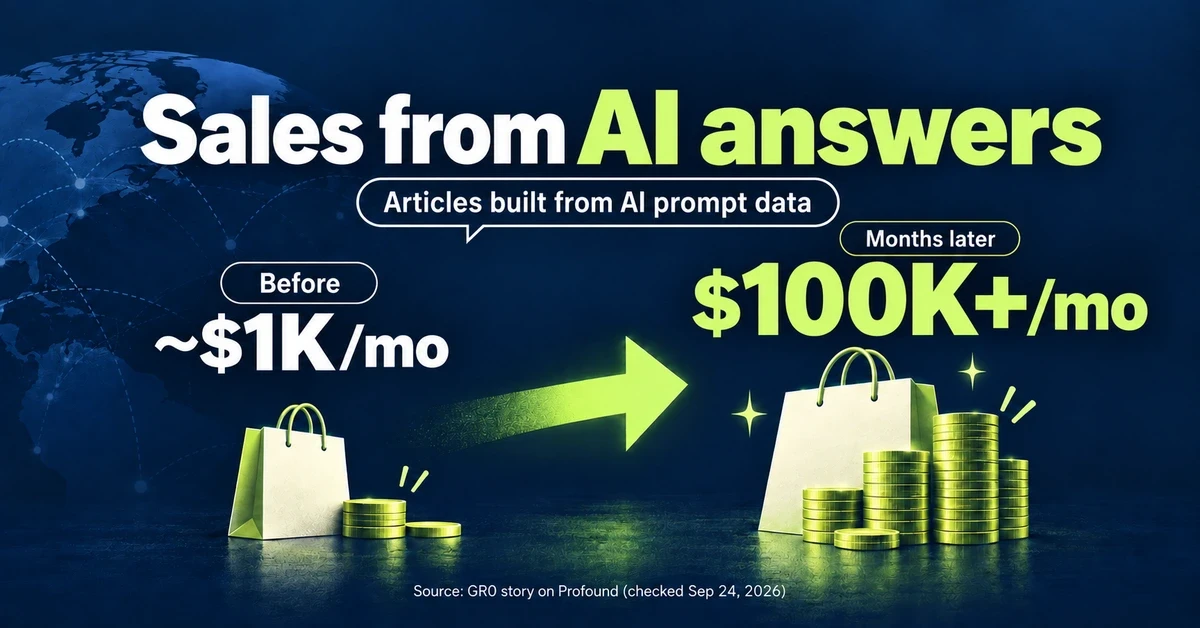
From about $1K to over $100K a month: What did an overseas brand write to grow sales from AI search?
GR0 reports that a beauty and wellness brand's monthly sales through AI answers grew from about $1,000 to over $100,000 within months. The brand chose article topics based on AI prompt data. Here is the case in brief, plus three steps to check your own product pages.
Published