Schema.org 30.1: related products, specifications and notices
Understand new product properties through a desk-lamp JSON-LD example, check visible content, and separate vocabulary validation from Google eligibility.
New fields can describe products that are often bought together, product specifications and consumer notices in a machine-readable form. They were included in Schema.org 30.1, published on September 16, 2026.[1]
A store may explain an accessory on its product page, yet still worry that an AI could mistake a separately sold part for an included item. Clear product relationships matter alongside names and prices.
Schema.org is a shared vocabulary for labeling the meaning of information on the web. This article uses a fictional desk lamp to explain what the new properties describe and how a merchant can check a small implementation.
Information was checked on September 18, 2026. Although included in a published release, the property pages carry a “new” designation inviting implementation feedback. Their publication does not establish adoption by Google or ChatGPT, or a ranking improvement.[1][2][3]
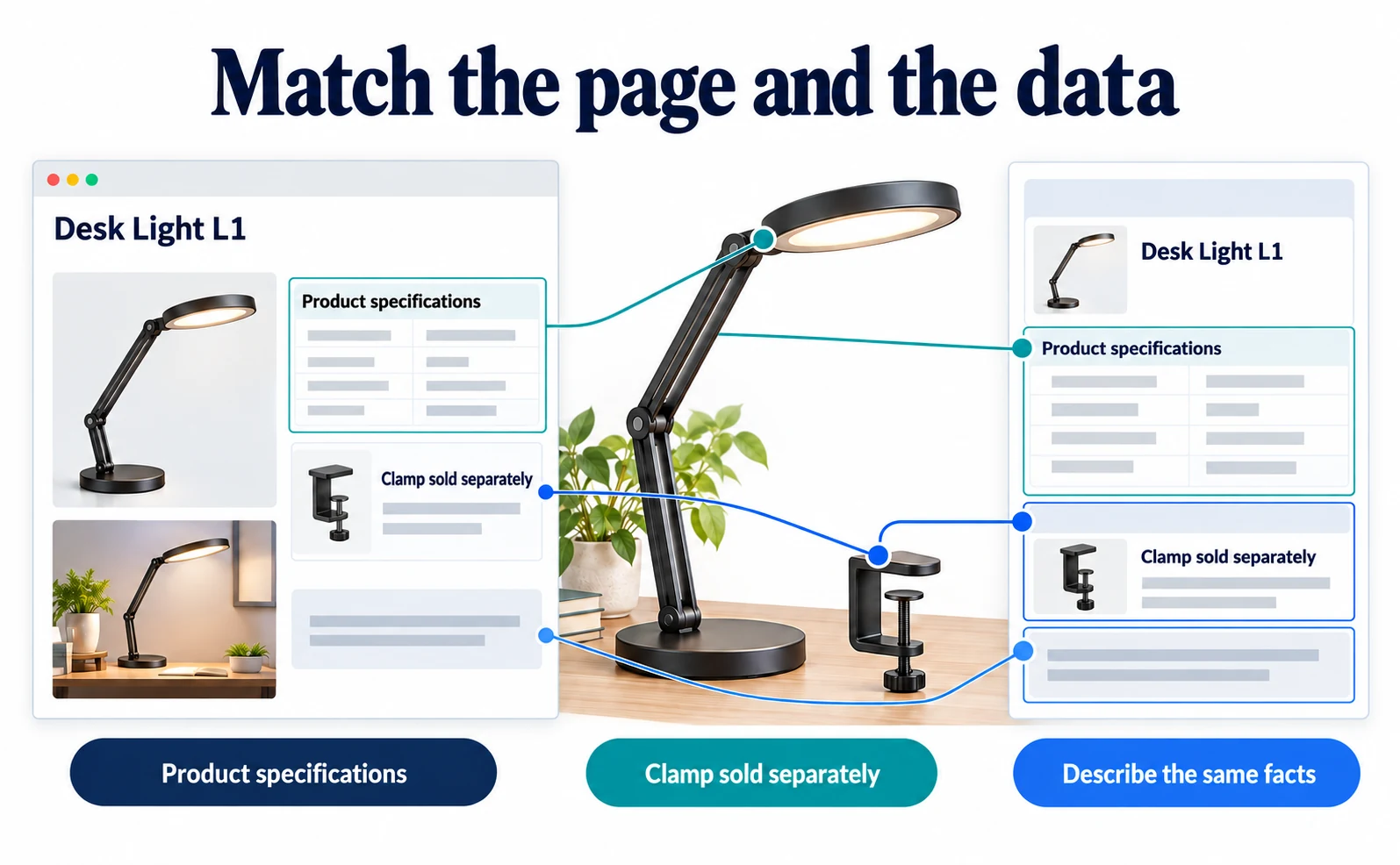
Match the visible explanation and the machine-readable data
Structured data describes page information using defined names. Think of it as adding meaning labels to the product explanation.
A page might say that a particular clamp is often bought with a lamp. The data can express that relationship too, rather than leaving every reader to infer it from prose. Each consuming service still decides which information it supports and uses.
Google explains that product structured data can make details such as prices and availability eligible for richer search appearances. Requirements differ for purchasing pages and other product pages. New properties do not replace the core fields your implementation already needs.[4]
Three useful new properties
| Property | Meaning | Desk-lamp example |
|---|---|---|
isOftenBoughtWith |
A product commonly bought with this one | A separate clamp, supported by actual order records |
specification |
A product specification | Light source or dimensions |
consumerNotice |
A notice for consumers | A relevant indoor-use warning |
isOftenBoughtWith expects another Product. It is not a promotional slogan, and a frequent companion purchase is not necessarily included in the box.[2]
specification expects a PropertyValue: a named value such as “Light source: LED.” This is essentially one row of a specification table.[3]
consumerNotice can express a relevant warning or mandatory information, including text or a link to an appropriate notice. It is not a field for unrelated advertising.[5]
1. Check what shoppers can already read
Open one of your public product pages before writing code. Check whether it explains:
- Specifications as meaningful names and values.
- What is included and what is sold separately.
- Any information needed before using the product.
A clamp shown in a photograph may still be sold separately. Make that clear in the product description. The editing screen varies by ecommerce platform, so there is no single universal button to prescribe.
Before claiming that two products are often bought together, inspect your order records for that relationship. Do not invent it to promote surplus stock. If evidence is unavailable, leave that property out and start with verified specifications and notices.
The following fictional lamp and clamp illustrate the data structure. They are not actual products, purchase evidence or safety instructions.
2. Describe one product with a small example
JSON-LD is a format for adding meaning to information on a web page. This example omits price, availability and other fields so the new properties are easy to see. It is not a complete implementation of Google’s merchant-listing requirements.
{
  "@context": "https://schema.org",
  "@type": "Product",
  "name": "Desk lamp L1",
  "sku": "LIGHT-L1",
  "isOftenBoughtWith": {
    "@type": "Product",
    "name": "Separate clamp C1",
    "sku": "CLAMP-C1"
  },
  "specification": {
    "@type": "PropertyValue",
    "name": "Light source",
    "value": "LED",
    "valueGroup": "Lighting"
  },
  "consumerNotice": "For indoor use only. Do not use outdoors."
}
Read it as the product’s identity, a companion product, a specification and a notice. sku is the merchant’s product identifier; the lamp and clamp have different identifiers.
valueGroup names a section of related values. Here, “Lighting” could separate lighting specifications from dimensions as the table grows. The defined value type is text.[6]
The example places a Product under isOftenBoughtWith and a PropertyValue under specification, matching their definitions.[2][3] Preserve those relationships when replacing illustrative details.
Before publishing, compare the preview’s product name, specifications, separately sold items and notices with the markup. If the store software generates product data automatically, find the existing data source before pasting a second block onto the page. Maintaining two conflicting versions makes later updates harder.
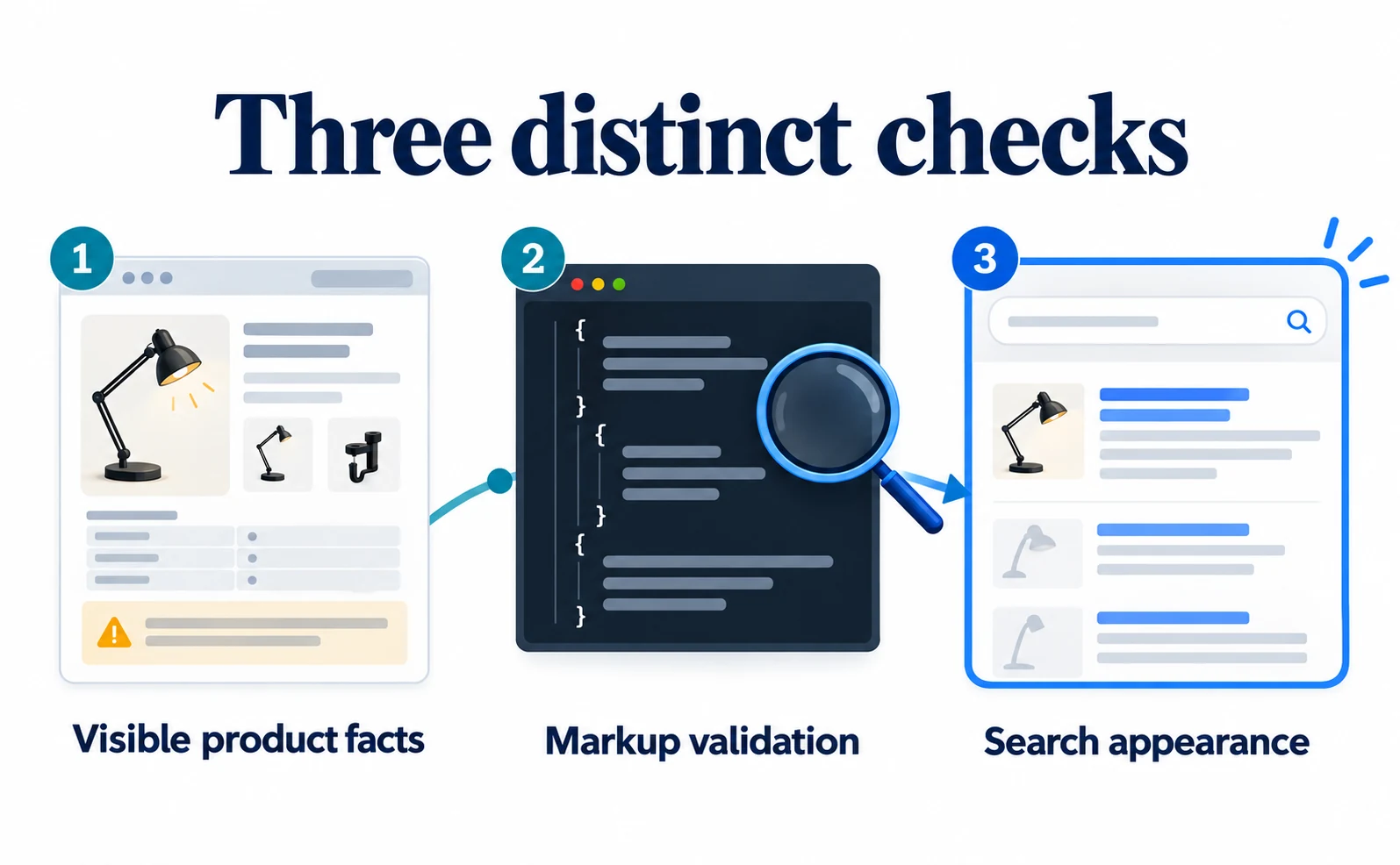
3. Separate vocabulary checks from Google support
First check syntax and property meanings. In the Schema.org validator, supply the code or an implemented public URL. If a new property is flagged, compare the message with its official definition; the validator may not yet reflect every vocabulary update.
For Google’s supported appearances, use the Rich Results Test with your public product URL. Rich results are search appearances containing extra details such as prices. Inspect detected product data and reported issues.
These checks answer different questions. A valid Schema.org property does not automatically become a field supported by a Google search feature. Use Google’s product structured-data guidance for that feature’s requirements.[4]
| Finding | Next step |
|---|---|
| Invalid commas or brackets | Fix syntax first |
| A value has the wrong type | Check whether the property expects a product object rather than plain text |
| Google-required information is missing | Satisfy the relevant existing product requirements |
| Tests pass but no appearance is visible | Check indexing and feature support; passing is not a listing guarantee |
When a specification changes, update both the page and its markup. A page that stops describing an LED product should not retain old LED data. Decide who maintains the information and where the shared values come from.
What should merchants expect for AI visibility?
This release adds ways to describe products. It does not prove that adding the fields will earn inclusion in Google AI Overviews or ChatGPT.
Google says its AI search features require no special Schema.org markup. Accessible pages, important information in text and agreement between markup and visible content remain relevant basics.[7]
A useful priority is to fix missing customer information, correct existing product data and then test new properties. If Google shows an outdated price, use the price mismatch guide first; a new relationship property will not fix that error.
Stores with reliable product records can trial the new fields on one page. If the explanation itself is incomplete, start with customer questions that reveal content gaps. That makes the reason for adding data clear before implementation begins.
FAQ
- Q. Do new properties guarantee Google visibility?
- No. A defined property is different from support in a particular search feature.
- Q. Is adding code enough?
- First check the visible product information, then describe the same facts in the markup.
- Q. Does often bought together mean included?
- No. A commonly purchased companion product may be sold separately.
Sources
- [1] Schema.org releases (Schema.org) — accessed 2026-09-18
- [2] isOftenBoughtWith (Schema.org) — accessed 2026-09-18
- [3] specification (Schema.org) — accessed 2026-09-18
- [4] Introduction to Product structured data (Google) — accessed 2026-09-18
- [5] consumerNotice (Schema.org) — accessed 2026-09-18
- [6] valueGroup (Schema.org) — accessed 2026-09-18
- [7] AI features and your website (Google) — accessed 2026-09-18
About the author
Shogo MizushimaCEO of kairos Inc. / AgentSignal Developer
Develops AgentSignal, a tool for measuring AI crawler visits and AI-referred traffic, and diagnosing AIO readiness. Writes about measurement and practical improvements for AI search using observed data.
Related articles
AI shopping and booking
Google Shows the Wrong Price: 3 Places to Check After a Price Cut
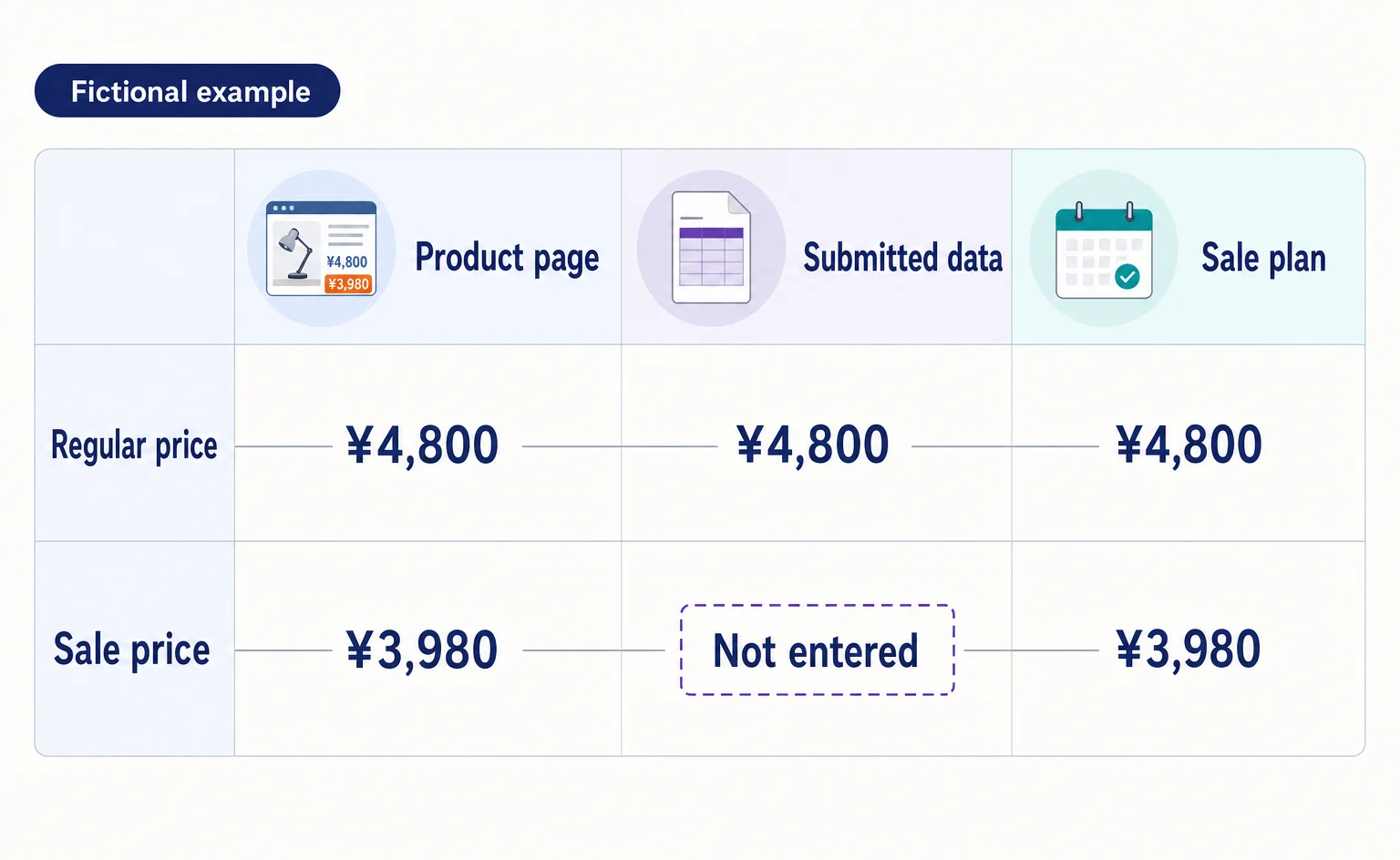
If Google still shows an old price after you lower it on your product page, compare the page, the product data sent to Google, and the sale conditions. A fictional example explains where to make corrections and how to check approval status afterward.
Published
AIO and AI search
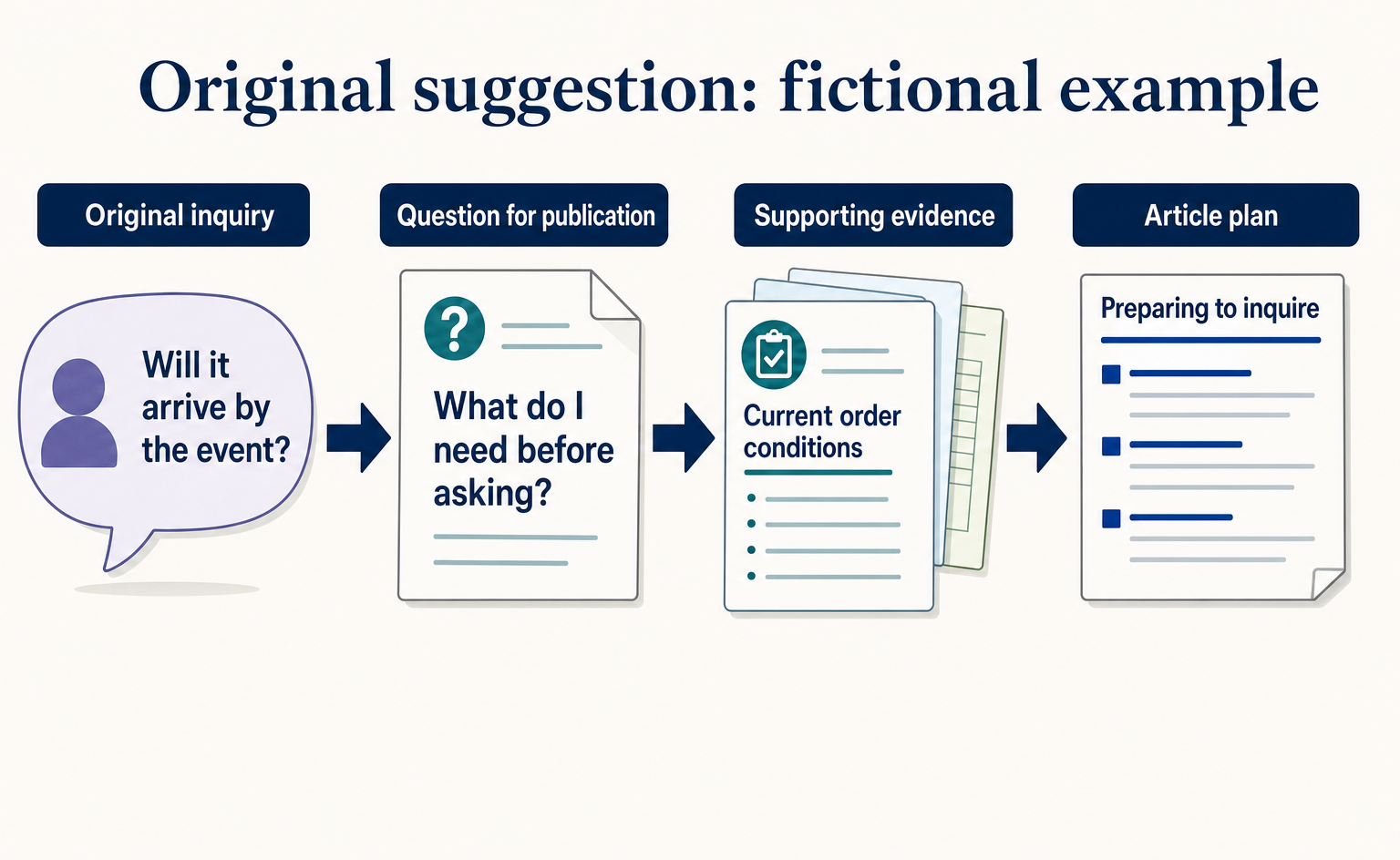
Where to Find Article Ideas Only Your Business Can Write: Start with Customer Inquiries
You do not need original research data to create useful articles. Learn how to turn customer questions, answers, and decision criteria into article plans, with worksheets and fictional before-and-after examples covering anonymization, question grouping, and evidence checks.
Published
AIO and AI search
What Is AIO? Its Two Meanings and Where to Start with AI Optimization
AIO has two meanings: work to get your company featured in AI answers, and Google Search’s AI Overviews. Learn how it relates to SEO, what to confirm in a proposal, what Search Console and Bing reports show, and your first tasks.
Published