Why Does AI Recommend Your Competitors? How to Check Cited Pages
When AI answers keep recommending competitors, start with the cited links. Learn how to sort cited pages by type and use a decision table to choose between updating your own page, contacting another site, or accepting that wording alone will not fix it.
The clue to why AI recommends your competitors is behind the citation links in the answer. Instead of reading only the answer text, open the linked pages and check which page, and which explanation, the answer relied on. Then decide by page type whether to fix your own page, ask another site, or accept that wording alone will not solve it.
As an illustration, imagine a marketer at a corporate training company. They ask ChatGPT, “Which companies can run new-hire training?” Three competitors appear, but their company does not. Their manager asks them to find out why. We will follow this scenario step by step.
When AI Answers Keep Showing Competitors, Start with the Cited Pages
Open the citation links attached to the answer first. A company name appearing in an answer and the page used as supporting evidence are two different pieces of information.
In ChatGPT, answers that use web search may include citations. Selecting a citation opens its source, and a Sources view may list the cited pages [1]. Google’s AI Overviews and AI Mode also show links to pages that support the response [2].
Citations are not always right, though. OpenAI’s help page notes that citations can be incomplete, outdated or incorrect, and recommends opening the source to check it [1].
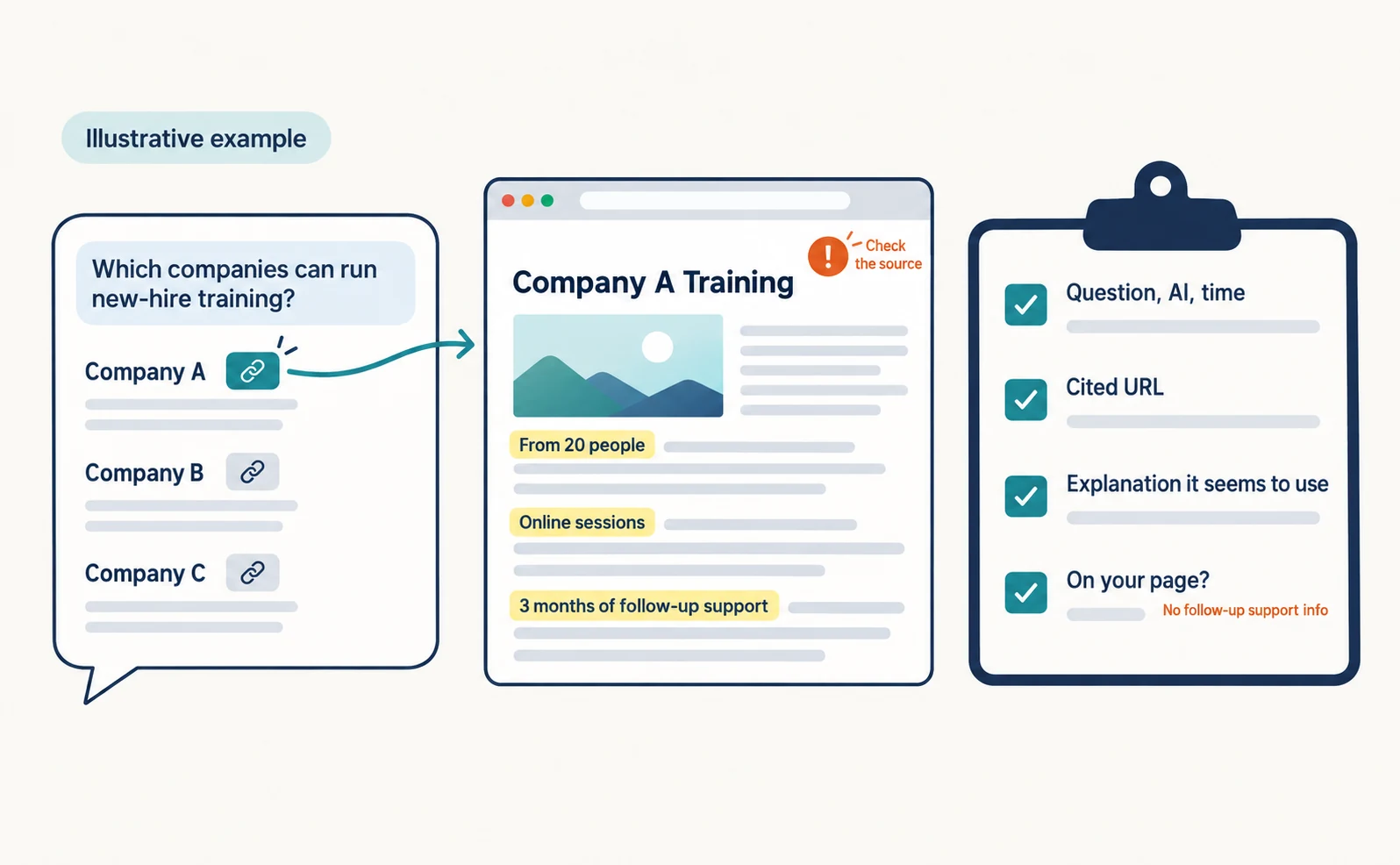
After opening a cited page, record these four items.
| Item | Example entry (illustrative) |
|---|---|
| Question, AI and time | Which companies can run new-hire training? / ChatGPT / Sept 23, 10:00 |
| Cited URL | Competitor A’s training service page |
| Explanation the answer seems to use | “From 20 people”, “online sessions”, “3 months of follow-up support” |
| Does your page explain it? | No explanation of follow-up support |
The “explanation the answer seems to use” is your inference from comparing the answer with the linked page. It does not prove why the AI chose that text.
Sort Cited Pages into Competitor Sites, Comparison Sites and Reviews
What you can do depends on the type of cited page. For a competitor’s own page, the difference lies in its explanations. For a comparison site, it is whether you are listed. For reviews, it is third-party opinion.
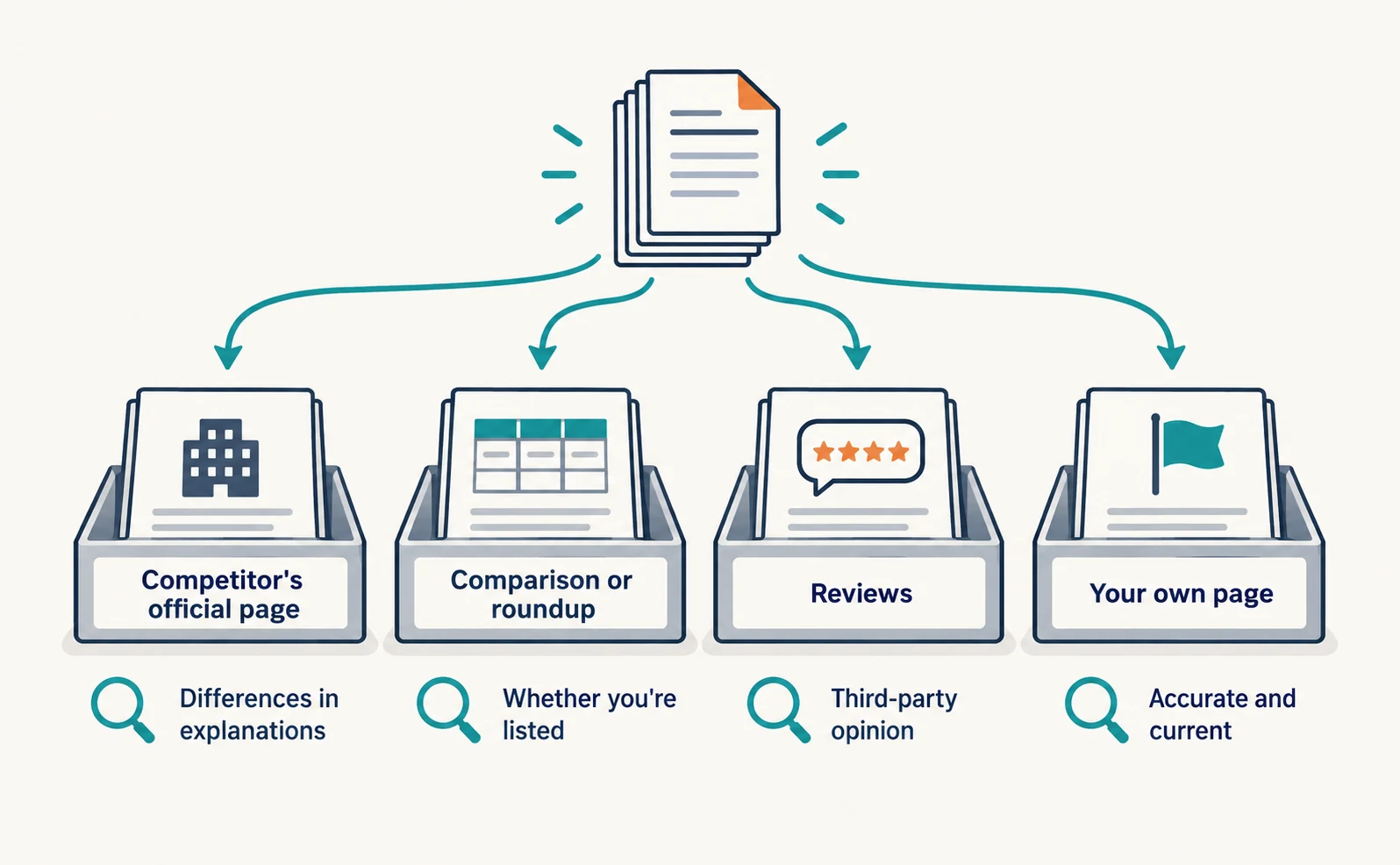
“A competitor was recommended” can mean very different things depending on whether the citation is the competitor’s own page or an article comparing several companies. Start by sorting cited pages into four types.
- Competitor’s official page (a site the competitor runs)
- Comparison or roundup article (a page listing several companies)
- Reviews (pages collecting user opinions)
- Your own page
When a Competitor’s Official Page Is Cited
List the explanations that the competitor’s page has and yours lacks. Look at the conditions it answers, not the wording.
In the training example, these might be group size, price range, format and follow-up support. If you offer something but do not explain it, that is a candidate for your own page.
Do not copy the competitor’s text. Write only facts you actually offer, in your own words. If the deciding factor is support you do not provide, adding text will not meet that condition.
When a Comparison Site or Review Is Cited
First check whether you appear on that page and whether your information is current. If you are missing, consider requesting a listing. If the information is outdated, request a correction.
Look for the contact point in the site’s operator information or inquiry page. Include the page URL, the correct information and the URL of your own page that supports it.
Listings and corrections are decided by the other site’s editorial policy. A request may not be accepted. Record the date, contact and response so you can follow up.
You cannot rewrite reviews yourself. If a low rating rests on a factual error, request a correction. If it reflects dissatisfaction with your service, share it internally as input for improving what you offer.
Use a Classification Table to Decide Where to Act
Separating each type into “update your page”, “ask another site” and “wording will not fix it” tells you what to do next.
| Cited page type | What to check | Your action | When wording will not fix it |
|---|---|---|---|
| Competitor’s official page | Conditions it answers (price, audience, support) | Add facts you offer to your own page | You do not offer that condition |
| Comparison or roundup | Whether you are listed and how current it is | Request listing or correction and keep records | You do not meet their criteria or the request is declined |
| Reviews | Reasons for ratings | Request correction of factual errors; share complaints internally | The rating itself is low |
| Your own page | Whether it is accurate and current | Fix errors or outdated information | ― |
Suppose the training company classified five cited pages (illustrative results): two competitor pages, two comparison articles and one review. The first tasks would be “explain follow-up support on our page” and “check our listing on the two comparison articles”.
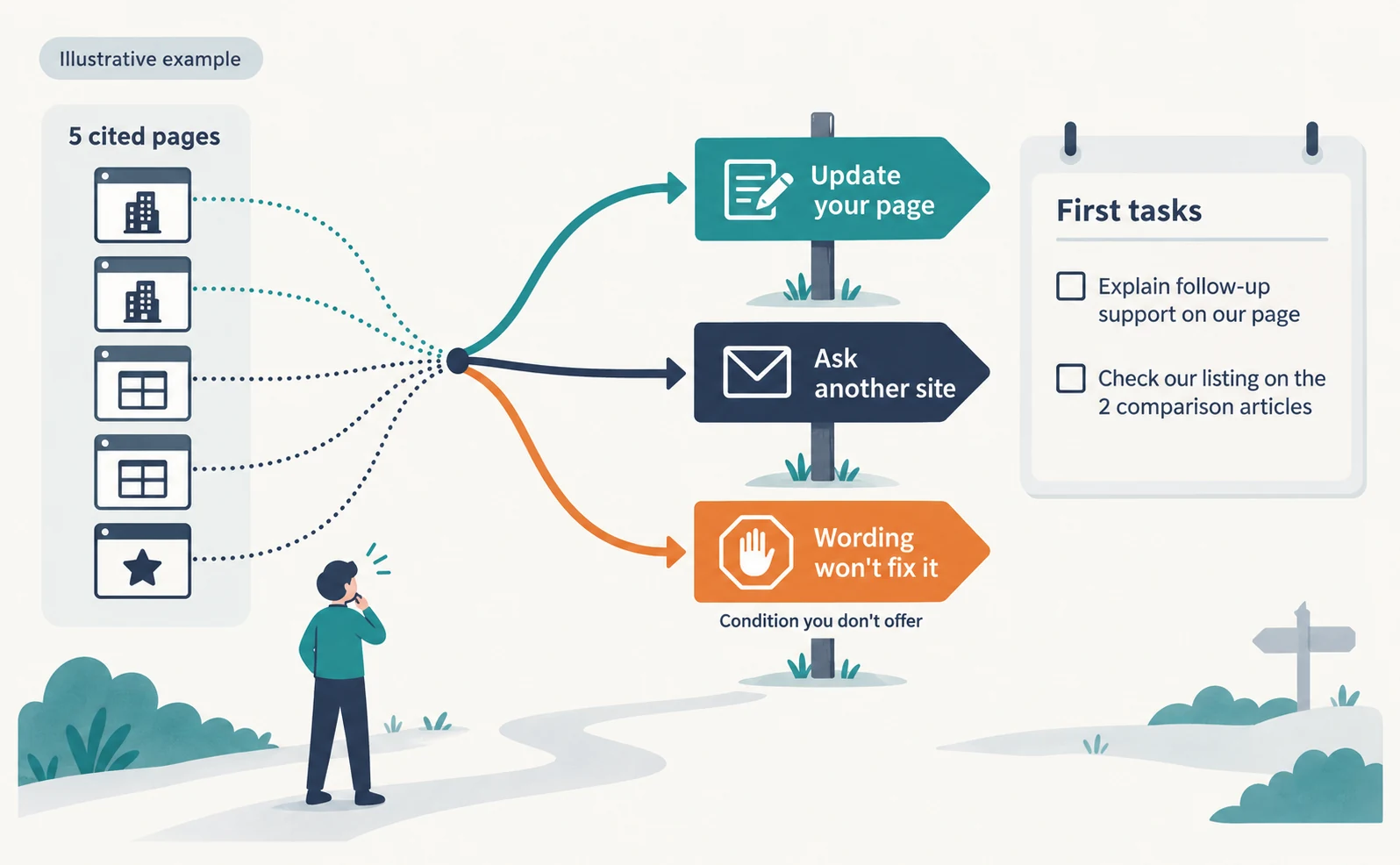
If a row falls into the right-hand column, rewriting your pages will not change the situation. In that case, consider targeting questions that better match your strengths.
Don’t Decide from One Answer: Record the Same Question by AI
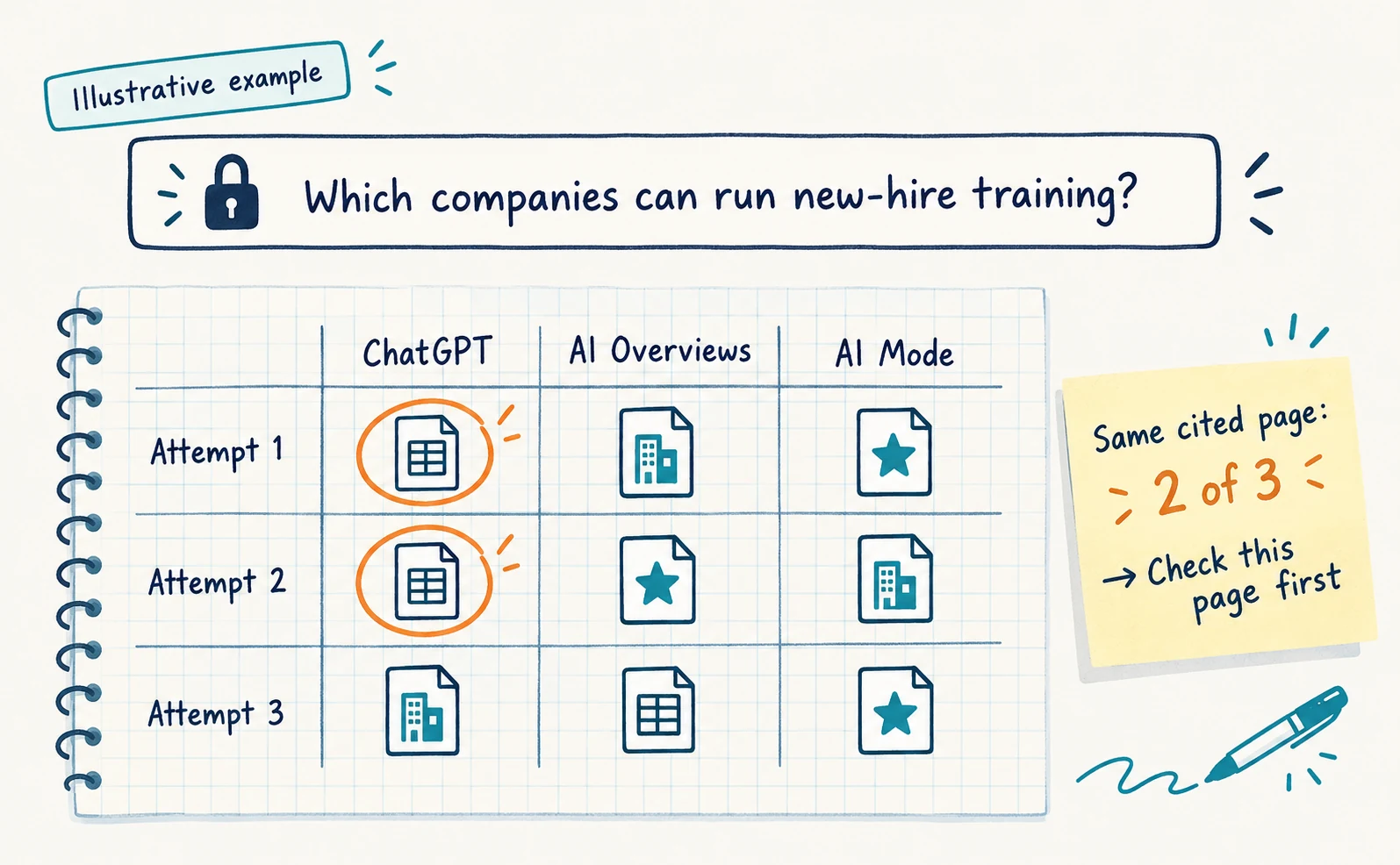
Answers and cited pages change with the question, the time and the AI. Keep conditions consistent and record several times before deciding where to act.
Google explains that AI Overviews and AI Mode may use different models and techniques, so the responses and links they show will vary [2]. If you conclude from one answer that “this comparison site is the cause”, a different page may be cited on another day.
Keep the question text fixed and record results separately for each AI. Counting how often the same cited page appears out of your attempts helps you choose which pages to check first.
Bing Webmaster Tools offers Citation Share, the percentage of all citations shown for a specific grounding query that point to your site. Its denominator differs from a citation rate counted as X out of Y answers. In the June 2026 announcement it was a preview feature. It does not show competitor domains and is not a ranking or traffic share [3]. It is a metric for tracking your own share, not a tool for identifying competitors.
In AgentSignal’s AI citation rate feature, you can check registered questions for each AI and see cited domains, including competitors, in order of references in the cited domain ranking. Selecting a domain opens the list of cited URLs. See How to Use AI Optimization for the steps.
For how to record answers, What Is LLMO? is also helpful. Start by choosing one question you want to be recommended for, opening five cited pages and filling in the classification table.
FAQ
- Q. Will copying a competitor’s page get us cited?
- We do not recommend copying. Add only facts you actually offer, in your own words, where the competitor explains something you do not. Even then, citation is not guaranteed.
- Q. Will a comparison site always accept a listing request?
- Not necessarily. Listings and corrections depend on the site’s editorial policy. Record the date, contact and response and check back later.
- Q. Can Bing’s Citation Share show which competitors are cited?
- No. Citation Share is your share of citations for a specific query, and it does not show competitor domains.
Sources
- [1] Searching the web with ChatGPT (OpenAI) — accessed 2026-09-23
- [2] AI features and your website (Google Search Central) — accessed 2026-09-23
- [3] New AI Visibility Insights in Bing Webmaster Tools: Intents, Topics, Citation Share, Compare (Microsoft Bing) — accessed 2026-09-23
About the author
Shogo MizushimaCEO of kairos Inc. / AgentSignal Developer
Develops AgentSignal, a tool for measuring AI crawler visits and AI-referred traffic, and diagnosing AIO readiness. Writes about measurement and practical improvements for AI search using observed data.
Related articles
AIO and AI search
What Is LLMO? How It Differs from SEO and Why Some Say It Is Pointless
LLMO is the work of helping answers from ChatGPT and other AI find and accurately describe your company. Learn how it differs from SEO, why some call it pointless, how E-E-A-T relates, how to measure results and what to do in the first month.
Published
AIO and AI search
Where to Find Article Ideas Only Your Business Can Write: Start with Customer Inquiries
You do not need original research data to create useful articles. Learn how to turn customer questions, answers, and decision criteria into article plans, with worksheets and fictional before-and-after examples covering anonymization, question grouping, and evidence checks.
Published
AIO and AI search
Airbyte reported a $100,000 ChatGPT-originated deal: the content changes behind its AIO work
Airbyte reported one $100,000 contract originating from ChatGPT. The team analyzed over 500 prompts and revised content into direct answers, lists, and steps.
Published