Can You Build a Shopping AI with Claude? Uses and Workflows in the Public Samples
Explore how Claude’s public shopping AI samples handle product search, comparison, carts, and checkout handoffs. Learn how they differ from staff-facing AI, connect to store data, and require checks before final actions.
“Will my laptop fit in this bag?” “Is there a lighter one?” When shoppers are unsure what to buy online, an AI can guide them through finding products, comparing options, and adding an item to their cart—all through conversation. This is the kind of use you can try with the public samples for a Claude-powered shopping AI.[1][2]
Claude is an AI provided by Anthropic. On September 2, 2026, the company released program templates to help shoppers and store staff. These are development samples for connecting to your own product and order systems, not a finished service you can sign up for and install.[1]
This article is for operators who want to improve customer assistance on their online stores. It follows a single bag-shopping scenario so that, even without coding skills, you can decide what you would delegate and which connections you would still need to build. The public documentation and code were reviewed on September 12, 2026.
Help visitors to your store choose products
Suppose a shopper says, “I’m looking for a blue bag for commuting that can hold a laptop.” If the store has many products, filtering by color and size may still leave plenty of options. The shopper may need to open several product pages to find detailed dimensions.
You can ask the shopping AI to find suitable options and explain their differences. Guidance such as “Choose this one if low weight matters most” or “Choose this one if you need more storage space” can help shoppers choose based on their own needs. This is an example of how the AI could be used, not a measured improvement in purchase conversion rates.
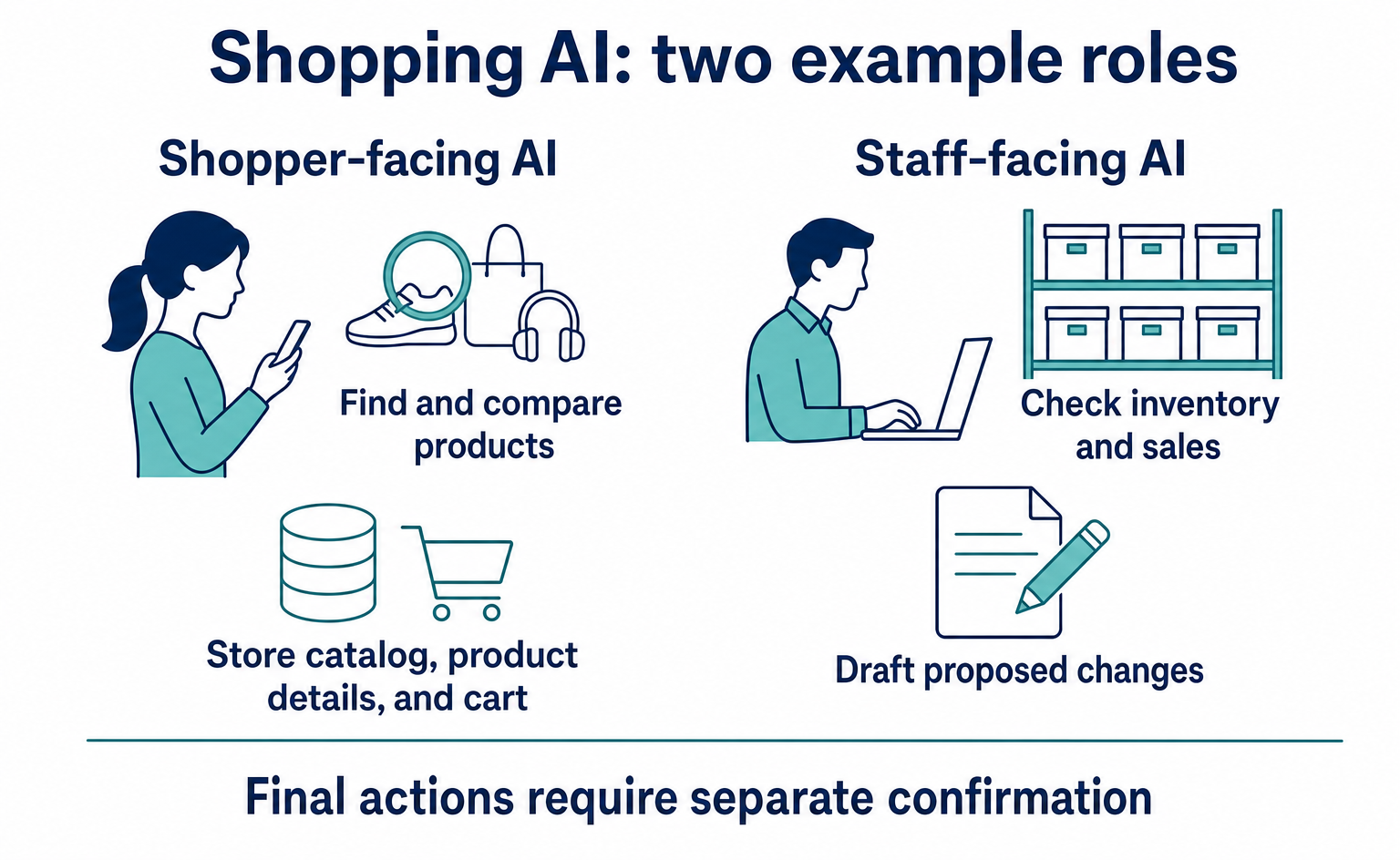
Anthropic’s public samples cover two roles: a Shopping Agent for shoppers and a Merchant Agent for store staff. Here, an agent means an AI that can call permitted operations as well as respond in conversation.[2]
| User | Example request | What the AI consults |
|---|---|---|
| Shopper | Find products that meet my needs and compare options | The store’s product catalog, product details, and cart |
| Store staff | Check inventory and sales, and consider possible changes | Business data and fields that can be changed |
Using these samples does not automatically register your products with external services such as ChatGPT. Their main focus is connecting a dedicated shopping interface to your own data. That serves a different purpose from preparing your products to be discovered by external AI services.[1][2]
Look up the store’s product data, rather than relying on the AI’s knowledge
To answer “We have blue bags,” the AI needs to check products that are actually for sale. If it answers questions about prices or stock using only information it has learned, it could recommend a discontinued product.
The public code calls the component that connects to store data StorefrontBackend. This is an interface that brings together operations the shopping AI can request, such as product searches and cart additions. An API is an interface through which programs exchange information and request operations. In this sample, you build the implementation behind that interface to work with your own APIs or other systems.[3]
The main operations are listed below. Shoppers do not need to type these English names.
| Name in the public code | What the store’s system does |
|---|---|
search_products |
Returns candidate products using search terms and filters |
get_product_details |
Returns detailed information about a specified product |
get_cart |
Returns the current cart contents |
add_to_cart |
Adds the specified product and quantity to the cart |
checkout_handoff |
Optionally returns the next destination, such as the store’s checkout page |
The shopping AI’s strength lies in interpreting requests, choosing the necessary operations, and explaining the results. The design should not let the AI invent prices or purchase destinations. The store’s systems return which products can be sold and at what prices.[3][5]
Follow the process from finding a blue bag to adding it to the cart
The following is a fictional product for illustration. It is neither an actual item for sale nor a product included in the sample by default. It follows the Product data format in the public code.[4]
{
  "product_id": "bag-001",
  "title": "青い通勤バッグ",
  "price": 68,
  "currency": "USD",
  "attributes": {
    "color": "blue",
    "laptop_space": "幅34cm・高さ25cmまで"
  },
  "in_stock": true,
  "short_description": "パソコン用の仕切りがある通勤バッグ"
}
JSON is a way to pass data as pairs of field names and values. In this example, product_id is the product identifier, price is the price, and currency is the currency. In other words, the bag with product ID bag-001 sells for US$68. in_stock: true means it is in stock.
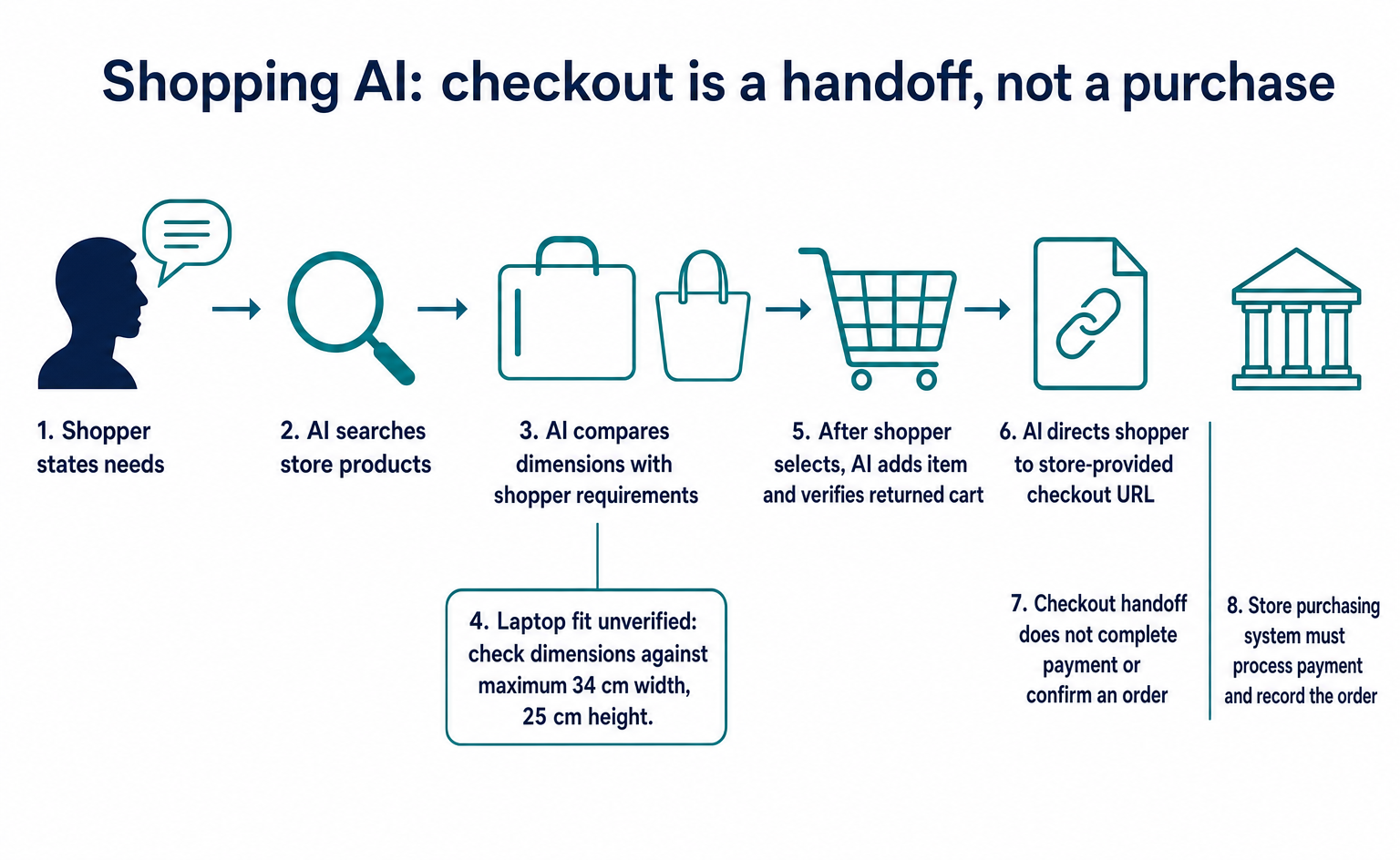
First, the AI uses search_products and receives this product as a candidate. If it needs to check detailed dimensions, it then uses get_product_details. Appearing in search results does not mean the bag will fit every laptop size.
For this fictional store, the product data indicates that the compartment can accommodate items up to 34 cm wide and 25 cm high. If the shopper’s laptop dimensions are unknown, the AI should ask for them or state the size limits and ask the shopper to check. It must not assume, “It’s a commuting bag, so it should fit.”
When the shopper chooses it by saying, “One of those, please,” the AI passes product ID bag-001 and quantity 1 to add_to_cart. It checks the returned cart and tells the shopper that one of the selected product has been added. It carries the product ID through the process so that it does not add a different bag based only on a product name.[3][4]
The merchandise subtotal is US$68. Shipping and tax may still be added, however. The AI must not describe the product data’s price as the final amount due. The cart subtotal in the public code is also calculated from product prices and quantities.[4]
Reaching checkout does not mean the order is confirmed
The public sample’s checkout tool displays a way to proceed to purchase confirmation. A tool is an individual operation the AI can use. Despite the name “checkout,” this operation alone does not charge a card.[5]
To connect it to a real store, you need a way to pass the cart contents to the store’s checkout page. The public code includes checkout_handoff, which returns that destination. The store’s own process should return the purchase URL, rather than letting the AI create a plausible-looking address.[3]
In the bag purchase example, the final checks cover the product ID, quantity, current stock, amount including shipping, and delivery address. The connected store’s purchasing system must process the actual charge and record the order. A chat message saying “Purchased” is not, by itself, evidence that an order has been received.
This distinction also helps when investigating problems. “The AI selected the bag but could not pass on the cart.” “The checkout page opened, but payment failed.” Knowing how far the process succeeded helps you decide whether to fix product search or the checkout connection.
For staff-facing AI, review proposed changes before applying them
The other sample, the Merchant Agent, supports store operations. It includes operations for checking sales and inventory, as well as operations for proposing changes.[2]
Suppose a staff member asks, “I want to revise the descriptions of products with low stock.” Reading inventory data and actually rewriting a product description have different effects. The latter changes a page that customers read.
In the design Anthropic describes, changes are first saved as proposals. After a person approves them, apply_change applies them. The system treats “proposal created,” “approved,” and “applied” as separate states.[5]
You do not need to delegate every type of change from the start when adopting this approach. You might allow the AI to draft descriptions but exclude price changes. You might permit it to find product options while requiring the buyer to confirm actual orders. Start with actions your business can reliably check.
To try it, choose one customer assistance problem your business faces
The public samples are in Anthropic’s commerce-agents repository. A repository is a place where programs and instructions are published together. Whoever runs the samples needs to prepare the environments listed in the README, including Python and Node.js, as well as an Anthropic API key.[2]
An API key is secret information used to authenticate access to the AI. You cannot simply use a ChatGPT login account or an OpenAI API key instead. Because the public samples’ conversation features use Anthropic’s API, you should also check the usage-based costs.[2]
Store operators can help by preparing questions customers actually ask and the evidence needed to answer them correctly. For example, you could create the following checklist. This is a proposed set of pre-deployment tests.
| Question or action to test | What to check |
|---|---|
| Find a blue commuting bag | Does it suggest real products that are currently for sale? |
| Will this laptop fit? | If dimensions are unknown, does it ask rather than make an unsupported claim? |
| I want two | Can it change the quantity and check stock and the merchandise amount? |
| Select an out-of-stock product | Does it explain that the item is sold out and offer another option? |
| Proceed to checkout | Can it pass the selected products and quantities to the correct checkout page? |
For this article, we checked the data formats against the public code. We did not run conversations through Anthropic’s API, connect to a production store, or process actual payments. Testing a sample and verifying that a production store can accept orders are separate checks.
This approach suits stores where choosing products involves many questions and comparisons, and where product information is available to support the answers. Deciding first which customer assistance tasks you want to reduce will also narrow down the connections you need. Do you want to delegate finding and comparing bags, or get help drafting changes to store operations? That choice will guide which sample you try.
FAQ
- Q. Can I install this in my store just by signing up?
- These are public samples for developers. You need development work to connect them to your own products and purchasing systems.[2][3]
- Q. Will the sample’s checkout tool charge me?
- The tool displays a way to proceed toward purchase; it does not process an actual payment. In production, you connect it to your store’s purchasing process.[5]
Sources
- [1] Claude for commerce agents (Anthropic) — accessed 2026-09-12
- [2] Commerce agents README(固定コミット) (Anthropic) — accessed 2026-09-12
- [3] StorefrontBackend(固定コミット) (Anthropic) — accessed 2026-09-12
- [4] Product・Cartの形式(固定コミット) (Anthropic) — accessed 2026-09-12
- [5] The anatomy of effective commerce agents (Anthropic) — accessed 2026-09-12
About the author
Shogo MizushimaCEO of kairos Inc. / AgentSignal Developer
Develops AgentSignal, a tool for measuring AI crawler visits and AI-referred traffic, and diagnosing AIO readiness. Writes about measurement and practical improvements for AI search using observed data.
Related articles
AI shopping and booking
51% of US consumers use AI shopping tools. How much has product selection changed?
That does not mean AI placed 51% of orders. It is the share of US consumers who reported using at least one AI-powered shopping tool during the past month.
Published
AI shopping and booking
Same AI, different doors: why Amazon blocked Muse while Shopify offers a connection
Amazon has reportedly blocked Meta's AI agent, Muse. Meanwhile, Shop's official help lists Muse as an example of a supported AI platform.
Published
AI shopping and booking
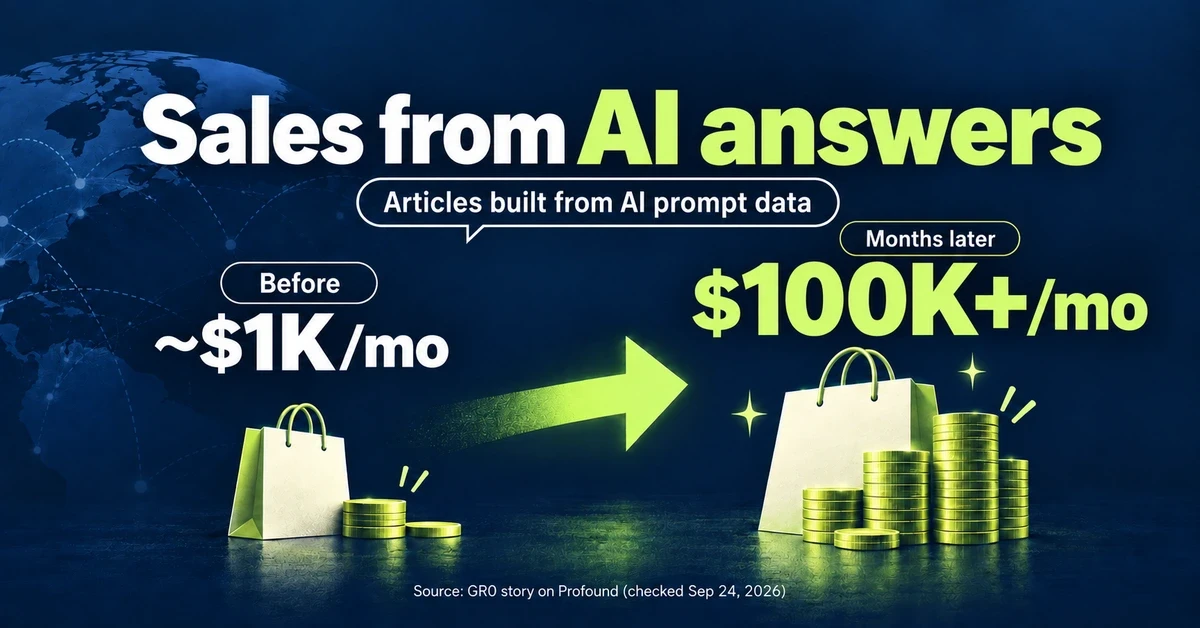
From about $1K to over $100K a month: What did an overseas brand write to grow sales from AI search?
GR0 reports that a beauty and wellness brand's monthly sales through AI answers grew from about $1,000 to over $100,000 within months. The brand chose article topics based on AI prompt data. Here is the case in brief, plus three steps to check your own product pages.
Published