How can Bing Topics Portfolio help choose content topics for LLMO?

Use Bing Topics Portfolio beta to investigate content ideas for LLMO. Read citation metrics, evaluate Opportunity Queries, compare existing pages, and record decisions about new content or updates. Includes proposed editorial workflows and clear limits on what has been verified.
Bing Topics Portfolio can help identify content topics worth investigating from the themes appearing in AI answers.
For each candidate, check whether the business can answer the underlying question and whether an existing page already does.
A candidate becomes an editorial assignment once the team decides whether to write a new article or update an existing page.
This explanation is based on official announcements checked on October 14, 2026.
We have not verified the Japanese interface or availability in a live Japanese account.
The selection tables and recordkeeping methods below are our editorial recommendations, rather than a workflow prescribed by Bing.
How Bing Topics Portfolio changes topic selection for LLMO
Content teams can consider their next topic in relation to their existing citations and nearby opportunities.
Microsoft Bing announced Topics Portfolio as a beta feature on October 13, 2026.[1]
It sits within AI Performance in Bing Webmaster Tools, a service for site owners.
AI Performance reports how a site's information appears as citations in AI answers.
LLMO, or large language model optimization, refers to work intended to help generative AI discover a business's information.
When choosing topics, start by looking for an answer the site can add, before deciding how many articles to produce.
For example, a service comparison article may exist while an explanation of which data can be transferred during setup is missing.
The editorial task covered here runs from identifying that missing answer to checking the evidence needed to write it.

How June's Topics differs from the new Topics Portfolio
Read June's Topics as a way to examine citations by theme, and the new Topics Portfolio as an entry point for considering future coverage.[1][2]
Grouping related queries into themes was not first introduced in October.
In an editorial meeting, separate the background on existing features from the new questions the team wants to investigate.
| Announcement or method | Its role in this article |
|---|---|
| Topics, June 2026 | Background on examining citations by theme |
| Topics Portfolio, October 2026 | An entry point for reading topic scale and uncovered opportunities |
| Our proposed selection table | A method for choosing new content, an update, or no action |
Teams already monitoring citations can begin with their existing records.
If a related page is known, reread it to establish what it already explains.
For registration and the basics of checking cited pages, see the Bing AI Performance guide.
From there, move on to evaluating the new candidates without repeating the entire setup process.
These are Bing citation signals, not demand across every AI service
Topics Portfolio surfaces candidates based on the site's own activity.[1]
The list alone cannot establish the most popular topics across every AI service, including Google and ChatGPT.
An internal report should say where each candidate was found.
Calling it a “popular AI topic” leaves the scope of the observation unclear.
Recording it as a candidate displayed for the selected site and reporting period in Bing gives the next editor a place to check.
If a similar phrase also appears in sales inquiries, keep those records in a separate field.
The purpose is to determine whether the phrase in the report means the same thing as the question in the inquiry.
The words may match while the required answers differ: a comparison before purchase and a support question after purchase are different tasks.
Preserve the original query and add a short description of who may be trying to decide what.
That interpretation is an editorial hypothesis.
Without an actual question record, do not present it as something a customer said.
Keep the observed phrase beside the proposed question to assess its relevance to the business's customers.
What to do if Topics Portfolio does not appear
If Topics Portfolio is missing, consider whether enough relevant data is available.
The announcement says the feature may not appear when the site's presence or surrounding activity is insufficient.[1]
Start with the site's AI Performance report in the official Bing Webmaster Tools service.
As a practical troubleshooting step, we recommend checking that the intended site is selected and that the account can view it.
A missing tab is not a basis for recording every relevant question or citation as zero.
Save the site, check date, screen opened, and state actually displayed.
If an error appears, keep its wording as well.
Distinguish a missing tab, a tab without content, and an inaccessible report so that the next check has a clear starting point.
All editorial planning need not stop while the feature is unavailable.
Existing pages and publishable source material can be organized first, with Bing candidates marked unverified.
This article does not present Japanese button names or availability in Japan as findings from our own live testing.
Reading topic scale in the Topics Portfolio list
Read each topic metric together with its name and selected reporting period.
The list includes Topic Size, Sites Cited, and Queries, all described as approximate measures.[1]
When preparing an editorial worksheet, preserve the original English metric names as column labels.
An explanation beside each name helps another editor understand exactly what was copied.
Use the list to decide what deserves investigation before filling a publishing schedule in descending order of size.
Within one theme, some questions may fit the business while others fall outside what it can explain.
The output of this first reading is not a finished article title.
The team is ready for the next step when one record contains the topic, period, displayed measures, and candidate to examine in more detail.

Topic Size measures approximate citation volume in the selected period
Topic Size is the approximate total citations across all sites within a topic.[1]
Keep it separate from Google's monthly search volume and retain the selected period.
Putting several different figures into a single column called “demand” makes their meanings hard to recover.
Our recommendation is to use separate fields for Bing citation scale and estimated Google searches.
The units should remain clear even to colleagues who have not opened the original report.
| Field | What to record |
|---|---|
| Topic | The name displayed in the report |
| Metric | The original name, Topic Size |
| Period | The selected reporting range |
| Displayed value | The value at its original level of precision |
| Editorial question | The explanation the business could add |
If the period changes, preserve the earlier row and create a new observation.
That allows a later reviewer to investigate whether a difference reflects the reporting window or a change in the underlying activity.
Topic scale can draw attention to a candidate.
The decision about which page to write still depends on the candidate's meaning and the evidence available.
What Sites Cited does and does not establish
Sites Cited is the approximate number of sites appearing for queries within a topic.[1]
The count alone does not establish how easily another site could earn citations.
An editor needs to know what useful answer the business can contribute.
That requires comparing the explanation implied by a candidate with the explanation the business can support.
Consider an editor working for a time and attendance software provider.
This is a hypothetical example of the selection method, not live Bing data.
For a candidate about transferring attendance records, the editor can investigate supported files and transferable fields.
For a candidate about operating another company's product, the business may lack the evidence needed for an accurate answer.
Even if the two candidates have similar site counts, the required research differs.
Before using a low count as a reason to proceed, write one sentence describing the answer that could be published.
If that cannot be done, make evidence gathering the next task instead of drafting.
When reporting competitive research, also distinguish looking at a site count from reading the individual sites' pages.
Do not confuse Queries with users' questions
Queries gives an approximate count of distinct grounding queries within the topic.[1]
A grounding query can be understood as a search query used to find evidence for an AI answer.[2]
Do not read the count as a number of people or the list as verbatim customer questions.
To develop an article, translate the query into a question the content should answer, rather than pasting it directly into a heading.
For the hypothetical attendance service, “data migration” is too broad to define the explanation.
“Can existing attendance records be transferred to the new service?” requires information about eligible data and transfer conditions.
“Can older work records still be viewed after migration?” instead calls for an explanation of retained information and access.
Several questions can arise from the same phrase, so the first interpretation is not confirmed demand.
If actual inquiries exist, compare their meaning with the candidate.
Otherwise, record a question for the relevant team to investigate.
Keeping the original query, proposed question, and supporting material separate prevents an assumption from gradually being treated as an observation.
Collecting candidates from Opportunity Queries
Opportunity Queries is a starting point for investigation, not a list of articles already approved for production.
Bing describes these as queries where other sites appear and the selected site does not.[1]
In our proposed workflow, first copy business-relevant candidates into an editorial worksheet.
A spreadsheet or shared document is sufficient; this does not require adding a field inside Bing.
Preserve each query's original wording alongside the topic and period.
Put the proposed article interpretation in a separate field so the original observation can be traced.
Prioritize taking one candidate through a complete decision over collecting every available phrase.
Do not assume the existence of an export operation that has not been verified in the official material.
Begin checking existing pages and evidence using the candidates that can be recorded.

Using Top Opportunity Queries to look across topics
Top Opportunity Queries provides a view of candidates across the portfolio.[1]
As an initial reading method, we recommend choosing phrases close to the business's remit and making a research note.
Their displayed order need not become the publishing order.
First consider whether a phrase relates to the company's products or services.
Next describe who might use it and what they need to decide.
Then add the URL of a potentially relevant existing page.
For the attendance software example, look for a migration information page when examining a transfer-related candidate.
If the page has not yet been read, label it “candidate URL; content not reviewed.”
A page's existence is not proof that the question is answered.
If a candidate appears to ask for a legal determination about payroll, reconsider whether it falls within the business's scope.
A company handling attendance records does not necessarily have an answer to every adjacent question.
The useful output of this initial review is a page to read and a question to investigate, rather than an adopted title.
That makes the assignment concrete enough to hand to a researcher.
Comparing existing citations and uncovered candidates within a topic
Within a topic, compare Your Grounding Queries with Opportunity Queries.
The first concerns queries where the site appears, while the second identifies candidates where it does not.[1]
For editorial purposes, use the distinction to separate questions existing pages answer from questions needing investigation.
In the attendance software example, consider the explanations for product comparison and data migration side by side.
A page may explain how to choose a service without explaining which records can be transferred.
Open the comparison article and migration information page, then locate the answer to the candidate question.
When the answer exists, add its heading and URL to the candidate record.
When it is missing, describe the specific gap, such as “transferable fields are not identified.”
This comparison helps determine whether an addition to an existing page is enough or whether a separate explanation is needed.
Questions grouped under the same topic need not all be forced into one article.
Conversely, slightly different wording does not justify duplicating the same answer across new pages.
The deciding factor is the difference in the answer readers need, rather than the difference between query strings.
Preserve citation ranges as ranges
If opportunity citations are displayed as a range, retain that range in the record.[1]
Do not calculate its midpoint and label it an exact observed count.
Removing the range makes the data appear to support finer comparisons than the source provides.
Candidates with overlapping ranges do not need an artificial numerical ranking.
Compare the answer that could be offered and the readiness of the supporting evidence first.
Keep displayed values separate from editorial judgments in the worksheet.
| Field | How to record it |
|---|---|
| Citation display | Copy the original range |
| Period | Retain the reporting window |
| Reason to investigate | Identify a question existing content does not answer |
| Next source to check | Name the document or team that can substantiate the answer |
Even a shortened internal report should retain the fact that a value is approximate or range-based.
If it changes later, create another dated observation.
Before investigating why it changed, do not describe the difference as increased demand or an effect of the article.
Matching the precision of the decision to the precision of the display makes the record more useful on review.
Choosing candidates worth pursuing for LLMO
Filter candidates by business relevance, the answer readers need, and evidence that can be published.
The selection criteria in this section are our editorial recommendations.
Appearing in a report does not mean every candidate needs an article.
For the attendance service, a question about migration conditions can move to source verification if relevant documentation exists.
If the question fits the business but the evidence is incomplete, keep it on hold.
If the business has no useful reason to answer it, decline it and preserve the explanation.
An on-hold status between adoption and rejection avoids forcing an answer when information is missing.
Give each held item a specific next check.
Instead of writing “wait and see,” describe what must become known before the decision can change.
Include the person or team who should be asked for that evidence.

Do not automatically target queries naming other brands
Before pursuing another brand's name, establish what the phrase appears to be seeking.
Bing identifies branded opportunity queries as a limitation to consider.[1]
The editorial task is to interpret the required answer, rather than simply match the name.
If the intent is to reach another company's login screen, there is little reason to substitute an article from the business.
If the question concerns migration or comparison, investigate what can be answered using public evidence.
Adding a competitor's name to a heading is not a complete editorial proposal.
For a comparison, first choose the criteria, such as supported data, required preparation, and the date checked.
Do not infer another company's unpublished specifications or work backward from a predetermined conclusion that the business is superior.
Where material is missing, list the criteria that remain unverified.
A navigational query outside the business's scope can be declined with a reason such as “the question seeks access to another company's service.”
That explanation lets a later editor revisit the decision if the candidate appears again.
Declining a candidate is a selection outcome, not a research failure.
Read AI-generated topic labels against the actual question
Read the candidate queries rather than deciding their meaning from a topic label alone.
Bing says Topics Portfolio uses AI classification that can be imperfect.[1]
For example, “data migration” could concern attendance records, customer lists, or photographs, each requiring different information.
This illustrates how meaning can differ; it is not a report of a classification error we observed.
If a candidate appears under an unexpected topic, do not broaden the article simply to fit that label.
First write down the object and task the candidate appears to concern.
For the attendance example, that might be “what to prepare before transferring work records to another service.”
The purpose of checking existing migration guidance and internal documentation is then clear.
Preserve the displayed topic as source information and put the editorial classification in another field.
If the displayed name later changes, the original reader question remains traceable.
Record why the label seems unsuitable by identifying the mismatch, rather than merely writing “incorrect.”
Establish the explanation readers need before getting caught up in the label itself.
Prioritize topics the business can substantiate
Give priority to topics for which the answer can be verified and the supporting material can be published.
Demand alone does not determine what can responsibly go into an article.
For attendance data migration, look for documentation on supported file formats and eligible fields.
Ask the responsible team whether the material reflects the current service and can be shared publicly.
Information available internally is not automatically suitable for publication.
Include the proposed reader question in the request, rather than asking only for general information about migration.
For example: “The article needs to explain which fields can and cannot be transferred. Please confirm the current documentation and any exceptions.”
Save the answer with the relevant source material.
Keep items awaiting verification if they cannot be established from a colleague's recollection alone.
For a customer result, separately verify permission to name the company, the reporting period, and the claimed outcome.
If no case evidence exists, do not invent an experience to fill the gap.
Instead, assess whether documented specifications and conditions are sufficient to answer the question.
Candidates with adequate evidence can then move to comparison with existing pages.
Reviewing existing pages before choosing new content, an update, or no action
First read whether an existing page already answers the candidate question.
This is a decision about where an answer belongs, rather than a reason to create an article for every phrase found.
If an addition would resolve the gap, record the URL as an update candidate.
If a different question needs an answer, define the role of a new article.
If the necessary explanation already exists and no additional evidence is available, further production can be declined for now.
The report does not make this editorial decision automatically.
Check published articles alongside drafts awaiting review and work already scheduled.
Missing a similar unpublished proposal can leave two people preparing the same explanation.
Find the closest existing pages, then compare their answers rather than relying on their titles.

Compare the body, headings, and FAQ, not just the title
The existing-page review asks whether the text actually answers the candidate question.
Different titles can conceal overlapping conclusions and examples.
After collecting potentially relevant URLs, read the introduction, headings, main text, and FAQ in sequence.
An FAQ is the section collecting common questions and their answers.
It may contain an essential condition that is not stated elsewhere, so include it in the review.
| Part to compare | What to look for |
|---|---|
| Introduction and headings | The reader and question addressed |
| Main answer | What is possible and under which conditions |
| Examples and sources | The basis for the explanation |
| FAQ and onward links | Remaining questions and where readers go next |
For the attendance example, check whether the comparison article already explains data transfer conditions.
Record the URL and heading where an answer is found.
If it is missing, identify the missing condition instead of labeling the content merely “thin.”
When readers cannot determine whether migration is possible, describe the information needed to make that decision and propose it as an addition.
Update an existing page when the answer is the same but detail is missing
Consider an update when the page addresses the same question and additional conditions would resolve the gap.
In the running example, imagine that migration guidance explains the steps but omits fields that cannot be transferred.
If current documentation confirms those exclusions, they can be added to the existing guidance.
Before duplicating the steps in a new article, check whether the original page can support the reader's complete decision.
An update proposal should identify the URL, target heading, additional answer, and supporting material.
An instruction to “add more detail” provides no clear completion condition.
“Add excluded fields and a confirmation contact to the migration scope section” can be checked after editing.
If old and current conditions conflict, consider replacing the outdated text rather than simply appending another paragraph.
Preserving the earlier wording makes the change easier to explain later.
There is no need to expand this update into unrelated pricing or contract questions.
Fill the specific gap and define completion as the answer being readable on the actual page.
Consider a new article only when the question and answer differ
Consider a separate article when it can answer a different question from the existing page.
Sharing a broad theme does not, by itself, determine whether content should be new or updated.
Choosing attendance software and preparing a post-purchase data transfer involve different reader tasks.
The former centers on selection criteria; the latter centers on the data and preparation sequence.
If that distinction carries through into the proposed structure, each article can have its own role.
State the boundary in the brief: what the existing article covers and where the new one begins.
Turning a title into a question or rearranging the same explanation is not a meaningful content difference.
Plan onward links, such as a link from a comparison article to migration preparation guidance.
Each article should still answer its own main question rather than sending every essential answer elsewhere.
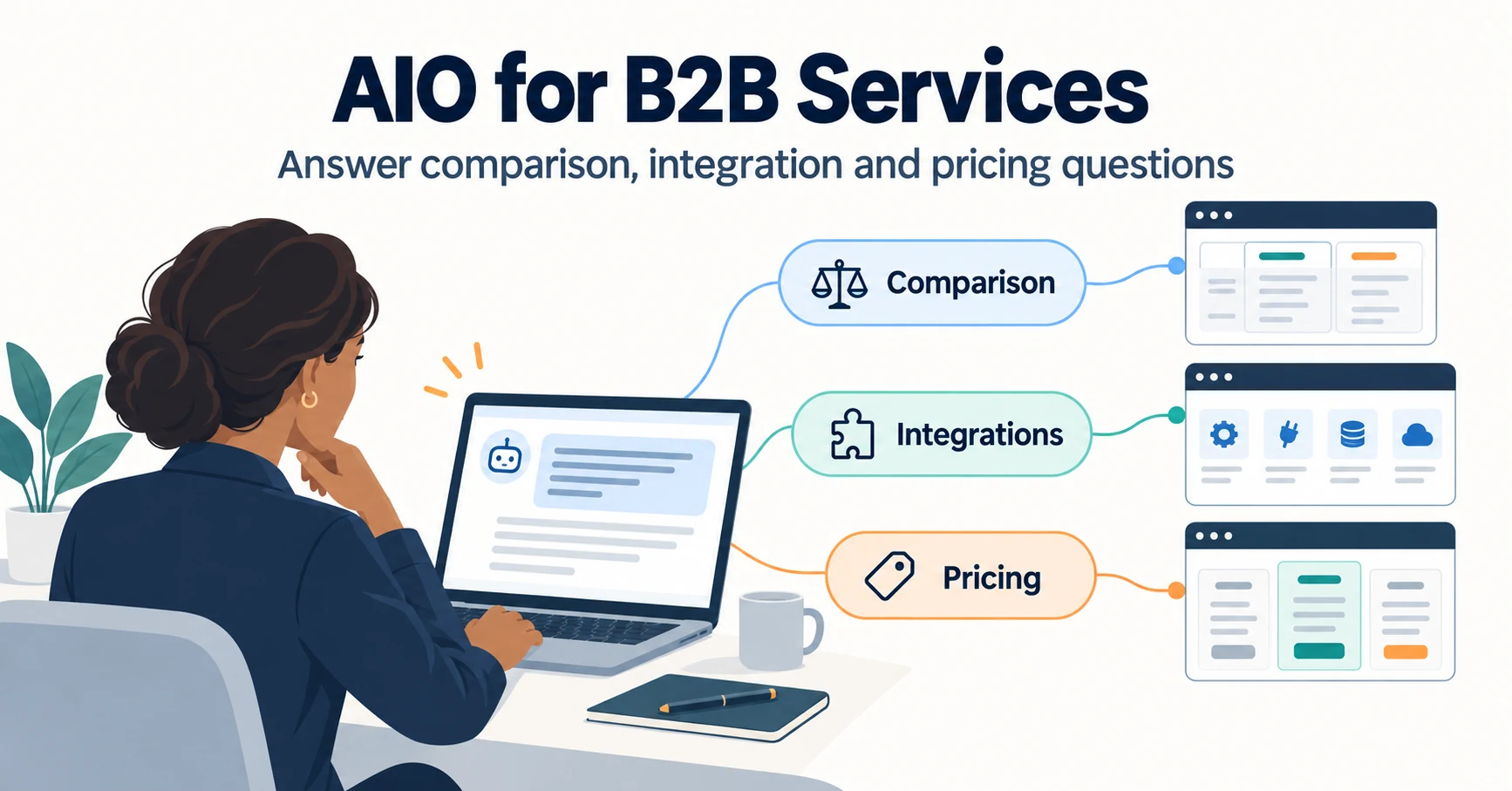
For explaining comparison, integrations, and adoption conditions in a business service, see AIO for B2B SaaS.
Base the separation on the reader's decision, rather than a small difference in query wording.
Combining Google search demand with AI citation observations
Use estimated Google searches and Bing citation data as separate inputs to the editorial decision.
Do not add them together to create a single demand figure or traffic forecast.
This section assumes search-demand data has already been saved.
If it must be collected, first establish the source and target market.
After finding a citation-related candidate, search demand provides another perspective on the language readers use and their interest in the question.
Its purpose is not to move the article onto an unrelated general term with a larger number.
Keep the question the business can answer intact while reviewing wording and scope.
Retain the source and conditions for each measure in the editorial worksheet, and explain why any field is unknown.

Read search volume with its market, language, and retrieval date
Read search volume alongside the market, language, and date on which the value was retrieved.
For estimated monthly searches, the word “monthly” alone should not replace the underlying time period.
Preserve the source's metric name and material identifying the relevant month or period.
If another market's value informs a Japan-focused proposal, explain how that difference affects the interpretation.
English-language data is not automatically demand shared by every country.
| Field to save | What a later reviewer can check |
|---|---|
| Original search phrase | The exact wording associated with the value |
| Country or region and language | Whether it matches the intended audience |
| Metric and period | What was estimated and for when |
| Source and retrieval date | Which data was obtained and when |
| Date used for planning | When the editor consulted the saved data |
Reading a stored value today does not make it newly retrieved data.
When values from different markets or languages appear side by side, retain columns that make those differences visible.
If the conditions do not support comparison, keep the figures as reference information without forcing a growth calculation.
Leave a new feature's search volume unknown when it has not been obtained
If search volume for a new name such as Topics Portfolio is unavailable in the saved data, mark it as not obtained.
Do not replace an empty field with zero and conclude that nobody is interested.
Equally, do not present a broad related term's volume as demand for that feature alone.
People searching for LLMO advice are not necessarily all looking for Topics Portfolio.
Explain which part of the broader question the new feature helps address.
For this proposal, the relevant decision is which content to add next as part of LLMO work.
That relationship can define the article's scope even without a volume figure for the feature name.
Record data states distinctly: not queried, queried without a numerical result, value obtained, or an actual zero returned.
This makes the missing information clear when the team revisits the research.
Even a term with verified demand should be excluded if the article does not answer its underlying question.
Choose natural language that fits what the article can explain, without broadening the topic to chase a number.
Prioritize by demand, business relevance, and available evidence
Set priorities using a short explanation of why a candidate is ready to be written, as well as the available numbers.
We recommend a readable adoption rationale rather than combining unlike measures into one score.
In the attendance example, a candidate can move forward when public migration documentation exists and an existing page omits a relevant condition.
A promising question without verified source material should receive a research assignment first.
| Candidate's state | Reason for the next action |
|---|---|
| Relevant question and evidence; incomplete existing explanation | An update proposal can be prepared |
| Relevant question; evidence not yet verified | Source review comes first |
| Evidence exists; existing content already answers the question | Reconsider the need for additional production |
| Outside the business's remit | Decline for this round |
Even when demand figures are similar, knowing the necessary sources and editing location helps determine the next task.
Include the target URL or missing answer so that another editor can understand the rationale.
This table is not a formula for predicting citations.
It explains which candidates moved into production and the evidence behind those decisions.
Turning a selected topic into an actionable article brief
Keep the reader's question, proposed answer, evidence, and difference from existing content in the same brief.
Handing over only a query leaves room for another writer to interpret it differently.
Specify what the reader should be able to decide after reading.
For attendance data migration, one possible endpoint is identifying transferable information and selecting the material needed for preparation.
If the evidence cannot support that endpoint, retain the gap as a pre-writing research item.
The fields in this section are our proposed editorial format.
They are not a description of fields in the Bing interface.
Create a record in a shared document or planning ledger, distinguishing discovery, selection, and permission to draft.
Assign the writer and schedule once the planned answer is clear.

Define one main question and the action readers can take afterward
Build the outline around an answer to a main question, rather than a list of keywords.
For attendance migration, the question could be: “What needs to be checked and prepared before transferring existing records?”
Supporting sections would address transferable fields, required preparation, and checks after migration.
Map the explanation in each section to its evidence.
For example, a documented list of eligible fields can support the section on what can be moved.
If a source explains only preparation, do not invent the later operations.
Find another source or define the article's endpoint as preparation.
Write one sentence describing what readers can do after closing the article.
Instead of “understand migration,” specify that they can compare required fields with the supported list and ask the responsible team about unresolved conditions.
That sentence also helps identify useful tables and links.
The writer can then check whether every section is necessary to answer the main question.
Related terms that do not contribute to that decision may belong in a linked article instead.
Cite official information and distinguish it from editorial recommendations
Attach primary sources to feature descriptions and identify the selection method as an editorial recommendation.
For example, a Topics Portfolio metric name and a column in an internal planning sheet come from different sources.
Even if both appear in one table, distinguish Bing's display from judgments added by the editorial team.
Checking a source involves more than confirming that its URL opens.
Read where the material supports the proposed meaning and conditions.
Do not add an outcome or availability region absent from the source to make the explanation easier to tell.
Identify a hypothetical example when first introducing it.
The attendance service example throughout this article does not report a live Bing screen or customer results.
If a non-numerical example explains the decision, there is no need to invent citation counts.
The brief can separate “fact to explain,” “supporting source,” and “action we recommend.”
After drafting, compare each citation number with its source.
Correct wording that makes an editorial method sound like an official requirement or states more than the evidence establishes.
Record the decision, owner, and next review date
The planning ledger should record the decision and reason, plus who will check what and when.
A held candidate can be handed over if its restart condition is clear.
We suggest the following record for each candidate.
| Field | What to enter |
|---|---|
| Original candidate | Topic, query, reporting period, and observation date |
| Reader question | The specific question the article will answer |
| Existing URL | Related content and the missing explanation |
| Evidence | Current material, responsible team, and unresolved facts |
| Production decision | New article, update, decline, or hold for research |
| Owner and review date | The person responsible for the next check and its planned date |
| Approval state | The organization's distinction between planning, permission to draft, and permission to publish |
For a held item, explain what would change the decision.
If documentation on transferable fields is missing, record that the update proposal will be decided after that material is checked.
An unassigned task should not be described as research already underway.
Adding a candidate to a ledger does not itself authorize drafting or publication.
Use consistent approval states so the writer and reviewer read the same status.
Reviewing LLMO work after carrying out the plan
Record what changed in the article separately from what was observed afterward.
An increase in citations alone does not establish that the article update caused it.
Bing's explanation of Compare also notes that citation changes can have multiple influences.[2]
Decide in advance what to preserve from before the update and what to examine afterward.
Distinguish publication, citations, visits, and inquiries.
Knowing each state makes it easier to decide whether to revise the explanation or continue observing.
This section does not promise that using Topics Portfolio will produce a particular result.
It proposes a way to review the selected topic and adoption rationale so that the next editorial decision is better informed.

Save the topic, URL, and period before making changes
Before editing, save the topic, page URL, observation period, and reason for selecting the candidate.
For a new article, record that no published version existed beforehand.
If earlier figures were not collected, do not reconstruct a baseline by guessing.
When updating the attendance migration guidance, preserve the previous text and the condition it failed to explain.
Afterward, add the change date, revised section, supporting material, and result of checking the published page.
That is more traceable than a record saying only “LLMO work completed.”
Give the next reviewer the topic and URL to examine.
If periods or targets differ between records, establish those differences before comparing them.
Where no value is displayed, retain that state and the date it was checked.
Whether the article answers the planned question can be assessed without waiting for metrics to move.
If the objective was to explain excluded transfer fields, check that the actual page contains that explanation.
Keep completion of the content edit separate from later observation of citation changes.
Separate citation changes from visits and inquiries
Keep citations, visits, and inquiries in different fields.
Bing's Citation Share is not a measure of traffic share.[2]
If citation records increase, report that as a change in citations first.
Add visits or inquiries separately when those results can also be verified.
| What to examine | What to record |
|---|---|
| Citations | Report, topic or query, period, and displayed value |
| Visits | Visits identifiable in the chosen analytics and the measurement conditions |
| Inquiries | The defined outcome, such as a completed submission, and the period |
| Article changes | URL, change date, and text added or revised |
If visits rise but inquiries are not measured, the inquiry field remains unmeasured.
Conversely, an increase in inquiries cannot be assigned to AI if the acquisition route is unknown.
Before comparison, check whether the measurement method or pages included changed during the period.
For the general use of Compare, see the Bing AI Performance guide.
When evaluating the selected topic, return to its original rationale and decide which check is needed next.
Decide when to continue, revise, or hold
Separate missing data, an incomplete explanation, and poor business fit during review.
Unchanged metrics alone do not require rewriting the entire article.
First check whether the planned explanation was correctly published.
If it is incomplete, revise the text, diagram, or onward link concerned.
If the explanation is complete but comparable data is missing, hold the conclusion and define the next check.
If rereading the candidate reveals that it falls outside the business's scope, reconsider the production decision itself.
| State | Next decision |
|---|---|
| A necessary explanation is missing | Correct the specific gap |
| Data or comparison conditions are incomplete | Establish comparable conditions and check again |
| The reader question does not fit the business | Lower its priority and revisit selection |
| The explanation and observation conditions are in place | Continue observing and inform future planning |
Do not attribute a beta display change to the article's impact without checking.[1][2]
After identifying a candidate in Topics Portfolio, connect the question, existing URL, evidence, and production decision in one record.
That record gives colleagues a concrete basis for deciding what to write next.
Sources
- [1] Introducing Topics Portfolio (Beta) in AI Performance (Microsoft Bing) — accessed 2026-10-14
- [2] New AI Visibility Insights in Bing Webmaster Tools: Intents, Topics, Citation Share, Compare (Microsoft Bing) — accessed 2026-10-14
About the author
Shogo MizushimaCEO of kairos Inc. / AgentSignal Developer
Develops AgentSignal, a tool for measuring AI crawler visits and AI-referred traffic, and diagnosing AIO readiness. Writes about measurement and practical improvements for AI search using observed data.
Related articles

AIO and AI search
How to Read Bing AI Performance: Pages Cited by AI and Citation Share
Learn how to use AI Performance in Bing Webmaster Tools to see which of your pages were cited in Copilot and other AI answers. Covers how to read Intents, Topics, Citation Share and Compare without confusing them with rankings or traffic.
Published
AIO and AI search
AIO for SaaS and B2B Services: Getting Recommended in Comparison Questions
For SaaS and B2B services, what matters is whether AI recommends you when buyers ask about comparisons, alternatives, integrations and pricing. Learn how to assign a page to each question type and review comparison pages, integration lists and third-party listings.
Published

AIO and AI search
AI Search Optimization for Site Migrations: Checks Before and After Launch
Prepare a site migration for Google AI Overviews and AI Mode. Review URL mappings, content, redirects, launch settings, Search Console, and post-launch AI visibility.
Published