How to Report AIO Results to Your Manager: Monthly Report Items
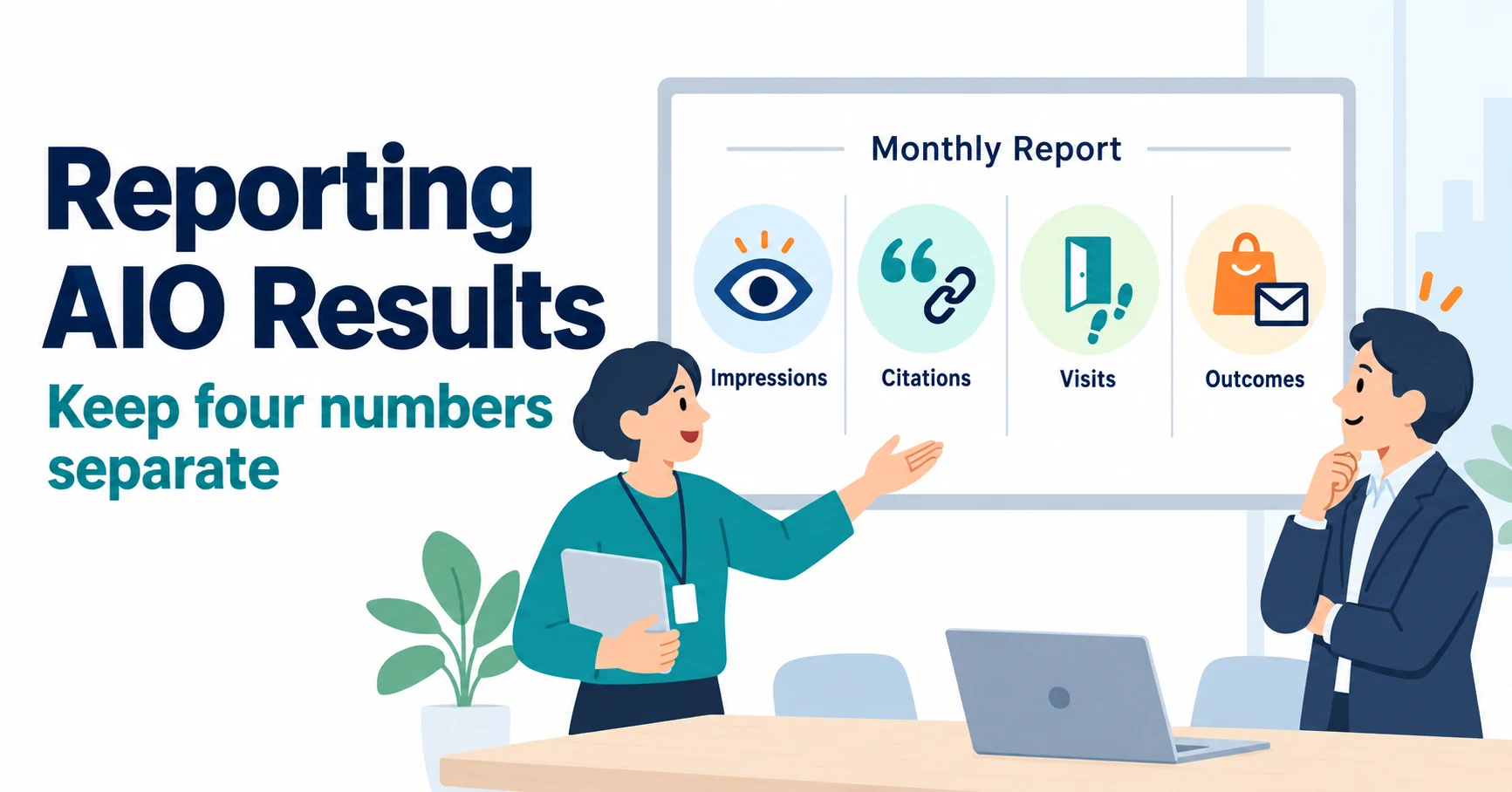
Which numbers should you report for AI search optimization, and how? See monthly report items that separate Google impressions, AI citations, website visits and inquiries or purchases, how to read Search Console and Bing’s new reports, and what not to claim.
A monthly AI search optimization report should list Google impressions, citations in AI answers, website visits and inquiries or purchases as separate numbers. If you combine all four into “AI results”, you cannot see what is growing and what has stalled.
As an illustration, imagine a marketer two months into AI search optimization. Their manager asks, “So, is it working?” This article shows which monthly report items to include and how to write the report.
Metrics to Separate in an AIO Report: Impressions, Citations, Visits and Outcomes
Split reported numbers into impressions, citations, visits and outcomes. Each uses different tools and units.
| Metric | What it counts | Main source | Unit |
|---|---|---|---|
| Impressions | Times your pages appeared in Google Search AI features | Search Console generative AI report [1] | Count |
| Citations | Share of AI answers to your chosen questions that linked to your pages | Your AI citation tracking records (Bing Citation Share is a separate metric with a different denominator; see below) [3] | X of Y, % |
| Visits | Visits from AI services | GA4 Traffic acquisition report [4] | Sessions |
| Outcomes | Inquiries, purchases and so on | GA4 key events, your sales records [4] | Count, revenue |
The four look like a chain from top to bottom. But more impressions do not always mean more visits. Even when cited, some people get their answer and never open the link. That is why you report them separately.
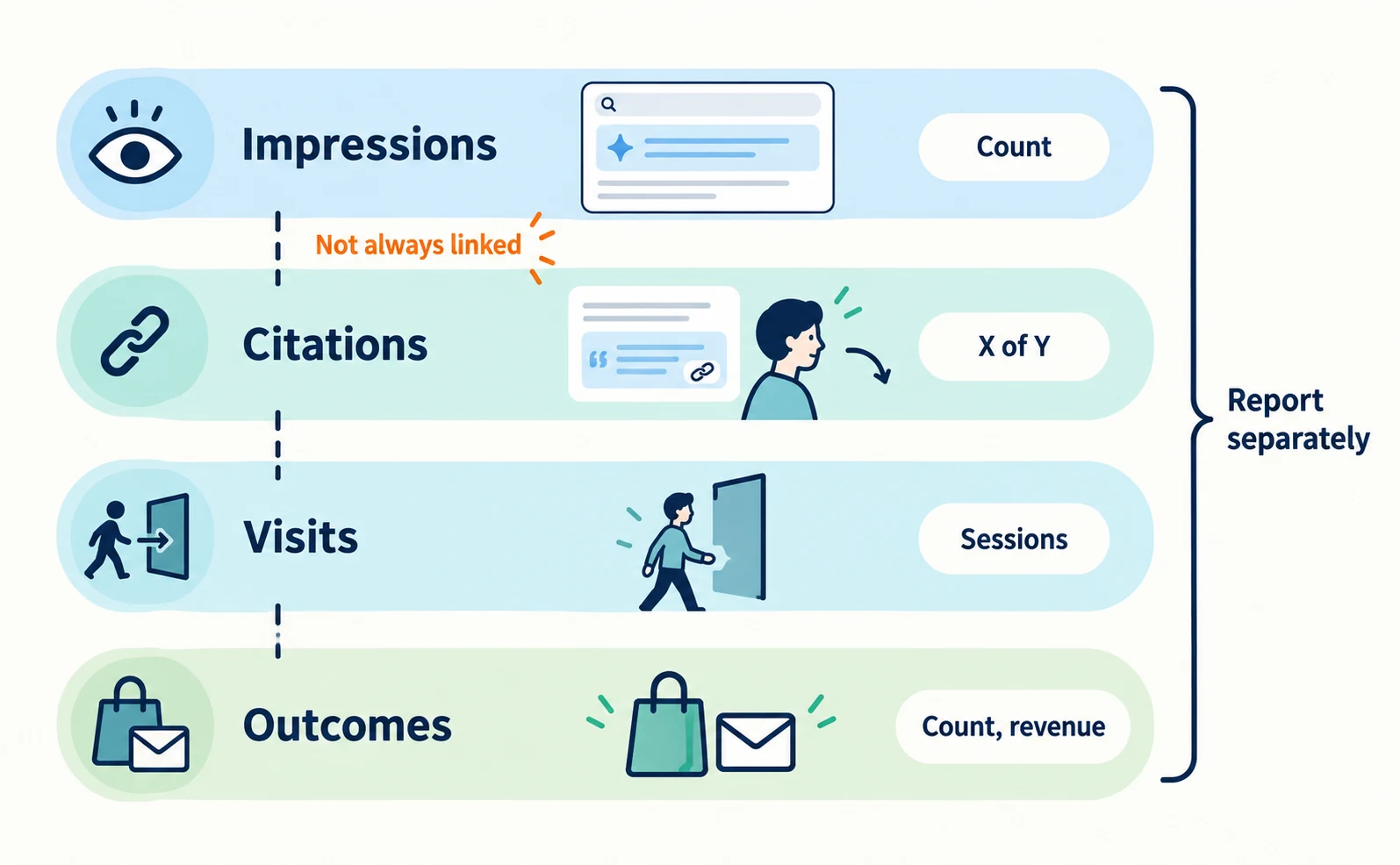
Monthly Report Items and Where to Get Them
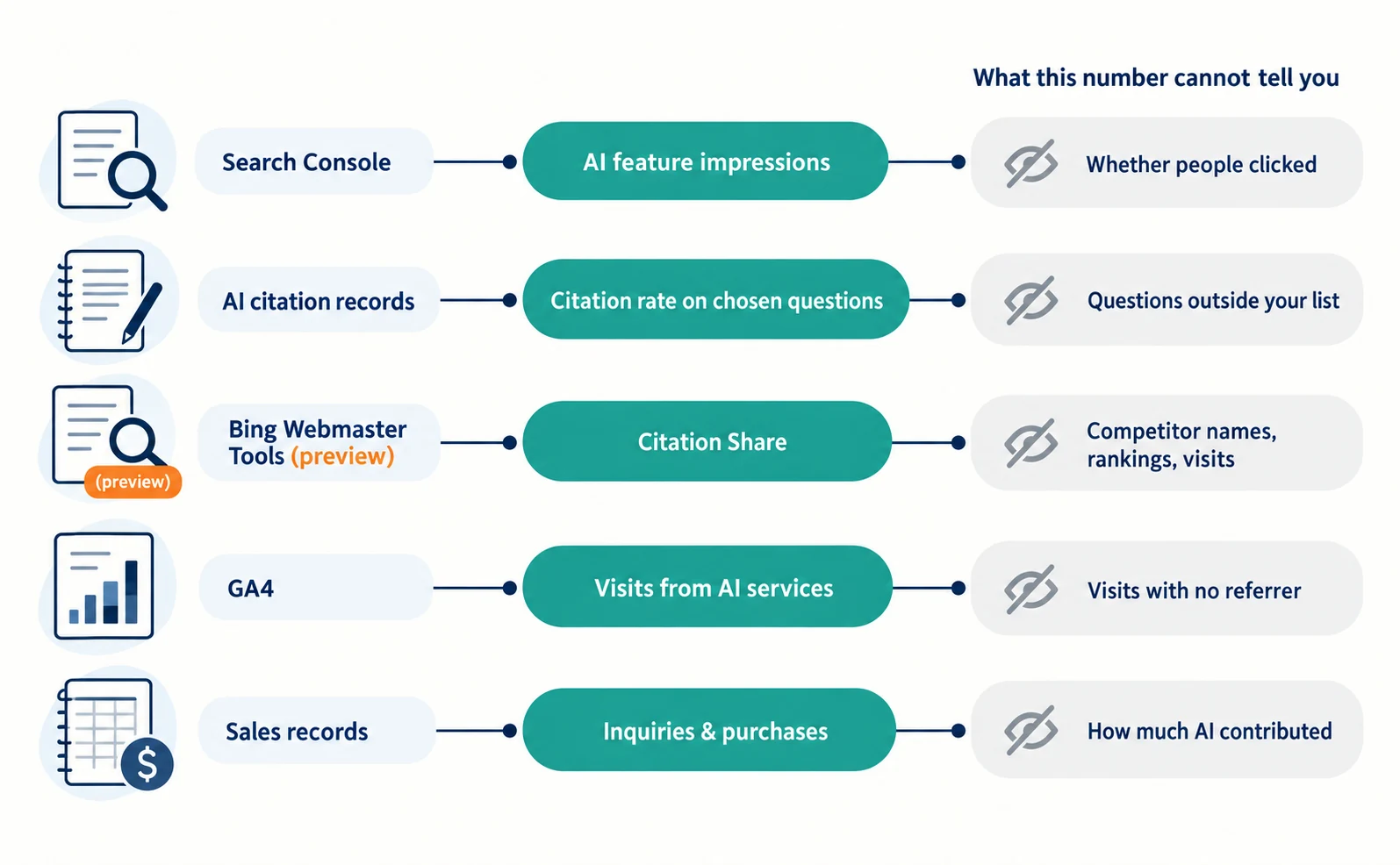
For each item, write its source and what that number cannot tell you. Adding what is unknown helps your manager avoid misreading the numbers.
| Item | Source | What this number cannot tell you |
|---|---|---|
| Impressions in AI features and top pages | Search Console generative AI report | Whether people noticed or clicked the link |
| Citation rate on chosen questions (by AI) | AI citation tracking records | Citations for questions outside your list |
| Citation Share in Bing and Copilot | Bing Webmaster Tools | Competitor names, rankings, visits |
| Visits from AI services | GA4 Traffic acquisition | Visits with no referrer recorded |
| Inquiries and purchases | GA4 key events, sales records | How much AI contributed to the purchase |
What the Search Console Generative AI Report Shows
It shows how often your pages appeared in Google’s AI Overviews and AI Mode, by page, country, device and date. As of August 31, 2026, the reports were rolled out to all websites worldwide [1]. Discover has its own separate report, and the device breakdown is available for Search results only [1].
The help page defines impressions as how many times links to your site were shown in a generative AI feature. You can see impression trends, top pages and breakdowns by country and device [2]. In the help page checked on September 23, 2026, the metric described is impressions; clicks and query lists are not described.
Three points matter for reporting. The report may not appear if your site has too few impressions in AI features. Search Labs experiments are not included. In exported data, values shown as “~” or “-” become zeros [2]. Before reporting a month as “zero impressions”, check the screen as well.
AI feature impressions are also included in the overall search Performance report [5]. Do not add the two numbers together.
Cautions When Reporting Bing’s Citation Share
Citation Share is the percentage of all citations shown for a specific grounding query that point to your site. It differs from a citation rate based on answer counts, and it is not a ranking or traffic share.
On June 16, 2026, Microsoft released Citation Share in preview as a new Bing Webmaster Tools feature. It describes it as an observational metric, not a ranking system or competitive scoreboard, and notes that it does not expose competitor domains [3].
In your report, call it “our share of citations in Bing” and note that it is a preview metric.
Writing a Report Your Manager Will Understand
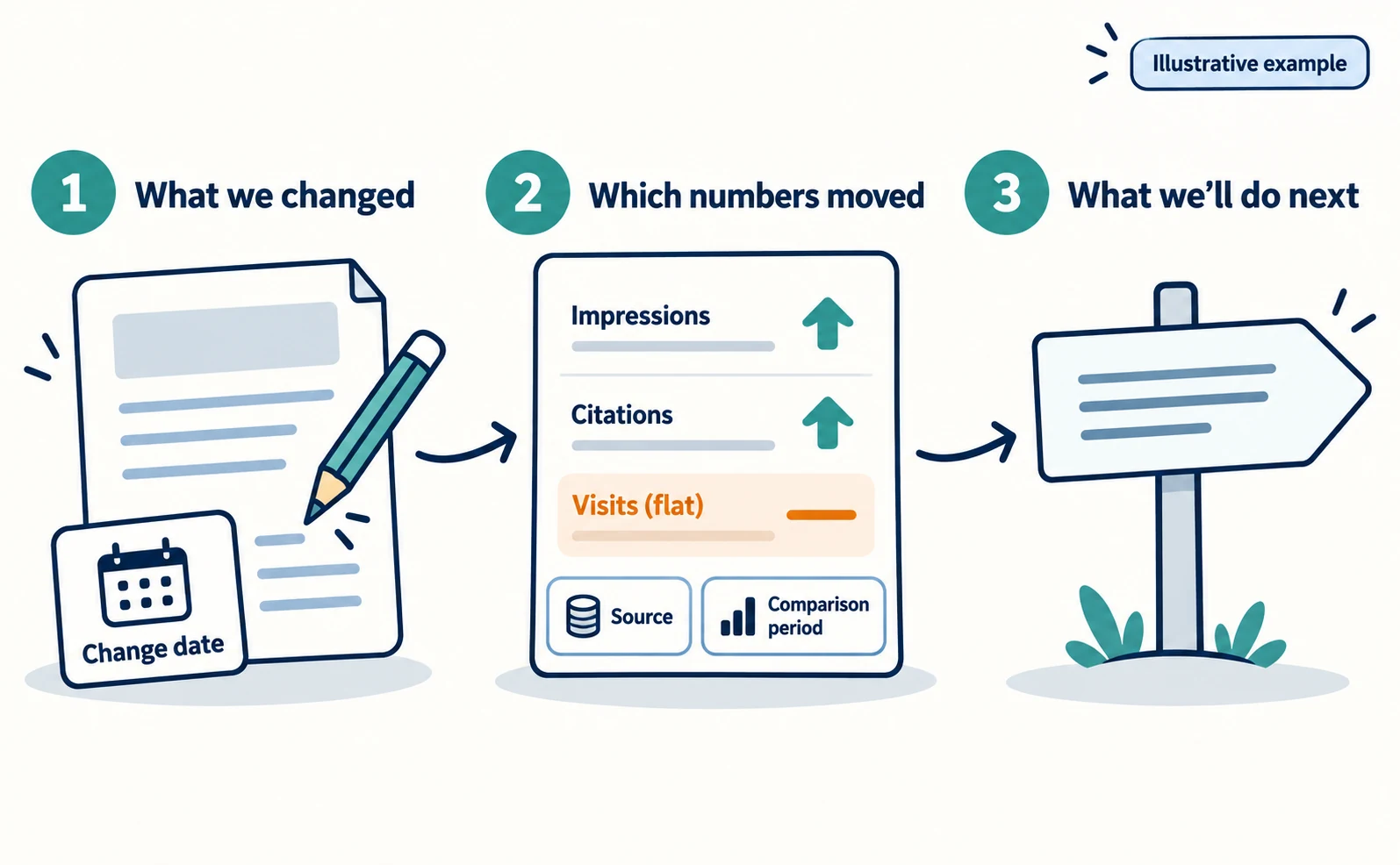
Write in the order “what we changed → which numbers moved → what we’ll do next”. Include the change date and the comparison period.
The numbers below are fictional and for illustration only.
Before:
Our AI efforts are working. AI impressions grew 1.5 times.
After:
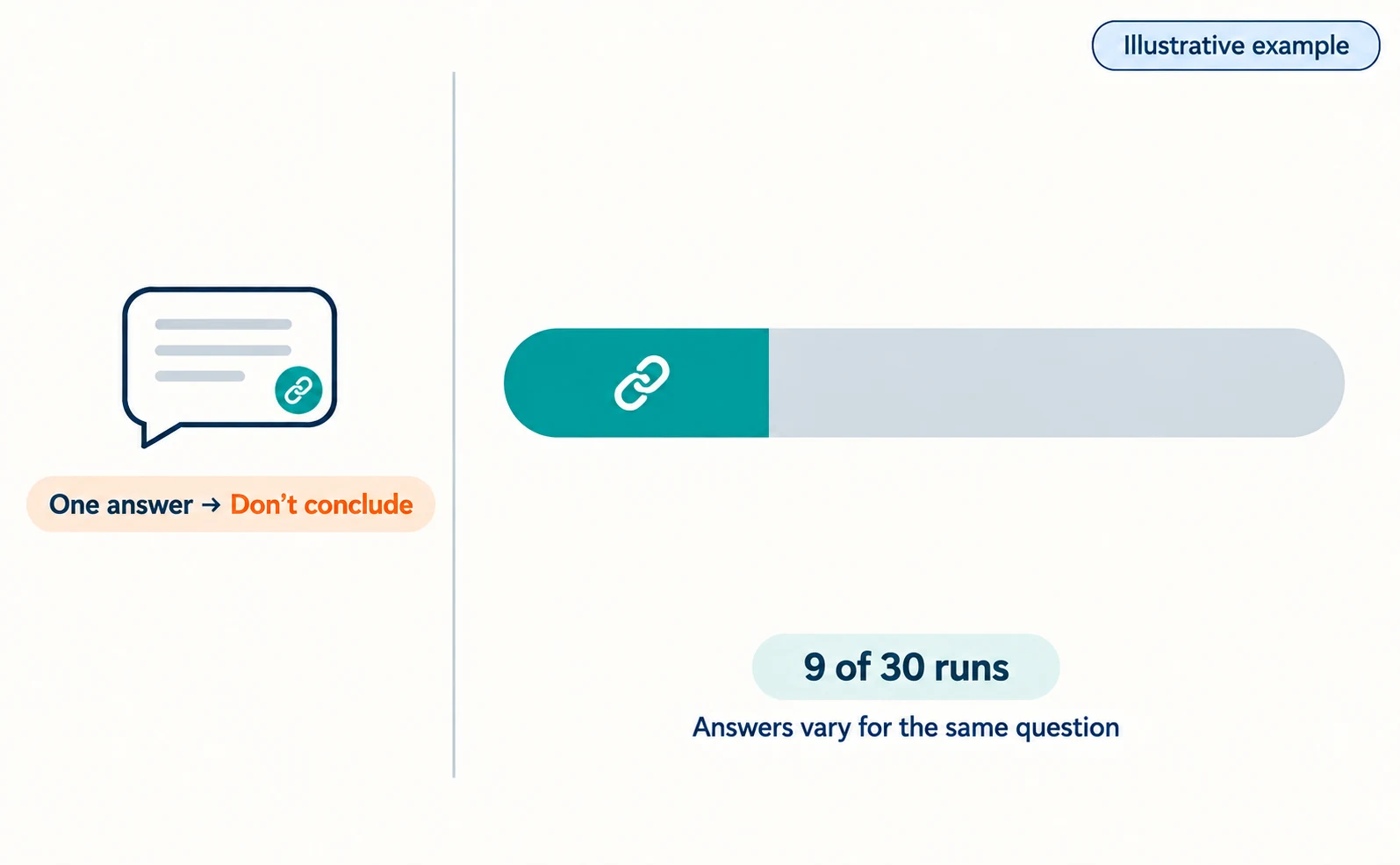
On September 5 we added “additional fee conditions” to the pricing page. In Search Console’s generative AI report, September impressions were 1,200, up from 800 in August. For our 10 chosen questions, run 3 times each, ChatGPT citations rose from 6 to 9 out of 30 runs. AI referral visits were flat at 40 a month, with 2 inquiries. In October, we will revise the top of the pricing page, which gets the most impressions, to understand why visits have not increased.
The revised version shows what changed, where the numbers came from, the comparison period and the next task. Stating plainly that visits did not increase gives your manager something to decide on.
What Not to Claim in Your Report
Do not claim that rising citations or impressions caused higher sales. A before-and-after comparison alone cannot establish the cause.
| Avoid | Say instead |
|---|---|
| AI optimization increased sales | In the same period, 2 inquiries came from AI referral visits |
| Our citation rate is the industry’s best | For our 10 chosen questions, we were linked in 9 of 30 runs |
| We beat competitors on Citation Share | Our share of citations in Bing rose |
| Our efforts doubled impressions | Impressions rose after the update; seasonal or search changes may also play a part |
Also avoid writing “we now get cited in ChatGPT” based on a single answer. AI answers vary even for the same question, so report results as X out of Y.
Google does not guarantee inclusion in AI features either [5]. If you report months when numbers fall in the same format, you can later tell whether a change was temporary or a trend.
To see AI visits in GA4, open Reports > Acquisition > Traffic acquisition and look for AI services in the session source [4]. Visits with no referrer recorded will not appear there.
For how to record answers, see What Is LLMO?. For checking citation rates in AgentSignal, see How to Use AI Optimization.
FAQ
- Q. Can I find out how many questions people ask AI?
- Not from the official reports checked here. Search Console’s generative AI report shows how often your pages appeared in AI features, not how many questions users asked.
- Q. Why did citations rise while visits did not?
- Some people get their answer without opening the link. You cannot pin it on one cause, so report citations and visits separately and review the pages with the most impressions.
- Q. Does the Search Console generative AI report show clicks?
- The help page checked on September 23, 2026 describes impressions as the metric and does not describe clicks.
Sources
- [1] Introducing Search Generative AI performance reports in Search Console (Google Search Central Blog) — accessed 2026-09-23
- [2] Generative AI performance report (Search) (Search Console Help) — accessed 2026-09-23
- [3] New AI Visibility Insights in Bing Webmaster Tools: Intents, Topics, Citation Share, Compare (Microsoft Bing) — accessed 2026-09-23
- [4] [GA4] Traffic acquisition report (Google Analytics Help) — accessed 2026-09-23
- [5] AI features and your website (Google Search Central) — accessed 2026-09-23
About the author
Shogo MizushimaCEO of kairos Inc. / AgentSignal Developer
Develops AgentSignal, a tool for measuring AI crawler visits and AI-referred traffic, and diagnosing AIO readiness. Writes about measurement and practical improvements for AI search using observed data.
Related articles
AIO and AI search
What Is LLMO? How It Differs from SEO and Why Some Say It Is Pointless
LLMO is the work of helping answers from ChatGPT and other AI find and accurately describe your company. Learn how it differs from SEO, why some call it pointless, how E-E-A-T relates, how to measure results and what to do in the first month.
Published
AIO and AI search
What Is AIO? Its Two Meanings and Where to Start with AI Optimization
AIO has two meanings: work to get your company featured in AI answers, and Google Search’s AI Overviews. Learn how it relates to SEO, what to confirm in a proposal, what Search Console and Bing reports show, and your first tasks.
Published
AIO and AI search
Airbyte reported a $100,000 ChatGPT-originated deal: the content changes behind its AIO work
Airbyte reported one $100,000 contract originating from ChatGPT. The team analyzed over 500 prompts and revised content into direct answers, lists, and steps.
Published